

Page 1
269 020 584 E 0806
Additives & Instruments
A member of
Measure what you see.
BYK-Gardner GmbH · Lausitzer Strasse 8 · 82538 Geretsried · Germany · Tel. +49-8171-3493-0 · Fax +49-8171-3493-140 · www.byk.com/instruments
Please note the detailed operating instructions in English on CD.
ENGLISH
haze-gard plus Operation
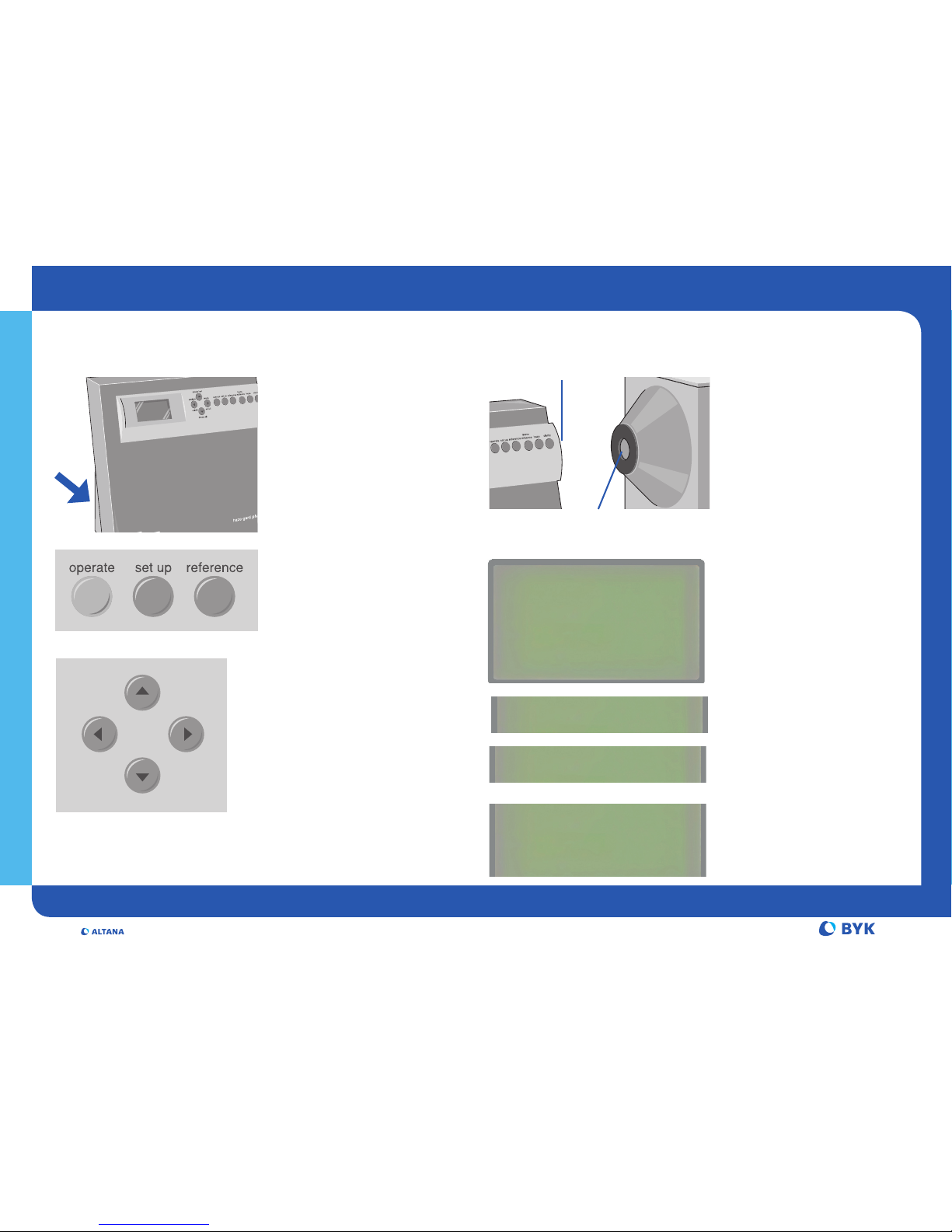
On the left Side:
• Main Switch on/off
• Voltage Selector
• Fuse
Connection for:
• Power Cable
• Foot Switch
• PC
How to Calibrate?
Calibration is necessary at the first
startup and at a regular interval
(two months recommended):
• Press set up button to call up
the calibration routine
• Cover haze-port with dark
standard and press operate
• Remove cover from haze-port
and start the 100%
measuremen
• Place the clarity standard at the
clarity port and press operate
operate button:
Measure
set up button:
SET-UP MENU
reference button:
Measure reference in Continuous
mode
Cursor keys:
Used in SET-UP mode to select
individual menu items and set
values.
In any measuring mode, these keys
are used to switch statistics
functions on/off, and to delete
values from statistics memory
SET UP MENUE
¢
Calibrate
£
Print Statistic
£
Print Online: off
£
Cont. Mode: off
£
Language USA
Escape: SET UP
delete all
delete last
statistic result
on/off on/off
operate set up reference
trans-
mittance
hazeclarity
clarity-port
haze-port
Calibration
Zero Calibration
Calibration
100% Calibration
Calibration
Place clarity stand
75.5
at clarity-port
Page 2
Measure what you see.
Additives & Instruments
A member of
BYK-Gardner USA · 9104 Guilford Road · Columbia · MD 21046 · USA · Phone +1-301-483-6500 · Fax +1-301-483-6555 · www.byk.com/instruments
238 020 959 E 0905
ENGLISH
How to measure How to measure continuously?
How to change settings?
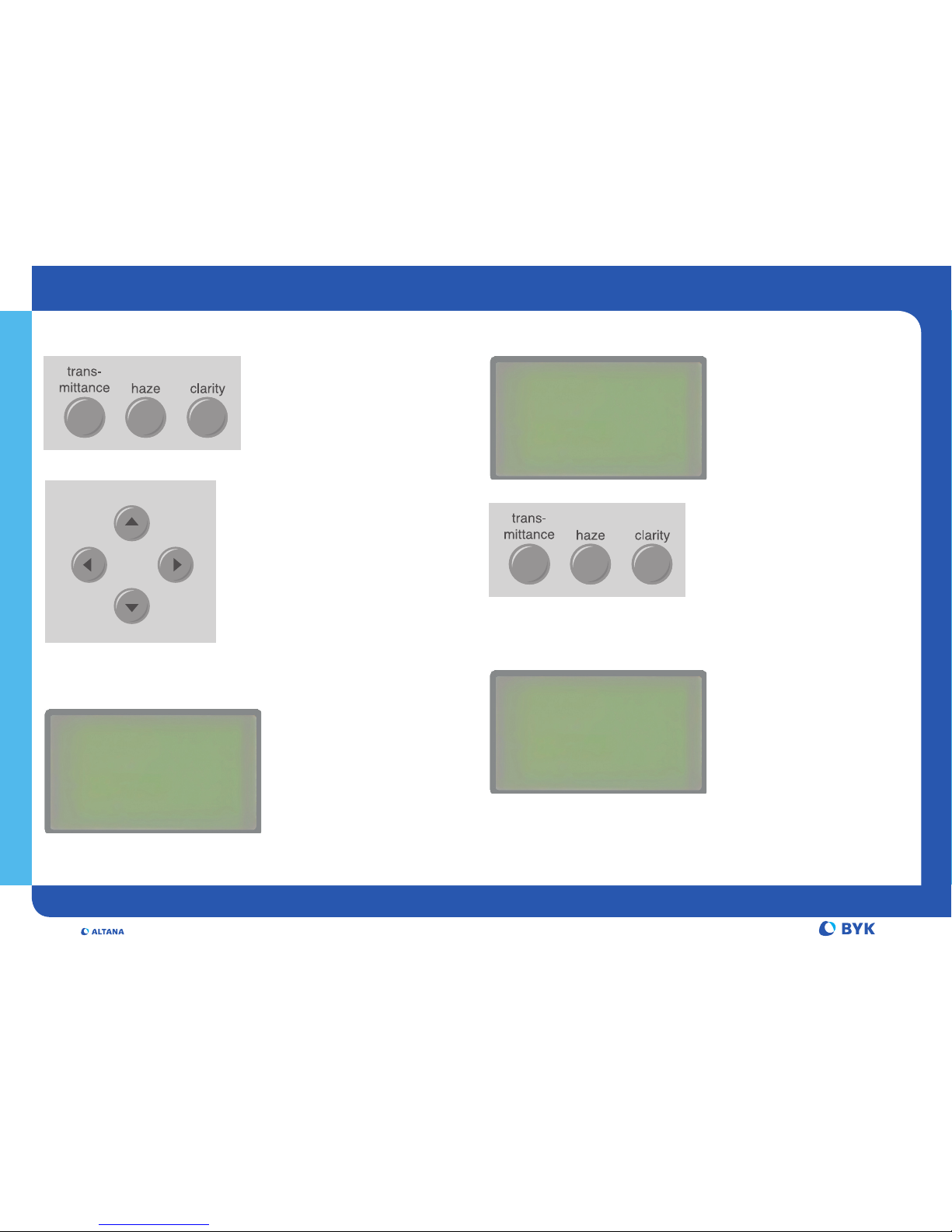
• Select Parameter
Press a button to add a parameter.
Press the button again to display
this parameter only.
• Place sample at:
haze-port for Haze and Transm.
clarity-port for Clarity
• Measure: Press operate
button or foot switch
• Statistics:
1 Switches statistics on and off
2 Switches all statistical data on
and off
3 Last saved measurement is
deleted
4 All statistics in the memory
are deleted
The Statistics mode can be
selected for any combination of
parameters.
In Continuous mode, statistics can
be run for only one parameter
Continuous Mode:
• Select Cont. Mode “on” in the
SET-UP Menu
• Select the desired parameter
to be measured (only one is
possible in this mode).
Haze measurement needs the
transmittance value as a
reference. For a new sample press
the reference button first.
To add readings to statistics, press
operate button.
• Press set up button to
display the SET UP menu
• Use the cursor keys to select
the desired item:
Print function, Language,
Beeper, Date/Time, Contrast,
Calibration values
delete all
delete last
statistic result
on/off on/off
operate set up reference
trans-
mittance
hazeclarity
1
3
2
4
STATISTIC n = 5
H 30.6 m = 30.1
s = 0.5
C 20.8 m = 20.3
s = 0.40
Display example:
SET UP MENUE
£
Calibrate
£
Print Statistik
£
Print Online: off
¢
Con. Mode: on
£
Language USA
Escape: SET UP
SET UP MENUE
£
Calibrate
£
Print Statistik
£
Print Online: off
£
Cont. Mode: on
¢
Language USA
Escape: SET UP
 Loading...