

Page 1
!!
Burson Conductor Virtuoso
Headphone Amplifier / Pre Amplifier / USB DAC input
User Manual
Want free warranty extension to 5 years? Ref. page 6 for details
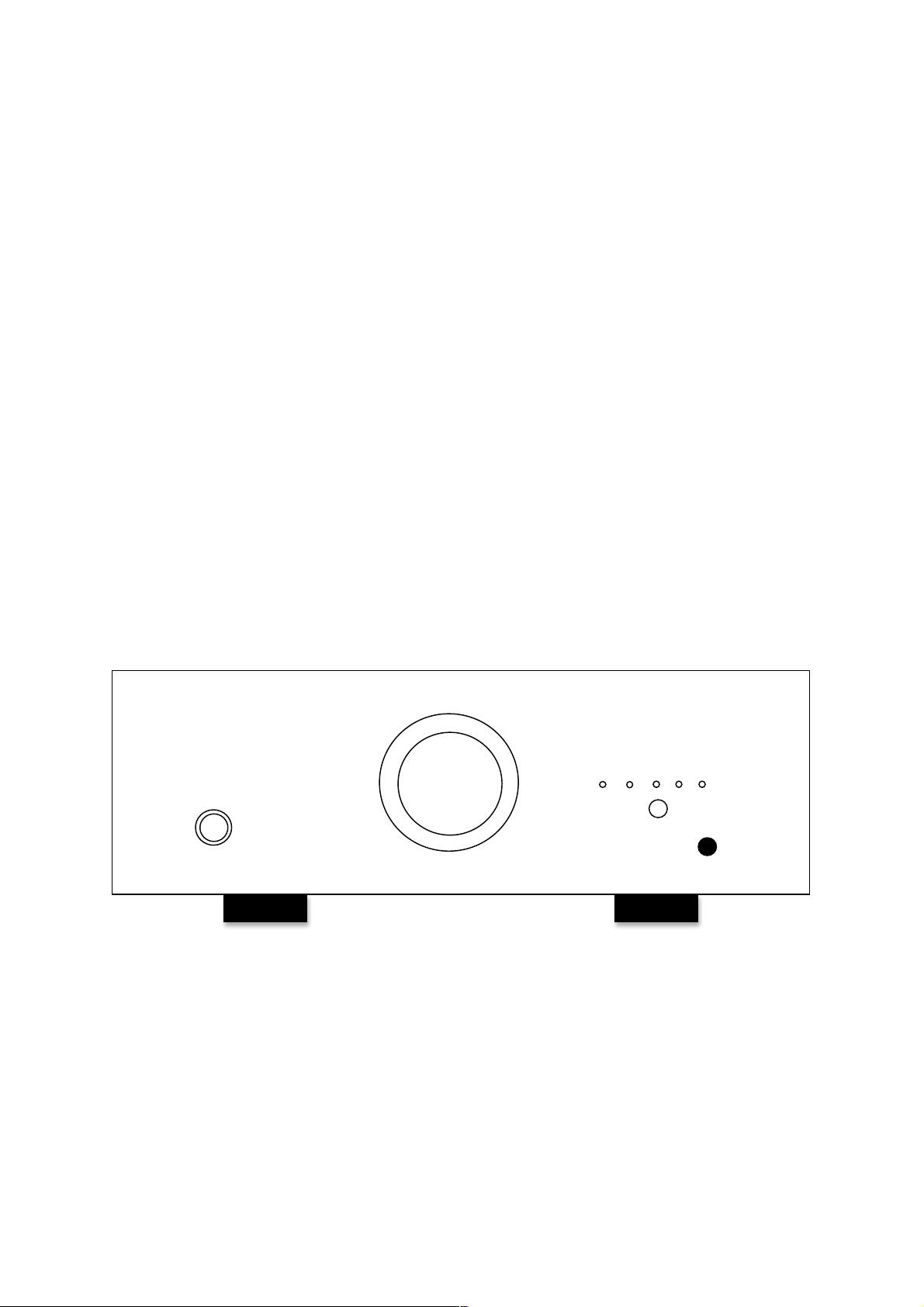
BURSON
I II T C U
Page 2

!
2!
!
Thank You.
All of us at Burson Audio would like to say thank you, and congratulations for purchasing the Burson
Conductor Virtuoso. We sincerely believe that your Burson Conductor Virtuoso is an intelligent
investment that will bring you many years of musical enjoyment and satisfaction.
We understand how eager you are to begin listening and we want you to become familiar with the full
capabilities of the Burson Conductor Virtuoso. However, before powering on the device, we
encourage you to look through the manual.
Team Burson
The less the equipment tampers with the music, the greater the music becomes. This has been the
core design philosophy of Burson Audio since 1996. If the equipment is honest and transparent then
the proper tempo, dynamics and tone will materialize as a natural expression of the music and it
becomes unnecessary to flavor the original sound. We believe that this ideal can never be achieved
through standard circuitry building blocks such as opamps, IC regulators or even standard
transformers. Instead we work towards this ideal through the research and development of
customized solid state circuitries that are developed specifically to suit our applications. Only then
will each and every component involved be pushed to their performance peak. And only then will the
end result be consistent with our idealism.
Team Burson
Page 3

!
3!
Unpacking
After carefully unpacking your Burson Conductor Virtuoso, inspect for any shipping damage and call
your dealer immediately if any is found. Do not plug your Burson Conductor Virtuoso into any outlet if
you find shipping damage. Please save all packing materials so the unit can be easily and safely
shipped if the need arises.
The Accessories
• AC power cord
• RCA Cables
• USB Data cable
• Conductor Virtuoso Headphone / Pre Amp / DAC
• Remote control unit
• User manual with warranty registration instruction
Choosing a Location for the Conductor Virtuoso
The sound quality of all high-performance audio components can be degraded by vibration. Try to
avoid stacking other audio component on top of the Conductor Virtuoso and allow minimum of 1cm
clearance around the Conductor Virtuoso for heat regulation. For best performance, place the
Burson Conductor Virtuoso on a solid surface with minimized vibration.
Page 4
!
4!
!
Connections
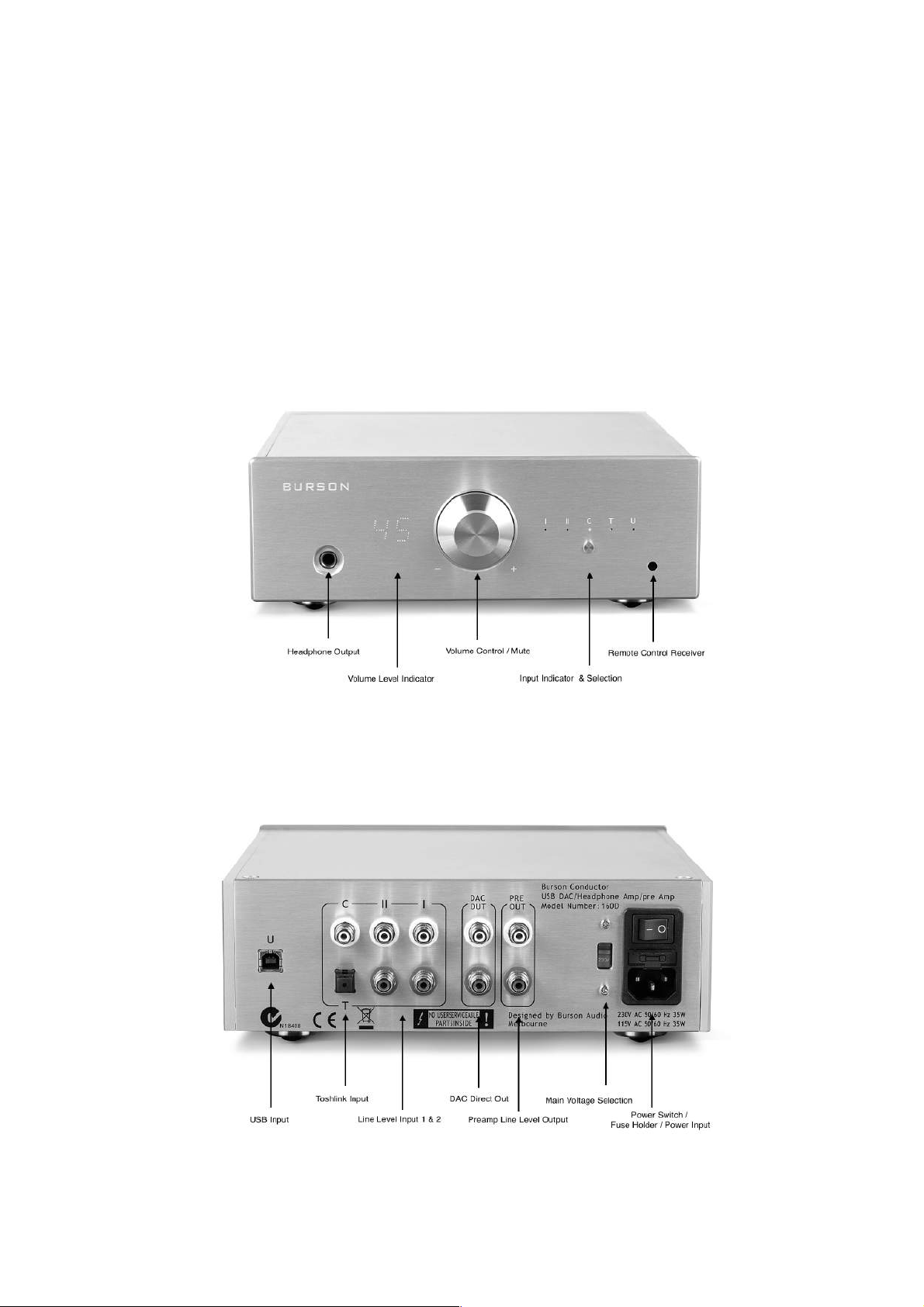
This section provides instructions to connect the Burson Conductor Virtuoso to the rest of your music
system.
Page 5

!
5!
Avoid static shocks to the inputs or outputs. Before connecting or removing a cable, touch any
grounded surface, such as the chassis of a component that is plugged into an AC socket. Inputs and
outputs can be safely connected to the Burson Conductor Virtuoso when its AC power is switched off.
Switching between Pre Amp & Headphone Amp
When the front headphone output is connected, the Conductor Virtuoso will operate in headphone
amplifier mode and the RCA outputs are switched off. After lowering the volume disconnect the
headphone output from the font panel it automatically switches to preamp mode. Pressing the
volume control mutes the volume, pressing it again unmutes the Conductor Virtuoso.
USB interface setup for PC and Mac
For driver download and setup procedures please visit our main website for support:
www.bursonaudio.com
Connecting to AC Power
Check to make sure your Burson Conductor Virtuoso has been manufactured for operation at your AC
line voltage. Attempting to use your Burson Conductor Virtuoso at any voltage other than specified on
the rear of the unit may cause damage that is not covered by warranty.
Using AC Line Conditioners
Of the wide range of power line conditioners currently available, some may improve the sound while
others actually degrade sonic performance. Use caution in selecting a power line conditioner for your
system.
Break-in and warm-up
Careful listeners will notice that the sound of the Burson Conductor Virtuoso improves steadily after
the unit is powered-up. A new unit will undergo more dramatic changes when power is applied for the
first time. Depending on the resolution of the system and the attentiveness of the listener, you may
find that the sound continues to improve over the first several weeks of operation.
Powering up
Make sure volume control has been turned to minimal when using your Conductor Virtuoso for the
first time. Always power up your source machine first and your power amp last. When powering down
your system reverse the steps. Connect your Conductor Virtuoso directly to the wall socket with a
good quality power cable Instead of channel thought a power board will yield better result.
Free Warranty Extension
All Burson Audio products are covered by 24 months of warranty (See conditions below). You can
extend the warranty to 5 years by sending a photo of your audio system with the inclusion of the
Burson product to [email protected] (it would be much appreciated if you can share your
Burson experience with us) with the date of your purchase and the name of authorized dealer.
Page 6

!
6!
Warranty Conditions
Burson Audio warrants that this product shall be free from defects in materials and workmanship for:
The warranty period begins at the date of sale and is subject to the following requirements and
understandings:
1. This is a non-transferable warranty.
2. This product is only warranted in the country of original sale by Burson / authorised dealer.
3. The product must not have been modified in any manner whatsoever, or the warranty is
immediately voided.
4. The product must not have been stored in a humid, damp environment; nor subjected to
weather, water, or salt spray.
5. During the warranty period Burson will replace a defective Burson Conductor Virtuoso with a
similar available product, at no cost to the owner for labour, materials, and shipping charges
from Burson.
6. Burson shall not, under any circumstances, be liable for any incidental or consequential
damages arising from the loss of property or other damage or losses due to the failure of a
Burson Conductor Virtuoso. Burson will not pay for loss of use or inconvenience caused by the
failure of a Burson Conductor Virtuoso. Burson will not pay for damage caused to other audio
components caused by the failure of the Burson Conductor Virtuoso within the limits allowed
by Australian Law.
7. The compatibility between our USB receiver and your computer is dependent on software
drivers provided to Burson by the USB chip manufacturer. Therefore Burson cannot
guarantee compatibility of our USB receiver during or after the warranty period.
 Loading...