

Page 1
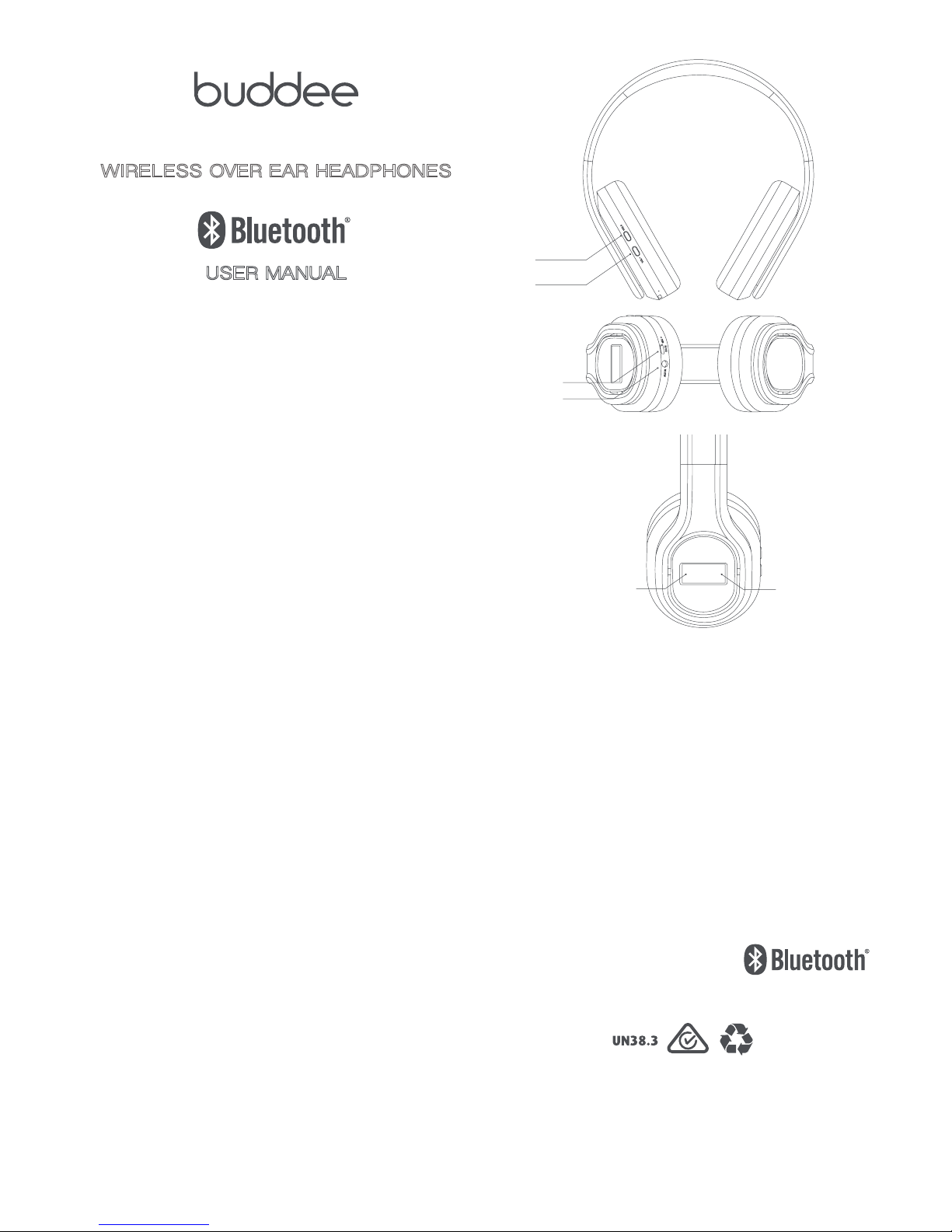
WIRELESS OVER EAR HEADPHONES
WITH NOISE CANCELLING
USER MANUAL
Thank you for purchasing Buddee Wireless Over Ear
Headphones with Noise Cancelling. For optimum performance
and safety, read these instructions carefully before connecting,
operating or adjusting this product. Refer to this manual for
future reference.
INTRODUCTION
Answer calls and stream your favourite tunes wirelessly via
Bluetooth® connectivity. Noise cancelling technology paired
with soft leather ear pieces will have you comfortably immersed
in music.
Noise cancelling technology can be activated to electronically
mute background noise. Use it with Bluetooth® or an auxiliary
cable connection to enhance the quality of the audio that is
playing through the headphones.
Pair your smartphone, or other Bluetooth® enabled device with
your headphones by selecting them in your device’s
Bluetooth® settings.
FEATURES
• Bluetooth
®
audio
• USB charging
• Noise Cancelling
• On-ear controls
• Soft leather cushions
• Micro-USB charging
• Built in microphone
• Folding adjustable headband
PACKAGE CONTENTS
Before attempting to use this unit, please check the packaging
and make sure the following items are contained in the shipping
carton:
• Wireless Over Ear Headphones
• Micro-USB charging cable
• 3.5mm AUX cable
• User manual
© Buddee Gear 2016. All rights reserved. The Bluetooth®
word mark and logos are registered trademarks owned by
Bluetooth SIG, Inc. and any use of such marks by Buddee
Gear Pty Ltd. is under license. Other trademarks and trade
names are those of their respective owners.
Made in China
AUX Input
Volume Up/
Next Track
Volume Down/
Previous Track
Micro-USB Port
MAIN CONTROL BUTTON
LEFT SIDE
• Press and hold for approx
four seconds to power on and
begin Bluetooth
®
pairing
• Press and hold to power off
• Press to play or pause audio
• Press to answer incoming call
MAIN CONTROL BUTTON
RIGHT SIDE
• Press to toggle noise
cancelling activation.
Page 2

CHARGING
1. Using the micro-USB cable included, connect the
headphones to the USB port of a powered computer or USB
power adaptor. Please fully charge the headphones before
first use.
NOISE CANCELLING
The noise cancelling feature will electronically mute
background noise. It can be used with the Bluetooth
®
or AUX
modes to enhance the quality of audio that is playing through
the headphones.
1. To activate noise cancelling press the right side of the Main
Control Button, located on the right hand side of the
headphones. A green LED light in the button will turn on
indicating it’s activated.
2. To deactivate noise cancelling press the right side of the
Main Control Button again. The green LED light will now
turn off.
NOTE: Noise cancelling will function even if the headphones
are not powered ON. To conserve battery power, it is
recommended to power the headphones OFF if you are using
the noise cancelling feature without playing audio.
USING BLUETOOTH
®
AUDIO
PAIRING A DEVICE AND PLAYING AUDIO
1. Press and hold the left side of the Main Control Button for
approximately 4 seconds to power ON and begin pairing.
LED lights in the button will begin flashing red and blue.
When pairing remain within 1 metre of the headphones.
2. Using the controls on your Bluetooth
®
device, select
BD-NCHBT-1 in your Bluetooth
®
settings/ device menu.
If your device requires a password, enter 0 0 0 0. Refer to the
manual of your device for specific instructions on pairing
Bluetooth
®
devices.
3. When successfully paired, the LED lights will only flash blue
and a chime will sound through the unit. Audio played through
the connected Bluetooth
®
device will now be play through
the headphones.
4. Use the controls on your connected device to select and
begin playing audio. To play or pause audio using the
headphone controls, press the left side of the Main
Control Button.
ANSWER PHONE CALLS
1. When a call is received, a ringtone will sound through
the unit.
2. To accept the call, press the left side of the Main Control
Button, or use the controls on the connected phone.
3. To refuse the call, press and hold the left side of the Main
Control Button.
4. To call back, double press the left side of the Main
Control Button.
NOTE: You can also use the controls on your connected
mobile device.
USING THE AUX PORT
1. Insert the included 3.5mm audio cable to the AUX port on the
headphones and connect with a compatible audio device.
2. Use the controls on the connected device to select and
play audio.
NOTE: The AUX port will function even if the headphones are
not powered ON. To conserve battery power, keep the
headphones OFF when using AUX is connected.
TECHNICAL SPECIFICATIONS
Input: 5.0V
Speaker size: Φ40mm
Magnet: Neodymium
Sensitivity: 100±3dB
Impedance: 32Ω±10%
Frequency range: 20-20k Hz
Noise cancellation: 15-20dB, 100-500Hz
Battery: LitIon 250mAh
Bluetooth
®
version: 4.1, works up to 10 metres
Battery Life: 8 hours (Bluetooth
®
and NC on)
 Loading...