

Page 1
X80 Wireless Feeder Controller Quick Start Guide (PC Base)
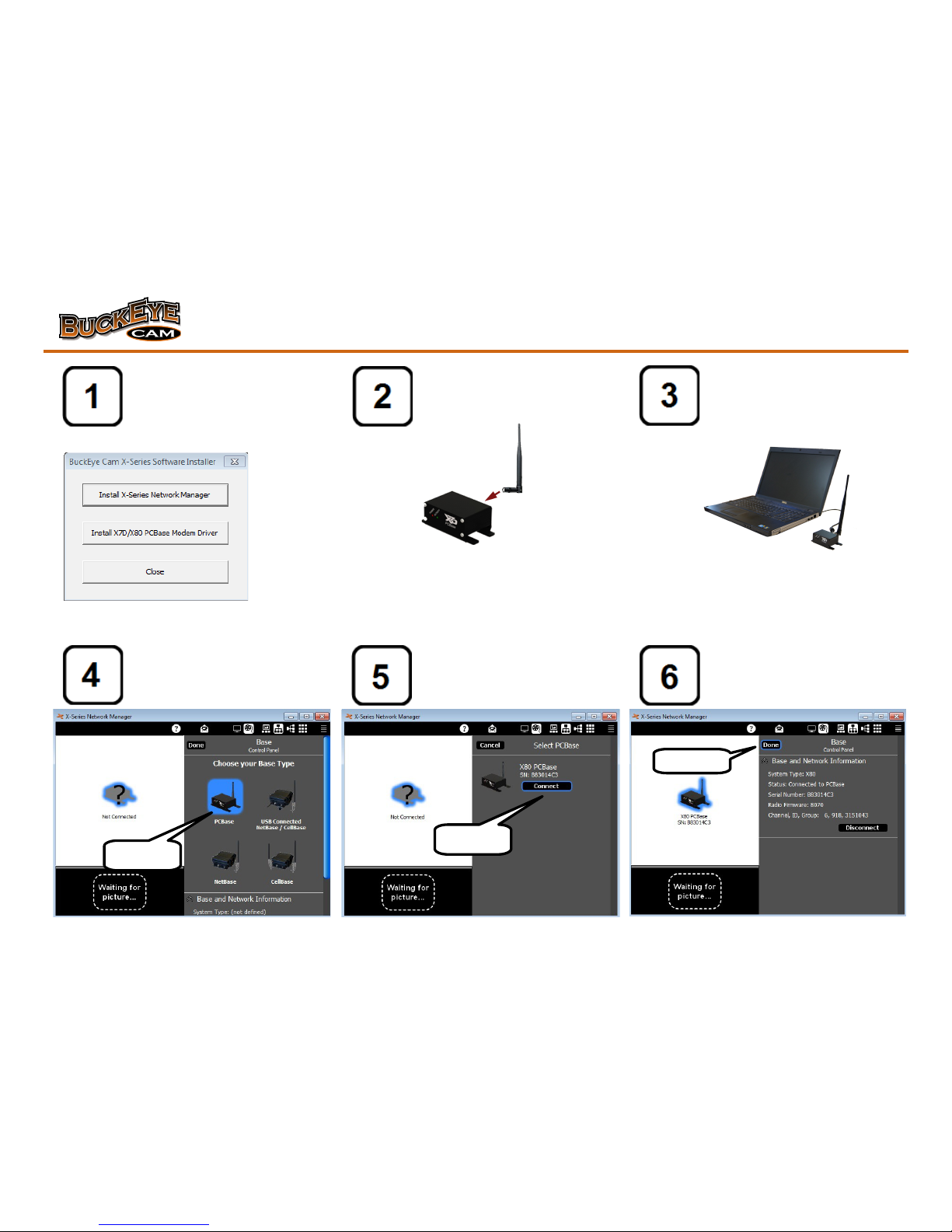
Install X-Series Network Attach antenna to PC Base. Connect PC Base to the
Manager and Modem Driver computer with USB cable.
Use the supplied installation disk
or download the software from
www.buckeyecam.com
Start X-Series Network Click the Connect button. Click the Done button.
Manager and click the
PCBase icon.
(continued on other side)
Click here
Click here
Click here
Page 2
X80 Wireless Feeder Controller Quick Start Guide (PC Base)
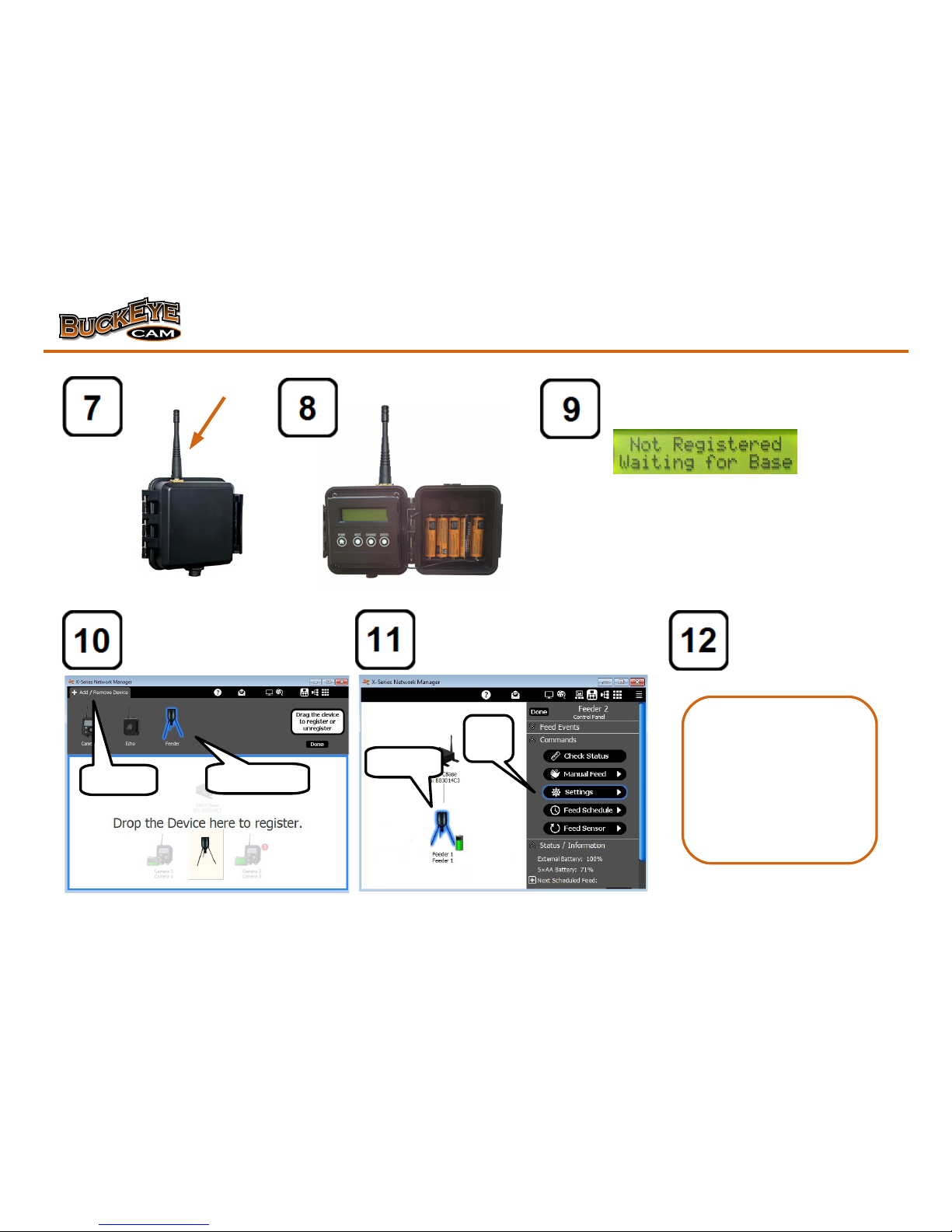
Attach antenna. Install AA batteries. Wait for the display to read "Not Registered
Waiting for Base".
Click on Add/Remove Device. Click on the Feeder Icon. Click on Click Update to save
Drag and drop the feeder icon Settings. Select the Feeder main Changes or Cancel if no
Into the network view. Battery voltage (6V or 12V). changes were made.
Click here
Click
here
Drag and drop
Click here
For more detailed
instructions and for
feeder motor wiring
diagrams refer to the X80
Feeder Controller User's
Manual available at
www.buckeyecam.com
 Loading...