

Page 1
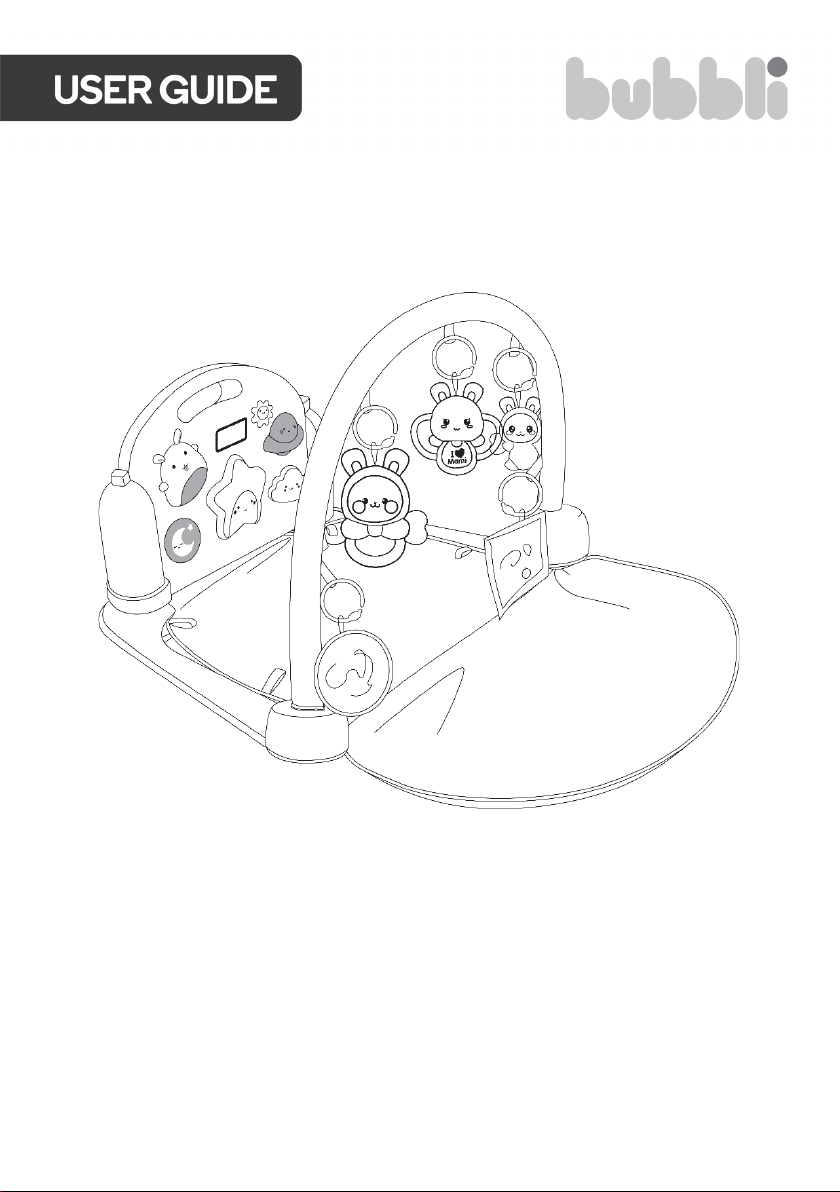
PRO ACTIVITY GYM
PLAYMAT
BBPROGMPLTA
Page 2

Page 3

WARNING — KEEP BATTERIES OUT OF REACH OF CHILDREN
• Swallowing may lead to serious Injury or death in as little as 2
hours, due to chemical burns and potential perforation of the
oesophagus.
• If you suspect your child has swallowed or inserted a button battery
immediately call the 24-hour Poisons Information Centre on 13 11 26
(Australia) or 0800 764 766 (New Zealand) for fast, expert advice.
• Examine devices and make sure the battery compartment Is
correctly secured, e.g. that the screw or other mechanical fastener Is
tightened. Do not use If compartment is not secure.
• Dispose of used button batteries immediately and safely. Flat batteries can still be
dangerous.
• Tell others about the risk associated with button batteries and how to keep their
children safe.
Page 4
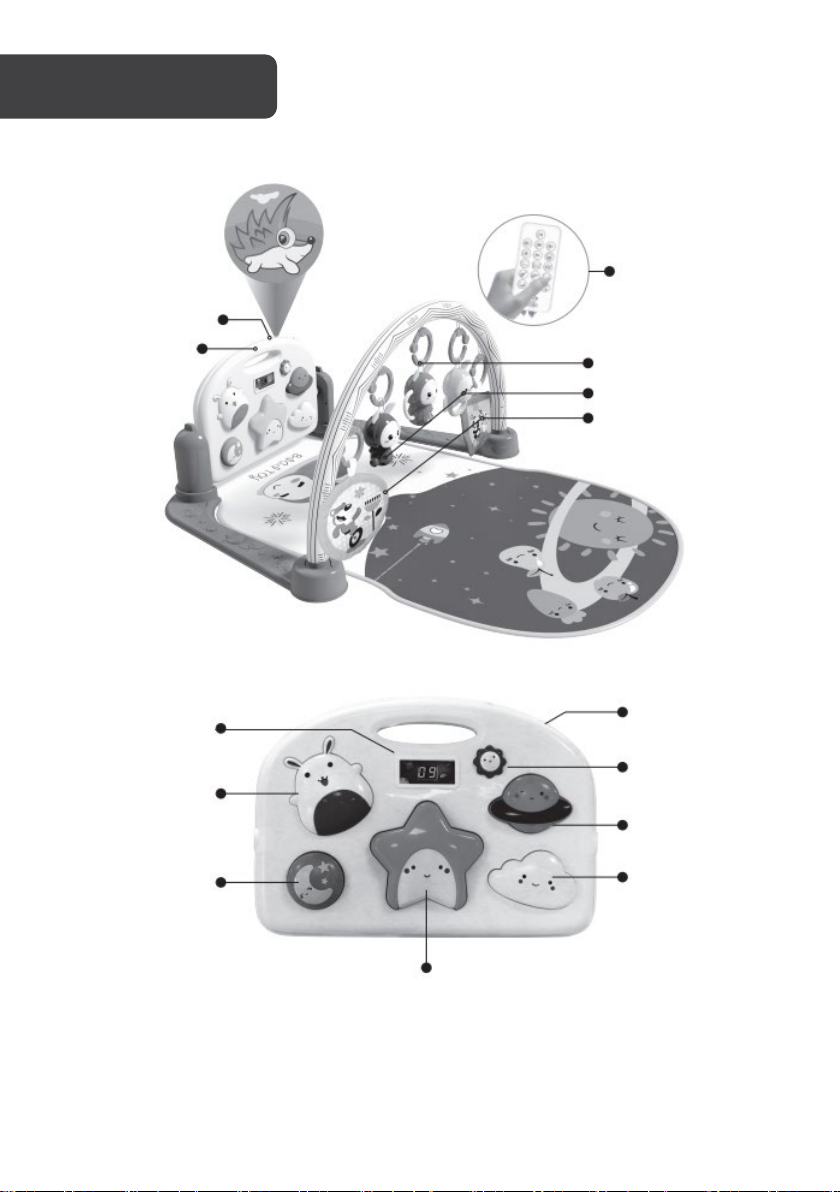
Star button
Switch/Projection
Power/Volume
Jupiter button
Clouds button
Pedometer
Rabbit button
Moon button
Projection
Control panel
Remote control
Other pendants
Rabbit pendant
Rabbit night lamp
button
Page 5
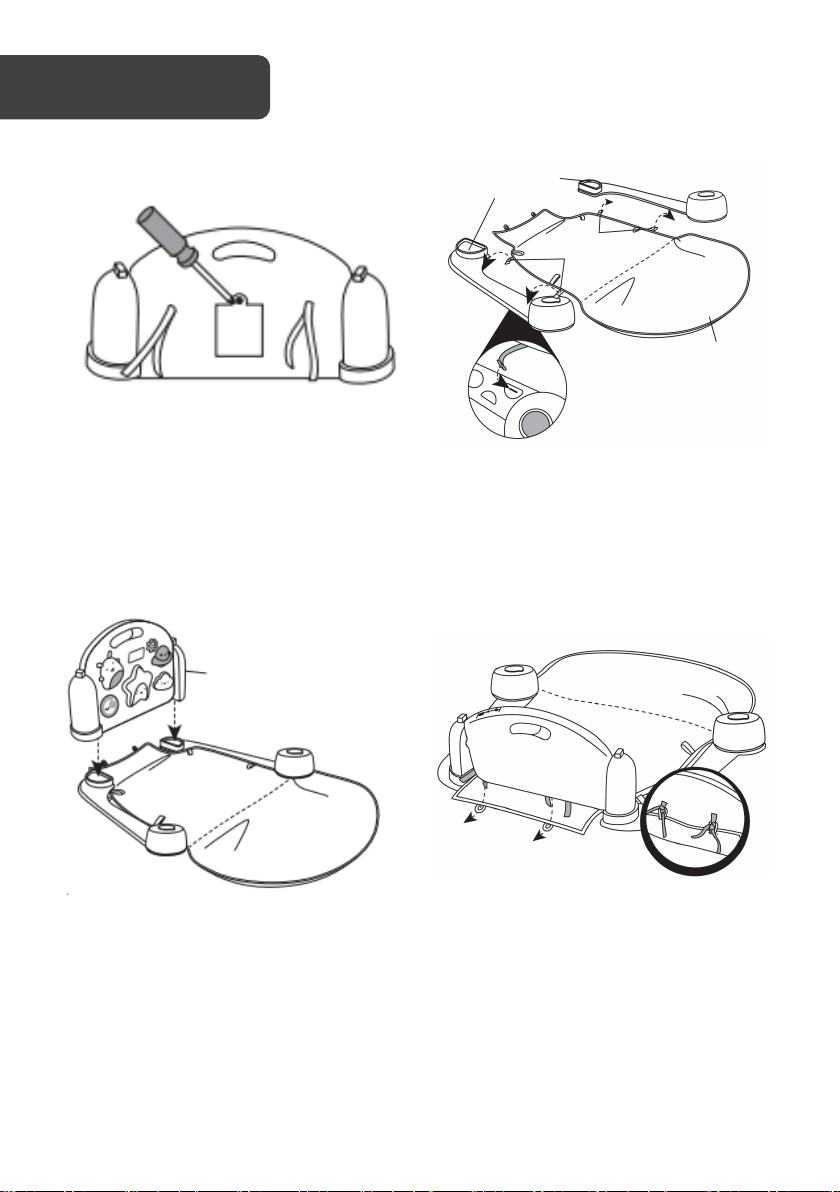
Bracket
Rope
Playmat
Control panel
Step 1: Unscrew the back panel and install
x3 “A A” batteries (not included) into the
Control Panel. Pay close attention to the
polarity (+/-) markings when inserting.
Step 3: Install the Control Panel into the
base.
Step 2: Secure base pieces (x2) to the
playmat with the rope.
Step 4: Install the Rope, securing the
playmat to the base and control panel.
Page 6
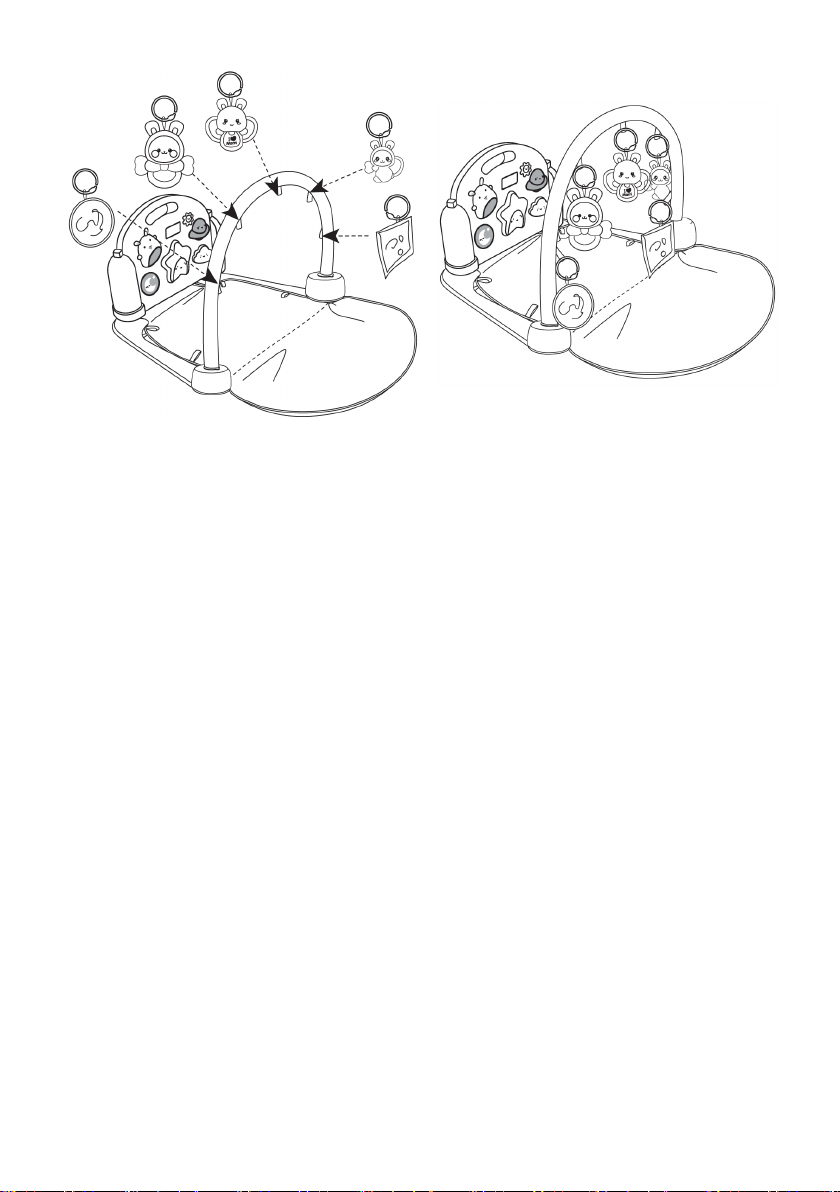
Step 5: Install accessories onto the arch. Step 6: Installation is complete.
Arch
Page 7
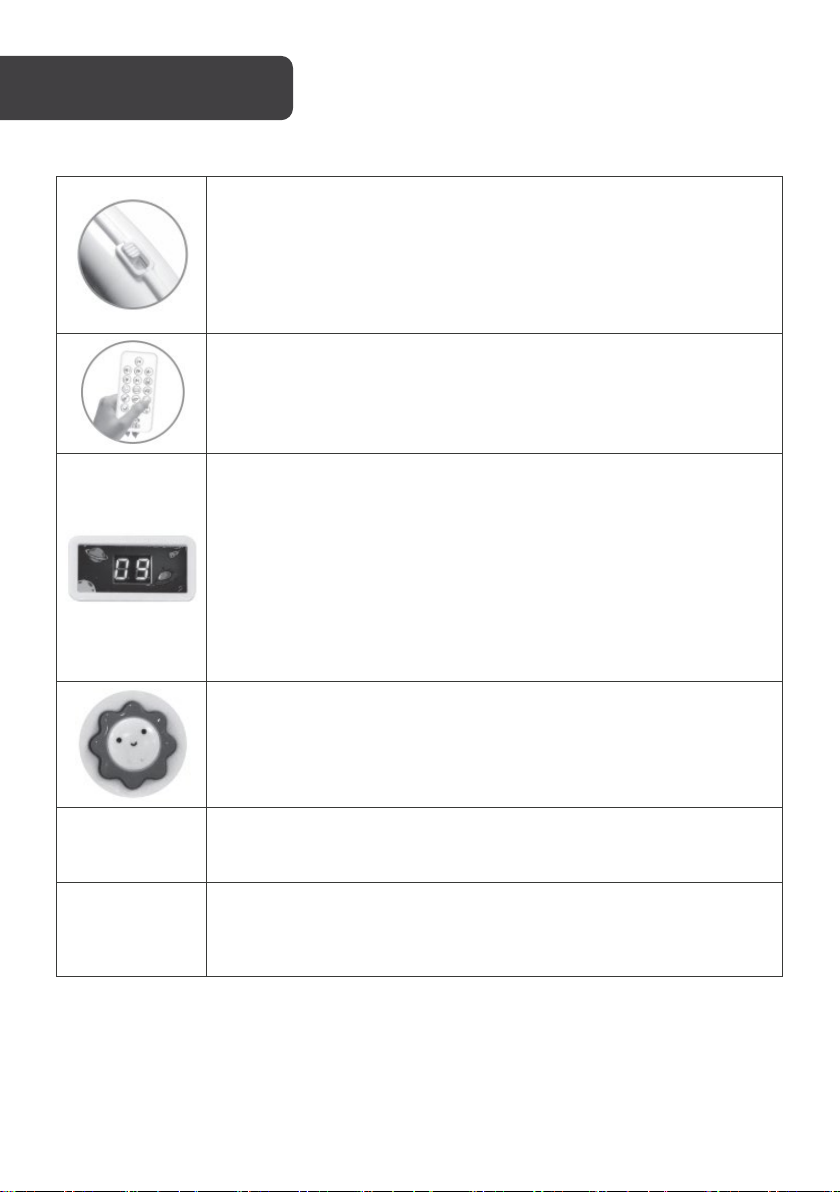
Power switch / Volume button:
• Two levels of safe volume can be adjusted.
Pedometer function:
sound is over.
• This mode by default when power on.
note and the note will play when triggered.
• Step counting game mode-Play "a short piece of game music" In
sound effect or wrong answer sound effect.
Function
• Turn on the power button, the start-up music will be played
automatically and the LED will flash with the sound pattern.
• If there is no operation for 10 minutes, it will automatically enter sleep
(standby)
• Press the control panel key or wake up with the controller.
Remote control function:
• Quickly lock and switch the early education content, adjust the
volume and control the playing progress.
• Press the button to count and play an encouragement sound every
10 digits.
• Three encouragement sound effects will appear randomly. The last
count is only 9 times.
• After the sound is played, the digital tube number is cleared and
counting is restarted.
• In the state of mode 4, trigger the button to display the accumulated
number of the button first + 2 seconds + the digital tube pattern
flashes and return to displaying the accumulated number after the
Mode button: You can switch modes when you press the button briefly.
Press and hold for more than 1.5s to turn on or off the projection lamp.
Mode 1
Mode 2
• Play "A Short Piano Melody" Each of the 5 buttons corresponds to a
play mode 2, button 3 has the function of music and random light on.
• Trigger the button to overlay and play the corresponding right answer
Page 8
Mode 3
Mode tone 1
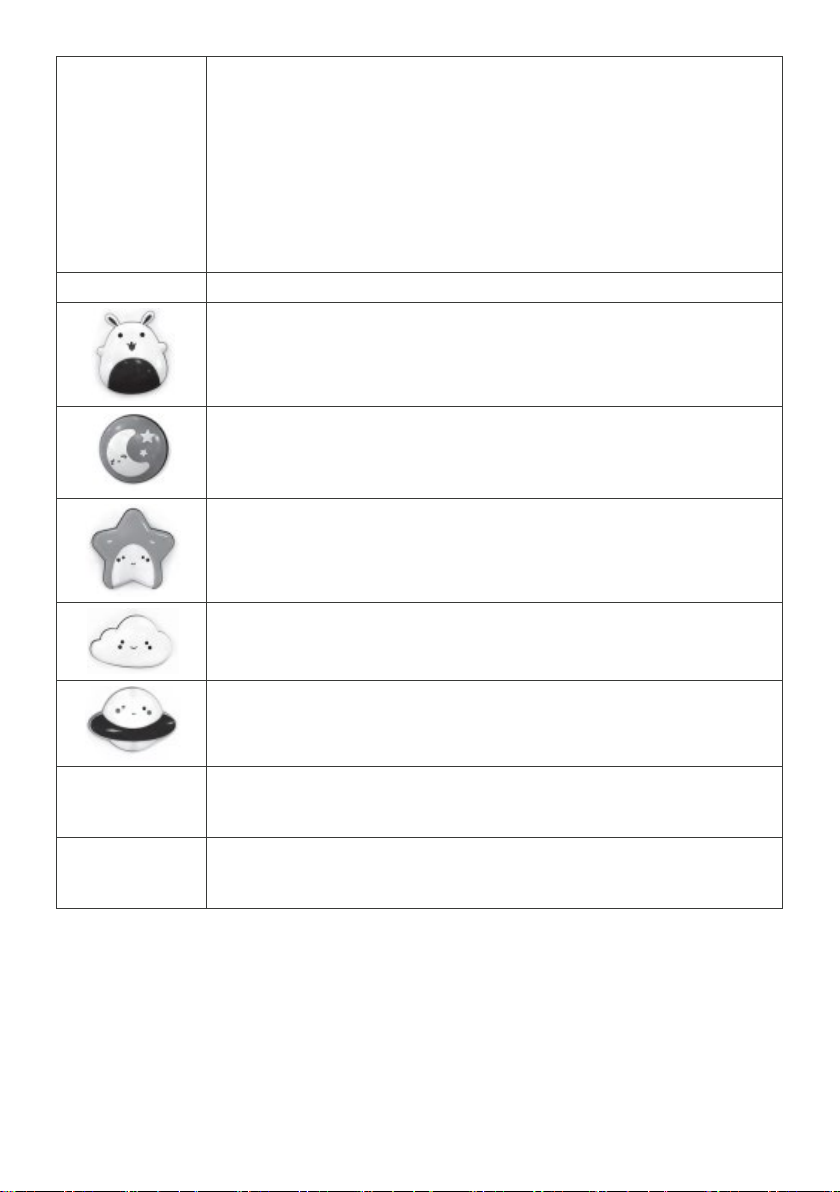
• Rabbit button and moon button correspond to 8 nursery rhymes.
• In the no play state, press the star button to switch nursery rhymes.
Mode 4
Mode tone 2
Clouds button:
Mode tone 3
Violin (5 kinds)
Mode tone 4
play one at a time. Stop after playing.
• When you press the Rabbit or the Moon button, you can switch
nursery rhymes. The nursery rhyme will stop after playing twice.
Jupiter button and cloud button correspond to 8 stories.
• When you press the Jupiter or the Cloud button, you can switch
stories. Stories will stop after 2 cycles.
• When a nursery rhyme or story is played, pressing the Star button will
play the next song / story.
Rabbit button:
Play animal sounds (5 sounds in total)
Rabbit sound, Duck sound, Dog sound, Bird sound, Frog sound
Moon button:
Play Lullaby ((20 songs in total)
Star button:
Play English MIDI music (20 songs in total). Trigger the button each
time to play a song.
Press the button to play the natural sound (forest, water, sea, birds,
insects) in a circle. Press the button once to switch one sound.
Jupiter button:
Press the button to play 26 English letters, one letter at a time. When
it's done, it stops.
Mode 5
Mode 6
• 5 buttons with instrument sounds such as trumpet, guitar, sax, piano,
• Each of the five buttons corresponds to three sound effects. Press to
Page 9

Rabbit Night Lamp
Power switch
Press the rabbit night lamp switch: Turn on the white night light function.
Beat for the first time: it comes with white night light function + hypnotic soothing music.
Slap the second time: with lantern function + hypnotic soothing music.
Clap the third time: the light goes out, the music stops and it goes into sleep mode.
In any working mode, after 6 minutes of continuous operation, (no flapping in the middle),
the light goes out and music stops playing. Automatically goes into sleep power-saving
mode.
Page 10
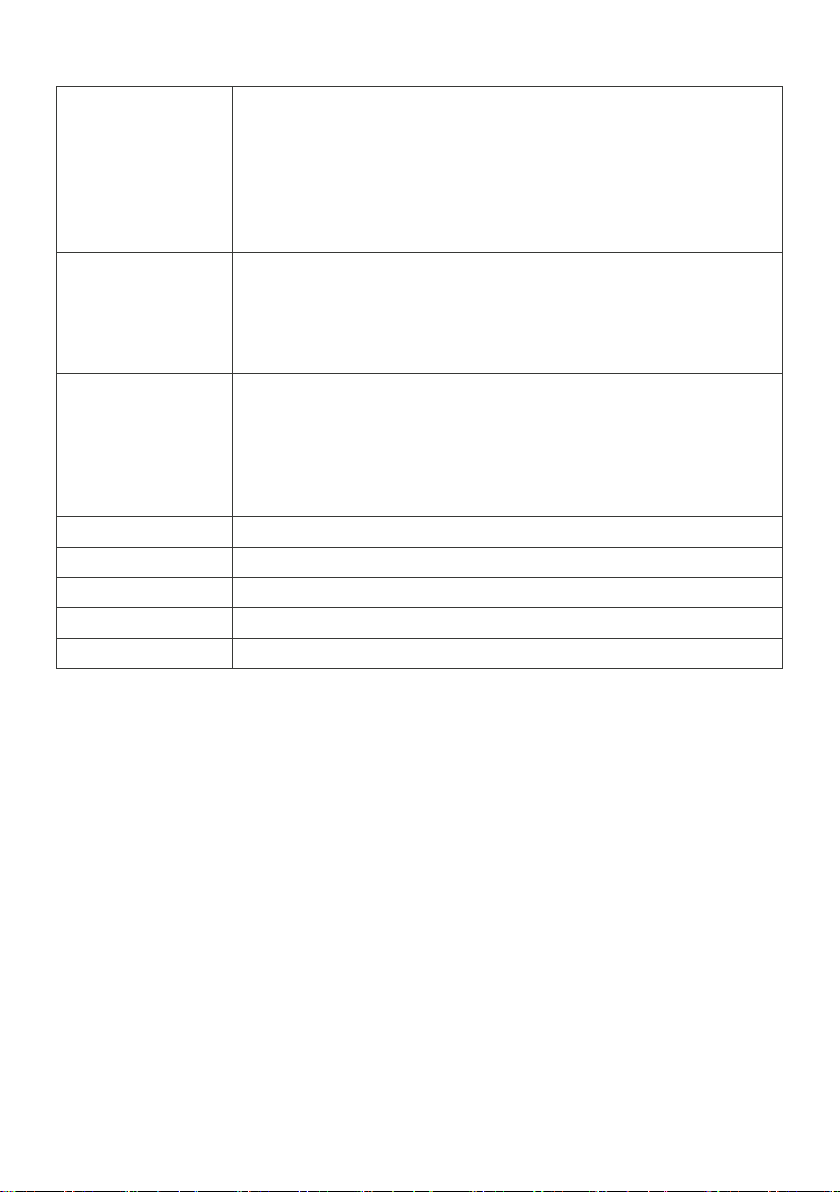
Sounds list:
6 songs in total:
• “Twinkle, Twinkle, Little Star”
4 songs in total:
“A Dance Monkey”
5 Mode tone:
Frog sound
Play Lullaby
20 songs in total
English MIDI
20 MIDI music
Nature sounds
5 Mode tone: Forest, Water, Sea, Birds, Insects
English letters
26 English letters
Instrument
5 Mode tone: Trumpet, Guitar, Sax, Piano, Violin
Children's Song
English stories
Animal sounds
• “ABC”
• “Apple Tree”
• “Baby Shark”
• “Old MacDonald Had A Farm”
• “Oh, Suzanna”
• “A Blessing In Disguise”
• “The Greedy Dog”
• “The Lion And The Farmer”
•
• Rabbit sound
• Duck sound
• Dog sound
• Bird sound
•
Page 11
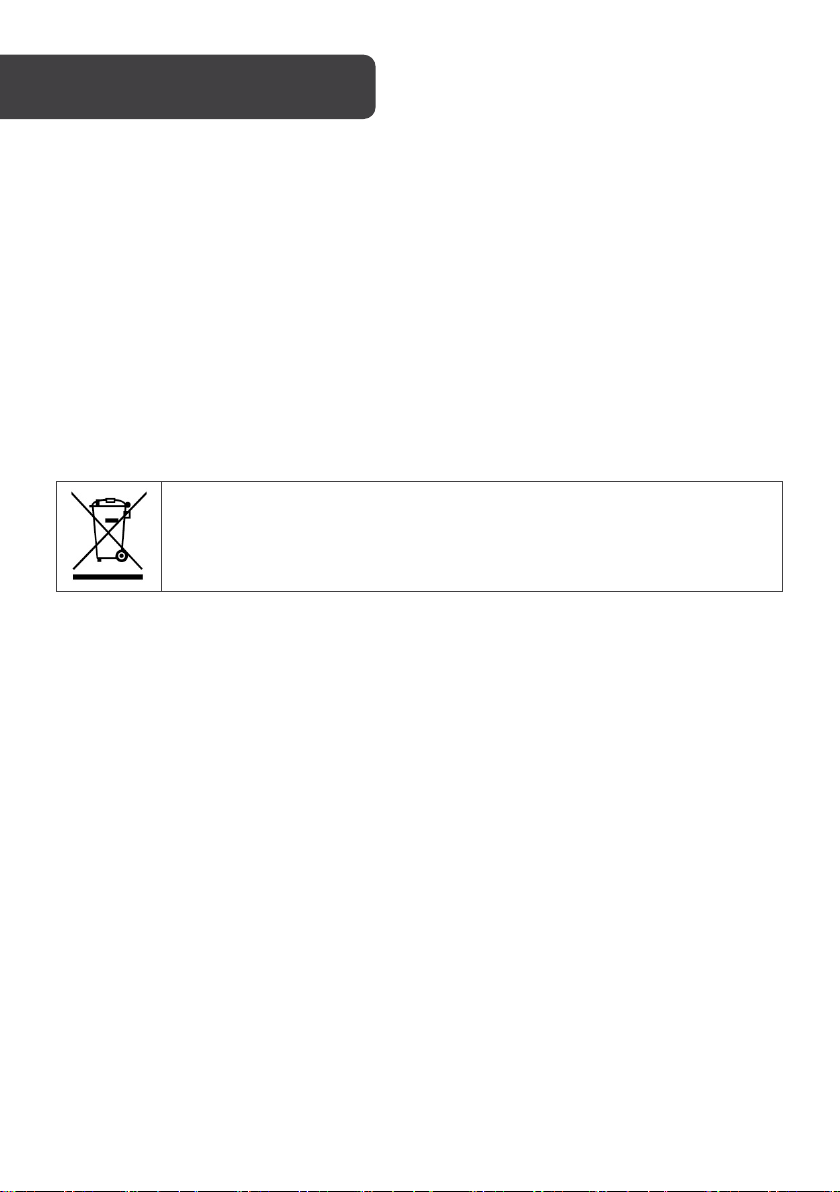
Control Panel
3x AA – 1.5V (not included)
Batteries:
Remote Control 1x CR2025 – 3V
Rabbit night light 3x LR44/AG13 – 1.5V
Disposal
This marking indicates that this appliance should not be disposed with other
house-hold wastes. To prevent possible harm to the environment or human
health from uncontrolled waste disposal, recycle it responsibly to promote
the sustainable reuse of material resources.
Page 12

Need more information?
We hope that this user guide has given you
the assistance needed for a simple set-up.
For the most up-to-date guide for your product,
as well as any additional assistance you may require,
head online to help.kogan.com
 Loading...