

Page 1

Terraneo
Porter switchboard
User instructions
344002
10/02 - NC PART. B9576C
Page 2

Page 3

1
Terraneo
GB
GENERAL CONTENTS
1. DESCRIPTION OF THE PORTER SWITCHBOARD
2
2. USING THE PORTER SWITCHBOARD
2.1 HOW TO ANSWER A CALL 4
2.2 SEVERAL CALLS AT THE SAME TIME 6
2.3 USING THE DEDICATED KEYS 7
2.4 USING THE DEDICATED KEYS
WITH SEVERAL ENTRANCE PANEL OR DEVICES TO BE
CONNECTED
8
2.5 HOW TO CALL AN EXTENSION 8
2.6 USING THE INTERNAL AND ENTRANCE PANEL
PHONE BOOKS
9
2.7 TIME BANDS 10
2.8 INTERNAL EMERGENCY CALLS 11
Page 4

2
Digital system
1 - DESCRIPTION OF THE PORTER SWITCHBOARD
The porter
switchboard
receives the calls from the entrance panel and can send them to an
extension
in a Terraneo DIGITAL door entry or video door entry system.
The
switchboard
can also receive calls or send them directly to the internal unit.
For ease of use, the names of the internal and entrance panel can be saved in special phone
books.
The
switchboard
automatically manages a call queue in which it saves the calls from the
apartments which it could not answer.
Dedicated keys can command the electric door lock, monitor the entrance panel or switch
on the staircase lights.
The “day/night” function enables the
switchboard
only at certain times of the day; when the
switchboard is not active the calls from the entrance panel are sent directly to the extension
required.
The switchboard displays alarm messages from the internal unit (the system must be
specially set up for this function, however).
1 2 3
4
5 6
7 8 9
0
CALL
ok
ann
porter switchboard
external
station
internal unit
light
command
external
calls
internal
calls
internal
calls
switching on
cameras
and entrance
panel
internal unit
Page 5

1. Handset
2. Loudspeaker
3. Message display
4. Keys to scroll phone books and menus
5. Menu confirmation key
6. Menu cancel key
7. Key to switch on entrance panels and cameras
8. Light command key
9. Open-door key
10. Key to send and transfer calls
11. Day/Night key
12. Alphanumeric keypad
13. Red emergency signal LED
menu
management
keys
dedicated
keys
3
Terraneo
GB
1 2 3
4
5 6
7 8 9
0
CALL
ok
ann
4456
1
12
2
13
11
3
7
8
9
10
CALL
Page 6
4
Digital system
2 - USING THE PORTER SWITCHBOARD
2.1 HOW TO ANSWER A CALL
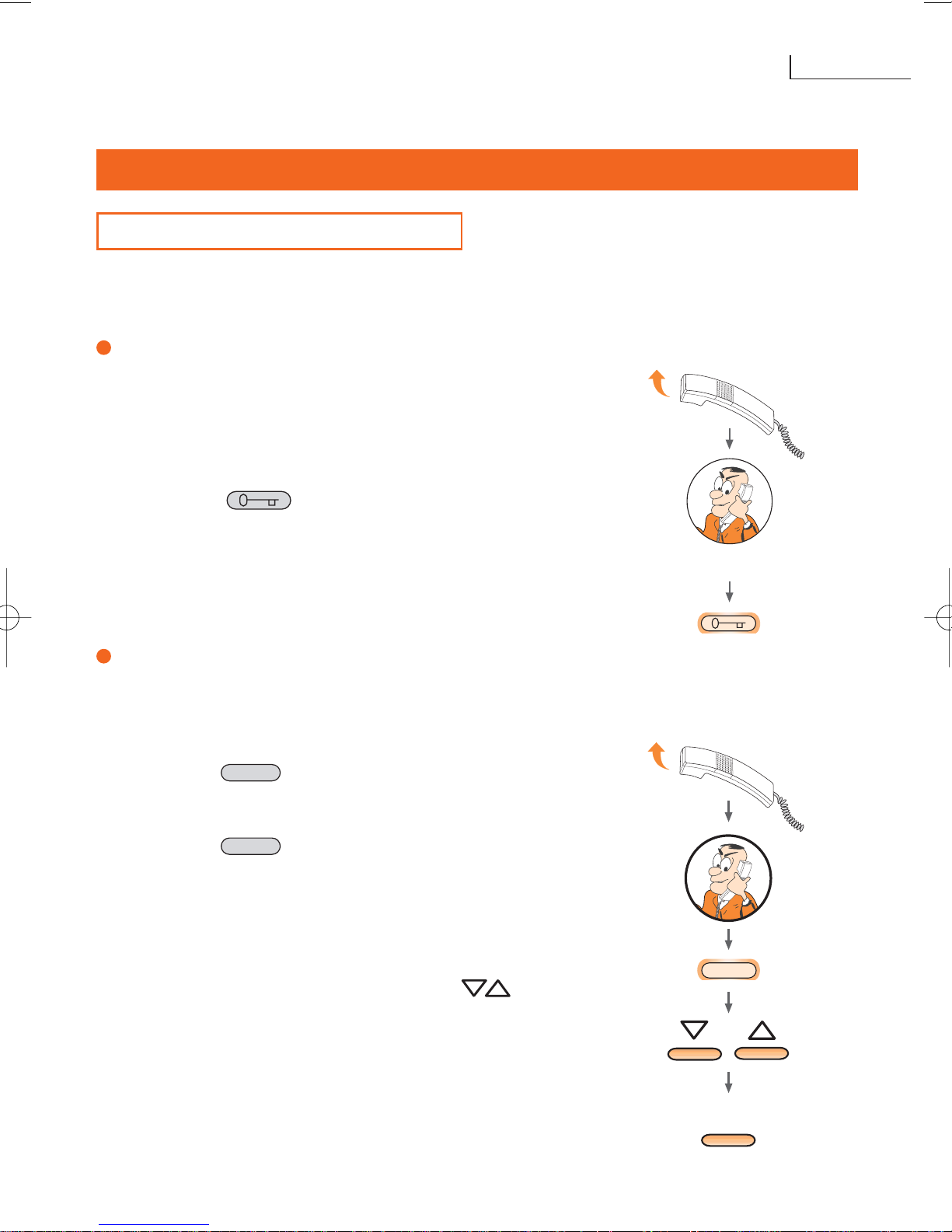
To answer a call, just lift the handset. The calls to the
switchboard
have different ring tones
depending on whether they come from internal or entrance panel.
Answering an outside call
When the
switchboard
receives an outside call, the
display shows the number and the name of the person
making the call. (The name is only displayed if the phone
book has been filled in).
• To answer the outside call, lift the handset;
• press the key to activate the electric door
lock of the entrance panel from which the call was
made.
Putting on hold/putting through an outside call
After an outside call has been received it can be put
through to an internal unit:
with the handset lifted
• press the key
• select the extension to which the call will be put
through by dialling the number on the keyboard;
• press the key
As an alternative the
switchboard
has a phone book
containing all the internal unit where the name of the
person to whom the call is to be put through can be
selected.
• scroll the name phone book using the keys
• confirm the extension to which the call will be put
through with
ok
CALL
CALL
conversation
CALL
ok
Page 7
5
Terraneo
GB
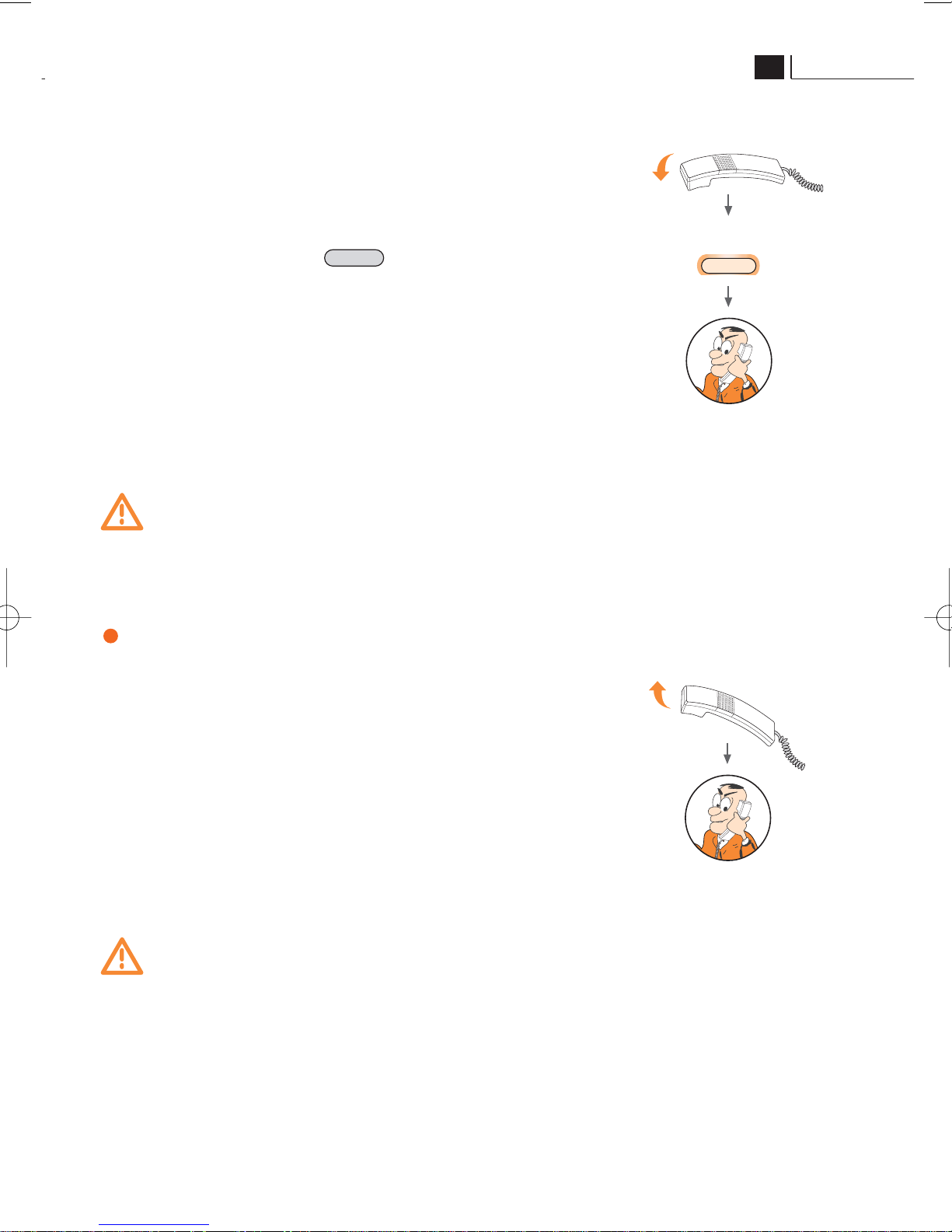
When the user answers from the internal unit you can:
• put through the external call, replacing the porter
switchboard
handset;
• or continue the conversation with the entrance
panel by pressing the key
Warning
While the entrance panel is on hold, because the call is being put through, a
flashing “A” appears in the right corner of the display.
Answering an internal call
When an extension calls the porter switchboard, the
display shows the number and the name (only if the
internal unit phone book has been so programmed).
To answer the outside call, lift the handset.
Warning
If the
switchboard
is busy or the operator cannot answer the call within 20”,
it is put in the call queue.
CALL
conversation with
the entrance panel
conversation with
the entrance panel
or
ó
CALL
Page 8
6
Digital system
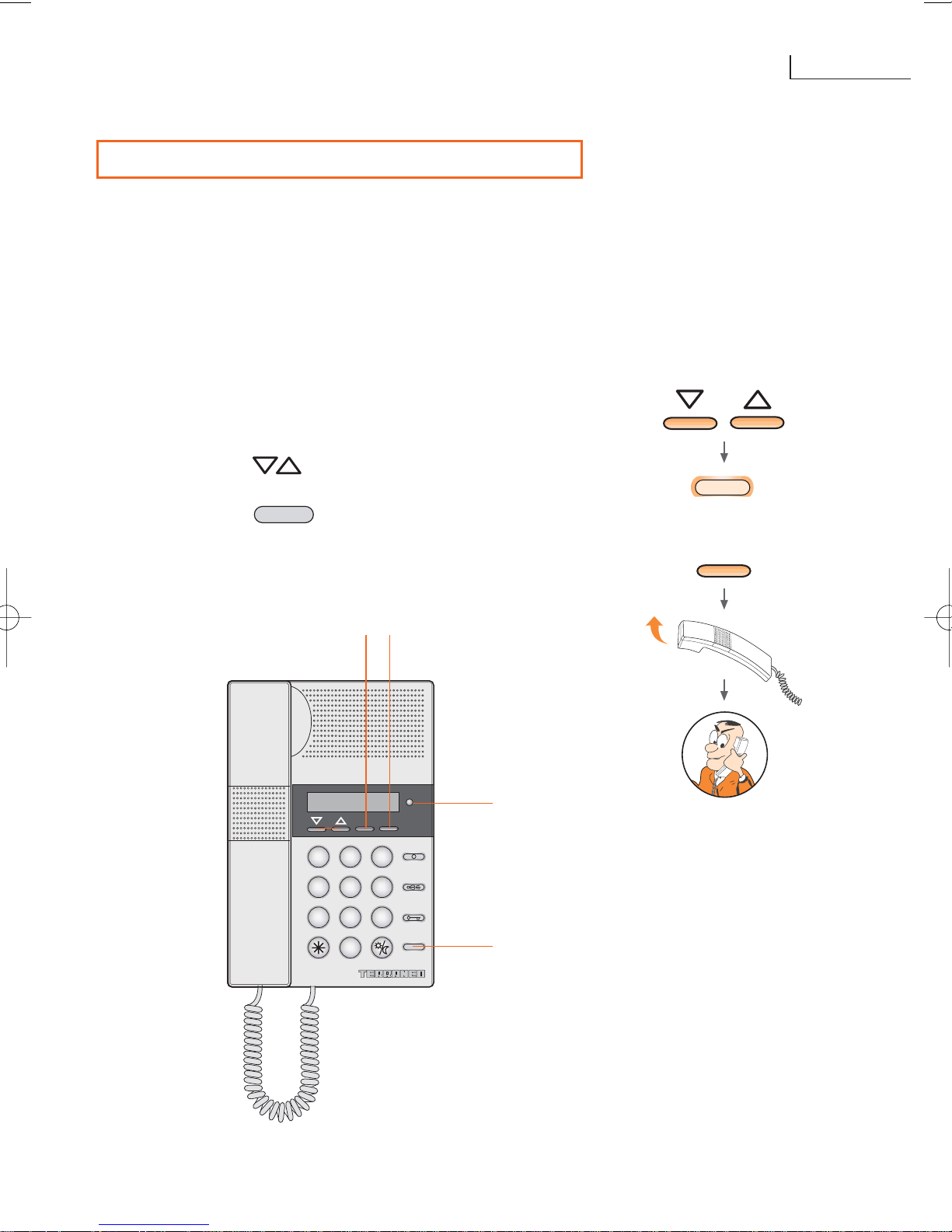
2.2 SEVERAL CALLS AT THE SAME TIME
When the porter
switchboard
is busy with an internal or entrance panel and another call is
received from an internal unit the caller name and number are displayed in a call queue.
The flashing red LED
[5] indicates that the
switchboard
has not answered an extension.
The display shows the following data about the call:
• user number and name (only if the phone book has been filled in);
• progressive number (only if there is more than one unanswered call);
• time.
To call the extensions in the call queue (unanswered
calls):
• press the [1] keys to look for the extension
to call;
• press the [2] key or [3] ok key to make
the call;
• to cancel the call from the queue press [4] ann
key.
CALL
ó
CALL
ok
1 2 3
4
5 6
7 8 9
0
CALL
ok
ann
5
2
134
conversation with
the internal unit
or
Page 9
7
Terraneo
GB
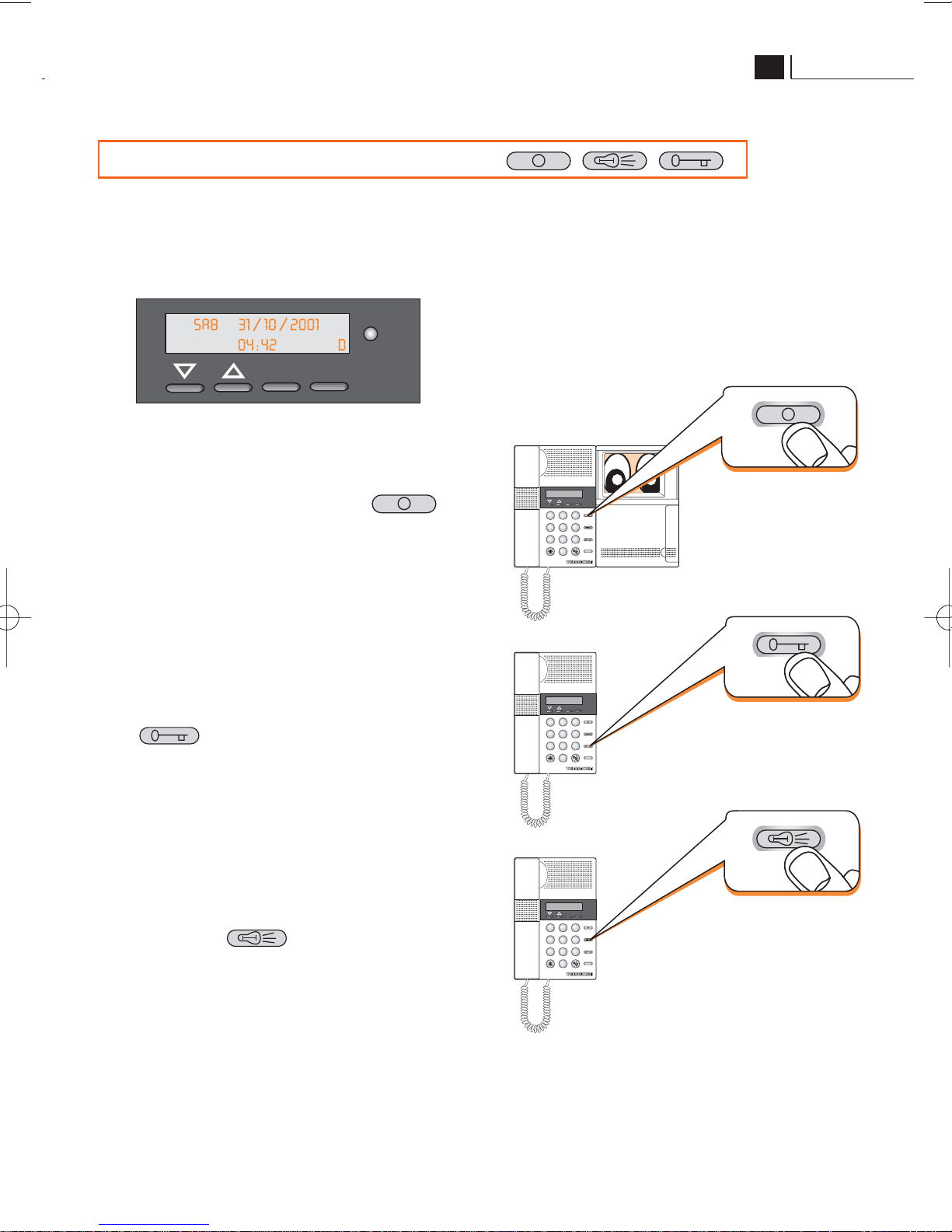
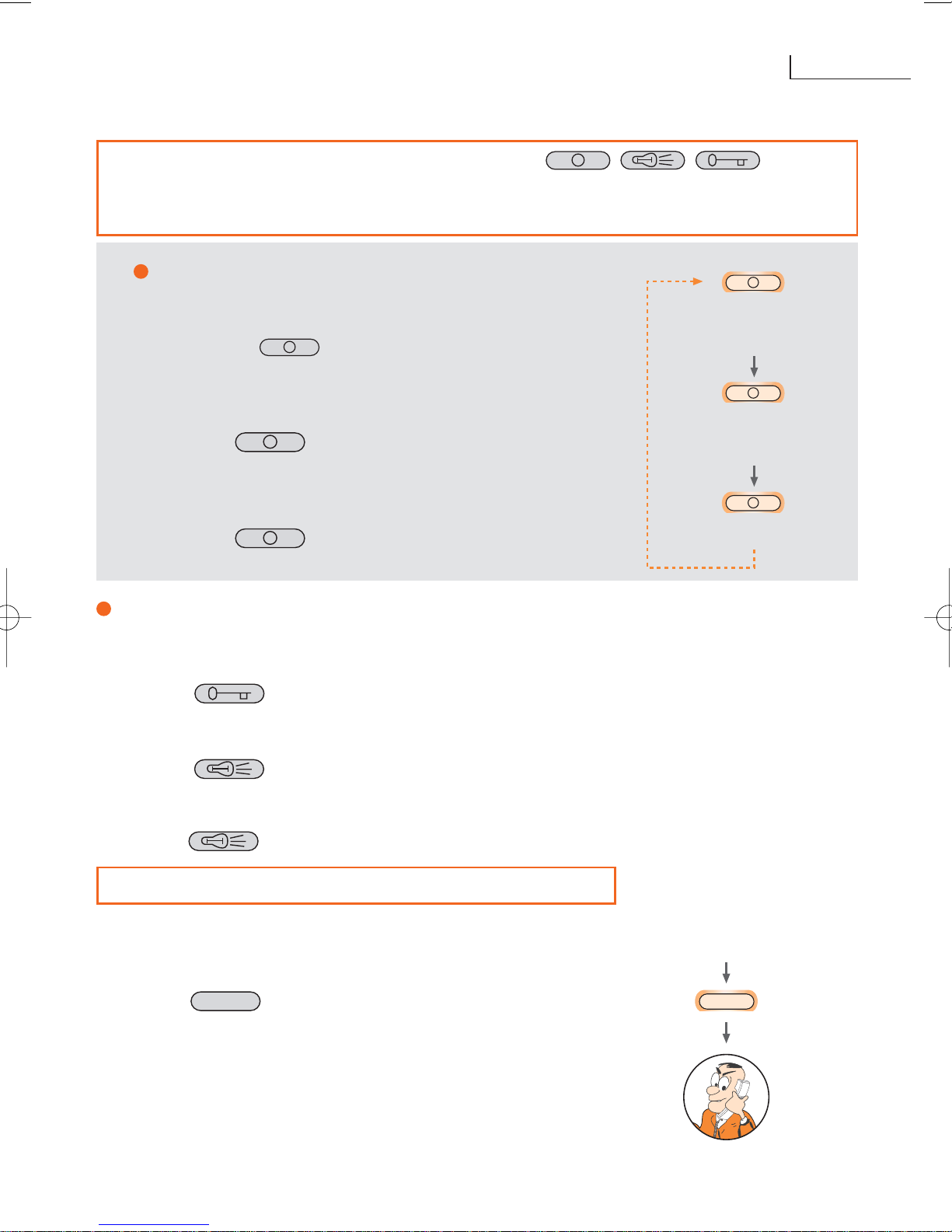
2.3 USING THE DEDICATED KEYS
When no call is being made or there are no calls in the queue, the display shows: date,
time and time band set (Day/Night – automatic or manual).
In this situation you can:
• switch on a camera or the main
entrance panel by pressing
• operate the electric door lock of the
main entrance panel by pressing
• switch on the staircase lights by
pressing key
1 2 3
4
5 6
7 8 9
0
CALL
ok
ann
1 2 3
4
5 6
7 8 9
0
CALL
ok
ann
1 2 3
4
5 6
7 8 9
0
CALL
ok
ann
ok
ann
display example
Page 10
8
Digital system
2.4 USING THE DEDICATED KEYS WITH
SEVERAL ENTRANCE PANEL OR DEVICES TO BE
CONNECTED
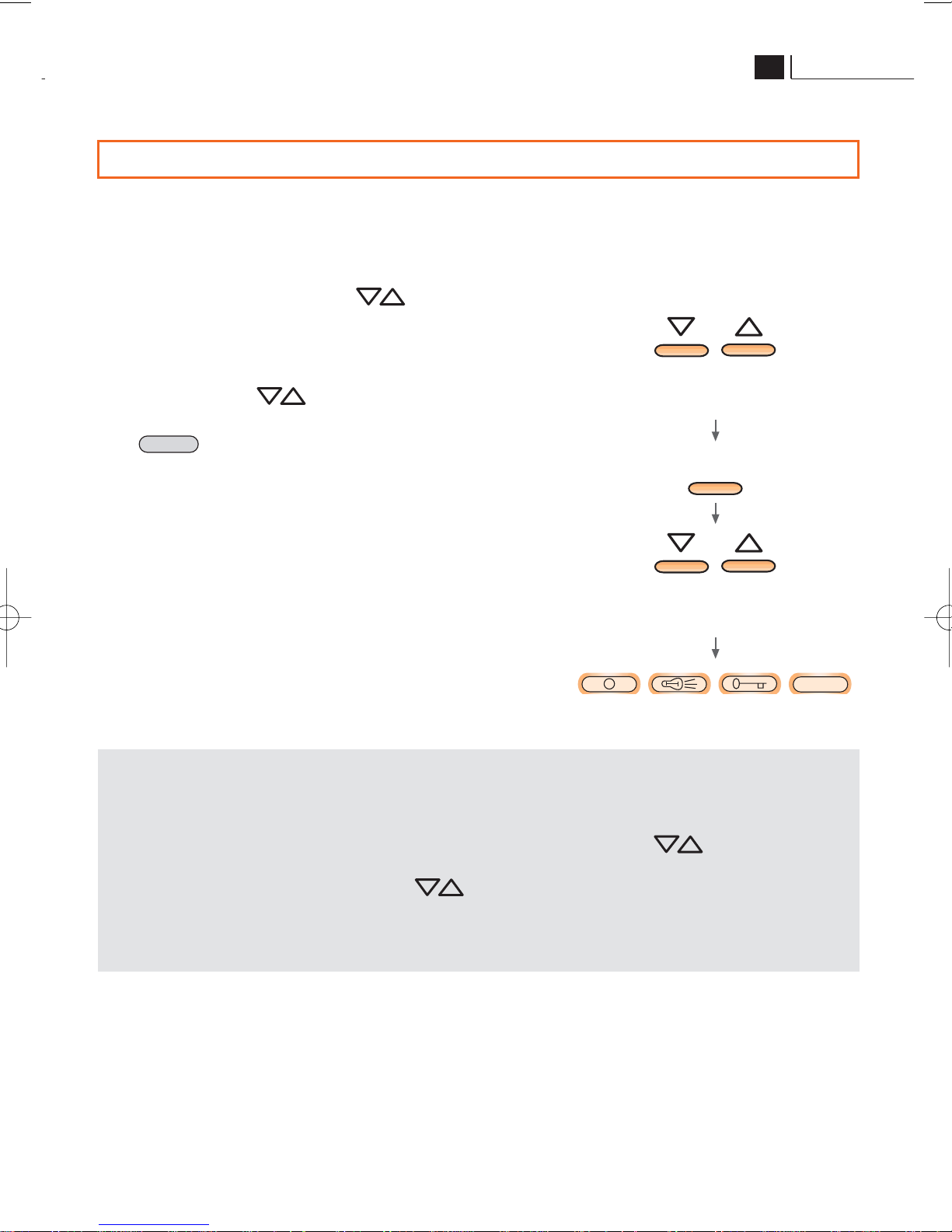
Switching on cameras or entrance
panel
Pressing key switches on the main entrance
panel camera.
To display the images from the other system cameras
cyclically:
• press key several times
To switch on a specific entrance panel or camera
you can also:
• type the number of the device to be switched on;
•press
Open door lock and switch on staircase light
To open a specific door lock:
• type the entrance panel number;
•press
To operate the staircase light of a specific riser:
• type the number of any door entry unit belonging to the riser;
•press
Example: : to switch on the staircase light of riser 2
•type 211
•press
2.5 HOW TO CALL AN EXTENSION
To call an internal unit from the porter
switchboard
:
• key in the extension number with handset in place or
lifted;
•press
If you type a number higher than
3999, the display will
show an error message.
The operations described up to now can be performed
more easily using the “extension phone books” and
“outside phone books”.
CALL
In more detail
main entrance
panel 1
entrance panel 2
entrance panel 3
key in the extension
to be called
CALL
Page 11
9
Terraneo
GB
In more detail
The internal unit phone book operates in two different ways depending on how it is
programmed (to be performed by the installer).
When the “standard call” mode is programmed, pressing the keys displays
the names associated with the various internal unit; when the “coded call” mode has
been programmed pressing the keys displays the B F E (building, floor,
extension) parameters associated with each internal unit.
For more detailed information on the “coded call” contact the technical after-sales
service.
2.6 USING THE INTERNAL AND ENTRANCE PANEL PHONE BOOKS
The switchboard can save a phone book containing all the system internal and entrance
panel.
The internal unit and entrance panel phone books can be used to send the calls or to switch
on the cameras and open the electric door locks.
From the main menu, with the keys, select:
• extension phone book or outside phone book
(depending on the operation to be performed);
• press ok
• now press the keys to display the internal or
entrance panel required with the
dedicated keys or
(see “Use of the dedicated keys” section).
CALL
CALL
ok
selection internal or
entrance panel phone book
selection internal or
entrance panel
Page 12
10
Digital system
2.7 TIME BANDS
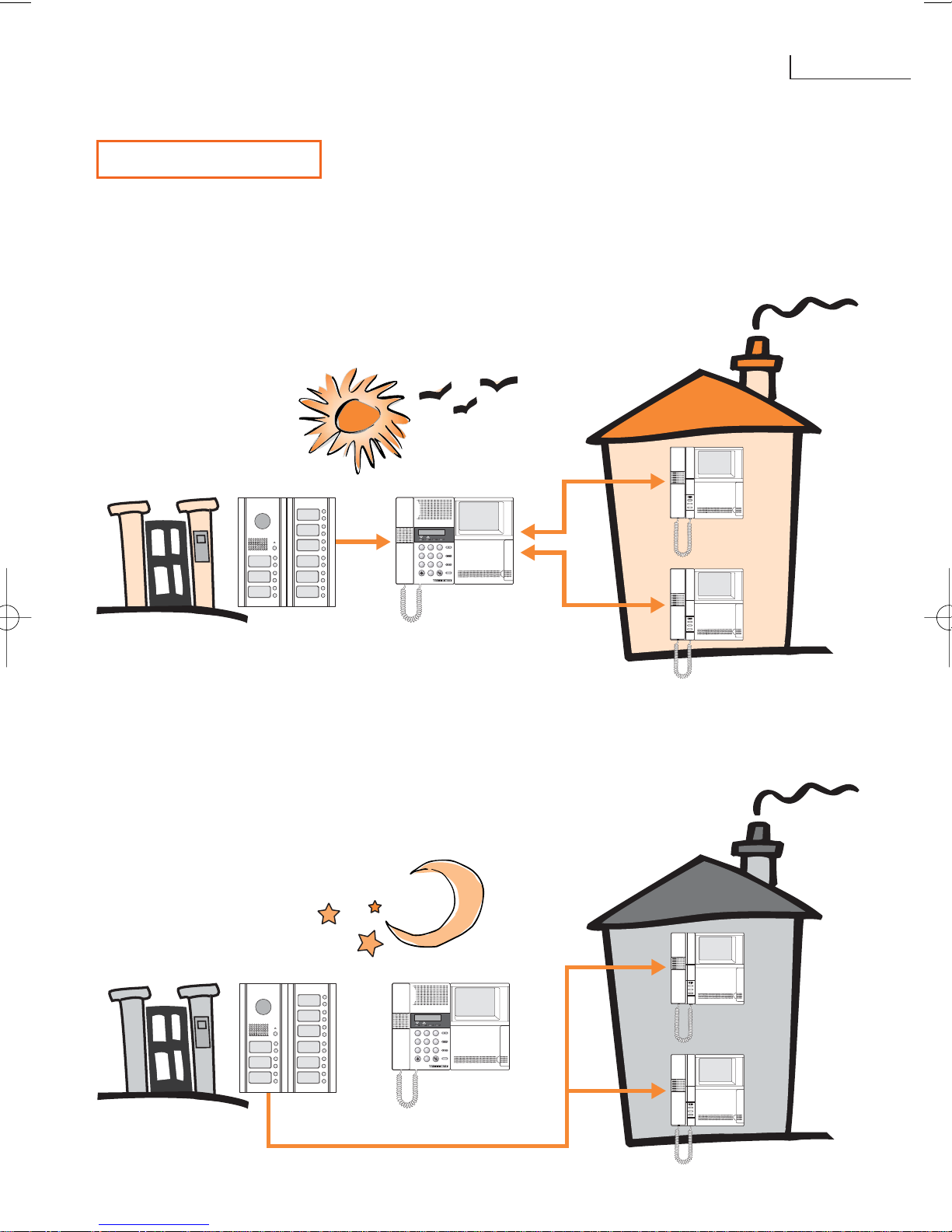
The switchboard has two operating modes:
• day mode
• night mode
In day mode the switchboard receives all the calls from the entrance panel and can put
them through to the internal unit.
1 2 3
4
5 6
7 8 9
0
CALL
ok
ann
porter switchboard
entrance
panel
internal
unit
1 2 3
4
5 6
7 8 9
0
CALL
ok
ann
porter switchboard
entrance
panel
In night mode the switchboard does not receive the calls. Instead they are sent directly to
the internal unit.
internal
unit
Page 13
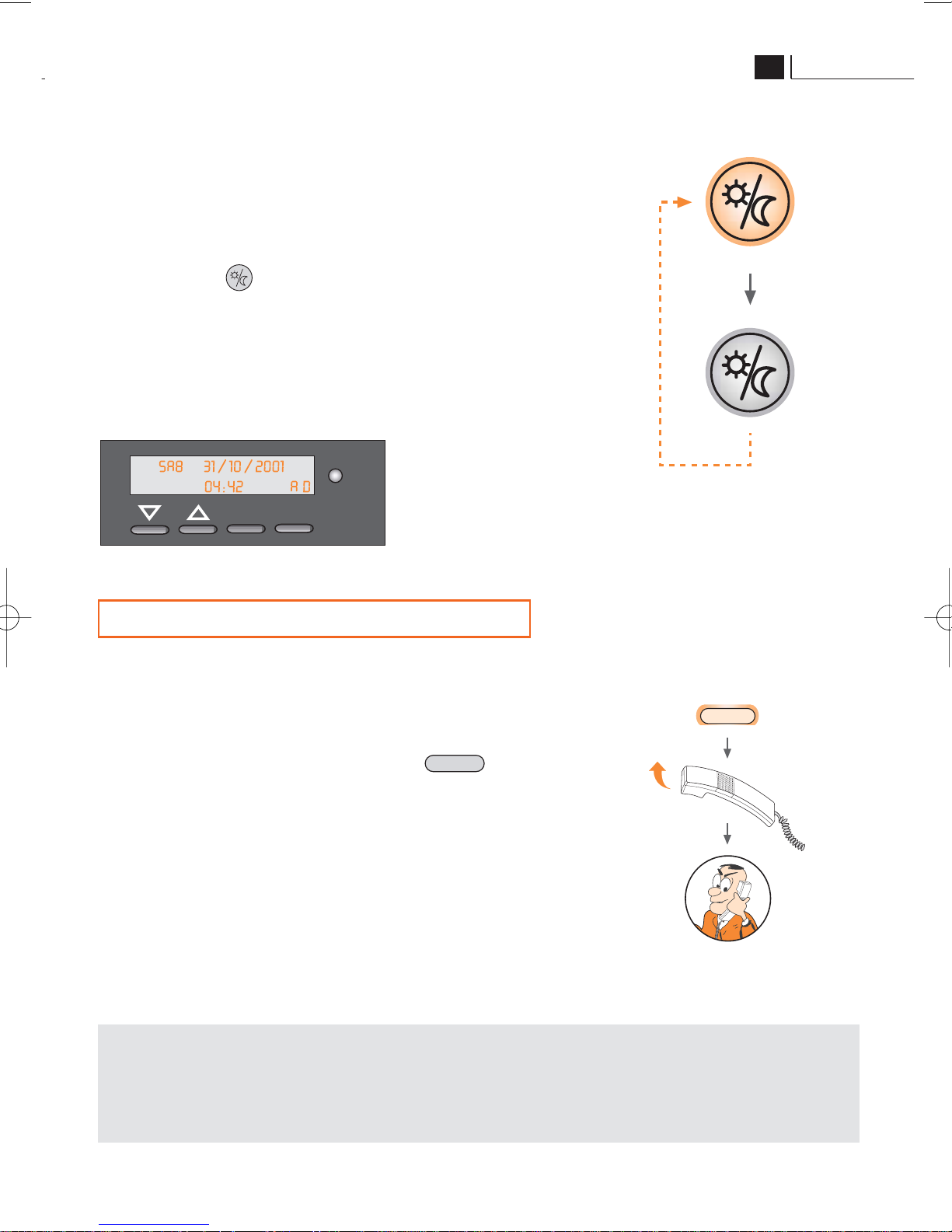
The operating time band can be activated:
• in automatic mode (programming by the installer);
• in manual mode – pressing the “day/night” key
Pressing the key changes the operating time
band immediately.
The display shows the band set with a “D” (day) or “N”
(night) preceded by “A” (automatic) or “M” (manual).
2.8 INTERNAL EMERGENCY CALLS
In systems so set the display can show urgent call requests from the internal unit; the
message indicates the time and number of the extension which sent the alarm; an audible
warning is also given.
After the operator has received an alarm he must:
• call the extension by pressing the key
• lift the handset.
The signal on the display only disappears when the
internal unit which has generated the alarm answers
the operator by lifting the handset.
CALL
11
Terraneo
GB
In more detail
The alarm messages are displayed in any operating condition (call or conversation).
When there are several alarm situations at the same time an alarm queue is created
as described in the “several calls at the same time” section.
CALL
ok
ann
display example
conversation
with the internal
unit
Page 14
12
Digital system
NOTES
Page 15
Page 16
BTicino s.p.a.
Via Messina, 38
20154 Milano - Italia
www.bticino.com
 Loading...