

Page 1

User Manual
bluetooth interphone
Model Name: V5
Brand Name: BTI
FCC ID: 2AAJ4-V5
Page 2
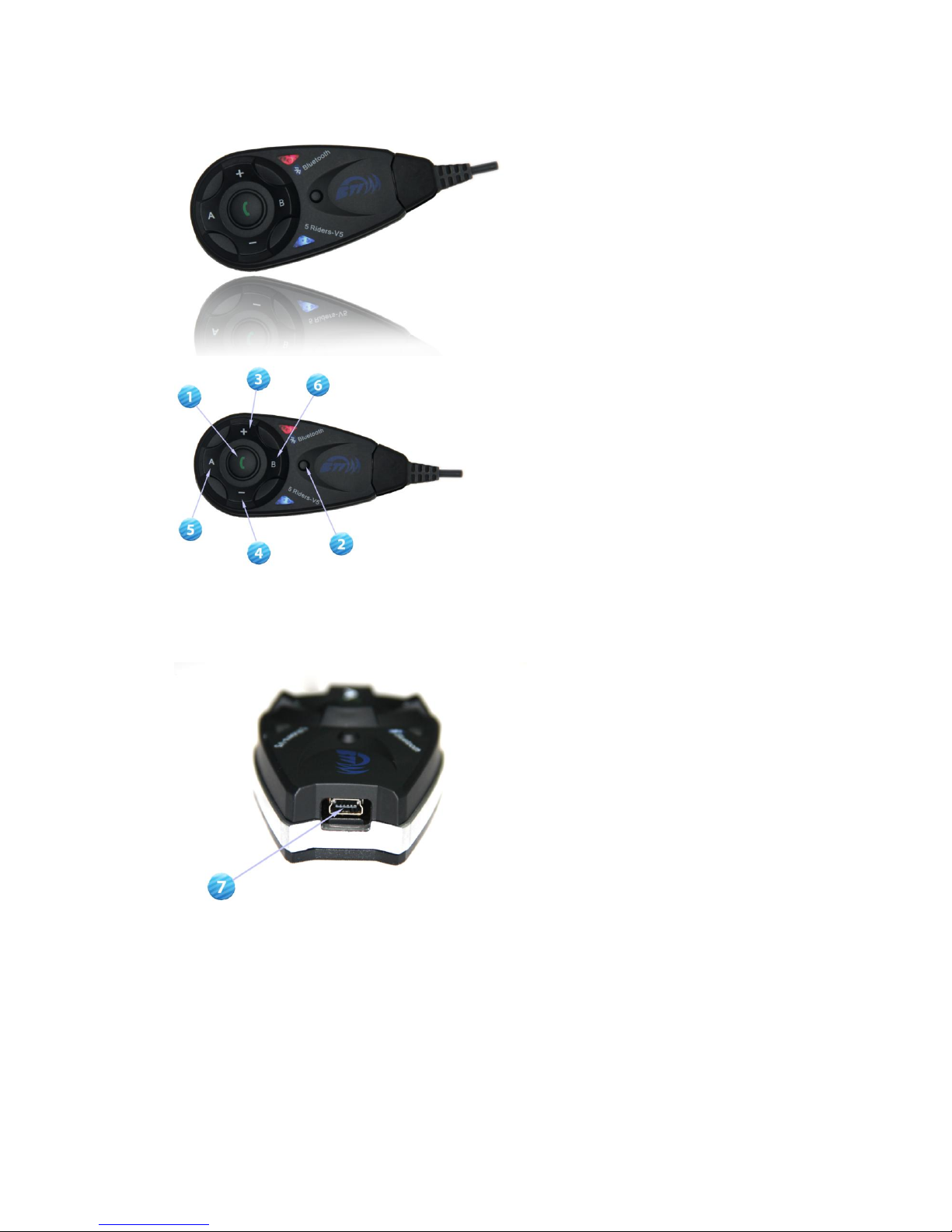
1: Power on 2: Power off 3:Volume + 4:Volume - 5: FM radio on/Rider A
6:Rider B
7: Snap joint
Page 3
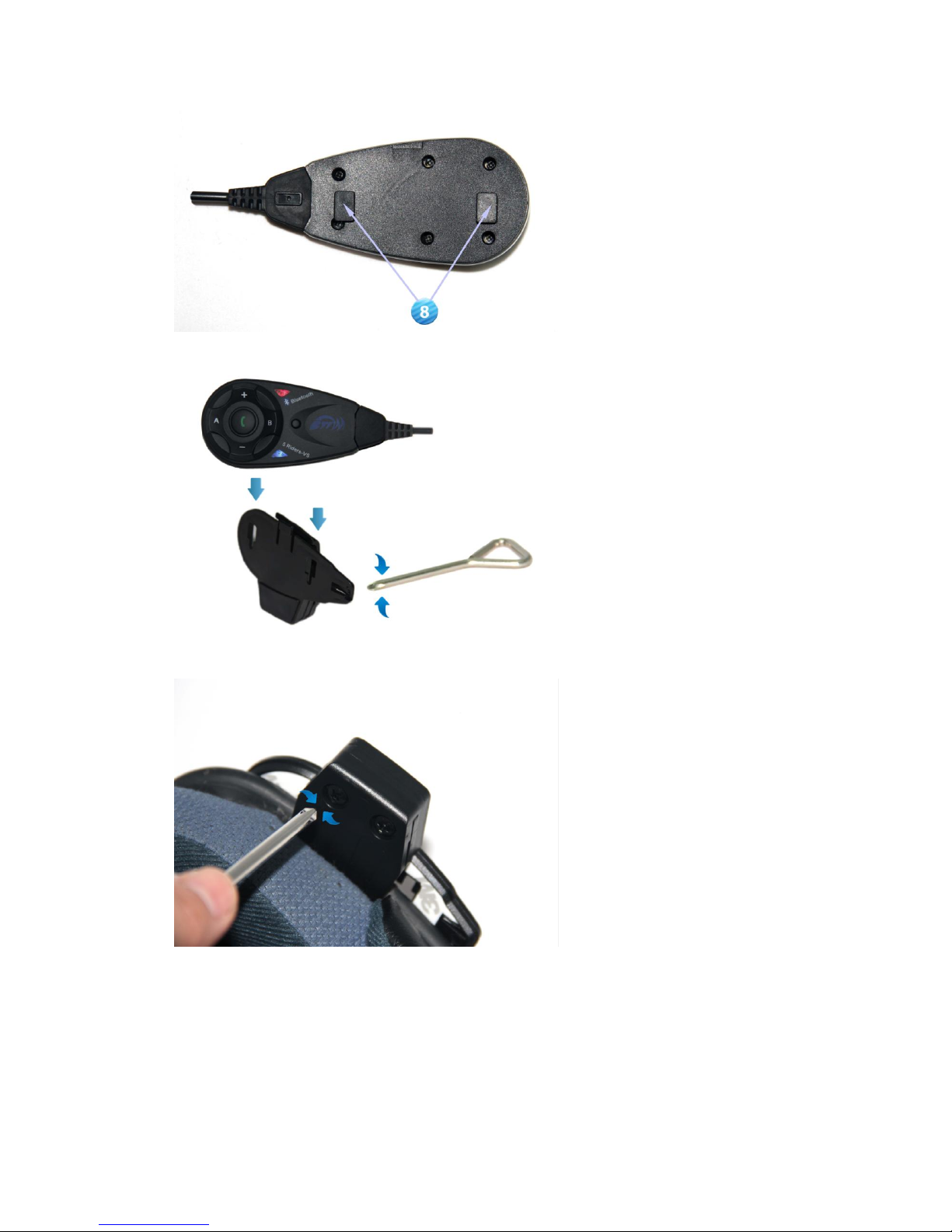
8:Plug
Installation instruction
Find a proper location to fix the clamp
Page 4
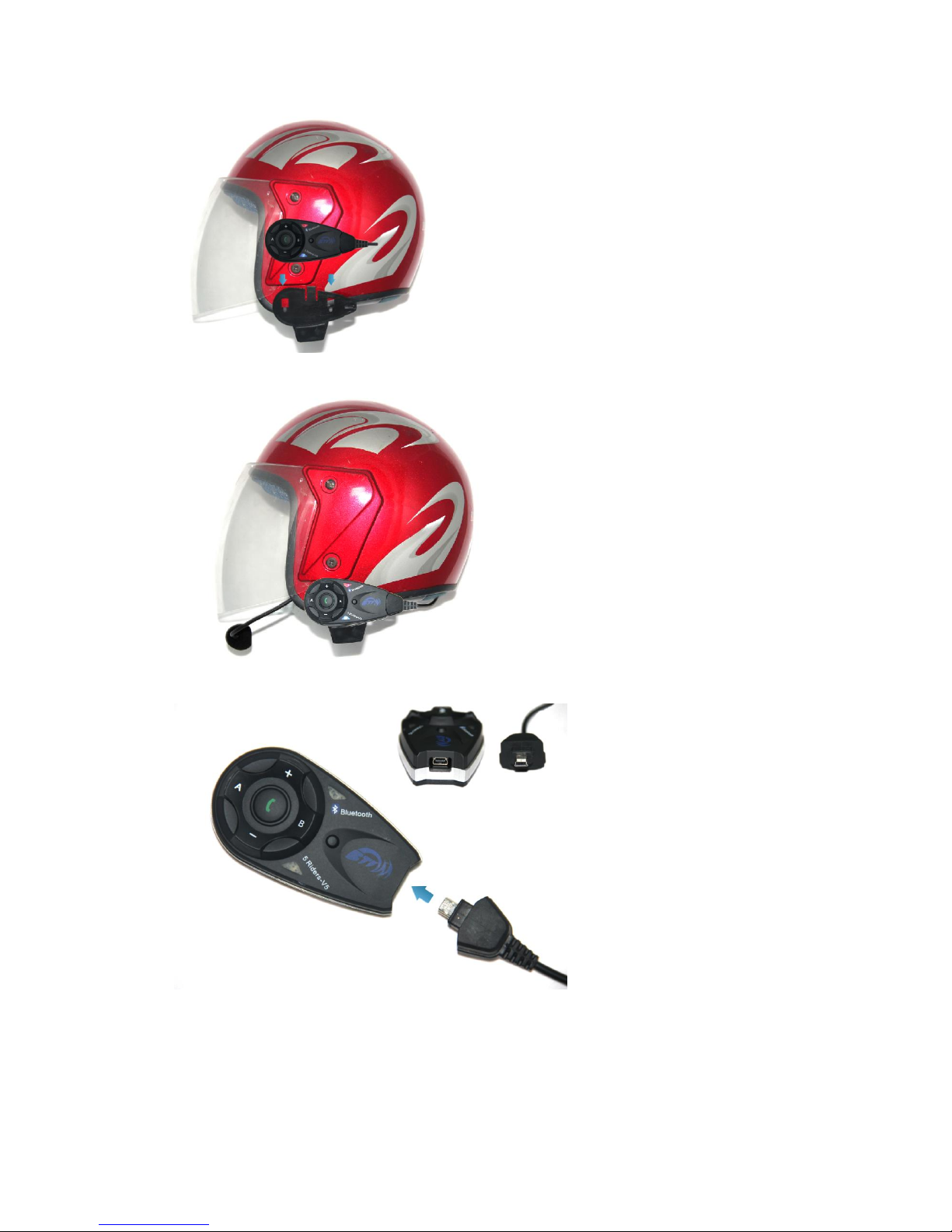
Install bluetooth interphone onto the clamp under instruction
Finished installation
Earphone line connecting instruction
Page 5
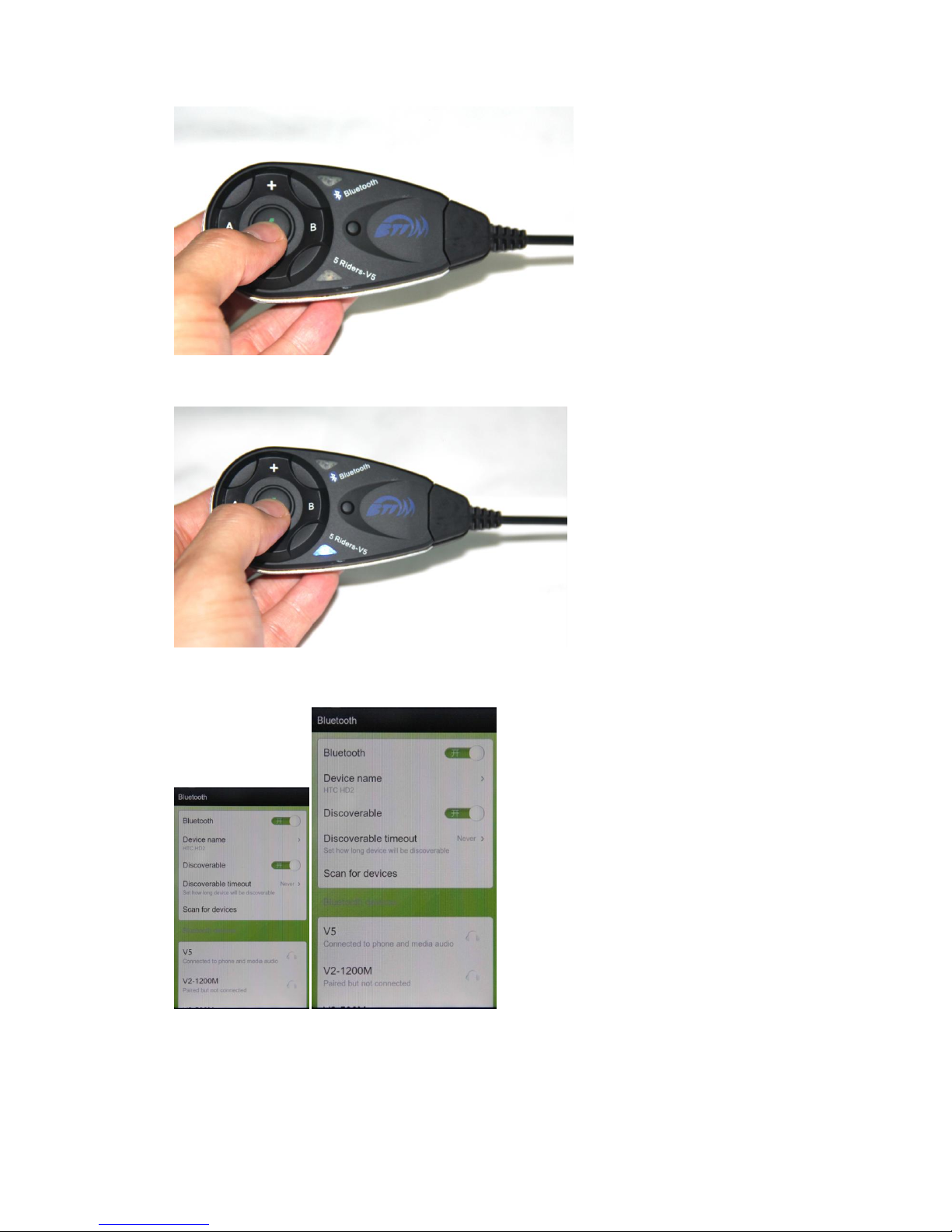
power on: press the power on button, approx. 2 seconds, until red light,and then blue light
flash
Pairing with bluetooth equipment instruction
2: Pairing with cellphone/MP3/GPS,after power on,press key 1 about 3-5 seconds, with red and
blue flash light,open the cellphone/MP3/GPS bluetooth function, when searching,see left
photo, press connecting,pairing successful when red flash off, blue light flash rhythmically.
Page 6
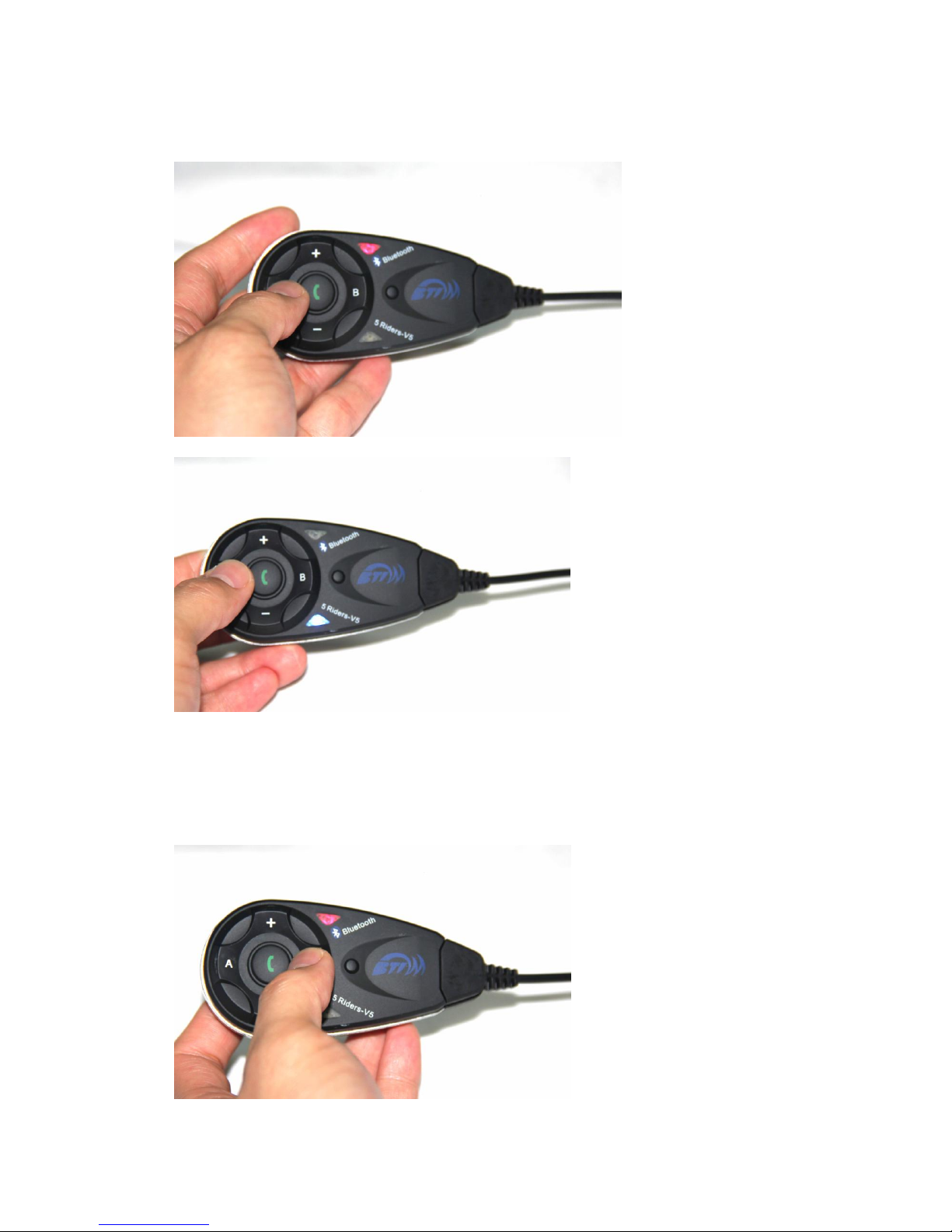
FM function: Bluetooth interphone power on,with earphone, press Rider A key for 3s.
Pairing with the other V2,each equipment has power on, 1) Press Rider A at the same time for
5-7s,till the red and blue light flash alternately. 2) Press either equipment Rider A,till red light
off, blue light flash,at the searching situation. after 5-7 seconds,the other equipment red light
off, blue light flash. pairing successful 3) Press either equipment Rider A,can talk with each
other
Page 7
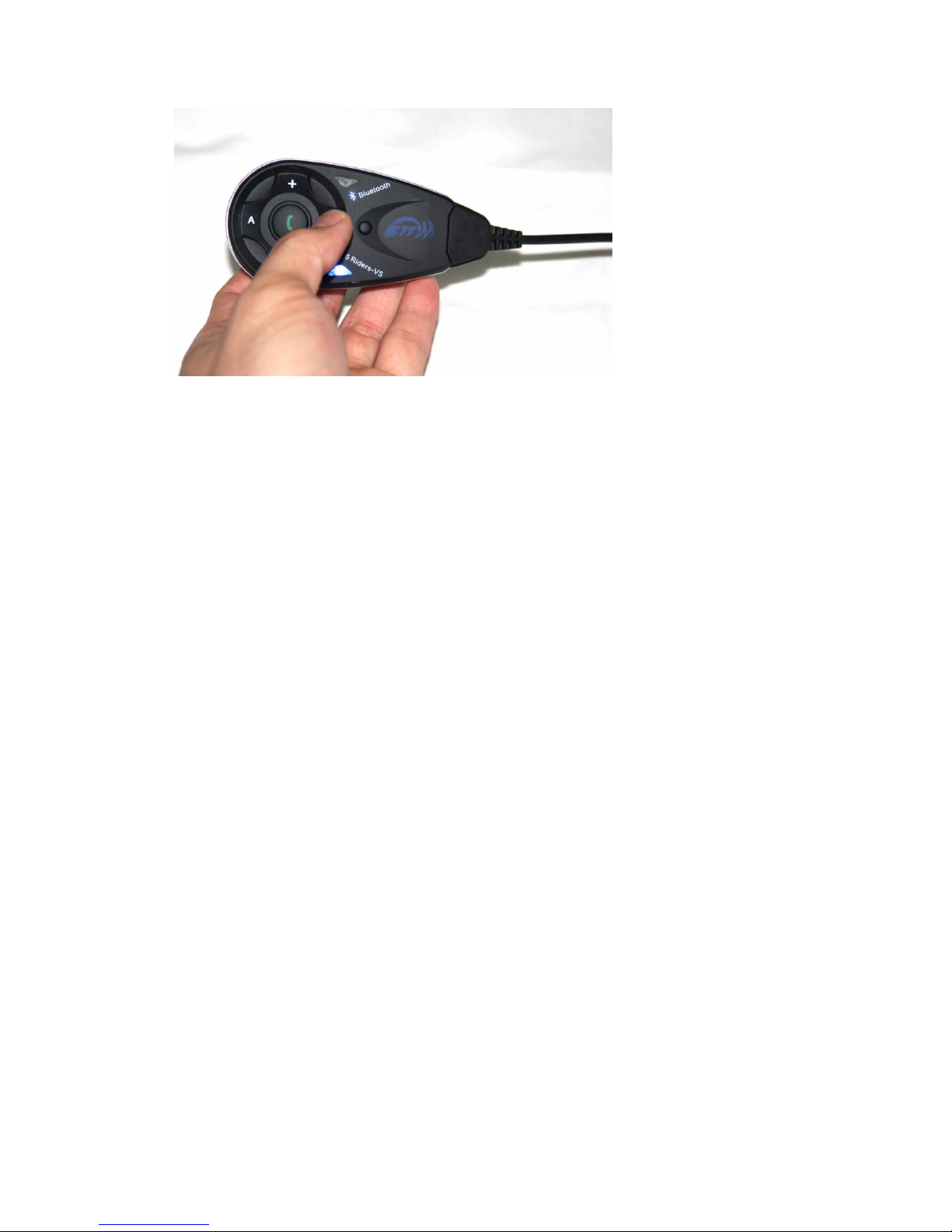
The red and blue flash appreance alternately
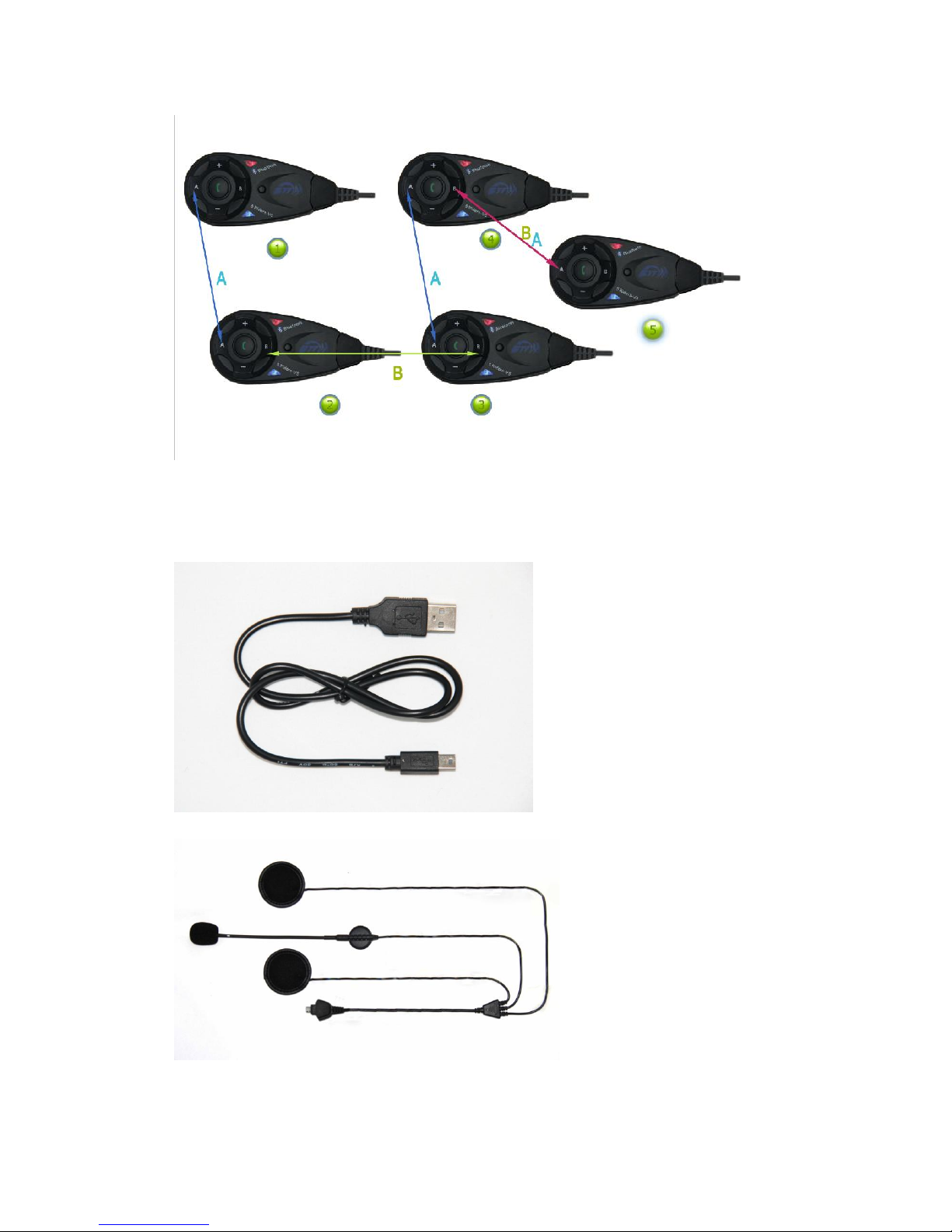
4 parties pairing:
1) Equipment 1 and 2 as pairs,3 and 4 as pairs, and make them paring as model A.
2) Choose 2 and 3 pairs as model B, press key Rider B for 3-5s,till the red and blue light flash
alternately. press either key Rider B of equipment 2 or 3,till red light off, blue light flash, mean
at the searching situation. after 5-7s,the other equipment red light off, blue light flash.
connecting successful,press either key Rider B,equipment 2 and 3 paring successful.
3) Press Rider A of equipment 1 or 4, four riders conneting,can talk to each other
4) Paring equipment 4 and 5, press key Rider B of equipment 4 and Rider A of equipment 5 for
3-5s, red and blue light flash alternately, then press Rider B of equipment 4(or Rider A of
equipment 5,either is ok), till red light off and blue light flash,mean ath the searching
situation,after 5-7s, red light off, blue light flash, paring successfully, then press Rider B of
equipment 4(or Rider A of equipment 5), 5 Riders can talk to each other at the same time.
5) Equipment 1 and 5, press Rider B till red and blue light flash alternately,equipment 1 and 5
connect to cellphone( see last page paring to cellphone)
(PS: cancel the paring of V4:press any one of the 4 equipment Rider A and Rider B after 3s, red
and blue flash alternately, connecting cancellation)
Remark: when phone call, will receive priority automately, and will back to 5 riders talking
model after phone call finish,also automately.
Page 8
V2 paring instruction
Accessories
USB charger lead
Earphone
Page 9
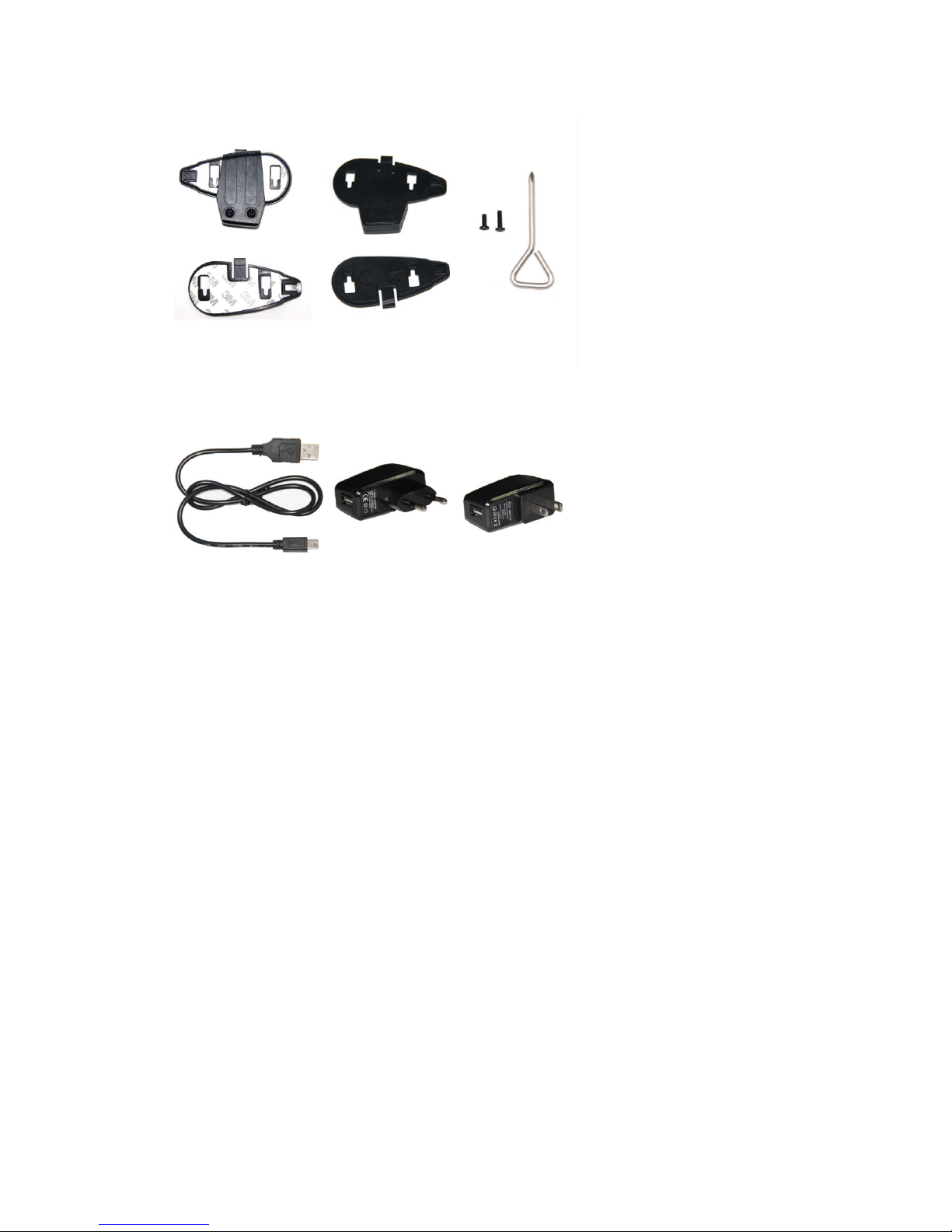
Clamp connected and installed unit
AC&USB charger
Important Regular Information
This device complies with part 15 of the FCC rules. Operation is subject to the
following two conditions:
(1) this device may not cause harmful interference, and
(2) this device must accept any interference received, including interference that
may cause undesired operation.
Changes or modifications to this unit not expressly approved by the party responsible
for compliance could void the user’s authority to operate the equipment.
RF
Exposure Information:
FCC RF Exposure requirements: The highest SAR value reported under this standard
during product certification for use next to the head with the minimum separation
distance of 10mm is 0. 479
W/kg. This transmitter must not be collocated or
operating in conjunction with any other antenna or transmitter.
 Loading...