

Page 1
IInntteerrnneett KKeeyybbooaarrdd UUsseerr''ss GGuuiiddee
Congratulations on your purchasing this Internet Keyboard. With seven buttons featured
for Internet, and one button for ACPI Power Management, this keyboard is the best helper
when you surf on the web by using Microsoft Internet Explorer 5.0 or later version.
System Requirement
♦ IBM AT, PS/2 PC and its compatibles
♦ Microsoft® Windows® 95, Windows® 98, Windows NT® 4.0, Windows® 2000, or
Windows® ME operating system
♦ Microsoft Internet Explorer 5.0 or later version (for Internet buttons)
♦ The system supporting ACPI or APM II (for Sleep button)
♦ ATX mother board and ATX power supply (for Sleep button)
Functions of the Special Keys
Sleep Button:
To put your system to sleep (power-saving) mode.
The Sleep button is a power management key. Its function was
specified since Windows® 98. So the earlier version of
Windows, like Windows® 95 and Windows NT® 4.0, don’t
Sleep
recognize and can’t perform it.
If you want to have this button work under Windows 95 and
Windows NT 4.0, as well as the Internet button introduced as
under mentioned, please install the enclosed driver and then to
enable this ACPI key.
Internet Buttons:
The following Internet buttons are used with Microsoft Internet Explorer 5.0. To have
these buttons work under Windows 95, Windows 98, or Windows NT4.0, the KeyMaestro
keyboard driver enclosed is needed to install. Please refer to the file readme.htm in the disk
for installation.
Back To return to the last page you viewed.
Page 2
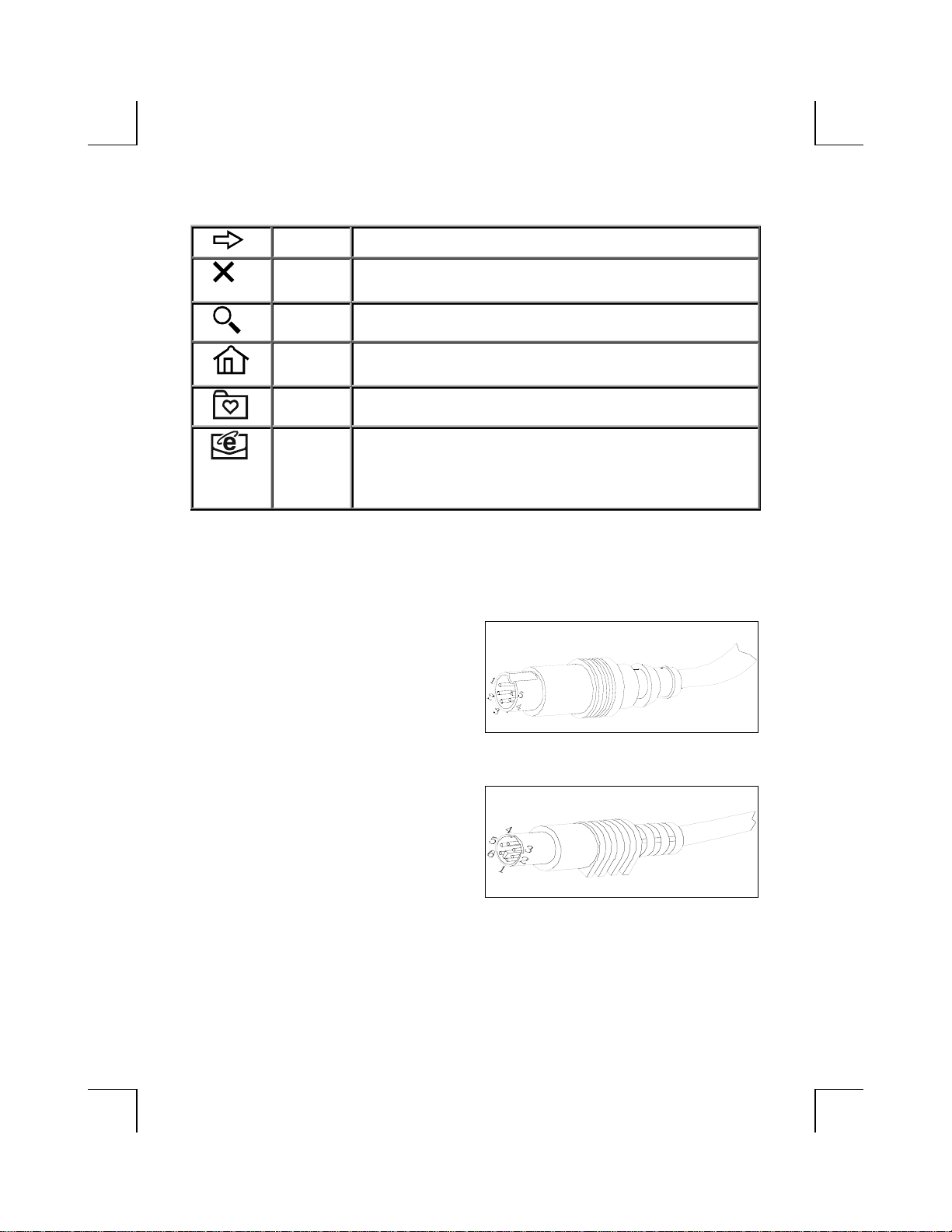
Forward To view the next page you viewed before.
Stop If a page you are trying to view is taking too long to open, click
this button.
Search To gain access to a number of search providers.
Web/Home To start your Microsoft Internet Explorer 5.0 and bring up the
home page you set.
Favorites To select a web page from your list of favourites.
Mail To open the default program you use for mail. If more than one
email programs are installed, you may select Tools -> Internet
Options -> Programs -> Email to change the default setting
from Internet Explorer.
Keyboard Cable Connector
AT Compatible Cable
(5-pin Din Connector)
Pin # Signal Name Voltage
1 Keyboard Clock +5VDC Signal
2 Ground 0
3 Keyboard Data +5VDC Signal
4 Power Supply +5VDC
5 No Connection
PS/2 Compatible Cable
(6-pin Miniatures Din Connector)
Pin # Signal Name Voltage
1 Keyboard Clock +5VDC Signal
2 Ground 0
3 Keyboard Data +5VDC Signal
4 Reserved 0
5 +5VDC +5VDC
6 Reserved 0
Page 3

FFCCCC GGUUIIDDEELLIINNEESS
This equipment has been tested and found to comply with the limits for a Class B digital device,
pursuant to Part 15 of the FCC Rules. These limits are designed to provide reasonable protection
against harmful interference in a residential installation. This equipment generates, uses and can
radiate radio frequency energy and, if not installed and used in accordance with the instructions may
cause harmful interference to radio communications. However, there is no guarantee that interference
will not occur in a particular installation. If this equipment does cause harmful interference to radio or
television reception, which can be determined by turning the equipment off and on, the user is
encouraged to try to correct the interference by one or more of the following measures:
Reorient or relocate the receiving antenna
Increase the separation between the equipment and receiver
Connect the equipment into an outlet on a circuit different from that to which the receiver
is connected.
Consult the dealer or an experienced radio/TV technician for help.
Use only shielded cables to connect I/O devices to this equipment.
This device complies with Part 15 of the FCC Rules. Operation is subject to the following two
conditions: (1) This device may not cause harmful interference. (2) This device must accept any
interference received, including interference that may cause undesired operation.
Information to User:
Any changes or modifications not expressly approved by the party responsible
for compliance could void the user’s authority to operate this equipment.
Shielded interface cable, if any, must be used in order to comply wi th emission
limits.
IBM AT and PS/2 are registered trademarks of International Business Machines Corporation.
Microsoft and Windows are registered trademarks of Microsoft Corporation in the United States and/or other
countries.
All other trademarks are trademarks of their respective holders.
Page 4

3100504830
Version 2.0
Sept. 2000
Printed in China
 Loading...