

Page 1
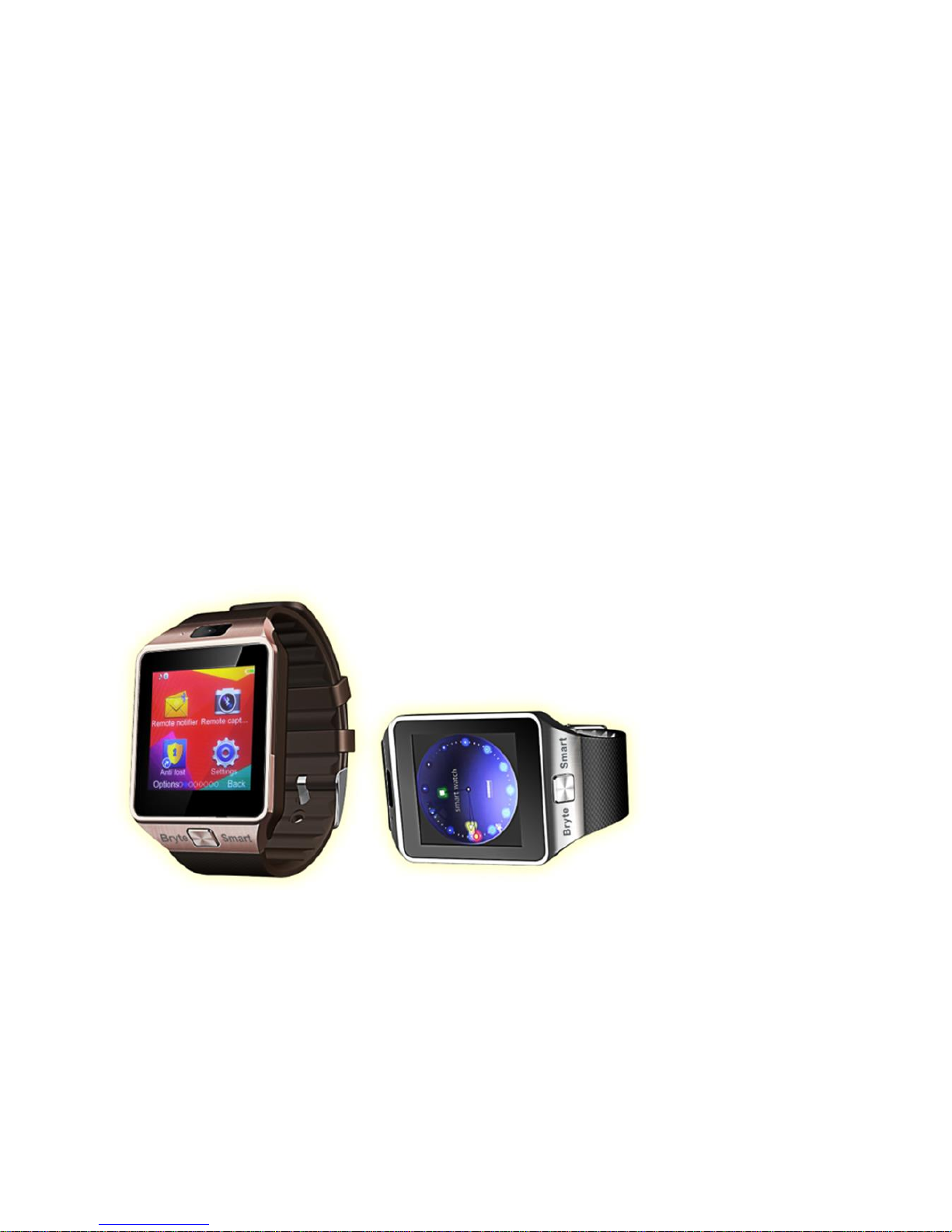
User Manual
IP x smart
Bryte Smart Watch
Page 2
1.Safety Warning
◆ The information in this manual can be modified or extended in
accordance without prior any notice.
◆ The watch should be charged for at least 2 hours before use.
Security Code
◆ The default security code is 1122, this code will help protect
your Smart Watch from unauthorized use.
◆ Please change the default security code to protect your
personal information.
2. Product details
2.1 Product details
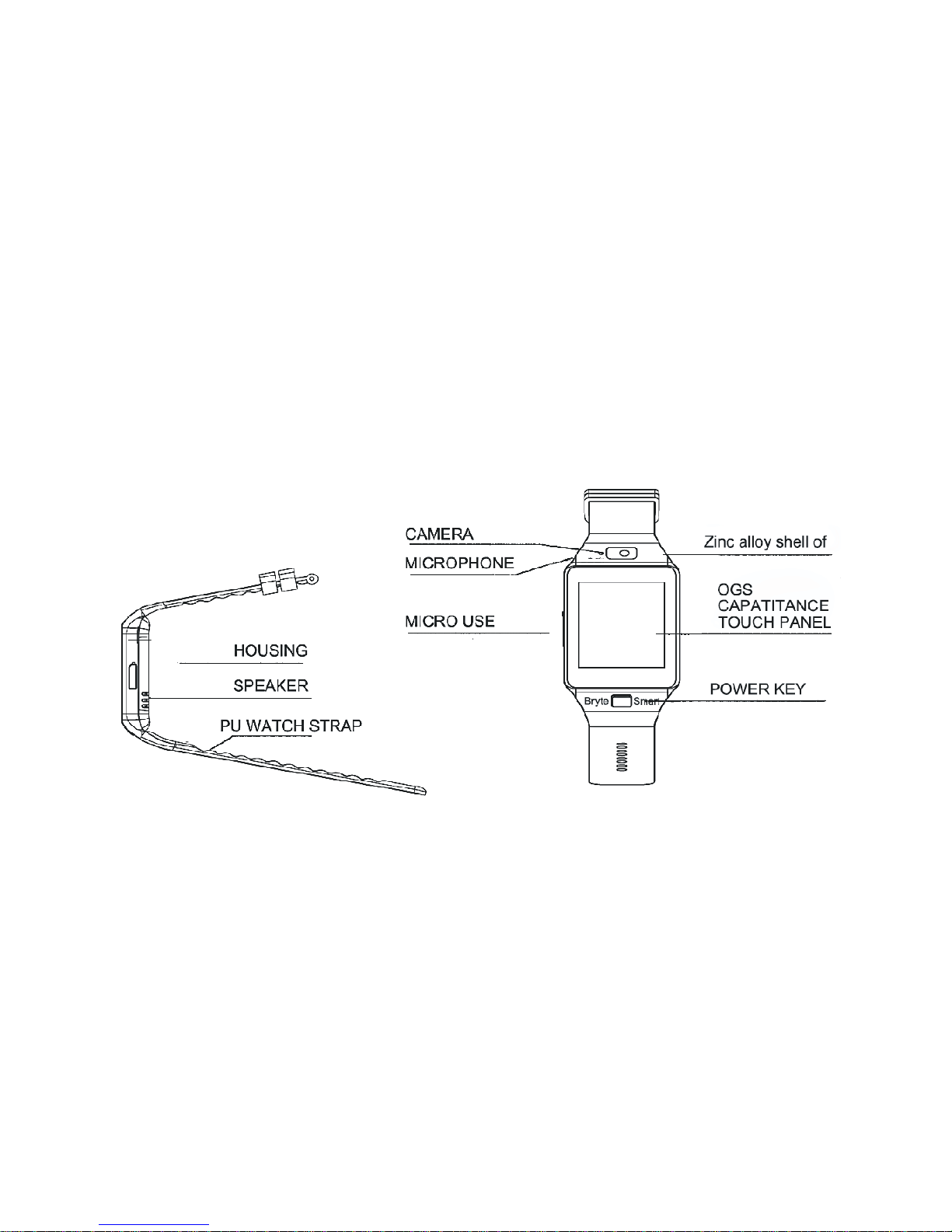
Power button: Power On/Off, Awaken/Sleep screen; Back to
main menu
USB port: Charging/Data transmission
Touch Screen: All functions(main menu)will be shown and
displayed on the capacitive touch screen
2.2 Navigation Info
You can enter into the next page by sliding to the left and return to
the last page by sliding right; enter into the notification view by
sliding from up to down, and return to the main menu by sliding
from down to up.
Page 3
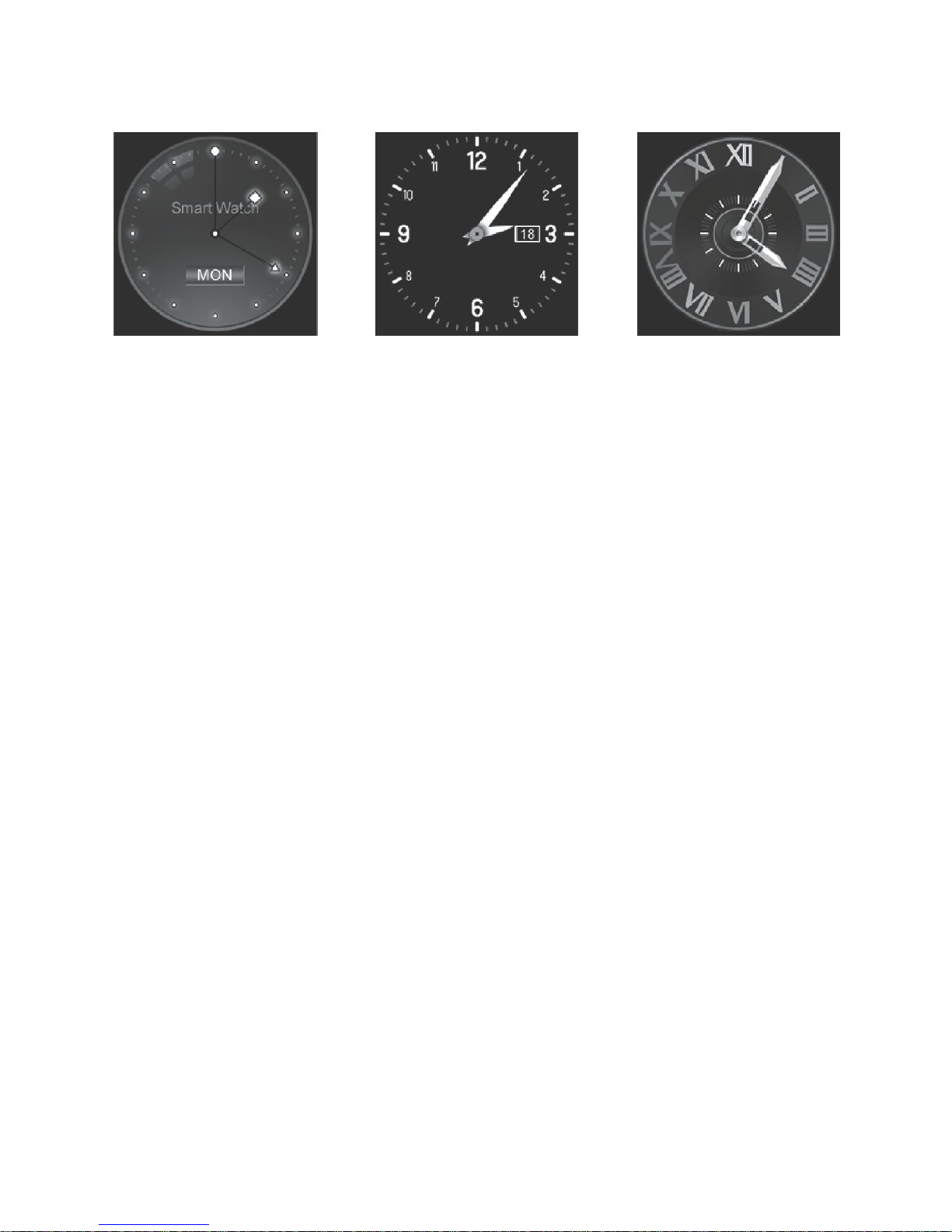
2.3 Clock display
Setting method:
Method 1: Switch ON your Bryte Smart Watch, when the phone is
in clock mode, tap on the middle the middle of the to set time or
select your preferred clock interfaces.
Method 2: Power on your Watch, Tap on Menu>>setting>>Phone
Setting>>Standby menu display>>Disable selection, choose your
preferred mode.
2.4 Product theme settings
Page 4
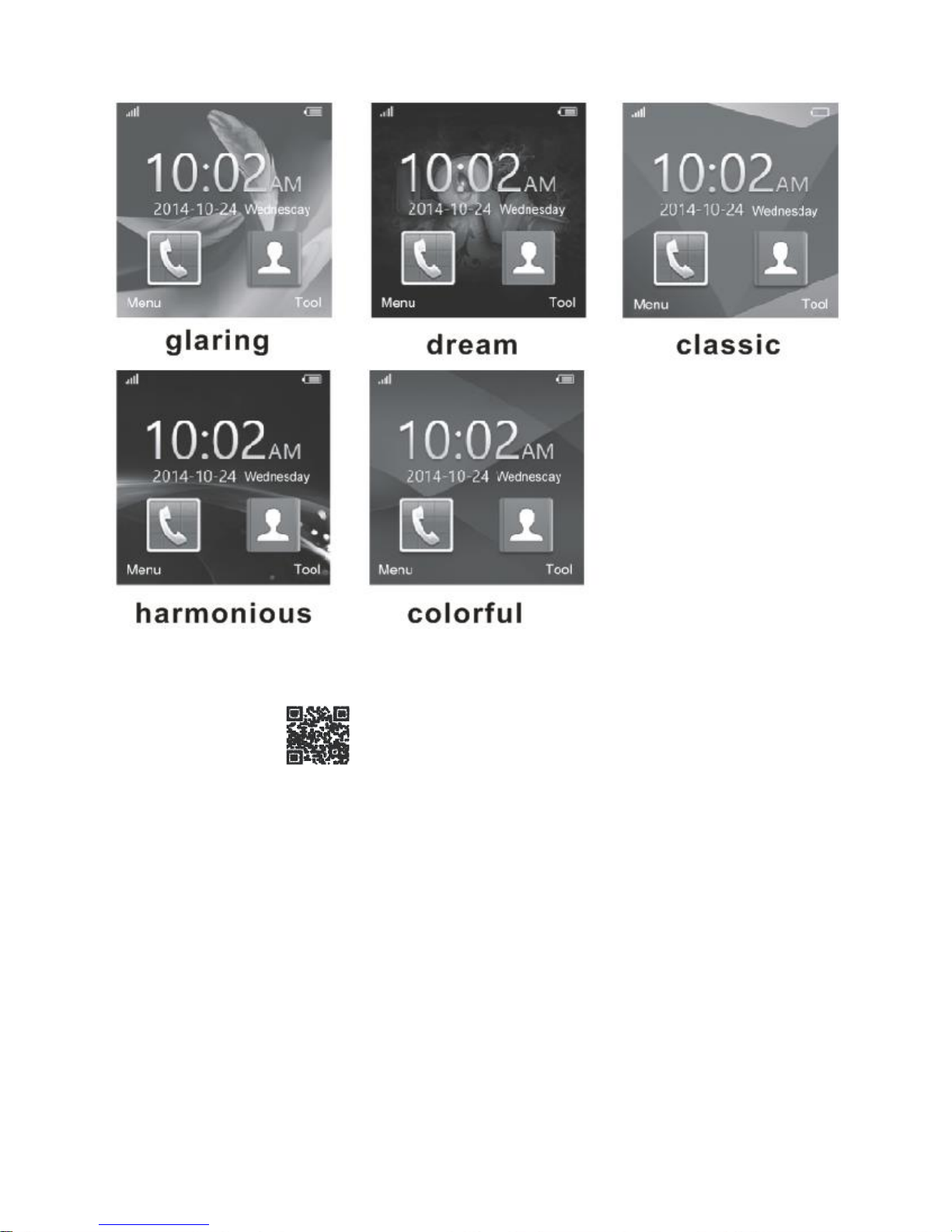
Main menu: Theme setting,choose the theme if you like.
3.1 Download the sync software
Scan QR code ,download the APP which can match your
android phone, this APP was only used for the sync between
watch and phone, that will not take your phone’s GPRS.
If you have already download the related softwares, please check
the versions and use the newest related softwares in order to
ensure all functions could be normal used. Please update the
software when it has a new one.
3.2 Install and use the Sync software
Android Application Installation
Please install the android application for your smart phone. You
can install it into your phone memory or just by Sync assistant.
Android application usage (already installed)
Page 5
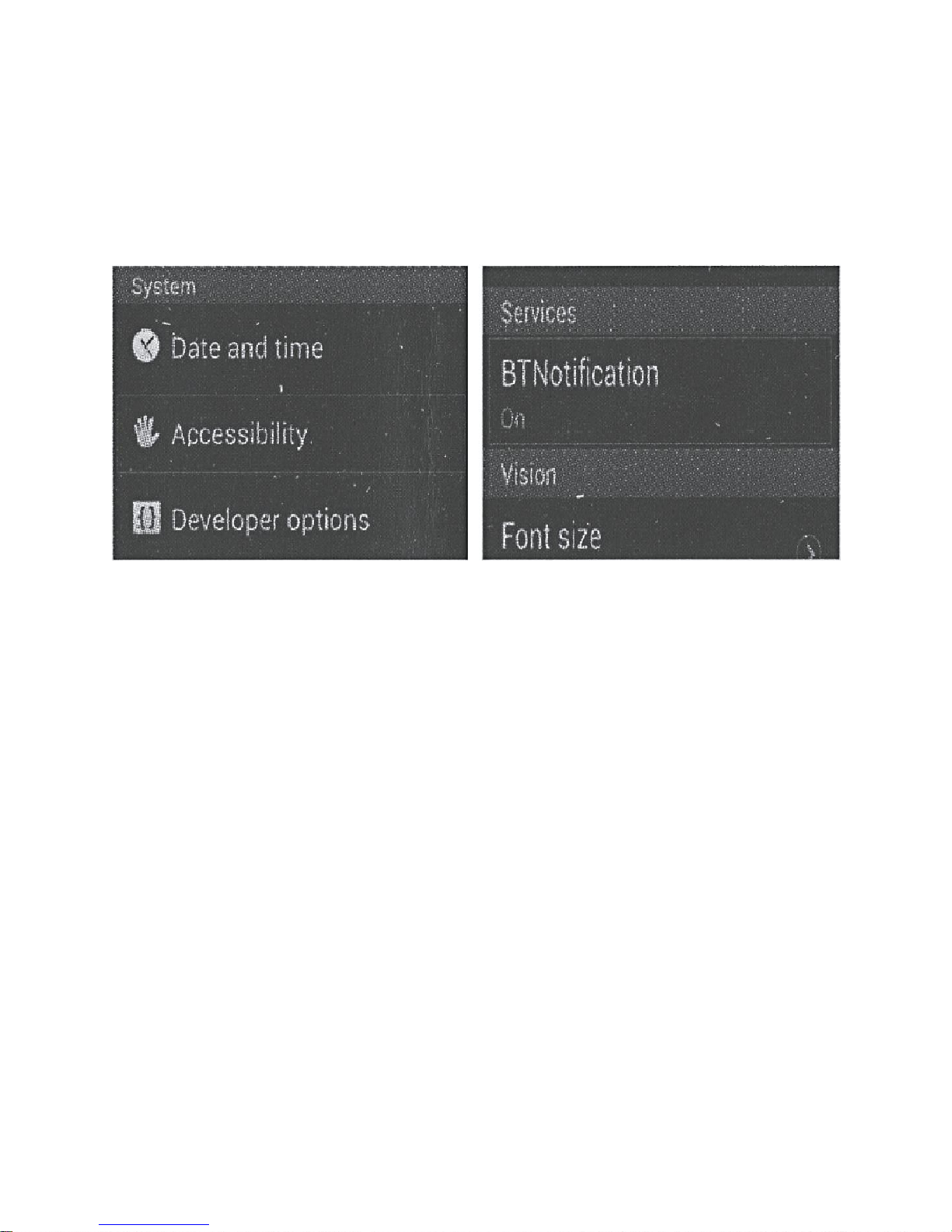
( Smart phone) Setting – – Accessibility – – Enter into
Bluetooth notice(service),enabled this service. (please choose
“sure” when shown a warning notices) the application runs on the
background automatically and sync function will be switched on as
below:
Click the Bluetooth notices and choose the Notification service,
select your Personal or System application in Notify application.
Telephone service is including SMS, incoming call and seek
watch.
Notice:
Please don’t shut the Bluetooth notify service when you are
clearing software by background or close background
application software. It will affect the Sync function between
watch and phone if it was shut.
3.3 Bluetooth Connection and Sync function
3.3.1 From phone to watch
Phone setting– turn on the Bluetooth – search for devices, please
click pair devices when found LQ-S1, and also choose “yes” in
your mobile phone, paired done.
Please choose”sure” when there is phone book request,
meanwhile you’d better choose “no remind again ”, this is
convenience for your connecting next time (without remind again).
Page 6

Notice: The Sync software can open in Sync APP after installed
and accessible, the mobile will show Bluetooth connected done
after 2-5 mins, the watch will inform you the time of Sync with
phone, then the Sync switched on. Phone messages will sync to
your watch.
3.3.2 From watch to phone
BT Dialer on Gv08– search new device– found your smart watch
(such as s9500)--connecting. The process of next time is the
same with 3.3.1.
3.4 Base Function
3.4.1 Message
Sync phone calls and watch messages.
3.4.2 Bluetooth
Set the Bluetooth status, turn on/off.
3.4.3 Calls records
You can check your phone call records after Bluetooth connected.
Shown all records including miss calls, dialed calls and received
calls; you can check the date, time and phone numbers of the
miss calls after choosing, but only can call them.
3.4.4 BT dialer
Paired devices from smart watch
3.4.5 Remote notifier
When there is SMS, incoming messages from QQ and other
applications on the connected phone, the watch phone will alert
you to read them.
3.4.6 Remote cameras
Use phone camera take photos, but remote by watch, its need
switch on the camera of phone in advance.
3.4.7 Anti lost
Watch seek phone, or phone seek watch.
3.4.8 Setting
Notice: sets clocks display and theme in pone setting. In the
Page 7

security settings, the safe code is 1122.
3.4.9 Pedometer
It can be adopted as a tool to avoid insufficient or excessive
exercise by measuring calories or calories consumption based on
collected data, such as number of steps, distance, speed, time,
etc.,to control exercise.
If you want return to main menu but keep pedometer during the
exercise, please press the power button.
3.4.10 Sleep monitor
Show your sleep quality base on your sleep times.
3.4.11 Sedentary remind
You can set a time to remind you up to do some exercise, we
suggest one hour each time.
3.4.12 Quick response
You could download sync software when scan the quick response,
If there is a new version need to be updated, please contact with
our servers, our company will provide a new link for your
download.
3.4.13 Smart serching
Search information about watch
3.4.14 Alarm
3.4.15 Calendar
3.4.16 Calculator
3.4.17 Profiles
3.4.18 File manager
3.4.19 Audio player
Can play music from local or smart phone after bluetooth
connected.
3.4.20 Theme setting
3.4.21 Camera
3.4.22 Video recorder
3.4.23 Image viewer
Page 8

3.4.24 Video player
3.4.25 Sounder recorder
3.4.26 Phone QQ
3.4.27 Browser
Browser need your phone has SIM card and can surf the internet.
3.4.28 SIM tool
4. Notice
4.1 Full charge before use, the charge time need 1-2 hours.
4.2 Use the accessories cable for charging, or your android phone
Accessories.
4.3 Bluetooth will disconnect when exceed the distances, after
switch on the Anti lost, the smart search function can’t be used
before reconnect with bluetooth.
4.4 Please reconnect with BT if it’s disconnected occasionally
(please Manual connect if the bluetooth disconnect over 5 mins).
Please agree the phone book Sync otherwise there is no called
phone book.
4.5 When playing the music, some of songs’ name can shown and
some can’t, it is normal, because android phone are difference.
5. Common trouble shooting
Please refer below key function for any problems with the watch, if
the problem is still unsolved, please contact with our dealer or
serviceman Appointed.
5.1 Unable to switch on
The time of press the power button too short, please keep it more
than 3 Seconds.
Low power, please charge it.
5.2 Shut down automatically
Low power, please charge the watch.
5.3 Using time too short
Battery is not full, please make sure it is full power (full charge
need 2 hours at least).
Page 9

During using SIM card, the power will be run off soon if the signal
too poor.
5.4 Unable to charge
The battery’s life will be reduced after few years, please check if
the battery are work.
Change a new charger if it is unworkable.
Please check the USB slot connecting good, if no, please try
again.
5.5 No caller’s name when incoming call
Forgot to choose upload the phone book when connected with BT,
or unselected keep upload the phone book.
Forgot to sync the phone book when reconnected, please pair the
device and connect BT again.
5.6 Bad phone call voice
BT signal will be bad if watch is far away from phone, please be
more close.
Bad signal of your own phone call place, please change a more
better place for phone call.
**Please read this Manual first before use the Bryte Smart Watch.**
 Loading...