

Page 1
BROWN INNOVATIONS QUICK INSTALLATION GUIDE
SB-18 w/MIC
SB-47 w/MIC
SB-18 and SB-47 SonicBeam
Be sure that you have the following:
Myriad II Amplifier
Power Supply
Speaker
Cables: USB Cable, Audio Cable, 3 (2 for SB-47) Conductor Speaker Wire, 3 Conductor Mic Wire
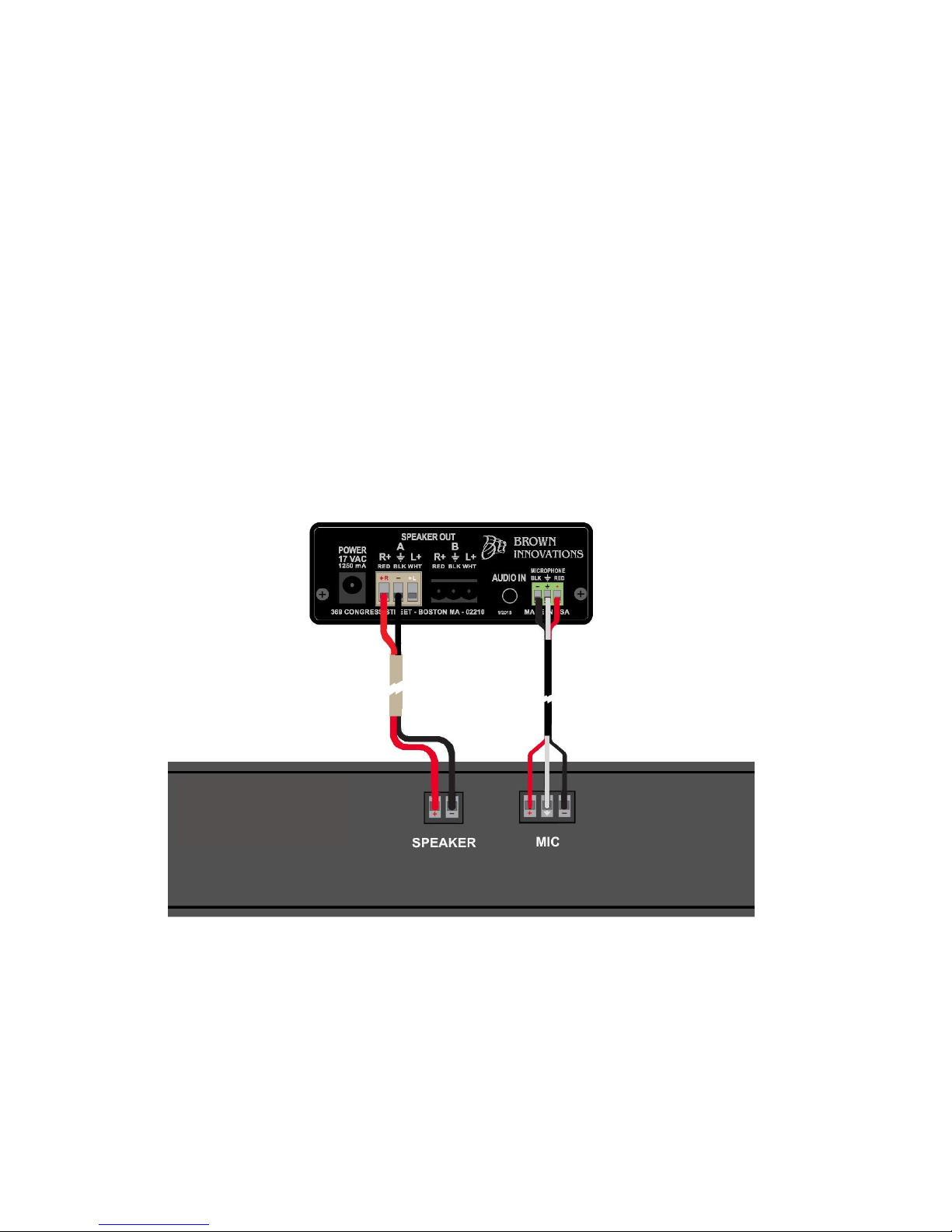
1) Connect the mic and speaker wire to the amplifier and the speaker. If the system
does not have the SmartVolume feature, no mic connection is required.
Page 2
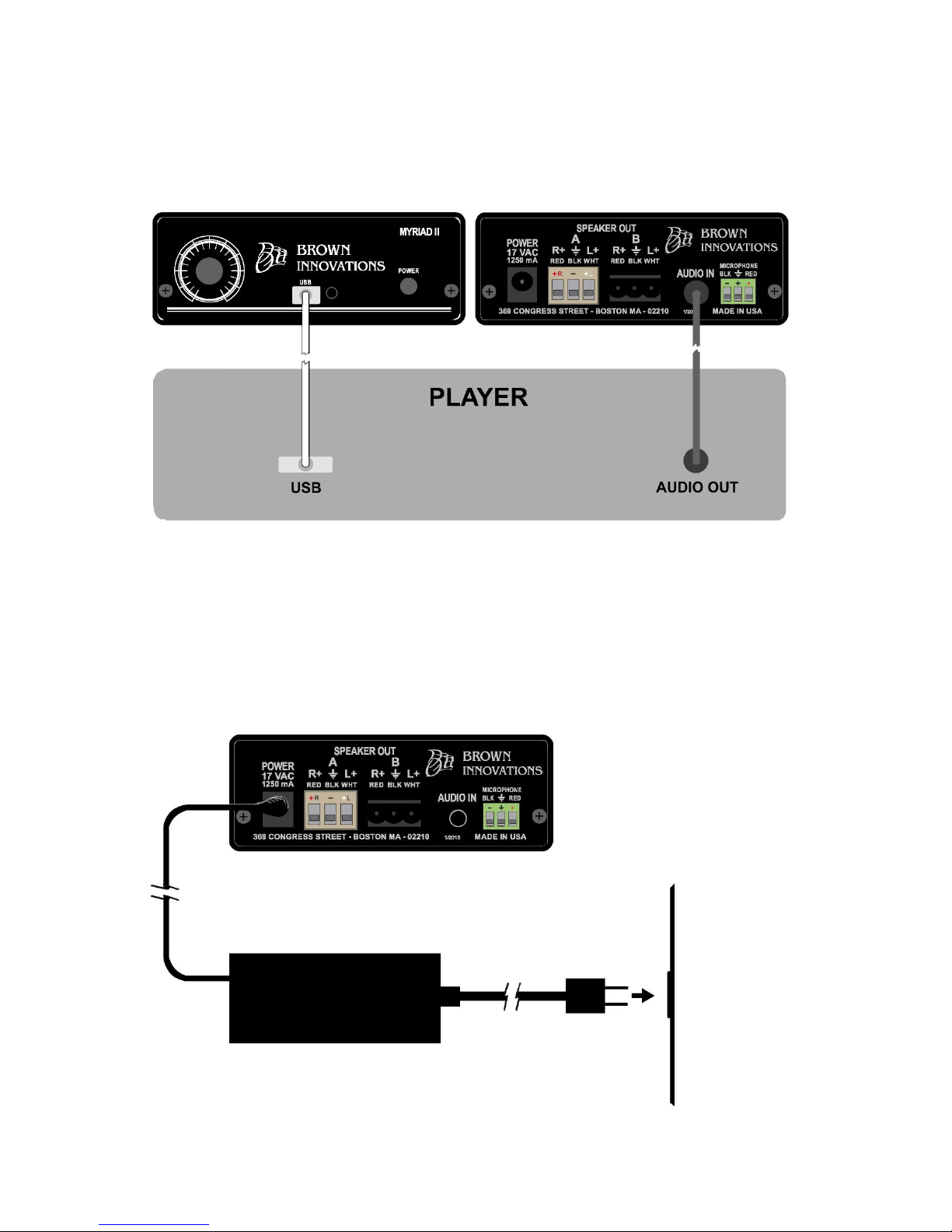
2) Connect audio cable to the amplifier and speaker. USB connection is used for
software setting adjustments. There are no audio over USB capabilities.
3) Connect the power supply to the amplifier. Plug the power supply into an outlet.
Page 3
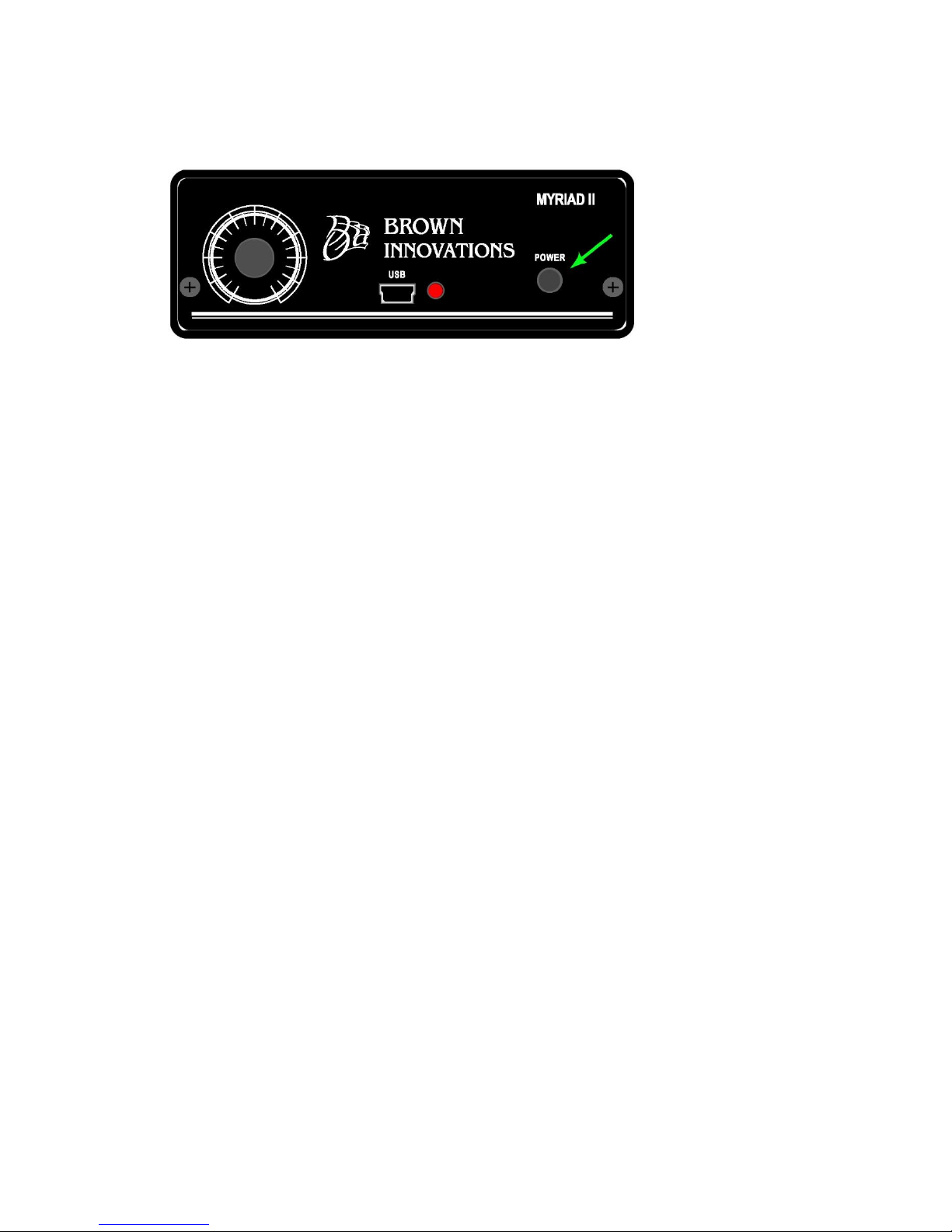
4) Push the power button in on the front of the amplifier.
5) Play the program on the player and check the speaker for sound.
Trouble Shooting:
No Audio but LED is on 1) Be sure power button is pressed in
2) Be sure mic and speaker wires are not swapped
3) Plug audio cable into alternate known source
Can’t change volume Pot is intentionally off (set in software)
LED is off Check outlet power
LED flashes Check outlet power and power switch is in (USB power only)
LED flashes green and red Green indicates the presence of audio
Red indicates the presence of some power
LED may show red and green with only
USB power but without speaker output
 Loading...