

Page 1

Page 1 of 4
INSTALLATION MANUAL – BCB-29W Miniature WDR Camera
WARNING: Before beginning installation of this product, carefully review the safeguards and
precautions found on page 2 of this manual.
Unpacking
Unpack carefully. This is electromechanical
equipment and should be handled with care. If an
item appears to have been damaged in shipment,
replace it properly in its carton and notify the shipper.
If any items are missing, notify Broadsight Systems,
Inc. The shipping carton is the safest container in
which the unit may be transported. Save it for
possible future use.
Service
If the unit ever needs repair service, the customer
should contact Broadsight Systems, Inc. for a return
materials authorization (RMA) and shipping
instructions.
Care and Maintenance
Perform routine maintenance to keep the unit dust
free. Clean the lens as needed with Kimwipe™ brand
Delicate Task Wipes or similar.
Model Designation
BCB-29W Miniature WDR Camera, 600TVL,
2.9mm Fixed Lens, 12VDC
Description
The MCWB-2.9N WDR camera has a Sony SuperHAD
sensor with frame integration mode to provides over
600 lines of resolution combined with impressive low
light performance.
The compact size, adjustable mounting bracket &
wide angle fixed lens are suitable for small enclosures
& short viewing distances (i.e. ATM machines).
Additional features include OSD controlled privacy
masking, a digital image stabilizer & image flip and
mirror functions.
Hardware Kit
Video / Power Cable Harness
Mounting Screw (1)
Tools Required
Cross Recessed Screwdriver (Phillips)
Certification
Installation should be performed by a licensed
professional and conform to the National Electrical
Code (NEC) and any applicable local codes.
Installation
Note: the camera can be mounted on both ceiling
and wall.
1. Remove the bracket by loosening the two screws
in the mounting bracket.
2. Attach the bracket to the mounting surface using
the screw provided in the hardware kit.
3. Reattach the camera to the bracket. Orient the
camera so that the OSD joystick is on the lower
side to ensure the image is right-side-up.
4. Set the camera angle by rotating the camera
about the side screws.
5. Tighten the side screws when the desired angle
is achieved.
Product Features
• WDR (Wide Dynamic Range)
Provides true WDR performance by using dual
channel operations.
• Sens-up
Digitally manipulates the exposure level of the
image to produce bright images in the darkest of
scenarios.
• Day/Night
Automatically detects the optimum point when to
switch between color and black & white.
• 3D-DNR (3D Digital Noise Reduction)
Advanced 3D-DNR algorithms allow for a clean
picture even under extreme low light
environments.
• Integrated 2.9mm Fixed Lens
• Designed for Indoor Use
----------Instructions Continue on Page 3----------------
www.broadsightsystems.com
1124 Louise Road
Winston-Salem, NC 27107
Service: 1-336-837-1272
Page 2
Page 2 of 4
IMPORTANT SAFEGUARDS
1. Read Instructions - All the safety and operating instructions should be read before the unit is operated.
2. Retain Instructions - The safety and operating instructions should be retained for future reference.
3. Heed Warnings - All warnings on the unit and in the operating instructions should be adhered to.
4. Follow Instructions - All operating and use instructions should be followed.
5. Cleaning - Unplug the unit from the outlet before cleaning. Do not use liquid cleaners or aerosol cleaners. Use a damp cloth for cleaning.
6. Attachments - Do not use attachments not recommended by the product manufacturer as they may cause hazards.
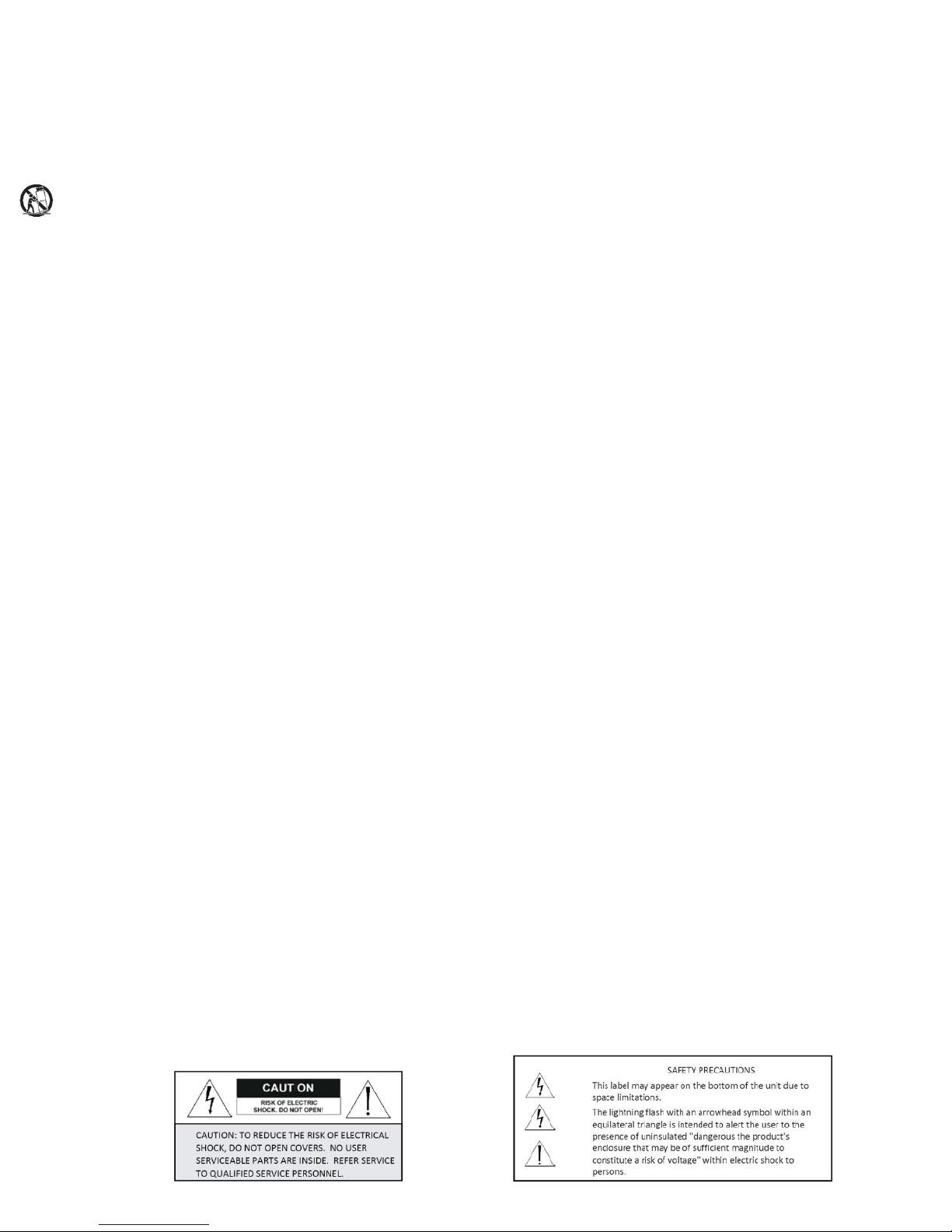
7. Accessories - Do not place this unit on an unstable stand, tripod, bracket, or mount. The unit may fall, causing serious injury to a person and serious
damage to the unit. Use only with a stand, tripod, bracket, or mount recommended by the manufacturer or sold with the product. Any mounting of the
unit should follow the manufacturer's instructions and should use a mounting accessory recommended by the manufacturer.
An appliance and cart combination should be moved with care. Quick stops, excessive force, and uneven surfaces may cause the appliance and cart
combination to overturn.
8. Ventilation - Openings in the enclosure, if any, are provided for ventilation, to ensure reliable operation of the unit, and to protect it from overheating.
These openings must not be blocked or covered. This unit
should not be placed in a built-in installation unless proper ventilation is provided or the manufacturer's instructions have been adhered to.
9. Power Sources - This unit should be operated only from the type of power source indicated on the marking label. If you are not sure of the type of power
supply you plan to use, consult your appliance dealer or local power company. For units intended to operate from battery power or other sources, refer
to the operating instructions.
10. Grounding or Polarization - This unit may be equipped with a polarized alternating-current line plug (a plug having one blade wider than the other). This
plug will fit into the power outlet only one way. This is a safety feature. If you are unable to insert the plug fully into the outlet, try reversing the plug. If
the plug should still fail to fit, contact your electrician to replace your obsolete outlet. Do not defeat the safety purpose of the polarized plug.
Alternatively, this unit may be equipped with a 3-wire grounding-type plug, a plug having a third (grounding) pin. This plug will only fit into a groundingtype power outlet. This is a safety feature. If you are unable to insert the plug into the outlet, contact your electrician to replace your obsolete outlet. Do
not defeat the safety purpose of the grounding-type plug.
11. Power Cord Protection - Power supply cords should be routed so that they are not likely to be walked on or pinched by items placed upon or against
them, paying particular attention to cords and plugs, convenience receptacles, and the point where they exit from the appliance.
12. Power Lines - An outdoor system should not be located in the vicinity of overhead power lines or other electric light or power circuits or where it can fall
into such power lines or circuits. When installing an outdoor system, extreme care should be taken to keep from touching such power lines or circuits as
contact with them might be fatal. U.S.A. models only - refer to the National Electrical Code Article 820 regarding installation of CATV systems.
13. Overloading - Do not overload outlets and extension cords as this can result in a fire or electric shock.
14. Object and Liquid Entry - Never push objects of any kind into this unit through openings, as they may touch dangerous voltage points or short out parts
that could result in a fire or electric shock. Never spill liquid of any kind on the unit.
15. Servicing - Do not attempt to service this unit yourself as opening or removing covers may expose you to dangerous voltage or other hazards. Refer all
servicing to qualified service personnel.
16. Damage Requiring Service - Unplug the unit from the outlet and refer servicing to qualified service personnel under the following conditions:
a. When the power supply cord or plug is damaged.
b. If liquid has been spilled or objects have fallen into the unit.
c. If the unit has been exposed to rain or water.
d. If the unit does not operate normally by following the operating instructions. Adjust only those controls that are covered by the operating instructions,
as an improper adjustment of other controls may result in damage and will often require extensive work by a qualified technician to restore the unit to
its normal operation.
e. If the unit has been dropped or the cabinet has been damaged.
f. When the unit exhibits a distinct change in performance--this indicates a need for service.
17. Replacement Parts - When replacement parts are required, be sure the service technician has used replacement parts specified by the manufacturer or
have the same characteristics as the original part. Unauthorized substitutions may result in fire, electric shock, or other hazards.
18. Safety Check - Upon completion of any service or repairs to this unit, ask the service technician to perform safety checks to determine that the unit is in
proper operating condition.
19. Coax Grounding - If an outside cable system is connected to the unit, be sure the cable system is grounded. U.S.A. models only--Section 810 of the
National Electrical Code, ANSI/NFPA No.70-1981, provides information with respect to proper grounding of the mount and supporting structure,
grounding of the coax to a discharge unit, size of grounding conductors, location of discharge unit,connection to grounding electrodes, and requirements
for the grounding electrode.
20. Lightning - For added protection of this unit during a lightning storm, or when it is left unattended and unused for long periods of time, unplug it from
the wall outlet and disconnect the cable system. This will prevent damage to the unit due to lightning and power line surges.
FCC NOTICE
This equipment generates and uses radio frequency energy and if not installed and used properly, that is, in strict accordance with the manufacturer's
instructions, may cause interference to radio and television reception. It has been type tested and found to comply with the limits for a Class B computing
device in accordance with Part 15 of FCC Rules, which are designed to provide reasonable protection against such interference in a residential installation.
However, there is no guarantee that interference will not occur in a particular installation. If this equipment does cause interference to radio or television
reception, which can be determined by turning the equipment off and on, the user is encouraged to try to correct the interference by one or more of the
following measures:
Relocate the monitor away from the TV/radio receiver.
Plug the monitor into a different wall outlet so that the console is on a different branch circuit.
Re-orient the TV/radio antenna.
If necessary, the user should consult the dealer or an experienced radio/television technician for additional suggestions.
NOTE: Changes or modifications to the unit may void FCC compliance.
Page 3

Page 3 of 4
OSD Menu Tree
Cam Name
• On • Of f
Lens
• DC Iris • Manual • EZ Focu s
Exposure
• AG C • Shu tte r • Sens-Up • Low Light Gain
• Initia l Set •Pre vio us
Day/Night
• Au to • Color • B/ W • CD S
WDR / BLC / HC
• WD R • BL C • HL C
White Balance
• AT W1 • AT W2 • AWC-Set • Manual
3D-DNR
• On • Of f
Effects
• DZoom Mode • Image Freeze • D-Effect • Co ntr ast
• Sha rp ne ss • Color Adjust • Initia l Set • Pr evi ous
Special
• Motion Det. • Pr iva cy • Language • St ab ilizer
• L/L Sync • Monitor Type • WSC Mode
• Factory Reset • Comm Set • Pr evi ous
Exit
The detailed functions and parameter settings for your camera
can be set in the OSD (On Screen Display) menu. To access
this menu your camera must have an OSD controller or an RS485 connection.
OSD Controls
[Enter/Set]: Enters the OSD Menu, Selects the desired Option
[Directional Buttons]: Navigates through the OSD Menu.
[Long Left]: Accesses the EZ Focus Mode
OSD Menu Functions
CAM NAME: Adjusts the camera title settings.
OFF: The camera name will not be displayed onscreen.
ON: Press [Set] to access submenu.
Enter the desired camera name, select [POS] to
select desired position, then select [END] to exit and
apply the changes.
LENS: Control various settings related to the lens.
DC IRIS: Used with DC auto iris lenses.
Brightness:
Adjust image brightness.
Reaction Speed:
Adjust iris reaction speed.
MANUAL: Used with manual iris lenses.
Brightness:
Adjust image brightness.
EZ FOCUS: Temporary mode used to focus the lens.
EXPOSURE: Adjusts exposure settings.
AGC: Adjusts the AGC level.
SHUTTER: Sets the desired shutter option.
SENS-UP: Sets the desired multiple of the digital exposure
length.
LOW LIGHT GAIN: Sets the amount of digital gain to use
within the system.
DAY/NIGHT: Adjust Day/Night options.
AUTO: Automatically determines the D/N switching points.
D/N LEVEL:
Adjusts the switching point level.
Dwell Time:
Adjusts the calibration time for the
trigger.
Night Burst:
Enables night burst when in B/W mode.
COLOR: Color mode.
DAY/NIGHT (Cont’d)
B/W: Black & White mode
CDS: Uses the CDS sensor to determine the switching point
(IR products).
LSC Mode
: Toggles the LSC mode on or off.
LSC Level:
Adjusts the intensity of the LSC mode.
WDR / BLC / HLC: Adjusts backlight options.
WDR: Uses a true wide dynamic range algorithm to
balance dark and over-saturated areas within the
image.
WDR Level:
Adjusts the WDR level.
BLC: Produces a clearer image of an object darkened by
strong backlighting.
BLC Level:
Adjusts the BLC level.
HLC: Masks out strong backlighting to produce a clearer
image.
Area Setting:
Sets which areas will be active for the
HLC feature.
All Area Set:
Sets all areas active.
Mask Color:
Sets the desired color of the masked
area.
HLC Level:
Adjusts the level of masking.
Gain control:
Sets when the HLC will be active.
WHITE BAL: Adjusts white balancing options.
ATW1: Automatically white balances the image.
ATW2: Automatically white balances the image and
compensates for some color rolling.
AWC-Set: Press [SET] to white balance the image to a
specific light environment. This mode will not adjust
to a new light environment.
MANUAL: Select ATW1 or AWC-Set then enter the MANUAL
white balancing mode to manually adjust the scene
to your desired settings.
3D-DNR: Reduces the background noise caused by the digital
enhancement of a low light environment. If AGC is turned OFF,
the 3D-DNR will be disabled.
DNR LEVEL: Sets the level of noise reduction; the higher
the level, the less the noise.
DNR BLACK LEVEL: Sets the low light environment black
level; the higher the level the brighter the image.
Please note that decreasing the DNR BLACK LEVEL
too much will result in a dark image.
GLOBAL MOVEMENT: Used to reduce a trailing effect
caused by motion.
EFFECTS: Adjusts various effect options.
DZOOM MODE: Digitally zooms a desired section of the
image.
IMAGE FREEZE: Holds the image displayed onscreen.
D-EFFECT: Masks out strong backlight to produce a clearer
image.
VERTICAL FLIP: Flips the image along the x-axis.
MIRROR: Flips the image along the y-axis.
ROTATE: Rotates the image.
CONTRAST: Sets the contrast of the image
SHARPNESS: Sets the amount of sharpness applied to the
image.
Page 4

Page 4 of 4
EFFECTS (Cont’d)
COLOR ADJUST: Used to tune the general color level of
the image.
COLOR:
Toggles the color on or off.
COLOR LEVEL:
Sets the color level of the image; the
higher the level the stronger the color.
COLOR HUE:
Sets the hue of the image.
RED GAIN:
Sets the amount of red gain applied on the
image.
BLUE GAIN:
Sets the amount of blue gain applied on
the image.
SPECIAL: Adjusts various special options.
MOTION DET: Adjust motion detection settings. There is
an initialization period of ~15 seconds (N/A for units
without alarm relay).
ZONE NUMBER
: Selects the current motion zone.
ZONE STATE
: Toggles the motion zone on or off.
WIDTH:
Sets the width of the motion zone.
HEIGHT:
Sets the height of the motion zone.
MOVE X:
Moves the motion zone horizontally.
MOVE Y:
Moves the motion zone vertically.
SENSITIVITY:
Adjusts the sensitivity of motion
detection.
PRIVACY MASK: Used to hide regions of the image.
MASK NUMBER:
Selects the current mask number.
MASK STATE:
Toggles the mask on or off.
MASK COLOR:
Selects the desired mask color.
WIDTH:
Sets the width of the mask.
HEIGHT:
Sets the height of the mask.
MOVE X:
Moves the mask horizontally.
MOVE Y:
Moves the mask vertically.
LANGUAGE: Sets the desired OSD language.
(English, German, Spanish, French, Russian, Polish)
STABILIZER: Used to digitally stabilize an image effected by
wind or vibration.
L/L SYNC: Sets the desired line lock method.
INT:
Uses the internal system to synchronize a line
lock.
L/L:
Uses the power signal to synchronize a line lock
(N/A for DC voltage-only units).
MONITOR TYPE: Sets the video output to three main input
types.
CRT:
Best used for CRT Monitors
LCD:
Best used for LCD Monitors
LIN:
Best used for input types that require no gamma
correction.
FACTORY RESET: Reset all settings to their factory
defaults.
COMM SET: Used to configure the RS-485 port (N/A for
units without RS-485).
PROTOCOL:
Only 1 protocol supported at the moment
(Pelco-D)
CAMERA ID:
Sets the ID for the RS-485 port (0~255)
SAVE/REBOOT:
Activates the new settings and
reboots the camera.
©2013 Broadsight Systems, Inc.
All Rights Reserved 08/2013
 Loading...