

Page 1

Mercury Series
Stand Alone & Modular PS/2 KVM Switch
Quick Setting Guide
Rev 2.0
Page 2
Mercury Series Quick Setting Guide
1
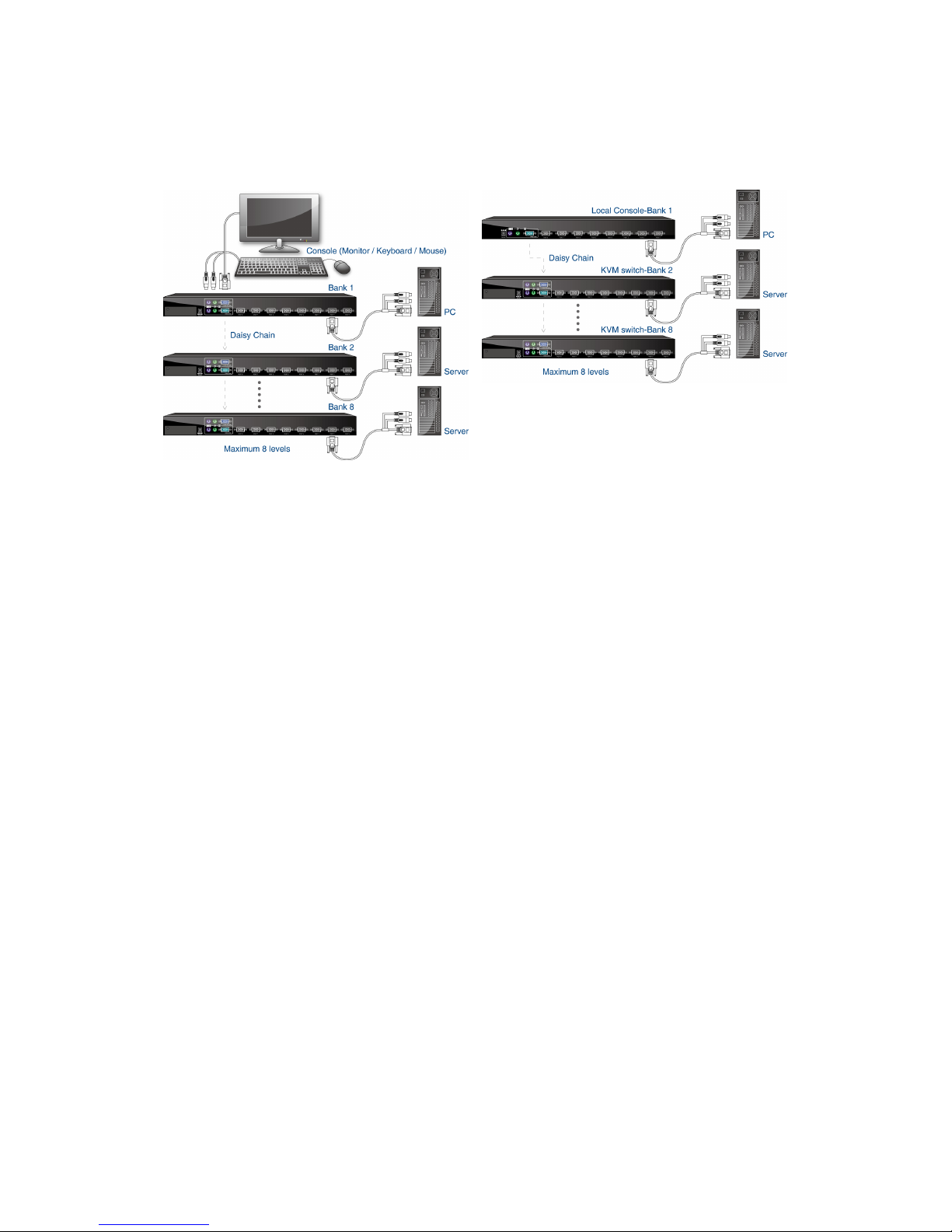
1. Application Diagram
Mercury 8 / 16: Mercury 8D / 16D:
2. Package Contents
Mercury 8 / 16 stand alone PS/2 KVM switch:
1 x KVM Switch Unit
1 x CD-ROM (User’s Manual)
1 x Quick Setting Guide
1 x AC to DC Power Adapter
1 x Rack Mount Kit
1 x KC-0303 Daisy Chain Cable (1.8 M)
2 x KC-1501C Signal Cable (with USB Adapter) (1.8 M)
The USB adapter is only for combo-free KVM switch use
Mercury 8D / 16D modular PS/2 KVM switch:
1 x KVM Switch Unit
1 x Quick Installation Guide
1 x LCD Console Mount Kit
3. Local Console Installation
Mercury 8 / 16 - Connect the keyboard, mouse and monitor to the local console
port. Turn on the monitor then power on the KVM Switch by plug in the power
adapter.
Mercury 8D / 16D – Combine the LCD Console and modular PS/2 KVM switch.
*
*
Page 3
Mercury Series Quick Setting Guide
2
4. PC / Servers Installation
Find your signal cable. It has a HDDB-15 male connector at one end. Plug it into
any PC port in rear of KVM Switch. The other ends connect to your server in VGA
and Keyboard / Mouse. Repeat the same procedure to all PCs.
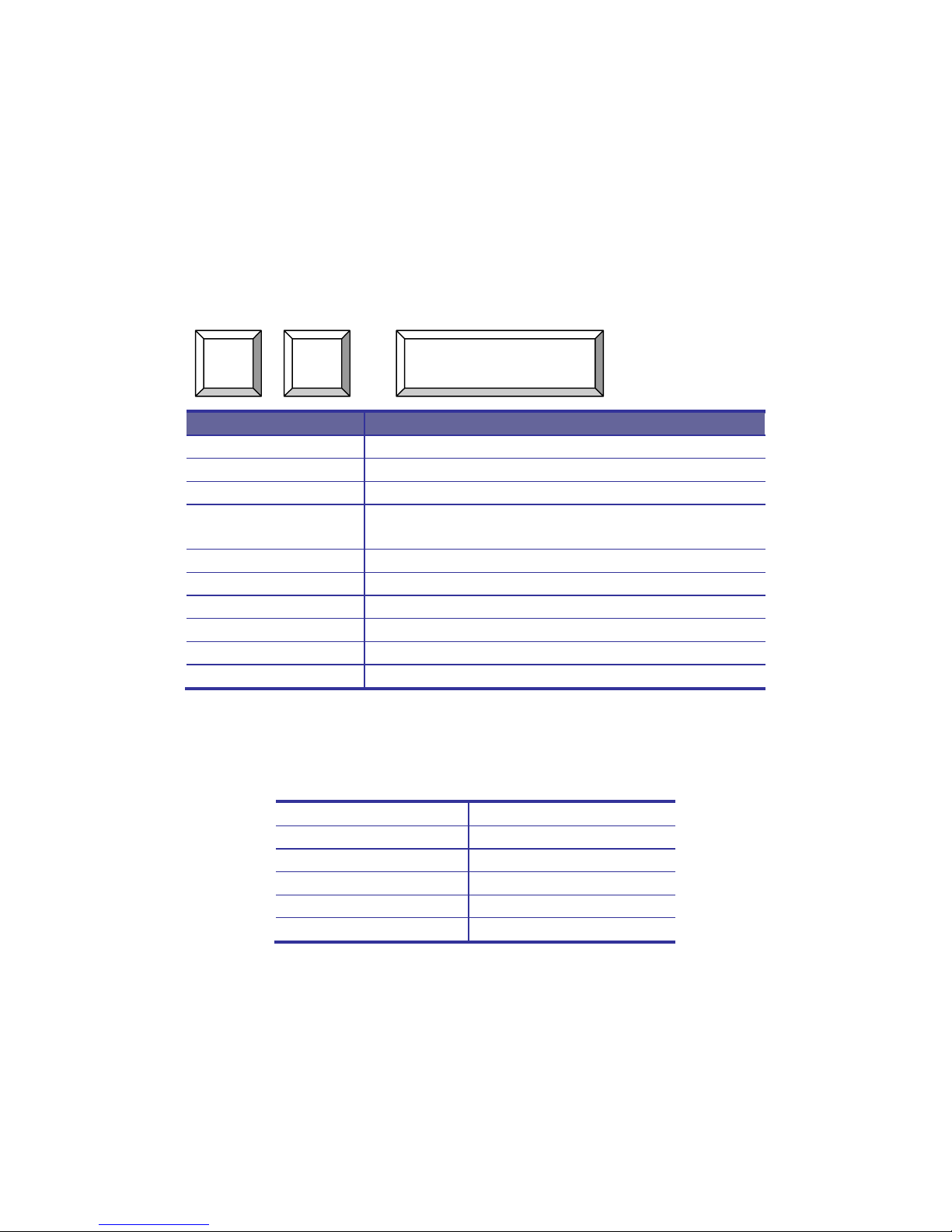
5. Hotkey
Enter Hotkey two times [within 2 Seconds]
Command Function
Space bar Active OSD
↑ Previous Channel
↓ Next Channel
[1,2,…,8] bank,
[01,02,…,16] port
First digit bank number start with 1
Second and third digits port number start with “01”
PgUp Previous bank
PgDn Next bank
“B” Turn on / off beeper
“S” Auto Scan
“F” Search the same PC name
“R” OSD setting back to factory default value
6. On Screen Display (OSD)
OSD Function Key
Esc : Exit
Enter Select
→ / ↑ / ← / ↓ Move
Ins Edit
PgUp Previous Bank
PgDn Next Bank
7. Power On
Turn on local console monitor and power on by plug in the power adapter, there
will be login window at screen.
The default user name is all eight zero digits “00000000”…
The password is all eight zero digits “00000000”…
Scroll
Lock
Scroll
Lock
Space Bar
Page 4

Mercury Series
Stand Alone & Modular PS/2 KVM Switch
 Loading...