

Page 1
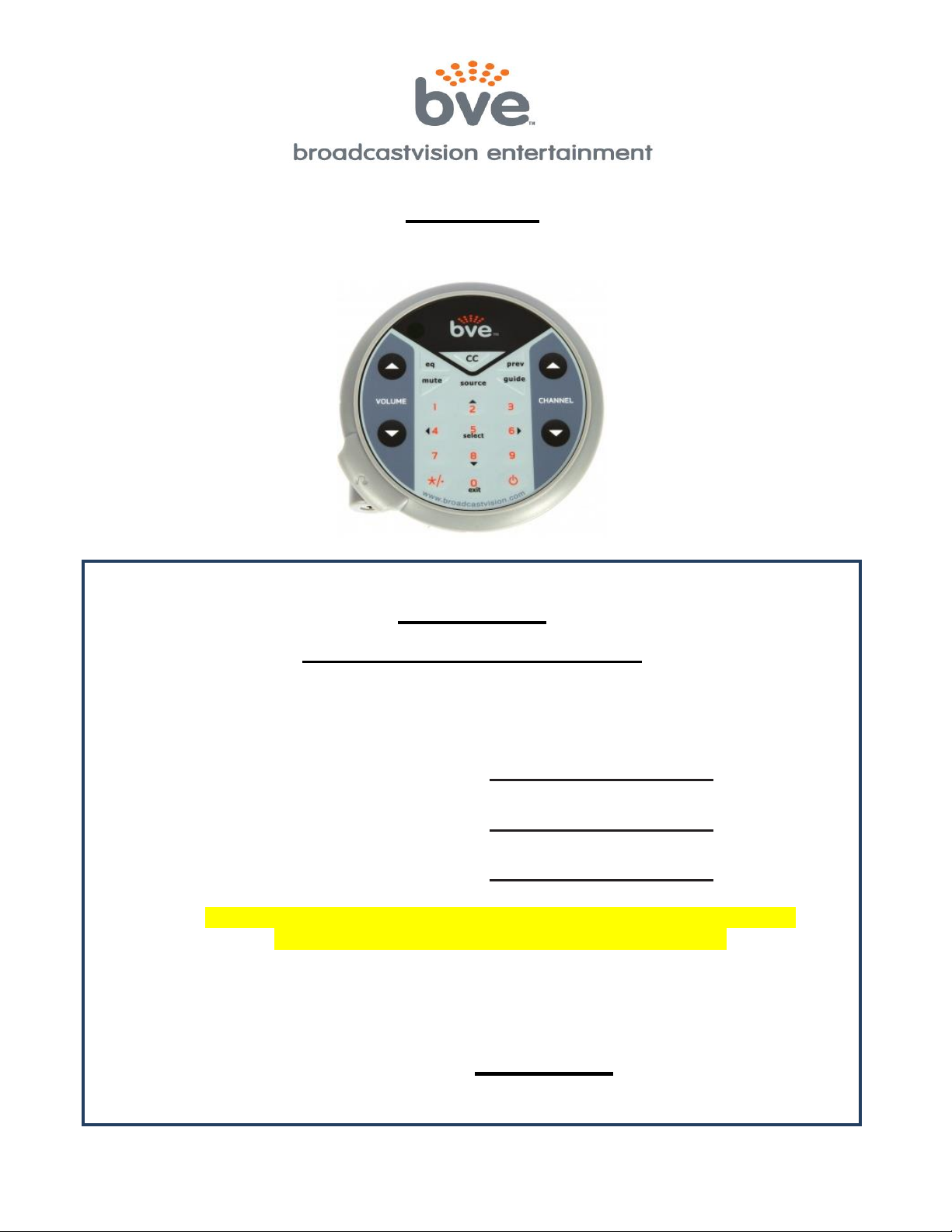
AXSPVSC
Universal Personal Viewing Screen Controller
AXSPVSC
PROGRAMMING INSTRUCTIONS
THE CONTROLLER WILL NOT OPERATE UNTIL YOU PROGRAM IT
CONTROLLER MUST BE PROGRAMED FOR YOUR SPECIFIC APPLICATION
Proposal Number:
Personal Viewing Screen:
Cable/Satellite Box:
IF YOUR APPLICATION DIFFERS FROM ABOVE CALL CUSTOMER
SERVICE FOR ASSISTANCE 1(888)330-4283 EXT. 3
____________________________________________________________
To program the Broadcastvision Controller:
Enter *, 1, SOURCE, , SOURCE
(Press buttons sequentially, not simultaneously)
BroadcastVision Entertainment : www.broadcastvision.com
Tel (888) 330-4283, Email: [email protected]
Page 1
Page 2

Installation
Installations with no Set Top Box (STB):
- Simply connect the controller to the back of the screen and enter the appropriate code
from page 1 of this manual.
- If the personal viewing screen on page 1 does not match your installation then you may
not have the correct cables for the installation call 1(888)330-4283 ext.3 for assistance.
Installations with a Set Top Box:
- In addition to the controller cable that connects the controller to the screen, you will also
have an IR emitter cable to connect to the front of the STB for channel control.
- The color end of the IR cable plugs into the screen and the black side connects to the
controller cable.
- For STB’s at the base of the cardio simply run the 10’ IR emitter cable down to the base of
the machine and attach the IR emitter to the front of the STB.
- For STB’s in an AV closet, run the 10’ IR cable down the machine and then use the
supplied cat5 adapters to send the IR signal down an Ethernet cable to the AV closet.
- The emitter should be placed over the IR eye on the front of the box call 1(888)330-4283
ext.3 for assistance with the emitter placement.
Installations with no connection to the TV (Controlling the STB only):
Some TV’s/Consoles will not have the appropriate connection for our controller. In these cases we
use our NAO cable with a separate power, audio and IR connections.
- Plug the power transformer into a regular outlet.
- Plug the headphone jack into the TV or console for audio.
- Attach the IR emitter to the front of the STB for channel control.
Additional Programing Codes
After programming the controller for the correct screen and Set Top Box, these
additional codes can be entered to customize the operation of the controller:
- *, 0, Source, Volume Up/Down, Source – Enables/Disables the keep alive feature to keep
your set top box from going into sleep mode. Factory default is on.
- *, 4, Source – Toggles on and off the TV’s Auto-Off feature. Factory default is off.
- *, 5, Source, Vol up/down – Allows you to set the internal volume gain of the controller in
cases where the audio is too loud or quiet after initial installation. You must hit the Source
button again to exit this mode after you have reached your desired volume level.
- *, 6, Source – Enables the controllers internal volume control. Use this setting for
situations when you will not be controlling the TV’s volume.
- *, 8, Source – Toggles on and off set top box volume control. For use when you would
prefer to use this instead of the TV’s volume control. Factory default is off.
- *, Guide, Source, Prev, Source – This disables the guide button to keep the controller out
of the guide mode when the set top box does not have a guide feature (DTA’s). Factory
default is on.
BroadcastVision Entertainment : www.broadcastvision.com
Tel (888) 330-4283, Email: [email protected]
Page 2
Page 3

Troubleshooting Techniques
Controller Power Light Guide
- A solid red light indicates that the controller is receiving power and working properly.
- The light will turn to green anytime it accepts a new programing code or headphones are
plugged in, with headphones connected the green light indicates a strong connection.
- A yellow light indicates that headphones are plugged in and the headphone jack should be
replaced. Please call or e-mail Broadcastvision to obtain replacement headphone jacks.
- A blinking red light indicates that the guide button has been pressed activating the second
layer of navigation buttons. Press the exit button to exit the guide mode.
o If your STB does not have a guide you can turn off the guide feature with this code:
*, Guide, Source, Prev, Source (sequentially, not simultaneously).
TV or STB not responding to the Controller
- First reprogram the controller following the programming instructions on page 1. If you do
not have the correct programing code for your scenario call 1(888)330-4283 ext.3 and
Broadcastvision customer service will provide you with the correct code.
- If the TV is responding but the STB is not, confirm that the IR emitter is properly attached to
the front of the STB. Also check to make sure that the IR cable has not been damaged.
- If you are still having issues call BVE customer service at 1(888)330-4283 ext.3 for
assistance with additional troubleshooting.
Cable/Satellite box turns itself off or goes into sleep mode
- Some Set Top Boxes go to sleep after several hours of inactivity. If you are experiencing
this issue use the following button sequence to enable our keep alive feature:
- *, 0, Source, Volume up, Source (sequentially, not simultaneously).
- If successful the power light should turn green showing that it accepted the code.
Turn Off the Auto-Off Feature
The BVE TV’s have an Auto-Off feature that automatically turns the TV off when not in use.
- To enable or disable this feature, press *, 4, Source (sequentially, not simultaneously).
- Once enabled the TV’s will automatically turn off when no headphones have been plugged
in for 15 minutes.
BroadcastVision Entertainment : www.broadcastvision.com
Tel (888) 330-4283, Email: [email protected]
Page 3
Page 4

Broadcastvision Entertainment Terms and Conditions
BVE Stock Items Returned for Credit
BVE manufactured products may only be returned for credit with written authorization from BVE
within 30 days of the original invoice date. A 25% restocking fee will be charged for all returns. All
products being returned to BVE require a Return Authorization number. Products must be returned
in original condition with the original packaging, components and support material. Credit is
contingent upon inspection of returned items.
Return Authorizations
A Return Authorization number must be issued from BVE prior to any item being returned for credit,
repair or exchange. Items returned without approval will be refused and returned to the sender.
Requests for a Return Authorization number may be made to our Customer Service Department at
1-888-330-4283.
Repairs and Replacements
A warranty repair of BVE manufactured product includes parts, labor and the return GROUND
shipping to the customer. Repairs made while under warranty are covered for the duration of the
valid warranty period. Non-Warranty repairs receive a “Repair Warranty” of 90 days parts and labor
only. Warranties do not include on-site service. Advance Replacements of items in question may be
arranged if the product is within 30 days of invoice date and is subject to product availability. Advance
Replacements must be secured by the customer with a valid Credit Card or Net30 terms of an
account in good standing.
Shipping
Shipping dates are estimates only. Products will be shipped per the designated Shipping Method.
Paying for an accelerated Shipping Method only indicates the product will ship by that method when
the product or repair is available. BVE will not be held responsible to accelerate shipping, discount
invoices or compensate customers for loss of profits, business or goodwill due to back orders,
shortages, shipping complications, damages, product malfunction, labor, construction, nature or
delays.
Warranties
All products sold by BVE carry the original manufacturers’ warranty. Warranty begins on the invoice
date of purchase from BVE or an authorized BVE Dealer / Distributor. Warranty may alternately
begin on the date of installation with a valid Installation Completion Form from an authorized BVE
Dealer, Distributor or Installer. Warranties do not cover damage due to abuse, misuse, modification
or the result of any third party. Warranties are not transferable and cover only the original purchaser
with a valid invoice. Manufacturers will, at their option repair or replace equipment, as they deem
necessary. Warranties do not include “on-site” service.
BroadcastVision Entertainment : www.broadcastvision.com
Tel (888) 330-4283, Email: [email protected]
Page 4
 Loading...