

Page 1
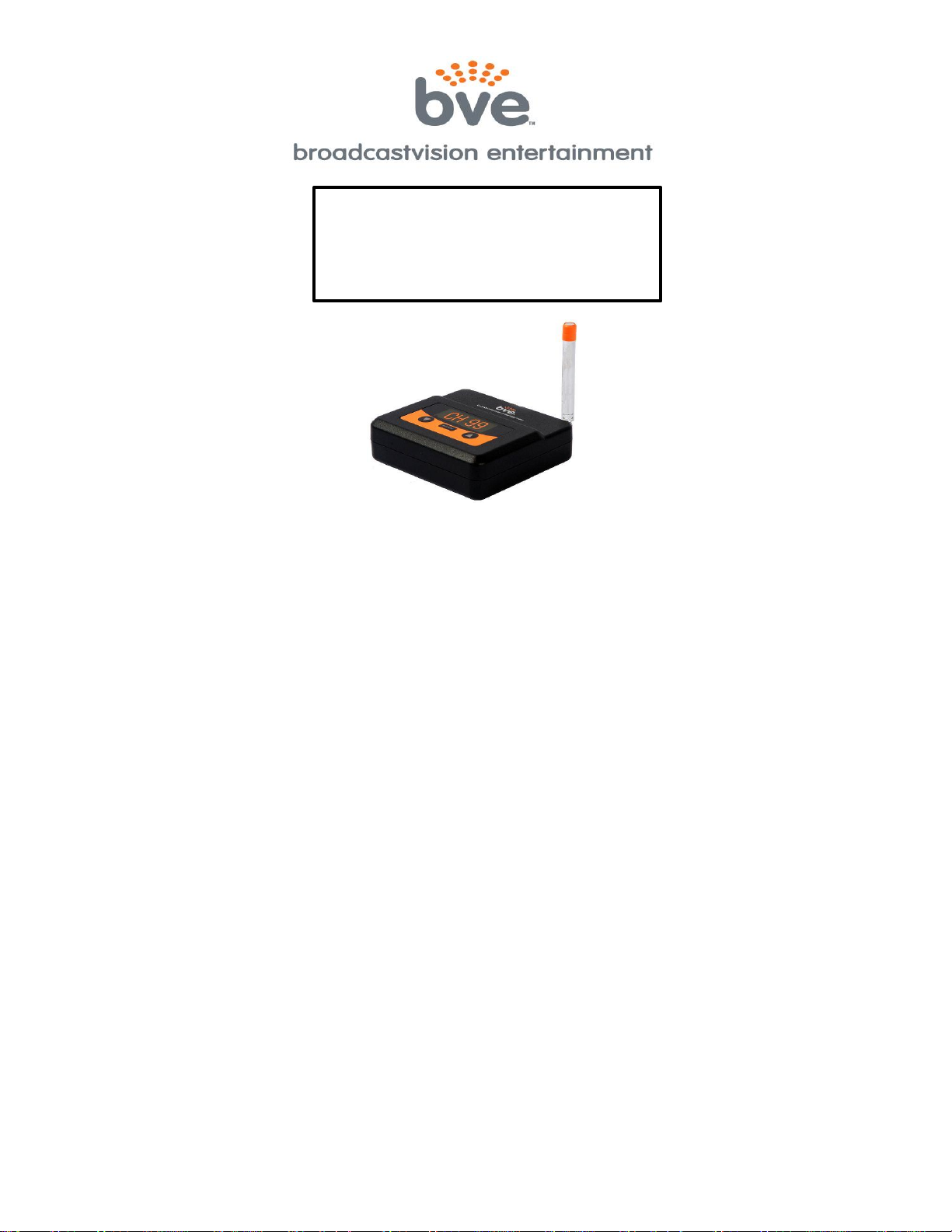
900MHz Audio
Transmitter
Model: AXS-900TXD
FCC Compliance Statement
This equipment complies with Part 15 of the FCC Rules.
Operation of this device is subject to the following two conditions:
(1) This device may not cause harmful interference, and
(2) This device must accept any interference received, including interference that may cause undesired operation.
This equipment has been tested and found to comply with the limits for Part 15 of the FCC Rules. These limits are designed to
provide reasonable protection against harmful interference when the equipment is operated in a commercial environment. This
equipment generates, uses, and can radiate radio frequency energy and if not installed and used in accordance with the instruction
manual, may cause harmful interference to radio communications. However, there is no guarantee that interference will not occ ur in
a particular installation. If this equipment does cause harmful interference to radio or television reception, which can be determined
by turning the unit off and on, the user is encouraged to try to correct the interference by one or more of the following measures:
• Reorient or relocate the receiving antenna.
• Increase the separation between the equipment and receiver.
• Connect the equipment into an outlet on a circuit different from that to which the receiver is connected.
• Consult Broadcastvision Entertainment or an experienced radio/TV technician for help
This equipment has been verified to comply with the limits for a Class B computing device, pursuant to the FCC Rules. Operation
with non-approved equipment is likely to result in interference to radio and TV reception. The user is cautioned that changed and
modifications made to the equipment without the approval of the manufacturer could void the user’s authority to operate this
equipment.
Canada Compliance Statement
(1) This device may not cause harmful interference, and
(2) This device must accept any interference received, including interference that may cause undesired operation.
FCC Radiation Exposure Statement
This equipment complies with FCC radiation exposure limits set forth for an uncontrolled environment. This equipment should be
installed and operated with minimum distance 20cm between the radiator and your body.
BroadcastVision Entertainment : www.broadcastvision.com
Tel (888) 330-4283, Email: [email protected]
Page 1
Page 2

OVERVIEW OF MODES
The following user modes are selected by pushing the button labeled “MODE”:
1. Frequency Mode – Allows user to select a broadcast frequency. This mode is indicated by
a channel number in the display window. This mode also checks for the presence of an
adequate input signal. When the device is not connected properly or the input volume is not
sufficient, the left-most decimal point will be illuminated.
2. Input Level Mode – Adjusts the audio level into the AXS-900TXD Transmitter. This mode is
indicated by a number 0 – 10 in the display window.
SELECT A TRANSMIT CHANNEL
1. Press the UP or DOWN buttons on the Transmitter until the desired channel is displayed.
For All NEW INSTALLATIONS USE THE Broadcastvision SERIES II CHANNEL SCHEME.
For Broadcastvision SERIES II channels 1-32, set to channels between 1-32
----------------------------------(use SERIES II for all new installations)-----------------------------------
For Cardiotheater XTV channels 1-16, set to channels between 33-48
For Mye/Fantaay channels 1-16, set to channels between 49-64
For Cardiotheater LCS channels 1-16, set to channels between 65-80
For Broadcastvision Series I channels 1-16, set to channels between 81-96
OPTION TO ACCESS ADDITIONAL CHANNELS: Your AXS-900TXD has additional channels
beyond those listed above. Specifically, press and hold the mode button for 5 seconds to
choose from the series listed below:
Series 1 – all 32 channels BVe Series 1
Series 2 – all 32 channels of BVe series 2
Series 3 – not utilized
Series 4 – all 32 channels of Mye channel scheme
Series 5 – all 23 channels of Cardiotheater – Australia
Series 6 – all 16 channels of BVe – New Zealand
Series 7 – 12 channels for test scheme
Series 8 – all 52 channels of Cardiotheater LCS
Series 9 – all 32 channels of Cardiotheater XTV
2. Note that the selection and other mode settings will be saved into the AXS-900TXD Transmitter after
the buttons have not been pressed for 2 minutes so that if a power outage is experienced the proper
settings will be restored when power is restored.
BroadcastVision Entertainment : www.broadcastvision.com
Tel (888) 330-4283, Email: [email protected]
Page 2
Page 3

CONNECT TO AUDIO SOURCE
1. Connect the audio source to the transmitter through one of the 3 audio input options:
A. Analog audio jack (RCA or headphone jack from LCD or satellite/cable box should be
chosen as a first option when available)
B. Digital optical jack
C. Digital coax jack
The transmitter will automatically detect the input.
2. Adjust the LCD Volume to a mid-range or until the audio broadcast from the LCD provides
the best sound quality. The LCD audio level to the AXS-900TXD Transmitter can also be
adjusted by pressing the mode button to access the Input Level mode. This mode is
indicated by a number 0-10 in the display window. Press the UP/DOWN buttons to adjust
the input power level to the AXS-900TXD Transmitter until the audio broadcast provides
the best sound quality.
3. Note that the left-most digit and left-most decimal point functions as a simple volume level
meter. The left-most decimal point will light up when no audio is detected from the audio
source (for example TV). The bottom segment will indicate lower than desired audio level.
The bottom and middle level segments illuminated indicates a favorable audio setting.
When all 3 audio segments are lit up, the input volume level is too high resulting in an
overdriven condition.
NOTE: The AXS-900TXD Transmitter incorporates an Automatic Level Control feature which
will automatically fine-tune the internal audio signal level for optimum performance after the
initial setting (above) has been completed.
BroadcastVision Entertainment : www.broadcastvision.com
Tel (888) 330-4283, Email: [email protected]
Page 3
Page 4

Broadcastvision Entertainment Terms and Conditions
BVE Stock Items Returned for Credit
BVE manufactured products may only be returned for credit with written authorization from BVE within 30
days of the original invoice date. A 25% restocking fee will be charged for all returns. All products being
returned to BVE require a Return Authorization number. Products must be returned in original condition with
the original packaging, components and support material. Credit is contingent upon inspection of returned
items.
Return Authorizations
A Return Authorization number must be issued from BVE prior to any item being returned for credit, repair or
exchange. Items returned without approval will be refused and returned to the sender. Requests for a Return
Authorization number may be made to our Customer Service Department at 1-888-330-4283.
Repairs and Replacements
A warranty repair of BVE manufactured product includes parts, labor and the return GROUND shipping to
the customer. Repairs made while under warranty are covered for the duration of the valid warranty period.
Non-Warranty repairs receive a “Repair Warranty” of 90 days parts and labor only. Warranties do not include
on-site service. Advance Replacements of items in question may be arranged if the product is within 30 days
of invoice date and is subject to product availability. Advance Replacements must be secured by the
customer with a valid Credit Card or Net30 terms of an account in good standing.
Shipping
Shipping dates are estimates only. Products will be shipped per the designated Shipping Method. Paying for
an accelerated Shipping Method only indicates the product will ship by that method when the product or
repair is available. BVE will not be held responsible to accelerate shipping, discount invoices or compensate
customers for loss of profits, business or goodwill due to back orders, shortages, shipping complications,
damages, product malfunction, labor, construction, nature or delays.
Warranties
All products sold by BVE carry the original manufacturers’ warranty. Warranty begins on the invoice date of
purchase from BVE or an authorized BVE Dealer / Distributor. Warranty may alternately begin on the date of
installation with a valid Installation Completion Form from an authorized BVE Dealer, Distributor or Installer.
Warranties do not cover damage due to abuse, misuse, modification or the result of any third party.
Warranties are not transferable and cover only the original purchaser with a valid invoice. Manufacturers will,
at their option repair or replace equipment, as they deem necessary. Warranties do not include “on-site”
service.
BroadcastVision Entertainment : www.broadcastvision.com
Tel (888) 330-4283, Email: [email protected]
Page 4
 Loading...