

Page 1
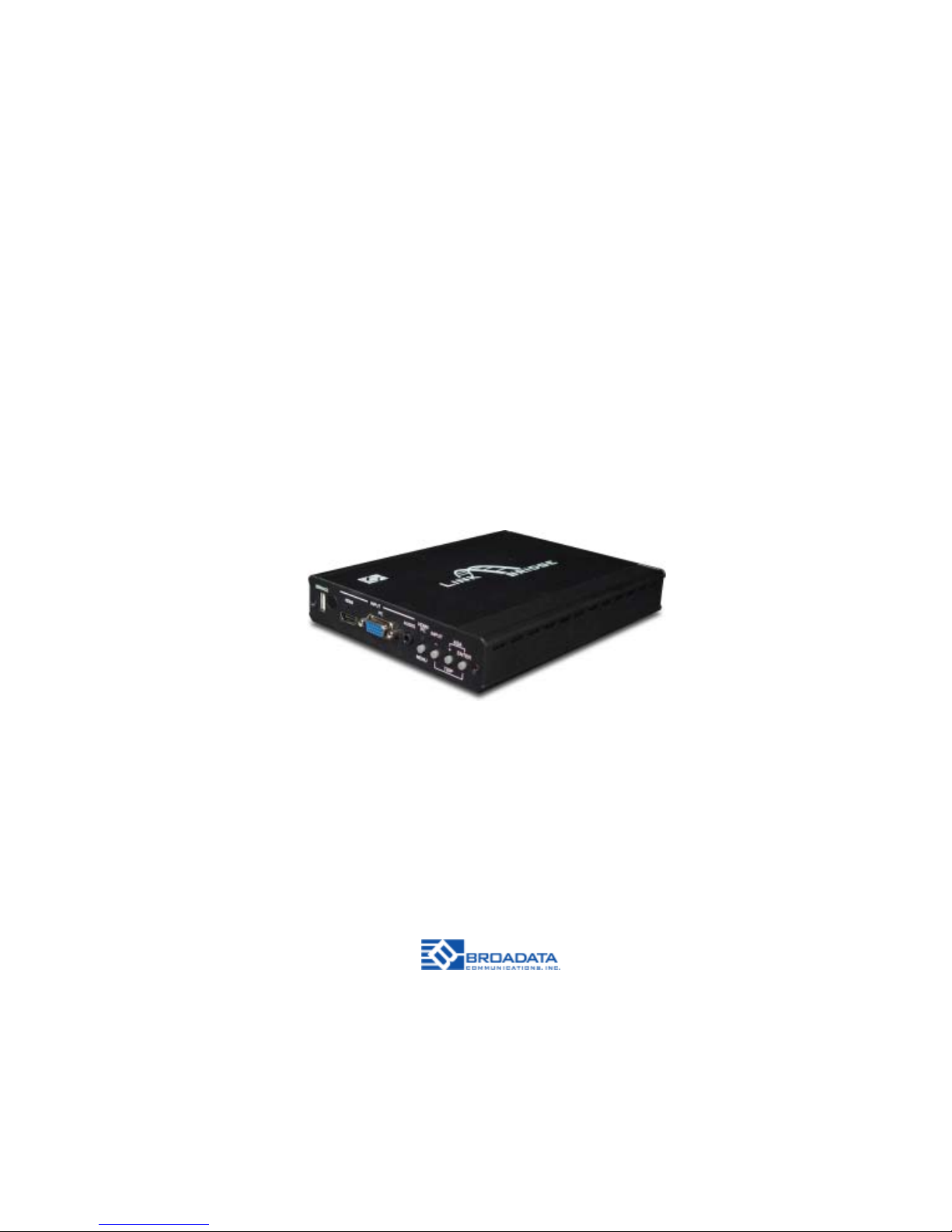
LBC-H/V -T-SCL
LINK BRIDGETM HDMI
SCALER SYSTEM
BCI reserves the right to make changes to the products described herein without prior
notice or consent. No liability is assumed as a result of their use or application. All
rights reserved.
©2013 Broadata Communications, Inc.
Page 2

LBC-H/V-T -SCL User’s Manual
Link Bridge
TM
HDMI Scaler System
Broadata Technical Support, [email protected]
3
SAFETY INSTRUCTIONS AND
COMPLIANCE DECLARA TIONS
PLEASE OBSERVE THE FOLLOWING SAFETY
PRECAUTIONS
SURGE PROTECTION DEVICE RECOMMENDED
This product contains sensitive electrical components that may be
damaged by electrical spikes, surges, electric shock, lightning strikes,
etc. Use of surge protection systems is highly recommended in order
to protect and extend the life of your equipment.
Page 3

LBC-H/V-T -SCL User’s Manual
Link Bridge
TM
HDMI Scaler System
Broadata Technical Support, (800) 214-0222
4
TABLE OF CONTENTS
1.0 PRODUCT DESCRIPTION ..............................................5
2.0 OPERATION CONTROLS AND FUNCTIONS .................6
2.1 FRONT PANEL .................................................................6
2.2 REAR P ANEL ...................................................................7
2.3 REMOTE CONTROL........................................................9
3.0 ON SCREEN DISPLAY...................................................10
3.1 MAIN MENU SELECTION ..............................................10
3.2 PC ................................................................................... 11
3.3 COLOR ...........................................................................12
3.4 AUDIO .............................................................................13
3.5 SETUP............................................................................14
3.6 INFORMA TION................................................................14
4.0 CONNECTOR PIN ASSIGNMENT.................................15
4.1 IR PIN ASSIGNMENT .....................................................15
4.2 RS-232 PIN ASSIGNMENT.............................................16
5.0 MAINTENANCE AND TROUBLESHOOTING ...............17
5.1 MAINTENANCE ..............................................................17
5.2 TROUBLESHOOTING ................................................... 17
6.0 SPECIFICA TIONS...........................................................19
7.0 SERVICE PROCEDURE ................................................20
7.1 REPLACEMENT POLICY ..............................................20
7.2 RETURN AND REPAIR SERVICE .................................20
8.0 LIMITED WARRANTY ....................................................21
9.0 APPENDIX A ...................................................................22
10.0 APPENDIX B .................................................................23
Page 4

LBC-H/V-T -SCL User’s Manual
Link Bridge
TM
HDMI Scaler System
Broadata Technical Support, [email protected]
5
1.0 PRODUCT DESCRIPTION
The LB-H/V-T -SCL video scaler with LAN/IR/RS-232/Bidirectional PoH
(Power over HDBT) over Single CAT5e/6/7 transmitter can send
uncompressed audio/video over a single run of CA T5e/6/7 cable up to
100 m. The system supports various ways of control that can be done
through on-panel buttons, IR remote, RS-232, and OSD (On Screen
Display menu). The device provides full range of output resolutions
through CAT5e/6/7 up to 1080p for HDTV timing and WUXGA(RB) for
PC timing.
Features
• Supports HDMI/PC or YPbPr input scaler to full range of HDTV
and PC/Component output resolutions through CA T5e/6/7
• Transmission of uncompressed data over a single
100 m/328 ft CAT5e/6/7 cable
• 5Play™ convergence: Video, Audio, LAN, Bidirectional PoH &
Control (IR & RS-232 bypass)
• Supports HDMI/VGA input auto-switch feature, when VGA or
HDMI with active signal is connected, the signal will be sent
to the compatible HDBaseT receiver automatically (AUTO
SCAN set to ON)
• Supports IR, Remote control, RS-232 (bypass) and on-panel
controls for HDMI/PC input switching
• Supports OSD (On Screen Display) selection and display
system information
• Provides 24V DC power to or received from compatible PoH
Receiver through CA T5e/6/7
• Supports Ethernet transmission rate up to 100Mbps
Package Contents
• HDMI/PC to CAT5e/6/7 with LAN/IR/RS-232/
Bidirectional PoH Transmitter
• IR Extender x 1
• IR Blaster x 1
• 24 V/2.7 A DC Power Adaptor
• Remote control (CR-128)
• User Manual
Page 5
LBC-H/V-T -SCL User’s Manual
Link Bridge
TM
HDMI Scaler System
Broadata Technical Support, (800) 214-0222
6
2.0 OPERA TION CONTROLS AND FUNCTIONS
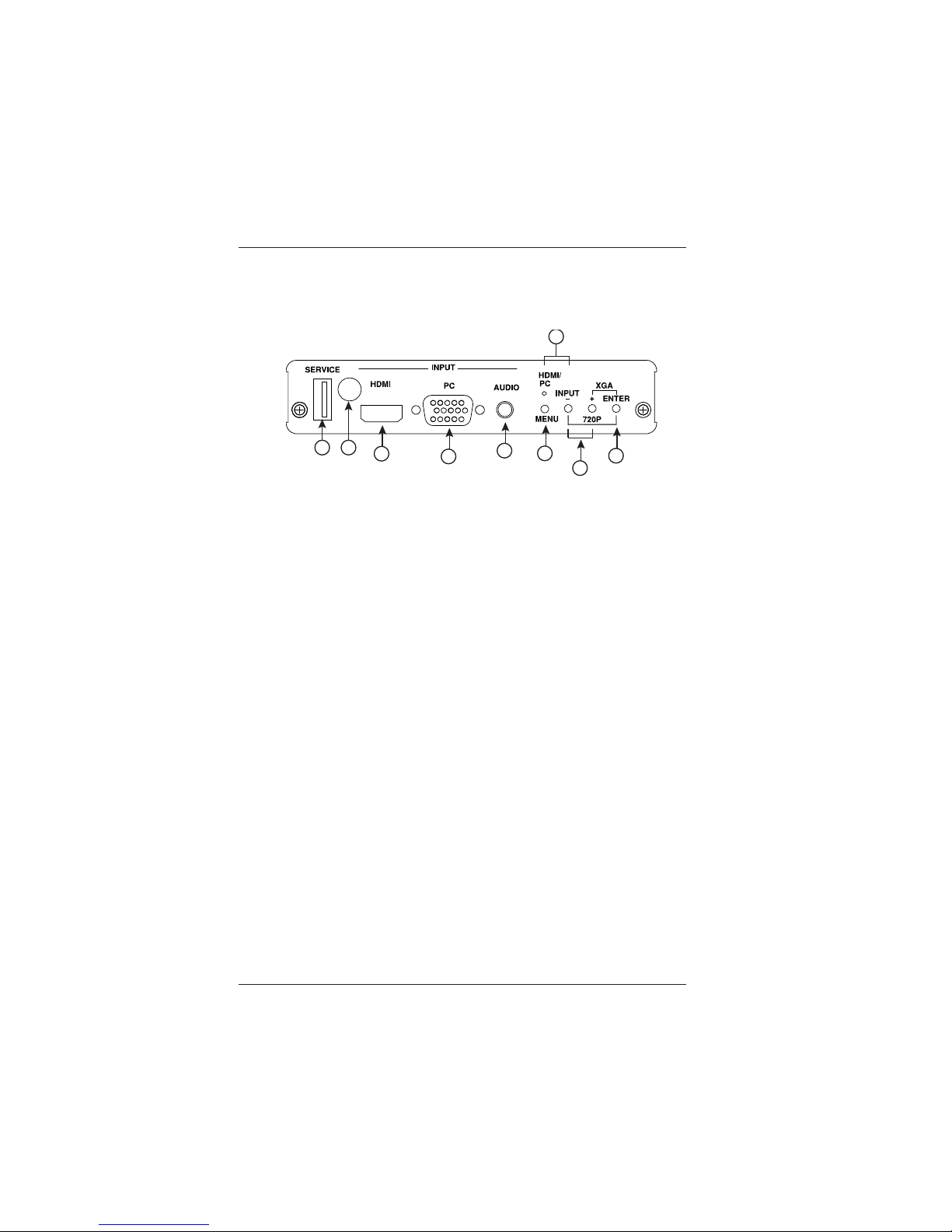
2.1 Front Panel
1. SERVICE:
This port is reserved for firmware update only.
2.IR:
IR Receiver window (accepts the remote control signal of this
device only).
3. HDMI:
Connect to source equipment such as DVD/Video player for
sending the video signal.
4. PC:
Connect with PC/Laptop source equipment for signal input with
D-Sub 15 pin cable.
5. AUDIO:
Connect to audio source equipment for L/R stereo audio input
with 3.5mm jack. Audio embeds with PC source only.
6. MENU:
Press this button to enter into the OSD menu.
7. INPUT & HDMI/PC LED:
Press to select HDMI or PC source input. When in HDMI mode
the LED will illuminate in Red, when in PC mode the LED will
illuminate in Green.
8. +/- :
Press these buttons to scroll up and down through the OSD
menu.
1
2
3
4
5
6
8
9
7
Page 6
LBC-H/V-T -SCL User’s Manual
Link Bridge
TM
HDMI Scaler System
Broadata Technical Support, [email protected]
7
9. Enter:
Press this button to confirm the selection. Press this button
together with [–] key to switch output timing to 720p@60
instantly . Press this button together with [+] key to switch output
timing to XGA (1024x768) instantly.
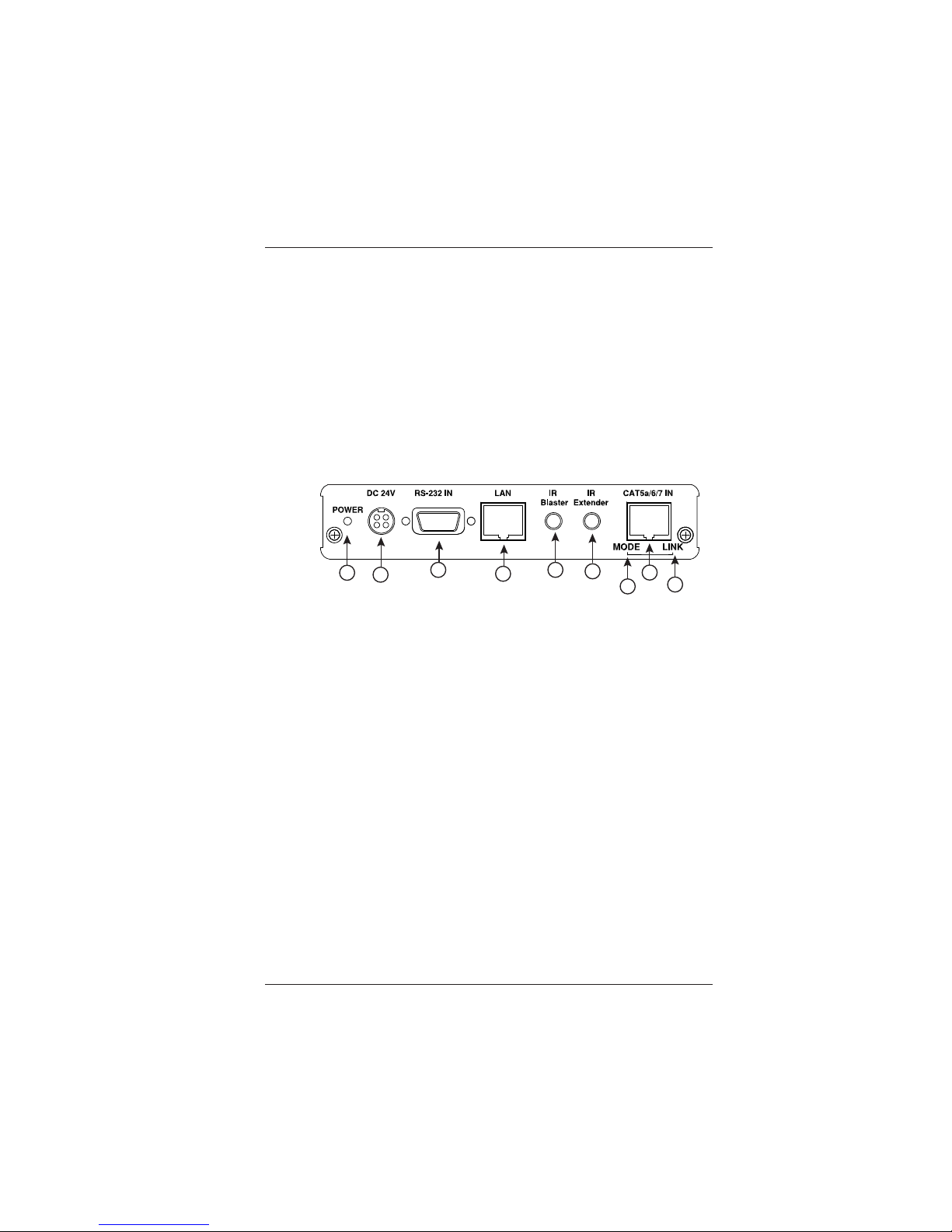
2.2 Rear Panel
1. Power LED:
This LED will illuminate when the device is connected to a
power supply.
2. DC 24V:
Plug the 24 V DC power supply into the unit and connect the
adaptor to an AC outlet. Only one side of power is needed to
activate both Transmitter and Receiver when both obtain the
PoH function.
3. RS-232 OUT:
This slot is to connect with D-Sub 9-pin cable from device
equipment for receiving RS232 commands.
4. LAN:
Connect to an active network for LAN sharing of a total
transmission rate up to 100Mbps. Or when a compatible LAN
equipped Transmitter is connected to an active network, this
allows the network access (including internet access if available)
to be shared between the Transmitter and Receiver. Connect
any Ethernet equipped device e.g. a Smart TV or games console
to the LAN port for that device to share the network internet
access.
1
2
3
4
5
6
8
9
7
Page 7

LBC-H/V-T -SCL User’s Manual
Link Bridge
TM
HDMI Scaler System
Broadata Technical Support, (800) 214-0222
8
Note: DO NOT connect LAN cable with any of the
CA T5e/6/7 port. Doing so may trigger power shut down
and ruin the device
5. IR Blaster:
Connect to the supplied IR Blaster cable for IR signal
transmission. Place the IR Blaster in direct line-of-sight of the
equipment to be controlled.
6. IR Extender:
Connect to the supplied IR Receiver cables for IR signal
reception. Ensure that remote being used is within the direct
line-of-sight of the IR Extender.
7. MODE LED:
This LED will illuminated when the power is connected.
8. Link LED:
This LED will illuminate when the slot has been connected to
the Transmitter and the Transmitter has connected with sources
that shows image on screen.
9. CA T5e/6 OUT:
Connect to the Receiver unit with a Single CA T5e/6/7 cable for
transmitting all data signals.
Page 8
LBC-H/V-T -SCL User’s Manual
Link Bridge
TM
HDMI Scaler System
Broadata Technical Support, [email protected]
9
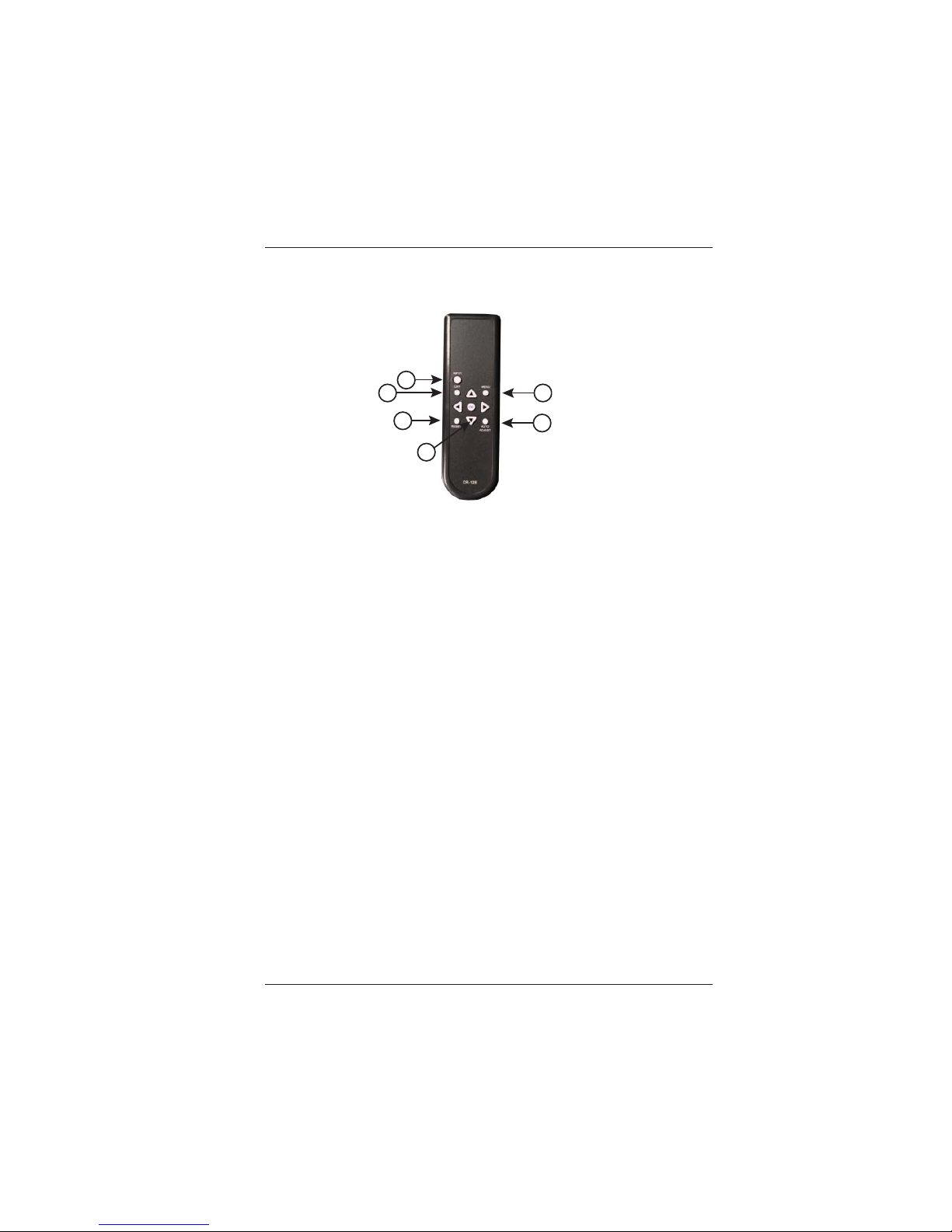
2.3 Remote Control
1. INPUT:
Press this button to switch HDMI/PC input source instantly .
2. EXIT:
Press this button to exit the menu or escape the current selection
under OSD.
3. MENU:
Press this button to enter into the OSD menu.
4. RESET:
Press this button to set the device back into the factory default
setting
5. AUTO ADJUST:
Press this button to optimize the positioning of the picture (picture
centering) on the screen.
6. ENTER &
:
Press Enter to confirm the selection or press the arrow buttons
to scroll in the OSD selections.
1
2
3
4
5
6
Page 9
LBC-H/V-T -SCL User’s Manual
Link Bridge
TM
HDMI Scaler System
Broadata Technical Support, (800) 214-0222
10
3.0 ON SCREEN DISPLAY (OSD) MENU
3.1 Main Menu Selection
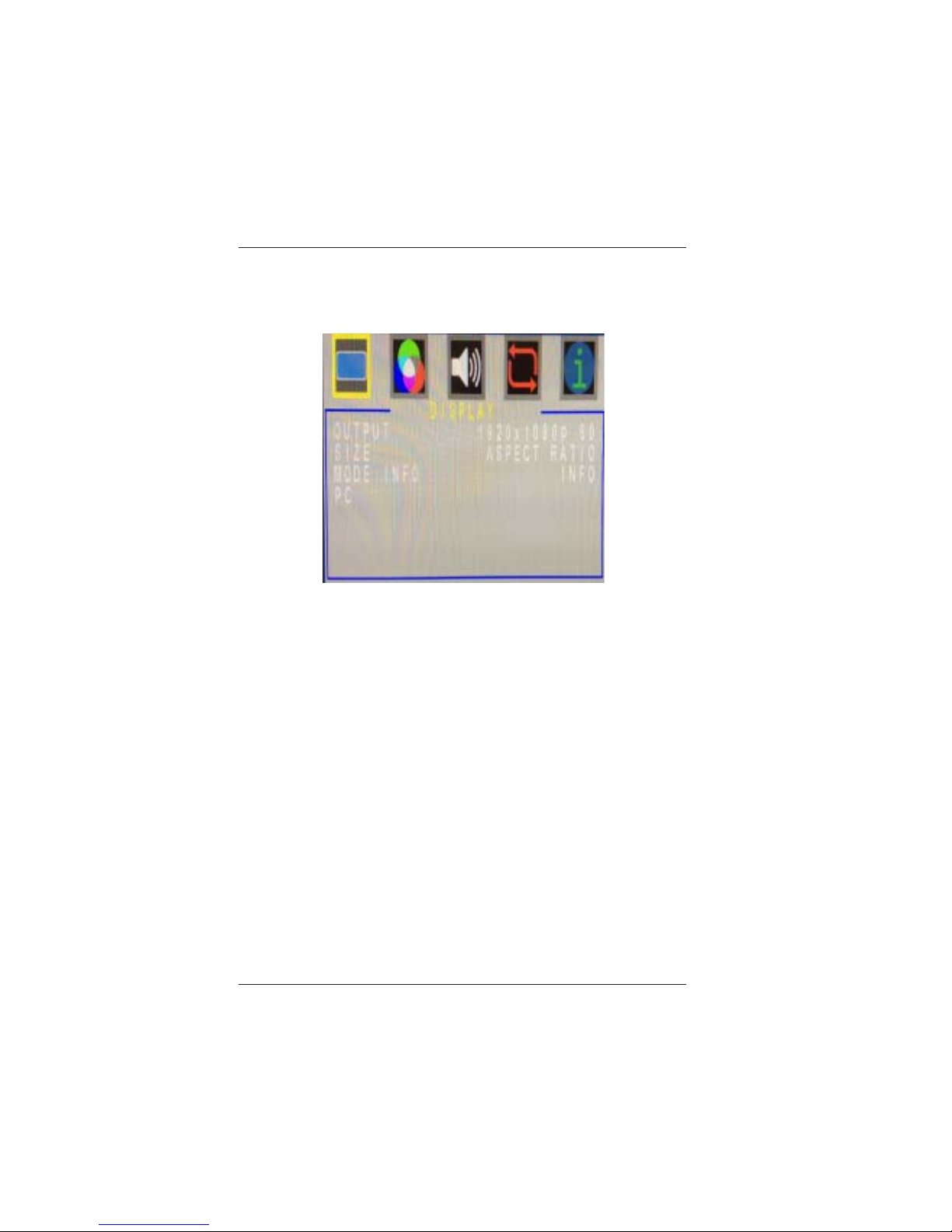
Display , Color , Audio, Factory Reset, Informaiton
OUTPUT: 640x480 60, 800x600 60, 1024x768 60 , 1360x768
60 , 1280x720 60, 1280x800 60, 1280x1024 60, 1440x900 60,
1400x1050 60, 1680x1050 60, 1600x1200 60, 1920x1080 60,
1920x1200 60, 720x480P 60, 1280x720P 60 (Factory Default
upon reset), 1920x1080I 60, 1920x1080P 60 (setting upon
shipment), 720x576P 50, 1280x720P 50, 1920x1080I 50,
1920x1080P 50
SIZE: OVERSCAN, FULL (Factory Default upon reset),
UNDERSCAN, LETTERBOX, PANSCAN, ASPECT RATIO
(setting upon shipment), UNDER 2, UNDER 1
MODE INFO: INFO, ON, OFF
Page 10
LBC-H/V-T -SCL User’s Manual
Link Bridge
TM
HDMI Scaler System
Broadata Technical Support, [email protected]
11
3.2 PC
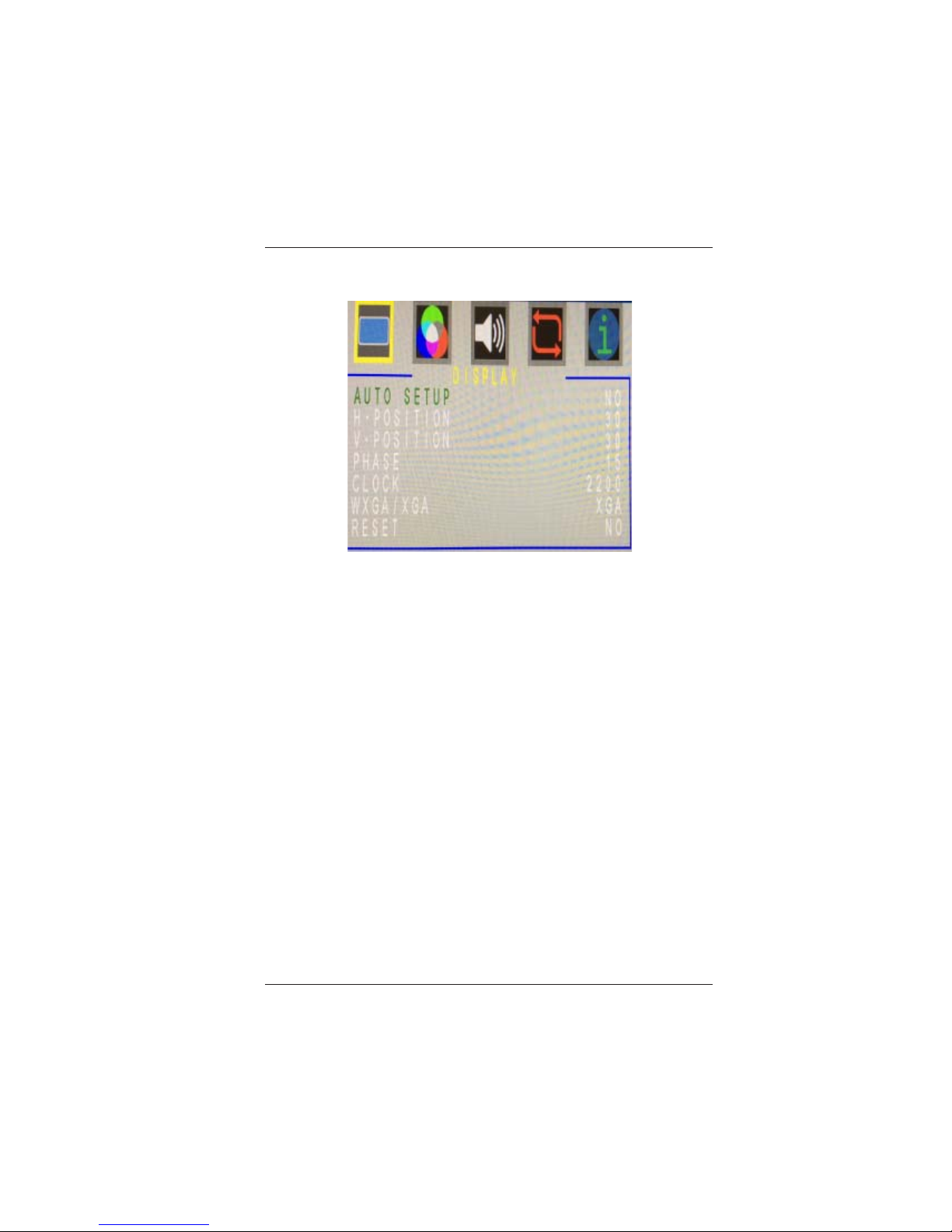
AUTO SETUP: NO, YES
H-POSITION: 0 ~ 60 (30)
V-POSITION: 0 ~ 60 (30)
PHASE: 0 ~ 31 (15)
CLOCK: 700 ~ 2300
WXGA/XGA: WXGA, XGA
RESET: NO, YES
Page 11
LBC-H/V-T -SCL User’s Manual
Link Bridge
TM
HDMI Scaler System
Broadata Technical Support, (800) 214-0222
12
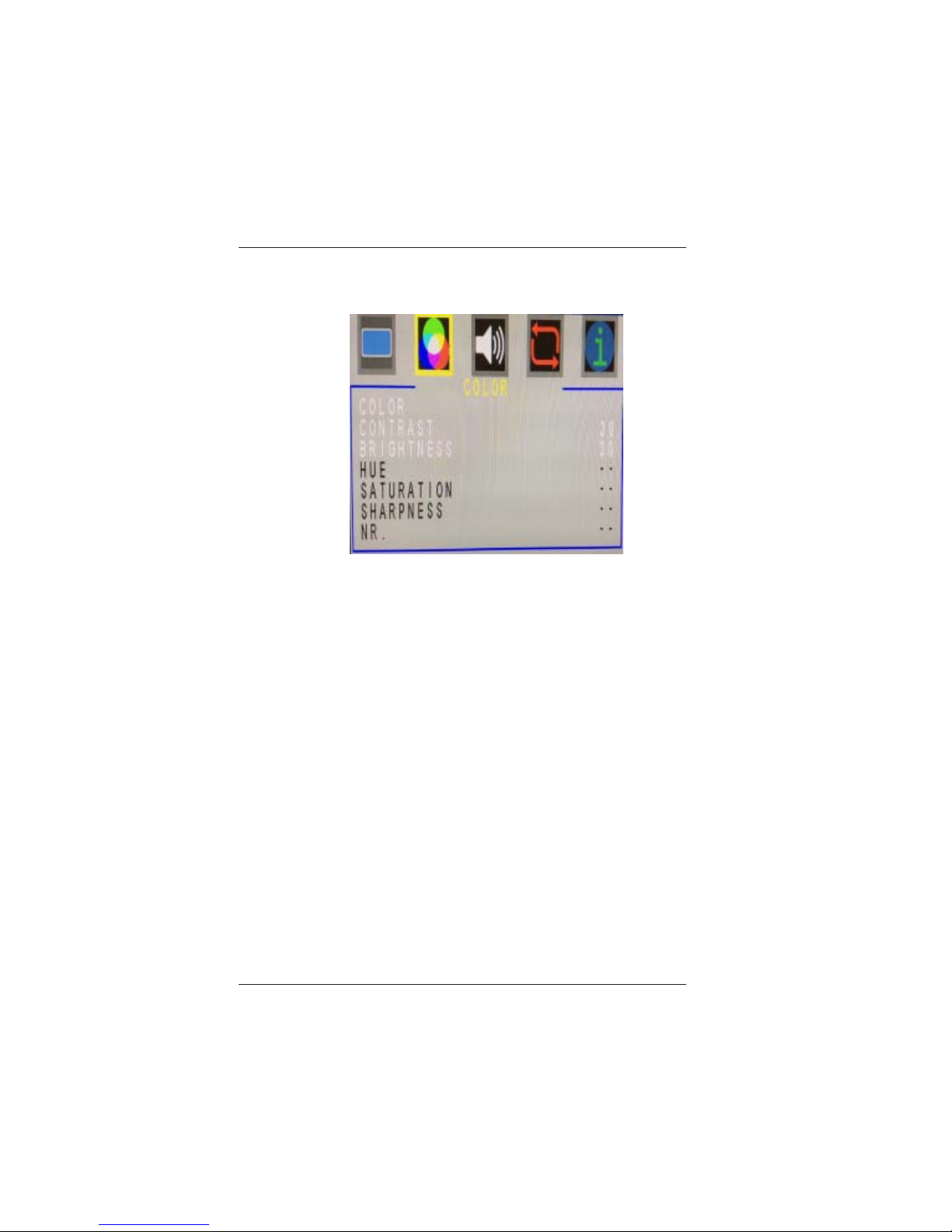
3.3 COLOR: Color, Contrast, Brightness, Hue,
Saturation, Sharpness, NR
COLOR
RED: 0 ~ 1023 of Red Color Level
GREEN: 0 ~ 1023 of Green Color Level
BLUE: 0 ~ 1023 of Blue Color Level
RED OFFSET: 0 ~ 1023 of Red Color Level
GREEN OFFSET: 0 ~ 1023 of Green Color Level
BLUE OFFSET: 0 ~ 1023 of Blue Color Level
CONTRAST: 0 ~ 60 of Contrast Level
BRIGHTNESS: 0 ~ 60 of Brightness Level
HUE: 0 ~ 60 of Hue Level
SATURATION: 0 ~ 60 of Saturation Level
SHARPNESS: 0 ~ 30 of Sharpness Level
NR: OFF (Factory Default upon reset), LOW,
MIDDLE, HIGH
Page 12
LBC-H/V-T -SCL User’s Manual
Link Bridge
TM
HDMI Scaler System
Broadata Technical Support, [email protected]
13
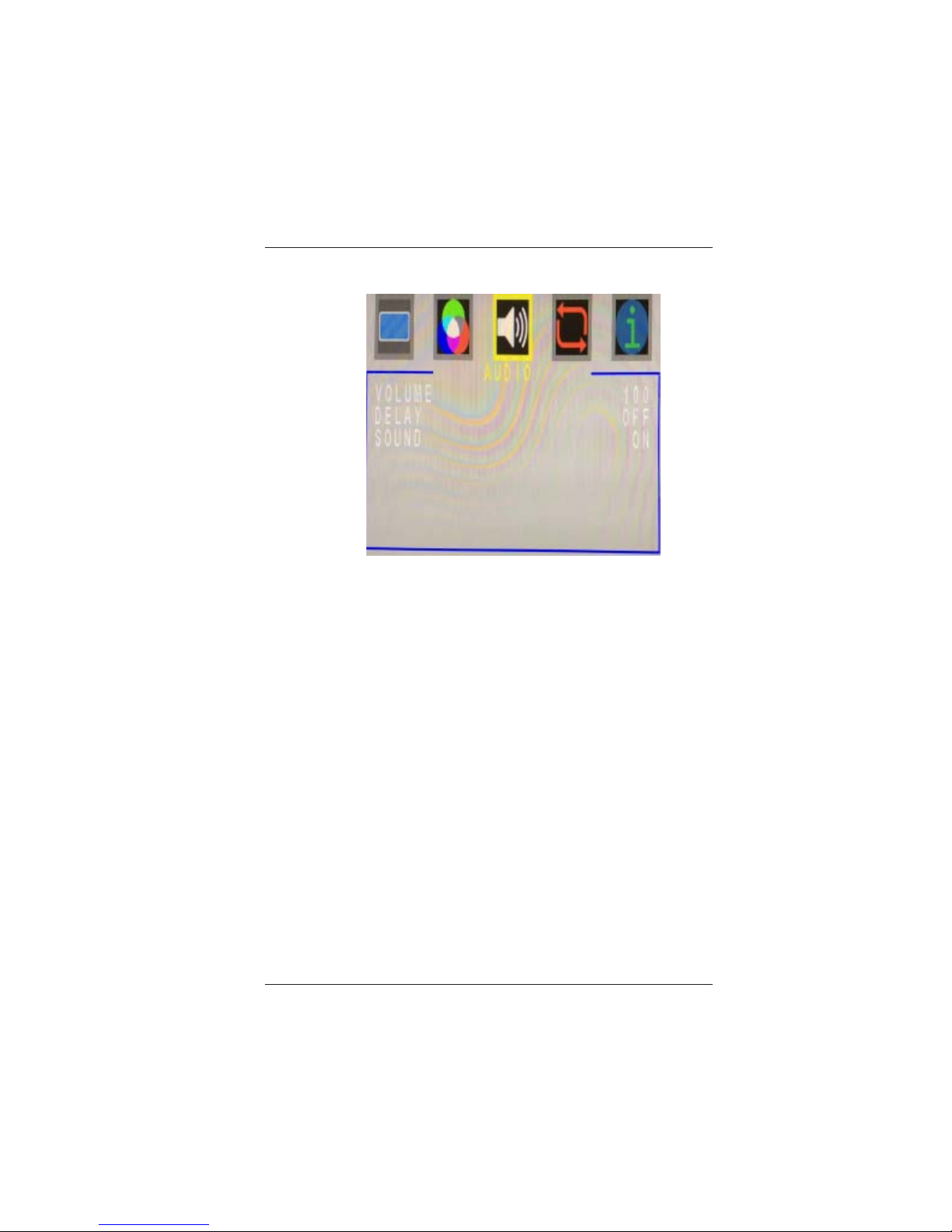
3.4 AUDIO
VOLUME: 0 ~ 100
DELAY: OFF, 40ms, 110ms, 150ms
SOUND: ON, MUTE
Page 13
LBC-H/V-T -SCL User’s Manual
Link Bridge
TM
HDMI Scaler System
Broadata Technical Support, (800) 214-0222
14
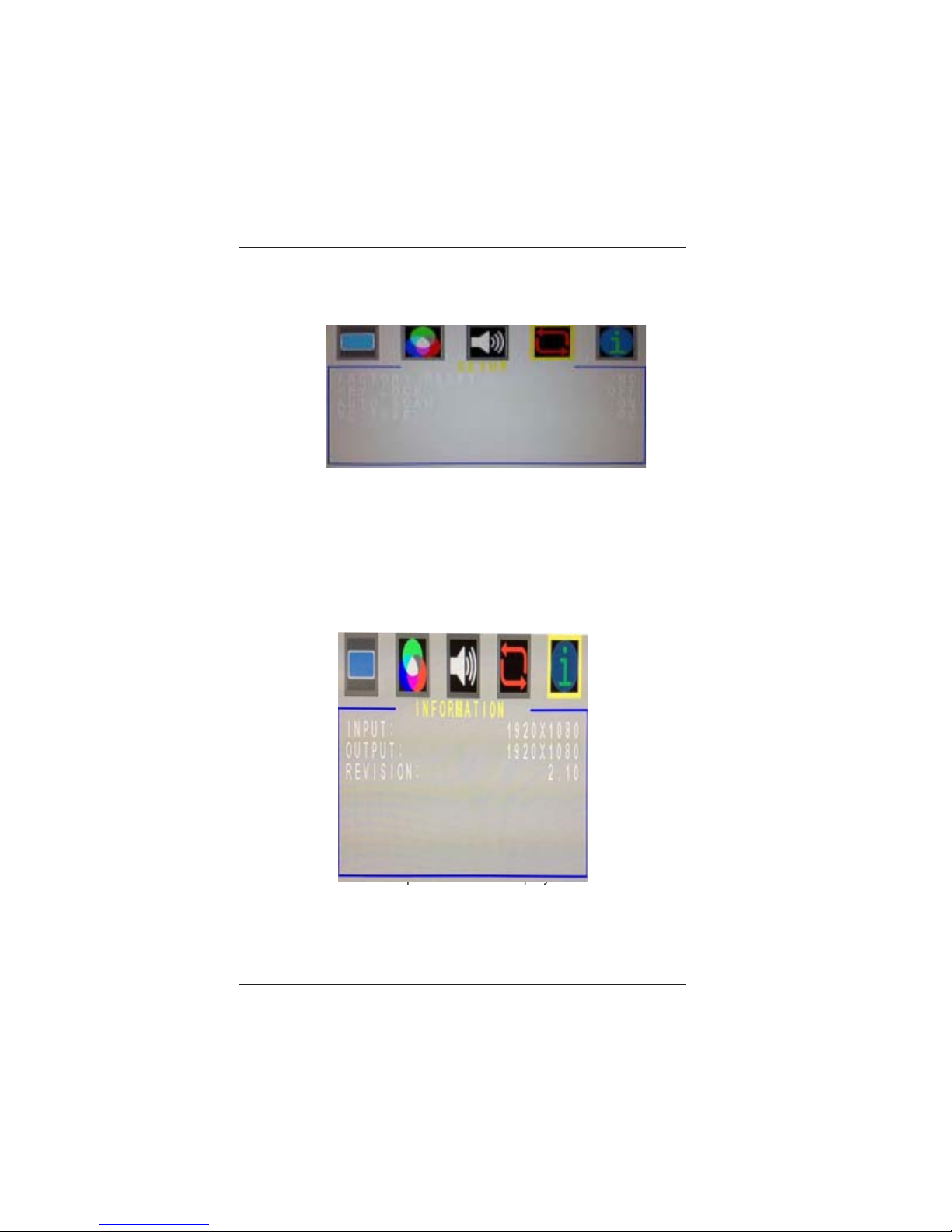
3.5 SETUP: Factory Reset, Keylock, Auto Scan, PC
Type
FACTORY RESET: YES, NO
KEY LOCK: OFF, ON
AUTO SCAN: OFF, ON
PC TYPE: PC, YPbPr
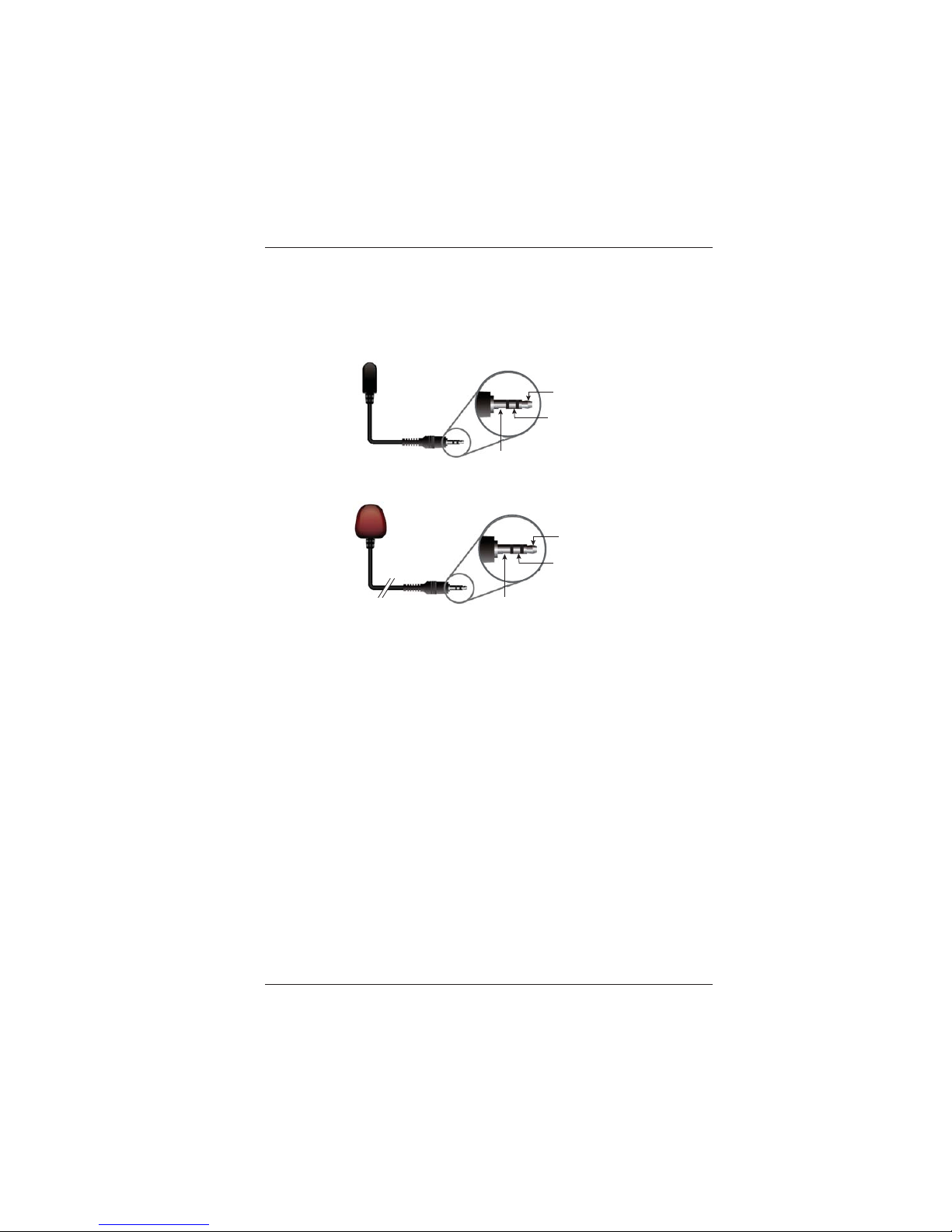
3.6 INFORMATION: Input, Output, Revision
INPUT: Input Resolution Displayed
OUTPUT: Output Resolution Displayed
REVISION: Firmware Revision Displayed
Page 14
LBC-H/V-T -SCL User’s Manual
Link Bridge
TM
HDMI Scaler System
Broadata Technical Support, [email protected]
15
4.0 CONNECTOR PIN ASSIGNMENT
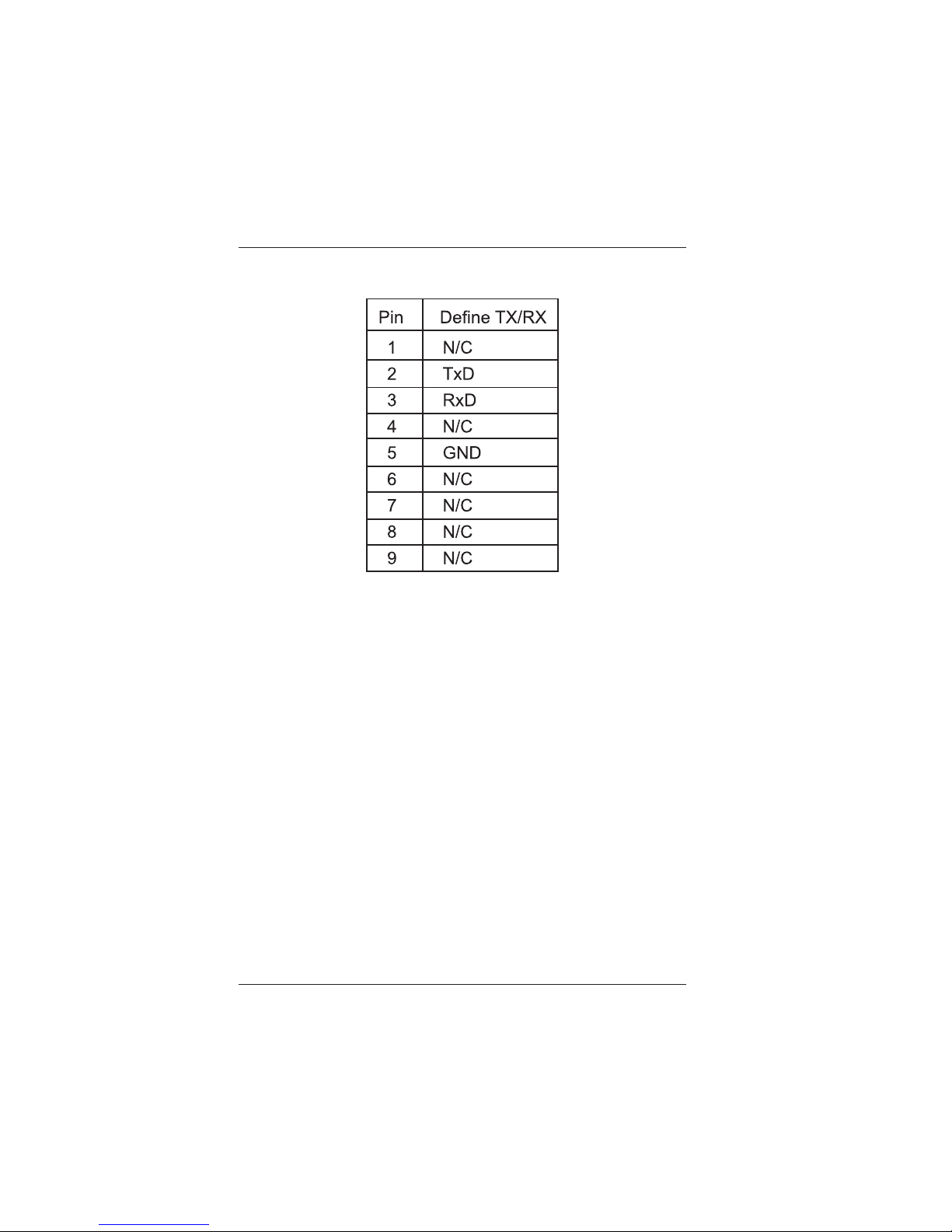
4.1 IR Pin Assignment
IR Blaster
Power 5V
IR Blaster Signal
NC
IR Receiver
IR Signal
Power
Grounding
Figure 4-1
IR Blaster and IR Extender Pin Assignment
Page 15
LBC-H/V-T -SCL User’s Manual
Link Bridge
TM
HDMI Scaler System
Broadata Technical Support, (800) 214-0222
16
4.2 RS-232 Pin Assignment
The Baud Rate for sending serial commands to the
LBC-H/V-T -SCL. (Refer to Appendix B for all available
commands)
Baud Rate: 9600bps
Data Bit: 8 bits
Parity: None
Flow Control: None
Stop Bit: 1
Table 1
RS-232 Pin Assignment
Page 16

LBC-H/V-T -SCL User’s Manual
Link Bridge
TM
HDMI Scaler System
Broadata Technical Support, [email protected]
17
5.0 MAINTENANCE AND TROUBLESHOOTING
5.1 Maintenance
There is no operator maintenance other then keeping the units
clean. However, observe the following light indicators to make
sure that the unit is working properly:
5.2 Troubleshooting
If the LBC-H/V-T-SCL units do not operate properly after
installation, check for possible cable breaks, loose connections,
and incorrect cable connections. If problems persist that may
be fiber related, contact BCI at 1-800-214-0222 for further
assistance.
For electrical problems, perform the following troubleshooting
procedures:
1. If the POWER indicator is OFF, check for the following:
a. The line cord is plugged into the unit and your outlet
has power.
2. If the POWER indicator is ON, but the Link indicator is
OFF, check for the following:
a. Make sure the appropriate cables are being used.
b. Cable and cable connectors are not broken.
c. For each unit, the transmit (TX) cable is connected to
the other unit’s receiver (RX).
3. If the POWER indicator and Link indicator are ON, but
the channels are not operating, then:
a. Check to see that the attached user equipment is turned
on.
b. Both ends of the link are connected to the corresponding
equipment and to the same corresponding channel port.
Page 17

LBC-H/V-T -SCL User’s Manual
Link Bridge
TM
HDMI Scaler System
Broadata Technical Support, (800) 214-0222
18
c. Cable connections at both channels are securely
fastened to each connector. T urn the power of f, then
back on to reset the link.
Page 18

LBC-H/V-T -SCL User’s Manual
Link Bridge
TM
HDMI Scaler System
Broadata Technical Support, [email protected]
19
6.0 SPECIFICATIONS
Ethernet Speed 100 Mbps
Output Video Bandwidth 165MHz/ 1.65 Gbps
Input Video Bandwidth 300MHz / 10.2Gbps
Input Port 1 x HDMI, 1 x PC or YPbPr,
1 x 3.5mm Phone
Jack (L/R) , 1 x RS-232, 1×LAN,
1 x IR Extender
Output Port 1×CAT5e/6, 1×IR Blaster
CAT5e/6/7 Output Cable Up to 100 Meters
Supports Input Resolution HD: Up to 1080p@60 Hz
PC or YPbPr: Up to WUXGA (RB)
Supports Output Resolution Up to WUXGA & 1080p (Refer to
Appendix A for supported resolutions)
CA T5e/6/7 Resolutions HD: Up to 1080p@60 Hz
Support PC: Up to WUXGA (RB)
IR Frequency 30~50 kHz
Dimensions 145 mm (W)×192 mm (D)×30 mm (H)
Chassis material Metal
Box Color Black
Operating T emperature 0 oC~40 oC / 32 oF~104 oF
Relative Humidity 20 ~ 90 % RH (non-condensing)
Power Supply 110 – 240v AC 50/60 Hz, 24v
@ 2.7 A DC
Power Consumption 17W
Page 19

LBC-H/V-T -SCL User’s Manual
Link Bridge
TM
HDMI Scaler System
Broadata Technical Support, (800) 214-0222
20
7.0 SERVICE PROCEDURE
7.1 Replacement Policy
Standard products found defective on arrival (DOA) will be
replaced, based on availability , within 24 to 48 hours anywhere
in the U.S. Please call Customer Service at 800-214-0222 for
information.
7.2 Return/Repair Service
The LBC-H/V-T-SCL System contains no user serviceable
components. If you have a problem with your unit, please contact
the Customer Service Department. To facilitate our return/
repair processing please contact Broadata Communications,
Inc. to obtain a Return Material Authorization (RMA). Please
include the following information:
• Product model number
• Serial Number
• Complete description of problem
• Hardware installation description
Broadata Communications, Inc.
2545 West 237th Street, Suite K
Torrance, CA 90505
1-800-214-0222
(310) 530-1416
(310) 530-5958 (Facsimile)
e-mail: [email protected]
Website: www.broadatacom.com
Page 20

LBC-H/V-T -SCL User’s Manual
Link Bridge
TM
HDMI Scaler System
Broadata Technical Support, [email protected]
21
8.0 LIMITED WARRANTY
Broadata Communications, Inc. (BCI) warrants, for a period of one
year from date of shipment, each product sold shall be free from defects
in material and workmanship. BCI will correct, either by repair, or at
BCI’s election, by replacement, any said products that in our sole
discretion prove to be defective and are returned to the manufacturing
location within 30 days after such defect is ascertained. All warranties
are limited to defects arising under normal use and do not include
malfunctions or failure resulting from misuse, abuse, neglect, alterations,
electrical power problems, usage not in accordance with product
instructions, improper installation, or damage determined by BCI to
have been caused by the Buyer or repair made by a third party . Limited
warranties granted on products are to the initial customer end-user and
are not transferable. OUR LIABILITY UNDER THIS W ARRANTY SHALL
IN ANY CASE BE LIMITED TO THE INVOICE VALUE OF THE
PRODUCT SOLD AND BCI SHALL NOT BE LIABLE TO ANYONE FOR
CONSEQUENTIAL OR INCIDENT AL DAMAGES ARISING FROM THE
USE OF ITS PRODUCTS OR THE SALE THEREOF. We make NO
WARRANTY AS TO THE MERCHANTABILITY OF ANY GOODS, OR
THAT THEY ARE FIT FOR ANY PARTICULAR PURPOSE OR END
APPLICA TION NOR DO WE MAKE ANY WARRANTY, EXPRESSED
OR IMPLIED OTHER THAN AS STATED ABOVE.
Page 21
LBC-H/V-T -SCL User’s Manual
Link Bridge
TM
HDMI Scaler System
Broadata Technical Support, (800) 214-0222
22
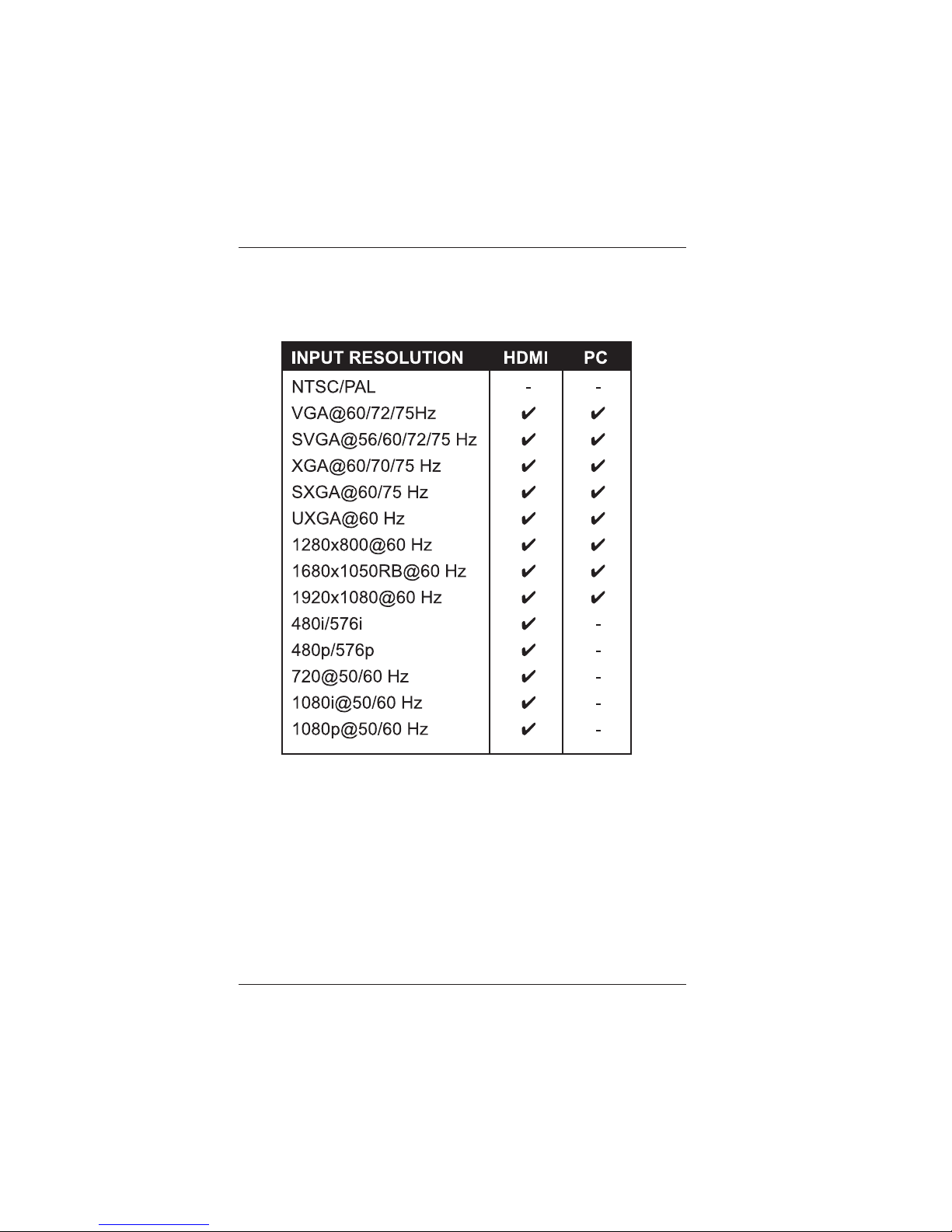
9.0 APPENDIX A: SUPPORTED INPUT RESOLUTIONS
Page 22
LBC-H/V-T -SCL User’s Manual
Link Bridge
TM
HDMI Scaler System
Broadata Technical Support, [email protected]
23
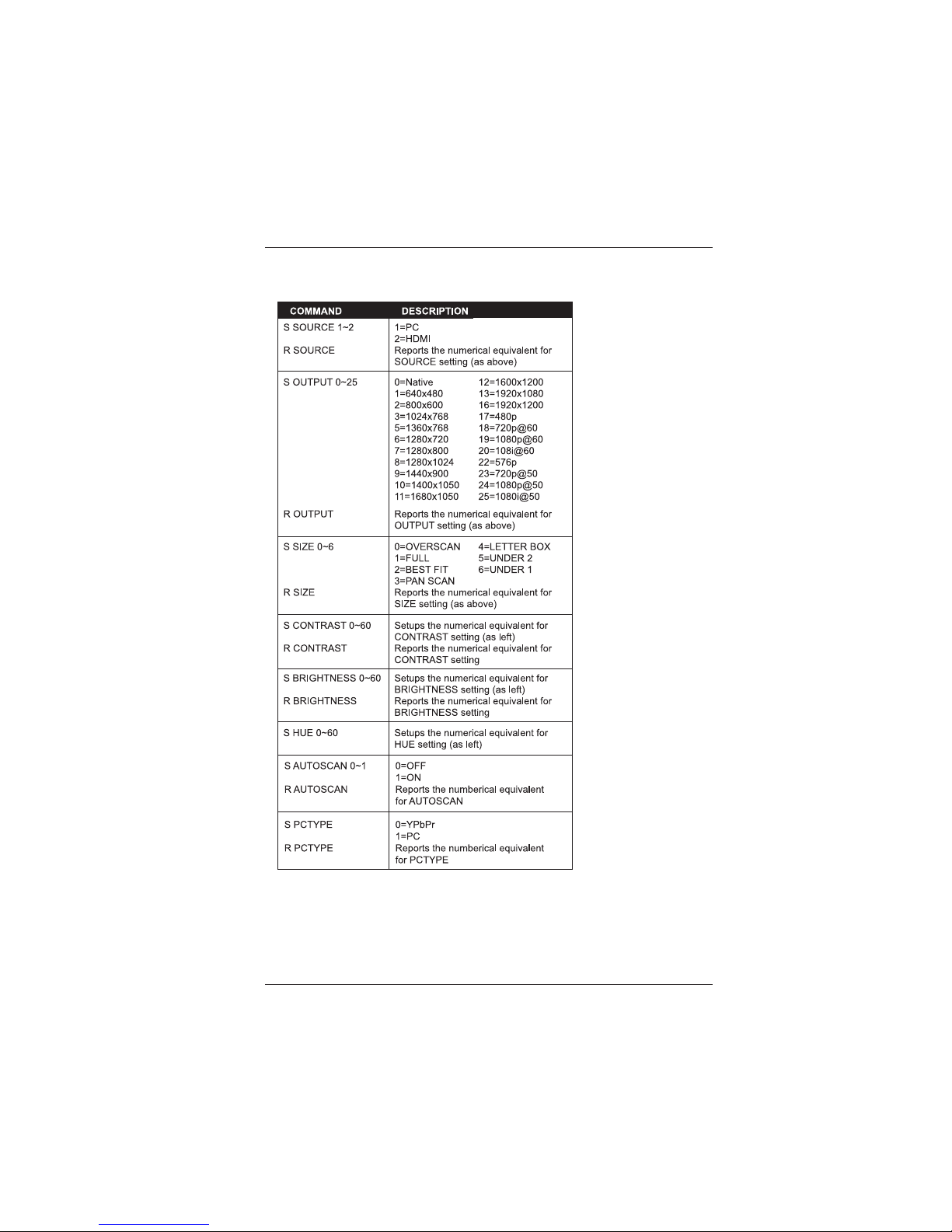
10.0 APPENDIX B: RS-232 COMMANDS
Note:
1. RS-232 commands will not execute unless followed with carriage
return and LF (Line Feed).
2. Commands are not case-sensitive.
3. Resolutions 1~16 are RGB encoded and 17~25 are YUV encoded.
Page 23

LBC-H/V-T -SCL User’s Manual
Link Bridge
TM
HDMI Scaler System
Broadata Technical Support, (800) 214-0222
24
Page 24

Broadata Communications, Inc.
2545 West 237th Street, Suite K
Torrance, CA 90505
1-800-214-0222
(310) 530-1416
(310) 530-5958 (Facsimile)
e-mail: [email protected]
Website: www.broadatacom.com
60000-LBC-H/V-T-SCL
 Loading...