

Page 1
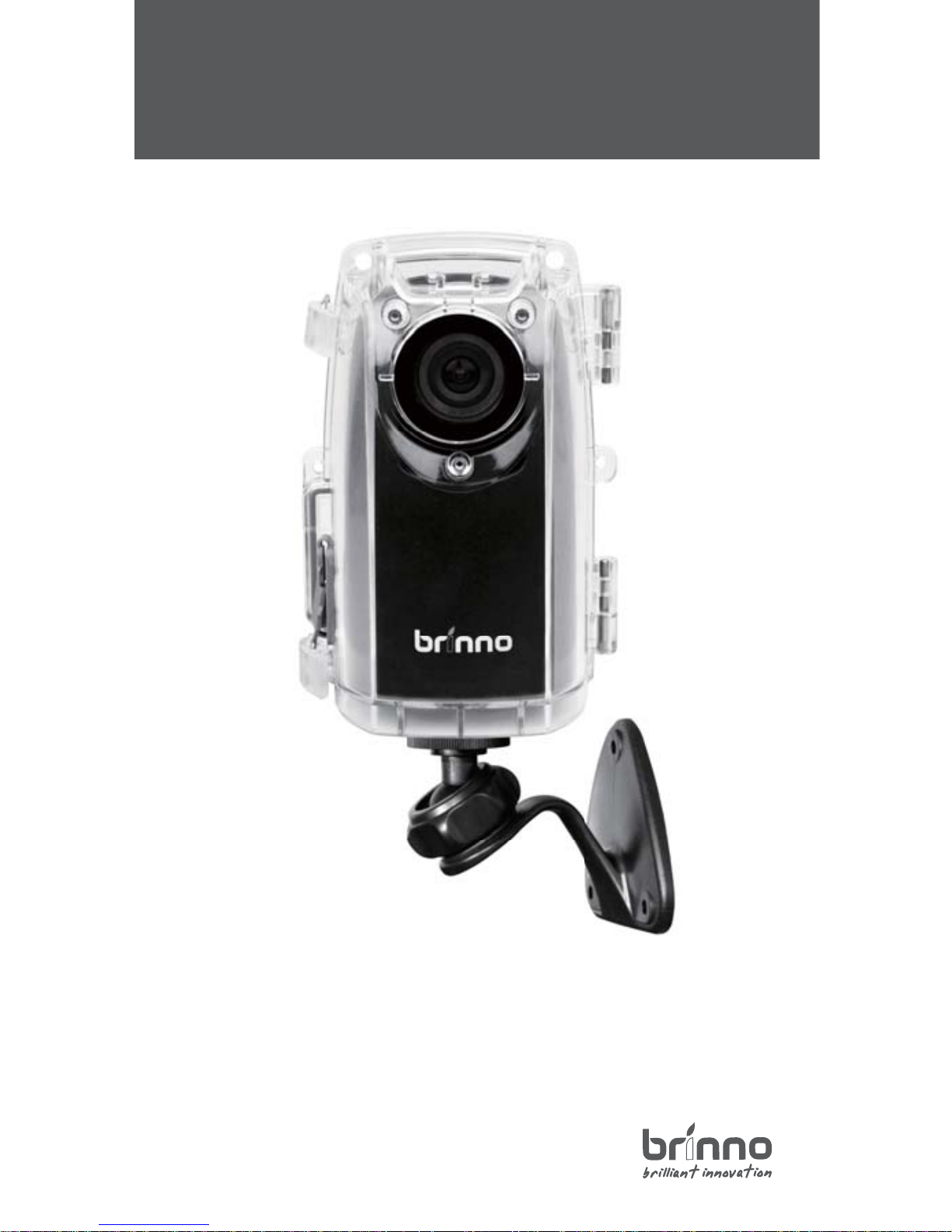
TimeLapse
Construction Camera - BCC100
Construction Camera
Quick Guide
w w w . b r i n n o . c o m
Page 2

CONSTRUCTION CAMERA - BCC100
BCC100 - Installation
TimeLapse Camera
(TLC200 f1.2)
STEP 3.
STEP 2.
2 3 4
1
Weather Resistant
Housing
(ATH110)
Camera Wall
Mount
(AWM100)
Rubber Strap
Keep the inside of the Weather Resistant Housing dry before inserting
the Time Lapse Camera.
Seal
Insert the Time Lapse Camera into the
Weather Resistant Housing, conrming
the waterproof seal is aligned correctly.
CORRECT FITTING
Camera Lens
Housing Lens
Close the Weather Resistant Housing door and latch the
buckles (Top and bottom).
Please make sure the Time Lapse Camera lens is positioned
correctly to t into the transparent lens (Housing).
)
(
p
Insert an SD Card and
switch on the Time Lapse
Camera power.
Page 3
STEP 5.
Installation
Preview screen
3 4
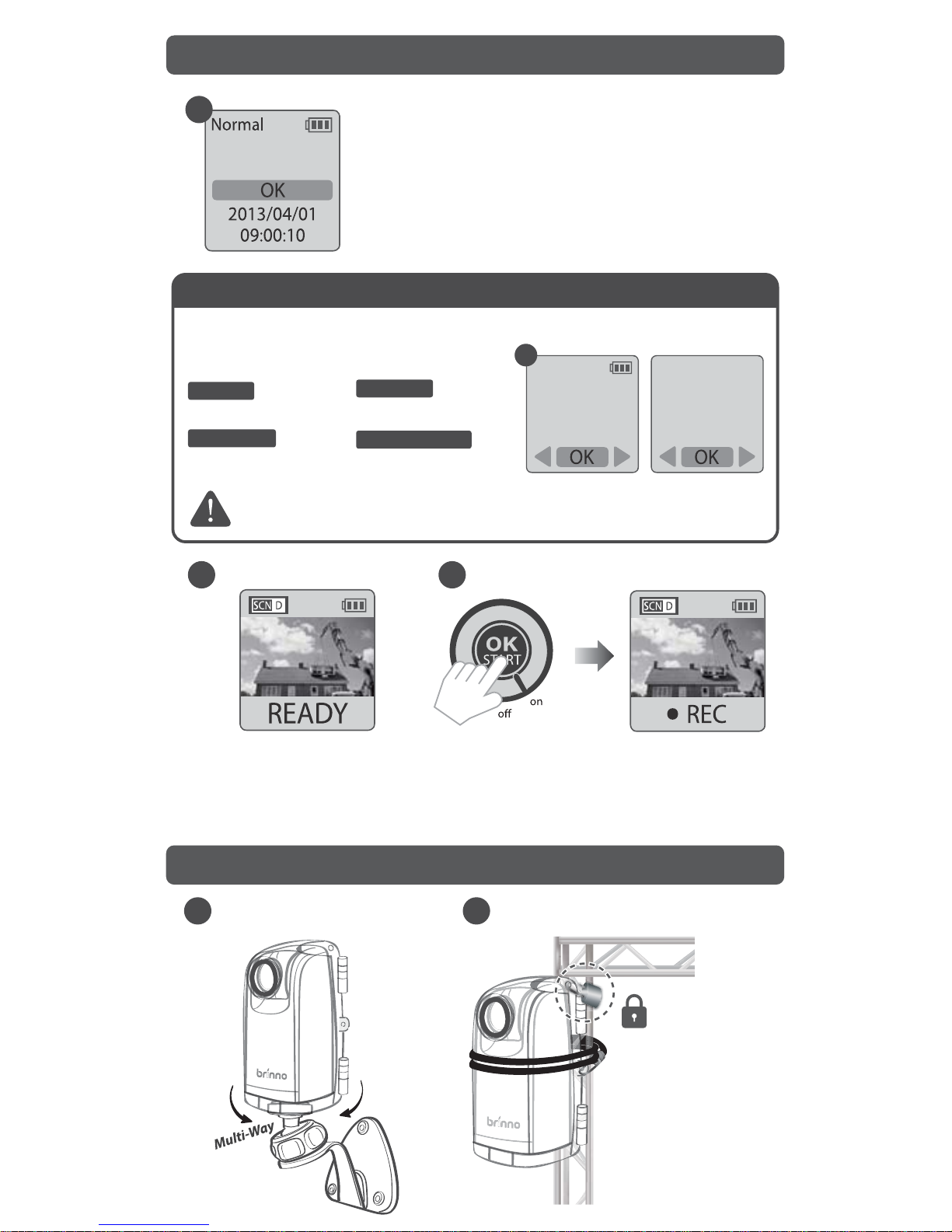
3. Press OK to proceed
to the Preview Screen,
frame your subject.
4. Press OK again to start the
recording process.
1. The LCD will display the set up screen.
2. Set the Time Interval and AVI frame rate.
Preview screen
Suggestion
Depending on big or small construction
project , we suggest below setting:
More than 6 months using , please choosing
Energizer® Ultimate Lithium AA Batteries.
Time Interval
Time
10 Sec
AVI frame rate
5 Seconds 30 FPS 1 Minute 30 FPS
10 Minutes
30 FPS
Frame Rate
30 FPS
2
1 Sec
Set up screen
1
A
B
(TLC200 f1.2+AWM100) (TLC200 f1.2+Rubber Strap)
STEP 4. Start Recording
For days
For weeks
For months
10 Minutes
30 FPS
For > 6 months
Lock :
You can lock your
time lapse camera
on site to prevent theft.
Page 4
SD
301-0063-00 EN A1
STEP 6. Finish
Preview screen
7F, No.75, Zhou Zi St., Taipei City11493, Taiwan
Phone: +886-2-8751-0306 Fax: +886-2-8751-0549
[email protected] www.brinno.com
Made in Taiwan
Optional Accessory
Brinno Reader
(ABR100)
Motion Sensor
(ATM100)
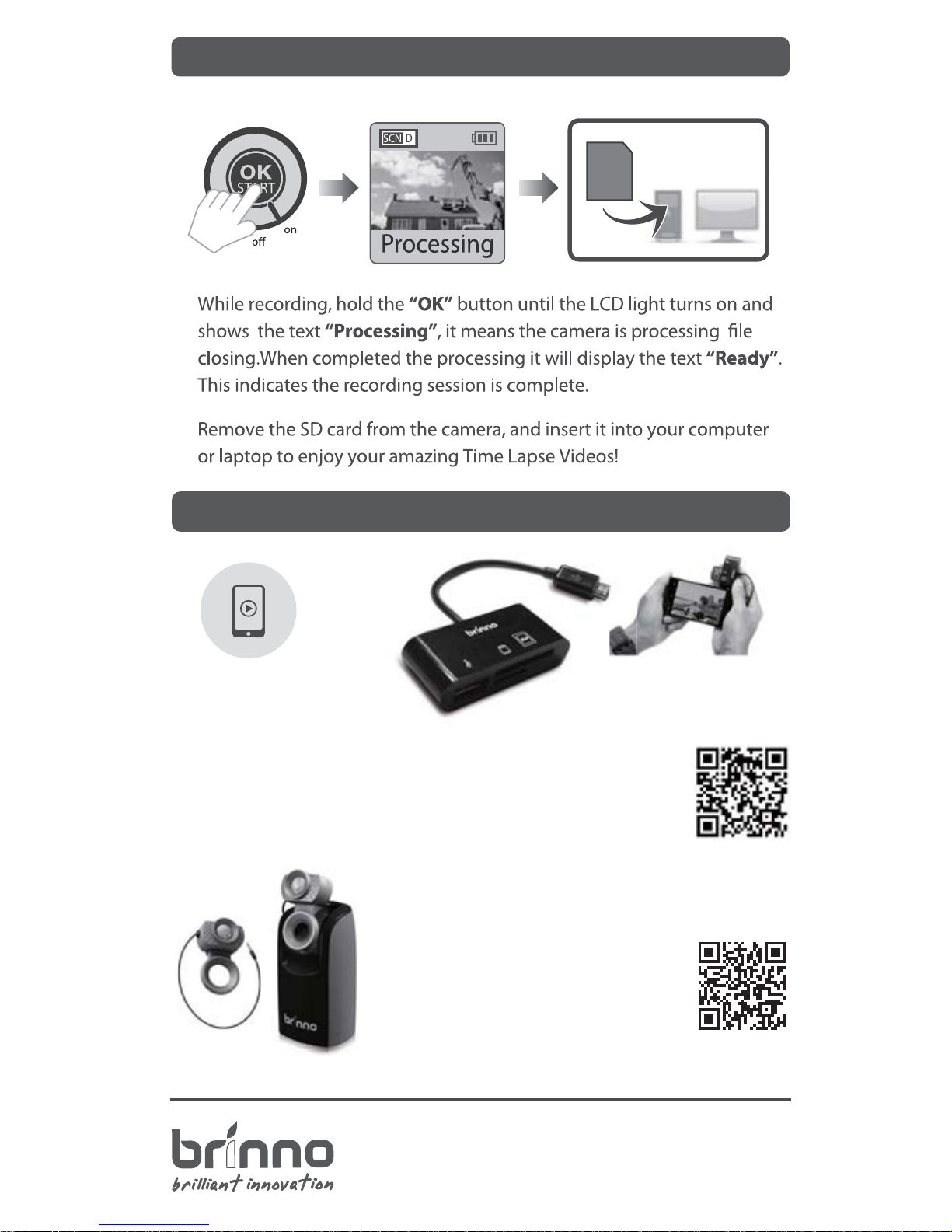
Play your construction time lapse video on your
smartphone on site.
No need to go back to the oce with the Brinno
High Speed On The Go ( OTG ) Reader (ABR100)
*Your Smartphone needs to OTG for this function.
O
T
G
s
m
a
r
t
p
h
o
n
e
D
E
V
E
L
O
P
E
D
more info of ABR100
Upgrade the time lapse camera to a motion
activated camera, detecting any movement
in thearea. Great for Security.
more info of ATM100
 Loading...