

Page 1

Secure File Upload
& Transfer Tool
for SharePoint
Page 2

Brimit's upload tool
1
Create an upload link
for any folder without
helps to collect files
from your customers
and partners to
SharePoint via an
intuitive and branded
User Interface
2
3
sharing content of the folder
Send the link to anyone
Upload files without
authentication hassle
4
Have the same high
level of security
Page 3

SharePoint has best-in-class
document storage and
sharing capabilities.
But if you want to collect
files and documents without
logins but still securely,
there's space for improvement.
Page 4

There's space for improving SharePoint
1
2
3
SharePoint's out-of-the box
upload functionality may
confuse newbies
The portal requires extra
configuration in order to share
a folder with a person and send
a link to him/her
Users need to have a Microsoft
account, verify it, and sign in every
time in order to upload files
There are redundant interface elements that may distract
users. It is not possible to brand the user interface where files
are uploaded, it will have a standard SharePoint look.
By default, employees can't provide unauthenticated users
with a link to upload files to SharePoint. In order to enable this
option, portal administrators need to make extra eorts.
Enabling this option will reduce security of the whole site.
By default, in order to upload files to a shared folder, users
need to join the company's Active Directory as an external user
and sign in every time they want to use a shared folder.
4
Everyone who has a link to a
shared folder can see its contents
If someone occasionally or intentionally gets a link to a shared
folder, he/she will also be able to see the contents of the folder.
It’s not possible to share a single link with multiple customers or
partners without compromising the contents of the shared folder
Page 5

How Brimit improves
the upload functionality
Items to improve
SharePoint's out-of-the box upload
functionality may confuse newbies
The portal requires extra configuration
in order to share a folder with a person
and send a link to him/her
Users need to have a Microsoft account,
verify it, and sign in every time in order
to upload files
Brimit's solution
An intuitive User Interface (UI) with
drag-and-drop feature
The SharePoint UI is extended with menu
items available to every site contributor
No sign in is required to upload files. Folder
owners create a link and send it to anyone
Everyone who has a link to a shared
folder can see its contents
A user with an upload link sees only the files
which he or she has just uploaded. A single
link can be shared with many users
Page 6
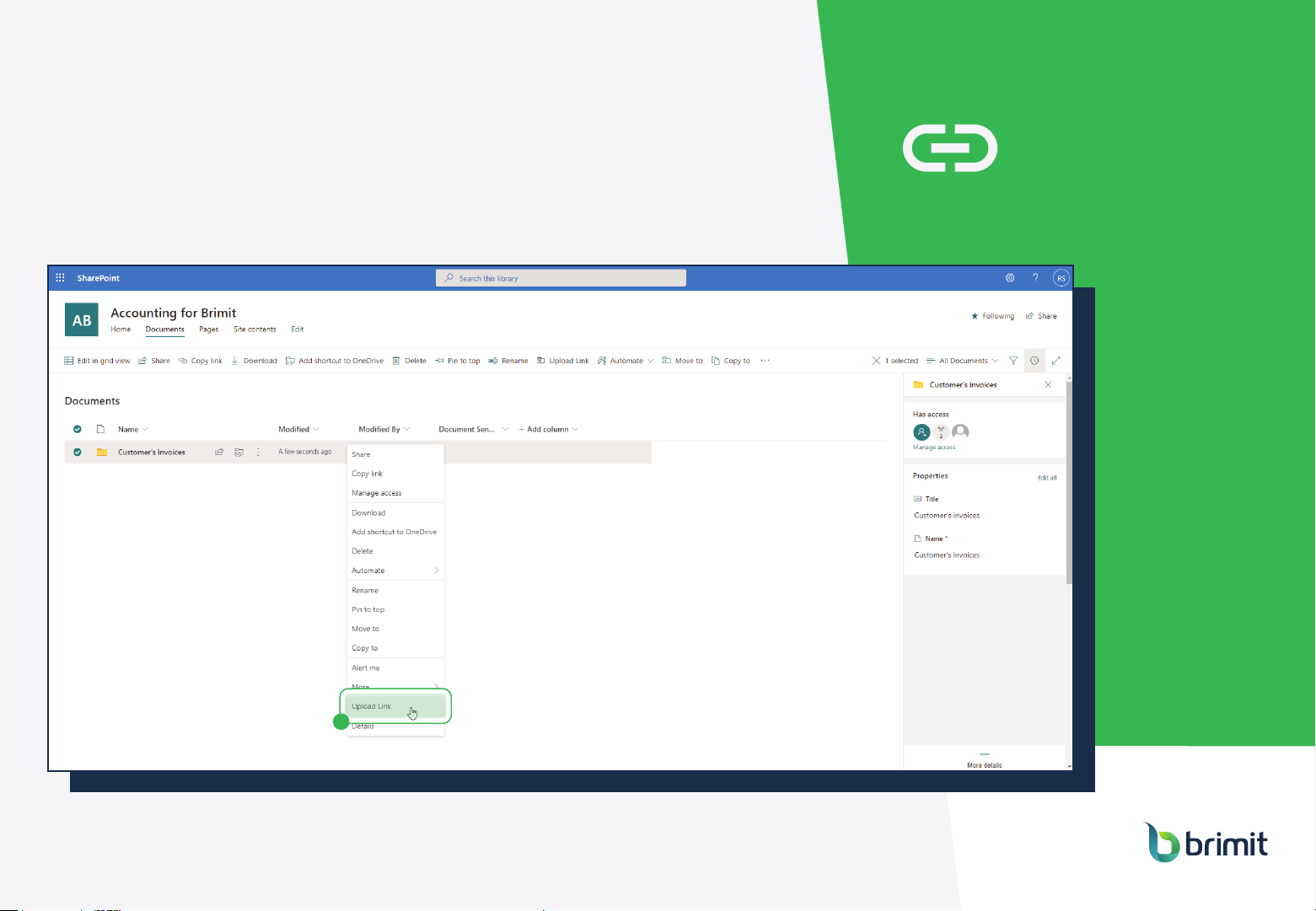
Brimit's Essential Upload
Tool for SharePoint
Step 1: Create an upload link
1
Page 7
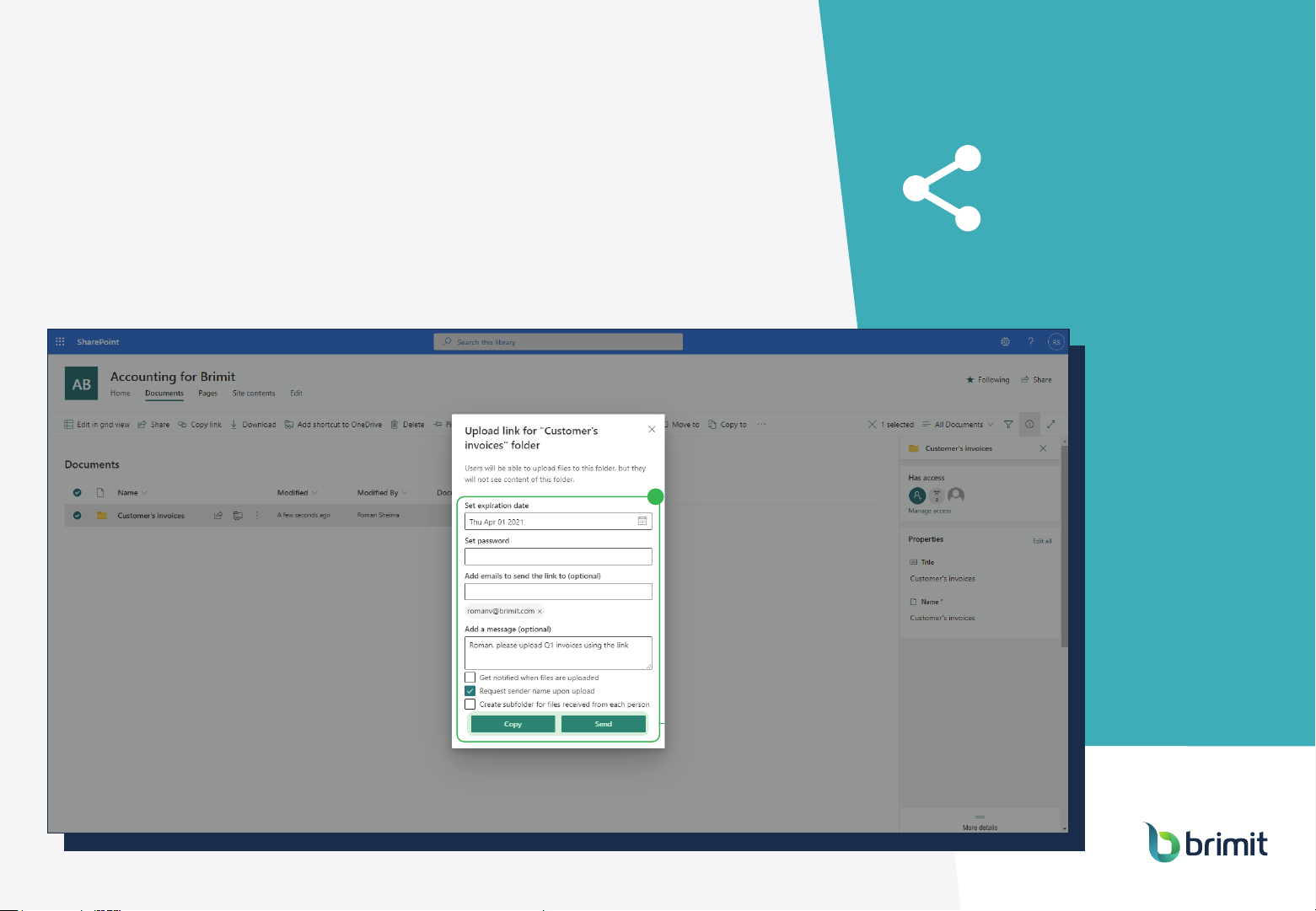
Brimit's Essential Upload
Tool for SharePoint
2
Step 2: Configure, Copy
or Send link via email
2
Page 8
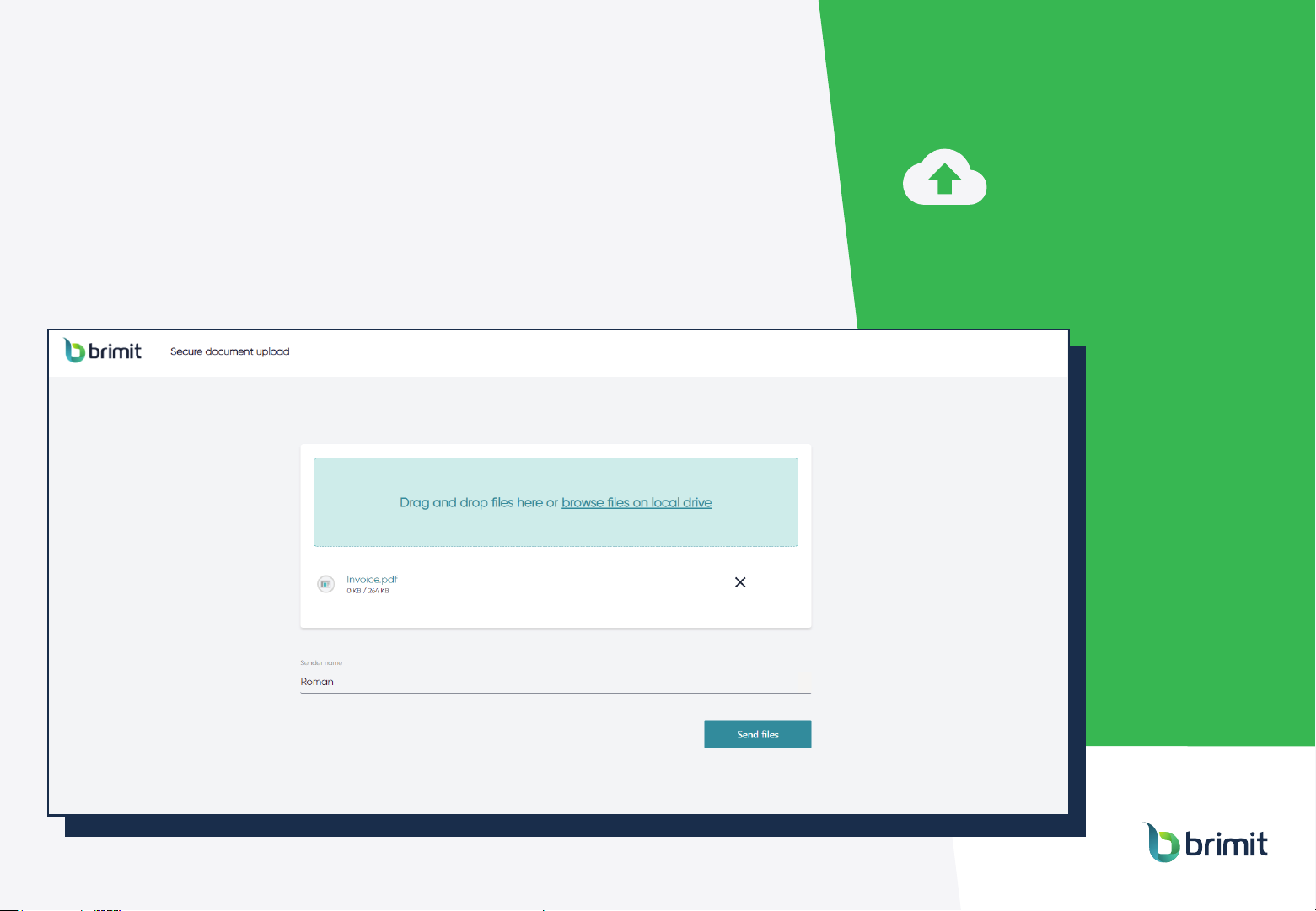
Brimit's Essential Upload
Tool for SharePoint
Step 3: Let users
upload their files
Page 9
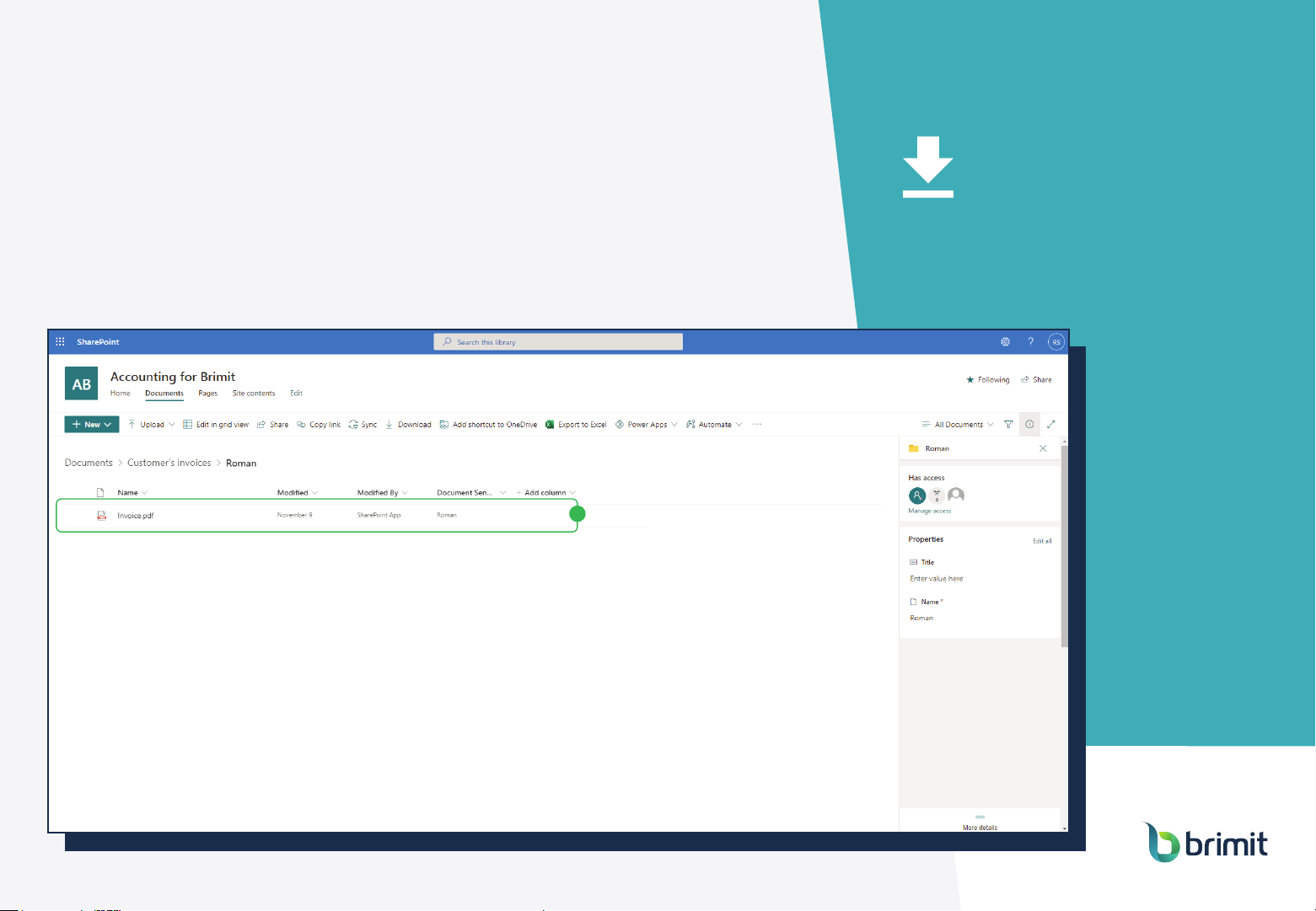
Brimit's Essential Upload
Tool for SharePoint
Step 4: Receive files
in your SharePoint folder
4
Page 10

Brimit's Essential Upload
Tool for SharePoint
Architecture and Deployment
Brimit's Essential Upload
Tool is built on Azure platform
It can be deployed
to your tenant within hours
Page 11

Schedule a demo to see
What’s next
Do you have the same
issues with SharePoint?
Will our tool improve
your productivity?
the tool live
www.brimit.com
[email protected]
 Loading...