

Page 1
1
Model: AP-32H
ADC+DAC Headphone Amplifier
Dear Friends,
Thank you for purchasing BRIK AP-32H, you can find content as below in the box.
BRIK AP-32H x 1 unit
USB Cable x 1pc
BRIK 12V Adaptor x 1pc
BRIK Disc x 1pc(included driver.)
BRIK User Manual.
Key Feature
DAC Support, playback resolution 32bit/384KHz
ADC recording resolution 24bit/384KHz
Support 2 Headphone Output with Volume Control
USB B type input x 1
Golden-Plated RCA Analog input x 1 (Recording)
Metal housing and Aluminum front panel of Silver or Black.
Miniature size of W 140 x H 48 x D 160 mm, 1,100g approx..
AP-32H ships with Windows & Mac drivers that have to be installed on your
computer.
NOTE: Mac OS DO NOT NEED TO INSTALL DRIVER.
An extension 12V power supply is included.
※ ATTENTION※
1. Turn off AP-32H:
Please turn off the power button of AP-32H, instead of plugging out USB cable from
computer directly for protecting your PC.
2. Note for choosing recording software:
Please make sure recording software can support 384Khz sample rate with seller.
Page 2

2
// INDEX//
Page Subject
02----------------------------------Technical Specification of BRIK AP-32H
02----------------------------------Front Panel Environment
03--------------------------------- Rear Panel Environment
03~06-----------------------------Install driver of AP-32H
07----------------------------------Uninstallation Guided Instruction
07~09-----------------------------Suggested software to execute Playback with AP-32H
09---------------------------------- Suggested software to execute Recording with AP-32H
Page 3
3
Technical Specification BRIK AP-32H
BRIK AP-32H
Power Output
32ohm x 2 total 400mW
S/N
95dB
Distortion
0.02%
Load impedance
16~600 ohm
Frequency Response
20HZ~20KHZ
USB Interface
USB 2.0 High/full Speed compliant
USB Audio Device Class Specification
v1.0/2.0 Compliant
Line input
1 Set RCA stereo input supported
Recording to PC
Headphone Analog
Output
sample rate support
44.1Khz, 48Khz, 88.2Khz, 96Khz,
176.4Khz, 192Khz, and 384Khz.
16, 24 bit & 32bit 2 Channel
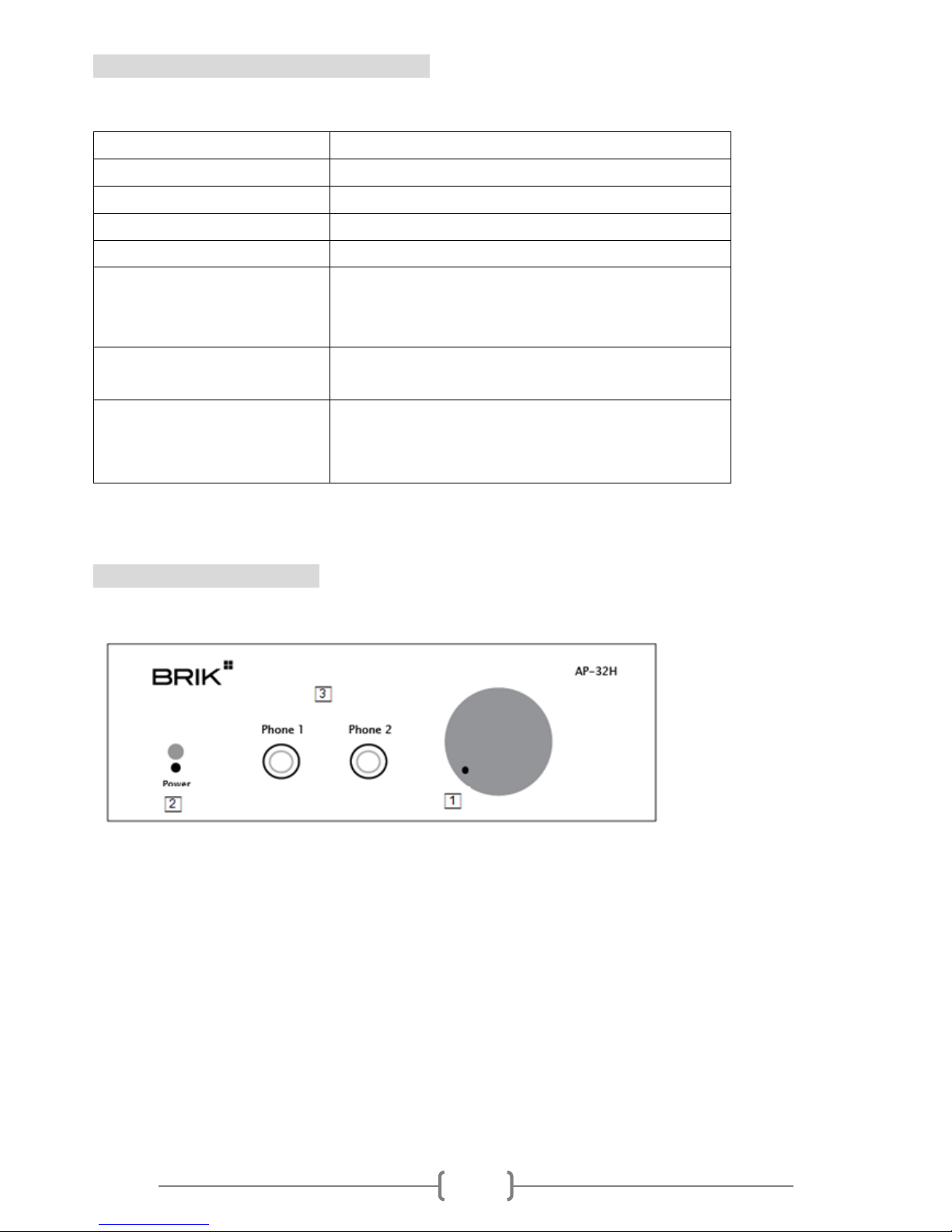
Front Panel Environment
□1 Volume Control for 2 headphone output.
□2 On/Off Switch on front, power LED will glow when power on.
□3 3.5mm headphone jack x 2 on front panel of AP-32H.
Page 4
4
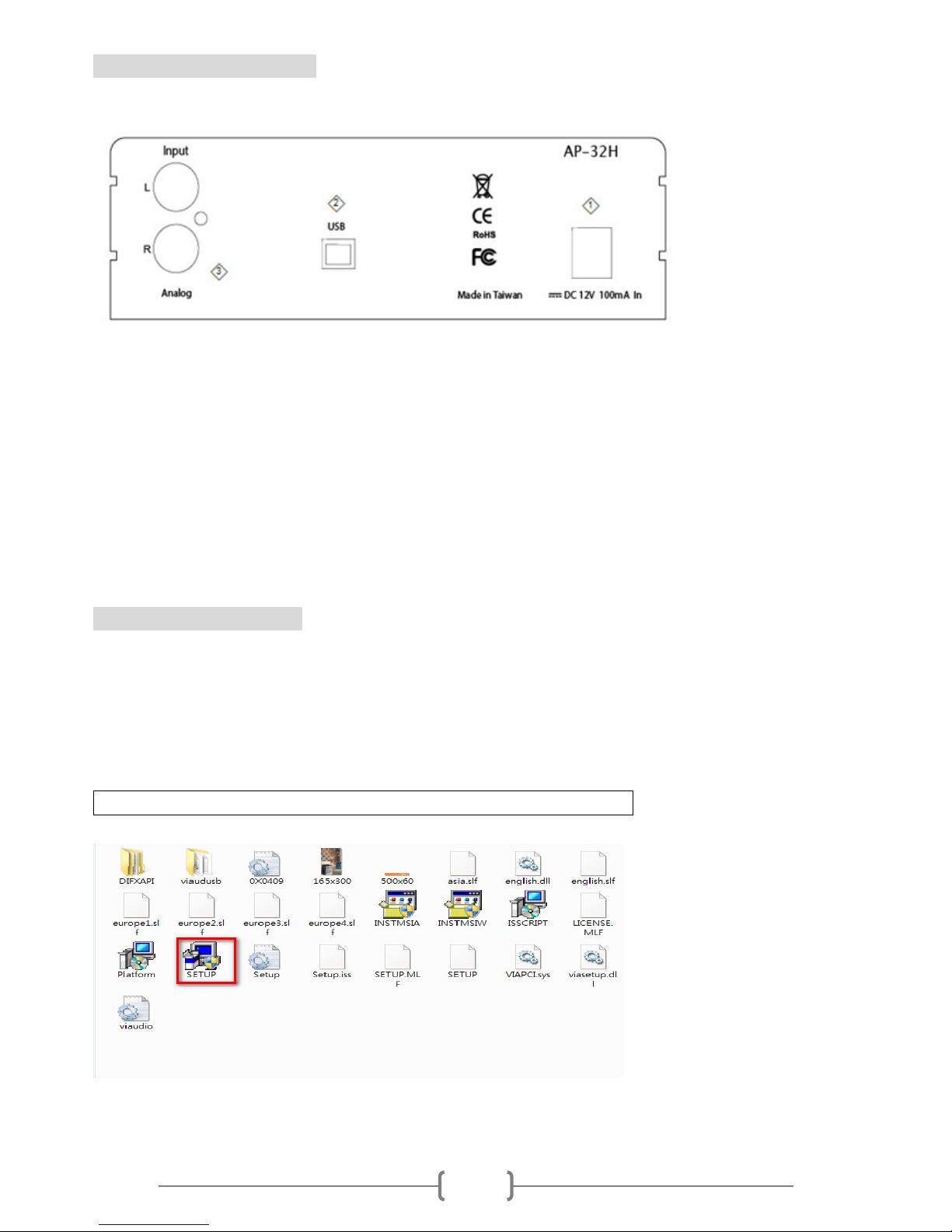
Rear Panel Environment
◇1 12V Power supply, 2.1mm tip jack supply connector.
◇2 PC Signal input, connect a 2.0 USB cable, B type USB connector.
◇3 RCA stereo input supported recording to PC.
Please read this User Manual before operating the machine to ensure its best
performance and your safety.
Install driver of AP-32H
1. Please execute driver of AP-32H on the BRIK CD-ROM.
2. Installing process
Power on AP-32H and connect it to the PC, driver will start automatic installation as
following:
AP-32H Driver Installation based on a Windows-based PC
Open the driver folder and select “SETUP.EXE”, installation START.
(Pic.1)
Page 5
5
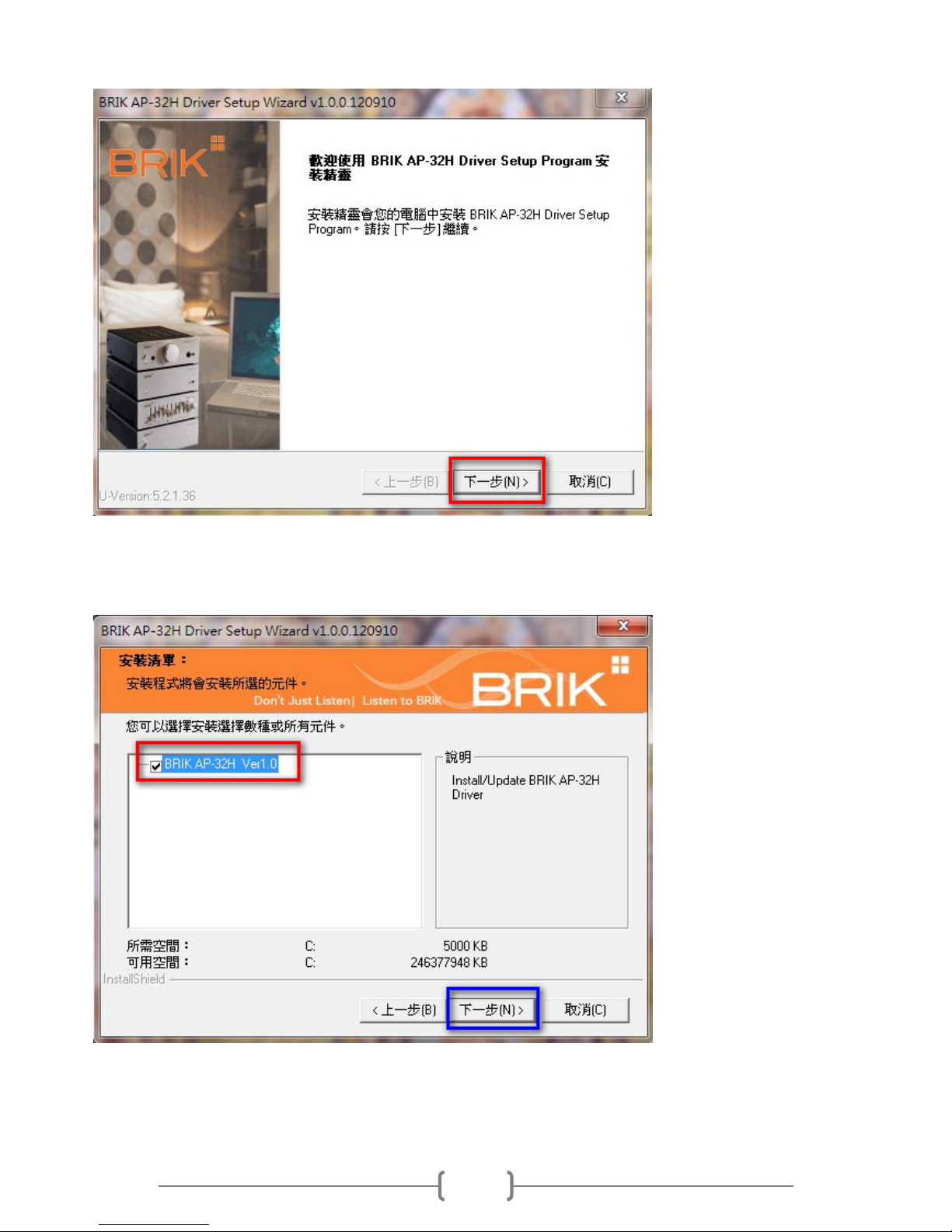
Click “NEXT STEP” to proceed, as PIC.2
(PIC.2)
Check in the column. Click “Next” to move on installation, as PIC.3.
(PIC.3)
Page 6
6
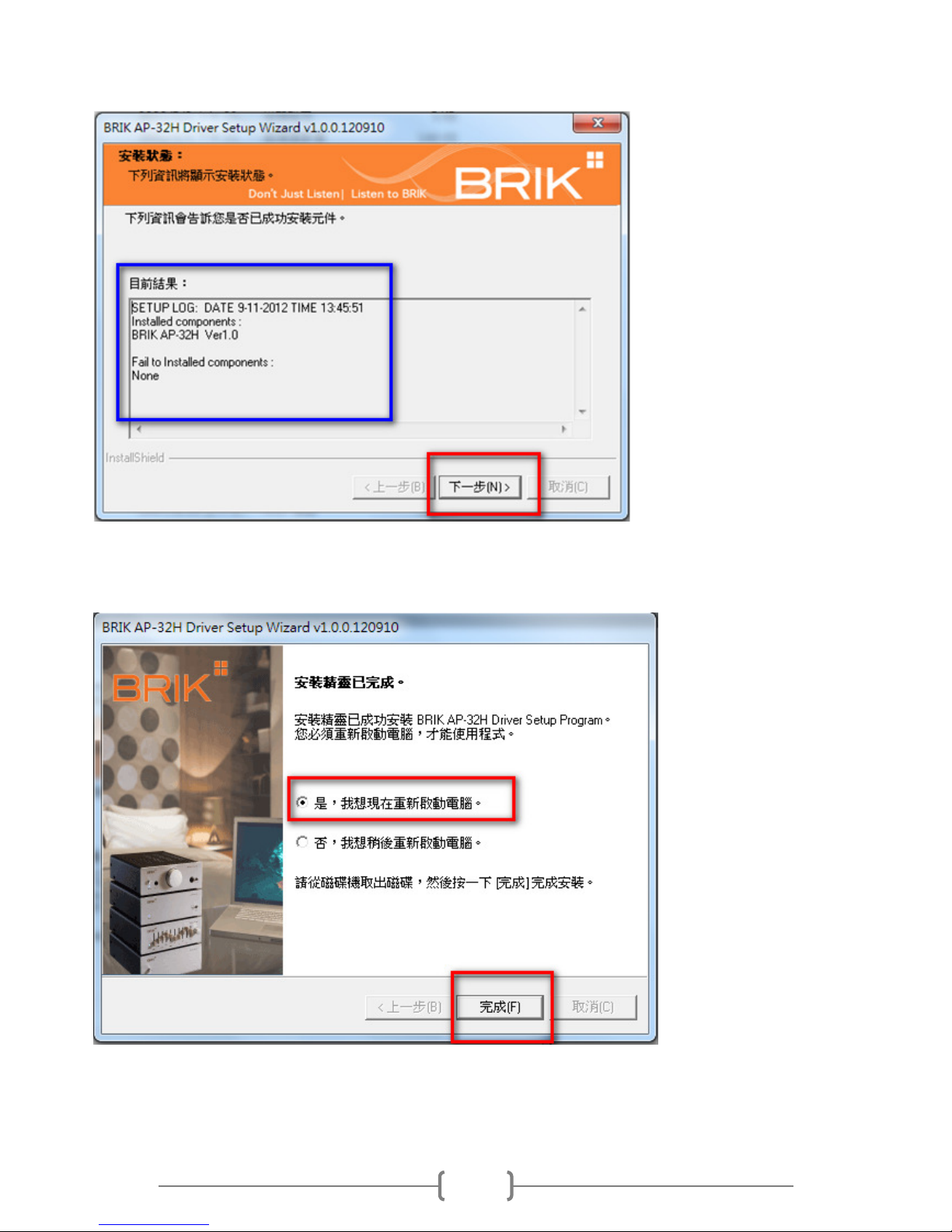
Message window states installation status and please click on “Next” for next
step. (PIC.4)
(PIC.4)
Please reboot PC and finish installation, PIC.5
(PIC.5)
Page 7
7
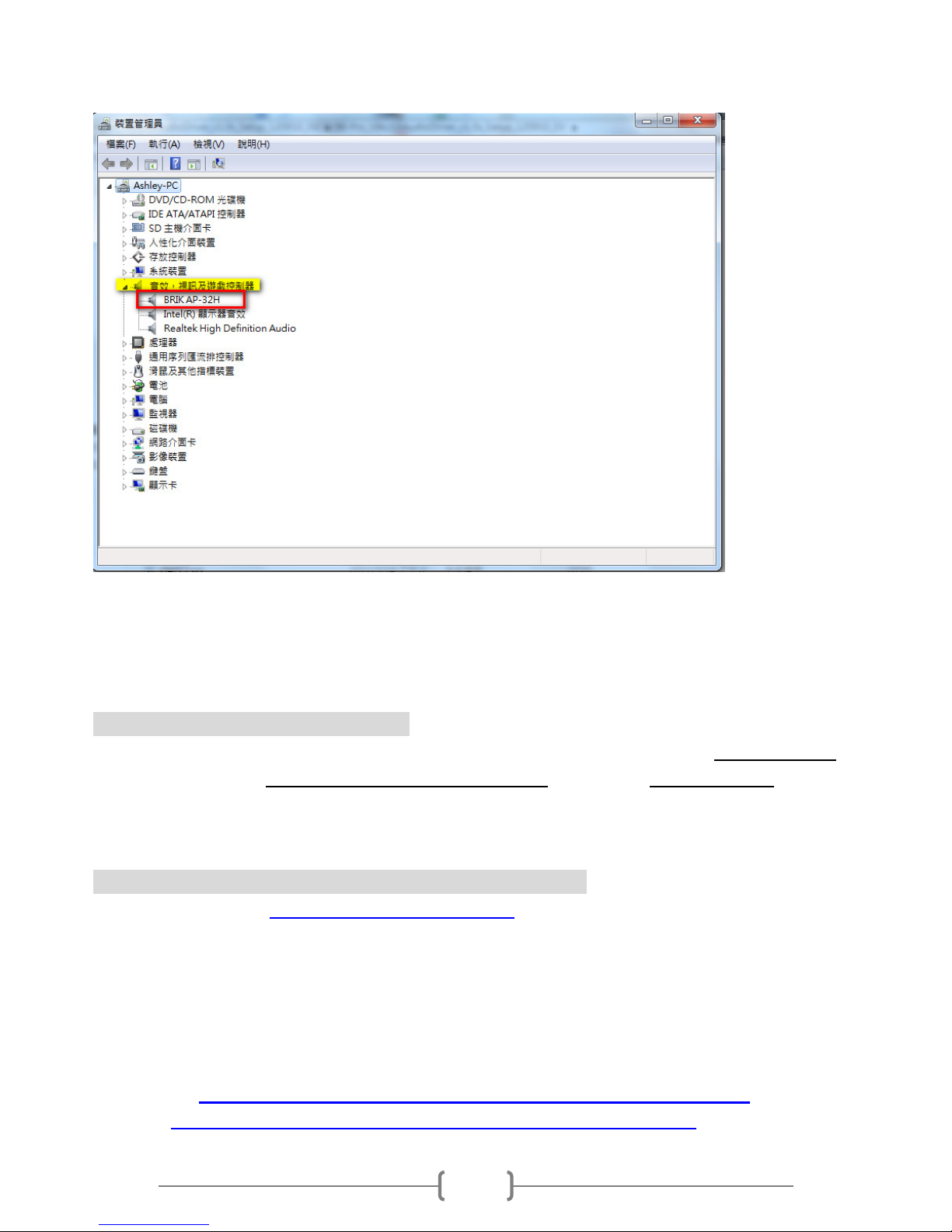
After reboot, you can find icon of BRIK AP-32H(PIC.6) on Device Manager of the
PC, the installation is finished.
(PIC.6)
PLEASE NOTE: The Wizard Installation appearance may be slightly different
depends on XP/Vista and Windows 7 system environment.
**Uninstallation Guided Instruction:
Insert Driver Disk, power on AP-32H and connect to the PC Enter Control panel of
the PC Click on Programs(uninstall a program) Choose BRIK AP-32H and
execute uninstallation.
Suggested software to execute Playback with AP-32H.
-- FooBar 2000 (http://www.foobar2000.org/) , downloading and installing FooBar
Software, which can support many music formats and high sample rate.
-- Use FooBar with WASAPI under Windows SP1 Vsita or newer(e.g.Windows 7),
it needs to download DLL’s of WASAPI or ASIO output support from FooBar 2000
website.
Here are links for component of WASAPI Output support and ASIO output support:
WASAPI
http://www.foobar2000.org/components/view/foo_out_wasapi
ASIO
http://www.foobar2000.org/components/view/foo_out_asio
Page 8
8
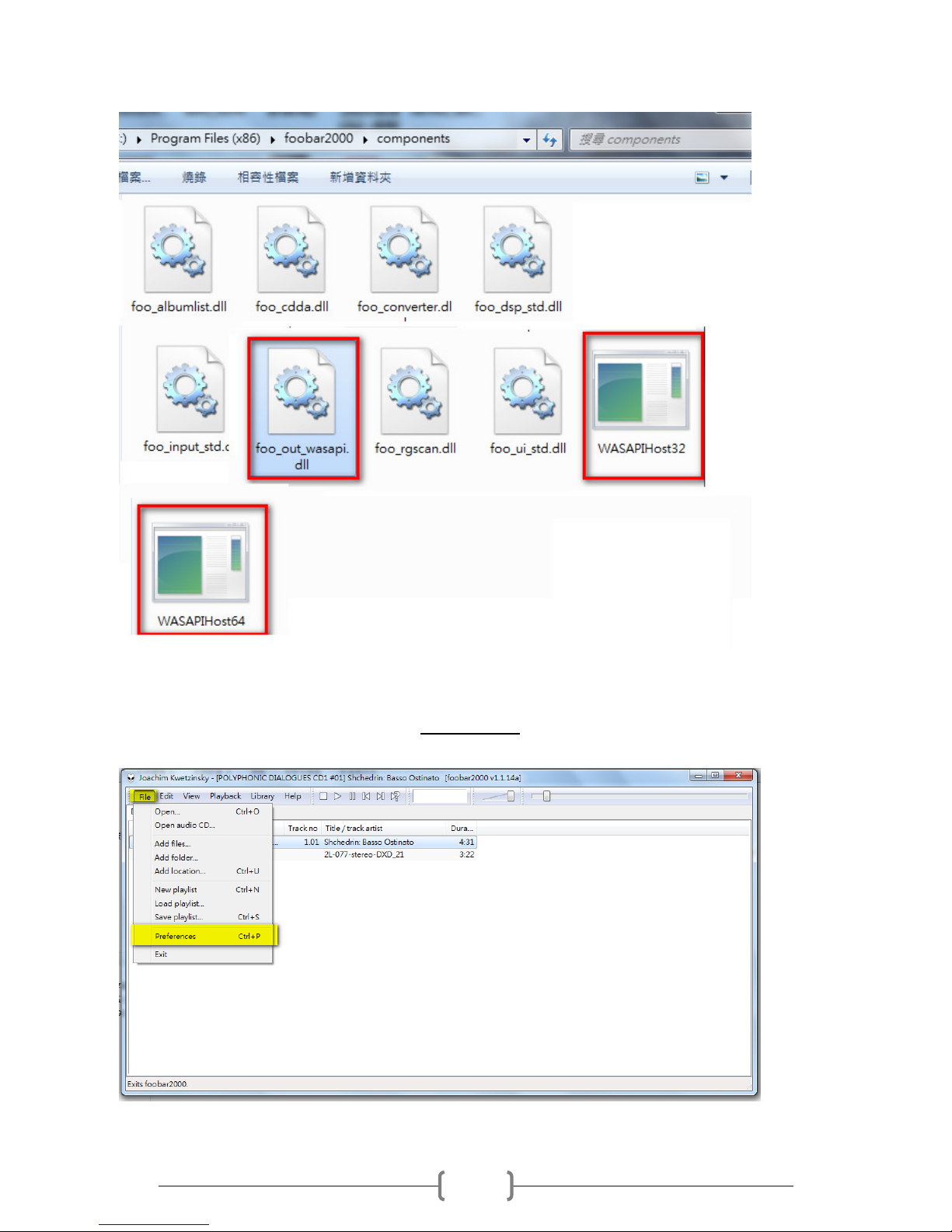
-- Please key in “.rar” or.”zip” behind when you’re saving component.
-- Please copy all files and paste it to FooBar2000 main folder in your hard disk.
(PIC.7 as WASAPI for example, you can use ASIO Output support as well)
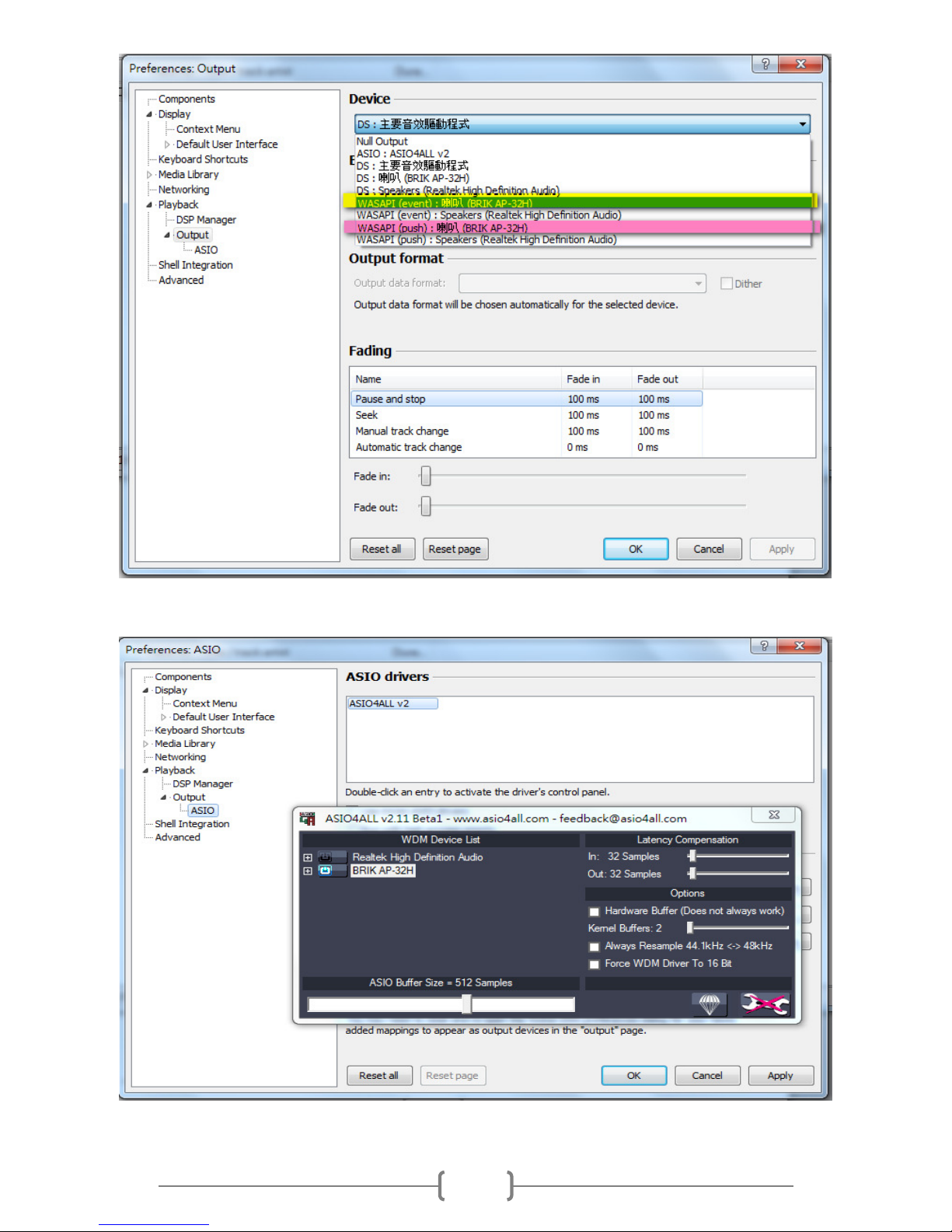
-- And, restart FooBar and go for Preference Playback Output Window and
set parameter accordingly.
(PIC.8)
Page 9
9
(PIC.9 As WASAPI for example, choose one of them (WASAPI PUSH or
Event,BRIK AP-32H) or choose ASIO:ASIO4ALL v2, below PIC.10)
(PIC.10)
Page 10
10
Suggested software to execute Recording with AP-32H.
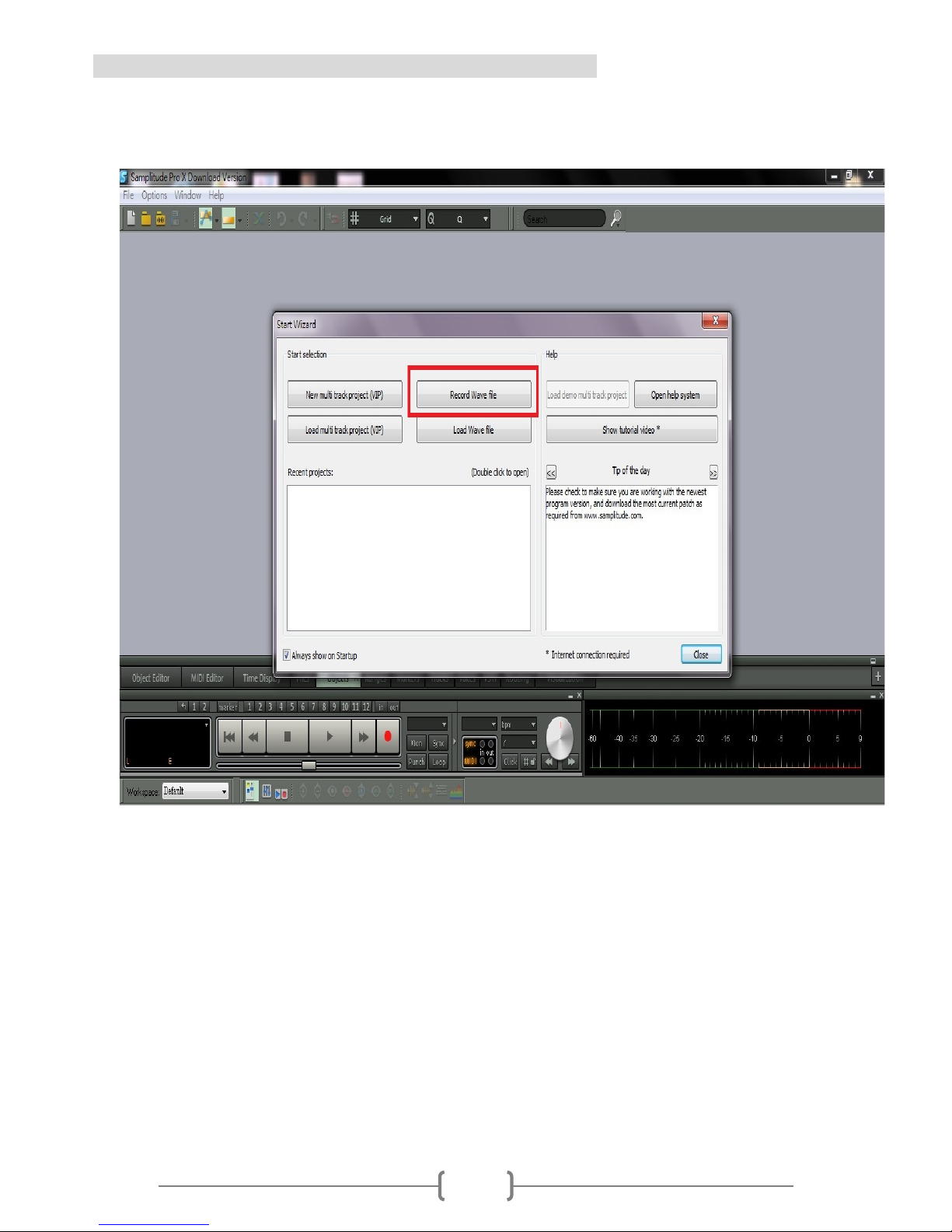
--Suggested Recording Software “Magix Samplitude Pro”
--Please execute Magix Samplitude Pro as PIC.11
(PIC.11)
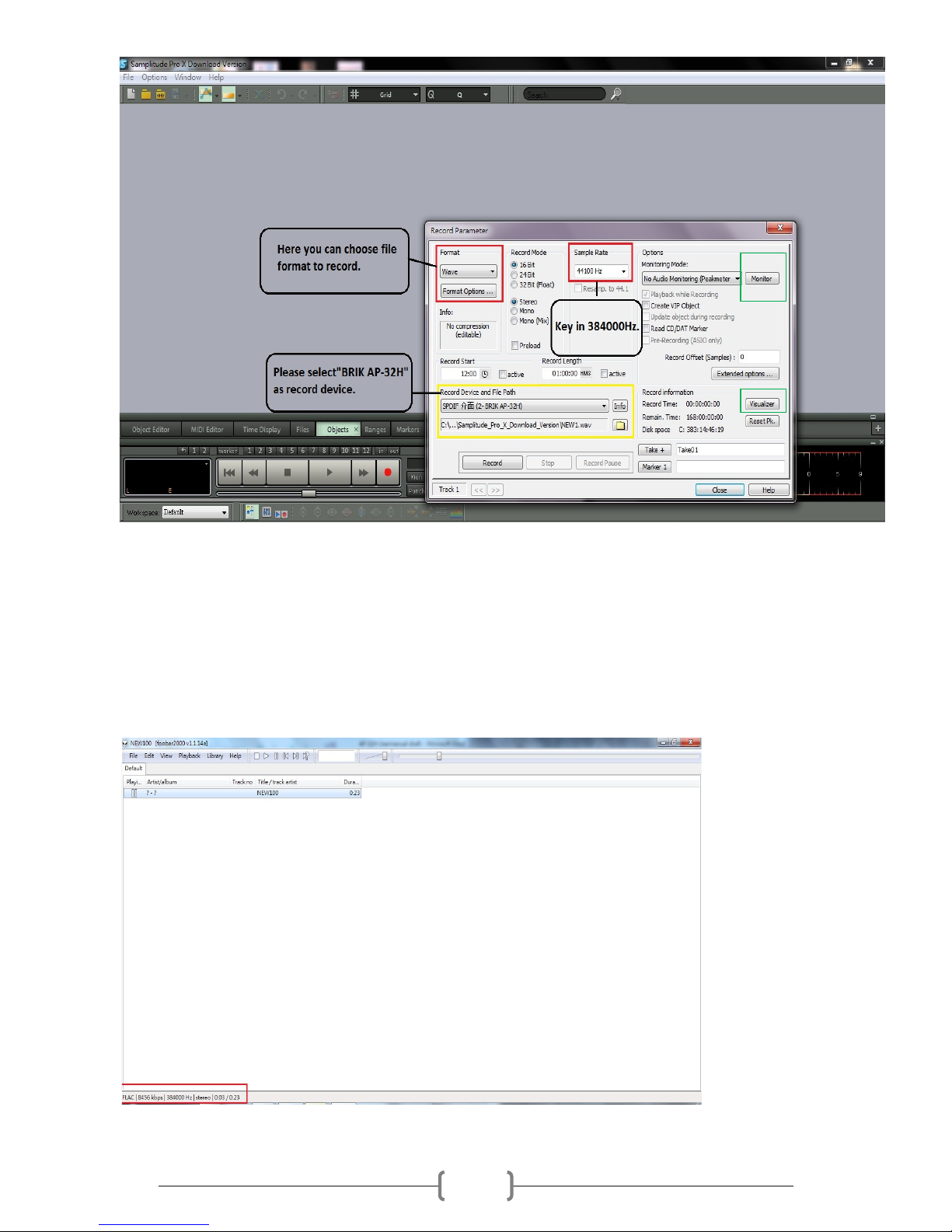
-- Click “File” ->”Record” and there will be a window shown up as PIC.12
Page 11
11
(PIC.12)
-- Please adjust parameters per your demand accordingly and start making your
own 384Khz digital music files.
-- You can press monitor(green circled) and listen recording situation by
AP-32H(phone jack), besides, you can also check recording volume by
“Visualizer”(green circled)
-- Here is example of BRIK test 384KHz Flac music file for reference and have a
great time with BRIK AP-32H!
 Loading...