

Page 1

Tire Pressure Monitoring System
Hand-held Reader K111 Users Manual
1/6
Page 2

Notices
This device complies with Part 15 of the FCC Rules and IC RSS-Gen. Operation is
subject to the following two conditions: (1) This device may not cause harmful
interference, and (2) this device must accept any interference received, including
interference that may cause undesired operation.
This equipment has been tested and found to comply with the limits for a Class B digital
device, pursuant to Part 15 of the FCC Rules and IC RSS-Gen.
These limits are designed to provide reasonable protection against harmful interference
in a residential installation. This equipment generates use and can radiate radio
frequency energy and, if not installed and used in accordance with instructions, may
cause harmful interference to radio communications. However, there is no guarantee
that interference will not occur in a particular installation. If this equipment does cause
harmful interference to radio or television reception, which can be determined by
turning the equipment off and on, the user is encouraged to correct the interference by
one or more of the following measures:
- Reorient or relocate the receiving antenna.
- Increase the separation between the equipment and receiver.
- Connect the equipment into an outlet on a circuit different from that
to which the receiver is connected.
- Consult the dealer or an experienced radio/TV technician for help.
WARNING
Changes or modifications not expressly approved by the
manufacturer
for
compliance could void the user’s authority to operate the equipment.
2/6
Page 3
ps i ps i
c °F
How to measure
To measure tire pressure or inside air temperature, press the reader’s antenna gently
against the side wall near the valve of the tire that you want to measure and then press the
MEASURE button.
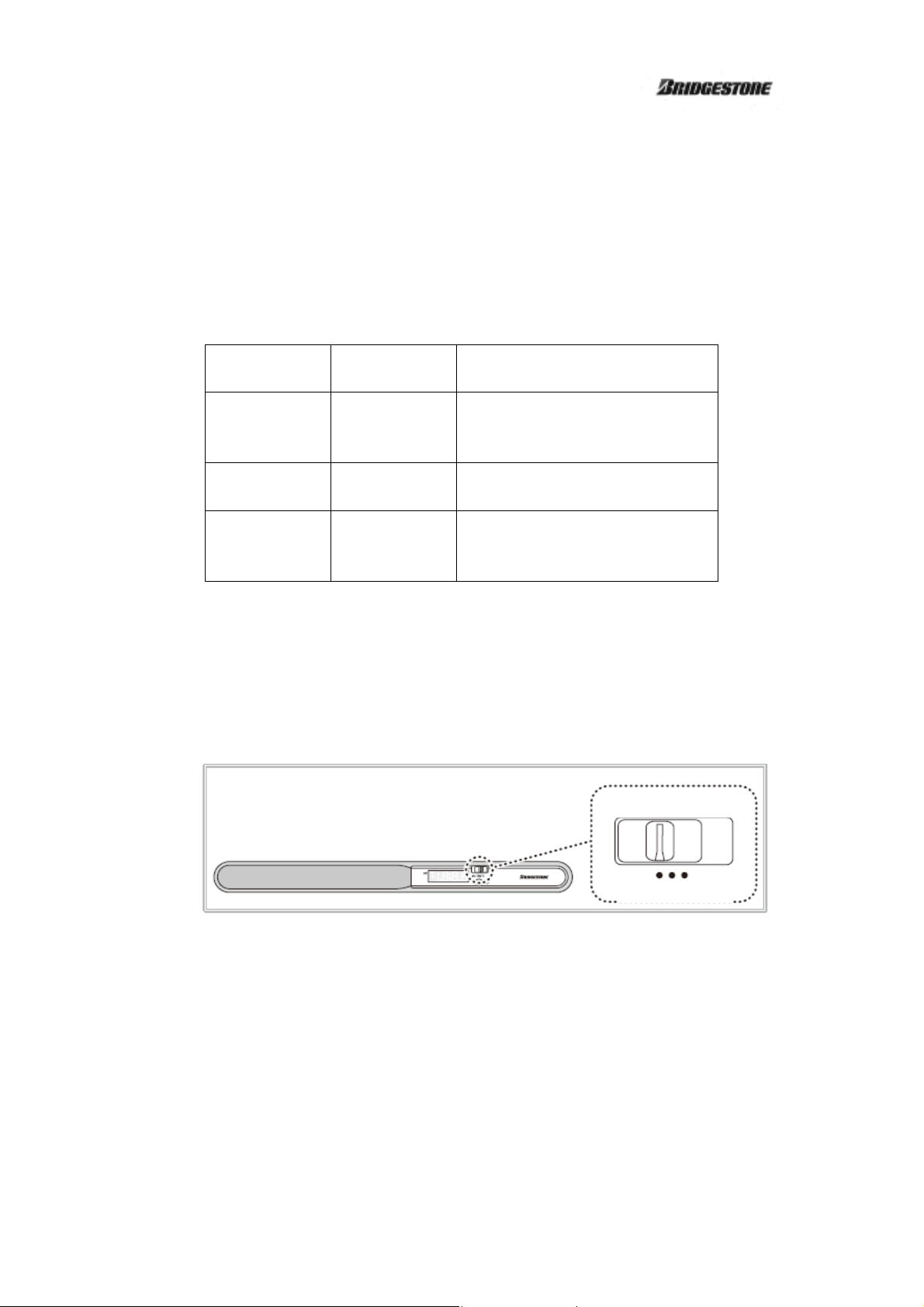
Using the hand-held reader, you can measure the following three data items.
ITEM VIEW ITEM
SELECT
Pressure
Compensated
pressure
Temperature
psi
psic
°F
Displays tire pressure in 1psi
increments.
Compensated pressure .
Displays inside air temperature in
2°F increments.
Explanation
① Set the VIEW ITEM SELECT switch to the item that you want to measure.
Example: When measuring tire pressure (psi)
VEIW SELCT SW
3/6
Page 4
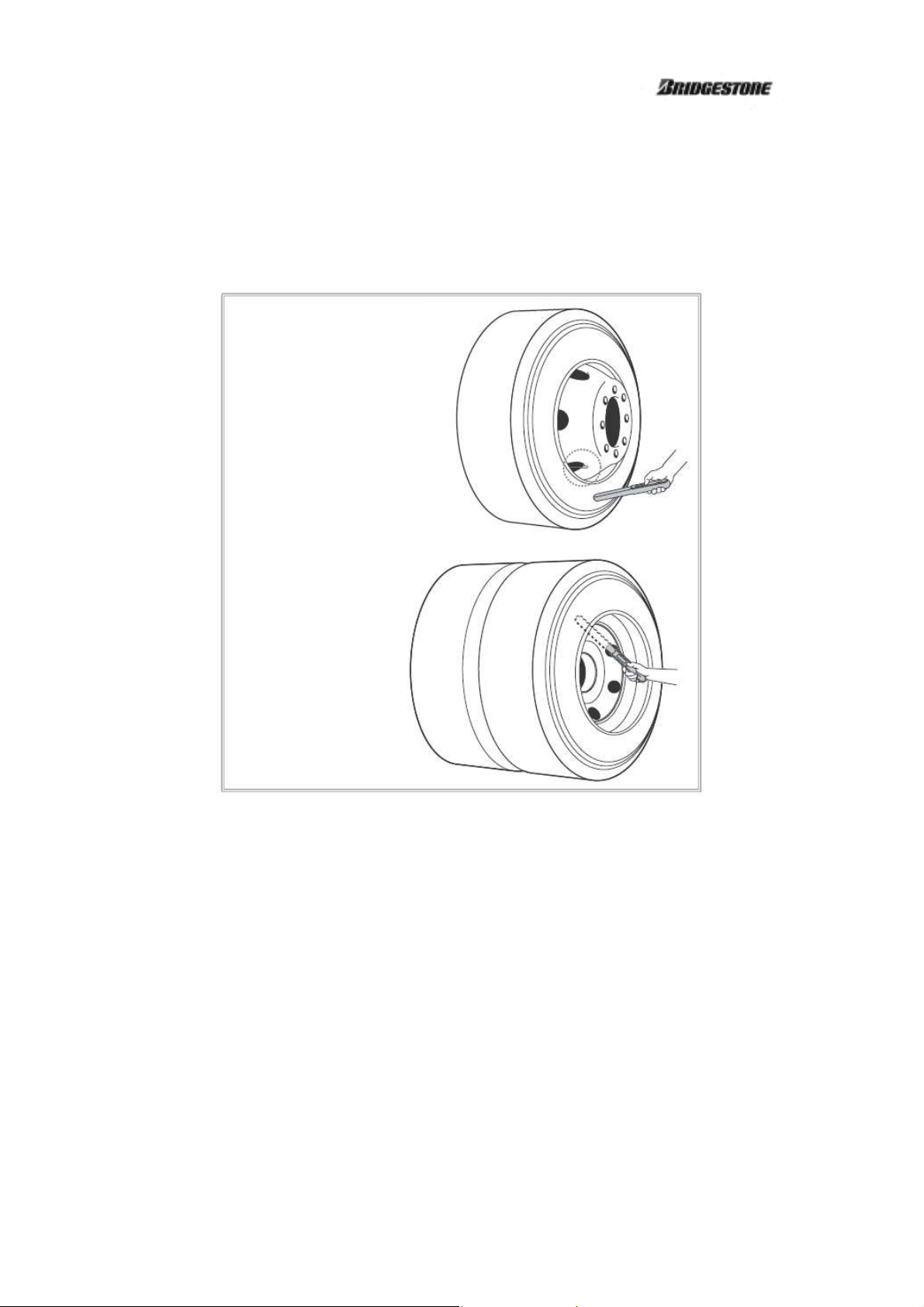
② Press the reader’s antenna gently against the side wall near the valve of the tire that you
want to measure.
Example:
When measuring a single
Example:
When measuring a dual
- Be careful not to touch the antenna against metal such as wheels. Otherwise, radio waves
from the sensor will be blocked and data transmission will fail.
- If you want to measure the inside dual-tire, insert the antenna through a decorative hole in
the outside wheel and press the antenna gently against the inside tire’s side wall near the
valve. If the sensors are correctly installed on the wheels as described in the Sensor Users
Manual, the inside-tire valve is located diagonally opposite from the outside-tire valve.
4/6
Page 5
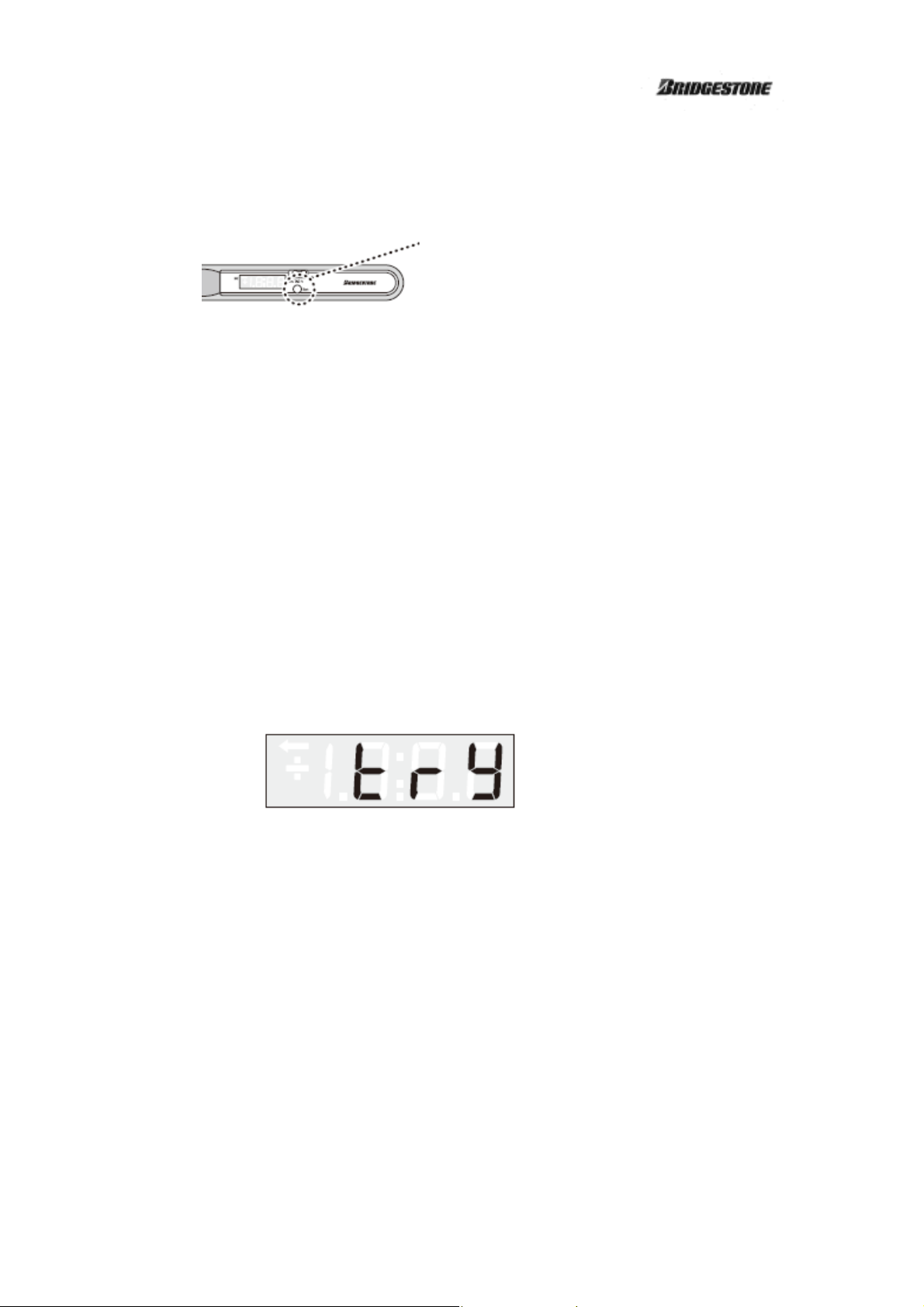
③ Press the MEASURE button.
MEASURE button
- Data measurement starts when the MEASURE button is released.
- Data measurement takes place only once after the button is released. Pressing and holding
the button again will have no influence.
④ Data are sent from the sensor on the tire to the hand-held reader.
⑤ When data transmission is completed, a short beep sounds twice and the received data are
displayed on the LCD.
If data transmission is not successful, a long beep sounds and the “try” (data reception error)
message is displayed on the LCD. Press the MEASURE button again to measure data while
ensuring that:
- The tip of the antenna is away from the wheel and other metal parts.
- The tip of the antenna is placed as close to the valve as possible.
- The antenna is placed as perpendicularly as possible relative to the tire’s side wall.
“try” message (data reception error)
⑥ To view other items, set the VIEW ITEM SELECT switch to the corresponding positions.
⑦ Repeat steps ② and onward to measure the remaining tires or measure the same tire again.
5/6
Page 6

How to remove the batteries:
① Using the screwdriver supplied with the hand-held reader, loosen and remove the
battery lid retaining screw.
② Pull up the lid on the strap side and remove it.
③ Remove the batteries.
④ Install the battery lid.
△ CAUTION
Failure to observe the following may lead to a short circuit or charging, causing the battery
to start leaking or generate extreme heat, or the battery may even start a fire or explode.
● Do not throw batteries into a fire. Do not heat or disassemble batteries.
● Do not use a combination of new and old batteries, or a combination of batteries of
different makes or types.
● Ensure that the polarity of the batteries is not reversed.
● Always use the specified batteries. Otherwise, the hand-held reader may fail.
● Never attempt to disassemble or modify the hand-held reader.
● Do not handle the hand-held reader with wet hands. Keep the product away from water.
● Always use the specified batteries (AAA dry (including rechargeable) battery).
● Be careful not to drop or step on the hand-held reader, or hit it against a hard object.
● Turn off the power before removing the batteries from the hand-held reader. Be careful
not to press the MEASURE button while removing the batteries. Otherwise, the
hand-held reader may fail.
● Do not leave the hand-held reader in places of severe temperature change or outside the
specified storage temperature range.
● Remove the batteries from the hand-held reader if it will not be used for an extended
period. Otherwise, the batteries may start leaking, damaging the hand-held reader.
6/6
 Loading...