

Page 1

WWW.BRICKCOM.COM | EXPERT IN IP SURVEIL LANCE
May 17, 2011
Confidential © Brickcom Corporation, All Rights Reserved.
Quick Installation Guide
for WFB-100Ap
Page 2
WWW.BRICKCOM.COM | EXPERT IN IP SURVEIL LANCE
Things to Have Before You Start
• Brickcom WFB-100Ap
– Username/Password: admin/admin
• Brickcom DWRT-600N Wi-Fi Simultaneous Dual-Band Router
– Default IP address: 192.168.1.1
• Wi-Fi Antenna
• Brickcom Software Kit
– Download page: http://www.brickcom.com.tw/support/download.php
• Computer
– Intel Core 2 Duo@2GHz or above
– RAM 1GB or above
– Preferably with an nVIDIA/ATI stand-alone VGA card.
• Ethernet Cable
Confidential © Brickcom Corporation, All Rights Reserved.
Page 3
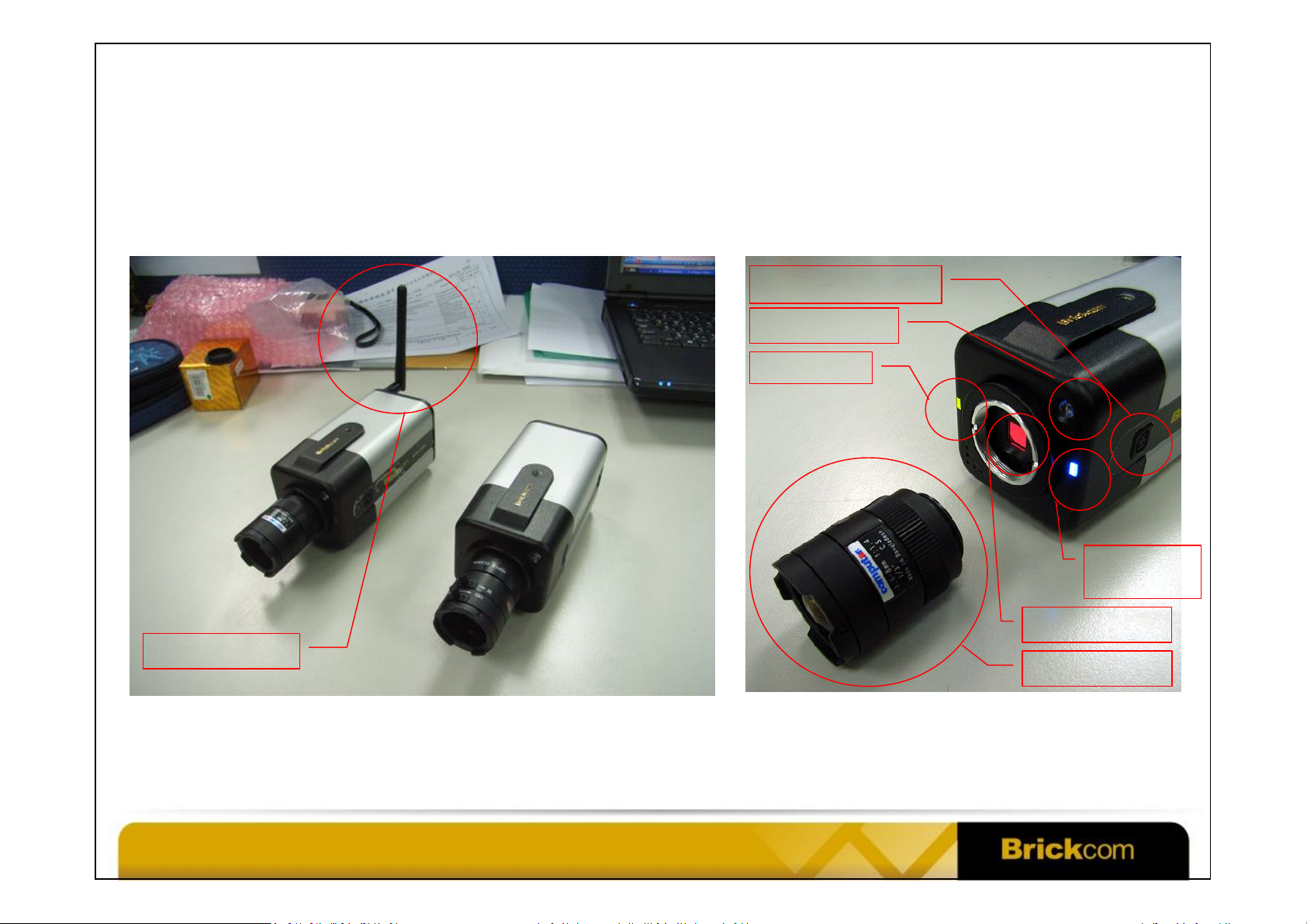
WFB-100Ap Camera Hardware
DC Iris Lens Plug
Light Sensor
Power LED
WWW.BRICKCOM.COM | EXPERT IN IP SURVEIL LANCE
Wi-Fi Antenna
Confidential © Brickcom Corporation, All Rights Reserved.
Wi-Fi /
WPS LED
Image Sensor
Lens
Page 4
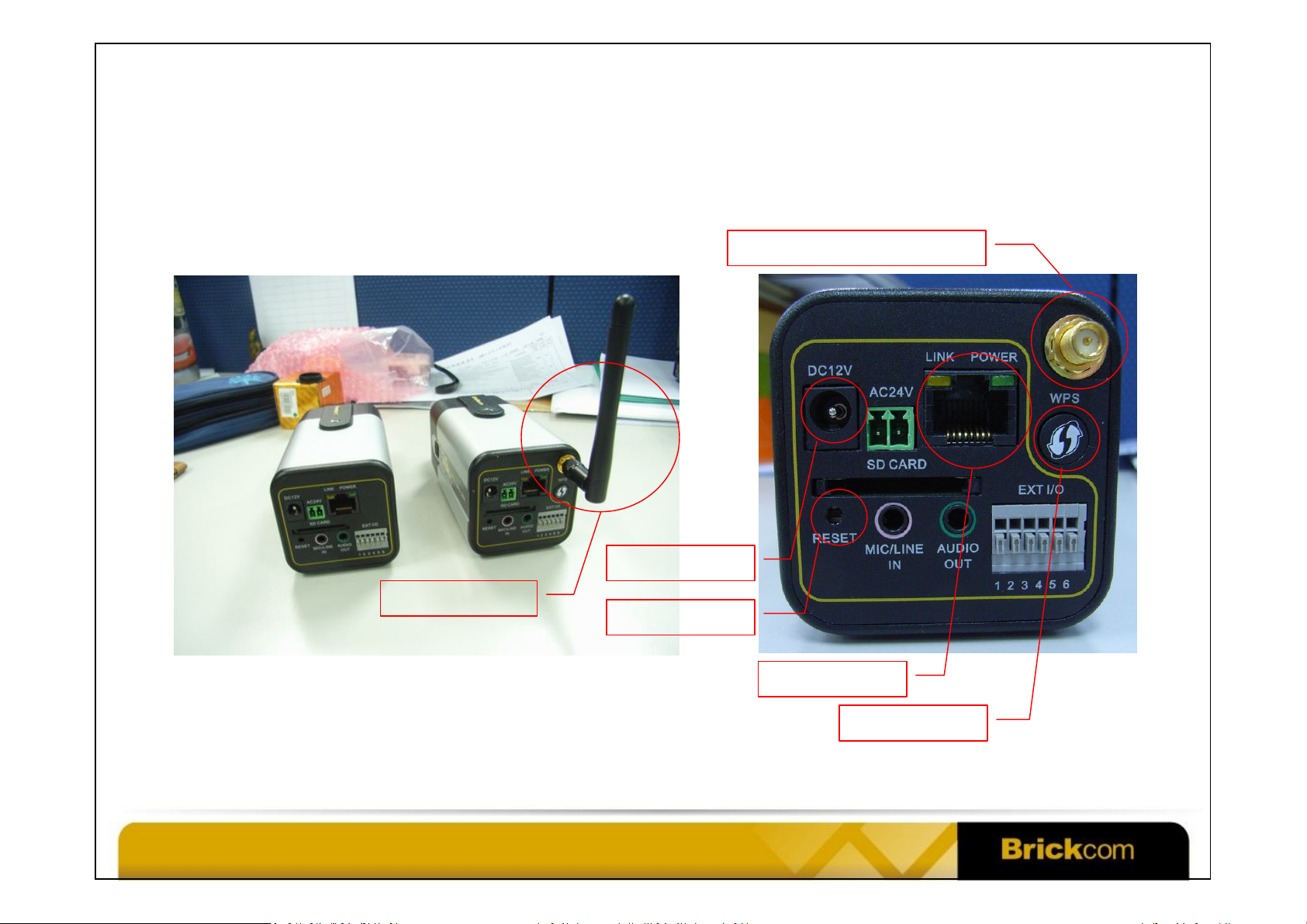
WFB-100Ap Camera Hardware
Wi-Fi Antenna Connector
WWW.BRICKCOM.COM | EXPERT IN IP SURVEIL LANCE
Wi-Fi Antenna
Confidential © Brickcom Corporation, All Rights Reserved.
DC Power In
Reset Button
Ethernet Port
WPS Button
Page 5
WWW.BRICKCOM.COM | EXPERT IN IP SURVEIL LANCE
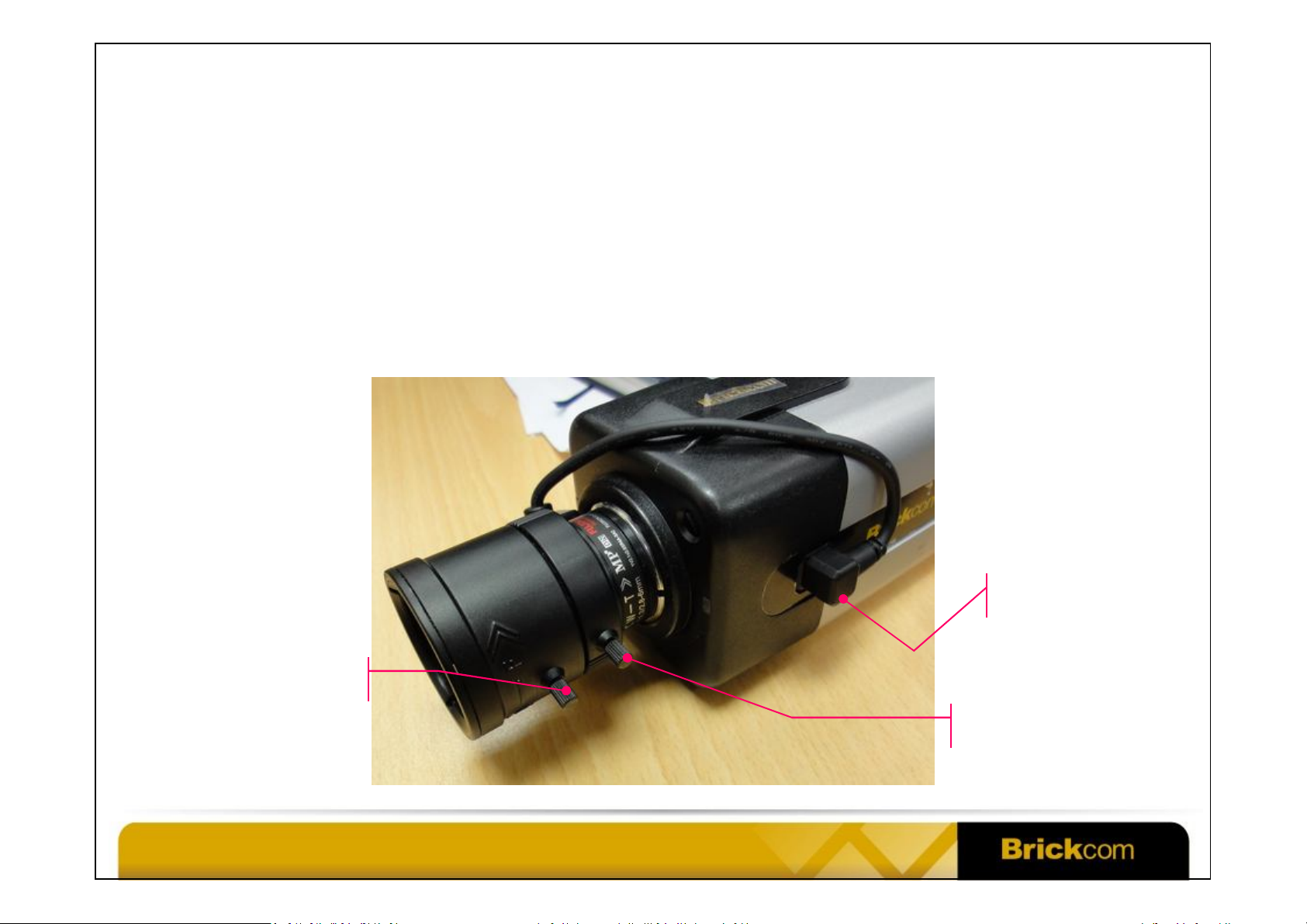
Vari-Focal Lens with Auto Iris
• Attach the lens to the camera by turning it clockwise onto the camera mount.
• Connect the lens cable plug to the camera side connector.
• If the image is blurry, adjust the focus controller and zoom controller of the
WFB-100Ap.
Focus Controller
Confidential © Brickcom Corporation, All Rights Reserved.
Auto Iris
Connector
Zoom Controller
Page 6
WWW.BRICKCOM.COM | EXPERT IN IP SURVEIL LANCE
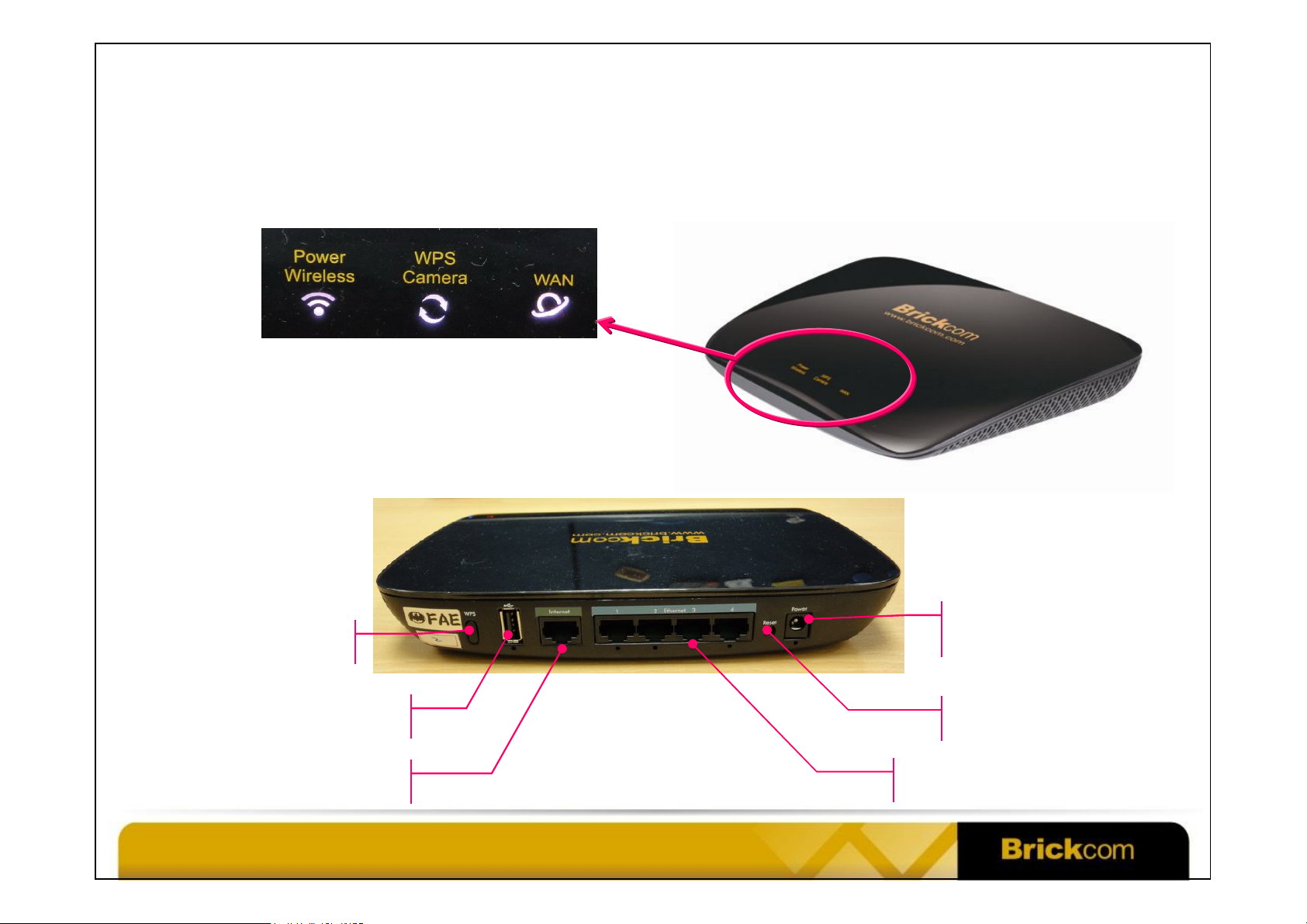
DWRT-600N Hardware
• Wi-Fi Simultaneous Dual-Band Router: DWRT-600N
LED Indicators
WPS Button
USB Port
WAN Ethernet Port
Confidential © Brickcom Corporation, All Rights Reserved.
DC Power In
(12V 1.5A)
Reset Button
LAN Ethernet Ports
Page 7
WWW.BRICKCOM.COM | EXPERT IN IP SURVEIL LANCE
Set Up Wi-Fi Connection
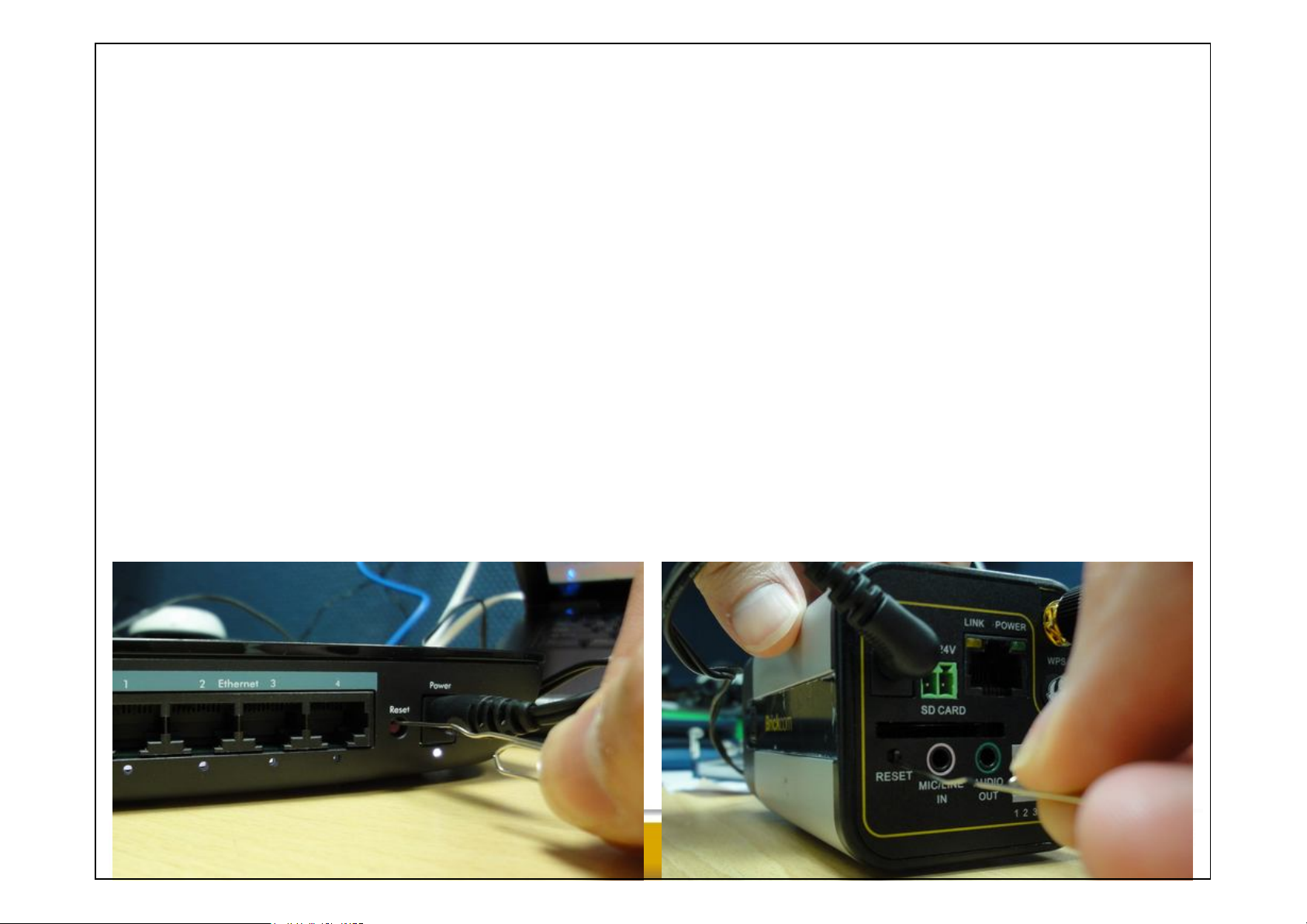
• If the WFB-100Ap and DWRT-600N are running with the factory default settings,
the WFB-100Ap can be connected to the DWRT-600N automatically in around 90
seconds after power-on.
– The network name (SSID) of the DWRT-600N is Brickcom.
– The wireless connection is not encrypted and is not secure.
– To reset the DWRT-600N to the factory default, press the Reset button for 10 seconds
and all the LED indicators will go off, then release it. This process takes around 60
seconds.
– To reset the WFB-100Ap to the factory default, press the Reset button for 10 seconds
and then release it. This process takes around 90 seconds.
Confidential © Brickcom Corporation, All Rights Reserved.
Page 8
WWW.BRICKCOM.COM | EXPERT IN IP SURVEIL LANCE
Set Up Wi-Fi Connection Using WPS
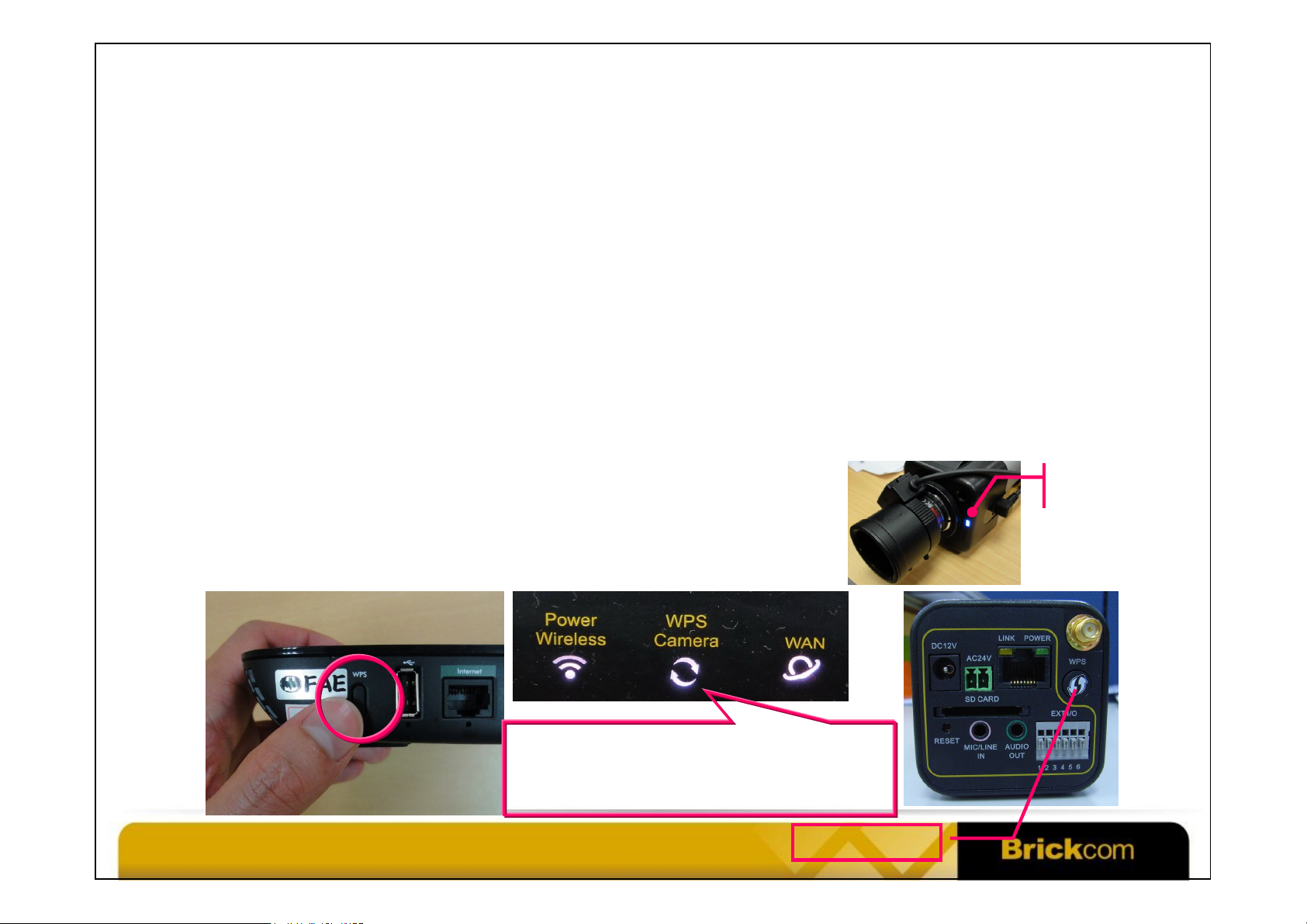
• Step 1: Power on the DWRT-600N and the WFB-100Ap. Wait 1 minute for both
devices to be up and running.
• Step 2: Press the WPS button of the DWRT-600N. The WPS LED will be blinking.
• Step 3: Press the WPS button of the WFB-100Ap. The WPS LED will be blinking.
• Step 4: When the WPS LED of the WFB-100Ap stops blinking and becomes ON, WPS is
successfully done. The process usually takes less than 1 minute. The WPS Camera LED
of the DWRT-600N will remain ON.
• Step 5: If you have more than 1 camera, repeat step 2~4.
• The wireless connection is encrypted and secure.
Blinking: WPS is running
OFF: WPS is not running
ON: Brickcom IP camera is connected
Confidential © Brickcom Corporation, All Rights Reserved.
WPS LED
WPS Button
Page 9
WWW.BRICKCOM.COM | EXPERT IN IP SURVEIL LANCE
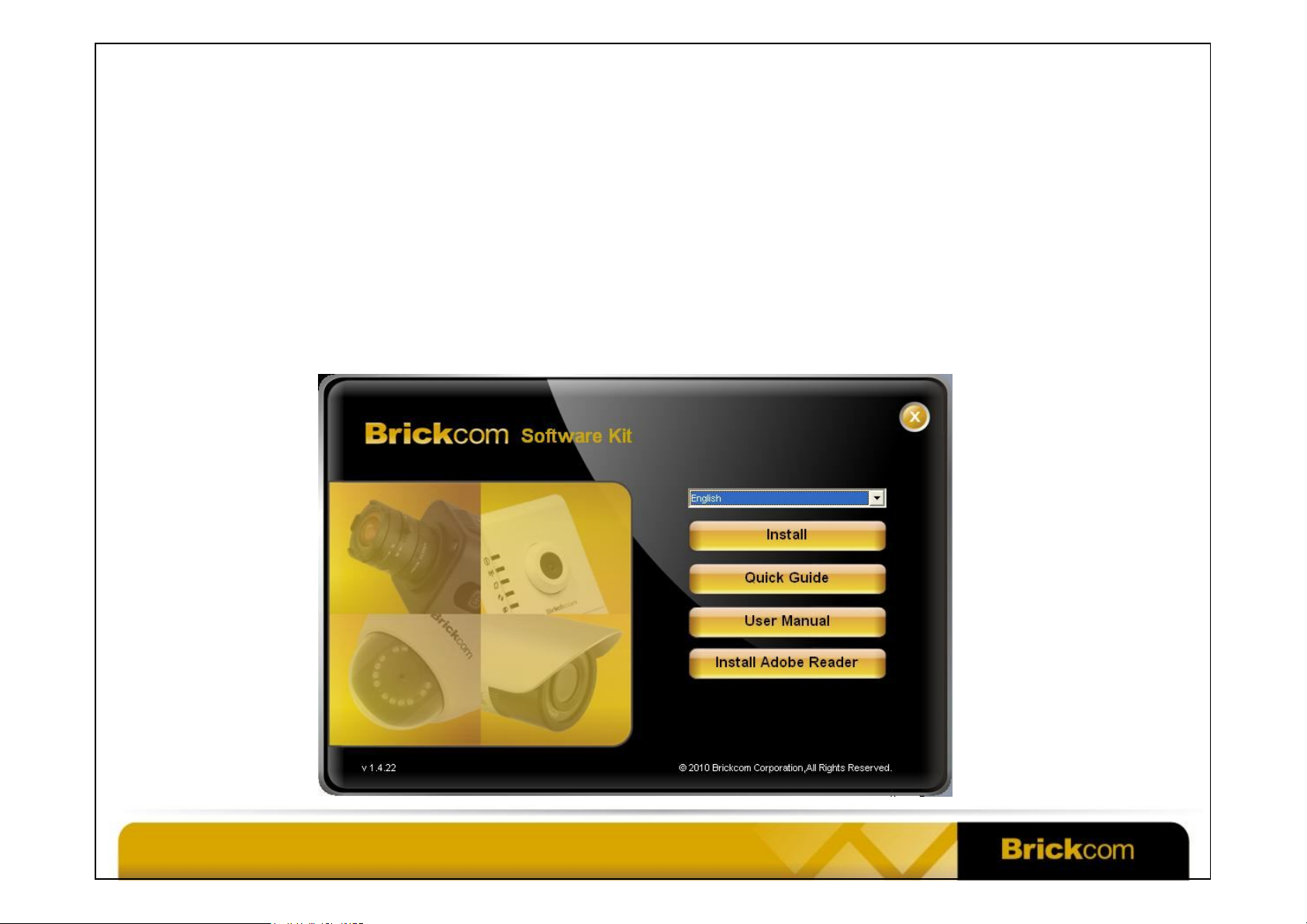
Brickcom Software Kit
• Includes EasyConfig, PC-NVR, User Manual, Quick Guide, etc.
• Language Support: English, Spanish, French, Deutsche, Japanese, Chinese, etc.
• Comes in a CD with the Brickcom IP camera. The CD supports Auto Run.
• Click Install to install the Brickcom Software Kit to your PC.
Confidential © Brickcom Corporation, All Rights Reserved.
Page 10
WWW.BRICKCOM.COM | EXPERT IN IP SURVEIL LANCE
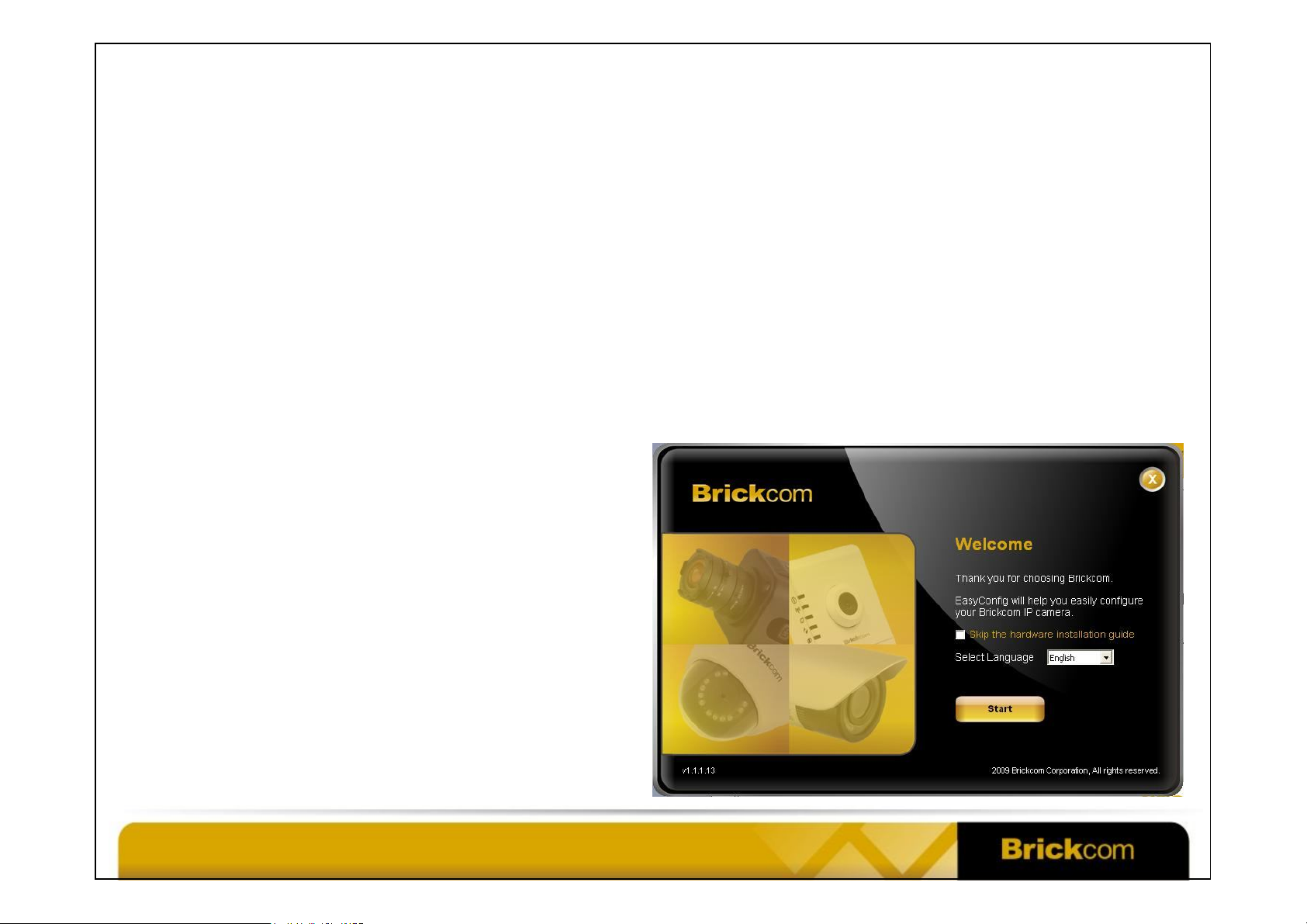
EasyConfig
• Use EasyConfig to discover and access the Brickcom IP camera.
– Simple Mode allows the user to find the camera, connect to it and do the
live view in just a few mouse clicks!
– Professional Mode gives the user more control over the camera, such as
• Detailed network configuration of the camera
• EasyLink setting
• Access to PC-NVR
Confidential © Brickcom Corporation, All Rights Reserved.
Page 11
WWW.BRICKCOM.COM | EXPERT IN IP SURVEIL LANCE
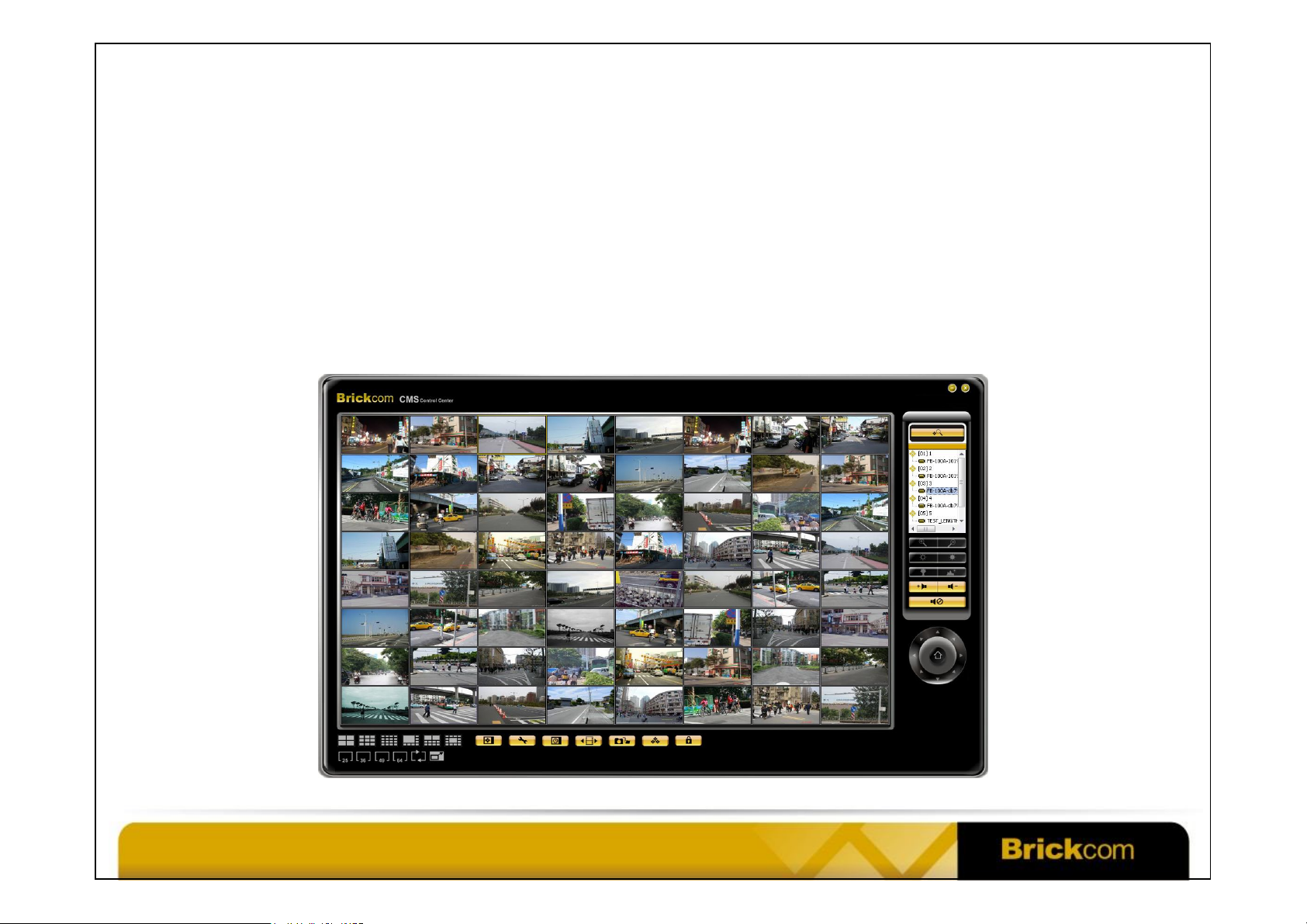
PC-NVR (BRC-64)
• Brickcom’s free-bundled 64-channel recording software. No license fee.
• Included in the Brickcom Software Kit. The user manual is also included.
• Supports Windows XP, Vista and 7.
• Supports simultaneous live view, recording and playback.
Confidential © Brickcom Corporation, All Rights Reserved.
Page 12
WWW.BRICKCOM.COM | EXPERT IN IP SURVEIL LANCE
Attention: Please connect your PC to
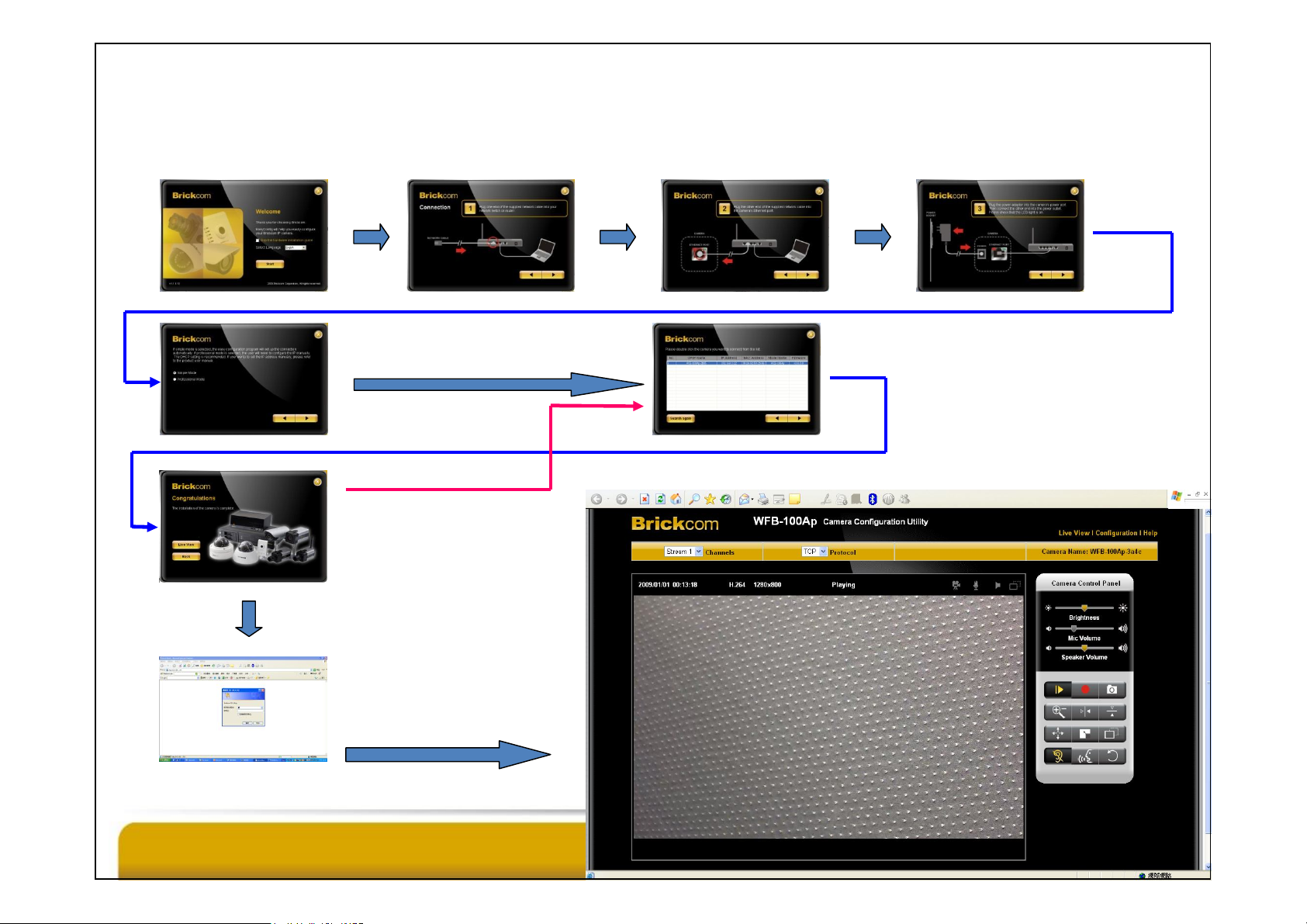
EasyConfig Workflow
Start Next Next Next
Choose Simple Mode
and click Next
Choose Back
to set up more
the DWRT-600N’s LAN Ethernet port
before running EasyConfig.
Choose the camera
and click Next
Choose
Live View
Username: admin
Password: admin
Confidential © Brickcom Corporation, All Rights Reserved.
cameras
First-Time
ActiveX Player
Installation
Page 13
WWW.BRICKCOM.COM | EXPERT IN IP SURVEIL LANCE
Notes
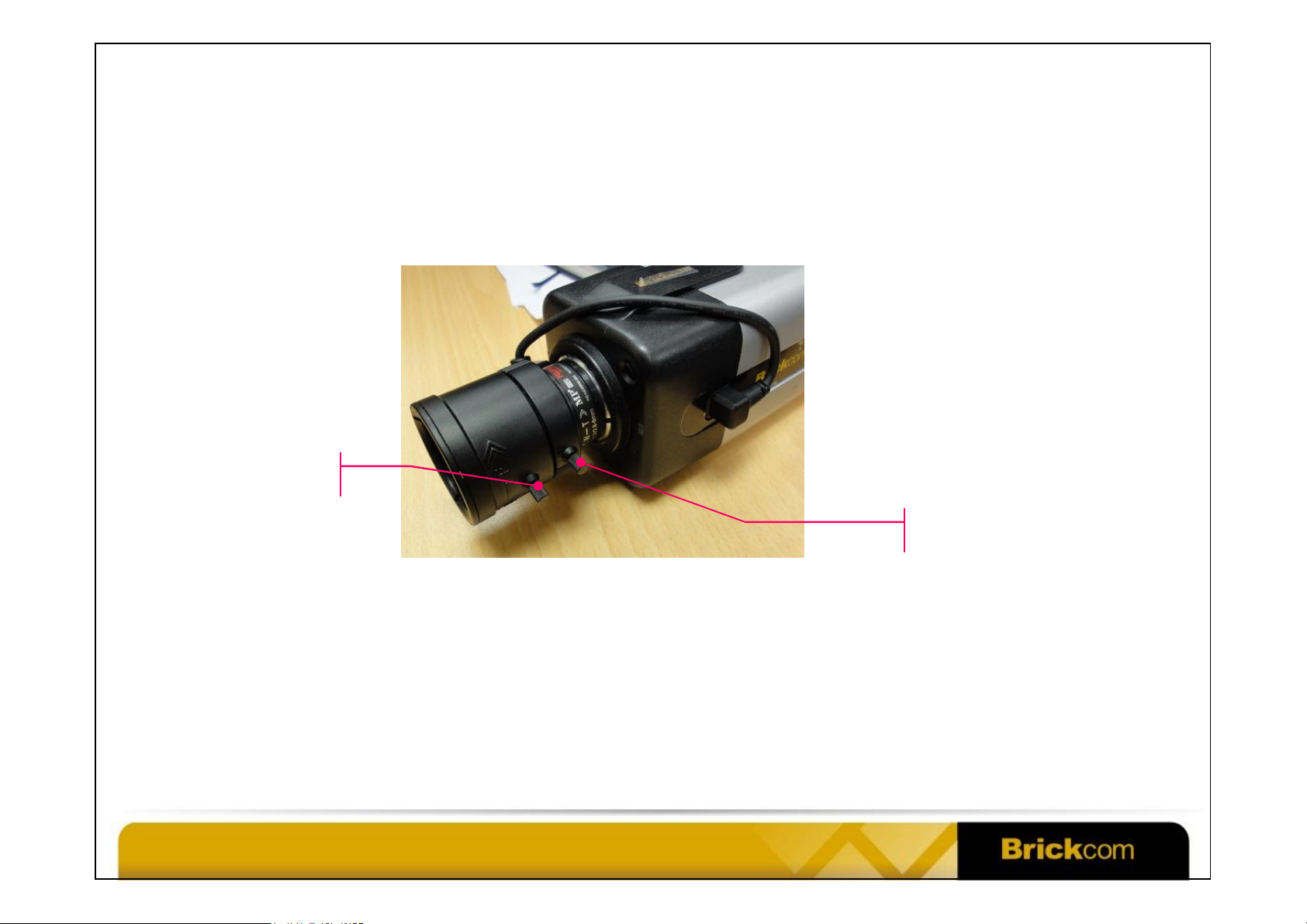
• If the image is blurry, adjust the focus controller and zoom controller.
Focus Controller
Zoom Controller
• Typically the wireless distance between the DWRT-600N and WFB-100Ap is
typically 60~90ft indoors, and up to 200ft in the line-of-sight situation. The
actual distance varies with the environment.
• Please close all other Windows applications for the PC to have more system
resources for viewing the video feed.
Confidential © Brickcom Corporation, All Rights Reserved.
Page 14
Brickcom, Your Best Partner.
Thank You
WWW.BRICKCOM.COM | EXPERT IN IP SURVEIL LANCE
© Brickcom Technology Inc., All Rights Reserved. This document is for planning
purposes only, and is not intended to modify or supplement any specifications
or warranties relating to products of Brickcom Technology. Brickcom may make
Confidential © Brickcom Corporation, All Rights Reserved.
changes to specifications and descriptions at any time, without notice.
 Loading...