

Page 1

iSee310
EYE MASSAGER
USER
MANUAL
Page 2

Thank you for purchasing
BREO iSee310.
Please read this manual carefully before using
the product, and keep it in a safe place for future
reference.
Page 3

Contents
Introduction
Inside the Package
Function Deployment
Preparation 5
Operation
Precautions
Troubleshooting & Technical Parameters
3
3
4
6
7 -- 8
9
2
Page 4
Introduction
iSee310 adopts air pressure and hot compress massaging technology.
It rubs, presses, hot compresses, and massages the ocular region in order
to relax it.
Inside the Package
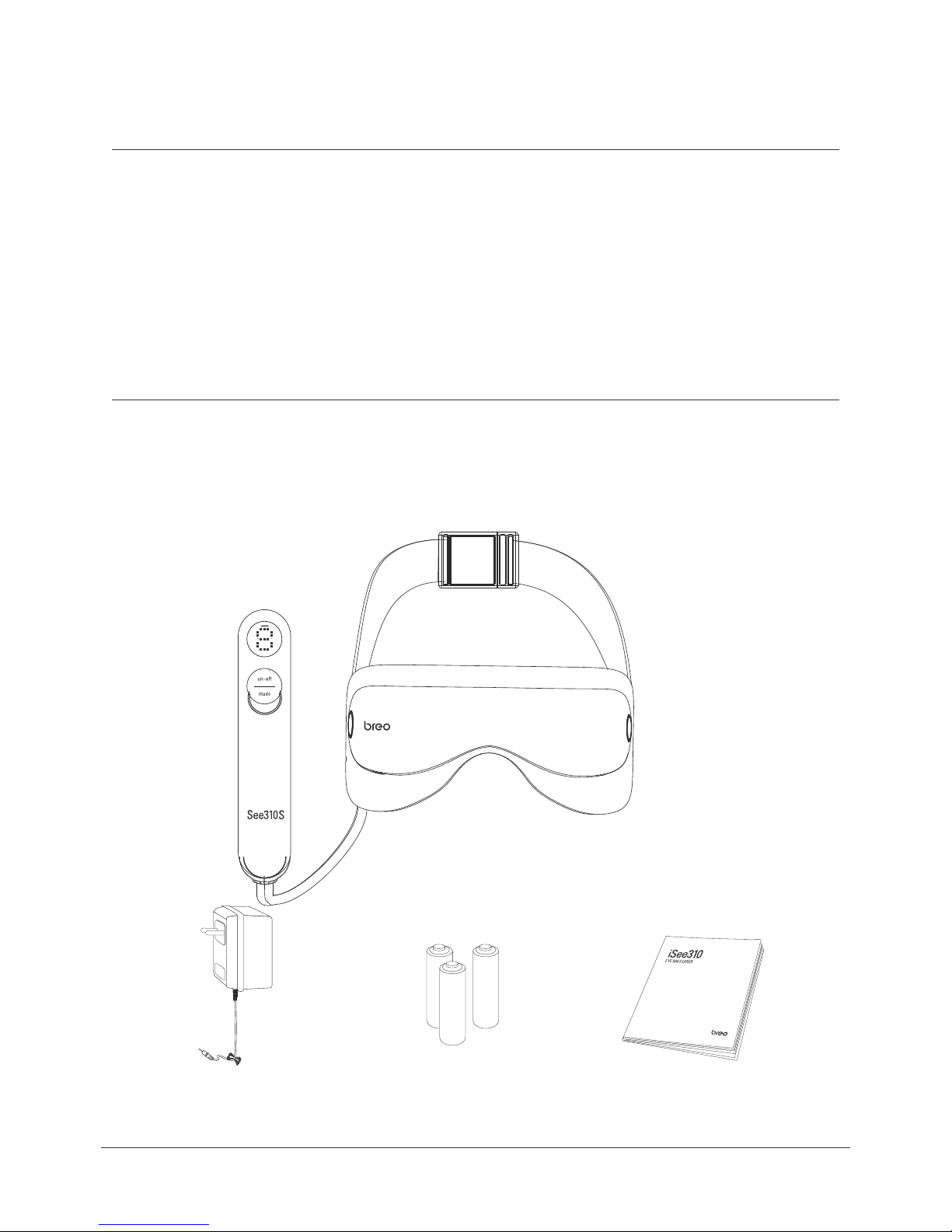
The package includes: Main Unit, Controller, AC Adapter, Batteries, User
Manual.
Controller
Main Unit
BatteriesAC Adapter
User Manual
3
Page 5
Function Deployment
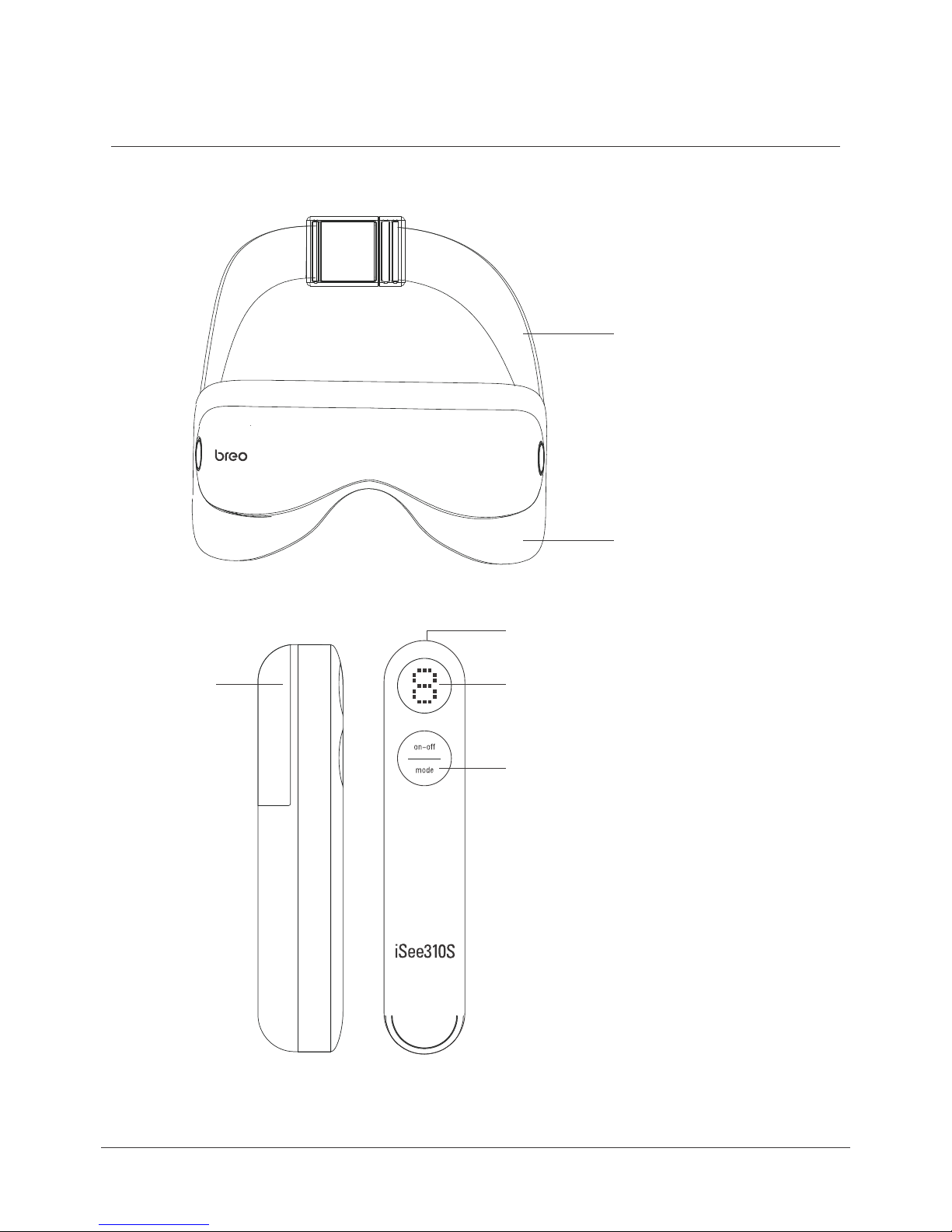
Main Unit
E
Fabric cover
Controller
D
C
A
A . LCD Screen
B
B . Operating Buttons
C . DC Power Port
D . Battery Cover
E . Main Unit
4
Page 6
Preparation
Prior to use, check the integrity of the machine and
accessories:
No damage on connection between controller and main unit
a.
Battery power is sufficient
b.
No damage on AC adapter
c.
Power Options
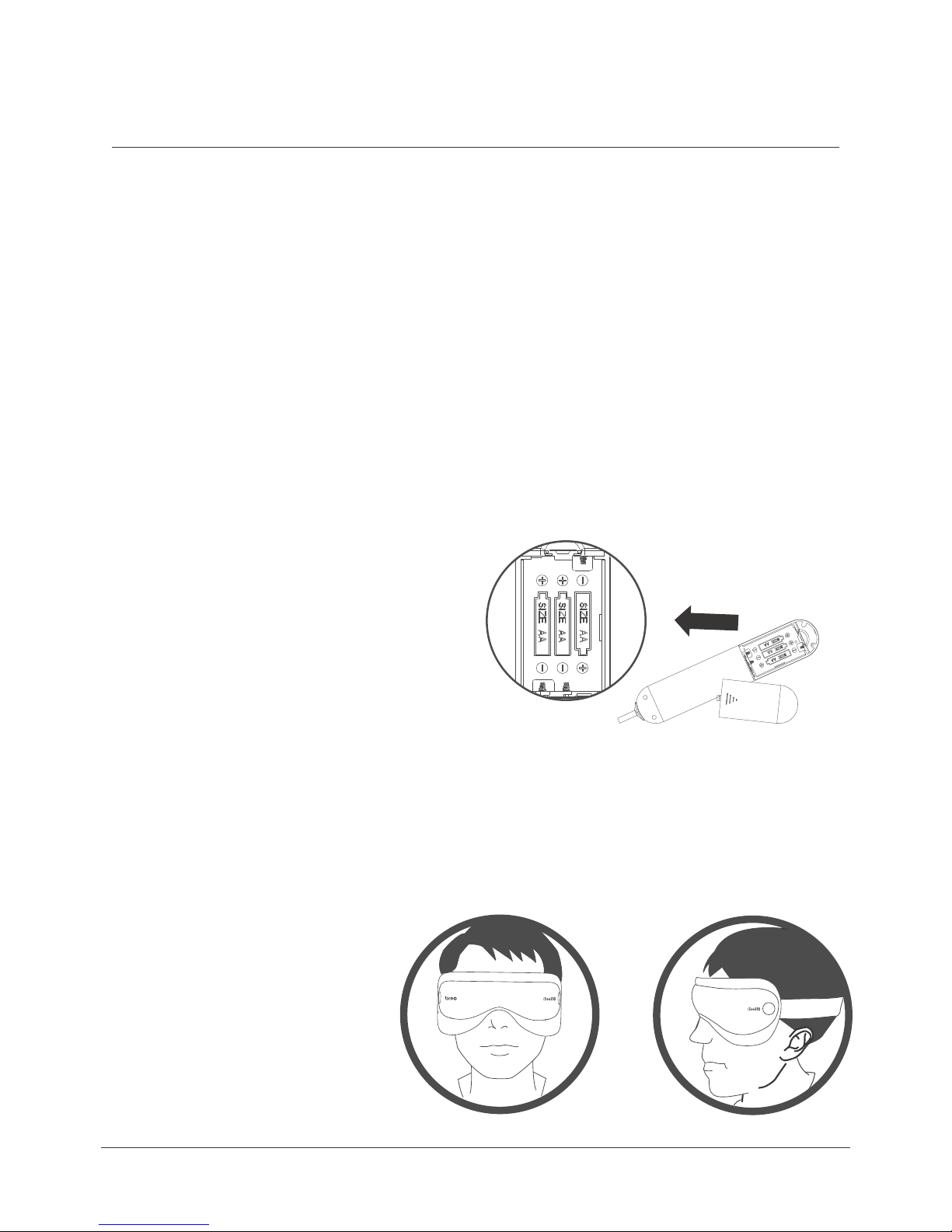
1. Batteries
Open the battery cover on the back of the controller.
a.
Install 3 AA batteries in accordance with the positive and
b.
negative poles.
Close the battery cover.
c.
2. AC Adapter
Insert the AC adapter in the controller’s DC port.
a.
Connect the other end to AC power socket.
b.
* Choose power option #1 OR #2.
Wear
5
Page 7

Operation
Power on – Press and hold Button
Preset default is air pressure + hot compress for 15 minutes.
Manually operate related function buttons to switch between
air pressure and hot compress modes.
Power off – Press and hold Button again
Manual mode
ON-OFF/Hot compress Button – Press and hold ON-OFF to start
up the machine (into preset mode); Press the same button to
select hot compress modes (low or high temperature)
Press and hold it again to shut down the machine
Mode/Air pressure Button – Press Mode button to select from 3
modes (Relaxing / Soft / Comfortable)
6
Page 8

Precautions
1.
2.
3.
4.
5.
6.
Please read the manual carefully and operate accordingly.
Children under 7 years old cannot use the massager.
This massager should not be used by:
People who suffer from brain disease or have undergone brain surgerya.
b.
c.
People who are suffering from glaucoma, retinoschisis, or other
serious eye diseases
People who have physical or mental disorder
Take off contact lenses/eye glasses before use.
Put on/wear the unit first BEFORE turning the power on.
Do not use while walking or driving.
7.
8.
9.
10.
11.
Keep your eyes closed for a few seconds after use,then open
them slowly.
Keep the massager away from humidity, heat, and/or corrosive gas.
If the massager will not be used for a long time, remove the batteries
to avoid battery leakage.
This massager is designed as a personal care product. It is not for
diagnosis/treatment of any health disorder, nor meant for
commercial use.
To clean, wipe with aseptic cotton and alcohol. Do not wash or
immerse in water.
7
Page 9

12.
This product is not a substitute for healthcare professionals' advice
and treatment. In case of doubt or if necessary, please consult your
healthcare professional.
13.
14.
15.
This device complies with Part 15 of the FCC Rules. Operation is subject
to the following two conditions:
(1) this device may not cause harmful interference, and
(2) this device must accept any interference received, including interference that may cause undesired operation.
Please note that changes or modifications not expressly approved by
the party responsible for compliance could void the user’s authority to
operate the equipment.
This equipment has been tested and found to comply with the limits for
a Class B digital device, pursuant to Part 15 of the FCC Rules. These
limits are designed to provide reasonable protection against harmful
interference in a residential installation. This equipment generates,
uses and can radiate radio frequency energy and, if not installed and
used in accordance with the instructions, may cause harmful interference to radio communications. However, there is no guarantee that
interference will not occur in a particular installation. If this equipment
does cause harmful interference to radio or television reception, which
can be determined by turning the equipment off and on, the user is encouraged to try to correct the interference by one or more of the following measures:
– Reorient or relocate the receiving antenna.
– Increase the separation between the equipment and receiver.
– Connect the equipment into an outlet on a circuit different from that
to which the receiver is connected.
– Consult the dealer or an experienced radio/TV technician for help.
8
Page 10
Troubleshooting &
Technical Parameters
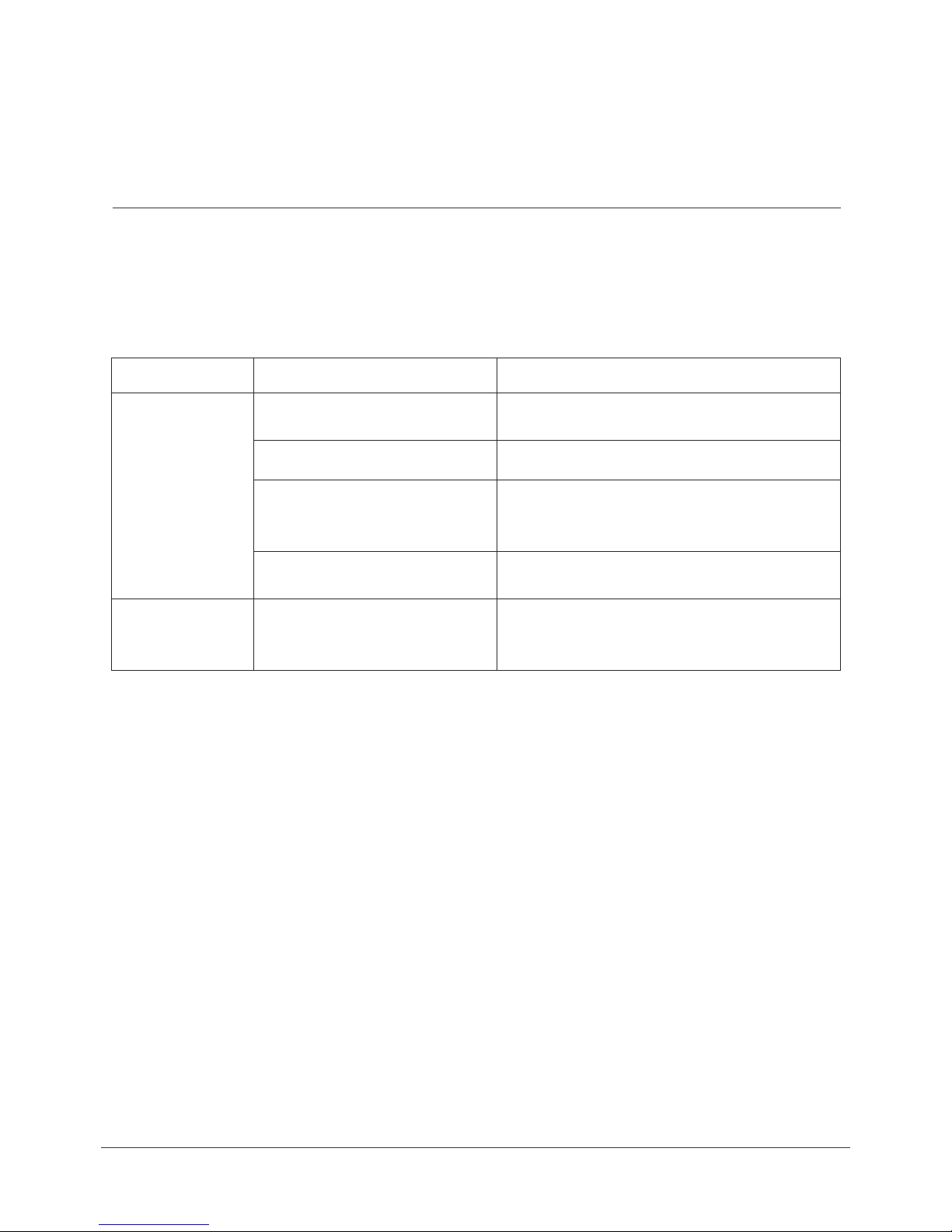
When operational problems occur, please refer to the chart below.
Do not disassemble the machine or try to repair it by yourself.
Problem
Power-ON failure
Weak heat or air
pressure
Cable is broken / in bad
condition
Batteries are low / out
Batteries are not installed
correctly
AC adapter is not connected
properly
Batteries are low / out
Possible Reason
Technical Parameters
Power supply:
Ideal environment:
Check the condition of the cable
Change batteries
Check if positive/negative poles of batteries
are positioned right
Make sure the batteries are snug in place
Check the connection of the AC adapter to
the power socket .
Change batteries
Make sure the batteries are installed
correctly and snug in place
Possible Solution
DC: 4.5V 1000mA
Temperature: 5°C - 40°C
Dimension :
Net Weight:
Power:
Air pressure strength:
Heating temperature:
Relative humidity: :≤80%
Main Unit: 220mm X 100mm X 86mm
Controller: 184mm X 36mm X 39mm
390g
4.5W
5hpa-400hpa
30°C-45°C
9
 Loading...