

Page 1
USER
MANUAL
iDream 5
HEAD MASSAGER
Thank you for purchasing Breo
Please read this manual carefully before using and keep it
properly for future reference
HM-1ཤ䜘᤹᪙ಘ㤡᮷䈤᰾Җ PP 僁傜䪹㻵䇒
Page 2
Instruction
Instruction
Correct Disposal of this product. This marking
indicates that this product should not be disposed
with other household wastes throughout the EU. To
prevent possible harm to the environment or human
health from uncontrolled waste disposal, recycle it
responsibly to promote the sustainable reuse of
material resources. To return your used device.
Please use the return and collection systems or
contact the retailer where the product was purchased.
They can take this product for environmental safe
recycling.
--This appliance can be used by children aged from
8 years and above and persons with reduced physical,
sensory or mental capability or lack of experience and
knowledge if they have been given supervision or
instruction concerning use of the appliance in a safe
way and understand the hazards involved.
--Children shall not play with the appliance.
--Cleaning and user maintenance shall not be made by
children without supervision.
-details regarding safe disposal of used batteries;
-the battery must be removed from the appliance before
it is scrapped;
-the appliance must be disconnect from the supply mains
when removing the battery;
-the battery is to be disposal of safely.
Page 3
Product function
Inside the package
Product Deployment
Operation
Precautions
Troubleshooting
1
2
3
4-5
6
7
Contents Product function
1
6235115252
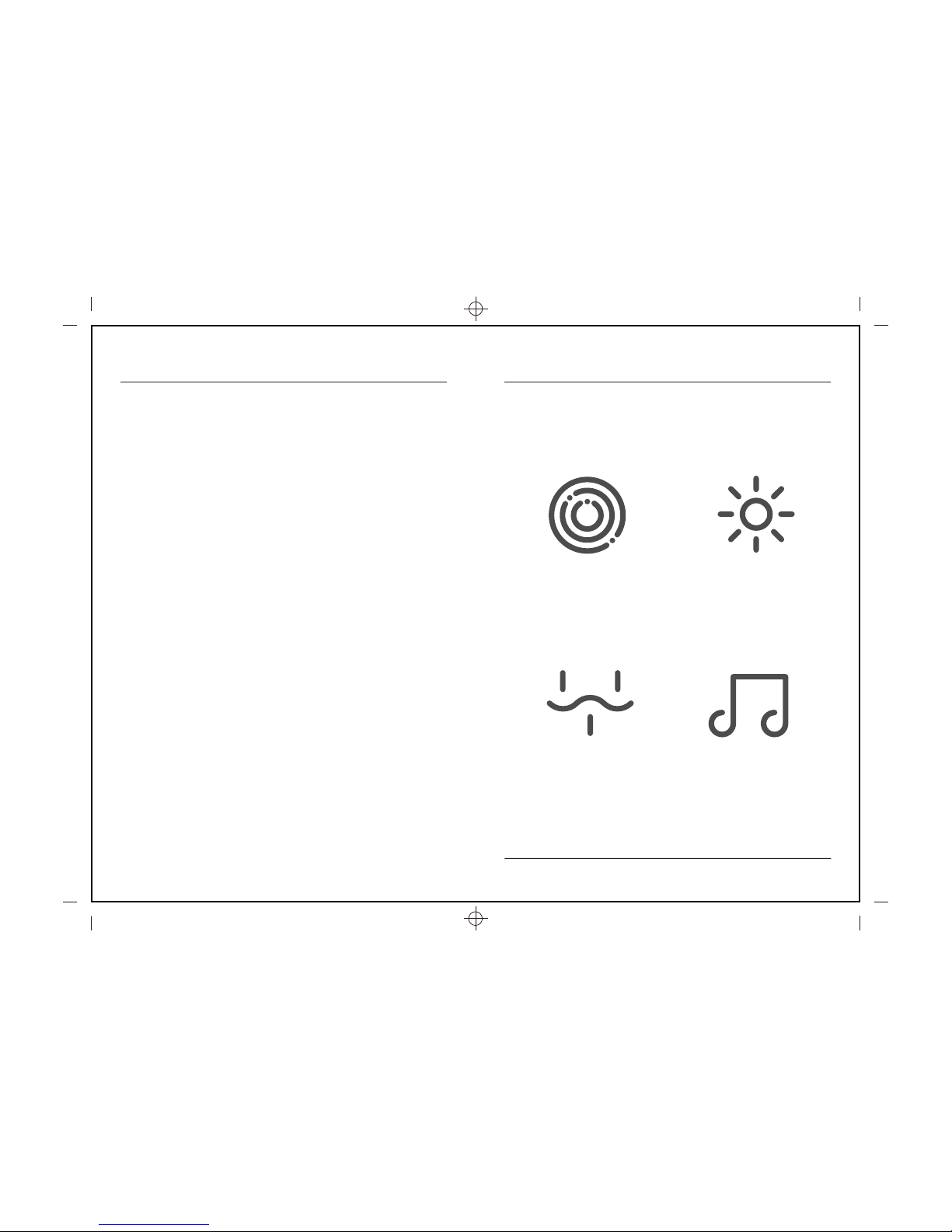
Point Massage
Heating
Air Pressure Music
Page 4
Main unit
3
Product Deployment
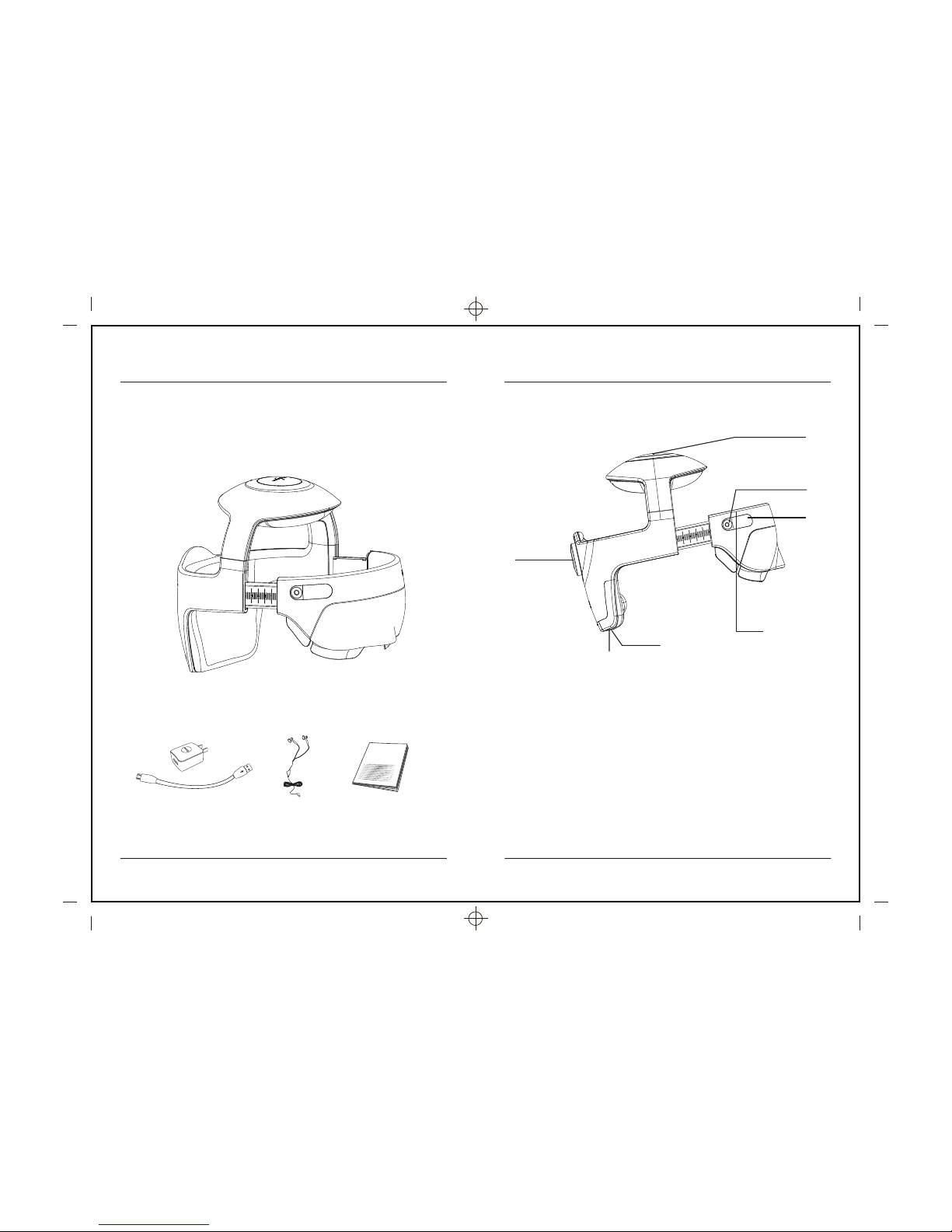
1. Massage head height adjust botton
2. On/off /mode switch
3. OLED display
4. Size adjust Knob
5. Earphone jack
6. DC power interface
7. Disassemble button for eye part
1
2
7
3
4
5
6
Your massager includes main unit, power adapter, earphone,
MICRO SD CARD, user manual
2
Inside the package
User manual
Power adapter
Earphone
Page 5
Preparation before use
1. Check if there are missing parts of the package.
2. Make sure the main unit with enough power.
3. Make sure there is no damage of the adaptor.
4
Operation
Charge the unit
1. Open the cover of ⑥DC power interface , insert the adaptor.
2. When charging, the battery status on ③OLED display will flashing,when
fully charged,it will stop flashing.
Attention
1. Make sure the main unit is power off when charging; Charging time is
about 4 hours.
2. Do not use the product when charging.The main unit doesn’t work while
charging
3. Download APP for customizing massage.
How to wear
1. Press the button in the middle of ④ Size adjust Knob and wear the main
unit.
2. Turn ④ Size adjust Knob to adjust the size to fit your head and eyes.
Operation& Mode Selection
Short press ②On/off /mode switch, MED mode will on. Short press ②
On/off /mode switch to switch the massage mode.
5
Operation
Long press ② On/off /mode switch.
Shutdown
Operation& Mode Selection
Air pressure
Heating (39-42 ć)
Music
15 min
Air pressure
Heating (39-42 ć)
Music
Kneading
15min
MED HARD
3. The top side size could be adjusted after machine on.
Short press ① Massage head height adjust botton for shorter the
size(maximum 3 times), and long press for higher size.
4. The eye part could be disassembled before you wear the main unit by ⑦
Disassemble button for eye part.
Page 6
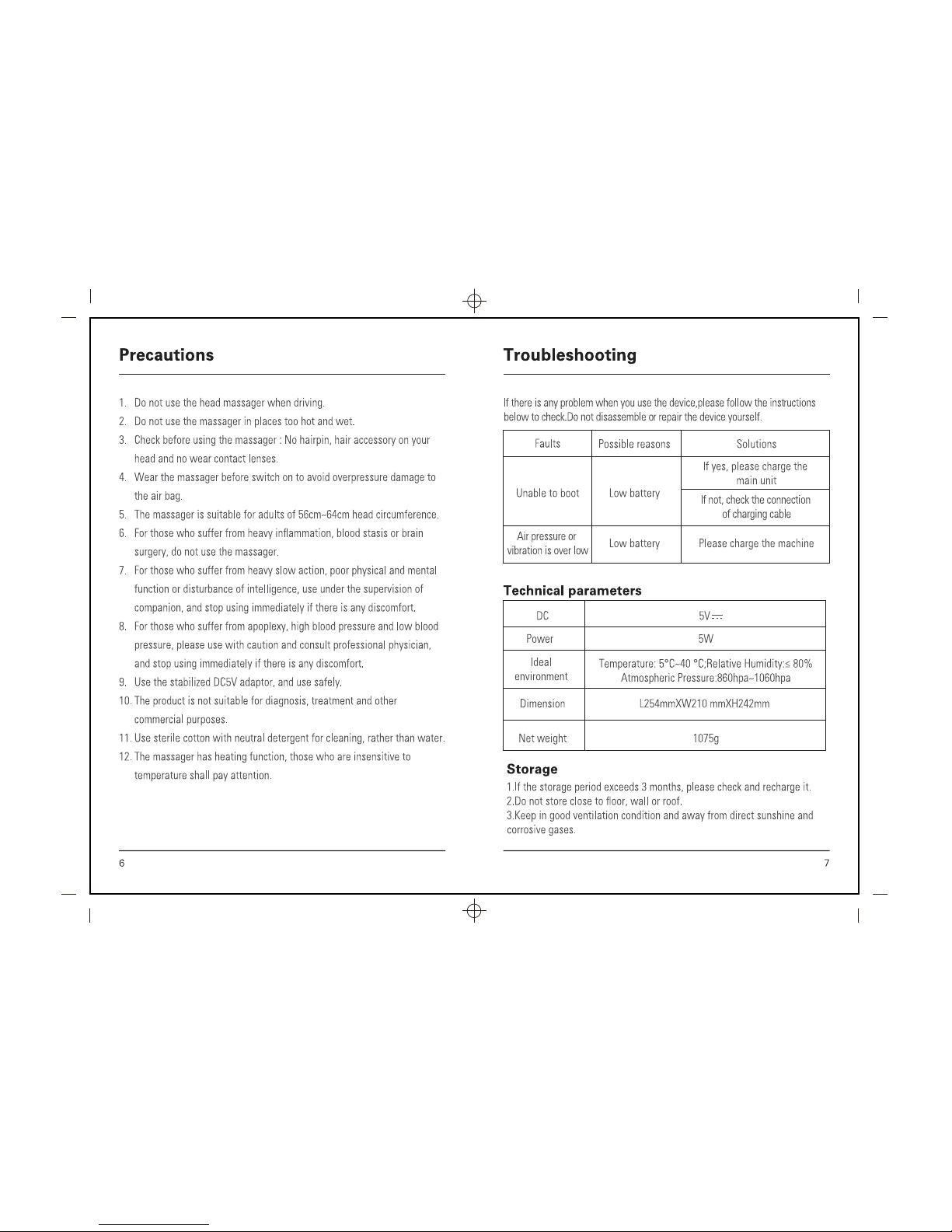
13.This device complies with Part 15 of the FCC Rules. Operation
is subject to the following two conditions: (1) this device may not cause
harmful interference, and (2) this device must accept any interference
received, including interference that may cause undesired operation.
Page 7
changes or modifications not expressly approved by the party responsible
for compliance could void the user’s authority to operate the equipment.
This equipment has been tested and found to comply with the limits for a
Class B digital device, pursuant to Part 15 of the FCC Rules. These limits
are designed to provide reasonable protection against harmful interference
in a residential installation. This equipment generates, uses and can radiate
radio frequency energy and, if not installed and used in accordance with the
instructions, may cause harmful interference to radio communications.
However, there is no guarantee that interference will not occur in a particular
installation.
If this equipment does cause harmful interference to radio or television
reception, which can be determined by turning the equipment off and on,
the user is encouraged to try to correct the interference by one or more of the
following measures:
-- Reorient or relocate the receiving antenna.
-- Increase the separation between the equipment and receiver.
-- Connect the equipment into an outlet on a circuit different from that to
which the receiver is connected.
-- Consult the dealer or an experienced radio/TV technician for help.
This device complies with Industry Canada license-exempt RSS standard(s).
Operation is subject to the following two conditions: (1) this device may not
cause interference, and (2) this device must accept any interference, including
interference that may cause undesired operation of the device.
Le présent appareil est conforme aux CNR d'Industrie Canada applicables
aux appareils radio exempts de licence. L'exploitation est autorisée aux deux
conditions suivantes : (1) l'appareil ne doit pas produire de brouillage, et (2)
l'utilisateur de l'appareil doit accepter tout brouillage radioélectrique subi,
même si le brouillage est susceptible d'en compromettre le fonctionnement.
IC Statement
IC Statement
FCC Statement
FCC Statement
 Loading...