

Page 1

iDream3S
HEAD MASSAGER
USER
MANUAL
Page 2

Thank you for purchasing
BREO iDream3S.
Please read this manual carefully before using
the product, and keep it in a safe place for future
reference.
Page 3

Contents
Introduction
Inside the Package
Function Deployment
Preparation
Operation
Precautions
Troubleshooting
Technical Parameters
Storage 9
5 -- 6
7 -- 8
3
3
4
5
9
9
2
Page 4
Introduction
iDream3S adopts air pressure, vibration, and hot compress massaging
technology to massage the head and ocular regions. It comes with
built-in relaxing music. You can now enjoy wonderful music while
massaging, further relaxing your brain.
Inside the Package
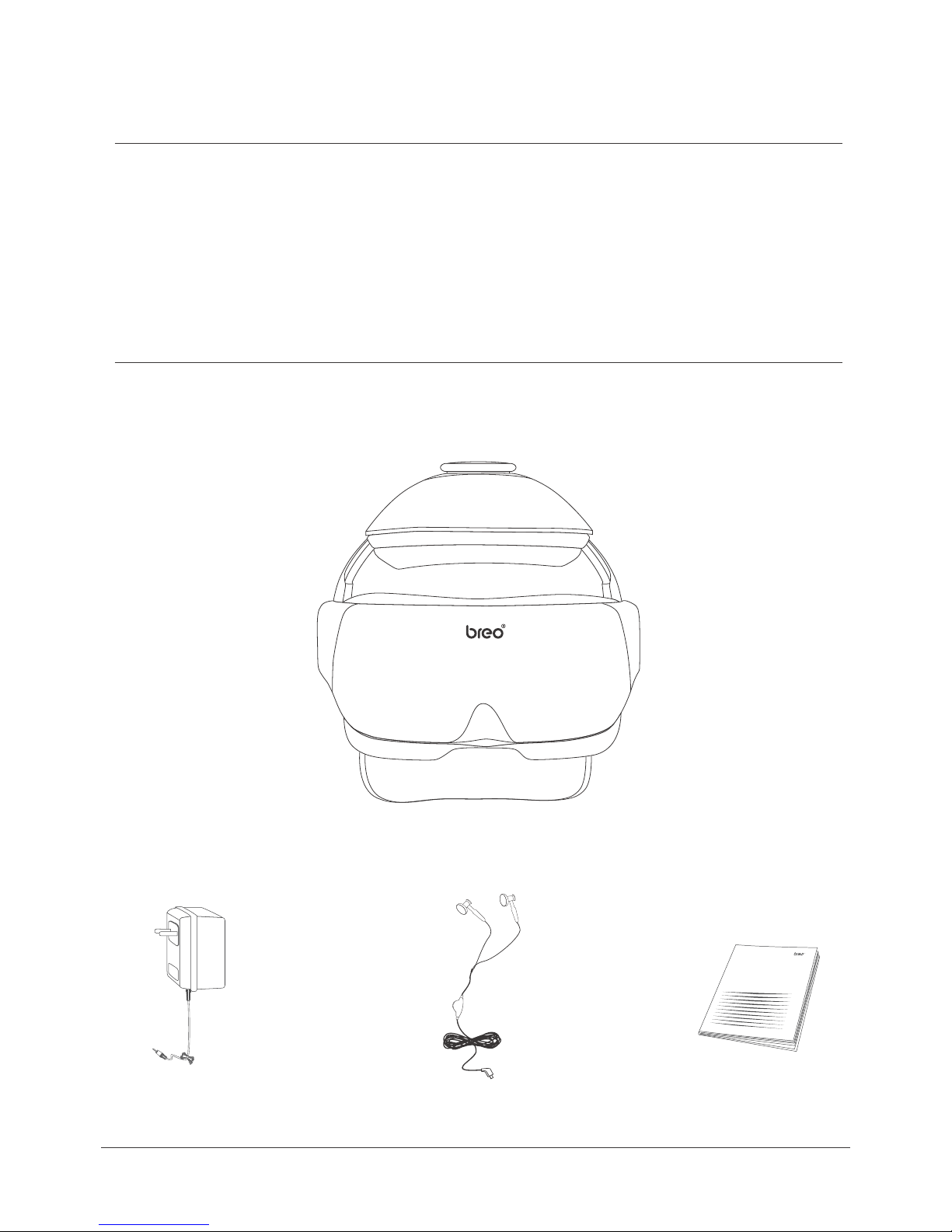
The package includes: Main Unit, Power Charger, User Manual, Earphones
Power Charger Earphones
Main Unit
Manual
3
Page 5
Function Deployment
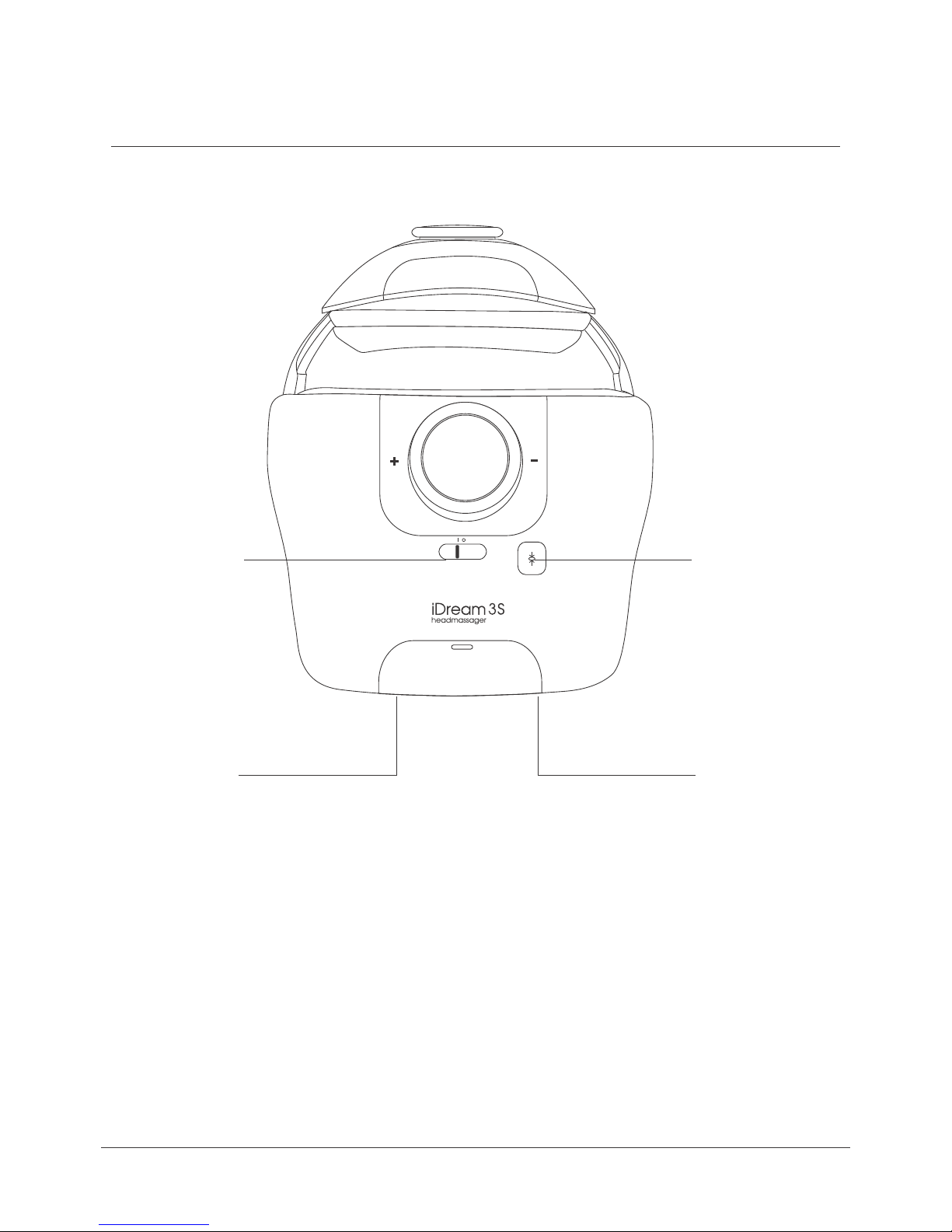
Main Unit
D. A.
C. B.
A.
B.
C.
D.
Pressure Reduction Valve
DC Power Port
Earphone Jack
On/Off Switch
4
Page 6
Preparation
Prior to use, check the integrity of the machine and accessories.
Attention:
1.
No damage on power charger
Battery power is sufficient
2.
Operation
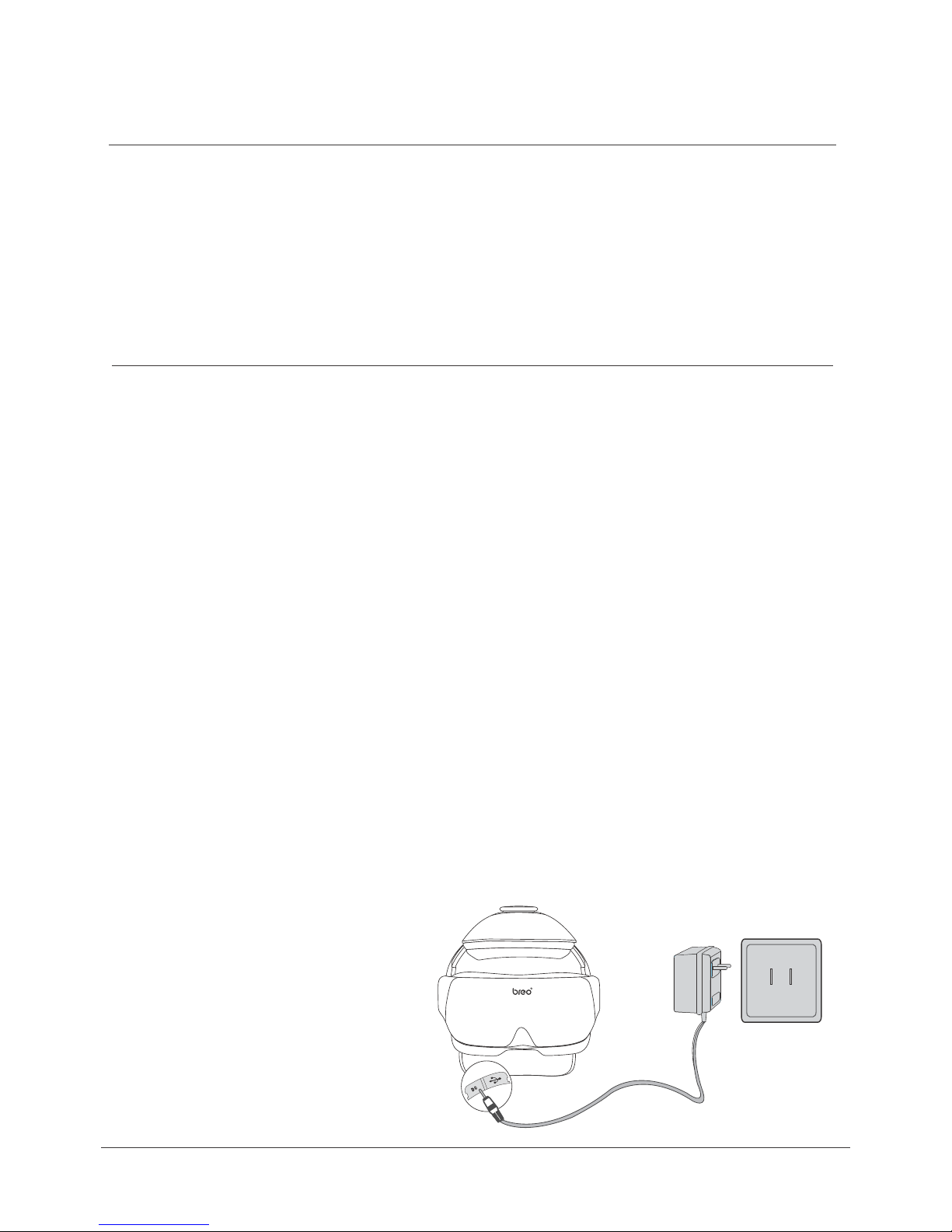
Charging of Main Unit
Open the cover of the DC power port on the main unit.
1.
Insert the plug of the power charger to the DC port.
2.
During charging, the light of the power charger is red. The light turns green when fully
3.
charged.
Attention:
1.
Push the power switch on the main unit to Level “O”. Keep the massager turned OFF
while charging. Charging time is approximately 3-4 hours.
If the massager is turned on while recharging, all functions of the product will run
2.
normally. The machine will automatically stop charging to prevent damage to the
device.
3.
If the power of the battery is lower than 3.2+-0.1V, the machine will automatically turn
off. If the LED indicator of the main unit flashes, it means the lithium battery is low.
Recharge the main unit.
5
Page 7
Wear
1.
Use the back dial to adjust the distance between head to establish the most comfortable fit,
and wear main unit.
2.
Use the top dial in setting the distance above head.
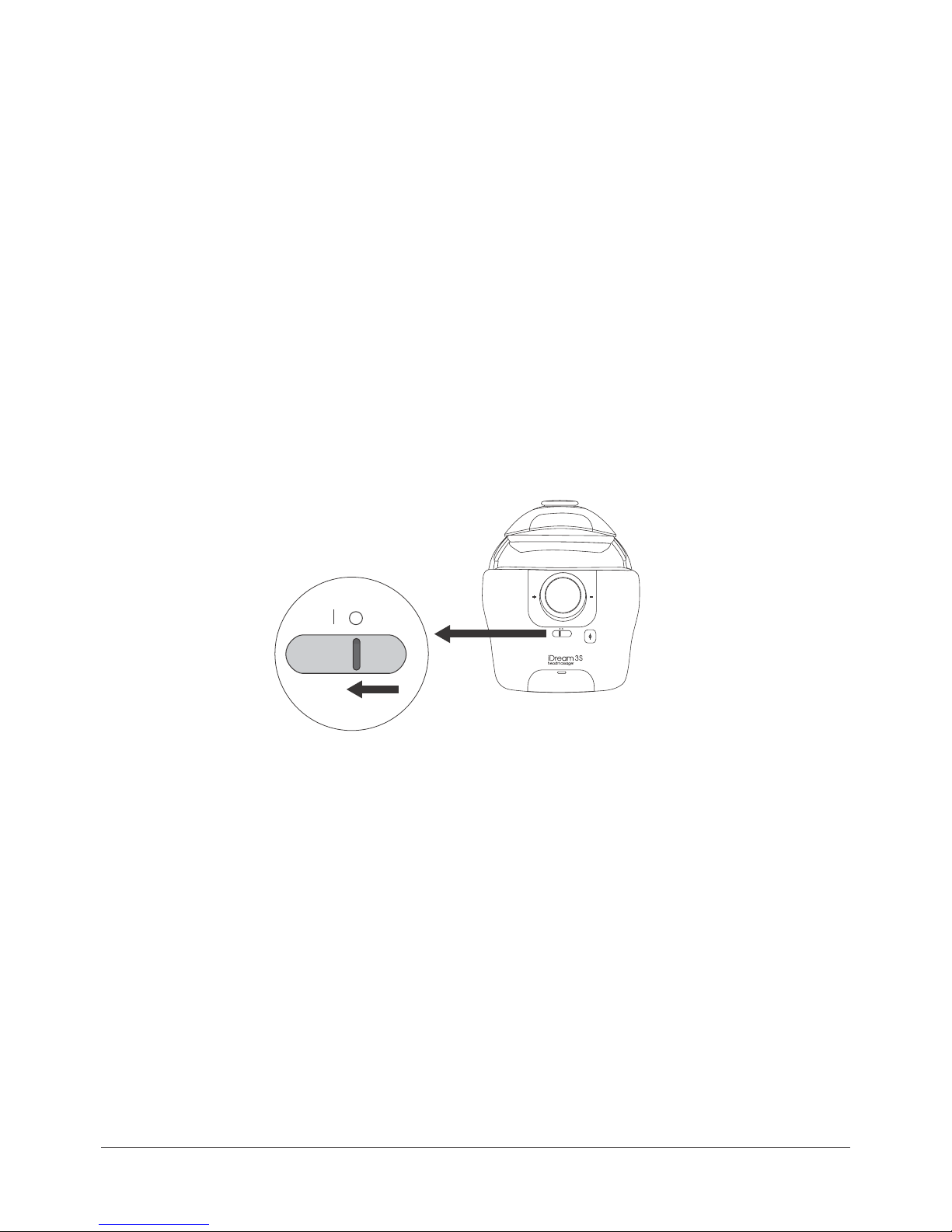
Power On/Off
1.
Power ON – Push the ON/OFF switch on the main unit to Level “I”
The main unit is powered by a high performance, environment-friendly lithium battery.
Preset default is air pressure (circulates automatically from low to high), 15 minutes
duration, vibration (at the final two minutes), hot compress (39-42°C)
2.
Power OFF – Push the ON/OFF switch on the main unit to Level “O”
(
Picture 1)
Attention:
When you feel the air pressure is too much and/or uncomfortable, press the Pressure
Reduction Valve on the main unit to release air.
to Level “I”
(picture 1)
6
Page 8

Precautions
Please read the manual carefully and operate accordingly.
1.
Children under 7 years old cannot use the massager.
2.
This massager should not be used by people who suffer from a brain
3.
disease, have had brain surgery, or have a physical or mental disorder.
Take off contact lenses/eye glasses before use.
4.
Put on/wear the unit first BEFORE turning the power on.
5.
Do not use while walking or driving.
6.
Keep your eyes closed for a few seconds after use, then open them
7.
slowly.
Keep the massager away from humidity, heat, and/or corrosive gas.
8.
9.
10.
11.
12.
13.
14.
This massager is designed as a personal care product. It is not for
diagnosis/treatment of any health disorder, nor meant for
commercialuse.
To clean, wipe with aseptic cotton and alcohol. Do not wash or
immerse in water.
This product is not a substitute for healthcare professionals' advice
and treatment. In case of doubt or if necessary, please consult your
healthcare professional.
You must push the Power Switch Protection Key to level “0”
to stop using this product.
Please use DC4.5V power charger from our company in a safe
manner.
Please note that changes or modifications not expressly approved
by the party responsible for compliance could void the user’s
authority to operate the equipment.
7
Page 9

15.
This equipment has been tested and found to comply with the limits
for a Class B digital device, pursuant to Part 15 of the FCC Rules.
These limits are designed to provide reasonable protection against
harmful interference in a residential installation. This equipment
generates, uses and can radiate radio frequency energy and, if not
installed and used in accordance with the instructions, may cause
harmful interference to radio ommunications. However, there is no
guarantee that interference will not occur in a will not occur in a
particular installation. If this equipment does cause harmful
interference to radio or television reception,which can be determined
by turning the equipment off and on,the user is encouraged to try to
correct the interference by one or more of the following measures:
– Reorient or relocate the receiving antenna.
– Increase the separation between the equipment and receiver.
– Connect the equipment into an outlet on a circuit different from
that to which the receiver is connected.
– Consult the dealer or an experienced radio/TV technician for help
8
Page 10

Troubleshooting , Technical
Parameters, & Storage
When operational problems occur, please refer to the chart below.
Do not disassemble the machine or try to repair it by yourself.
Problem Possible Reason Possible Solution
Power Switch Protection key
is not turned on
Power-On Failure
Weak air pressure
or vibration
Lithium battery of the main
unit is low
Lithium battery of the main unit
is low
Technical Parameters
Power supply:
Ideal environment:
Dimension :
Push this key to Level I
Recharge the main unit at once.
Recharge the main unit at once.
DC: 4.5V
Temperature: 5°C - 40°C
Relative humidity: :≤80%
Atmospheric Pressure: 860-1060hpa
Main Unit: 282mm X 206mm X 254mm
Net Weight:
Power:
Storage
If left unused, checking the product/turning the power on every 6 months
1.
is recommended.
Do not store near the floor, wall or roof.
2.
3.
Maintain good ventilation and keep away from direct sunlight and
corrosive gases.
1000g
4.5W
9
 Loading...