

Page 1

Page 1
Bratz Express Chat™
Operating Manual
Introduction
Now take the chatting virtually anywhere with the Bratz Express Chat
™. This hip
& cool design allows girls to send Instant Messengers to other devises up to 100
feet. It also has other capabilities such as electronic organizer, unit using VHF
radio frequency transmission.
Features
• Stylus based touch keyboard input.
• Telephone book for Name, Phone number and e-mail storage
•
Memo section for important notes and schedule setting
•
Daily alarm
• Time with 12/24 hour format user selectable
•
Date with MM/DD or DD/MM format user selectable
•
4 buttons for direct access selection
• Individual star shape on/off button
• Key input confirmation tone
•
10 digit calculator
• 2 row full dot matrix LCD display
• Friend maker
•
Chat mode
• Email mode
• Game mode
•
Auto power off
•
Low battery alert.
Auto Power Off
When none of the keys have been pressed for about 3 to 4 minutes the Bratz
Express Chat
™ will turn the power off automatically to conserve battery
power
. (Actual time may vary depending upon condition of use). To restore
power, press on/off key.
Page 2
Page 2
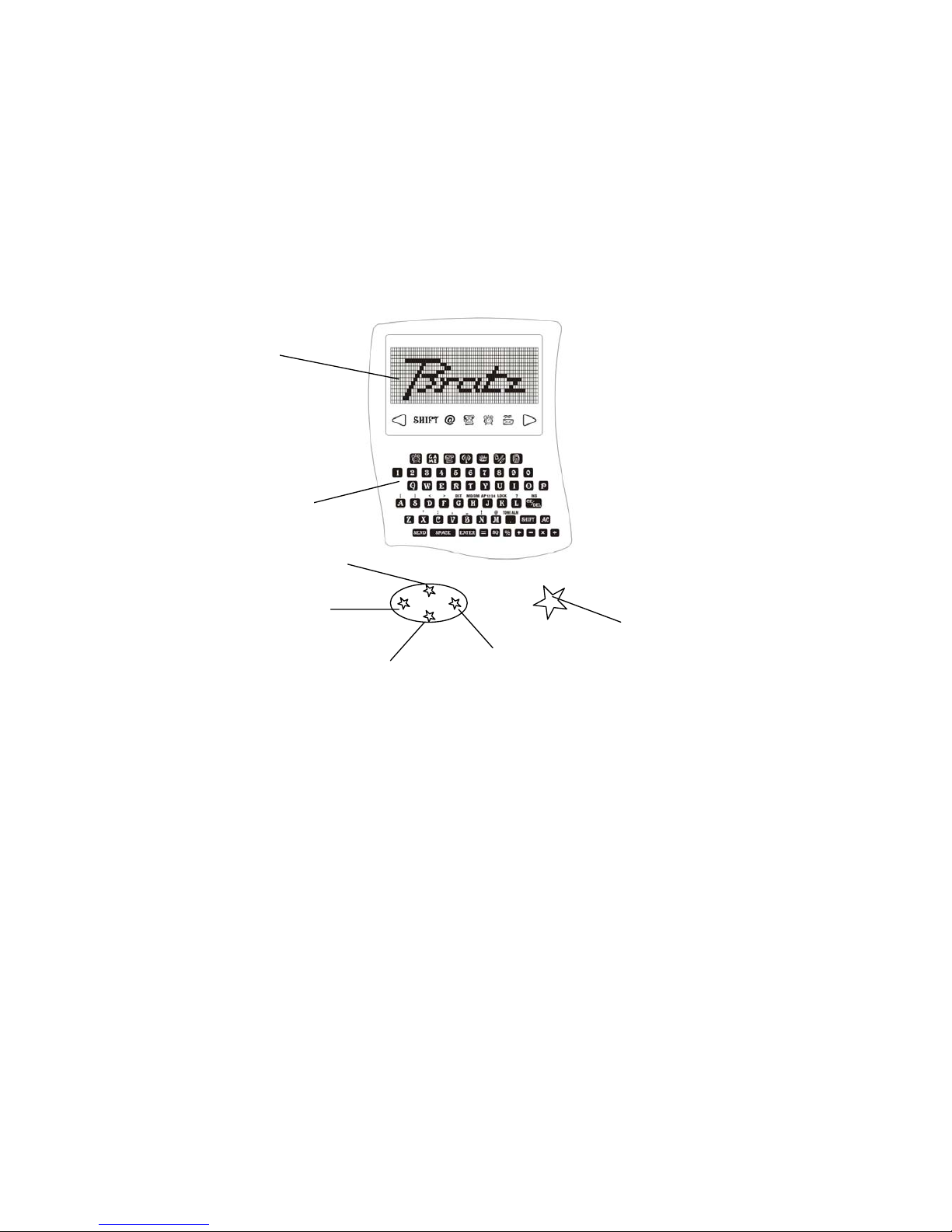
Controls & Display Icons
Battery Installation
Refer to Figure 1, unscrew the battery door to remove it.
Refer to Figure 2, insert 3 AAA size batteries with positive (+) and negative (-)
ends in the proper direction as indicated in the battery compartment.
Battery Precautions
- Non rechargeable batteries are not to be recharged;
-
Rechargeable batteries are only to be removed from the clock before being
charged;
- Rechargeable batteries are only to be charged under adult supervision;
- Different types of batteries or new and used batteries are not to be mixed;
- Only batteries of the same of equivalent type as recommended are to be used;
LCD Display
UP
DOWN
LEFT
RIGHT
ON/OFF
MEMBRANE
KEYBOARD
Page 3
Page 3
- Batteries are to be inserted with the correct polarity;
- Exhausted batteries are to be removed from t he unit;
- The supply terminals are not to be short circuited;
- Never dispose the batteries in fire, it may lake or explode.
System Specification
- 12 digit x 2 rows full dot matrix
- 3 x AAA batteries
- 315MHz Radio Frequency Transmission and Receive
- Low battery indicator warning
- Auto Power off when there is no key being input for 4 minutes and no sound
- Unit will not receive message when playing Tennis game.
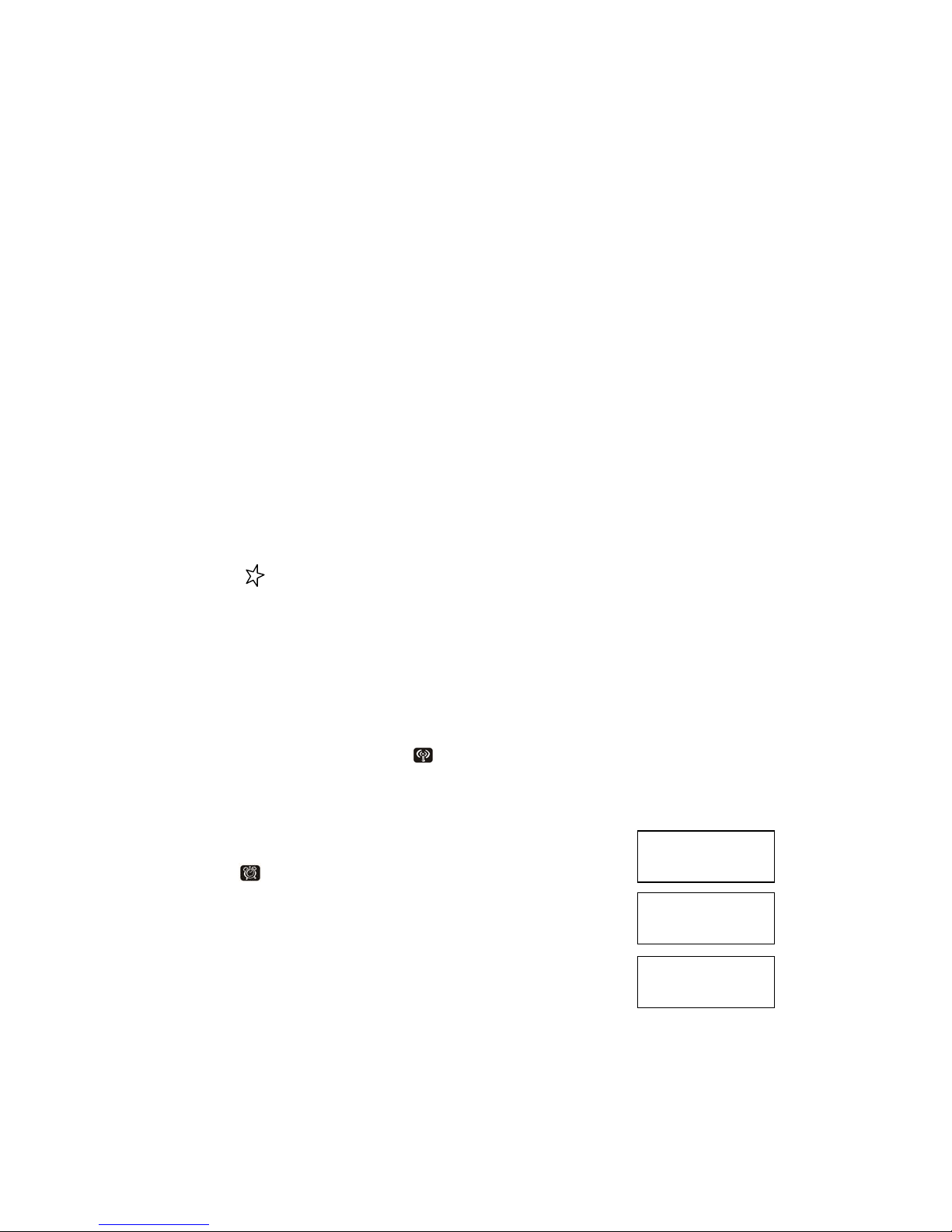
Reset
- Press [on] & [reset] to clear all memory.
- Press [Y] to confirm clear all, press [N] to abort.
OFF/ON
- Press button to turn the unit power on and off.
USER NAME
- When first time install battery, the Bratz Express Chat
™
will prompt you to
enter user name, please type it then press enter to set.
CHANGE USER NAME
- To change user name, go to
FRIEND MAKER mode then press enter or =
key to change the user name. When done press ENTER key to set.
Time mode
- Hold
to set time
- [MD/DM] to toggle month/day display format
(default: dd/mm/yy)
- [12/24] to toggle 12-hr/24-hr display format (default: 24hr)
SAT 30/ 2 ’02
P 3:34
SAT 2/ 30 ’02
P 3:34
SAT 30/ 2 ’02
15:34
Page 4
Page 4
- [dst] to toggle day light saving on/off (default: OFF)
-
[Tone] to toggle key tone on/off (default ON)
- [APM] to toggle AM/PM
- When done a [:] will flash 2 Hz interval
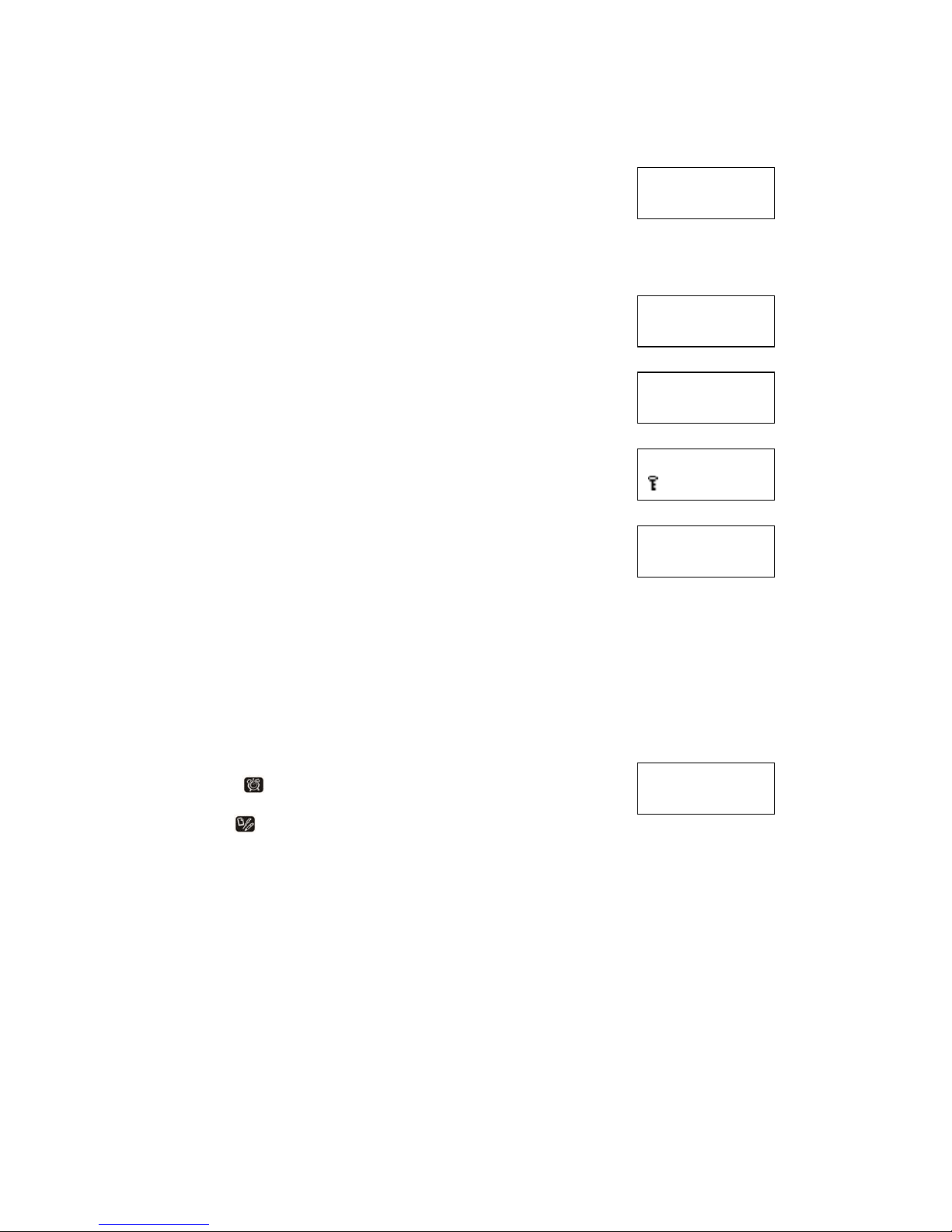
Set Password (Lock mode)
- [Lock] enter 4 digit to set password
A key shows in 2nd row if Bratz Express Chat™ is
locked
** Phonebook, memo, email, chat & friendmaker does
not access when locked **
Password Unlock
- [Lock] to unlock
Bratz Express Chat
™
-
-
Re-enter 4 digit password to unlock the Bratz Express Chat™
- If forget the password input ‘0000’ to remove old password.
Contrast
- Press UP/DOWN the direction key to set display contrast.
Alarm mode
- Press
to view alarm at TIME mode
- [TONE Alm] to toggle alarm ON/OFF
- Hold to set alarm
- [APM] to toggle AM/PM
- Icon is ON when alarm is set
- Alarm sound duration is 120 seconds
- Press any key to stop the alarm sound once activate
SAT 30/ 2 ’02
16:34 d
PASSWORD?
A1B2
RE-ENTER?
A1B2
SAT 30/ 2 ‘02
P 03:34
PASSWORD?
A1B2
ALARM
A 12:00
Page 5
Page 5
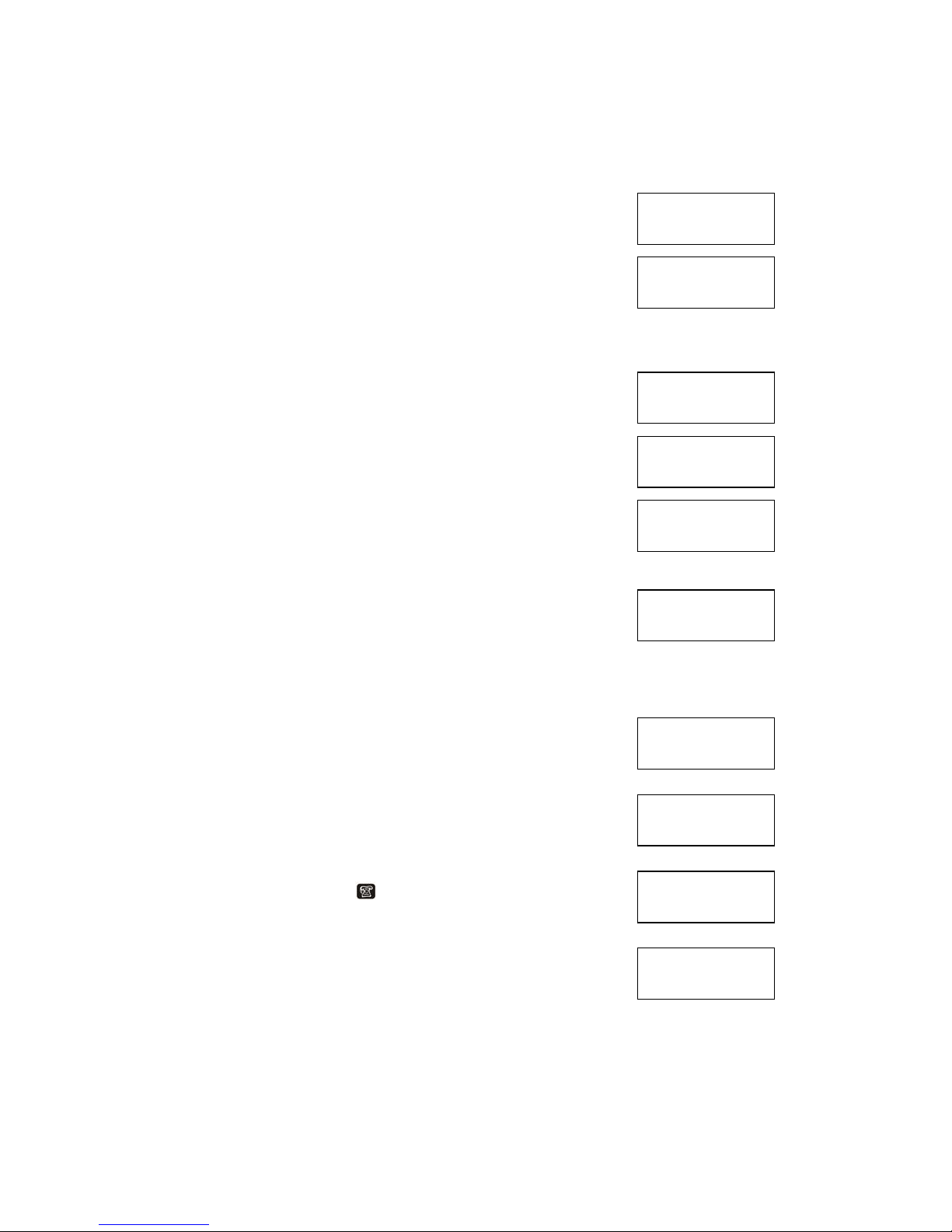
Phone Book
- [Phone] to phonebook mode
Name(32 Letters) Telephone(16 numbers)
Email(32 Letters) and Records(max 99)
- [View] to toggle no. of record & free space
New
- [New] to add new record(max 99)
- Input Name in 2nd row
- Press [Shift] to input symbol
- Press [Shift] + [Ins] to insert a space to cursor
- Press [Del] to del a char from cursor
- [Enter] to confirm and no input number if name field
not empty
- Input Number “0~9” only in 2nd row
- [Enter] to confirm and input email in 2nd row
- Press [Enter] to save and sort by name field in
alphabetic order only
Bratz Express Chat
™ will prompt “SAVE” for 2 seconds
and return to phonebook mode
VIEW
- Direction key [Up][Down] to browse recode(s)
- Direction key [Left][Right] to shift a row left/right
by a letter
- Name field always shows in 1st row
View to toggle telephone/email & display in 2nd row
Enter telephone icon
or email address icon “@”
will on respectively
- Press [Del] to delete record in view mode
- Press [Y] to confirm delete record, other abort
PHONE BOOK
RECORD: 10
PHONE BOOK
1738 B
NAME?
VIVIAN
NUMBER?
123456789
EMAIL?
SAVE !
PARTNER ABCD
123456789012
PARTNER ABCD
[email protected]
PARTNER ABCD
[email protected]
DELETE?
YES/NO
Page 6

Page 6
Edit
- Press [Edit] to editor record in view mode
Edit Record in 2nd row
- Press [Enter] to confirm & goes next field (Name,
Telephone & Email)
- Press [Enter] in email field to save & sort by name
field in alphabetic order only
Memory Full
- When memory is full or number of record >99,
Bratz Express Chat
™ will prompt “MEMORY
FULL” message for 2 seconds
-
Return to edit mode & keep the last edit record in edit buffer
Memo
- Press [Phone] icon 2 times to Memo mode
Memo (FIFO), message (max 48chars), records(max 99)
- [View] to toggle no. of record & free space
- Keys same as Phonebook
CALCULATOR
- [0…9]
-
[+] [-] [x] [÷] [%] [
√]
-
[=] [.]
-
[AC] [CE]
PARTNER ABCD
123456789012
MEMORY FULL!
MEMO
RECORD: 4
MEMO
1712 B
MESSAGE?
P7:00 DINNER
CALC
0.
CALC + E
-0.123456789
Page 7
Page 7
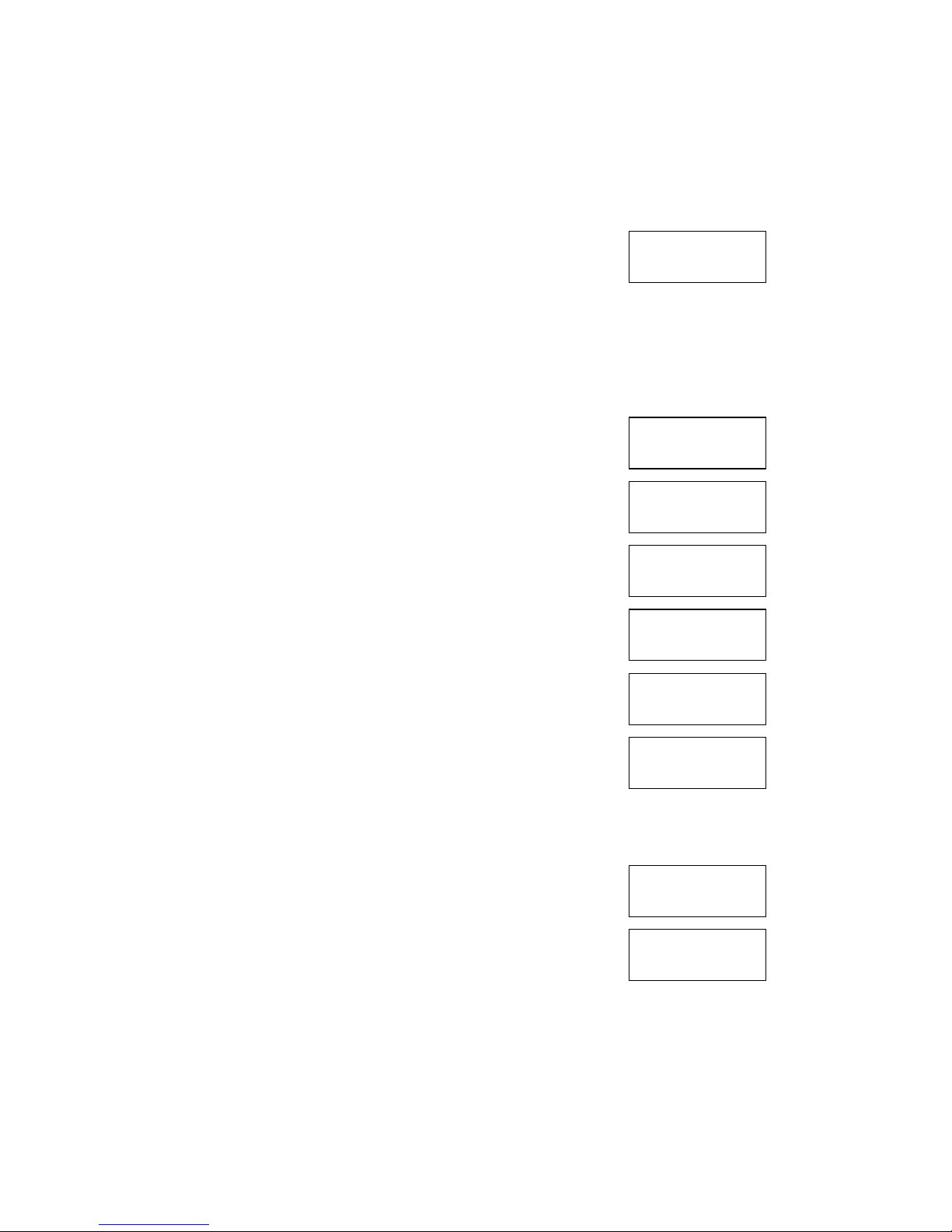
EMAIL
- Single Receive Buffer, Store sent/received email
(FIFO) (max 10 record) Email name (max 12 letters)
Text (max 52 letters)
- Bratz Express Chat
™
will “BEEP” once when there
Is new email received & “” icon flash in any mode
- When receive an email, Bratz Express Chat
™ will ACK to the sender
- Bratz Express Chat
™ will not receive email when
there has unread email & in TENNIS game
Compose
- Press [New] to compose mail
- Input receiver name in 2nd row
Press [Up] [Down] to browse phonebook record if not
empty & unit unlock BLANK the receiver field to send
mail to all (Bratz Express Chat
™ will not wait ACK)
- Press [Enter] to input message in 2nd row
- Press [Enter] to save message, to back screen mode
- Press [Send] to send message
If success, a “BEEP” & “SEND OK” will prompt for 2
second. If no ACK, “SEND FAIL” will prompt for 2
second.
View
- Press [RF] once
- When “” icon flash
- Press [View] to view new mail
- Press [Del] to delete new mail
- Press [Enter] to save new mail, “” icon will OFF
after saved
- Press [Left] [Right] to shift up/down 1 row of new mail
(email content will display 12 characters)
EMAIL
RECORD: 0
EMAIL
RECORD: 3
FROM:
PEGGY
SEND FAIL!
EMAIL
RECORD: 0
TO:
ABCDE
MESSEGE?
HOW ARE YOU?
SEND OK!
PEGGY
HELLO
Page 8
Page 8
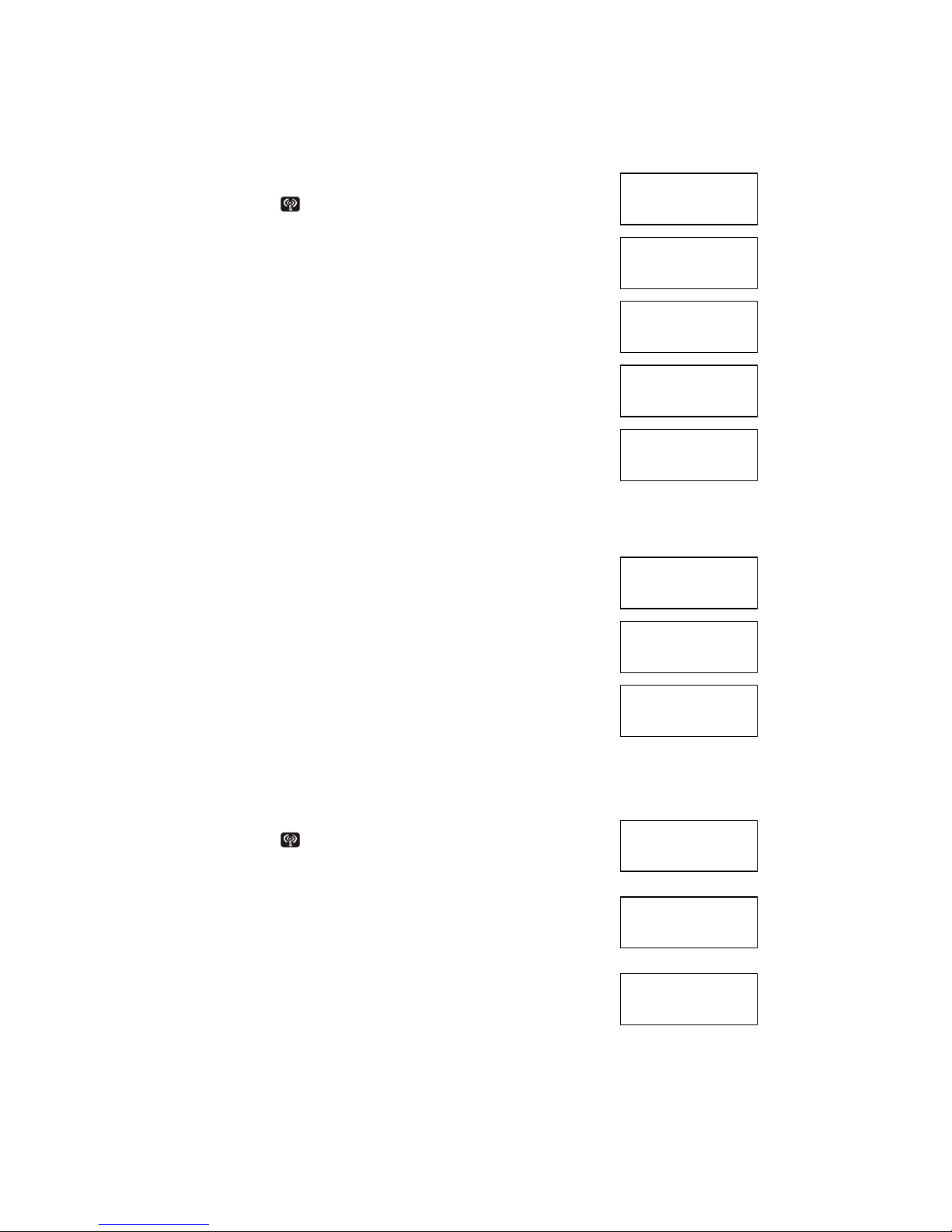
Browse
- Press [RF] icon
once
- Press [Up] [Down] to brow record(s)
1st row
- ‘TO:’ indicate mail defined by user
- ‘FROM’ indicate received mail
2nd row
Chat-Name/Message
- [Left] [Right] to view record
- Press [EDIT] to forward (send mail) or reply
(received mail)
- Press [Send] to send message
- Press [Enter] to input message
- Press [Enter] to save message
- BLANK the receiver field to send to all
Response
- Send to single
- Bratz Express Chat
™ will “BEEP” once when ACK
received & prompt “SEND OK!” for 2 seconds
-
Send to all
-
Unit will not “BEEP”
-
If communication is busy, unit will prompt
“CHANNEL BUSY”
If send success, unit will prompt “SEND DONE”
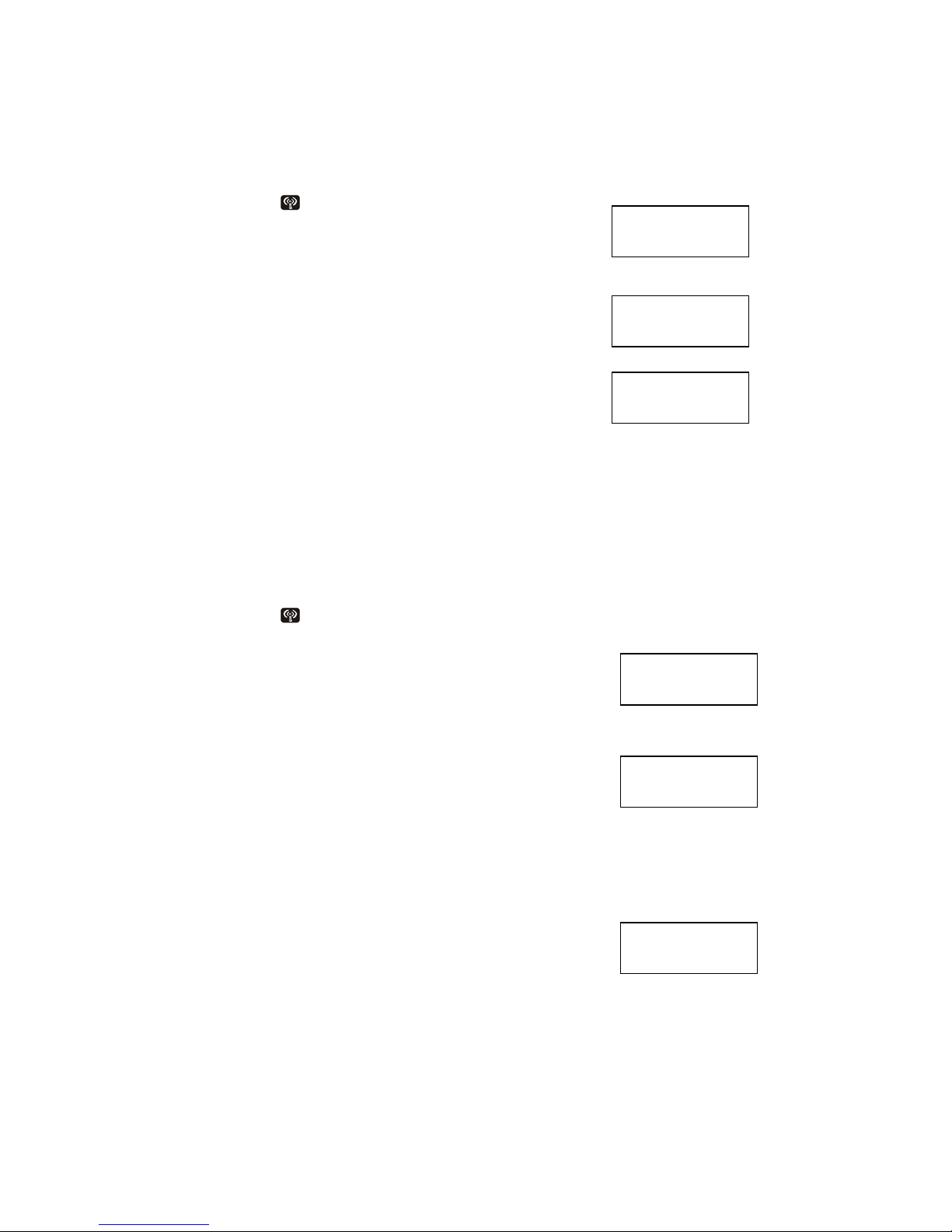
Chat
- Press [RF]
2 times to enter chat mode
-
Chat-Name (12 letters), Text (48 letters)
Master
-
Press [Enter] to search people
- Input chat-name in 2nd row
- Press [Up] [Down] to browse the name field from
phonebook record if not empty
- Bratz Express Chat
™ will send message to
Receiver & wait for ACK
- Bratz Express Chat™ will “BEEP” once when
Receiver is ACK
EMAIL
RECORD: 4
•
TO:
JACKY
•
FROM:
PEGGY
SEND OK!
REPLY TO:
PEGGY
FORWARD TO:
PETER
CHANNEL BUSY
SEND DONE!
E. CHAT
<ENTER>
WHO?
JASON
FRIEND
SEARCHING….
Page 9
Page 9
Sleeve
-
Press [RF]
2 times to enter chat mode
- Wait for connection in this screen
-
1st row shows the sender name
- Bratz Express Chat
™ will “BEEP” once when
Master have request
Chatting
- 1st row always shows the message from the sender
The last message will stay in 1st row [Up] [Down] to
Shift 1st row by 1 column
- 2nd row always shows the message being send to
other receiver
-
[Left] [Right] to move 2nd row cursor for input
message
-
[Enter] to send message
-
If send success, 2nd row will clear
- If send fail, 2nd row will keep the previous message,
Press [Enter] to retry
FriendMaker
-
Press [RF]
two times to enter friendmaker setting mode
- Bratz Express Chat™ will send user detail to other
every minute when friendmaker is enable. There
are three interest groups (MUSIC, SPORTS AND
AGE GROUP). If there is any 1 group match,
Bratz Express Chat™ will send an email to “sender”
If
Bratz Express Chat™ receive a friendmaker reply,
it will “BEEP” in 8Hz tone for 15 second. You could
press any key to stop the beep sound. The email
content will be user greeting message (Input at
below setting)
- [Up] [Down] to toggle ON/OFF friendmaker (default: OFF)
-
User Name?
Press [Enter] to input Name
-
Greeting message? (default: empty)
Press [Enter] to input Message
HELLO!
HOW ARE YOU?
JACKY
_
E. CHAT
<ENTER>
USER NAME?
PETER
FRIENDMAKER
OFF
FRNEND MAKER
ON
Page 10
Page 10
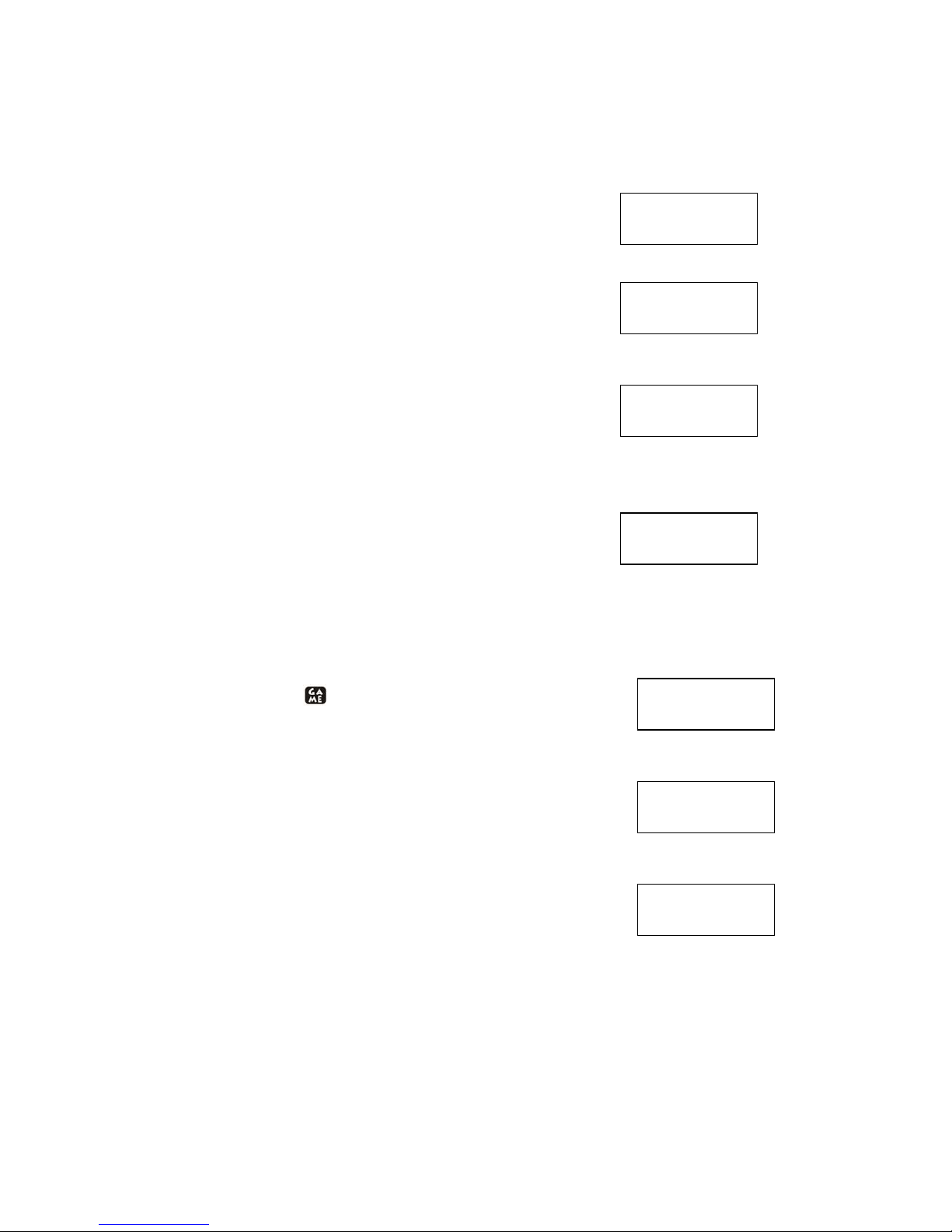
-
Age Group? (default: 3~9)
3~9
10~12 / 13~15 / >16
Press [Up] [Down] to select
- Press [Enter] to select music?
Music? (default: ROCK & ROLL)
ROCK & ROLL
R&L / COUNTRY / INSTRUMENTAL / UN-PLUG /
JAZZ / CLASSICAL / DON’T LIKE
Press [Up] [Down] to select
-
Press [Enter] to select sport
Sport? (default: BASEBALL)
BASEBALL
FOOTBALL / CYCLING /BASKETBALL / SWIMMING /
BADMINTON / TENNIS / DON’T LIKE
Press [Up] [Down] to select
- Press [Enter] to return to Time mode
GAMES
Hangman
- Press [Game]
icon to Hangman
-
[Enter] to start a new game
-
[Up] [Down] to select “MAKE” to ask word or “GUESS”
to answer word (max 12 letters)
-
[Enter] to confirm selection
Select “MAKE”
-
[Enter] to input word in 2nd row
-
[Enter] to input receiver name in 2
nd
row
- [Up] [Down] to browse the name field of phonebook
record if not empty & unit unlock
-
[Enter] to send hidden word
-
If
Bratz Express Chat
™ will “BEEP” once when the
player receive a game & ACK
If ok. “SEND OK!” will prompt for 2 second & return to hangman mode
If no ok. “SEND FAIL” will prompt for 2 second & return to hangman mode
MUSIC?
ROCK & ROLL
AGE GROUP?
3~9
MESSAGE?
HI, ALL!
SPORT?
FOOTBALL
HANGMAN
<ENTER>
HANGMAN
MAKE
HANGMAN
GUESS
Page 11

Page 11
Select “GUESS”
- Wait for a game
-
If Bratz Express Chat™ will “BEEP” once when
receive a game
-
1st row shows hidden letters by “*” & correct letter(s)
- 2nd rows shows letter(s) not belongs to hidden word
6 “-“ stand for 6 chances
Example: Question is “HELLO”
You guess first character is “A”, wrong 5 chances left
You guess “L”, right
You guess “C”, wrong 4 chances left
- Loss
1st shows the question / 2nd shows you loss
- Report win / loss by an email to sender
Repeat Message: Win / Loss
From: User
Line1: HANGMAN
Line2: WIN SCORE: 40
From: User
Line1: HANGMAN
Line2: LOSS
If Bratz Express Chat™ will report once with 1 retry
WHO?
******
------
HELLO
WIN SCORE: 30
**LL*
AC----
HELLO
LOSS
******
A-----
WORD
RECEVING….
SEND FAIL!
SEND OK!
WORD
SENDING…
WORD?
HELLO_
Page 12
Page 12
MASTERMIND
-
Press [Game]
icon two times to Mastermind
Guess 4 digits in correct order [0…9]
-
[Up] [Down] to select make (create a game) / guess
(wait a game) or computer (play a game) [Enter] to
confirm selection
Select “MAKE”
- [Enter] to input 4 numbers in 2 rows (must input 4
numbers can be same)
- [Enter] to input receiver name
- [Up] [Down] to browse the name field or phonebook
record if not empty & unit unlock
- [Enter] to send to player
-
Bratz Express Chat
™ will ”BEEP” once when the
player receive a game & ACK
If ok. “SEND OK!” will prompt for 2 second & return
to hangman mode
If no ACK. “SEND FAIL” will prompt for 2 second &
return to hangman mode
Select “GUESS”
Wait for a game
Bratz Express Chat
™ will “BEEP” once when receive a game
Select “COMPUTER” to play 4 random numbers
Playing
Hint: the last 4 symbol in 1st row
Symbol “full block” means correct digit & correct position
Symbol “minus” means incorrect digit
Chance: the “*” in 1st rows shows number of chance left
Answer: Input answer in 2
nd
row (must input 4 numbers)
Loss
1st row shows the question
2nd row shows you loss & score (max:60)
MASTERMIND
MAKE
MATERMIND
<ENTER>
MASTERMIND
GUESS
MASTERMIND
COMPUTER
NUMBER?
1357
SEND OK!
NUMBER
SENDING….
WHO?
SEND FAIL!
NUMBER
RECEIVING….
Page 13
Page 13
Win
1
st
row show the question
2nd row shows you win & score (max:60)
Report win / loss by an email to sender
Report Content: Win / Loss
From: User
Line1: MASTERMIND
Line2: WIN SCORE 30
From: User
Line1: MASTERMIND
Line2: LOSS
TENNIS
-
Press [Game]
icon 3 times to Tennis
- [Enter] to enter game
- [Enter] again to start a game
-
Press [Up] [Down] to move the bar, hold [Up] [Down]
to move faster
- [+] [-] to change speed
1234 --00—
LOSS
****** -----1234
1234
WIN SCORE: 30
TENNIS
<ENTER.
Page 14
 Loading...