

Page 1
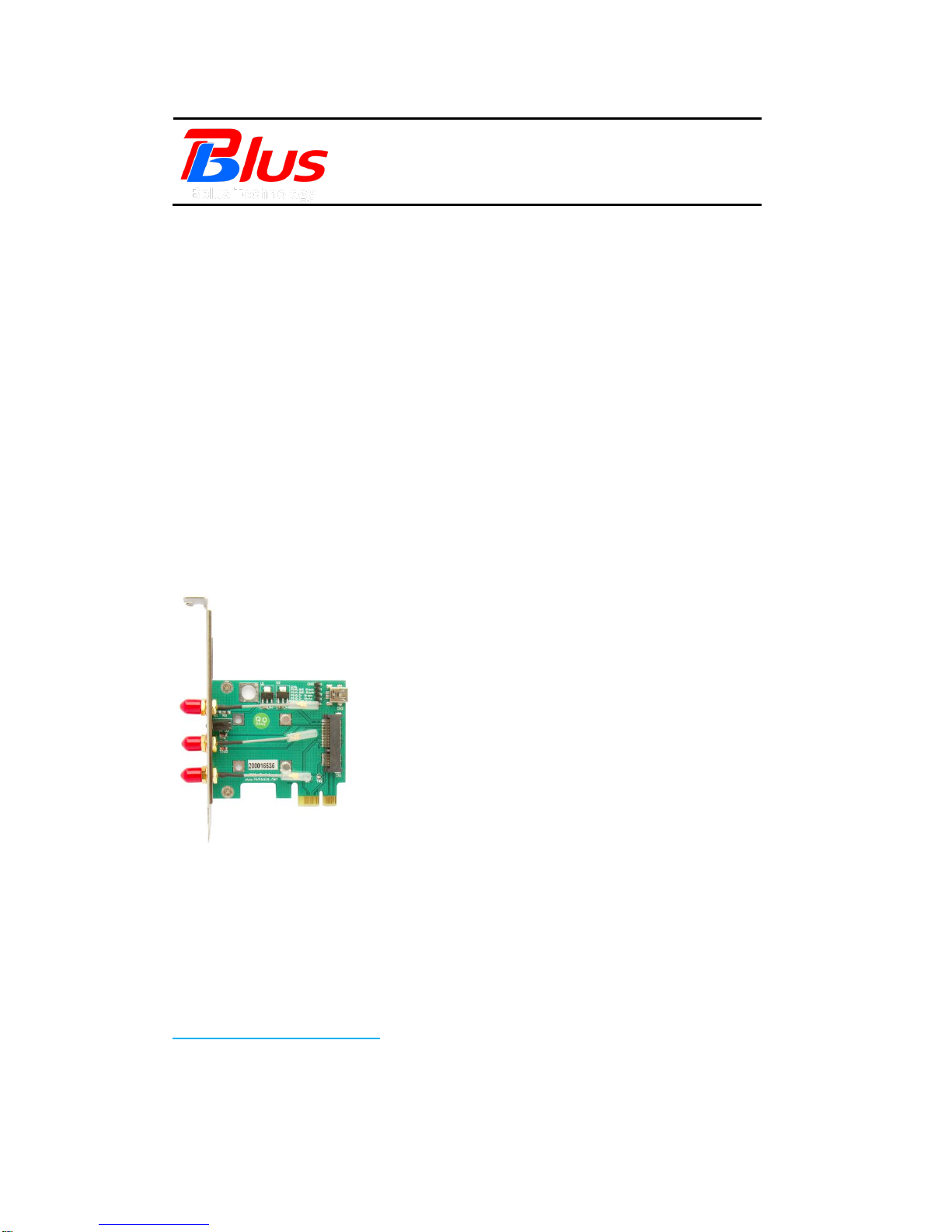
Mini PCI-E to PCI-E Adapter
User’s Manual
Preliminary
Model: MP2W
FAE2009MP2W_03
June 2009
Bplus Technology Co., Ltd.
5F, No.63, Zhou-Tzyy St., Nei-Hu,
Taipei, Taiwan
(886-2)77210550 TEL
(866-2)87974200 FAX
http://www.Bplus.com.tw
Page 2

Mini PCI-E to PCI-E Adapter User’s Manual
Page 1
FAE2009MP2W_03 ©2009 Bplus Technology
CONTENTS
Introduction .............................................................................................................. 2
Interface ..................................................................................................................... 2
Features ..................................................................................................................... 4
Package contents ............................................................................................... 5
System requirement .......................................................................................... 6
Installation procedure ...................................................................................... 6
Caution ..................................................................................................................... 11
Maintenance ......................................................................................................... 11
Page 3
Mini PCI-E to PCI-E Adapter User’s Manual
Page 2
FAE2009MP2W_03 ©2009 Bplus Technology
1.0 Introduction
The PCI-E Mini Card passive adapter is designed for wireless application on
desktop PCs that convert Mini-Card to USB port or standard PCI-Express 1x
slot.
You can insert your USB type minicard to this adapter then plug to USB port
through USB cable.
Or insert your PCI-E type mini-card into this adapter then insert to PCI-E 1x
connector.
2.0 Interface
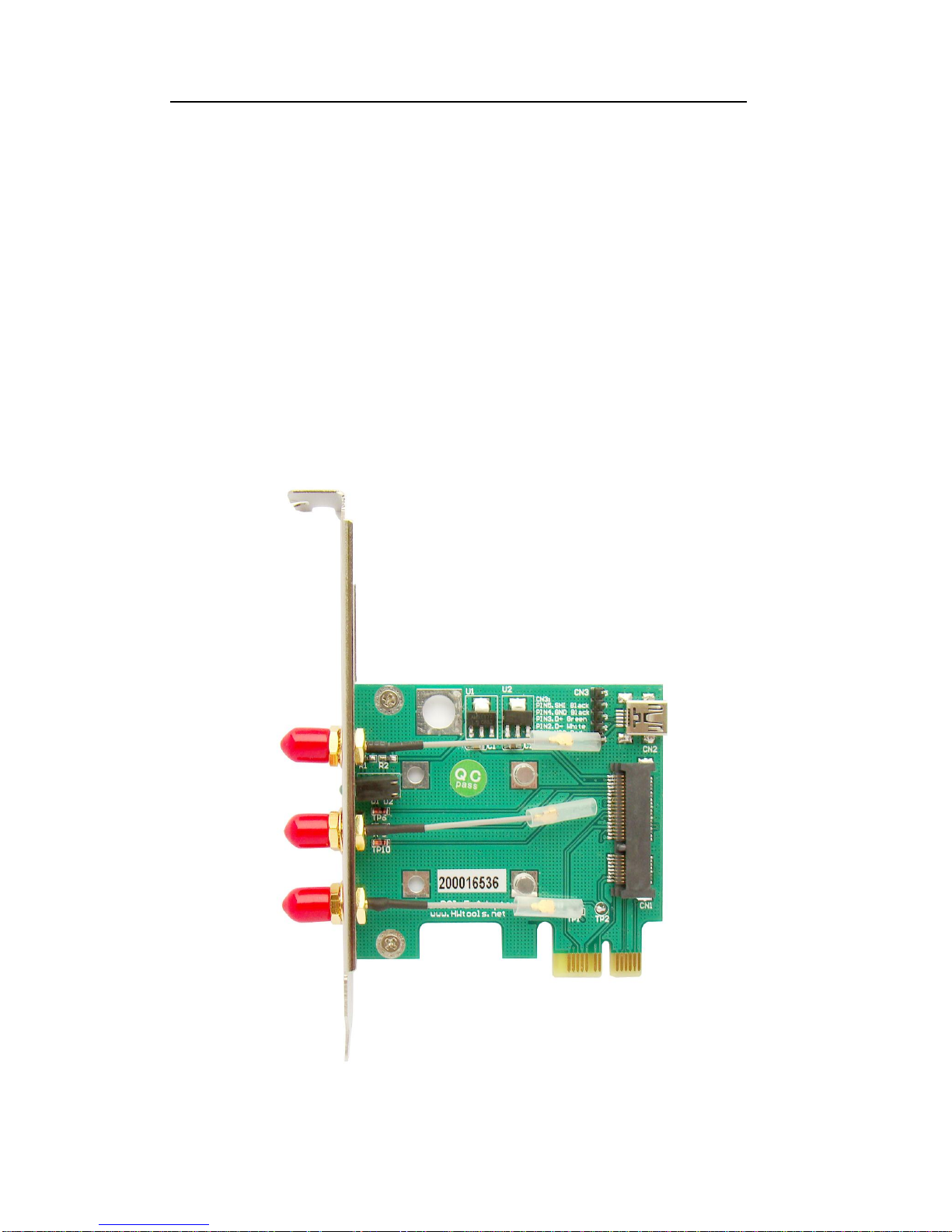
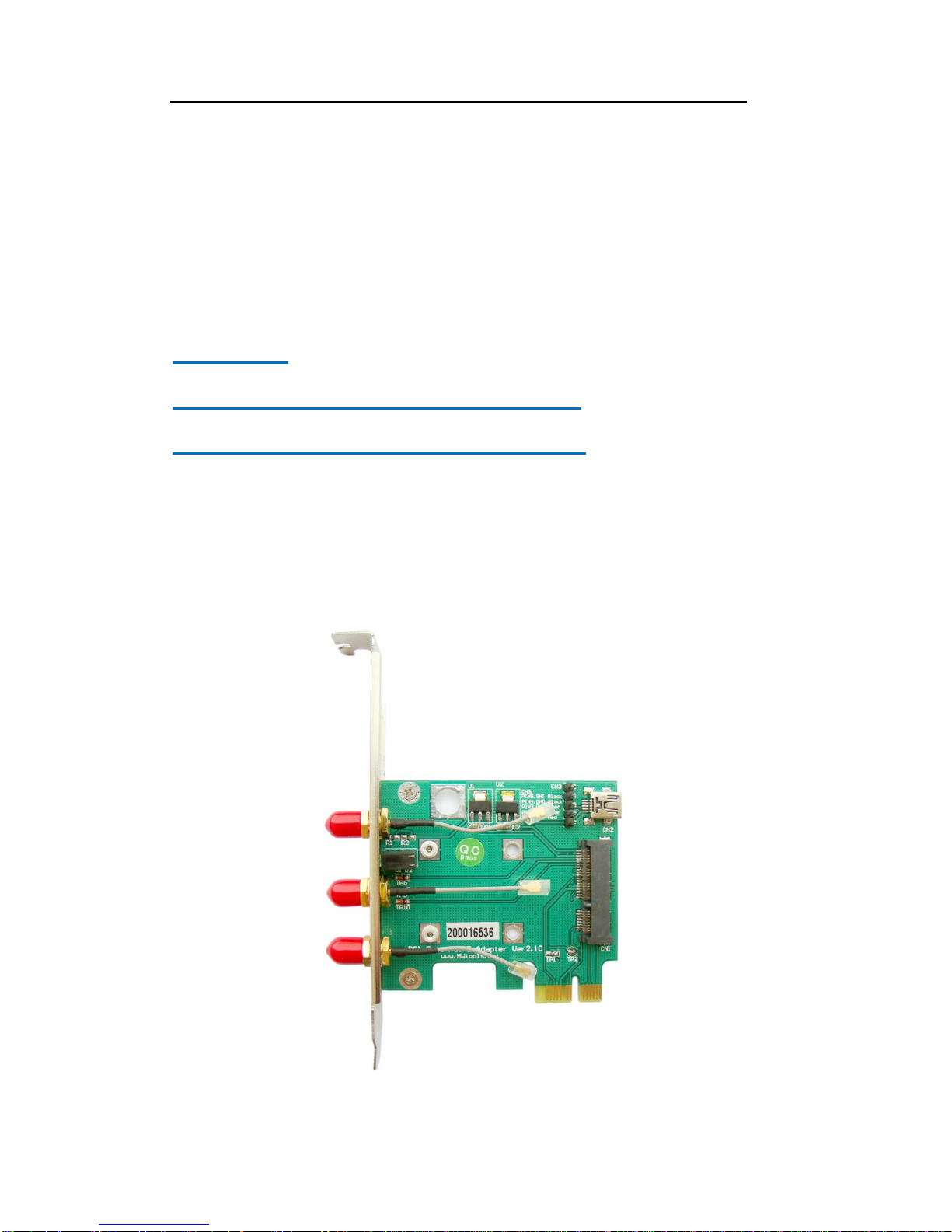
Mini PCI-E to PCI-E Adapter as shown,
Figure-1 Mini PCI-E to PCI-E Adapter (heads)
Page 4
Mini PCI-E to PCI-E Adapter User’s Manual
Page 3
FAE2009MP2W_03 ©2009 Bplus Technology
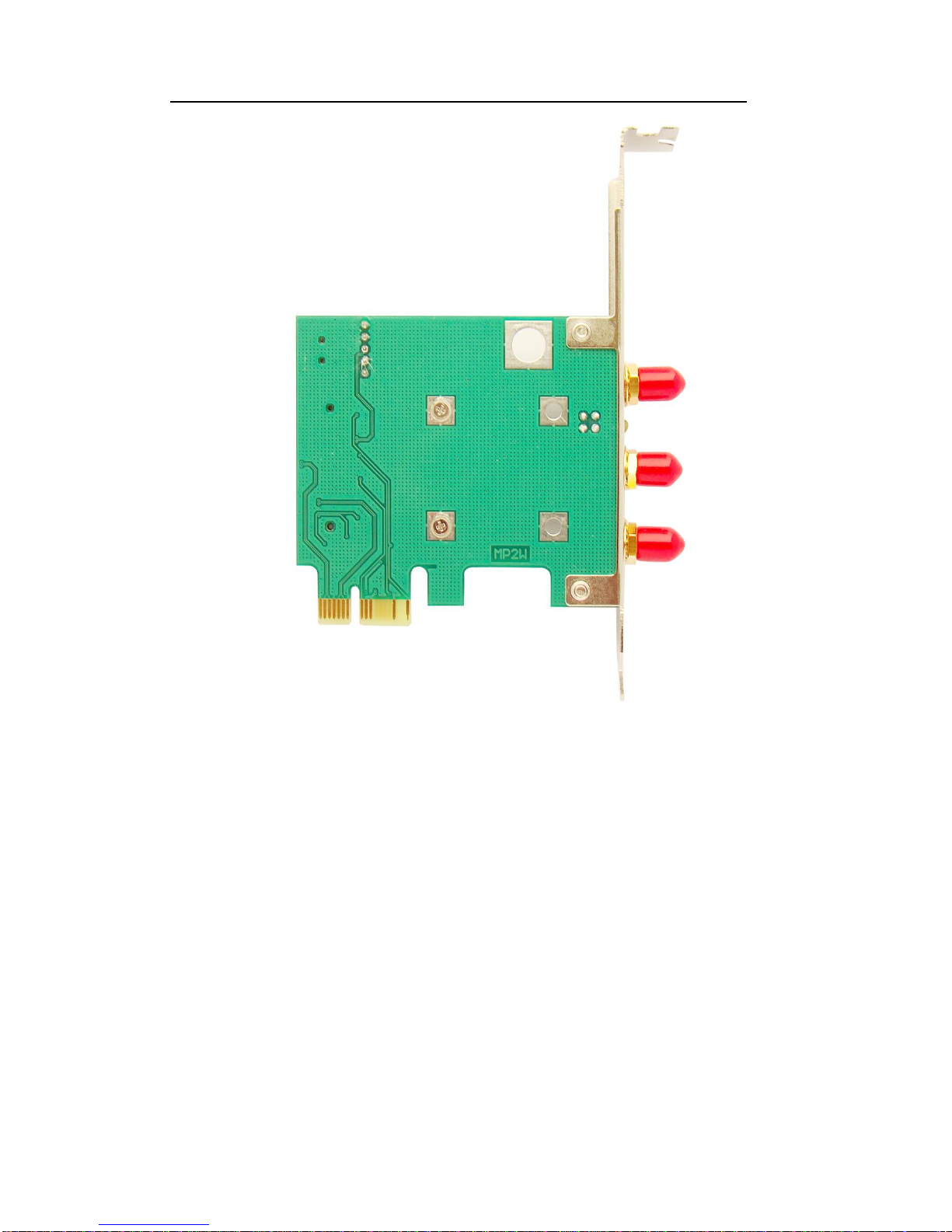
Figure-2 Mini PCI-E to PCI-E Adapter (back)
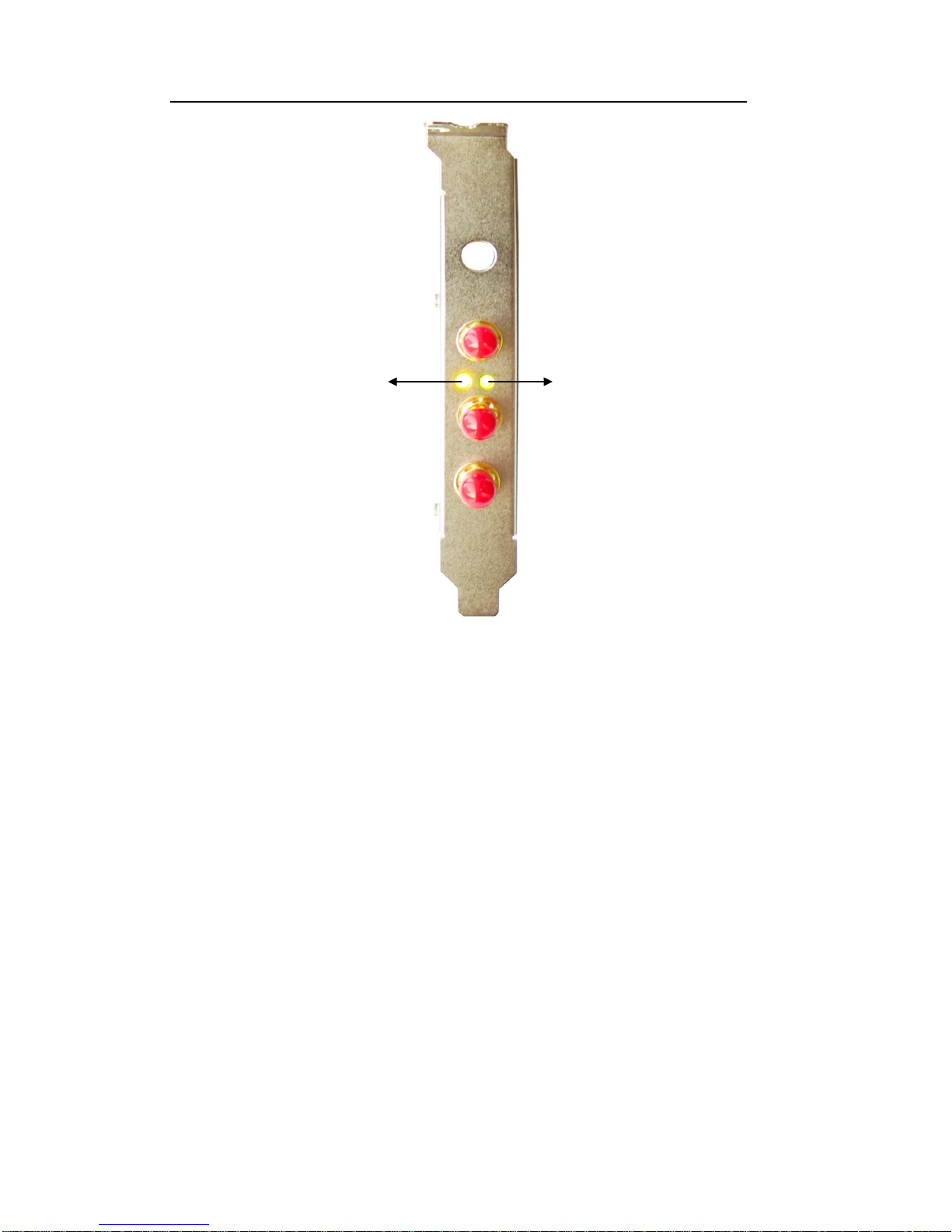
LED State:
1. D1(Yellow):
When the user plugs mini card into Mini PCI-E to PCI-E Adapter, LED D1 (Y) is
on. It shows the mini card has been identified by system. When D1 flickers, it
shows the device connectivity ok and it works normally.
2. D2 (Green):
When LED D2 (G) is on, it shows the normal operating voltage of mini card.
Page 5
Mini PCI-E to PCI-E Adapter User’s Manual
Page 4
FAE2009MP2W_03 ©2009 Bplus Technology
3.0 Features
Allows user to test PCI Express Mini modules on the PCI Express slot or
USB port
Supports two primary system bus interface: PCI Express and USB
Supports all of Mini-Cards such as SSD, Turbo memory, 3G,CDMA,
WLAN,WWLAN, MODEM Mini Card to desktop PC.
Supports U.FL/IPX to RP- SMA pigtail WiFi RF cable adapter.
D1 (Yellow)
D2 (Green)
Page 6
Mini PCI-E to PCI-E Adapter User’s Manual
Page 5
FAE2009MP2W_03 ©2009 Bplus Technology
4.0 Package contents
Mini PCI-E / PCI-E adapter x1
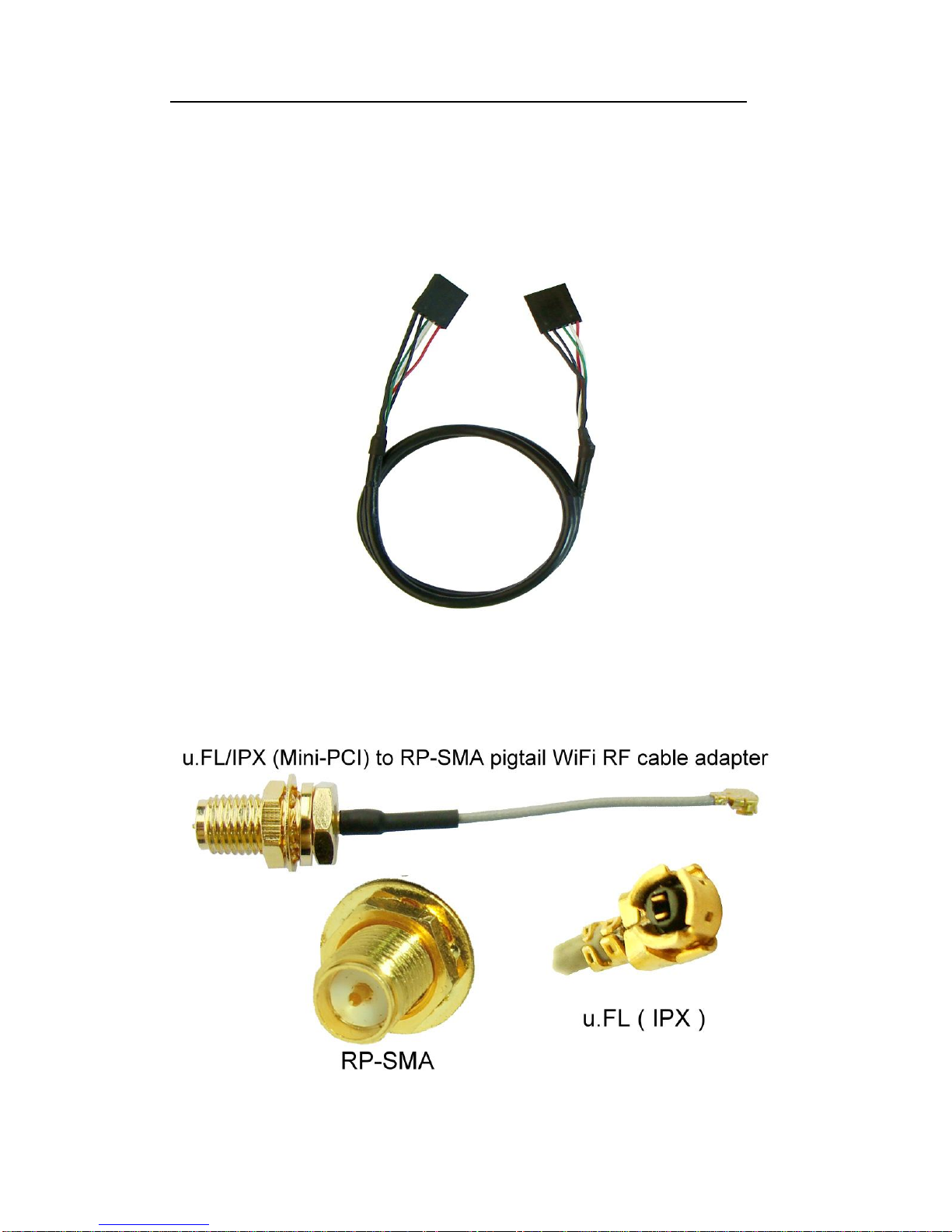
Accessory: DuPont 5P to DuPont 5P cable x1
Accessory: IPX to RP-SMA cable x3
Page 7
Mini PCI-E to PCI-E Adapter User’s Manual
Page 6
FAE2009MP2W_03 ©2009 Bplus Technology
5.0 System requirement
PCI-Express 1x slot or USB port
Windows 2000, XP, Vista 32/64
Linux
6.0 Installation procedure
WARNING:
Plug MP2W into PCI-E slot, NOT PCI slot.
Wrong slot plug-in will lead to PC damage.
For Full-Mini Card
1) Remove the caps on screws,
Page 8
Mini PCI-E to PCI-E Adapter User’s Manual
Page 7
FAE2009MP2W_03 ©2009 Bplus Technology
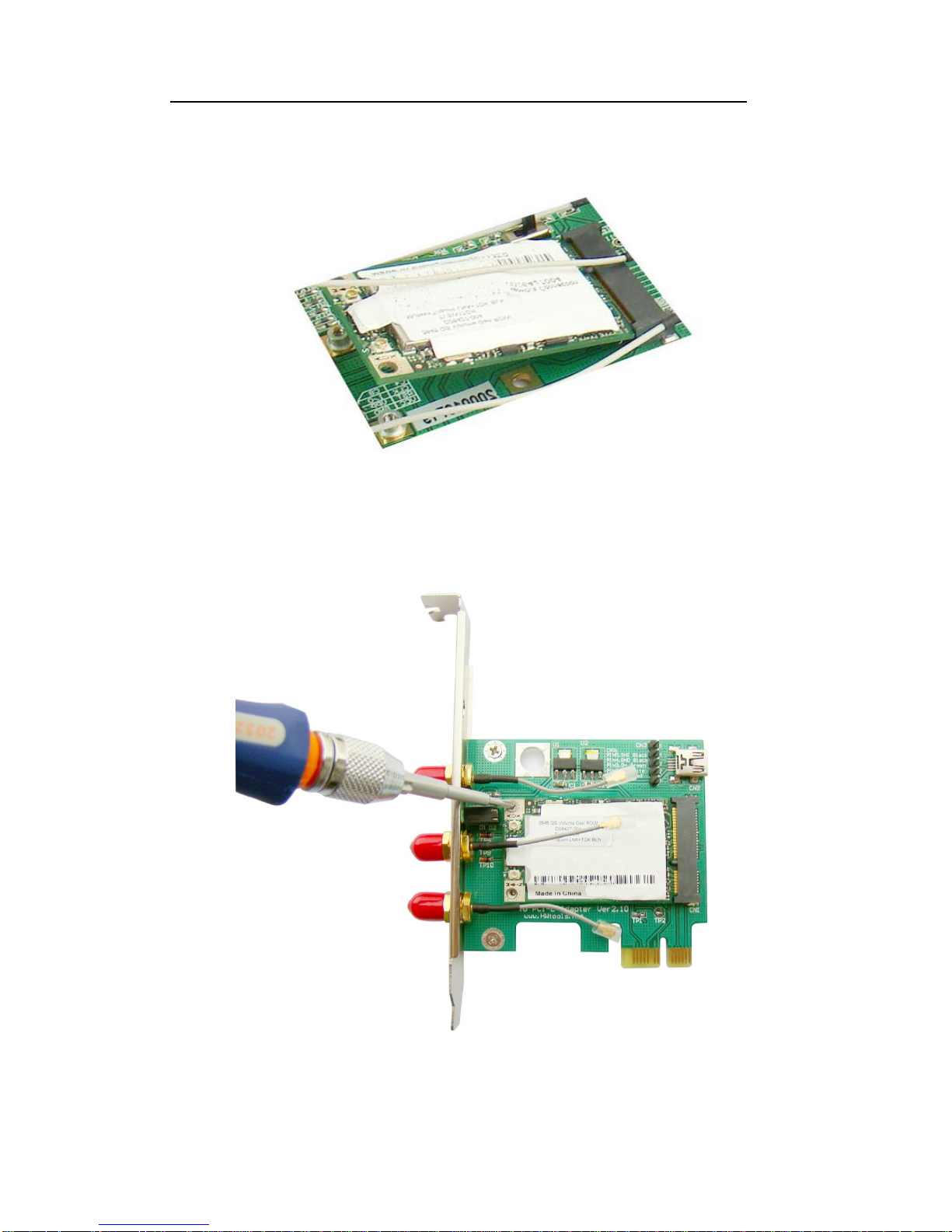
2) Plug mini card device such as wireless LAN card into mini PCI-E connector
with inclined angle.
The other side should be fixed by two screws.
Page 9
Mini PCI-E to PCI-E Adapter User’s Manual
Page 8
FAE2009MP2W_03 ©2009 Bplus Technology
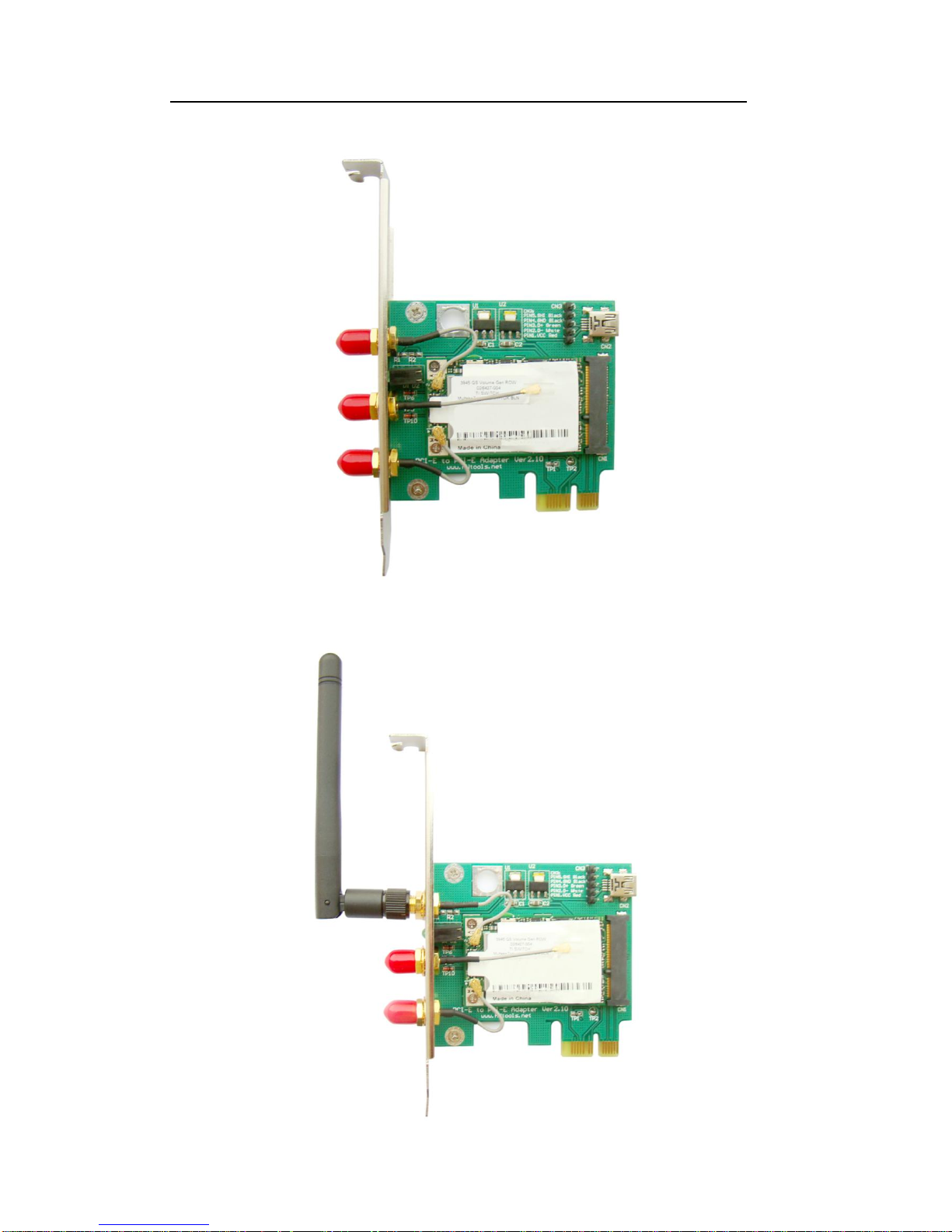
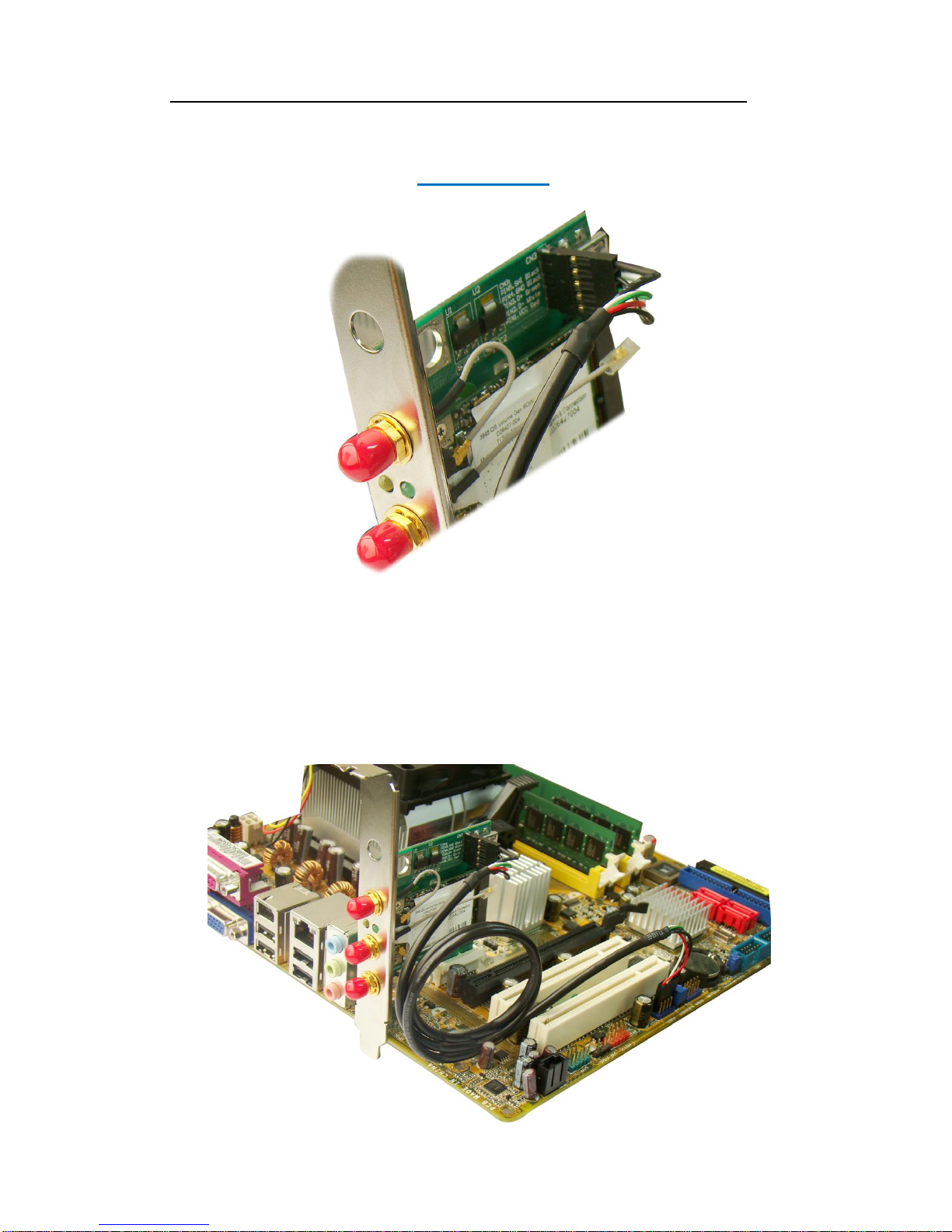
3) Please ensure fix the antenna IPX CONN on mini card exactly.
4) Put the wireless antenna on the RP-SMA CONN.
Page 10
Mini PCI-E to PCI-E Adapter User’s Manual
Page 9
FAE2009MP2W_03 ©2009 Bplus Technology
When the user inserts DuPont 5P cable into MP2W, please check the correct
position.
Ensure red line points to PIN1.Vcc Red as identified on MP2W.
5) Before the user plugs PCI-E connector into PC M/B, please ensure cut off
the PC power firstly, then continue plug-in. Do not deal with it when
energized, incorrect approach will lead to product damage.
Page 11
Mini PCI-E to PCI-E Adapter User’s Manual
Page 10
FAE2009MP2W_03 ©2009 Bplus Technology
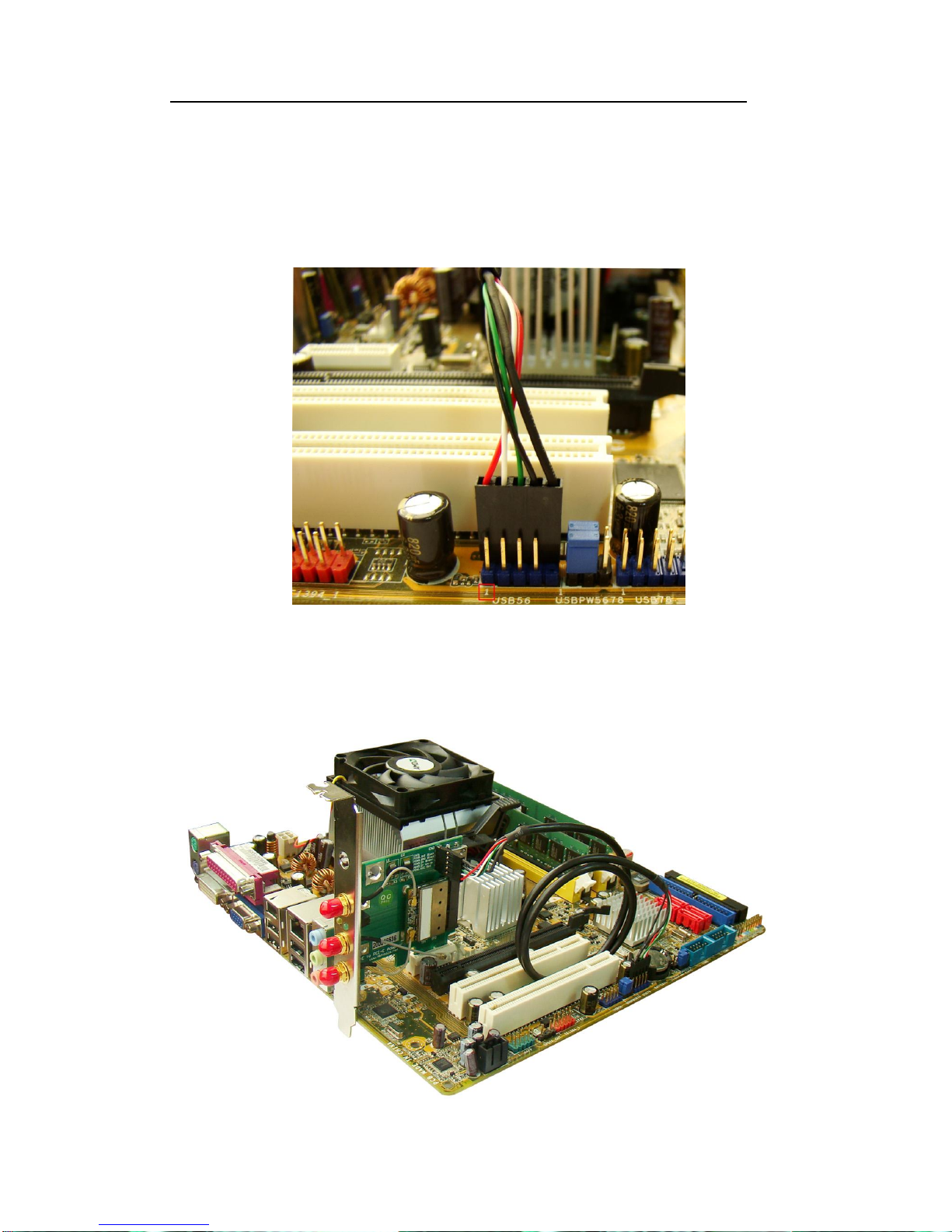
When the user inserts DuPont 5P cable into PC M/B, please check the correct
position.
Ensure red line points to No. “1” USB port . Please reference
user’s manual of PC M/B. Not inverse it.
For Half-Mini Card
The installation is same to Full-Mini Card.
Page 12

Mini PCI-E to PCI-E Adapter User’s Manual
Page 11
FAE2009MP2W_03 ©2009 Bplus Technology
7.0 Caution
Before PCI-E mode performs, please cut off the PC power, also as the same to
the remove. The incorrect action will lead to product damage.
All products specifications are subject to change without notice.
Bplus reserves the right to modify the products in its line during the course of
the year.
8.0 Maintenance
There is no guarantee while PC power is on and MP2W is been removing.
Please contact the distributer for more details.
 Loading...