

Page 1

Rear View
Mirror Monitor & HD DVR
VTR24M User's Manual
Page 2
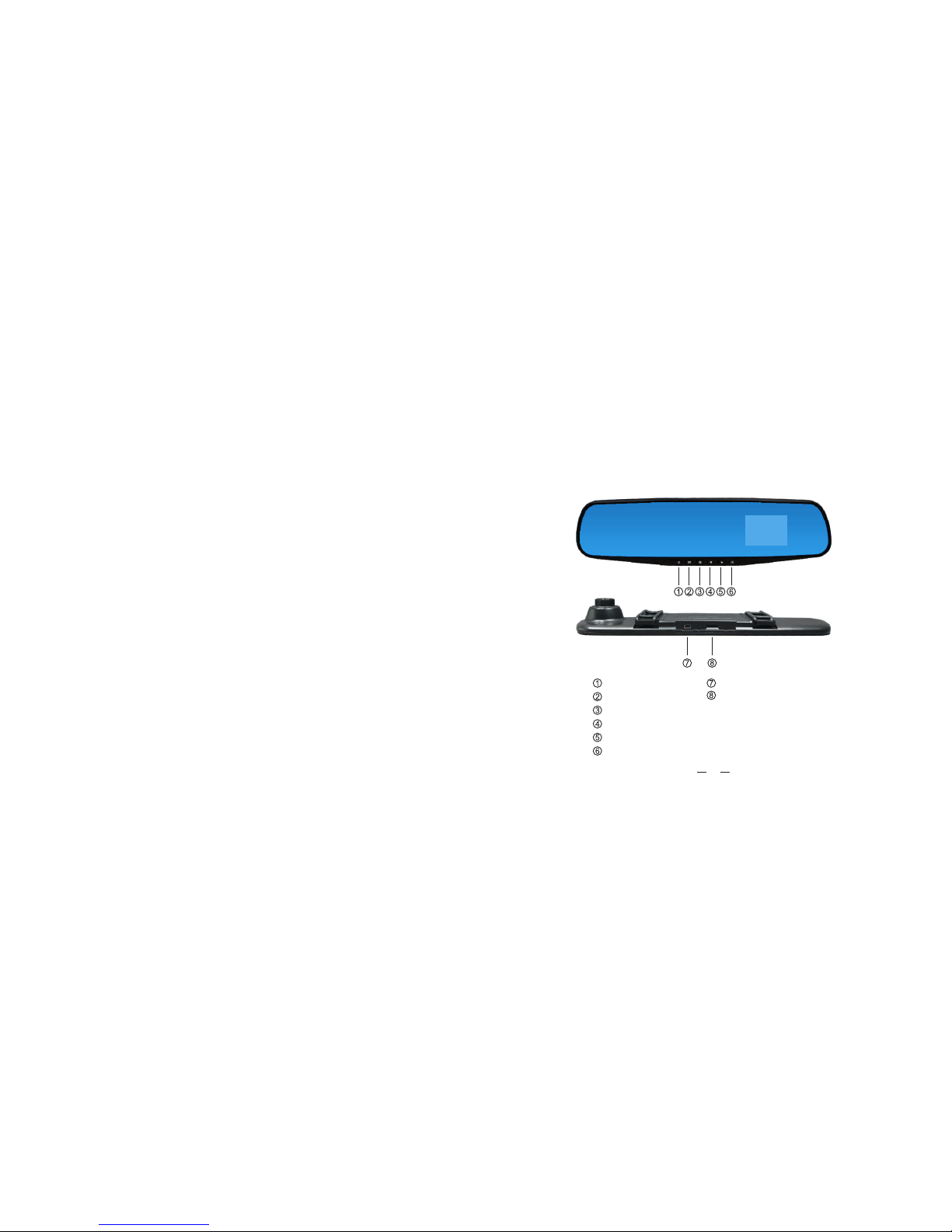
PRODUCT STRUCTURE
POWER ON/OFF
MENU
MODE
UP
DOWN
OK
USB port
TF
/MICRO SD Card slot
1
Page 3

OPERATING INSTRUCTIONS
Press t o cho ose pow er on o r power o ff.
2. MENU Ke y
① In vide o mod e, shor t pre ss into v ide o menu, p res s it agai n to en ter the
will automatically exit the setup
setup menu. In the setup menu, short press
menu and return to video mode.
② In phot o mod e, shor t pre ss to ent er ca mera me nu, p ress ag ain t o
enter the setup menu. Press the or to choose the correct setting and press
to save the setting. In setup menu, short press will automatically exit
the setup menu and return to photo mode.
③ In reco rdi ng mode , sho rt pres s To ente r the s etup me nu, s hort pr ess
Will au tom atica lly e xit to th e rec ordin g mod e.
④ In repl ay mo de, sho rt pr ess to en ter t he le op era tion me nu, p ress to
will au tom atica lly enter the setup menu. In the setup menu ,short press exit
setup menu and return to replay mode.
3. MODE Ke y
In vide o mod e, shor t pre ss into t he ph oto mod e.
In phot o mod e, shor t pre ss into t he re cordi ng mo de.
In reco rdi ng mode ,s hort pr ess i nto the repl ay mode.
In repl ay mo de, sho rt pr ess int o the v ideo mo de.
4. UP Ke y
Short p res s to uptu rni ng sele cti on.
In Phot o mod el, pre ss to t ake pho to.
In vide o mod el, pre ss to r ecord .
5. DOWN Ke y
Short p res s to the ne xt se lecti on.
6. Key
① On / off recor din g funct ion
In vide o mod e, shor t pre ss to sta rt re cordi ng, p ress ag ain t o stop
recor din g.
② Take Ph otos
In phot o mod e, shor t pre ss to tak e a pic ture.
2
3
1. POWER O N/O FF Key
Page 4

OTHER FUNCTIONS
1.
TF/Micro SD Card slot
Memory card slot.
③ Recor din g funct ion
In reco rdi ng mode , Sho rt pres s Turn o n / Turn off reco rdi ng.
④ Brows e le s
In repl ay mo de, sho rt pr ess to pl ay/ pause t he vi deo le s.
⑤ Selec t Fun ction
In the me nu se tting s, sh ort pre ss to c onrm o r sav e the sel ect ion
2. USB
USB Dat a int erfac e:
①
Connect to PC to transfer data;
②
Connect to an external power source to charge the battery or provide power.
SPECIAL FEATURES
1. Motion Detection
With motion detection on. In video mode, if the unit detects a moving object:
①
The unit will automatically record and save a 10 second video.
②
If the object continues to move, the unit will continue recording.
③ Duri ng re cordi ng, s hort pr ess t o close t he mo tion de tec tion mo de.
2. Date a nd Tim e setti ngs
In the st and by mode , sho rt pres s int o setup m enu , short p res s /
and mov e to th e date op tio ns. Sho rt pr ess and e nte r into Da te / Tim e
menu se tti ngs.
Note:In order to record the date and time of incident effectively, please set the
correct date and time before using the unit.
3. Repl ay Mo de
① Brow se l es:
In vide o mod e, shor t pre ss thre e tim es into r epl ay mode , and s hort
press / t o bro wse le s on th e card. The vi deo i s able to p lay /paus e, or
fast fo rwa rd/re win d.
② File s set tings
In repl ay mo de, sho rt pr ess int o rep lay mod e men u:
4
5
Page 5
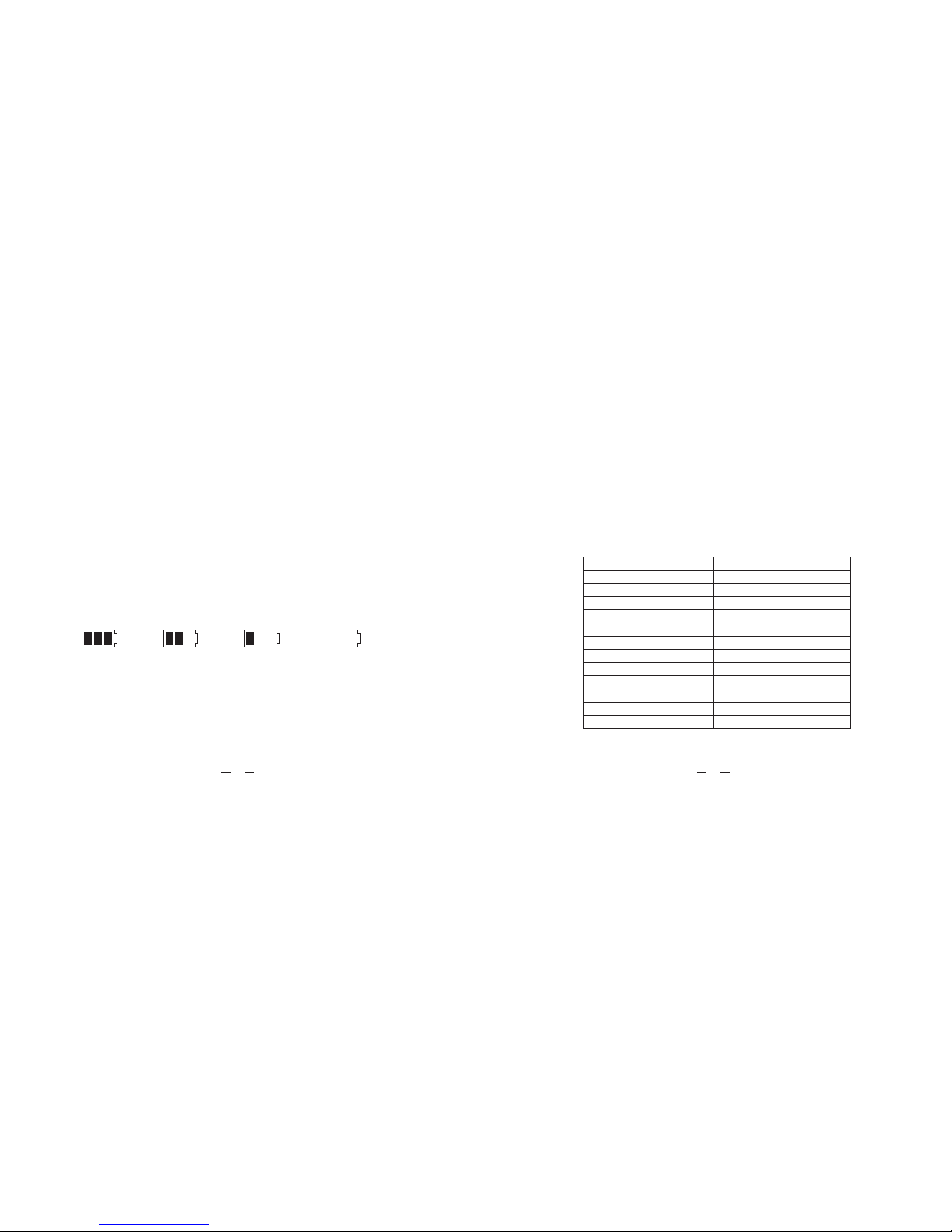
PRODUCT SPECIFICATIONS
Language Recording
resolution
Display
Motion Detection
Recording Format
Video Format
Photo Format
Transfer speed
Power Interface
TF/Micro SD Card Capacity
Speaker
Recording
Battery
Multi-Language support
HD (720P), VGA
2.4" 4:3 TFT LCD Display
YES, (ON / OFF)
WAV
AVI FILE / H.264
JPEG
USB 2.0
5V, 1A
Max 32GB
BUILT-IN SPEAKER
Lithium Polymer 500mAh
Delete:You can delete a video or picture by selecting "Delete Single" or "Delete All".
Lock / Unlock:You can perform "Lock Protection", "Lock Protection All",
"Unprotect File" and "Unprotect All" on the local video or picture. (As a protected file, it
cannot be deleted unless it is Unprotected).
Thumbnail: Cancel or Execute to perform thumbnail browsing.
Volume:0/1/2/3/4/5/6, can adjust the volume.
BATTERY USE
① Batt ery i ndica tor, r efer be low p ictur e:
②
The red indicator light on the mirror will turn on during charging and will shut off after the charging is
complete, it takes about 3 hours to fully charge the battery. There are three ways
to charge the battery,
1: Use th e pow er adap ter t o charg e.
2: Use PC -US B to char ge.
Fully sligh tly low Not eno ugh
3: Use th e veh icle po wer c harge r.
Note: Please disconnect the power or reset the unit if the system crashes
during operation.
6 7
Page 6

Under normal operating conditions, if the mirror has problems, please refer
to this manual:
Cannot take pictures or videos
Check if the TF/Micro SD card is full. Off load or delete files or replace the card
Automatically stops when recording
Check TF/Micro SD Card, please use SDHC compatible high-
speed card which is marked Class 4 or higher.
"File Error" appears when in Replay Mode for pictures and videos
Replace TF/Micro SD card or use the "Format" function, to reformat the card.
Hazy image
Check if the camera lens is dirty or has fingerprints; before recording, make sure
the lens is clean.
Horizontal stripe interference
Check the "source frequency" setting, according to local power frequency,
please set at "50Hz" or "60Hz".
TROUBLE SHOOTING
System Crash
When the system crashes , please press reset to button to restart the
system.
Note: The company reserves the right to change the design and specifications
witho ut no tice.
8 9
 Loading...