

Page 1
4 SpecificaƟons
The packing box contains the following accessories. Please confirm:
● 4.3 inch frameless rear view mirror monitor
● Wire harness
● User's manual
● Wire cover
● Remote control
Please check your package box for the items listed above. Please contact
the distributor or the agent as soon as possible if there is any damage.
2 Package
1 IntroducƟon
● 4.3 inch LCD display screen
3 Features
● 2-way video inputs
● Back-up camera display
● Automac brightness adjustment
● 4.0 mm glass and φ 21 mm car factory OEM bracket
● Adjustable guide line
● Screen size: 4.3 inch
● Display screen: TFT-LCD
● Aspect resoluon: 480(H)*272(V)
● Working voltage: 12V
● Working temperature: -20℃~+65℃
● Signal system: PAL/Auto/NTSC
● Brightness: about 1300cd/m2
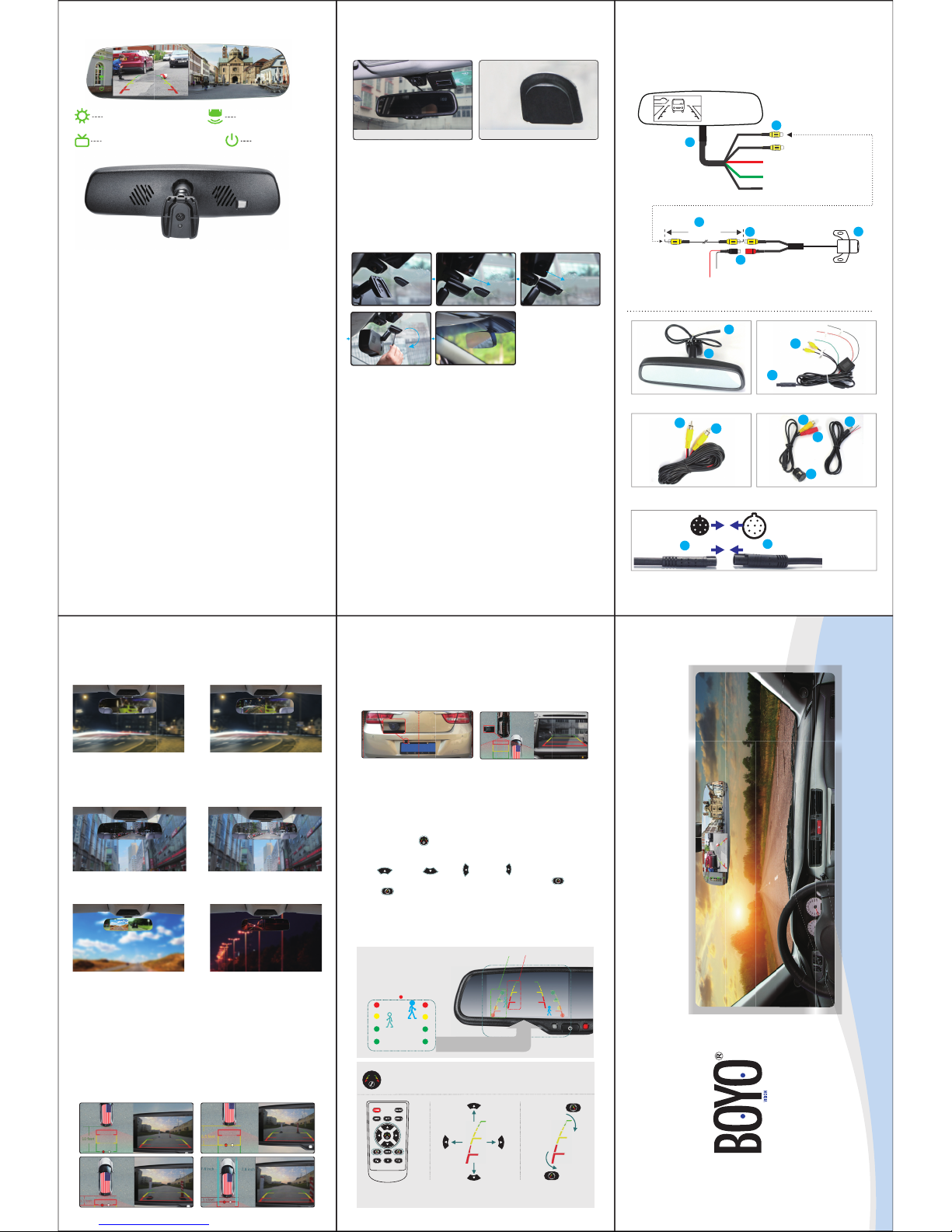
5 How to install mirror
5.1 Remove the original mirror
5.2 Install mirror monitor on the base
Original rear view mirror Adapter on the windshield
Different cars have different brackets. It depends on your vehicle maker
and manufacturer.
There are many methods to remove the original rear view mirror. However, please don’t force the mirror off the bracket.
The manufacturer will not be responsible for any damage caused to your
car by inappropriate installaon of the mirror.
Install rear view mirror along
this direcon.
Install rear view mirror along
this direcon.
contrarotate the fixed
rear view mirror
10 Adjustable Guide Line
There are three lines (red, yellow, and green) to help drivers esmate the
distance from obstacles. Those three lines are displayed on the monitor
when the car is reversing. The green line is 10 feet away from the back of
the car, and the yellow line is 6.5 feet away. The red line is 3.3 feet away
from the back of the car, while the closed red line is 1.3 feet away. Please
note that there is 0.65 feet distance from the car for reference lines shown
below.
10.1 About guide line
Regular guide lines are fixed although installaon sites of camera and car
size are different. The fixed guide line is not accurate enough for drivers.
There is huge difference between the regular, fixed guide lines, and real
guide lines of the car. It may cause accidents when camera is mounted on
the le or right side on the back side of the car.
10.2 What the regular guide line is
According to the site of standard reference line, we can put reference
objects such as desks in the back side of the car. Compared with the
marked reference objects, we can adjust the sites and angles of two guide
lines are displayed on the monitor. You will get the accurate and safety
guide lines once it coincides with the reference objects.
Press seng buon to enter “guide line adjustment” mode. The system
is defaulted to adjust le guide line first. Press the buon again to switch to
adjust the right guide line.
The up , down , le and right buons are to adjust the
corresponding locaon of guide lines. The clockwise rotaon and contra
rotang buons are to adjust the angles of guide lines. It is easy to
operate and calibrate. Aer finishing calibraon, switch the reverse gear to
save the informaon.
Note: keep the remote control 05.m-1.0m away from rear view mirror
when you use the remote to adjust the parking lines.
10.3 How to adjust the guide line
RL
Right posiƟon Wrong posiƟon
Display on the monitor
Press the buƩon to choose L or R adjustable guide line.
Remote control Move the guide line Rotate the guide line
Clockwise
Up
Right
Down
Le
An-clockwise
6 How to wire
Video in
Green to back up light
5
3
6
7
8
9
To back up camera
Red to ACC +12V
Black to GND
Black to GND
Red: camera power to reversing power
5m cable
After the mirror is mounted, you need to run the cable along the roof
lining and down the pillar so you can connect to power and the rear view
camera.
Rear view mirror monitor
3
1
5
7
7
9
9
8
Mirror monitor cable
Car camera extension cable
Camera (not included)
3
5
3
3
Connect
Caution!
please align the connectors at
each other, otherwise the
connector will be easy to break!
◆
VTM43FL
adjust the LCD brightness
Quick switch to the video image
7 Back up camera display
8 High reflecƟve mirror
When the car is in reverse, the monitor will automacally display back up
camera.
High reflecve mirror
Normal reflecve mirror
Clear back up view displayed on high reflecve mirror.
9 AutomaƟc brightness adjustment
When ambient light is strong,
the screen will automacally
increase the brightness and get
beer for watching.
When ambient light is weak,
the screen will automacally
reduce the brightness and get
beer for watching.
quick switch to rear view
turn off the screen
4.3 Inch Frameless Rear View Mirror Monitor
 Loading...