

Page 1

Solution-16/
Solution-16 Safecom
Quick Reference Guide
ISSUE 2.41
Page 2

2 Solution-16/Solution-16
Solution-16/
Safecom
Quick Reference Guide
Solution-16
Safecom
Quick Reference Guide
Copyright 2001 by Bosch Security Systems Pty Limited,
SYDNEY, AUSTRALIA
Document Part Number MA880Q
Document ISSUE 2.41
This documentation is provided to suit both the
Solution-16
Software Version 1.10 = S16_V11 Software Version 1.40 = S16_V4
Software Version 1.20 = S16_V12 Software Version 2.0x = S16_V20
Software Version 1.3x = S16_V13
This quick reference guide includes programming locations to suit both Solution-16 (CC880/LP880) and the
Solution-16 Safecom (SC8016) control panel. Locations that are only relevant when using the SC8016 are
prefixed with the word Safecom.
(CC880/LP880) and
Firmware Revision 2.06
Hardware Revision K
Alarm Link Forms
Solution-16
Safecom (SC8016)
Copyright Notice
All rights reserved. No part of this publication may be reproduced, transmitted or stored in a retrieval system in
any form or by any means, electronic, mechanical, photocopying, recording, or otherwise, without the prior
written perm ission of Bosc h Security Systems Pty Limited.
Trademarks
Throughout this document trademark names may have been used. Rather than put a trademark symbol in every
occurrence of a trademark name, we state that we are using the names only in an editorial fashion and to the
benefit of the trademark owner with no intention of infringement of the trademark.
Notice of Liability
While every precaution has been taken in the preparation of this document, neither Bosch Security Systems Pty
Limited nor any of its official representatives shall have any liability to any person or entity with respect to any
liability, loss or damage caused or alleged to be caused directly or indirectly by the information contained in this
book.
Bosch Secu rity Systems P ty Limited res erves the rig ht to make chan ges to featur es and specifi cations at any
time without prior notification in the interest of ongoing product development and improvement.
SOL 16 SAFECOM QUICK REF GUIDE.DOC.DOC Bosch Security Systems Pty Limited
Page 3

Solution-16/Solution-16
Safecom
Quick Reference Guide
3
Introduction
Thank you for choosing the Solution control panel for your installation. We a re sure that you will
find this system extremely flexible, reliable and easy to use. The quick reference guide is supplied
with the system to provide users with enough basic information to wire, configure and program the
system. Due to the systems many programmable features and options, we suggest that you obtain
the complete installation manual that provides detailed information on system options and functions
and programming methods.
Programming
The programming options of the system are stored in a non-volatile EPROM. This memory will
hold all information during a total power loss and can be changed as many times as required.
In general, the entire programming sequence will consist of entering a location number and then
change the data as required.
Programming the system can be via the following methods:
• Codepad
• Hand Held Programmer
• Alarm Link Software
Programming Using A Codepad
The system needs to be disarmed (with no active alarm) to program the control panel. If there is
an active alarm or the system is armed, enter the code for User 1 (Default = 2580) followed by the
# key (User Code 1 is factory default as the Master Code).
To enter installer’s programming mode, enter the installer code (Default = 1234) followed by the #
key. Two beeps will be heard. Both the STAY and AWAY indicators will flash simultaneously to
indicate that you have entered programming mode. The codepad indicators will displ ay the curren t
data programmed in LOCATION 000 (First location of the Primary Telephone Number).
To move to another programming location, enter the location number followed by the # key. The
data in the new location will now be displayed via the codepad indicators (Eg. If you entered 52#,
the system will jump you to LOCATION 052 the beginning of the Subscriber ID Number For Area
1).
To move to the next location, press the # key. This will step you to the next location. The data in
the next location will now be displayed via the codepad indicators (Eg. If you are currently
positioned at LOCATION 052, pressing the # key will take you to LOCATION 053).
To step back one location, press the * key (Eg. If you are currently positioned at LOCATION 53,
pressing th e * key will take you back to LO CATION 52).
To change data in the current location, enter the new value (0 – 15) followed by the * key. This will
store the new data into the location and leave you at the same location (Eg. If you enter the value
14*, both the Zone 4 indicator and the MAINS indicator will display to represent the new data
value).
To move to the next location, press the # key. The data in the next location will now be displayed.
To exit Installer’s Programming Mode, enter 960#. Two beeps will be heard and the STAY and
AWAY indicators will no longer display. The system has now returned to the disarmed state and is
now ready for use.
The table below is a quick guide to programming:
Enter Installer’s Programming Mode 1234#
Exit Installer’s Programming Mode 960#
Step To Next Location
Step Back One Location *
Program New Data Into Location Data + * (Data = 0 – 15)
Jump To A New Location
#
Location Number + #
Bosch Security Systems Pty Limited
Page 4
4 Solution-16/Solution-16
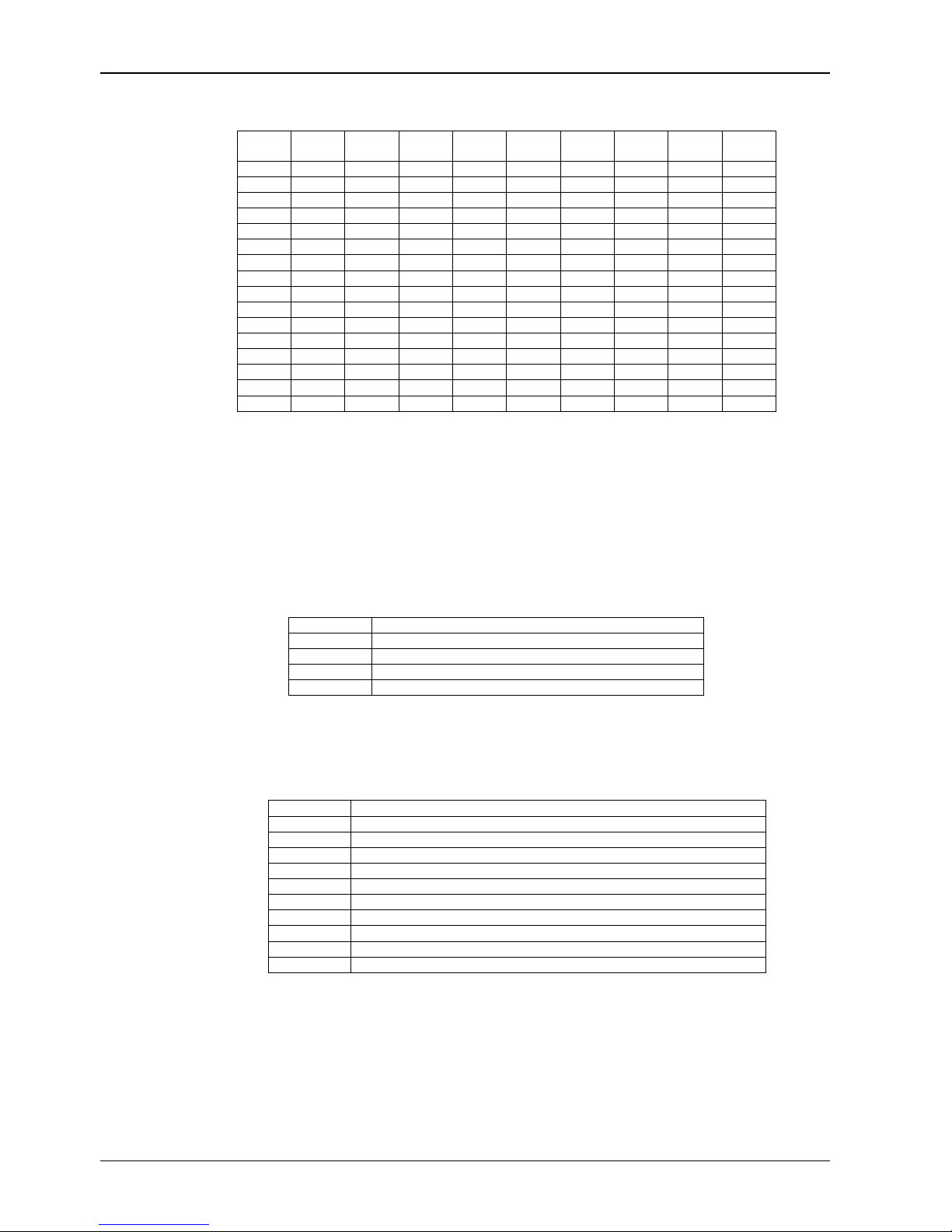
Codepad Indicators
Data
Value
Zone 1
Indicator
0
1
2 X
3
4 X
5
6 X
7
8
9
10
11 X X
12
13 X X
14
15 X X
Zone 2
Indicator
X
X
X
X
X
X X
X
X X
X X
Zone 3
Indicator
Zone 4
Indicator
Zone 5
Indicator
Zone 6
Indicator
Programming Option Bits
You will notice option bits throughout the quick reference guide. This allows you to program any
combination of the four different options in the one location by adding the options together.
Programming a zero (0) will disable all four options.
Example
If at LOCATION 663 you only want options 1, 2 and 4, add the numbers together and the total is
the number to be programmed. In this example, the number to be programmed is 7 (Eg. 1 + 2 + 4
= 7).
Option Description
1 Dialler Reporting Functions Allowed
2
4 Upload/Download Via Alarm Link Allowed
8
Remote Arming Via Telephone Allowed
Terminate Alarm Link Session On Alarm
Installer’s Programming Commands
These commands can only be used when you enter Installer’s Programming Mode. Enter the
command followed by the # key.
Command Description
958
959 Test Programming Key
960
961
962
963
964 Erase Programming Key
965
966 Enable/Disable Automatic Stepping Of Locations When Programming
999
Enable/Disable Zone Status (Hand Held Programmer Required)
Exit Installer’s Programming Mode
Default System Back To Factory Settings
Copy Panel Memory To Programming Key
Copy Programming Key To Panel Memory
Default System For Domestic Dialling Format
Display Software Version (Hand Held Programmer Required)
Safecom
Zone 7
Indicator
Quick Reference Guide
Zone 8
Indicator
MAINS
Indicator
SOL 16 SAFECOM QUICK REF GUIDE.DOC.DOC Bosch Security Systems Pty Limited
Page 5

Solution-16/Solution-16
Safecom
Arming The System (On)
AWAY Mode
Press and hold the # key until two beeps are
1.
heard.
Or
2. Enter your code followed by the # key.
[eg. 2580 + #].
STAY Mode 1
1. Press and hold the * key until two beeps are
heard.
Or
Enter your code followed by the * key.
2.
[eg. 2580 + *].
STAY Mode 2
1. Press and hold the 0 key until two beeps are
heard.
Arm All Areas In AWAY Mode (Partitioning)
1. Enter your code followed by 0 and then the #
key [eg. 2580 + 0 + #].
This function allows a code to arm all areas that the
code is assigned to in AWAY Mode at the same time
without the need to arm each area individually.
Disarming The System (Off)
AWAY Mode
1. Enter your code followed by the # key.
[eg. 2580 + #].
STAY Mode 1
Press and hold the * key until two beeps are
1.
heard (Only if no alarm).
Or
2. Enter your code followed by the # key.
[eg. 2580 + #].
STAY Mode 2
Press and hold the 0 key until two beeps are
1.
heard (Only if no alarm).
Or
Enter your code followed by the # key.
2.
[eg. 2580 + #].
Quick Reference Guide
Disarm All Areas (Partitioning)
1. Enter your code followed by 0 and then the #
key [eg. 2580 + 0 + #].
This function allows a code to disarm all areas that
the code is assigned to at the same time without the
need to disarm each area individually.
Isolating Zones
Standard Isolating
Press the * key twice.
1.
2. Enter the zone number that you want to
isolate followed by the * key.
Repeat step 2 if more than one zone is
required to be isolated.
3. Press the # key to exit when finished.
Code To Isolate
Press the * key once.
1.
Enter your user code.
2.
3. Enter the zone number that you want to
isolate followed by the * key.
4. Repeat step 2 if more than one zone is
required to be isolated.
5. Press the # key to exit when finished.
5
Bosch Security Systems Pty Limited
Page 6
6 Solution-16/Solution-16
Set First Test Report
1. Enter the Installer Code followed by 2 and the
key [eg. 1234 + 2 + #].
2. Enter the Number Of Days (0 - 99) to wait
until first test report followed by the # key.
Event Memory Recall
1. Enter the Installer Code or Master Code
followed by 3 and the # key.
[eg. 1234 + 3 + #].
The last 40 events (non partitioned) or last 10 events
(partitioned) will be displayed in reverse order (i.e.
most recent to least recent).
Walk Test Mode
Enter the Installer Code or Master Code
1.
followed by 4 and the # key.
[eg. 1234 + 4 + #].
2. Test each zone as required.
Press the # key to exit.
3.
Satellite Siren Service Mode
1. Enter the Installer Code followed by 5 and the
# key [eg. 1234 + 5 + #].
Telephone Monitor Mode (Toggle On/Off)
1. Enter the Installer Code followed by 7 and the
# key [eg. 1234 + 7 + #].
2. Press and hold the 9 key until two beeps are
heard to send a test report.
3. Repeat Step 1 to turn telephone monitor
mode off when complete.
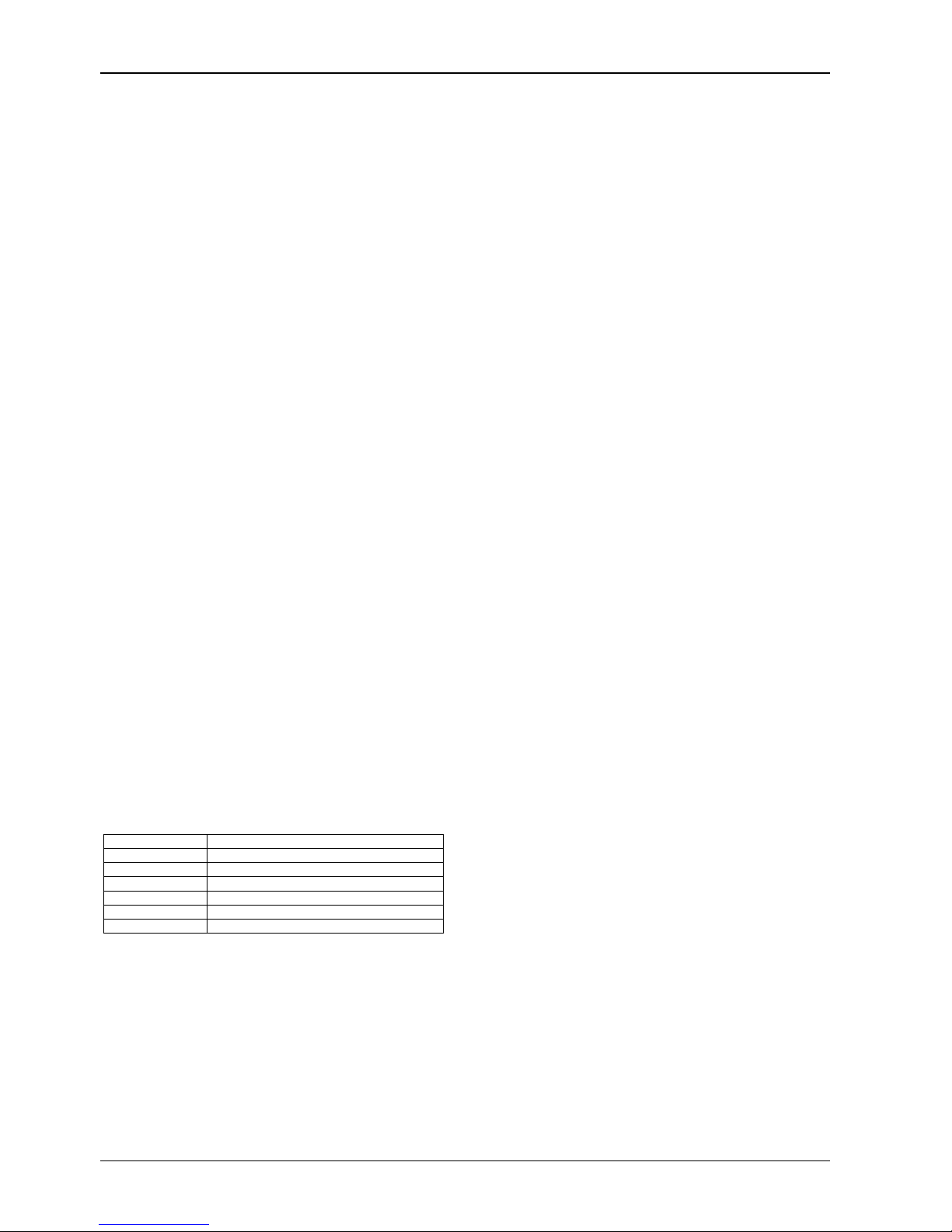
Zone LED Dialling Event
1
2
3 Handshake Received
4
5 Kiss-Off Received
None
Telephone Line Seized
Dialling Telephone Nu mber
Data Being Sent
Released Telephone Line
Add A User Code
1. Enter the Master Code followed by 1 and the
# key [eg. 2580 + 1 + #].
Delete A User Code (V1.10)
1. Enter the Master Code followed by 1 and the
# key [eg. 2580 + 1 + #].
2. Enter the User Number that you want to
delete followed by the # key.
3. Press the # key again to delete the user code.
Delete A User Code (V1.20+)
1. Enter the Master Code followed by 1 and the
# key [eg. 2580 + 1 + #].
Enter the User Number that you want to
2.
delete followed by the # key.
Press the * key to delete the user code.
3.
Change Domestic Telephone Numbers
1. Enter the Master Code followed by 2 and the
# key [eg. 2580 + 2 + #].
2. Enter the digits for the telephone number.
3. If more than one telephone number, press the
* key and repeat Step 2, else press the # key
to exit.
Turn Outputs On/Off
1. Enter the Master Code followed by 5 and the
# key [eg. 2580 + 5 + #].
2. Enter the Output Number (1 – 5) that you
want to toggle on or off.
Press the # key to toggle On or the * key to
3.
toggle Off.
Press the # key to exit.
4.
Setting Date and Time
1. Enter the Master Code followed by 6 and the
# key [eg. 2580 + 6 + #].
2. Enter the day (DD), month (MM) and year
(YY) followed by the hour (HH) and minute
(MM).
Press the # key to exit.
3.
2. Enter the User Number that you want to
add/change followed by the # key.
3. Enter the New Code followed by the # key.
Safecom
Quick Reference Guide
SOL 16 SAFECOM QUICK REF GUIDE.DOC.DOC Bosch Security Systems Pty Limited
Page 7
Solution-16/Solution-16
Safecom
Quick Reference Guide
Day Alarm – Toggle On/Off (V1.10)
1. Enter the Master Code followed by 7 and the
# key [eg. 25 80 + 7 + #].
Day Alarm – Toggle On/Off (V1.20+)
Press and hold the 4 key until two beeps are
1.
heard.
STAY Mode 2 Zones - Program
1. Enter the Master Code followed by 8 and the
# key [eg. 25 80 + 8 + #].
2. Enter the Zone Number that you want the
system to automatically isolate followed by the
* key.
Repeat if more than one zone to be
3.
automatically isolated when armed in STAY
Mode 2.
4. Press the # key to terminate.
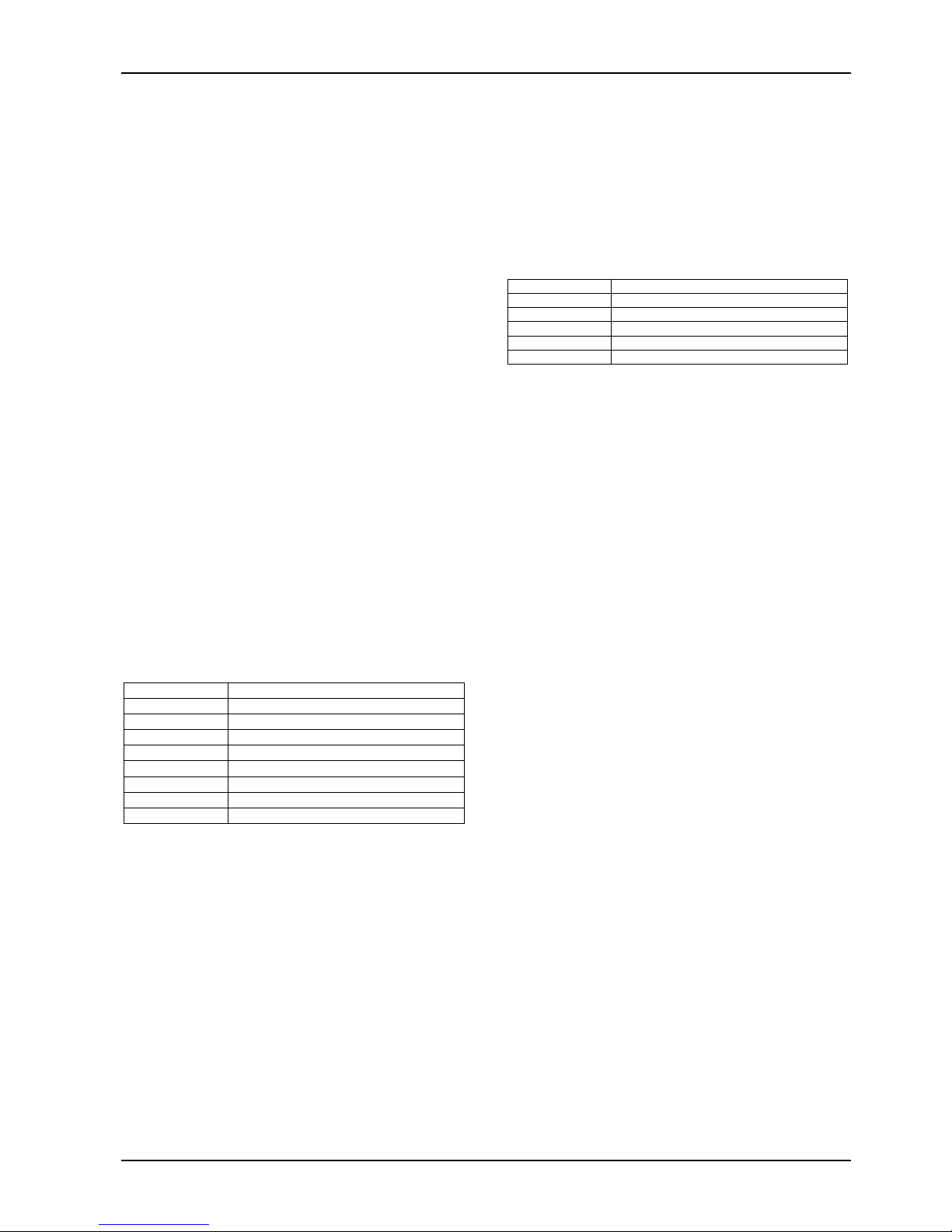
Fault Analysis
Press and hold the 5 key until two beeps are
1.
heard.
Zone Indicators will display FAULT condition
2.
(see table below).
Press # key to terminate.
3.
Zone LED FAULT Condition
1
2
3
4
5
6 EPROM Fail
7
8 Communication Fail
Battery Low
Date / Time Reset
Sensor Watch Fail
Horn Speaker Fail
Telephone Line Fail
Zone 16 In Alarm (Partitioning)
Modem Call (Alarm Link)
1. Press and hold the 6 key until two beeps are
heard.
Latching Outputs (Reset)
1. Press and hold the 7 key until two beeps are
heard.
7
Codepad ID / Buzzer Tone
1. Press and hold the 8 key until the desired
buzzer tone has been reached.
If the system has been partitioned, the
codepad will display a number to identify
which area the codepad belongs to (see table
below).
Press the # key to terminate.
2.
Zone LED Codepad Assignment
1
2 Area 2
3
4
7
Area 1
Area 3
Area 4
Master Partitioned Codepad
Test Report
1. Press an d hold the 9 key unt il two beeps are
heard.
Speaker Test
1. Press an d hold the 1 key unt il two beeps are
heard. The horn speaker will sound for two
seconds.
Bell Test
Press and hold the 2 key until t wo beeps are
1.
heard. The piezo will sound for two seconds.
Strobe Test (Toggle On/Off)
Press and hold the 3 key until three beeps are
1.
heard to turn the strobe on.
Press and hold the 3 key until t wo beeps are
2.
heard to turn the strobe off.
Bosch Security Systems Pty Limited
Page 8
8 Solution-16/Solution-16
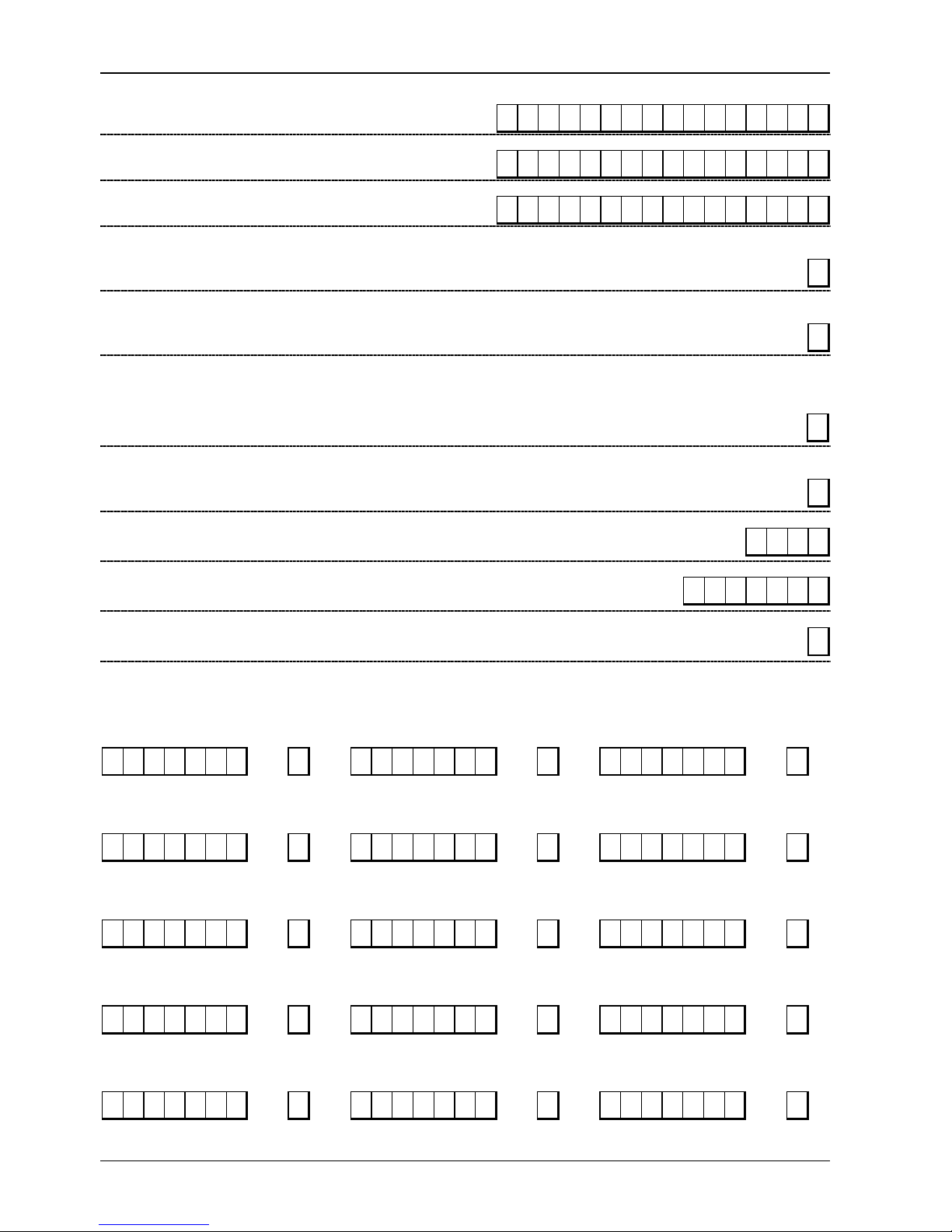
Location 000 – 015
Primary Telephone Number
(0=10 and telephone termination = 0, anywhere else 0=0)
Location 016 – 031
Secondary Telephone Number
(0=10 and telephone termination = 0, anywhere else 0=0)
Location 032 – 047
Call Back Telephone Number
(0=10 and telephone termination = 0, anywhere else 0=0)
Location 48
Dialling Format
Location 49
Handshake Tone
Location 50
Transmission Format
Location 51
Transmission Speed
Location 052 – 055
1 = Australian DTMF 4 = International DTMF
2 = Australian Decadic 5 = Reversed Decadic
3 = Alternate DTMF & Decadic (Aust) 6 = Alternate DTMF & Reversed Decadic
1 = HI-LO Handshake (Contact ID) 4 = No Handshake
2 = 1400 Hz (Ademco TX @ 1900 Hz) 5 = Pager
3 = 2300 Hz (Sescoa TX @ 1800 Hz)
1 = Contact ID 6 = 4 + 1 Pulsed Expanded 11 = Domestic
2 = 4 + 2 Expressed 7 = 3 + 1 Pulsed Universal 12 = Basic Pager
3 = 4 + 2 Pulsed 8 = 3 + 1 Pulsed Expanded 13 = Reserved
4 = 4 + 2 Pulsed + Checksum 9 = Reserved 14 = PET Alpha Pager
5 = 4 + 1 Pulsed + Universal 10 = Reserved 15 = Synthesised Voice
1 = 1 Pulse / Second 4 = 20 Pulses / Second
2 = 10 Pulses / Second 5 = 20 Pulses / Second FDL
3 = 15 Pulses / Second 6 = 40 Pulses / Second
000000000 0 0 0 0 000
000000000 0 0 0 0 000
000000000 0 0 0 0 000
Subscriber ID Number For Area 1
Safecom
Quick Reference Guide
1
1
1
2
0 0 0 0
Location 056 – 062
Installer Code
Location 063
Ring Count
Location 064 – 319
0 = Panel Will Not Answer 14 = Answering Machine Bypass 2 (V1.37+)
1 – 13 = No Of Rings Until Panel Answers 15 = Answering Machine Bypass 1
1 2 3 4 15 15 15
8
User Codes
Authority
User Code 1
Location 064 - 070 071 Location 072 - 078 79 Location 080 - 086 87
Level
User Code 2
Authority
Level
User Code 3
Authority
Level
2 5 8 0 15 15 15 8 15 15 15 15 15 15 15 0 15 15 15 15 15 15 15 0
Authority
User Code 4
Location 088 - 094 095 Location 096 - 102 103 Location 104 - 110 111
Level
User Code 5
15 15 15 15 15 15 15 0 15 15 15 15 15 15 15 0 15 15 15 15 15 15 15 0
Authority
Level
User Code 6
Authority
Level
Authority
User Code 7
Location 112 - 118 119 Location 120 - 126 127 Location 128 - 134 135
Level
User Code 8
15 15 15 15 15 15 15 0 15 15 15 15 15 15 15 0 15 15 15 15 15 15 15 0
Authority
Level
User Code 9
Authority
Level
Authority
User Code 10
Location 136 - 142 143 Location 144 - 150 151 Location 152 - 158 159
Level
User Code 11
15 15 15 15 15 15 15 0 15 15 15 15 15 15 15 0 15 15 15 15 15 15 15 0
Authority
Level
User Code 12
Authority
Level
User Code 13
Location 160 - 166 167 Location 168 - 174 175 Location 176 - 182 183
Authority
Level User Code 14
0 0 0 0 0 0 0 0 15 15 15 15 15 15 15 0 15 15 15 15 15 15 15 0
Authority
Level User Code 15
Authority
Level
SOL 16 SAFECOM QUICK REF GUIDE.DOC.DOC Bosch Security Systems Pty Limited
Page 9

Solution-16/Solution-16
Safecom
Quick Reference Guide 9
User Code 16
Location 184 - 190 191 Location 192 - 198 199 Location 200 - 206 207
Authority
Level User Code 17
Authority
Level User Code 18
Authority
Level
15 15 15 15 15 15 15 0 15 15 15 15 15 15 15 0 15 15 15 15 15 15 15 0
User Code 19
Location 208 - 214 215 Location 216 - 222 223 Location 224 - 230 231
Authority
Level
User Code 20
15 15 15 15 15 15 15 0 15 15 15 15 15 15 15 0 15 15 15 15 15 15 15 0
Authority
Level
User Code 21
Authority
Level
User Code 22
Location 232 - 238 239 Location 240 - 246 247 Location 248 - 254 255
Authority
Level User Code 23
15 15 15 15 15 15 15 0 15 15 15 15 15 15 15 0 15 15 15 15 15 15 15 0
Authority
Level User Code 24
Authority
Level
User Code 25
Location 256 - 262 263 Location 264 - 270 271 Location 272 - 278 279
Authority
Level User Code 26
0 0 0 0 0 0 0 0 15 15 15 15 15 15 15 0 15 15 15 15 15 15 15 0
Authority
Level User Code 27
Authority
Level
User Code 28
Location 280 - 286 287 Location 288 - 294 295 Location 296 - 302 303
Authority
Level User Code 29
15 15 15 15 15 15 15 0 15 15 15 15 15 15 15 0 15 15 15 15 15 15 15 0
Authority
Level User Code 30
Authority
Level
User Code 31
Location 304 - 310 311 Location 312 - 318 319
Authority
Level
User Code 32
15 15 15 15 15 15 15 0 0 15 15 15 15 15 15 1
Authority Levels
Authority
Level
0
1
2
4
6 Patrolman Code + Code Required To Isolate
8
12 Master Code + Arm/Disarm + Code Required To Isolate
Arm/Disarm
Arm Only
Patrolman Code
Arm/Disarm + Code Required To Isolate
Master Code + Arm/Disarm
Description
Location 320 - 335
Auxiliary Codes
Auxiliary Code 1
Location 320 - 326 327 Location 328 - 334 335
15 15 15 15 15 15 15 2 15 15 15 15 15 15 15 2
Authority
Authority
Level
Level Auxiliary Code 2
Authority
Level
Authority
Level
1
2
3
4
5 Operate If Armed & No Alarm Memories Are Present
6
7 Operate If Armed Or Disarmed & No Alarm Memories Are Present
Location 336 - 337
Day Alarm Zones
Bosch Security Systems Pty Limited
Description
Operate When The System Is Armed
Operate When The S ystem Is Disarmed
Operate When The System Is Armed Or Disarmed
Operate Always As Long As No Alarm memories Are Present
Operate If Disarmed & No Alarm Memories Are Present
1 = Zone 1 1 = Zone 5
Location 336
8 = Zone 4 8 = Zone 8
2 = Zone 2 2 = Zone 6
4 = Zone 3
Location 337
4 = Zone 7
1 0
Page 10

10 Solution-16/Solution-16
Safecom
Quick Reference Guide
Location 338
User Code Retries
0 = Unlimited Code Retries / 1 – 15 = Number Of Incorrect Code Retries
Location 339
EOL Resistor Value
Location 340 - 467
1 = 1K 5 = 3K9 9 = 10K 13 = Reserved
2 = 1K5 6 = 4K7 10 = 12K 14 = Reserved
3 = 2K2 7 = 5K6 11 = 22K 15 = Split EOL
4 = 3K3 8 = 6K8 12 = Reserved (3K3/6K8)
Zones
Zone 1
Zone 2
(Default = Han dover) Zone
Zone 3
(Default = Han dover) Zone
Zone 4
(Default = Han dover) Zone
Zone 5
(Default = Han dover) Zone
Zone 6
Zone 7
Zone 8
(Default = 24-Hr Burglary) Zone
Zone 9
Zone 10
Zone 11
Location 340 341 342 343 344 345 346 347
2 0 0 0 1 3 0 1
(Default = Delay-1) Zone
Location 348 349 350 351 352 353 354 355
Type
Type
Location 356 357 358 359 360 361 362 363
Type
Location 364 365 366 367 368 369 370 371
Type
Location 372 373 374 375 376 377 378 379
Type
Location 380 381 382 383 384 385 386 387
(Default = Instant) Zone
Location 388 389 390 391 392 393 394 395
Type
(Default = Instant) Zone
Location 396 397 398 399 400 401 402 403
Type
Zone
Options
Zone Pulse
Count
Zone Pulse
Count Time
Event Code
Hundreds
Digit
Event code
Tens
Digit
Event Code
Units
Digit
1 0 0 0 1 3 0 1
Zone
Options
Zone Pulse
Count
Zone Pulse
Count Time
Event Code
Hundreds
Digit
Event code
Tens
Digit
Event Code
Units
Digit
1 0 0 0 1 3 0 1
Zone
Options
Zone Pulse
Count
Zone Pulse
Count Time
Event Code
Hundreds
Digit
Event code
Tens
Digit
Event Code
Units
Digit
1 0 0 0 1 3 0 1
Zone
Options
Zone Pulse
Count
Zone Pulse
Count Time
Event Code
Hundreds
Digit
Event code
Tens
Digit
Event Code
Units
Digit
1 0 0 0 1 3 0 1
Zone
Options
Zone Pulse
Count
Zone Pulse
Count Time
Event Code
Hundreds
Digit
Event code
Tens
Digit
Event Code
Units
Digit
0 0 0 0 1 3 0 1
Zone
Options
Zone Pulse
Count
Zone Pulse
Count Time
Event Code
Hundreds
Digit
Event code
Tens
Digit
Event Code
Units
Digit
0 0 0 0 1 3 0 1
Zone
Options
Zone Pulse
Count
Zone Pulse
Count Time
Event Code
Hundreds
Digit
Event code
Tens
Digit
Event Code
Units
Digit
12 0 0 0 1 3 3 1
Type
Location 404 405 406 407 408 409 410 411
(Default = Instant) Zone
Location 412 413 414 415 416 417 418 419
Type
Zone
Options
0 0 0 0 1 3 0 1
Zone
Options
Zone Pulse
Count
Zone Pulse
Count
Zone Pulse
Count Time
Zone Pulse
Count Time
Event Code
Hundreds
Digit
Event Code
Hundreds
Digit
Event code
Tens
Digit
Event code
Tens
Digit
Event Code
Units
Digit
Event Code
Units
Digit
0 0 0 0 1 3 0 1
(Default = Instant) Zone
Location 420 421 422 423 424 425 426 427
Type
(Default = Instant) Zone
Type
Zone
Options
Zone Pulse
Count
Zone Pulse
Count Time
Event Code
Hundreds
Digit
Event code
Tens
Digit
Event Code
Units
Digit
0 0 0 0 1 3 0 1
Zone
Options
Zone Pulse
Count
Zone Pulse
Count Time
Event Code
Hundreds
Digit
Event code
Tens
Digit
Event Code
Units
Digit
Dialler
Channel
Dialler
Channel
Dialler
Channel
Dialler
Channel
Dialler
Channel
Dialler
Channel
Dialler
Channel
Dialler
Channel
Dialler
Channel
Dialler
Channel
Dialler
Channel
6
4
SOL 16 SAFECOM QUICK REF GUIDE.DOC.DOC Bosch Security Systems Pty Limited
Page 11

Solution-16/Solution-16
Zone 12
Zone 13
Zone 14
Zone 15
Zone 16
Location 428 429 430 431 432 433 434 435
0 0 0 0 1 3 0 1
(Default = Instant) Zone
Location 436 437 438 439 440 441 442 443
Type
(Default = Instant) Zone
Location 444 445 446 447 448 449 450 451
Type
Zone
0 0 0 0 1 3 0 1
Zone
0 0 0 0 1 3 0 1
(Default = Instant) Zone
Location 452 453 454 455 456 457 458 459
Type
(Default = Instant) Zone
Location 460 461 462 463 464 465 466 467
Type
(Default = Instant) Zone
Type
Zone
0 0 0 0 1 3 0 1
Zone
0 0 0 0 1 3 0 1
Zone
Safecom
Options
Options
Options
Options
Options
Quick Reference Guide
Zone Pulse
Count
Zone Pulse
Count
Zone Pulse
Count
Zone Pulse
Count
Zone Pulse
Count
Zone Pulse
Count Time
Zone Pulse
Count Time
Zone Pulse
Count Time
Zone Pulse
Count Time
Zone Pulse
Count Time
11
Event Code
Hundreds
Digit
Event Code
Hundreds
Digit
Event Code
Hundreds
Digit
Event Code
Hundreds
Digit
Event Code
Hundreds
Digit
Event code
Tens
Digit
Event code
Tens
Digit
Event code
Tens
Digit
Event code
Tens
Digit
Event code
Tens
Digit
Event Code
Units
Digit
Event Code
Units
Digit
Event Code
Units
Digit
Event Code
Units
Digit
Event Code
Units
Digit
Dialler
Channel
Dialler
Channel
Dialler
Channel
Dialler
Channel
Dialler
Channel
Zone Types
Zone Type Description Zone Type Description
0 Instant 8 Delay-1 (Auto Isolated In STAY Mode 1)
1
Handover
9
Delay 2 (Auto Isolated In STAY Mode 1)
2 Delay-1 10 Delay-3 (Auto Isolated In STAY Mode 1)
3
4
5
6
Delay-2
Delay-3
Delay-4
Instant (Auto Isolated In STAY Mode 1)
11
12
13
14
Delay-4 (Auto Isolated In STAY Mode 1)
24 Hour Burglary
24 Hour Fire
Chime
7 Handover (Auto Isolated In STAY Mode 1) 15 Not Used
Zone Options Dialler Channel
Option Description Option Group
1
Lockout Siren
2 Lockout Dialler 2 Group 2 (Area 2)
4
Silent Alarm
8
Sensor Watch
Zone Pulse Count
The pulse count allows you to program how many pulses (0 – 15) need to be registered within the pulse count
time to activate an alarm.
Zone Pulse Count Time
Option 20ms Loop Response Time Option 150 ms Loop Response Time
0
1
2
3
0.5 Seconds
1 Second
2 Seconds
3 Seconds
4 4 Seconds 12 60 Seconds
5
5 Seconds
6 10 Seconds 14 120 Seconds
7
15 Seconds
Event Code
The three-digit event code is used to describe the zone function when reporting in Contact ID format (Eg.
Entry/Exit, Tamper, Perimeter etc). Refer to the installation manual for a full list of Contact ID codes available.
When the system is reporting in a format other then Contact ID, the event code are programmed as follows:
Hundreds Digit
= Alarm Restore Report (0 = Alarm Restore Disabled)
Tens Digit = Alarm Report (0 = Alarm Disabled)
Units Digit = Channel Code (0 = Disabled)
10
11
13
15
1
3
4
8
9
Group 1 (Area 1)
Group 3 (Area 3)
Group 4 (Area 4)
20 Seconds
30 Seconds
40 Seconds
50 Seconds
90 Seconds
200 Seconds
Bosch Security Systems Pty Limited
Page 12

12 Solution-16/Solution-16
Safecom
Quick Reference Guide
Location 468 - 469
Zone Bypass (Zones 1 – 8)
Location 470 - 471
Zone Bypass (Zones 9 – 16)
Location 472 - 473
Zone Trouble (Zones 1 – 8)
Location 474 - 475
Zone Trouble (Zones 9 – 16)
Location 476 - 479
Codepad Duress
Location 480 - 483
Codepad Panic
Location 484 - 487
Access Denied (Code Retries)
Location 488 - 491
AC Fail
Location 492 - 495
Low Battery
Location 496 - 499
Program Altered Code
Location 500 - 503
Sensor Watch (V1.10 – 1.31)
Location 500 - 503
Sensor Watch (V1.32+)
Location 504 - 505
Open/Close Reports For Area 1
Location 506 - 513
Test Report Time (Automatic)
Test Report Options
1 = Test Reports Only Wh en Armed
2 = Test Reports On All Areas
Location 514 - 529
PET Pager Network Password
Telecom expects to see the password "passwd" sent before the message is transmitted. The password is programmed using ASCII text.
Location 530 - 539
PET Pager ID Number
Location 468 = Bypass Report
Location 469 = Bypass Restore Report
Location 470 = Bypass Report
Location 471 = Bypass Restore Report
Location 472 = Trouble Report
Location 473 = Trouble Restore Report
Location 474 = Trouble Report
Location 475 = Trouble Restore Report
Location 476 = 478 = Contact ID Event Code (Hundreds/Tens/Units)
Location 479 = Dialler Channel
Location 480 = 482 = Contact ID Event Code (Hundreds/Tens/Units)
Location 483 = Dialler Channel
Location 484 = 486 = Contact ID Event Code (Hundreds/Tens/Units)
Location 487 = Dialler Channel
Location 488 = 490 = Contact ID Event Code (Hundreds/Tens/Units)
Location 491 = Dialler Channel
Location 492 = 494 = Contact ID Event Code (Hundreds/Tens/Units)
Location 495 = Dialler Channel
Location 496 = 498 = Contact ID Event Code (Hundreds/Tens/Units)
Location 499 = Dialler Channel
Location 500 - 502 = Contact ID Event Code (Hundreds/Tens/Units)
Location 503 = Dialler Channel
Location 500 - 502 = Contact ID Event Code (Hundreds/Tens/Units)
Location 503 = Dialler Channel
Location 504 = Open Report
Location 505 = Close Report
Location 506 = Hour Of Day (Tens Digit)
Location 507 = Hour Of Day (Units Digit)
Location 508 = Minute Of Day (Tens Digit)
Location 509 = Minute Of Day (Tens Digit)
Location 510 = Repeat Interval (Tens Digit)
Location 511 = Repeat Interval (Units Digit)
Location 512 = Expansion Code
Location 513 = Test Report Options
506 507 508 509 510 511 512 513
0 0 0 0 0 0 9 0
H H M M Repeat
Interval
706173737 7 6 4 0 000
000 0 0 0 0 000
9 9
9 9
9 9
9 9
1 2 1 1
1 2 0 1
4 2 1 1
3 0 1 1
3 0 9 1
3 0 6 0
3 8 3 1
3 0 7 1
8 9
Exp Option
The Pager ID Number locations are used to store the unique number that allows the network to identify individual pagers. When
programming the system to report via SMS messaging to a mobile phone, enter the mobile phone number as the PET pager ID number.
To program the Pager ID Number, enter the decimal characters that represent the Pager ID Number. Remember to substitute a 10 for a
zero and to terminate the number with a zero as you would if you were programming the telephone numbers.
SOL 16 SAFECOM QUICK REF GUIDE.DOC.DOC Bosch Security Systems Pty Limited
Page 13

Solution-16/Solution-16
Safecom
Quick Reference Guide 13
Location 540 - 623
Outputs
Location 540 541 542 543 544 545 Location 546 547 548 549 550 551
Output 1
Default =
BOSCHSAT
Location 552 553 554 555 556 557 Location 558 559 560 561 562 563
Output 3
Default = Smoke
Detector Rese
Location 564 565 566 567 568 569 Location 570 571 572 573 574 575
Output 5
Default = Sirens
Running
Location 576 577 578 579 580 581 Location 582 583 584 585 586 587
Output 7
Default = Area 1 In
Alarm (Siren)
Location 588 589 590 591 592 593 Location 594 595 596 597 598 599
Output 9
Default = Area 2 In
Alarm (Siren)
Location 600 601 602 603 604 605 Location 606 607 608 609 610 611
Output 11
Default = Area 3 In
Alarm (Siren)
Location 612 613 614 615 616 617 Location 618 619 620 621 622 623
Output 13
Default = Area 4 In
Alarm (Siren)
0 0 0 0 0 0
Event
Polarity Time
Code
Base
0 1 10 2 0 3
Event
Polarity Time
Code
t
Base
1 15 1 0 0 0
Event
Polarity Time
Code
Base
5 2 6 3 1 0
Event
Polarity Time
Code
Base
5 3 6 3 1 0
Event
Polarity Time
Code
Base
5 4 6 3 1 0
Event
Polarity Time
Code
Base
5 5 6 3 1 0
Event
Polarity Time
Code
Base
Output 2
Time Base
Multiplier
Output 4
Time Base
Multiplier
Time Base
Multiplier
Output 8
Time Base
Multiplier
Output 10
Time Base
Multiplier
Time Base
Multiplier
Time Base
Multiplier
Default =
BOSCHSTU
Default = Strobe
Output 6
Default = Codepad Entry /Exit+D’ Alarm
Default = Area 1 In
Alarm (Strobe)
Default = Area 2 In
Alarm (Strobe)
Output 12
Default = Area 3 In
Alarm (Strobe)
Output 14
Default = Area 4 In
Alarm (Strobe)
00 0 0 00
Event
Polarity Time
Code
Base
20 1 0 00
Event
Polarity Time
Code
Base
012 2 1 0 1
Event
Polarity Time
Code
Base
52 6 3 60
Event
Polarity Time
Code
Base
53 6 3 60
Event
Polarity Time
Code
Base
54 6 3 60
Event
Polarity Time
Code
Base
55 6 3 60
Event
Polarity Time
Code
Base
Time Base
Multiplier
Time Base
Multiplier
Time Base
Multiplier
Time Base
Multiplier
Time Base
Multiplier
Time Base
Multiplier
Time Base
Multiplier
Output Event Types
Event
Code
0 0
BOSCHSAT – Satellite Siren (Output 1 Only)
0 0
BOSCHSTU – Securitel (Output 2 Only)
0 0
Serial Printer (Output 3 Only)
0 1
System Armed
Description
Event
Code
14
15
16
17
Description
AC Fail
Low Battery
Horn Speaker Fail
Sensor Watch Alarm
0 2 System Disarmed 18 Codepad Medical Alarm (V1.37+)
0 3 Armed In STAY Mode 19 Codepad Fire Alarm (V1.37+)
0 4
Pre-Arming Alert (V1.10)
0 4
Armed In AWAY (V1.20+)
0 5
Pre-Arming Alert (V1.20+)
110
Codepad Panic Alarm
111
Codepad Duress Alarm
112
Access Denied (Code Retries)
0 6 Exit Warning (All Zones Sealed)+Entry Warning 113 Speaker Beeps (V1.37+)
0 7 Exit Warning 114 Reserved
0 8
Exit Warning Fin is he d
0 9
Kiss-Off After End Of Exi t Time
0 10
Reserved
0 11
Entry Warning
115
Sirens Running
20
Strobe
21
Silent Alarm
22
Alarm In STAY Mode
0 12 Entry Warning + Day Alarm (Resetting) 2 3 Alarm In AWAY Mode
0 13
Reserved
0 14
Day Alarm (Resetting)
0 15
Day Alarm Latching
1 0
Day Alarm Enabled (V1.20+)
2 4
2 5
2 6
2 7
Reserved
Fire Alarm (Resetting)
Fire Alarm (Latching)
Fire Alarm (Verification)
1 1 Timed Output 2 8 Remote Control 1
1 2
Pre-Alert Warning For Timed Output
1 3
Reserved
2 9
2 10
Remote Control 2
Remote Control 3
Bosch Security Systems Pty Limited
Page 14

14 Solution-16/Solution-16
Safecom
Quick Reference Guide
Event
Code
2 11
2 12 Auxiliary Code 1 49 Reserved
2 13 Auxiliary Code 2 410 Area 1 - Zone Unsealed
2 14
2 15
3 0
3 1 Dialler Disabled 414 Reserved
3 2 Dialler Active (On-Line) 415 Reserved
3 3
3 4
3 5
3 6 Mimic Zone 2 53 Area 2 In Alarm
3 7 Mimic Zone 3 54 Area 3 In Alarm
3 8
3 9
3 10
3 11
3 12 Mimic Zone 8 59 Area 4 Armed
3 13
3 14
3 15
4 0
4 1 Mimic Zone 13 514 Any Areas Arme d
4 2 Mimic Zone 14 515 Any Areas Disarmed
4 3
4 4
Remote Control 4
Telephone Line Fail
Communications Fail After 3 Attempts
Communications Fail
Ring Detect (V1.37+)
Reserved
Mimic Zone 1
Mimic Zone 4
Mimic Zone 5
Mimic Zone 6
Mimic Zone 7
Mimic Zone 9
Mimic Zone 10
Mimic Zone 11
Mimic Zone 12
Mimic Zone 15
Mimic Zone 16
4 5
Chime
4 6 Zone Not Sealed 63 Area 4 Codepad Data Terminal
4 7 Reserved
Description
Event
Code
48
411
412
413
50
51
52
55
56
57
58
510
511
512
513
60
61
62
Description
Reserved
Area 2 – Zone Unsealed
Area 3 – Zone Unsealed
Area 4 – Zone Unsealed
Reserved
AC Main 50 Hz / 60 Hz
Area 1 In Alarm
Area 4 In Alarm
Area 1 Armed
Area 2 Armed
Area 3 Armed
Area 1 Disarmed
Area 2 Disarmed
Area 3 Disarmed
Area 4 Disarmed
Area 1 Codepad Data Terminal
Area 2 Codepad Data Terminal
Area 3 Codepad Data Terminal
Polarity (Modes)
Option Description Option Description
0
1
2 Normally Open, Pulsing Low 9 Normally Low, Pulsing Open
3
4 Normally Open, One Shot Low (Reset) 11 Normally Low, One Shot Open (Reset)
5
6
Disabled
Normally Open, Going Low
Normally Open, One Shot Low
Normally Open, One Shot Low (Re-trigger)
Normally Open, Latching Low
Time Base
Choose one of the options in the table below for the time base.
Option Description
1
2 1 Second
3
4
200 ms
1 Minute
1 Hour
Time Base Multiplier
Enter a value between 01 – 99.
One Shot Mode
When you program the output polarity as one shot, the time base is multiplied by the time base multiplier (Eg. If
the time base = 2 and the multiplier = 05, the output will operate for 5 seconds)
Pulsing Mode
When you program the output polarity as pulsing, the time base becomes the ‘ON’ time and the multiplier
becomes the ‘OFF’ time. The ‘OFF’ time is the time base x the multiplier (Eg. If you want the output to pulse
one (1) second ‘ON’ and five (5) seconds ‘OFF’, you would program time base as one (1) and the multiplier as
five (5)).
7
8
10
12
13
Reserved
Normally Low, Going Open
Normally Low, One Shot Open
Normally Low, One Shot Open (Re-trigger)
Normally Low, Latching Open
SOL 16 SAFECOM QUICK REF GUIDE.DOC.DOC Bosch Security Systems Pty Limited
Page 15

Solution-16/Solution-16
Location 624 - 625
Entry Tim e 1
Location 626 - 627
Entry Tim e 2
Location 628 - 629
Entry Time 3
Location 630 - 631
Entry Time 4
Location 632 - 633
Exit Time For AWAY Mode
Location 634 - 635
Exit Time For STAY Mode 1
Location 636 - 637
Exit Time For STAY Mode 2
Location 638 - 639
Entry Guard Time
For STAY Mode 1 and 2
Location 640 - 641
Codepad Lockout Time
Location 642 - 643
Sensor Watch Time
Location 644 - 649
System Date (V1.10)
Location 644 - 649
System Date (V1.20+)
Location 650 - 653
Auto Arming Time
Location 654
Auto Arming Pre-Alert Time
Location 624 = Increments Of 1 Second (0 – 15 Seconds)
Location 625 = Increments Of 16 Seconds (0 – 240 Seconds)
Location 626 = Increments Of 1 Second (0 – 15 Seconds)
Location 627 = Increments Of 16 Seconds (0 – 240 Seconds)
Location 628 = Increments Of 1 Second (0 – 15 Seconds)
Location 629 = Increments Of 16 Seconds ( 0 – 240 Seconds)
Location 630 = Increments Of 1 Second (0 – 15 Seconds)
Location 631 = Increments Of 16 Seconds (0 – 240 Seconds)
Location 632 = Increments Of 1 Second (0 – 15 Seconds)
Location 633 = Increments Of 16 Seconds (0 – 240 Seconds)
Location 634 = Increments Of 1 Second (0 – 15 Seconds)
Location 635 = Increments Of 16 Seconds (0 – 240 Seconds)
Location 636 = Increments Of 1 Second (0 – 15 Seconds)
Location 637 = Increments Of 16 Seconds ( 0 – 240 Seconds)
Location 638 = Increments Of 1 Second (0 – 15 Seconds)
Location 639 = Increments Of 16 Seconds (0 – 240 Seconds)
Location 640 = Increments Of 1 Second (0 – 15 Seconds)
Location 641 = Increments Of 16 Seconds (0 – 240 Seconds)
Location 642 = Increments Of Days (Tens Digit)
Location 643 = Increments Of Days (Units Digit)
Location 644 = Day Of The Week (Sun = 1 Sat = 2)
Location 645 = Month Of The Year (Jan = 1 Dec = 12)
Location 646 = Day Of The Month (Tens Digit)
Location 647 = Day Of The Month (Units Digit)
Location 648 = Current Year (Tens Digit)
Location 649 = Current Year (Units Digit)
Location 644 = Day Of The Month (Tens Digit)
Location 645 = Day Of The Month (Units Digit)
Location 646 = Month Of The Year (Tens Digit)
Location 647 = Month Of The Year (Units Digit)
Location 648 = Current Year (Tens Digit)
Location 649 = Current Year (Units Digit)
Location 650 = Hour Of The Day (Tens Digit)
Location 651 = Hour Of The Day (Units Digit)
Location 652 = Minute Of The Day (Tens Digit)
Location 653 = Minute Of The Day (Units Digit)
0 = No Pre-Alert Time / 1 - 15 = Pre-Alert Time In Minutes (Default = 5 Min’s)
Safecom
Quick Reference Guide 15
10 0
4 1
14 1
8 2
12 3
12 3
12 3
12 3
0 0
0 0
644 645 646 647 648 649
1 1 0 1 9 5
D M D D Y Y
644 645 646 647 648 649
0 1 0 1 9 5
D D M M Y Y
650 651 652 653
0 0 : 0 0
H H M M
5
Location 655
Timed Output
Pre-Alert Time
Location 656 - 659
Auto Operation Of The
Timed Output
Bosch Security Systems Pty Limited
0 = No Pre-Alert Time / 1 - 15 = Pre-Alert Time In Minutes (Default = 5 Min’s)
Location 656 = Hour Of The Day (Tens Digit)
Location 657 = Hour Of The Day (Units Digit)
Location 658 = Minute Of The Day (Tens Digit)
Location 659 = Minute Of The Day (Units Digit)
5
656 657 658 659
0 0 : 0 0
H H M M
Page 16

16 Solution-16/Solution-16
Location 660
Siren Run Time (V1.10 – 2.03)
0 = No Siren Time / 1 - 15 = Siren Time In Minutes (Default = 10 Min’s)
Safecom
Quick Reference Guide
10
Location 660
Siren Run Time
Location 661
(V2.04+)
Siren Sound Rate
Location 662
Swinger Shutdown Count
For Siren and Dialler
Location 662
(V1.10 – 1.37)
Swinger Shutdown Count
For Siren
Location 663
Dialler Options 1
(V1.40+)
Location 664
Dialler Options 2
Location 665
System Options 1
Location 666
System Options 2
Location 667
System Options 3
Location 668
System Options 4 (V1.10 Only)
Location 668
System Options 4 (V1.20+)
Location 669
Consumer Options 1 (V1.10 Only)
Location 669
Consumer Options 1 (V1.20+)
Location 670
Consumer Options 2
0 = No Siren Time / 1 - 15 = Siren Time In Minutes (Default = 5 Min’s)
0 = Slowest Frequency / 15 = Fastest Frequency
0 = No Lockout / 1 - 15 = Number Of Times Siren/Dialler Operate Till Lockout
0 = No Lockout / 1 - 15 = Number Of Times Siren Operate Till Lockout
1 = Dialler Reporting Functions Allowed
2 = Remote Arming Via Telephone Allowed
4 = Upload/Download Via Alarm Link Allowed
8 = Terminate Alarm Link Session On Alarm
1 = Open/Close Reports Only After Alarm
2 = First To Open/Last To Close Reporting (Partitioned Systems Only)
4 = Open/Close Reports In STAY Mode Allowed
8 = Answering Machine Bypass Only When Armed (V1.31 +)
1 = Forced Arming Allowed
2 = Smart Lockout Allowed
4 = Horn Speaker Monitor
8 = Horn Speaker Beeps Allowed
1 = Keyswitch Interface, Night Arm Station or RE005 Installed
2 = Handover Delay To Be Sequential
4 = Codepad Panic To Be Silent
8 = Access Denied (Code Retries/Codepad Tamper) To Be Silent
1 = Area 1 Codepad Connected To Main Data Terminal
2 = Modem Module Required For Alarm Link Operation
4 = AC Fail After 1 Hour (Disabled = After 2 Minutes)
8 = Pulse Count Handover Allowed
1 = Delay Audible Alarm Until Communication Complete
2 = Reset Alarm Outputs From Any Area (Partitioned Systems Only)
4 = Auto Arm In AWAY Mode
8 = Auto Arm In STAY Mode 1
1 = Delay Audible Alarm Until Communication Complete
2 = Reset Alarm Outputs From Any Area (Partitioned Systems Only)
4 = Ignore AC Mains Fail (V1.30+)
8 = Auto Arm In STAY Mode 1
1 = Entry Guard Time In STAY Mode
2 = Audible Alarm In STAY Mode Allowed
4 = User Code Required To Isolate Zones
8 = Codepad Extinguish Mode Allowed
1 = STAY LED To Display Day Alarm On/Off Status
2 = Audible Alarm In STAY Mode Allowed
4 = AUX LED To Display Dialler On-Line (Partitioned Codepad Only)
8 = Codepad Extinguish Mode Allowed
1 = ‘User Code + 0 + AWAY’ Function To Arm/Disarm All Areas Allowed
2 = Single Button Arming Allowed (AWAY, STAY Mode 1 & STAY Mode 2)
4 = Single Button Disarm Allowed (STAY Mode 1 or STAY Mode 2)
8 = Alarm Reset Memory On Disarm
(Disable In V2.00 Also Disable Safecom)
5
7
0
0
5
0
1
2
0
0
0
2
2
2
SOL 16 SAFECOM QUICK REF GUIDE.DOC.DOC Bosch Security Systems Pty Limited
Page 17

Solution-16/Solution-16
Location 671
DTMF Command Module
Options
Location 672
Expansion Board Options (V1.10)
Location 672
Expansion Board Options V1.20+)
Location 673
Telephone Line Fail Options
Location 674 - 675
Open/Close Reports For Area 2
Location 676 - 677
Open/Close Reports For Area 3
Location 678 - 679
Open/Close Reports For Area 4
Location 680 - 683
Subscriber ID Number For Area 2
Safecom
1 = Access To Installer’s Programming Mode Allowed
2 = Installer Code Functions Allowed
4 = Disarming and Auxiliary Code Functions Allowed
8 = Master Code Functions Allowed
1 = Zone Expansion Board Installed
2 = Output Expansion Board Installed
4 = Momentary Keyswitch Input
8 = Latching Keyswitch Input
1 = Zone Expansion Board Installed 7 = Momentary Arm In STAY Mode 2
2 = Output Expansion Board Installed 8 = Momentary Disarm
3 = Momentary Keyswitch Input 9 = Momentary Arm Area 4
4 = Latching Keyswitch Input 10 = Momentary Disarm Area 4
5 = Momentary Arm In AWAY Mode 11 = Momentary Arm/Disarm Area 4
6 = Momentary Arm In STAY Mode 1 12 = Latching Arm/Disarm Area 4
1 = Display FAULT Indicator If Telephone Line Fails
2 = Sound Alarm When System Is Armed If Telephone Line Fails
4 = Sound Alarm When System Is Disarmed If Telephone Line Fails
Note: Option 2 & 4 Must Be Used In Conjunction With Option 1
(Eg. Program a 1, 3, 5 or 7)
Location 674 = Open Report
Location 675 = Close Report
Location 676 = Open Report
Location 677 = Close Report
Location 678 = Open Report
Location 679 = Close Report
Quick Reference Guide 17
0
0
0
0
0 0
0 0
0 0
0000
Location 684 - 687
Subscriber ID Number For Area 3
Location 688 - 691
Subscriber ID Number For Area 4
Location 692 - 699
Zone Allocations For Area 1
Location 700 - 707
Zone Allocations For Area 2
Location 692 = Zone 1 LED – Area 1 Codepad
Location 693 = Zone 2 LED – Area 1 Codepad
Location 694 = Zone 3 LED – Area 1 Codepad
Location 695 = Zone 4 LED – Area 1 Codepad
Location 696 = Zone 5 LED – Area 1 Codepad
Location 697 = Zone 6 LED – Area 1 Codepad
Location 698 = Zone 7 LED – Area 1 Codepad
Location 699 = Zone 8 LED – Area 1 Codepad
Location 700 = Zone 1 LED – Area 2 Codepad
Location 701 = Zone 2 LED – Area 2 Codepad
Location 702 = Zone 3 LED – Area 2 Codepad
Location 703 = Zone 4 LED – Area 2 Codepad
Location 704 = Zone 5 LED – Area 2 Codepad
Location 705 = Zone 6 LED – Area 2 Codepad
Location 706 = Zone 7 LED – Area 2 Codepad
Location 707 = Zone 8 LED – Area 2 Codepad
0000
0000
692 693 694 695 696 697 698 699
0 0 0 0 0 0 0 0
Z1 Z2 Z3 Z4 Z5 Z6 Z7 Z8
700 701 702 703 704 705 706 707
0 0 0 0 0 0 0 0
Z1 Z2 Z3 Z4 Z5 Z6 Z7 Z8
Bosch Security Systems Pty Limited
Page 18

18 Solution-16/Solution-16
Safecom
Quick Reference Guide
Location 708 - 715
Zone Allocations For Area 3
Location 716 - 723
Zone Allocations For Area 4
Location 724 - 755
User Code Area Assignment
Location 724 725 726 727 728 729
User Code 1
Location 730 731 732 733 734 735
User Code 7
Location 736 737 738 739 740 741
User Code 13
Location 742 743 744 745 746 747
User Code 19
Location 748 749 750 751 752 753
User Code 25
Location 754 755
User Code 31
Location 756
0
0
0
0
0
0
User Code 2
User Code 8
User Code 14
User Code 20
User Code 26
User Code 32
Serial Printer Baud Rate
Location 757
Dialler Lockout Count
(V1.40+)
Location 760 - 763
Safecom – RF Fail (V2.00+)
Location 764 - 767
Safecom – Telco Fail (V2.00+)
Location 768 - 771
Safecom – RF Jamming (V2.00+)
Location 708 = Zone 1 LED – Area 3 Codepad
Location 709 = Zone 2 LED – Area 3 Codepad
Location 710 = Zone 3 LED – Area 3 Codepad
Location 711 = Zone 4 LED – Area 3 Codepad
Location 712 = Zone 5 LED – Area 3 Codepad
Location 713 = Zone 6 LED – Area 3 Codepad
Location 714 = Zone 7 LED – Area 3 Codepad
Location 715 = Zone 8 LED – Area 3 Codepad
Location 716 = Zone 1 LED – Area 4 Codepad
Location 717 = Zone 2 LED – Area 4 Codepad
Location 718 = Zone 3 LED – Area 4 Codepad
Location 719 = Zone 4 LED – Area 4 Codepad
Location 720 = Zone 5 LED – Area 4 Codepad
Location 721 = Zone 6 LED – Area 4 Codepad
Location 722 = Zone 7 LED – Area 4 Codepad
Location 723 = Zone 8 LED – Area 4 Codepad
0 = User Code Not Assigned
1 = User Code Assigned To Area 1
2 = User Code Assigned To Area 2
4 = User Code Assigned To Area 3
8 = User Code Assigned To Area 4
0
0
0
0
0
0
User Code 3
User Code 9
User Code 15
User Code 21
User Code 27
1 = 300 Baud
2 = 600 Baud
3 = 1200 Baud
4 = 2400 Baud
0 = No Lockout / 1 - 15 = Number Of Times Dialler Oper ate Till Lockout
Location 760 = 762 = Contact ID Event Code (Hundreds/Tens/Units)
Location 763 = Dialler Channel (Point ID = 30 Hex / 48 Decimal)
Location 764 = 766 = Contact ID Event Code (Hundreds/Tens/Units)
Location 767 = Dialler Channel (Point ID = 31 Hex / 49 Decimal)
Location 768 = 770 = Contact ID Event Code (Hundreds/Tens/Units)
Location 771 = Dialler Channel (Point ID = 32 Hex / 50 Decimal)
0
0
0
0
0
User Code 4
User Code 10
User Code 16
User Code 22
User Code 28
0
0
0
0
0
708 709 710 711 712 713 714 715
716 717 718 719 720 721 722 723
User Code 5
User Code 11
User Code 17
User Code 23
User Code 29
0 0 0 0 0 0 0 0
Z1 Z2 Z3 Z4 Z5 Z6 Z7 Z8
0 0 0 0 0 0 0 0
Z1 Z2 Z3 Z4 Z5 Z6 Z7 Z8
User Code 6
0
User Code 12
0
User Code 18
0
User Code 24
0
User Code 30
0
3 5 3 1
3 5 1 1
3 4 4 1
0
0
0
0
0
2
0
SOL 16 SAFECOM QUICK REF GUIDE.DOC.DOC Bosch Security Systems Pty Limited
Page 19

Solution-16/Solution-16
Safecom
Quick Reference Guide 19
Location 772
Safecom – RF Jamming Delay
(V2.00+)
Location 773
Safecom RF Supervision Time
(V2.02+)
Location 846 – 847
Ring Burst Time (V2.04)
Location 846 – 847
Ring Burst Time (V2.05+)
Location 896
Safecom Reporting Options
(V2.00+)
Location 897
System Options 5 (V1.37+)
Location 898
System Options 6 (V1.33+)
Location 899
Carrier Sync Options
0 = No RF Jamming Delay / 1 - 15 = RF Jamming Delay In Minutes
0 = No RF Supervision Time / 1 - 15 = RF Supervision Time In Minutes
Location 846 = Increments Of 5 ms (0 ms – 75 ms)
Location 847 = Increments Of 80 ms (0 ms – 1200 ms)
Location 846 = Increments Of 5 ms (0 ms – 75 ms)
Location 847 = Increments Of 80 ms (0 ms – 1200 ms)
1 = Safecom Communica tion Reporting Disabled
2 = Arming From ST1000 Base Allowed
4 = Disarming From ST100 Base Allowed
8 = Reserved
1 = Send ‘Test’ Report At End Of Siren Time
2 = Power Up In Disarmed State (Re-Boot)
4 = Internal Crystal To Keep Time (V1.40+)
8 = Reserved
1 = Busy Tone Detection For Domestic Dialling Allowed
2 = ‘Kiss-Off’ Detection For Domestic Dialling Allowed
4 = Extend Acknowledge Time From 30 To 60 Seconds
8 = If Battery Failed, Restrict Battery Test Only On Arming (V1.35+)
1 = 100 ms - 15 = 1.5 Seconds (Increments Of 100 ms)
Location 900
Default Options
0 = Defaulting System Allowed / 15 = Defaulting System Disabled
Location 901 - 904
System Time
Location 920 - 927
Location 901 = Hour Of The Day (Tens Digit)
Location 902 = Hour Of The Day (Units Digit)
Location 903 = Minute Of The Day (Tens Digit)
Location 904 = Minute Of The Day (Units Digit)
Safecom Inte rface Serial Number
The eight-digit serial number of the Safecom interface board can be read in the above
locations.
Connection For Momentary Or Latching Keyswitch
To enable the connection for a momentary or latching
keyswitch on the above diagram, refer to “LOCATION
672” under Expansion Board Type to program these
options.
0
10
0 0
4 6
6
0
3
9
0
901 902 903 904
0 0 : 0 0
H H M M
0 0 0 0 0 0 0 0
Bosch Security Systems Pty Limited
Page 20

20 Solution-16/Solution-16
Safecom
Quick Reference Guide
Connections For Split EOL Resistors For 16 Zone Operation
Connections For Split EOL Resistors For 16 Zone Operation Using N/O Contacts
Safecom Interface
SOL 16 SAFECOM QUICK REF GUIDE.DOC.DOC Bosch Security Systems Pty Limited
Page 21

Solution-16/Solution-16
Component Overlay
Safecom
Quick Reference Guide 21
Bosch Security Systems Pty Limited
Page 22

22 Solution-16/Solution-16
Wiring Diagram
Safecom
Quick Reference Guide
SOL 16 SAFECOM QUICK REF GUIDE.DOC.DOC Bosch Security Systems Pty Limited
Page 23

Solution-16/Solution-16
Safecom
Codepad Connections (Partitioning)
Quick Reference Guide 23
Note: A Master Partitioned codepad requires all DIP Switches to be set in the ON position.
Bosch Security Systems Pty Limited
Page 24

 Loading...