

Page 1
To Purchase This Game, Visit BMI Gaming | www.bmigaming.com | Or Contact International Sales at + 561-391-7200 (USA)
STA
NDARD 2 PLAYER OPERATING MANUAL
Rev. 10-06-16
Coastal Amusements, Inc.
1950 Swarthmore Ave. Lakewood, NJ 08701
+1 (732) 905-6662
http://www.coastalamusements.com
Page 2

To Purchase This Game, Visit BMI Gaming | www.bmigaming.com | Or Contact International Sales at + 561-391-7200 (USA)
TION
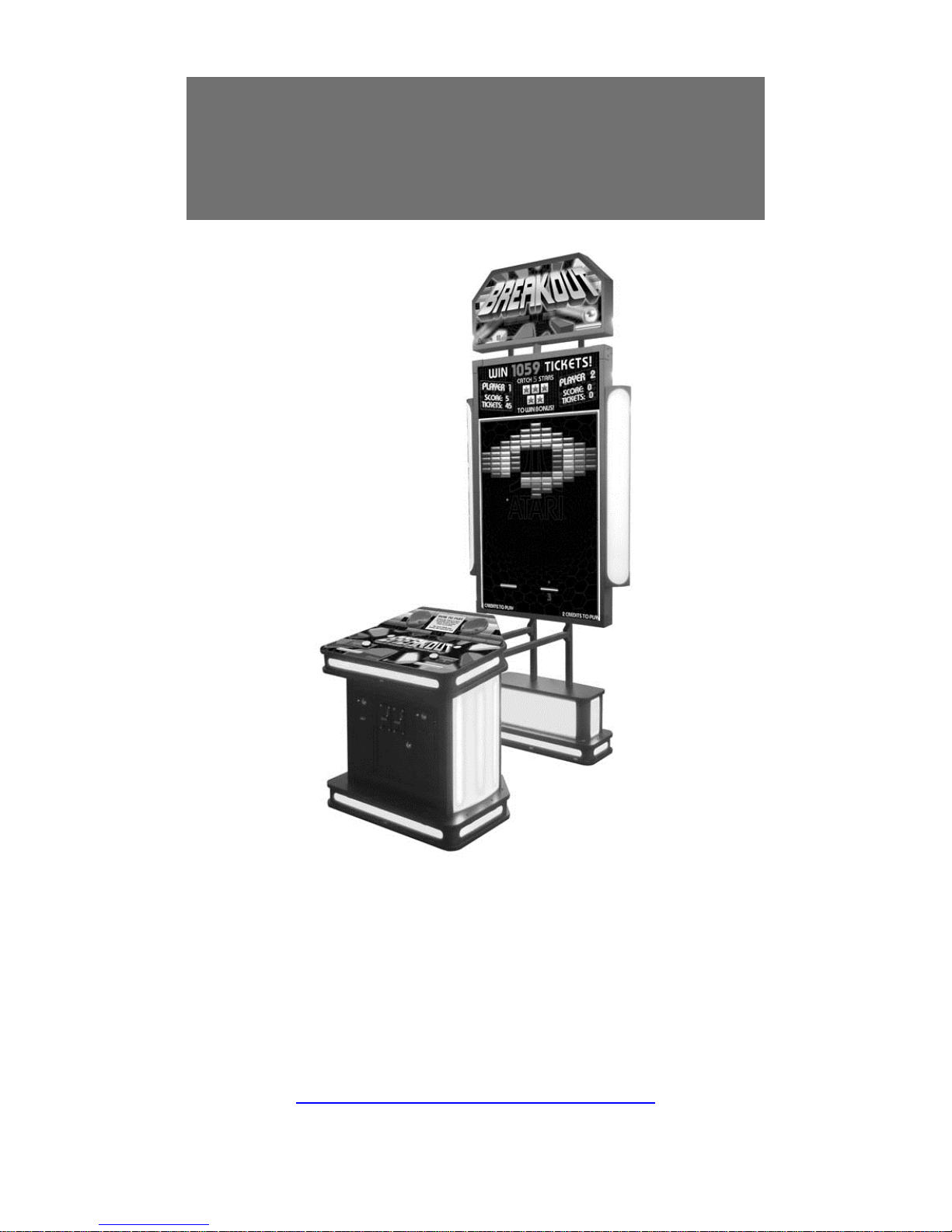
Breakou
®
is a video am
t
INTRODUC
usement redemption game where 1 or 2 players try to destroy as many
bricks as possible in order to clear one of dozens of selectable levels. If the Bonus is enabled,
then they can also try and catch the required number of stars to win it.
SA
FETY NOTICE
This Manual des
cribes how to set up and use this product. It is intended to instruct
operator and qualified maintenance personnel to safely and correctly operate the
machine. Make sure to follow all the safety and warning instructions described to
prevent injury or damage to the machine.
● Before connecting the machine to the main power source, verify that the voltage
is correct to avoid fires or electric shock.
● DO NOT touch
the plug with damp hands.
● To avoid electric shock and short circuit, DO NOT expose the power cord or
ground wire across walkways.
● To av
● When plugging/unp
oid fires, DO NOT place any flammable objects close to the power cord.
lugging the power cord, make sure to hold the plug. DO NOT
pull on the power cord.
● In the event
of a frayed or broken power cord, please contact your dealer for
replacement.
● DO NOT use fu
● DO NOT disa
ses or parts that are not recommended by the manufacturer.
ssemble, change or modify the machine without authorization.
Inappropriate handling of the machine may cause damage to the machine and
injury to players and spectators.
● Please check and maintain the machine regularly.
● St
● Coastal
anding or climbing on the machine is prohibited to avoid injury
Amusements reserves the right to change or revise this publication at
any time without prior notification.
Page 3

To Purchase This Game, Visit BMI Gaming | www.bmigaming.com | Or Contact International Sales at + 561-391-7200 (USA)
POWER SOURC
E
IMPORTANT!
MACHINE
VOLTS AC.
MACHINE MUST HAVE GROUND CONNECTION FOR PROPER OPERATION AND
USER SAFETY PROTECTION.
DO NOT OPERATE EQUIPMENT WITH GROUND LEAD CUT OFF POWER CORD.
MUST BE CONNECTED TO A GROUNDED POWER SOURCE OF 120
BREAKOUT® MENU OPTIONS
Press the Menu button to enter the
through the menus:
system set up and then use the following buttons to navigate
ATTEND
ANT / ACTION 2 – Use to move down in the menu and to decrement
values
UP – Use to move up in the menu and to increment values
MENU / ACTION 1 – Use to select a menu item, and to set menu item values
MAIN MENU
VOLUME
(0-100)
This option sets the main volume during game play.
[default: 50]
GAME ADJUSTMENTS
ATTRACT SOUND
(ON/LOW VOLUME/OFF) [default: LOW VOLUME]
Select whether or not you want attract sound on, off, or at a lower volume than game play.
Page 4

To Purchase This Game, Visit BMI Gaming | www.bmigaming.com | Or Contact International Sales at + 561-391-7200 (USA)
LINKED UNIT NUMBER
(OFF, MASTER, 2-10) [default: OFF]
Use this option when you want to link multiple games together to share the progressive bonus.
One game must be set as the master. The other games must be set to unique numbers (2-10).
Any settings that are changed on the master game will transfer to all other linked games. Most
settings on the slave games will be disabled.
CHANCES
(1-3) [default: 3]
This option will set how many times a player can lose a ball.
DIFFICULTY
(EASY, EASY MEDIUM, MEDIUM, MEDIUM HARD, HARD) [default: MEDIUM]
This sets the difficulty of the game.
BRICK CLEAR BONUS
(OFF, 1-100) [default: 10]
Setting this to a number value will award the player X amount of tickets if all the blocks are
destroyed on the level.
STARS FOR PROGRESSIVE
(3-15) [default: 10]
This will determine how many stars must be collected to win the progressive bonus.
PRIZE TICKET RANGE
(1-9) [default: 5]
This value sets an upper limit for the value of the falling bonus tickets.
ALLOW IN GAME JOIN-IN
(ON, OFF) [default: ON]
When this option is ON, a second player can add credits and join in at any time. When OFF, a 2
player game must be initiated at the start.
Page 5

To Purchase This Game, Visit BMI Gaming | www.bmigaming.com | Or Contact International Sales at + 561-391-7200 (USA)
ALLOW CONTINUE
(ON, OFF) [default: ON]
Setting this option to ON will allow a single player game to continue after running out of balls.
CONTINUE TIMER
(10-30) [default: 10]
The number of seconds that the continue game message remains on the screen.
PLAYFIELD SELECT TIMER
(5-30) [default: 15]
The number of seconds that the player has to select a level.
PRICING ADJUSTMENTS
FREE PLA
Y
(ON/OFF) [default: OFF]
Select ‘ON’ to allow game to be started by pressing the ‘ACTION’ button.
CARD PLAY
(ON/OFF) [default: OFF]
Select ‘ON’ if you are using a card swipe device.
CREDITS TO START
(1-10) [default: 2]
Set this option to the number of credits needed to start one game.
This option will be automatically disabled when “Card Swipe” is set to ‘On’.
COIN CHUTE 1 CREDITS
(1-10) [default: 1]
This option controls how many credits are given for each coin inserted into coin mech 1.
This option will be automatically disabled when “Card Swipe” is set to ‘On’.
Page 6

To Purchase This Game, Visit BMI Gaming | www.bmigaming.com | Or Contact International Sales at + 561-391-7200 (USA)
COIN CHUTE 2 CREDITS
(1-10) [default: 1]
This option controls how many credits are given for each coin inserted in to coin mech 2.
This option will be automatically disabled when “Card Swipe” is set to ‘On’.
PLAYER DEDICATED COIN CHUTES
(ON, OFF) [default: OFF]
When ON, the left coin mech is only for player 1 and the right coin mech is only for player 2.
DBV CREDITS
(1-10) [default: 4]
This option controls how many credits are given for each dollar inserted in a DBV.
This option will be automatically disabled when “Card Swipe” is set to ‘On’.
VALUE OF TICKET
($0.005 TO $0.05, $0.005 increments) [default: $0.01]
This option should be set to the cash value of one ticket.
Note: This setting must be accurate in order to correctly calculate the overall percentage
payout of the game.
VALU
E OF GAME
($0.25 TO $5.00) [default: $0.50]
Set this option to the monetary cost of a game for accurate bookkeeping stats.
Note: This setting must be accurate in order to correctly calculate the overall percentage
payout of the game.
Page 7

To Purchase This Game, Visit BMI Gaming | www.bmigaming.com | Or Contact International Sales at + 561-391-7200 (USA)
TICKET ADJUSTMENTS
TICKET DISPENS
E
(ON/OFF) [default: ON]
Setting this to off will prevent the ticket dispenser from dispensing tickets. All other game
features will remain the same.
TICKET FLAT PAY
(OFF, 1-10) [default: OFF]
Setting this to a number value will cause the game to pay out a pre-set number of tickets,
regardless of how many bricks are destroyed.
DISPENSE DURING GAME
(ON/OFF) [default: ON]
When set to ON, the game will pay tickets during game play. When set to OFF, the game will
dispense tickets at the end of the game.
MINIMUM TICKETS
(OFF, 1-10) [default: OFF]
When set to a number value, the game will always pay at least that number of tickets.
BRICKS
(1-10) [default: 5]
This value, along with the TICKETS value (below), will determine how many bricks are needed
to win X amount of tickets.
TICKETS
(1-10) [default: 1]
This value, along with the BRICKS value (above), will determine how many tickets are
awarded when X bricks are destroyed.
Page 8

To Purchase This Game, Visit BMI Gaming | www.bmigaming.com | Or Contact International Sales at + 561-391-7200 (USA)
PROGRESSIVE
BONUS
ALLOW PROGR
ESSIVE
(ON/OFF) [default: ON]
Set this to OFF to eliminate the progressive bonus.
RESET VALUE
(10-9999) [default: 1000]
This is the starting value of the progressive bonus. Select RESET BONUS after any changes to
actually reset the value.
MAXIMUM
(10-9999) [default: 9999]
The progressive bonus will never be higher than this value. Setting Reset (minimum) and
Maximum values to the same level, will cause the Bonus to be stable (non-progressive).
INCREMENT PER PLAY
(1-10) [default: 1]
This option controls how much the progressive
bonus will increase w
ith game, in conjunction
with the next option below.
PLAYS PER INCREMENT
(1-10) [default: 1]
This option controls how many plays are needed to increase the progressive bonus, in
conjunction with the option above.
ATTENDANT PAY
(ON, OFF) [default: OFF]
If this option is on, a bonus winner will have to be paid manually by an attendant. There will be
a message on the screen showing how many tickets are owed.
LEVEL SETUP
On this screen, y
ou can enable/disable individual levels by turning them on or off.
Page 9

0
0
0
0
0
0
0
0
0
0
0
0
0%
0
0
0
0
0
0
0
0
0%
0%
0
0
0
0
To Purchase This Game, Visit BMI Gaming | www.bmigaming.com | Or Contact International Sales at + 561-391-7200 (USA)
AUDITS
CURRENT
COIN CHUTE 1 CREDITS 0
COIN CHUT
DBV CREDI
TOTAL
PAID PLA
FREE PLAYS 0
1P PLA
2P PLA
CONTINUES
TOTAL
1P GAMES
2P GAMES
2P PLA
GAME T
E 2 CREDITS 0
TS 0
CREDITS 0
YS 0
YS 0
YS 0
0
PLAYS 0
0
0
YER % 0%
ICKETS 0
LIFETIME
AW
ARD TICKETS 0
LEVEL CLE
BONUS TICKET
TOTAL
AVER
BONUS HIT
BONUS HIT
BONUS T
CURRENT OPERA
AVER
GAME OVER BY
GAME OVER BY
GAME OVER BY
AR TICKETS 0
S 0
TICKETS 0
AGE TICKETS 0
S 0
S % 0
ICKET % 0%
TING % 0%
AGE GAME TIME 0
MISS 0
LEVEL CLEAR 0
BONUS 0
Page 10

To Purchase This Game, Visit BMI Gaming | www.bmigaming.com | Or Contact International Sales at + 561-391-7200 (USA)
AUDITS (continued)
LEVEL CURRENT LIFETIME LEVEL CURRENT LIFETIME
LEVEL 1 0 0 LEVEL 16 0 0
LEVEL 2 0 0 LEVEL 17 0 0
LEVEL 3 0 0 LEVEL 18 0 0
LEVEL 4 0 0 LEVEL 19 0 0
LEVEL 5 0 0 LEVEL 20 0 0
LEVEL 6 0 0 LEVEL 21 0 0
LEVEL 7 0 0 LEVEL 22 0 0
LEVEL 8 0 0 LEVEL 23 0 0
LEVEL 9 0 0 LEVEL 24 0 0
LEVEL 10 0 0 LEVEL 25 0 0
LEVEL 11 0 0 LEVEL 26 0 0
LEVEL 12 0 0 LEVEL 27 0 0
LEVEL 13 0 0 LEVEL 28 0 0
LEVEL 14 0 0 LEVEL 29 0 0
LEVEL 15 0 0 LEVEL 30 0 0
This screen will sh
RESET CREDITS
Selecting this will c
RESET TICKET
Selecting this will c
ow all bookkeeping information.
lear all credits on the game.
S
lear all tickets owed on the game.
RESET BON
US
This option will let you reset the progressive bonus.
Page 11

To Purchase This Game, Visit BMI Gaming | www.bmigaming.com | Or Contact International Sales at + 561-391-7200 (USA)
DIAGNOSTICS
IO BOARD TEST
In this test, you ca
n check the lighting, coin mech lockouts, bill acceptor, and the
buttons, to make sure everything is working correctly.
LINK SYSTEM
In this test, you can check which games are connected to each other. You can also
test increment the bonuses and simulate a bonus win.
AUDIO
100 HZ
1000 HZ
10000 HZ
STEREO
WHITE NOISE
These options test the speaker output.
MOTHERBOARD
MOTHERBOARD INFORMATION:
FOXCONN
H61MXE/-S/-V/-K
BIOS: 0
VIDEO: 0F0110DE
AUDIO: 26253842
NIC: 0D8D105B
SOFTWARE VERSION: V 0.9.9
This option will give you information about the hardware in the game.
Page 12

To Purchase This Game, Visit BMI Gaming | www.bmigaming.com | Or Contact International Sales at + 561-391-7200 (USA)
RESTORE FACTORY SETTINGS
Selecting this op
Exit the m
Save any changes
tion will restore all settings to factory default values.
EXIT WITHO
UT SAVING
enu without saving any changes.
EXIT AND SAVE
made and exit the menu.
 Loading...