

Page 1
CAT100AU
User Manual
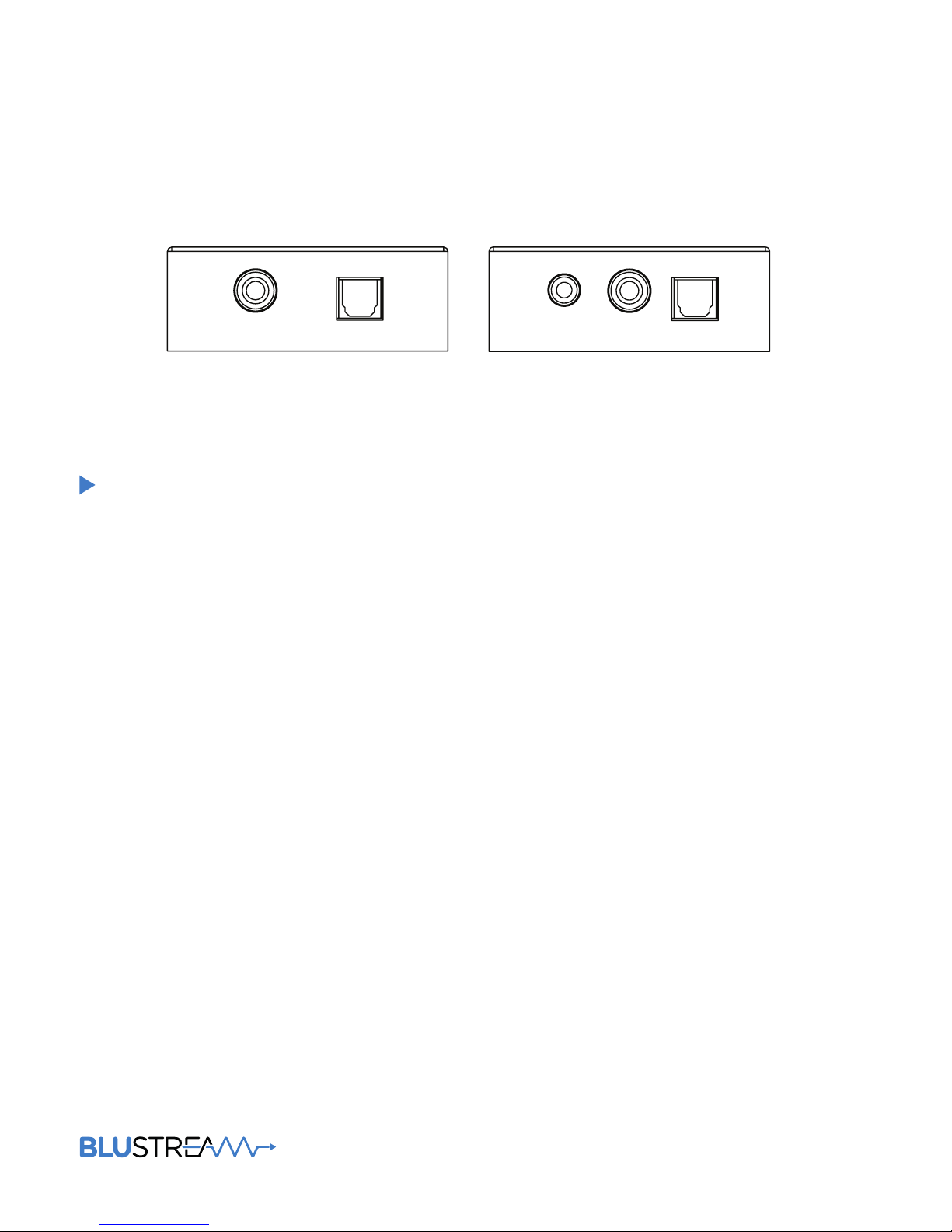
Coaxial In Optical In
Optical OutCoaxial OutL/R Out
Page 2

CAT100AU USER MANUAL
02
www.blustream.co.uk
Surge protection device
recommended
This product contains sensitive electrical components that may be damaged
by electrical spikes, surges, electric
shock, lightning strikes, etc. Use of
surge protection systems is highly
recommended in order to protect and
extend the life of your equipment.
Introduction 03
Features 03
Panel Descriptions 04
Specifications 05
Package Contents 05
Maintenance 05
Contents
Thank you for purchasing
this product.
For optimum performance and safety,
please read these instructions carefully before connecting, operating or
adjusting this product. Please keep this
manual for future reference.
Page 3

CAT100AU USER MANUAL
03
contact [email protected] / [email protected]
The CAT100AU is a digital audio extender solution that can send Optical and Coaxial
Digital audio concurrently over a single Cat5/6 cable. Further to audio extensions the
CAT100AU has in-built DAC (Digital to Analogue Conversion) to convert selected digital
audio input to Analogue L/R audio output.
The CAT100AU is useful for either home or professional audio application.
Introduction
• Extends Optical audio over Cat5/6 cable up to 300m*
• Digital Signal Extension supports Coaxial digital audio over
Cat5/6 cable up to 300m*
• Both Optical and Coaxial digital audio can be distributed at
the same time
• Converts SPDIF Optical or Coaxial digital PCM audio
(selectable) to analogue stereo le/right audio output
• Supports LPCM, DTS, Dolby Digital and Dolby Digital Plus
when used as a straight digital in/digital out extender
• Supports sample rates 32 kHz, 44.1 kHz, 48 kHz, 96 kHz and
192 kHz up to 24-bit resolution
• Ultra low jitter and high fidelity design
• Plug-and-play
• Small compact size
• CAT100 supports distances of up to: 192K - 100m, 96K - 150m
48K - 300m*
FEATURES:
Page 4
CAT100AU USER MANUAL
04
www.blustream.co.uk
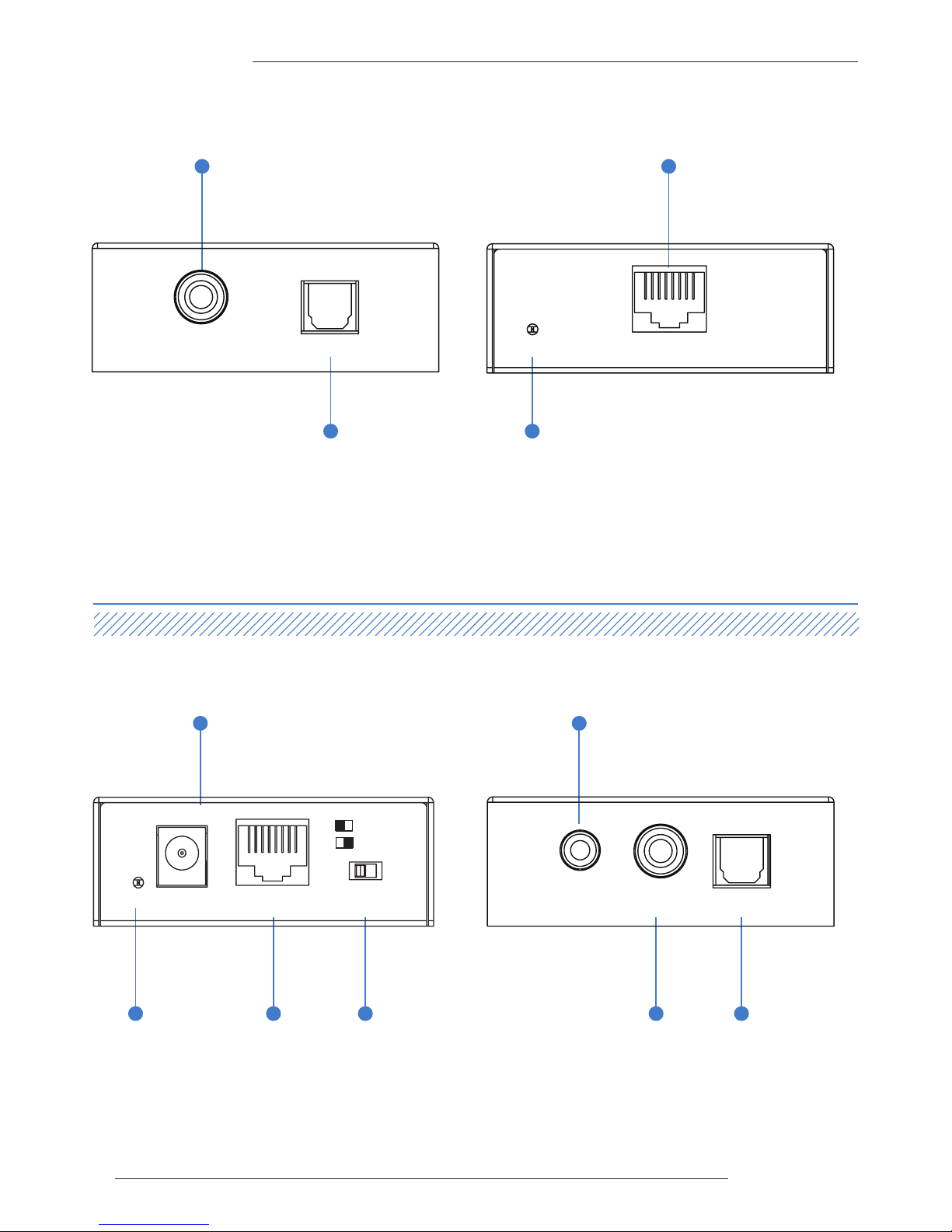
Front Panel
Front Panel
CAT100AU - Transmitter
CAT100AU - Receiver
Back Panel
Back Panel
1 Coaxial digital input.
2 Optical digital input
1 Power LED indicator – Displays the status of the power of the unit.
2 Power port – Use supplied 5v / 1amp DC adaptor
3 Cat5e/6 RJ45 input
4 DAC input selection – Switch between Optical and Coaxial digital
input to be converted to Analogue L/R audio output
3 Power LED indicator – Displays the status of the
power of the unit.
4 Cat5e/6 RJ45 output
5 Analogue L/R audio output - 3.5mm stereo audio
jack
6 Coaxial digital output
7 Optical digital output
2
5
5
2
1 3 4
1
7
4
6
Coaxial In Optical In
Optical OutCoaxial OutL/R Out
Power
CAT Out
CAT100AU-TX
CAT100AU-RX
Power
Optical
Cat In
Coaxial
DC5V
L/R Out Select
Page 5

CAT100AU USER MANUAL
05
contact [email protected] / [email protected]
Specifications
Package Contents:
• 1 x CAT100AU-TX
• 1x CAT100AU-RX
• 1 x 5V/1A DC power supply
• 1 x Mounting kit
Maintenance:
Clean this unit with a so, dry cloth. Never use alcohol,
paint thinner or benzene to clean this unit.
CAT100AU Transmitter
Audio Input Connectors: 1x SPDIF Optical audio & 1x Coaxial digital
Output Connectors: 1x RJ45
CAT100AU Receiver
Input Connectors: 1x RJ45 & 5V/1A DC
Output Connectors: 1x SPDIF Optical audio, 1x Coaxial digital & 1x Analogue le/right - 3.5mm stereo audio jack
Casing Dimensions (W x H x D): 69mm x 64mm x 24mm
Dimensions including connections (W x H x D): 76mm x 64mm x 28mm
Shipping Weight: 0.4kg
Operating Temperature: 32°F to 104°F (0°C to 40°C)
Storage Temperature : -4°F to 140°F (-20°C to 60°C)
Power Supply: 5V/1A DC
Page 6
CAT100AU USER MANUAL
06
www.blustream.co.uk
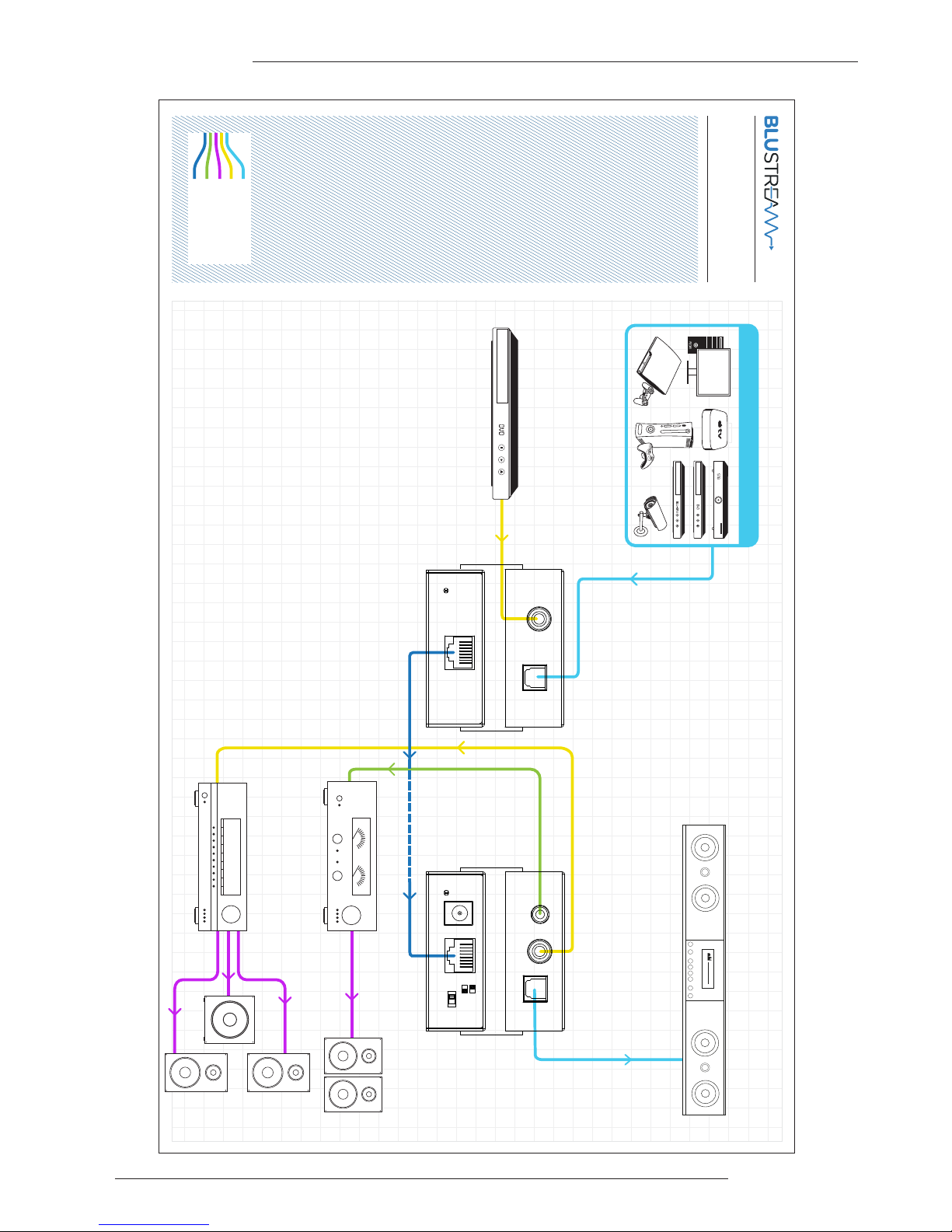
Example Schematic
CAT100AU
Optical Digital
Coaxial Digital
Speaker Cable
Analogue L/R Audio
Cat5/6 Cable
1 SOURCE
Coaxial In Optical In
Power
CAT Out
CAT100AU-TX
Optical OutCoaxial OutL/R Out
CAT100AU-RX
Power
Optical
Cat In
Coaxial
DC5V
L/R Out Select
Page 7

www.blustream.co.uk
www.blustream.com.au
 Loading...