

Page 1
Multimedia Home Entertainment
Video Projector
Quick User Guide-LED 9400
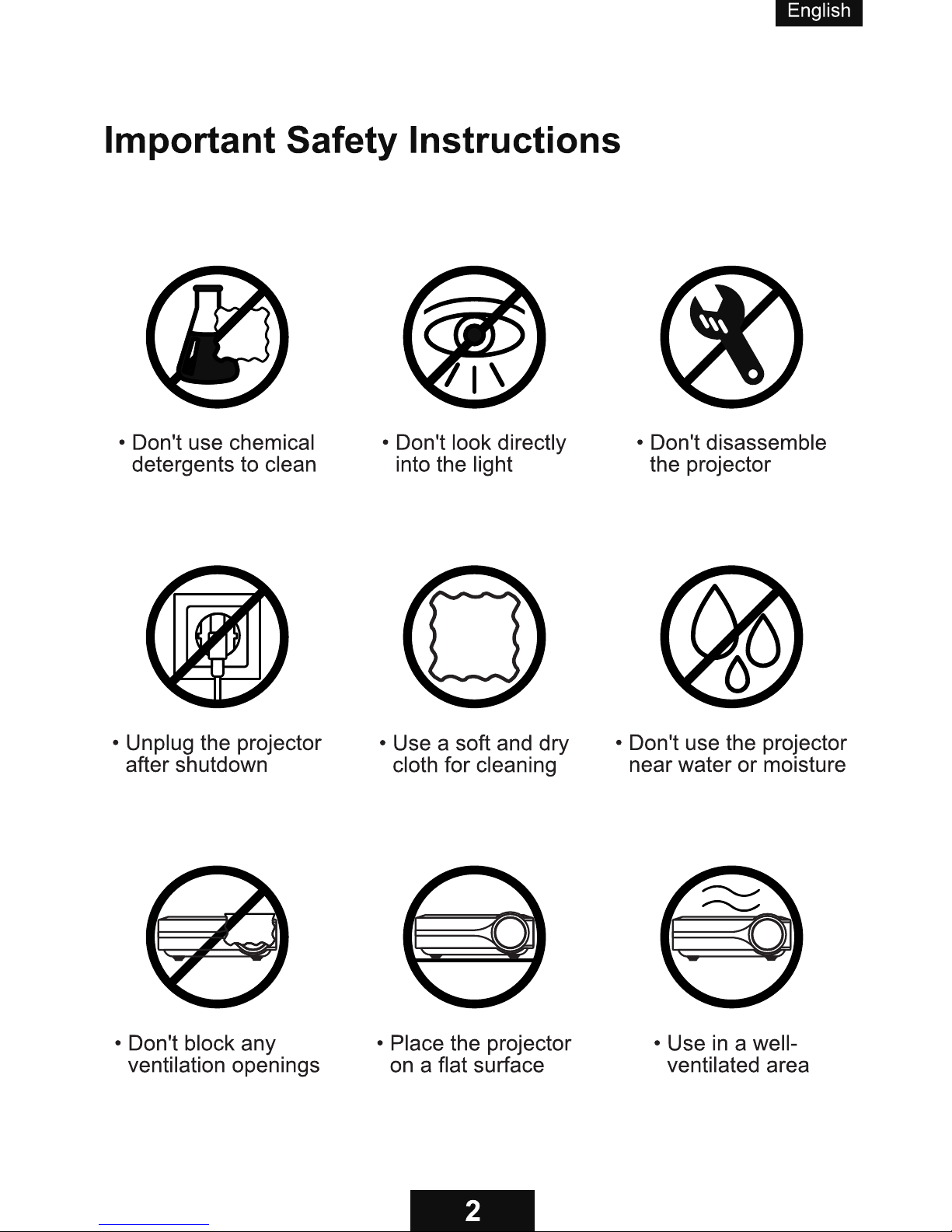
To ensure safe and proper use, please read this instruction before operating the product.
Page 2
Your projector comes with a free
replacement or a full refund
within 1 year that lets your
product with confidence.
Whether you need further assistance,are looking for answers,or just
want to share your reviews with us, you will find many ways to
contact us right here.
• Email: [email protected]
• Call:1-302-231-1367
(available for customers in the •
United States currently)•
• Facebook:https://www.facebook.com/iblusmart/
• Official Website:http://www.eblusmart.com/
Download the detailed instruction •
manual using the link below:•
XXXXXXXXXXXXXXXXXXXXXXXXX•
Page 3
Page 4
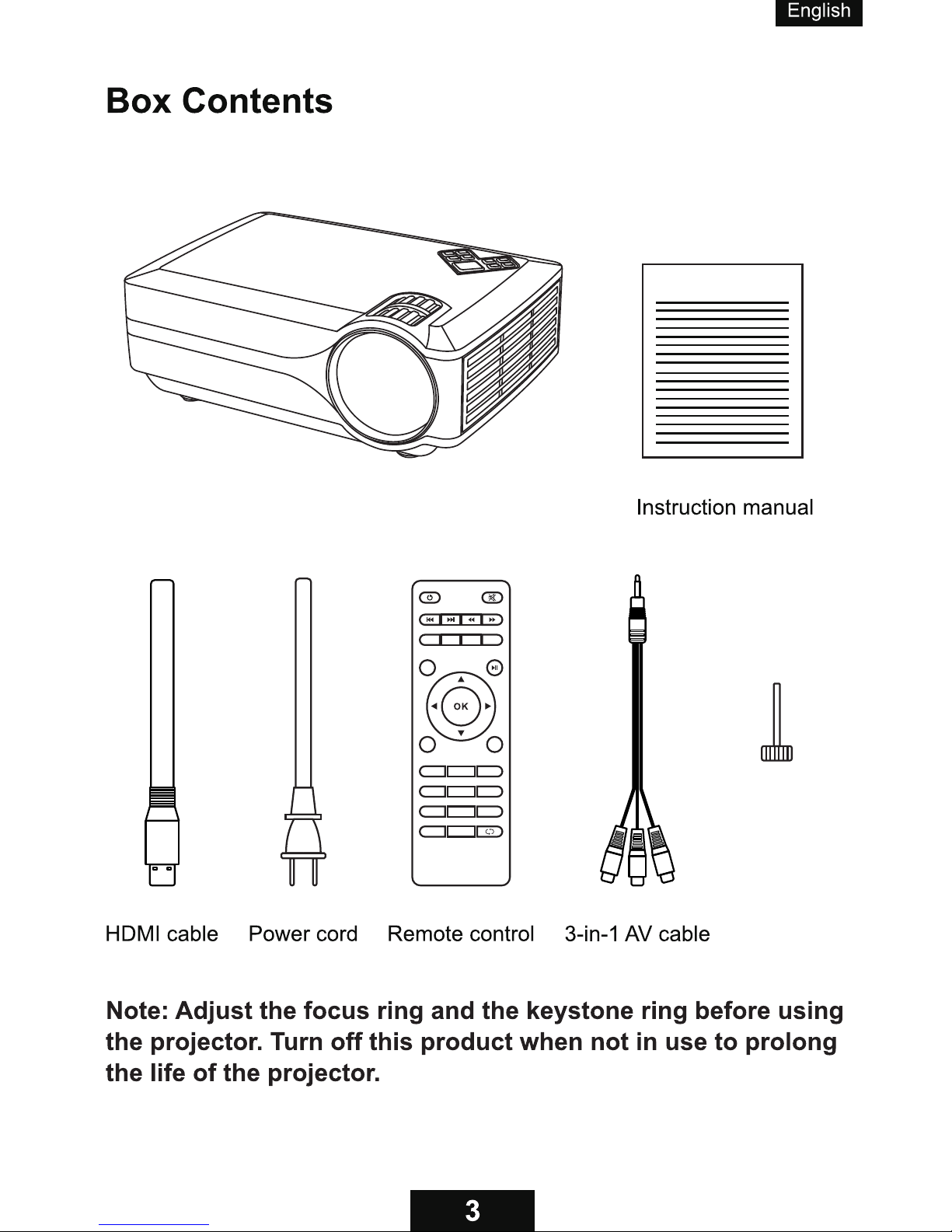
Blusmart LED 9400 Projector
Blusmart LED 9400 projector
Adjustable foot
FLIP
16:9/4:3
P.MODE
RETURN
SOURCE
MENU
EXIT
1 2
3
4
5
6
7 8 9
0
ZOOM
Page 5
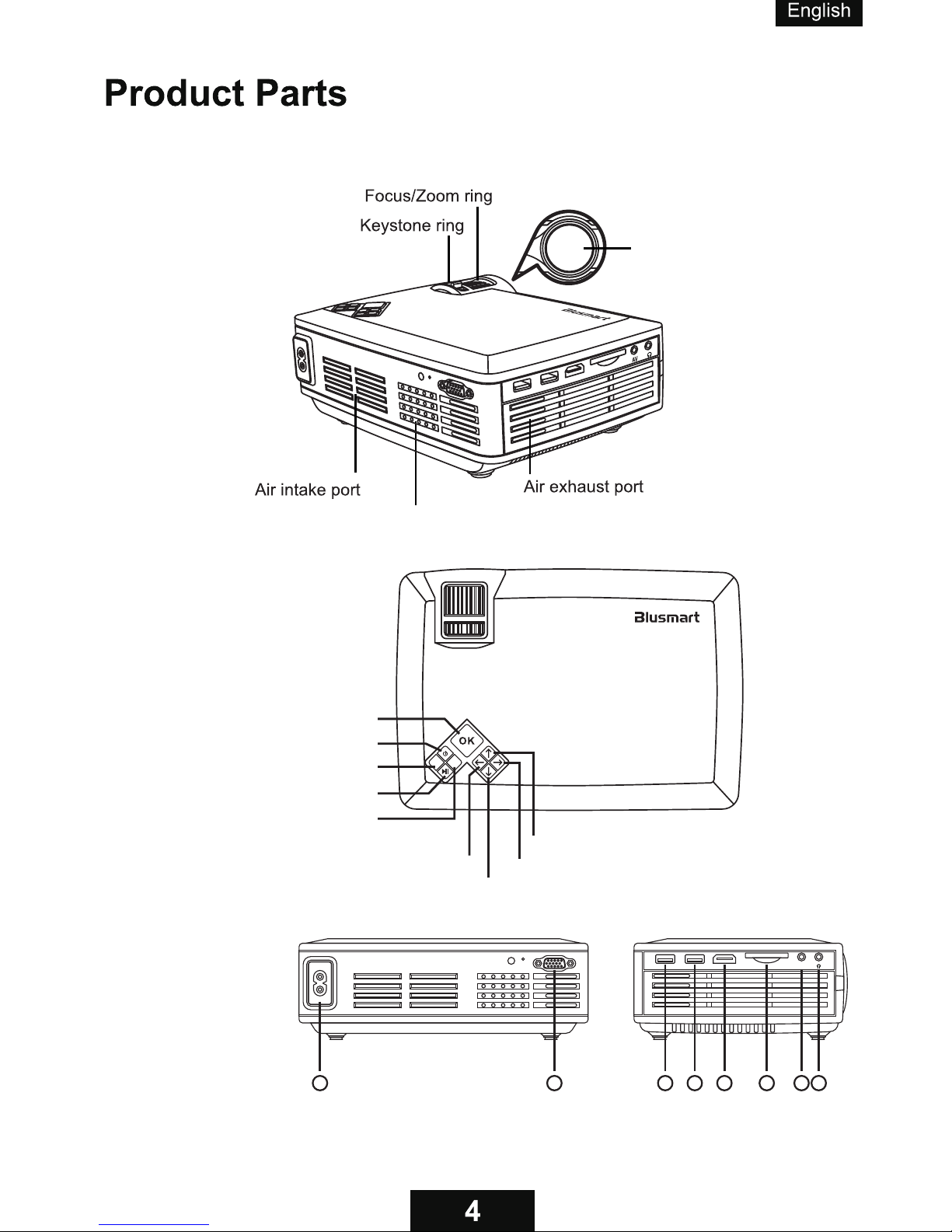
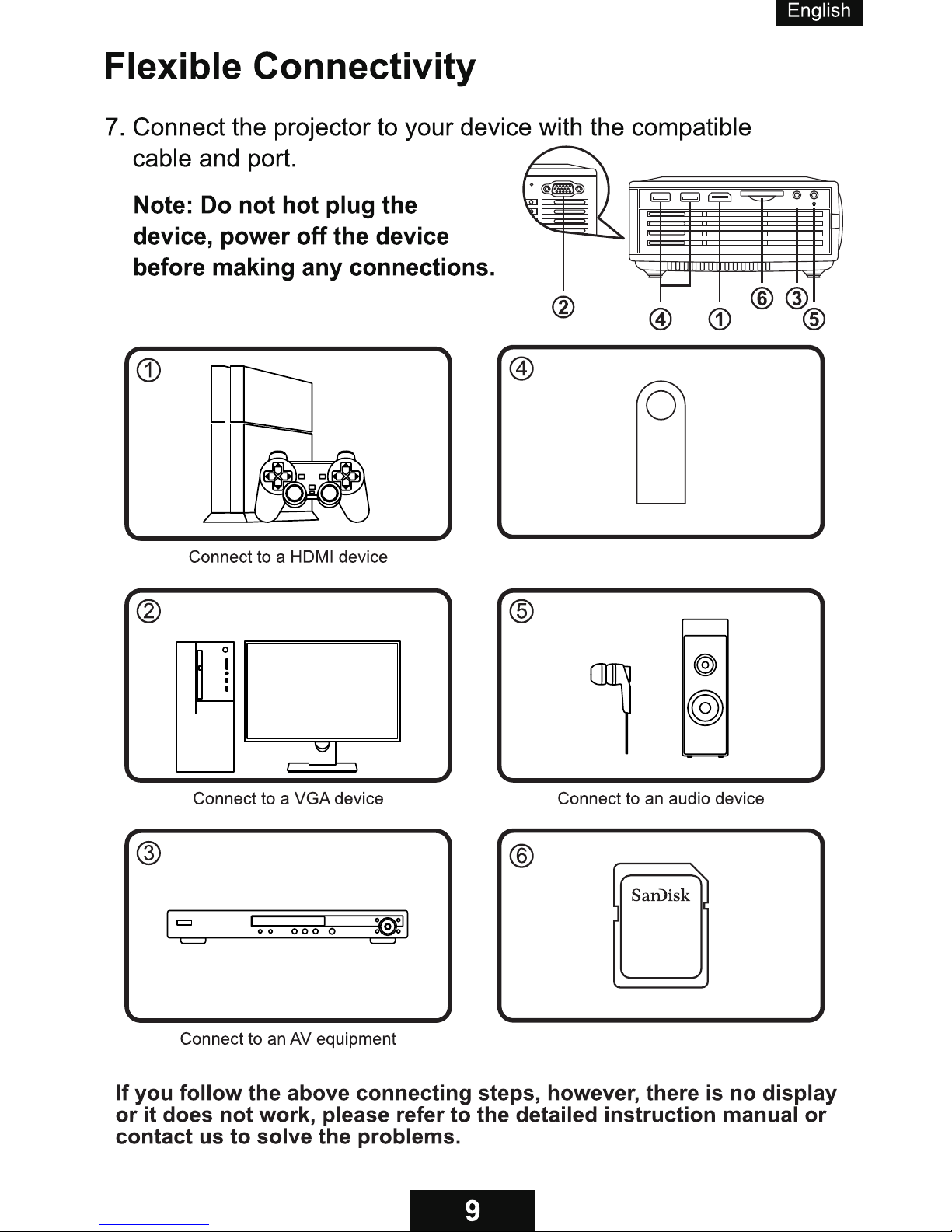
1. AC input
2. VGA port
3. USB 1 port
4. USB 2 port
5. HDMI port
6. SD card slot
7. AV input port
8. Audio jack
1 2
3
4
5
6
7
8
AV
S M
1. OK button
2. Power button
3. Source button
4. Play/Pause button
5. Menu button
6. Up button
7. Left button
8. Down button
9. Right button
Lens
Built-in speaker
Page 6
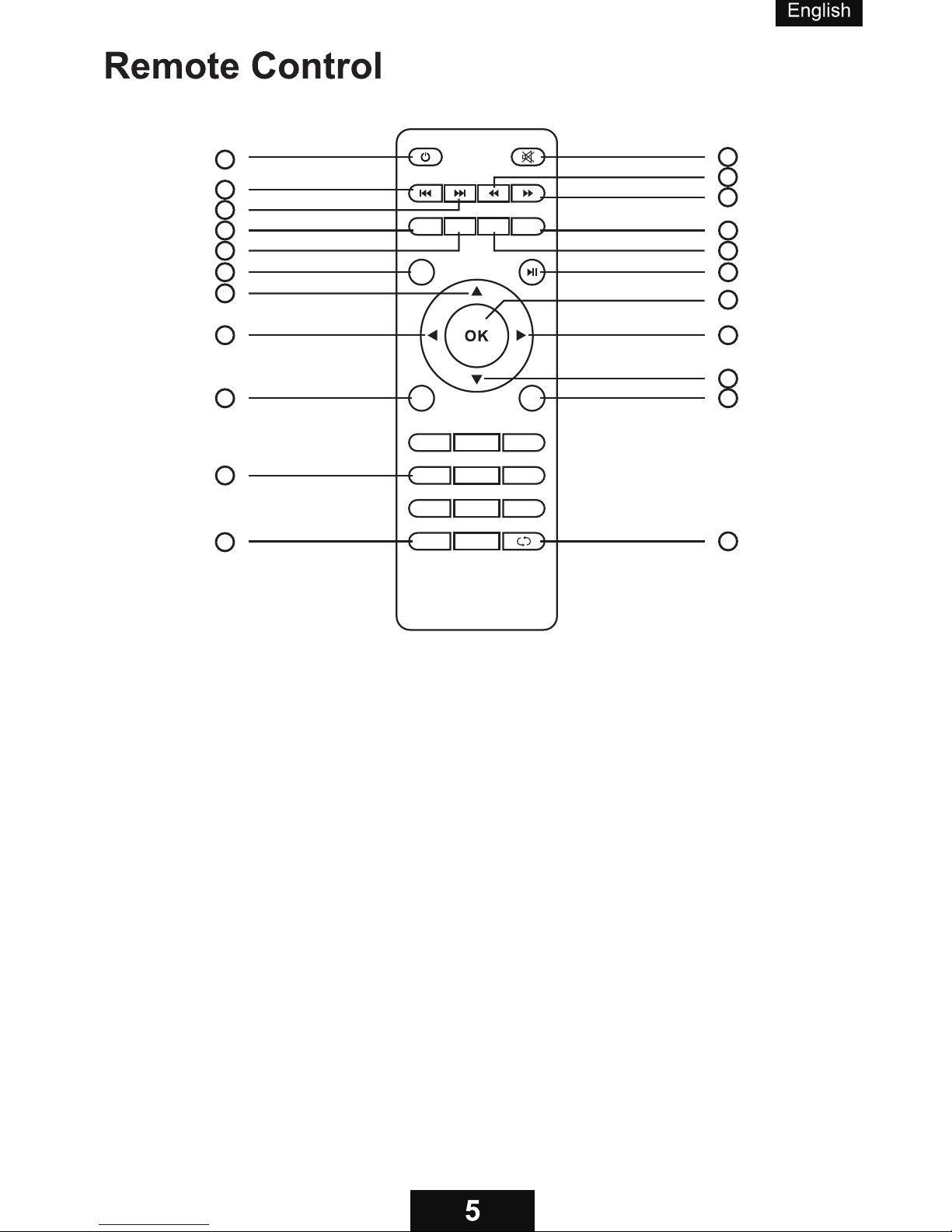
1. Power Button (turns the projector on or off)
2. Mute Button (turns off sound)
3. Previous Button (selects previous program)
4. Next Button (selects next program)
5. Rewind Button (fast backwards)
6. Fast Forward Button (fast forwards)
7. FLIP Button (flips the image)
8. 16:9/4:3 Button (selects an aspect ratio of the image)
9. P.MODE Button (selects Picture Mode)
10. RETURN Button (cancels/exits functions)
11. SOURCE Button (selects of the input source)
12. Play/Pause Button (plays/stops playing audio or video)
13. Up (selects upward movement)
14. Left (selects leftward movement)
15. OK Button (selects and confirms options)
16. Right (selects rightward movement)
17. Down (selects downward movement)
18. MENU Button (accesses projector menu system)
19. EXIT Button (exits functions)
20. Numeric Buttons (enter numbers)
21. ZOOM Button (zooms into and out of the image)
22. Playback Button (plays back the video)
FLIP
16:9/4:3
P.MODE
RETURN
SOURCE
MENU
EXIT
1 2
3
4
5
6
7 8 9
0
ZOOM
6
2
5
10
9
1
3
4
7
8
11
12
13
14
15
16
17
18 19
21
22
20
Page 7
S M
Page 8
FLIP
16:9/4:3
P.MODE
RETURN
SOURCE
MENU
EXIT
1 2
3
FLIP
16:9/4:3
P.MODE
RETURN
SOURCE
MENU
EXIT
1 2
3
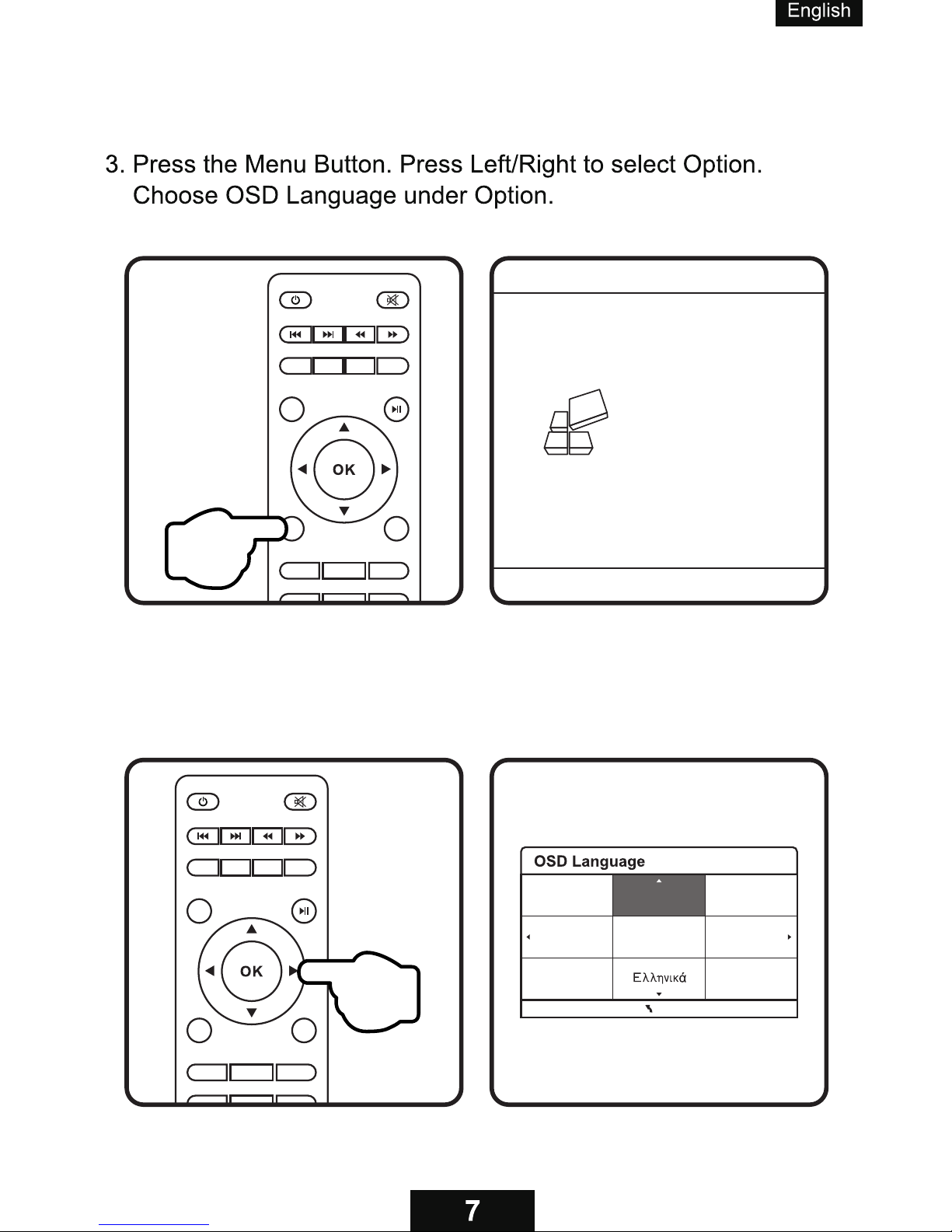
4. Press OK to access the submenu of OSD Language and
press Up/Down/Left/Right to select the language.
English Français
Español
Hrvatski
ItalianoDeutsch
Dansk
esky
MENU
OSD Language English
Restore Factory Default
Blending Middle
OsdDuration Off
Flip 4
Focus 0
Software Update(USB)
OPTION
Page 9
S M
FLIP
16:9/4:3
P.MODE
RETURN
SOURCE
MENU
EXIT
1 2
3
4
5
6
7 8 9
0
ZOOM
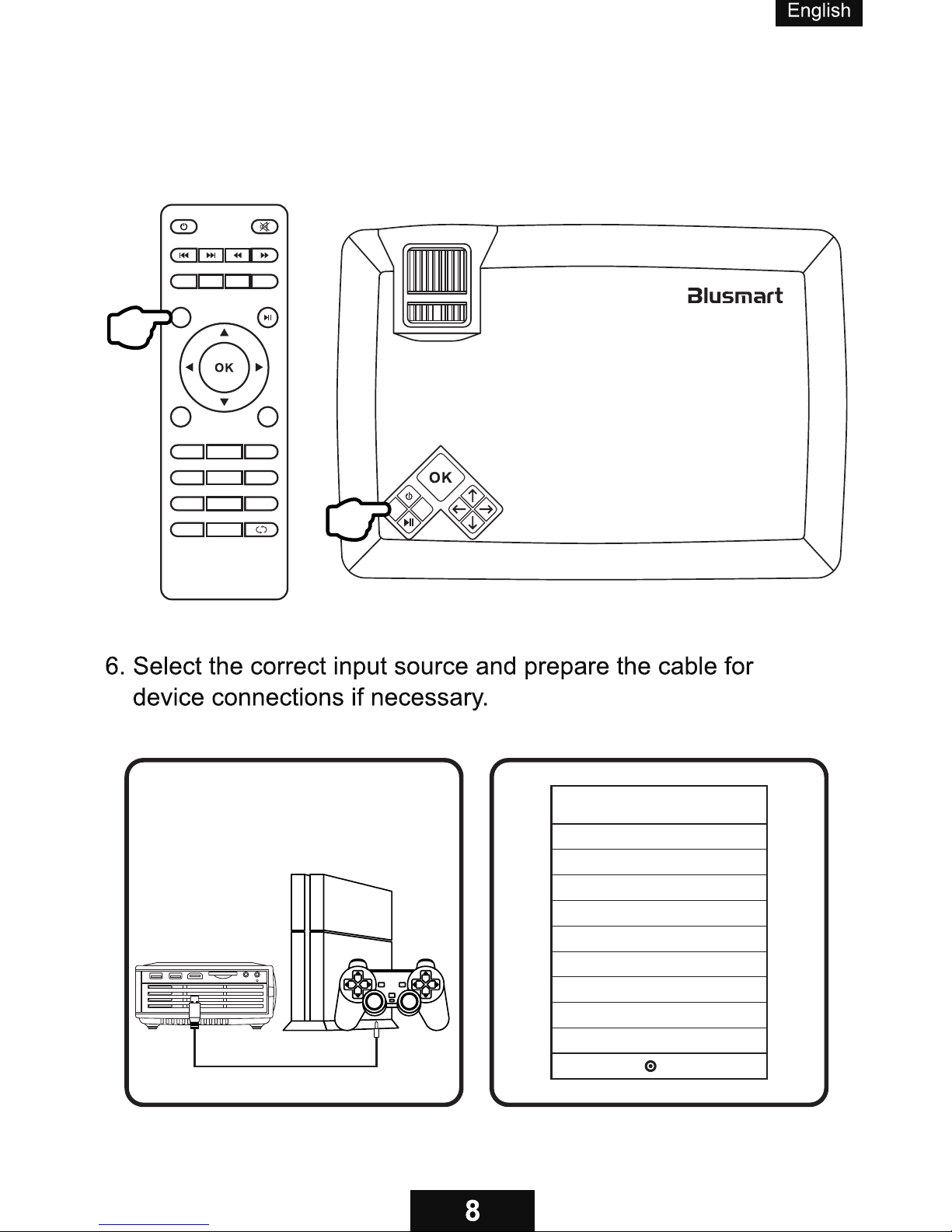
5. To connect a device, press the Source Button.
AV
USB2
SD CARD
AV
PC-RGB
USB1
HDMI
OK
Input Source
Page 10
AV
Connect to USB devices
Connect to a SD card up to 32G
32
GB
Page 11

Imaging Technology
Native Resolution
LCD
800x480 pixels
1920x1080 pixels
Maximum Supported Resolution
Light
LED
Lens
Multichip Coated Lens(F=125)
Keystone
± 15 ° Correction
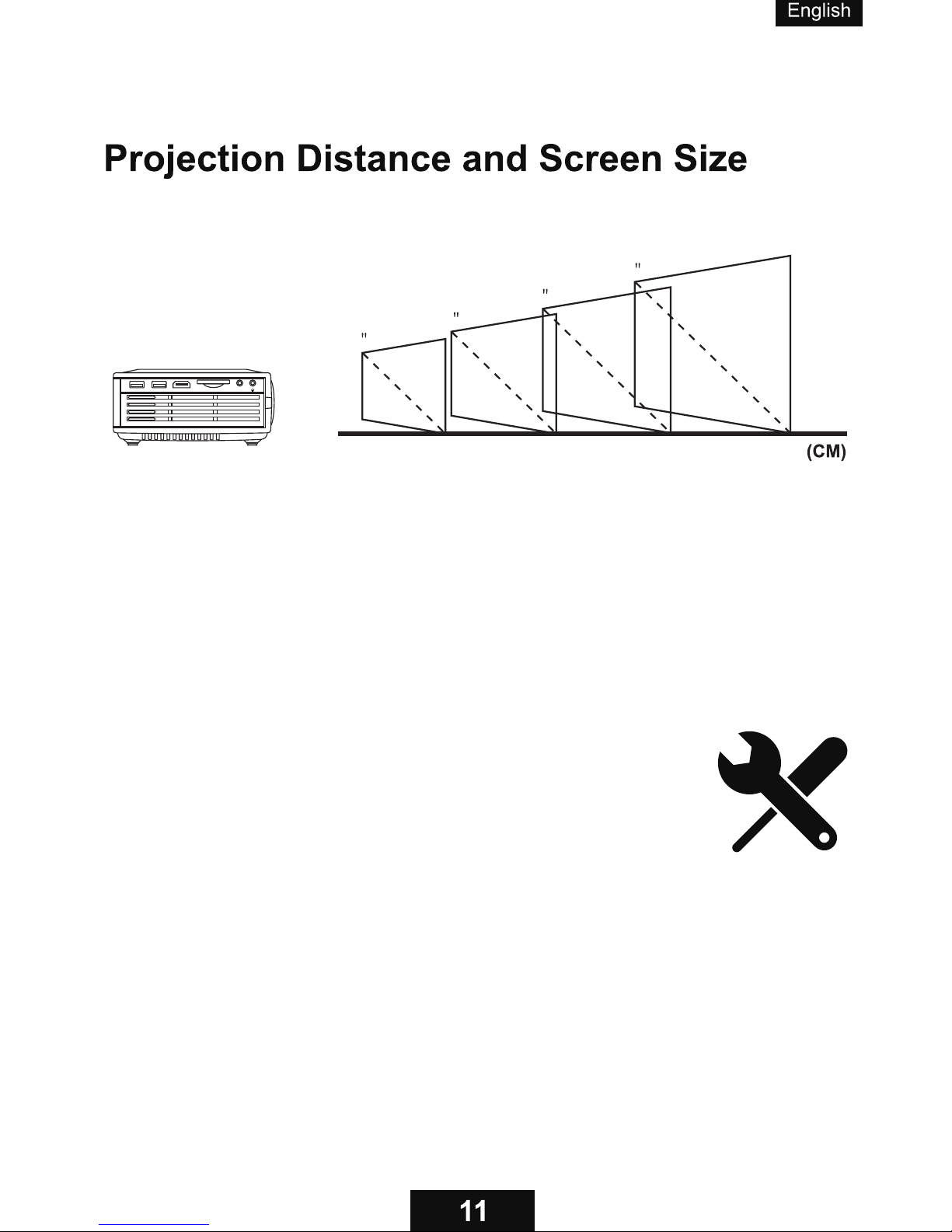
Screen Size
31-100 inches
Projection Distance
1-3m
Recommended Projection Distance
Projection Ratio
1.4:1
Aspect Ratio
4:3/16:9
Color
16.7k
Consumption
Power Supply
Supported Audio Formats
Supported Image Formats
Supported File Formats
50W(Max)
AC 100-240V (50/60 Hz)-19V/2.3A
MP3/WMA/OGG/AAC/FLAC/APE/WAV/W4A
JPG/BMP/PNG/JPEG/GIF
TXT/LRC
1.5-1.8m with screen size of 50-59 inches
Supported Video Formats
MP4/RMVB/AVI/RM/MKV/MPG/AV/TS/MOV/DAT/VOB
Page 12
100
31
150
50
180
59
300
100
AV
Helpful Tips
• Please operate the projector in a dark room.
• The cooling system makes slight noise
to avoid overheating.•
• Connecting to an external audio device
is recommended.•
• Business data presentation is not recommended.
• Maximum supported resolution of the projector
is 1920x1080 pixels.•
• Native resolution of the projector is 800x480 pixels.
• The projector does not support Dolby Vision.
• Mirror a smartphone to the projector with a HDMI/WiFi dongle.
 Loading...