

Page 1
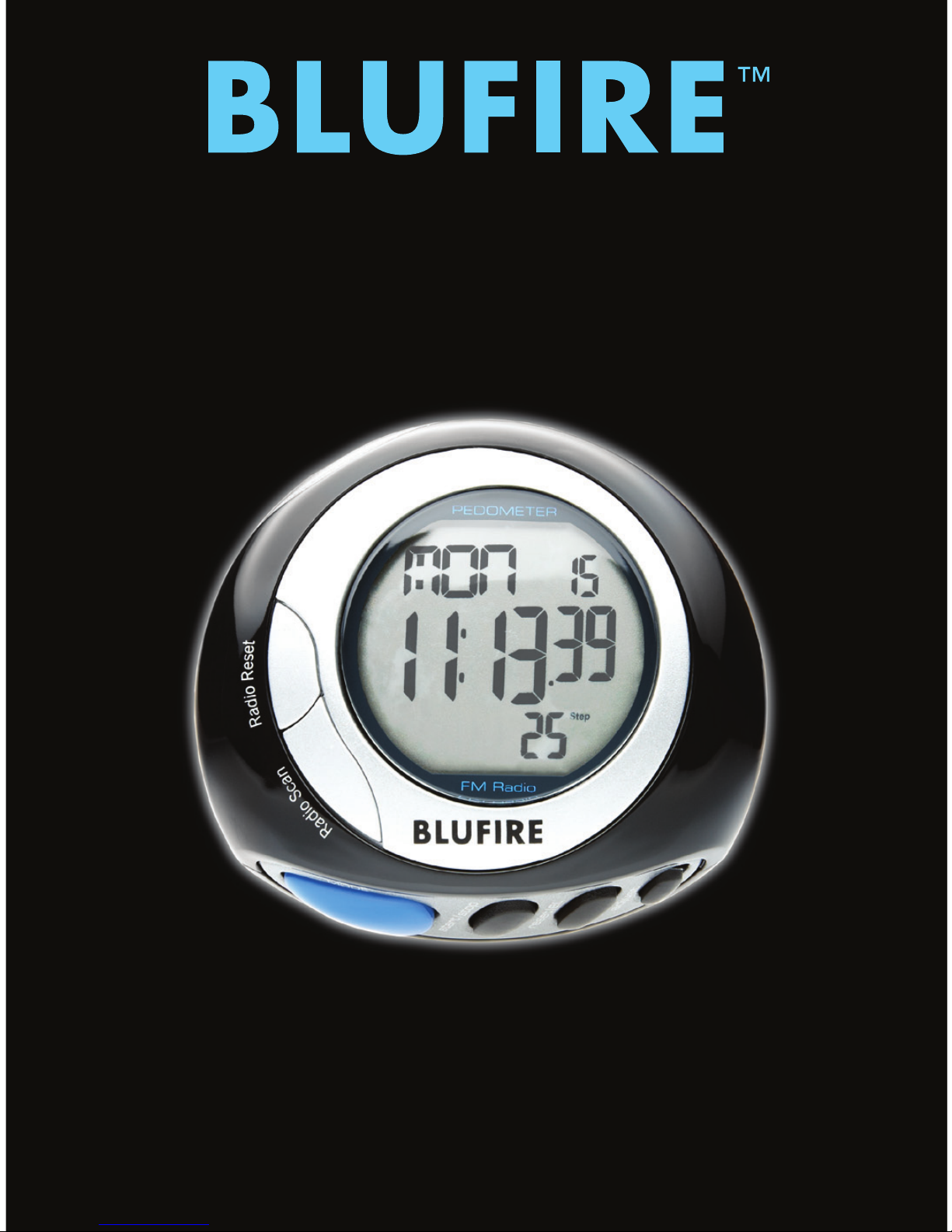
PEDOMETER
OWNER’S MANUAL
Page 2

TABLE OF CONTENTS
Congratulations on your purchase of the
BLUFIRE™ Pedometer, the ultimate tool
to set and meet your fitness goals. These
instructions will help get you started.
Correct Pedometer Usage ........... 3
Basic Modes ...................... 4
Time Mode ....................... 6
Walk/Run Mode ................... 7
Memory Mode .................... 9
Quick Start Guide ................ 10
User Data Mode .................. 12
Pacer Mode ..................... 14
Alarm Mode ..................... 15
Stopwatch Mode ................. 15
FM Radio ........................ 16
Battery Replacement .............. 17
Care and Maintenance ............. 18
Page 3

3
CORRECT PEDOMETER USAGE
• Clip the pedometer onto your belt or waistband with the
removable clip. Make sure the pedometer is perpendicular
to the ground. The maximum tilt tolerance is -30°/+30°.
• Wear solid shoes.
• Jog or walk at a steady pace.
• Do not walk extremely slow or at an unsteady pace.
• Up-and-down movements or vibration (ex. car movement)
can generate an incorrect reading.
Page 4

4
BASIC MODES
This pedometer has seven basic modes:
• Time (Default Screen)
• Walking Summary
• Memory Summary
• User Data (Age, Weight, Pace Walk, Pace Run, Goal)
• Pace
• Alarm
• Stopwatch
Page 5
5
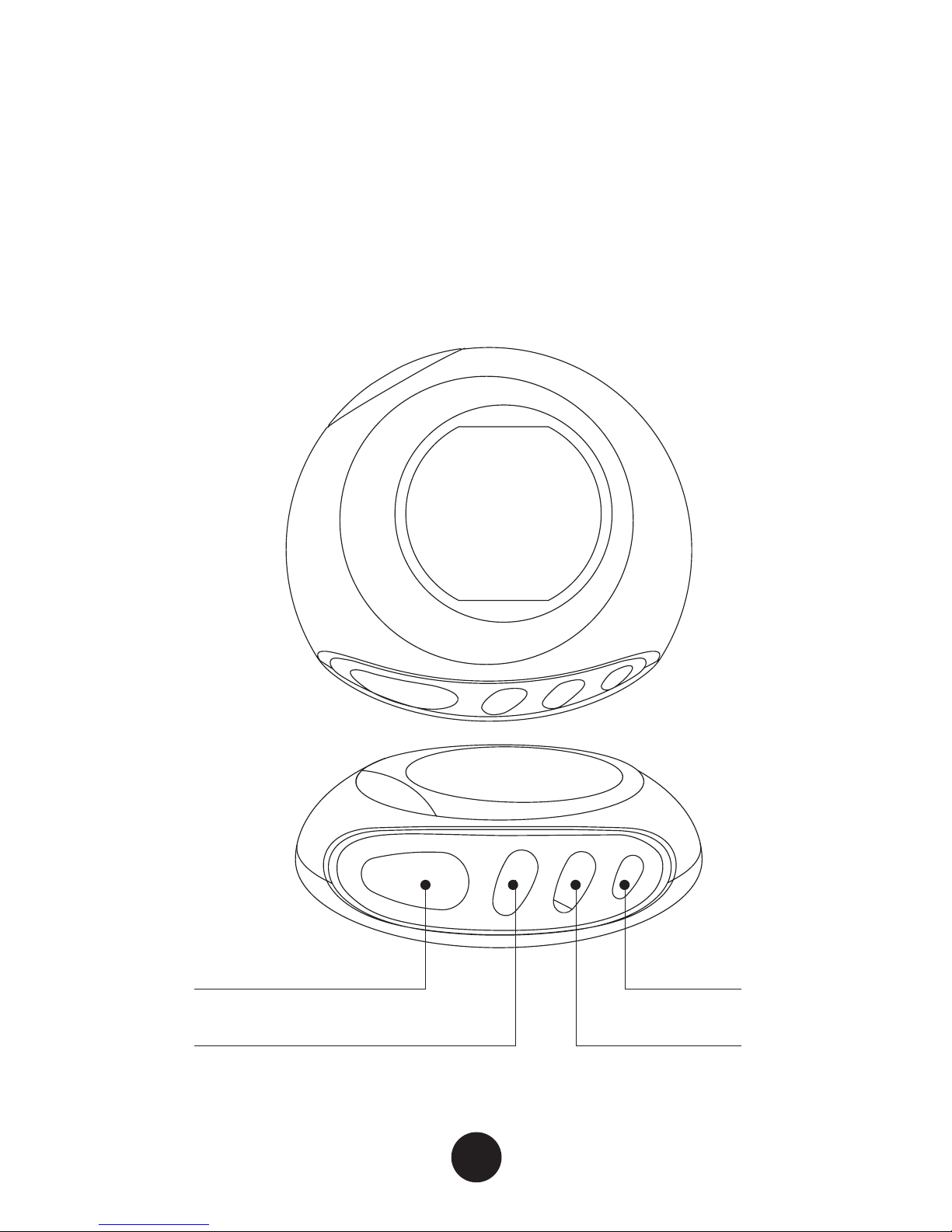
Press MODE to cycle through the modes. Press ADJUST to edit
the data/settings in each mode.
MODE
ADJUST
LIGHT
SET
Page 6

6
DEFAULT SCREEN (TIME)
The default display for the pedometer shows the DATE/TIME.
The third row will display STEP COUNT or press SET to cycle
through these options:
STEP COUNT 4 CALORIES BURNED 4 DISTANCE 4 SPEED 4
% OF TARGET GOAL 4 EXERCISE TIMER
NOTE: All the exercise information will be reset at 12:00AM
each day. The previous day’s exercise information is then stored
in memory. You cannot reset the step count within the TIME
mode.
To set the time, press and hold ADJUST for two seconds. The
HOUR digits will flash.
Press SET to increase (+) the digits.
Press MODE to switch to MINUTES.
Press SET to increase (+) the digits.
Press MODE to switch to SECONDS.
Press SET to reset the seconds to zero.
Press MODE to change DAY/MONTH/YEAR and the 12/24
HOUR display format. Press SET to adjust. MODE confirms.
Page 7

7
WALK/RUN MODE
Press and hold SET to cycle through WALK mode and RUN
mode.
STEP COUNT + EXERCISE TIMER 4
DISTANCE + STEP COUNT 4
CALORIES BURNED + STEP COUNT 4
SPEED + STEP COUNT
Toggle SET to select the display combination. Press and hold
ADJUST to clear the current day’s step counts. Previous days’
memory will not be cleared.
Page 8

8
Measure Your Stride Distance
Accurate distance is measured from the tip of one foot to the
other. To measure the correct average stride distance, divide the
total distance of 10 steps by 10.
Stride distance is calculated in the following way:
TOTAL DISTANCE ÷ NUMBER OF STEPS = STRIDE DISTANCE
Example: 20 feet ÷10 = 2 feet (24 inches)
You’ll need to measure the stride distance for both walking
and running. To measure the stride distance for running, it is
recommended to take more steps (approximately 50 steps) to
get an accurate stride distance.
Start Walking
While calculating step count, the display of the pedometer will
begin showing the number of steps taken after the fifth step. The
display will not change for five steps after you start walking.
However, all steps taken will be counted and displayed.
Page 9

9
MEMORY MODE
The pedometer stores STEP COUNT, CALORIES BURNED,
DISTANCE traveled, and the % OF GOAL acheived for seven
consecutive days.
Press SET to review stored data. The display will show DATE
and STEP COUNT. Press SET to review CALORIES BURNED,
DISTANCE, and % OF GOAL.
NOTE: For days when the pedometer is not used, the display
will show the data as ZERO.
To clear the seven-day memory press and hold ADJUST until the
display shows NO INFO. New data will be stored the next day.
NOTE: You cannot clear the exercise record of individual days.
Page 10
10
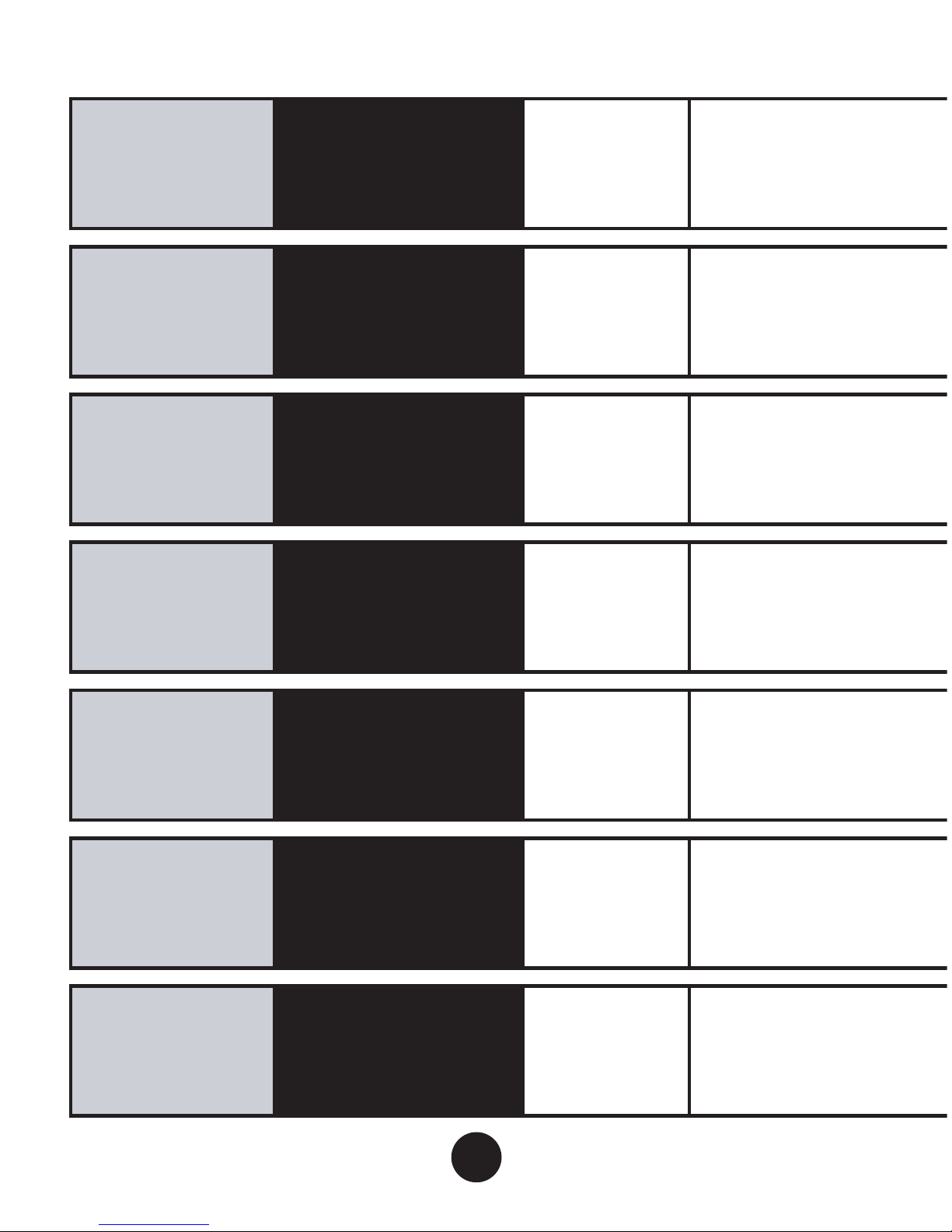
Press and hold i ADJUST to adjust DATE/TIME
Press and hold i ADJUST to reset total WALK count
Press i SET to cycle through STEP COUNT, MILEAGE, CALORIES, MILES PER HOUR
Press and hold i ADJUST to reset AGE. Press
Press i SET to cycle through AGE, WEIGHT, PACE WALK, PACE RUN, GOAL
Press i SET to turn ON or OFF
Press and hold i ADJUST to adjust PACE
Press i SET to turn ON or OFF
Press and hold i ADJUST to adjust ALARM
Press i ADJUST to START or STOP
Default
Screen
Walking
Summary
Memory
Summary
User Data
(Age)
Pace
Alarm
Stopwatch
i
MODE
i
MODE
i
MODE
i
MODE
i
MODE
i
MODE
i
MODE
Page 11

11
i
SET to change YEAR. i MODE confirms.
Page 12

12
USER DATA MODE
The pedometer calculates data based on the following:
AGE 4 WEIGHT 4 WALKING STRIDE DISTANCE 4 RUNNING
STRIDE DISTANCE 4 TARGET GOAL
To view user data, press SET to cycle through the above.
To set or change your data, press and hold ADJUST until AGE
begins to flash.
Set Age
To set your AGE, press SET. Press MODE to confirm.
NOTE: The range for AGE is from 5 to 99.
Set Weight
To set your WEIGHT, press SET. Press MODE to confirm.
NOTE: The range is from 44 to 331 lbs.
Page 13

13
Set Stride Distance
To set your WALK STRIDE DISTANCE, press SET. Press MODE to
confirm.
To set your RUN STRIDE DISTANCE, press SET. Press MODE to
confirm.
Set Target Step Goal
To set your GOAL, the first digit will start flashing. You can either
press SET to adjust the digit and MODE to confirm or simply
press MODE to move to the next digit. After you have set all the
digits, press MODE to confirm.
NOTE: The minimum value is 100 steps.
Page 14

14
PACER MODE
The PACER function helps you walk or run to your set pace.
To set your pace, press and hold ADJUST until PACE begins to
flash. Press SET to select the pace you want. The options (beats
per minute) are:
30 4 50 4 60 4 70 4 80 4 90 4 100 4
110 4 120 4 130 4 140 4 160 4 180
Press ADJUST to confirm.
To turn ON the pacer, press SET. The pacer will start beeping
your pace in all modes.
To turn OFF the pacer, press SET from PACE mode.
Page 15

15
ALARM MODE
The pedometer also has a daily ALARM function. Press SET to
toggle between ON and OFF.
To set the alarm, press and hold ADJUST to select a time. The
alarm will automatically turn ON. Press the SET key to increase
the HOUR digits. Press MODE to confirm. Press SET to increase
the MINUTE digits. Press MODE to confirm.
STOPWATCH MODE
Another feature of the pedometer is a STOPWATCH function.
Press ADJUST to toggle between START and STOP. The
stopwatch will run in other modes. To reset the stopwatch to
ZERO, press SET.
Page 16

16
FM RADIO
To turn the radio on, plug the headphone plug into the headphone jack.
To find the lowest frequency station, press RADIO RESET. Press
SCAN to cycle between stations.
Volume control is located on the earphone cable.
Unplug the earphone from the jack to turn the radio off.
Page 17
17
BATTERY REPLACEMENT
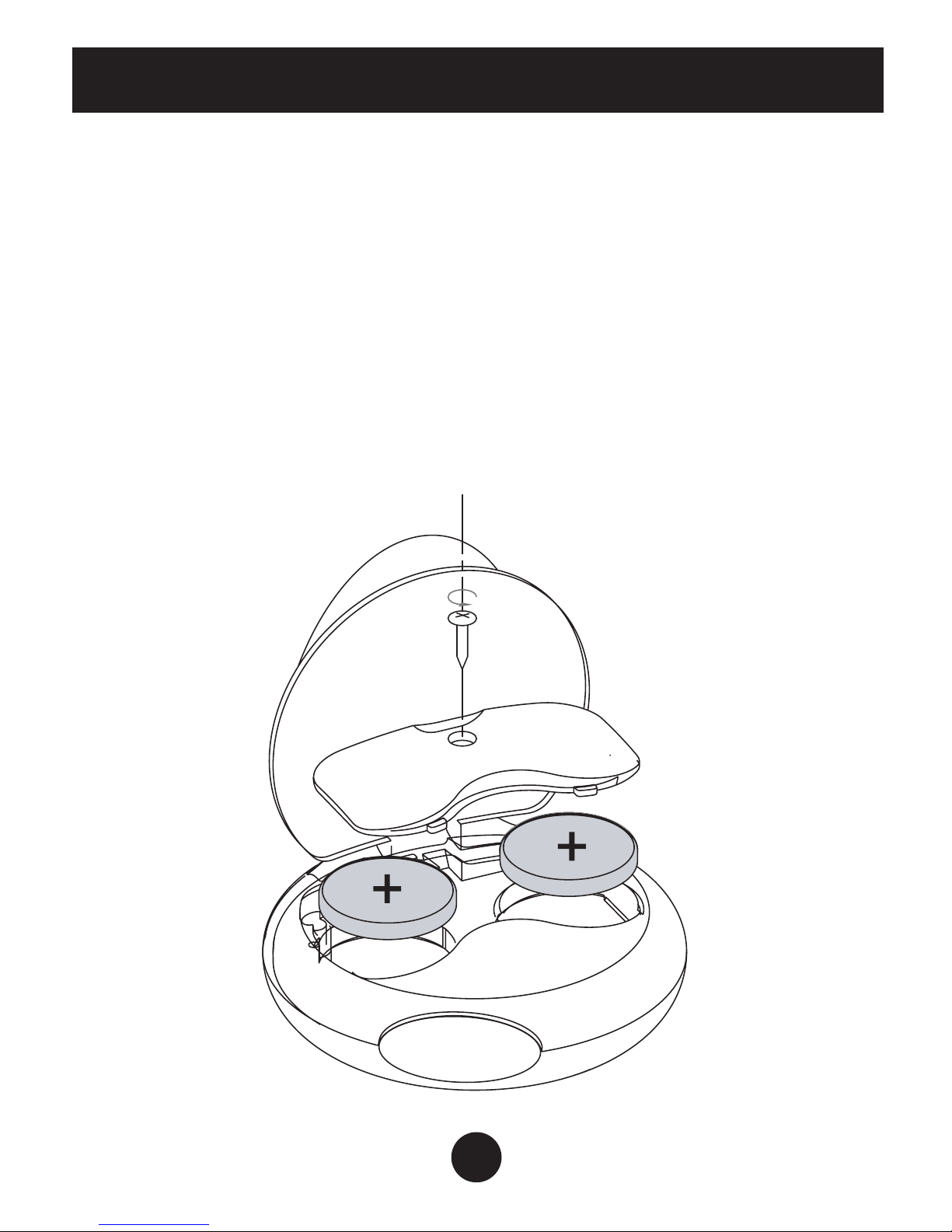
Use a screwdriver to unscrew the battery compartment cover on
the back of the pedometer.
Use a thin stick to remove the battery from the pedometer. Insert
a new 3V lithium battery type CR2032. Be sure to place the
positive (+) side of the battery upward.
Replace the battery cover on the battery compartment and fasten
the screw.
Page 18

18
CARE AND MAINTENANCE
• Never attempt to disassemble or service your pedometer.
• Protect the electronic module from extreme heat, shock
and long time exposure to direct sunlight.
• Pedometer can be wiped clean with a lightly moistened
cloth. Apply mild soap to the area if there are stubborn
stains or marks. Do not expose the pedometer to strong
chemicals such as gasoline, cleaning solvents, acetone,
alcohol, or insect repellents as they may damage the
pedometer’s seal, case and finish.
• Store the pedometer in a dry place when you are not
using it.
• Keep the pedometer out of reach of young children.
• If a young child swallows the battery, battery cover or
screw, immediately consult a doctor.
• Keep the pedometer away from shock, magnetic fields,
electrical noise and strong vibration.
• Do not swing the pedometer.
• Do not hang the pedometer from your neck during jogging.
• Do not drop or step on the pedometer.
Page 19

19
• Do not put the pedometer in the back pocket of your shorts
or pants
• Do not wash the pedometer or touch it with wet hands.
Batte
Page 20

WWW.BLUFIRE.COM
© 2010 KHN Solutions LLC
KHN Solutions LLC
300 Broadway, Suite 26,
San Francisco, CA 94133
Phone: 877-334-6876 Fax: 415-358-8030
Sales: sales@blufire.com
Service: service@blufire.com
A BluFire™ Product
 Loading...