

Page 1
Installation Sheet
TM
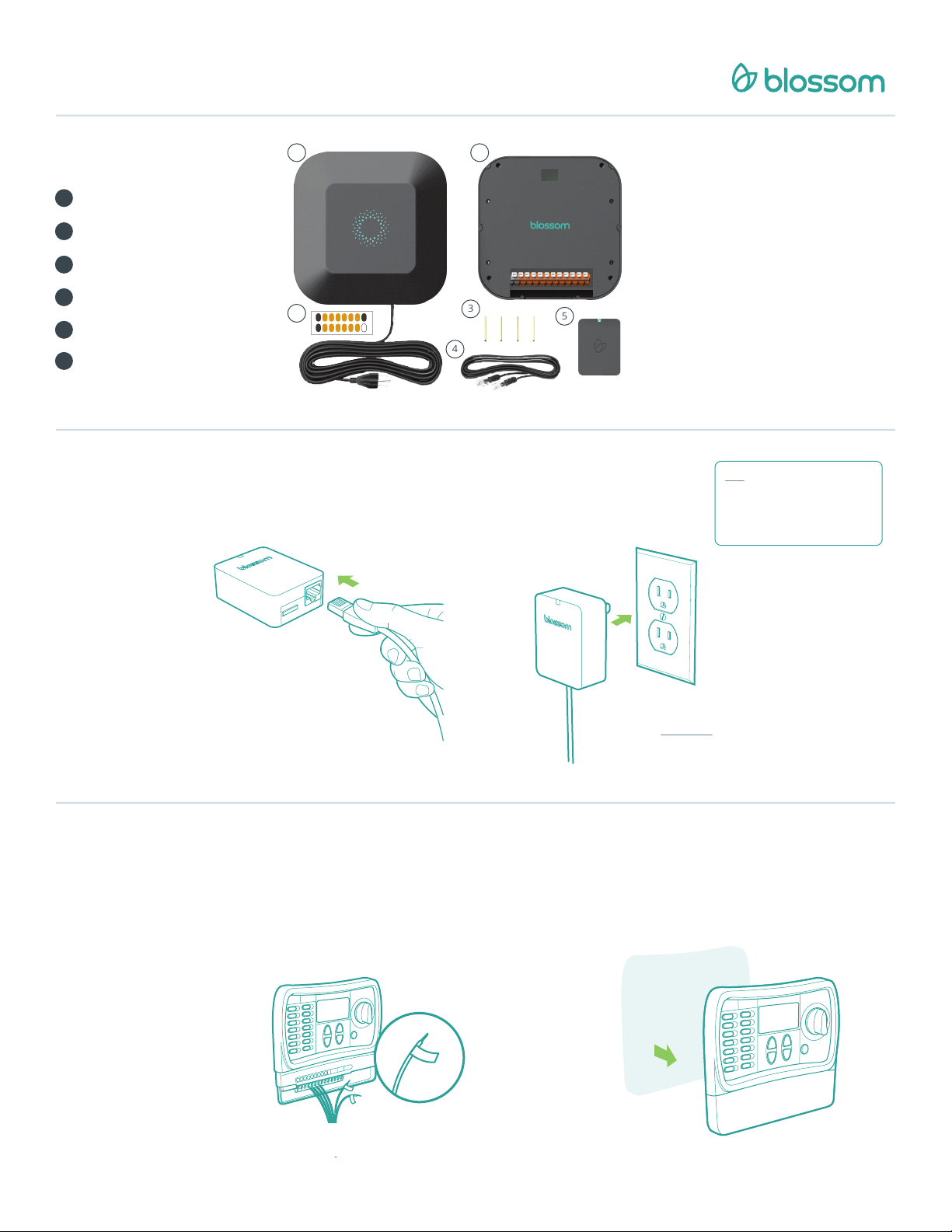
What’s in the box?
1
Blossom Controller
2
Blossom Bracket
3
Four Wall Screws
4
Ethernet Cord
5
Blossom Bridge
6
Wire Labels
Connect
1
the Ethernet cable
1
2
What you will need:
• iOS or Android Device
• Internet Router and Service
C
P
1 2 345 6
6
COMMON
PUMP
6 5 432 1
C
7 8 91011 12
COMMON
12 11 1098 7
3
4
5
Plug in
the Blossom Bridge
Note: Make sure the Bridge is
plugged in direc tly into a power
socket . Avoid any power
protec tion str ip. You should see a
green lig ht once you connect i t.
2
Connect one end of the provided
Ethernet cable into the Blossom Bridge.
Connect the other end of the Ethernet cable into
an open port on your router.
Label the wires
of your old controller
Keep track of your common wire. We provide you
a black label for it. If you have a pump relay wire,
use the gray label for it.
If you want to keep
your zones in the
same valve numbers
you can use the
orange stickers.
Power up by plugging the Blossom
Bridge directly into an electrical outlet
near your internet router.
Remove
your old controller
Dismount your old watering controller from the
wall.
Page 2
3
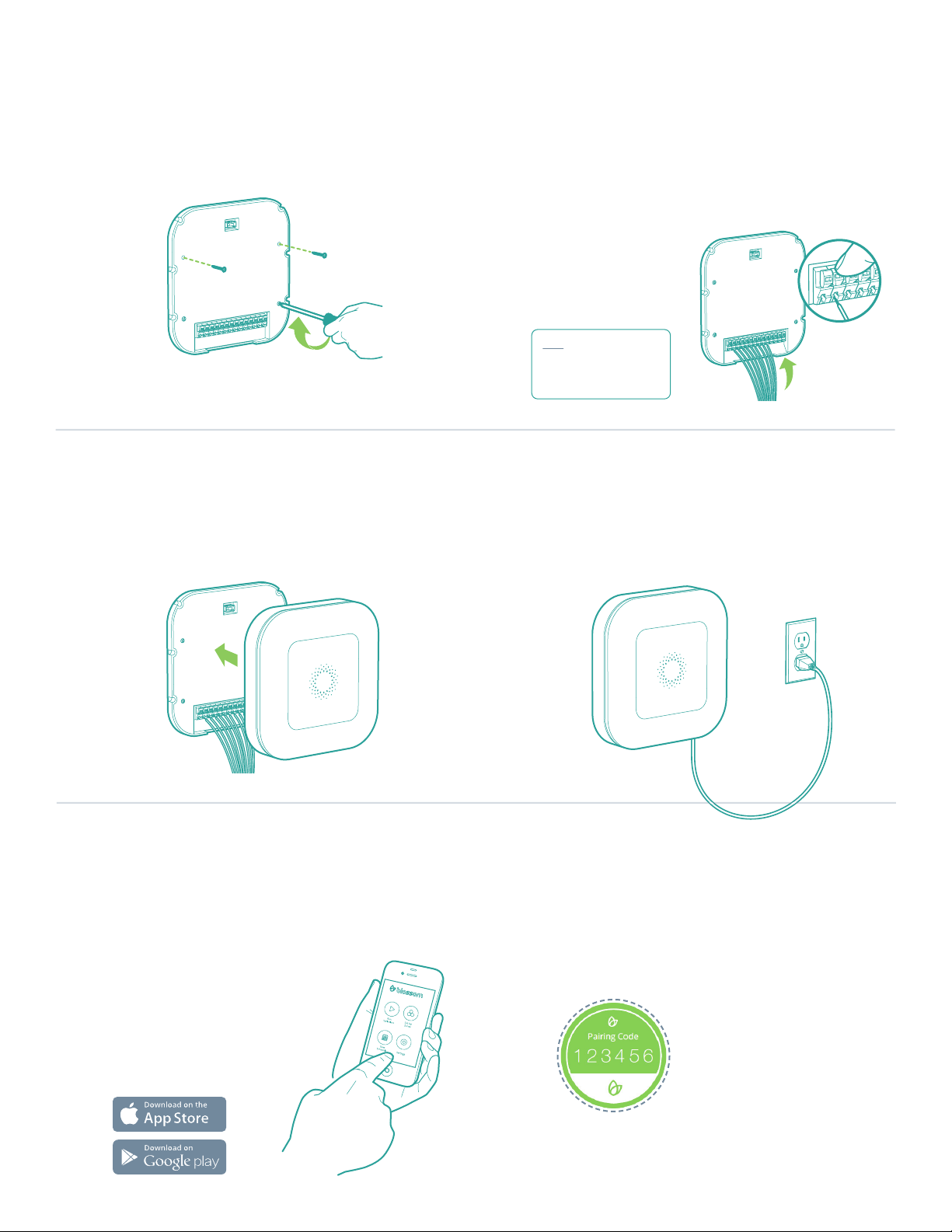
Install
the Blossom Bracket
Connect
the wires
4
Mount the Blossom Bracket directly on the wall
with the four provided screws.
Snap the Blossom Controller
on to the Blossom Bracket
Secure the Blossom Controller to the Blossom
Bracket on the wall.
Locate the opening in the base of the Blossom
Bracket. Connect the labeled wires to their corresponding colored ports. Connect the common wire
(black sticker) to the a black connector port.
If you have a
pump relay, use
the far right gray
port.
Note: Discard your existing
weather sensors. You won’t
need them. Blossom uses
real-time weather data.
Plug in
the Blossom Controller
Plug the Blossom Controller’s power cord into an
available electrical outlet.
5
Get
the Blossom App
Download the Blossom app on the Apple App Store,
Google Play Store or visit myblossom.com.
The app will guide you through
creating your account, syncing
your device and connecting
your Blossom to the Internet.
Pair
your Blossom Controller
You will require a pairing code, which you can find
in page number 25 of your Quick Start Guide.
It looks like this one:
 Loading...