

Page 1
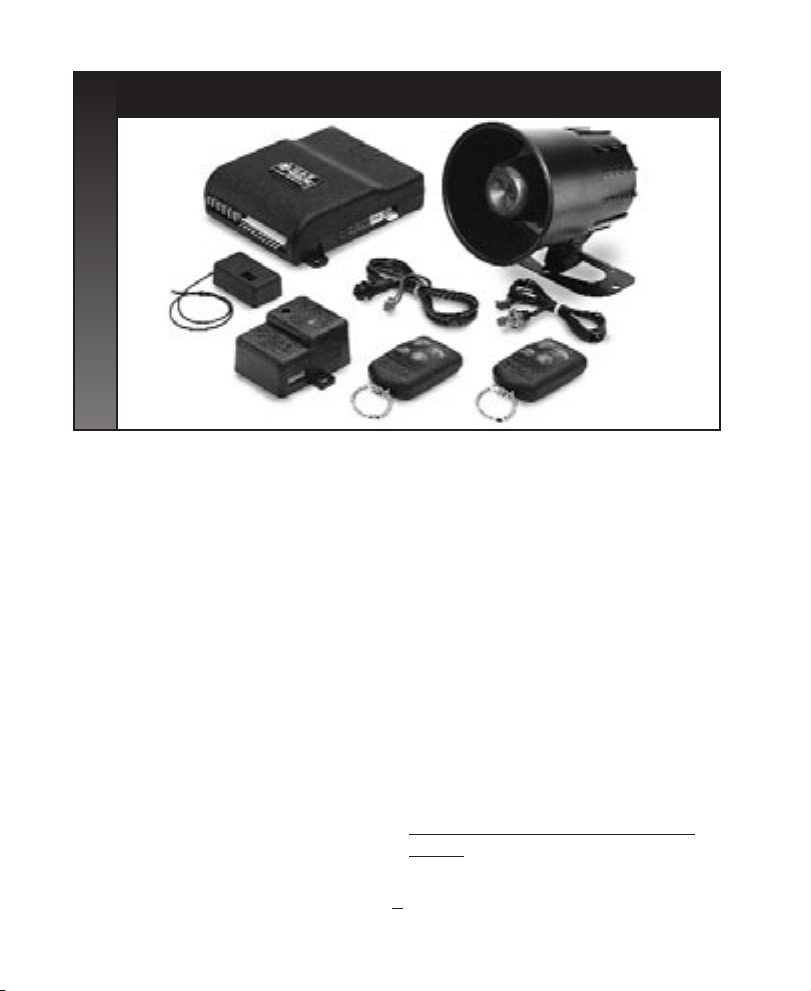
SECURITY/REMOTE AUTOSTART
OWNERS MANUAL
Standard Features
The following features are standard with your
Security/Remote Start:
(2) four button remote controls
Status Indicator (LED)
Valet/Service mode switch
Remote Start capabilities
Remote Heater/AC capabilities
Parking Light Verification
Safety Inputs (Brake & hood))
Remote Shutdown Operation
Extended Range Receiver
Multi-tone siren (120dB)
Dual stage impact detector
Remote panic
Remote chirp mute
Remote sensor bypass
Passive or active arming
Ignition controlled door locks
Stop & Go
Auto Cold Start (protected)
Illuminated entry
Flashing parking lights
Optional Features that you may
add to your Security/Remote Start (Consult
with your technician)
Hood & trunk protection
Remote keyless entry (Door lock/unlock)
Trunk/hatch release
Window roll-up
Back up battery
Additional sensors; glass break, microwave
Note: Some features and options may
require additional parts and labor or may not
be appropriate for certain vehicles.
Automatic transmission and electronic fuel
injection are required on vehicles for use with
this Remote Start/Security System.
1
Page 2
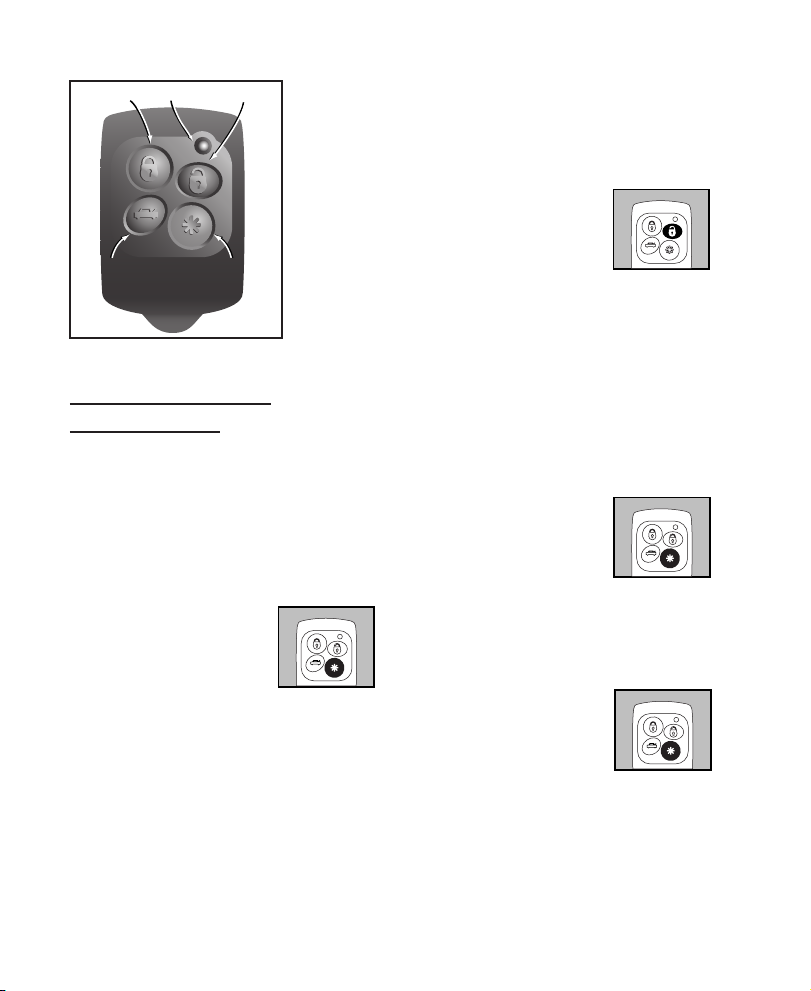
Lock
Trunk
UnlockLED
Asterisk
Remote Start
Operation
Important: Do not operate this remote
auto start in an enclosed garage or area without proper ventilation. Be sure to familiarize
yourself with the features of the Remote Auto
Start Product prior to using the product.
REMOTE STARTING
THE VEHICLE:
Press the ASTERISK button
on the remote transmitter,
the siren chirps 3 times.The
parking lights will come on
solid.Approximately 2 seconds later the
Security/Remote Autostart will attempt to
start the vehicle. Once the car has started,
the heater or air conditioner will turn on (if
it is set to run prior to exiting the vehicle),
it will run for the preprogrammed time (12
or 24 minutes). If the engine fails to start on
the first attempt, it will repeat the starting
Press
procedure 2 more times.If the vehicle fails
to start after a total of 3 times the siren
will chirp 6 times.
Driving the Vehicle after Remote Started:
Unlock the door by pressing
the UNLOCK button on the
Press
remote transmitter (optional). Enter vehicle, turn ignition key to the on position
(Note: Do not turn the key all the way to the
start position as you may damage the starter).
Once the ignition key is turned to the on
position, press the brake pedal and shift the
car into the proper gear and you may now
drive the vehicle (Note: If brake pedal is
pressed prior to turning on ignition, engine will
turn off).
Remote Engine Shutdown:
If the vehicle has been
Press
remotely started and you
desire to turn the vehicle
off, simply press the ASTERISK button on the remote
transmitter. After the motor has turned off
the doors will relock (optional).
Disengaging the Auto Cold Start
Activation:
Hold
To turn this feature off via
the remote transmitter press
and hold the ASTERISK button on the remote transmitter for 5 seconds, the parking lights will
flash 10 times to confirm deactivation.You
may also disengage the Auto Cold Start feature by pressing the brake pedal or turning
Page 3
the ignition to the on position at anytime.
Note: Also, by remote starting the vehicle.
TRUNK/HATCH POP 3rd
CHANNEL
(Optional):
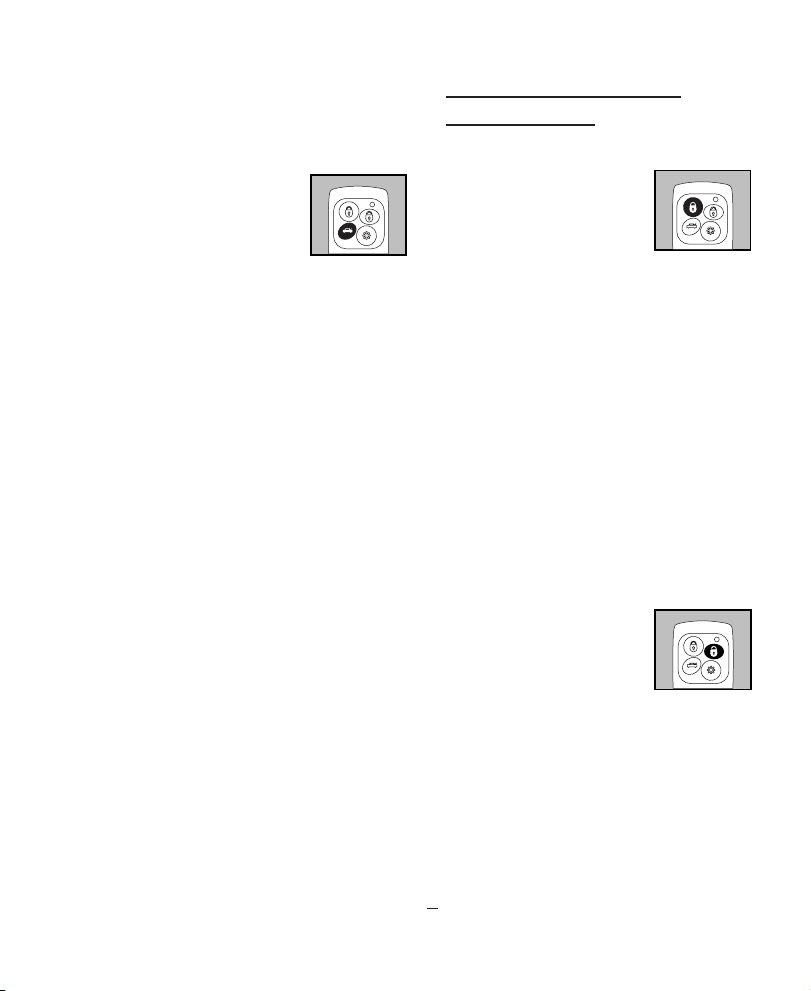
Press the TRUNK button
for approximately 2 seconds and the trunk/hatch
will pop open.
SAFETY FEATURES:
The Security/Remote Autostart will not start the
vehicle under the following conditions:
1. The brake pedal is pressed.
2. The Hood is opened (an optional pin
switch needs to be installed).
3. The ignition is turned on.
Press
Security System
Operation
ARMING OPERATION:
Active Arming-To activate
the alarm, simply press the
LOCK button on your
remote control.You will
hear one chirp from your
siren, your parking lights will flash one time.
Your doors will lock, and the L.E.D. will turn
solid for 2 seconds then it will start flashing
slowly.After 10 seconds the system is
armed.
Passive Arming- If your system was
installed to arm passively, simply turn off
your ignition key and exit the vehicle, the
system will arm 30 seconds after the last
door is closed. After you shut off the ignition, the LED will start flashing rapidly to let
you know that the system is in the Pre Arm
state.You can always arm the system at any
time by pressing the LOCK button on the
remote.
DISARMING OPERATION:
To deactivate the alarm
press the UNLOCK button
on your remote.The siren
will chirp twice, and parking
lights will flash twice (car
location feature).The LED will stop flashing,
the doors will unlock; system is disarmed. If
you have the illuminated entry system
installed the interior light will flash twice
then stay on for 30 seconds or until you
turn the ignition on or rearm the system.
Press
Press
VALET MODE:
Valet mode will keep your alarm system
3
Page 4
from
passive
arming
(if pro-
grammed to passive arm), if you need to
have your vehicle serviced, or run it
through the car wash, etc.
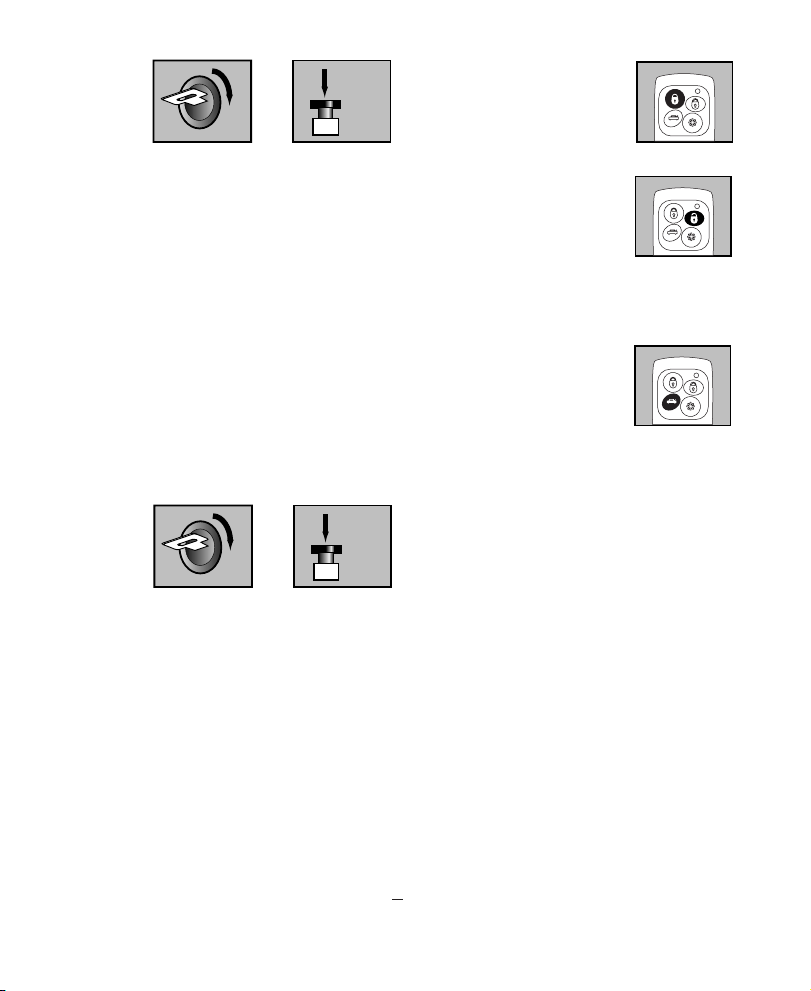
To put your system in Valet Mode, disarm system, turn the ignition key on and
press and hold your valet/override switch
in for approximately 3 seconds,the LED
will turn solid. Your vehicle’s system is in
Valet Mode. If you have keyless entry features the remote will still lock and unlock
the vehicle while in Valet Mode.
To exit Valet Mode: Turn ignition key on,
press and hold valet/override switch for
approx. 3 seconds, LED will turn off and
siren will chirp 2 times.
EMERGENCY OVERRIDE:
If you
lose
your
transmitter,
or it fails to operate the system, unlock
door and enter vehicle. The siren will
sound, insert your ignition key and turn
the ignition to the ON position. Then
press the Valet/ Override Switch, the system will override and allow you to start
the vehicle.The system will automatically
go into valet, so it will not passively
rearm. (See valet operation to take system out of valet mode.)
REMOTE PANIC:
For your personal safety you may activate
ON
ON
+
+
Press
+
Hold
Press
the siren by pressing the
LOCK button on your remote
for 3 seconds, this will trigger
the system into the Panic
mode.The siren will sound and
the parking lights will flash.
The panic mode will run for 45
seconds, or until you press the
UNLOCK button on your
remote again.This feature will
not operate when the ignition
is on.
SIREN MUTE ARM/DISARM:
If you wish to arm or disarm
your alarm, but do not want
the siren to chirp loudly, simply
press and release the TRUNK
button on the remote control.
CHIRP DELETE:
To turn off ARM/ DISARM chirps, turn
ignition switch on, then press and hold
the ASTERISK button until you hear a
double chirp. The arm/disarm chirps will
turn off .To return the chirps, repeat the
procedure until you hear (2) double
chirps.
ENTRY VIOLATION MEMORY:
In the event that your Security/Remote
Autostart system is triggered and runs an
entire cycle, when you return to disarm
it, instead of the usual 2 chirps you will
hear 3 chirps unless you have deleted that
function (see above).To indicate that the
your system was set off, parking lights will
flash 3 times as well.
AUTO REARM FEATURE:
If you would like your system to auto
3 Sec.
Press
Press
4
Page 5

rearm (if system is remotely disarmed) and
a door is not opened, within 30 seconds
the alarm will automatically rearm the system.This feature may be disabled by turning the ignition to the on position and
pressing and holding the LOCK button on
the remote. Siren will chirp twice. Repeat
the procedure to enable the feature.
NOTE:This will not work on vehicles with
the illuminated entry feature enabled.
REPLACING STOLEN
OR LOST REMOTE CONTROLS:
Your authorized Black Widow Dealer can
program in more remote controls, and
erase the codes for stolen or lost transmitters at the same time, so that they will not
operate the system.
LED STATUS INDICATORS
Off= System off in Active mode
Slow Flashing= System Armed
Rapid Flashing= Passive Pre Arm State
Rapid Flashing (after disarm)=System
was triggered while away.
On Solid= In Valet Mode.
On Solid (when disarmed, and not in
Valet)= Door/Hood is open.
CHIRP INDICATIONS:
One Chirp= Armed
Two Chirps= Disarmed
Three Chirps= Disarmed, but system was
triggered while away.
Four Chirps= 8 seconds after arming,
indicates faulty sensor or trigger.
Six Rapid Chirps= Warn away triggered
5
Page 6
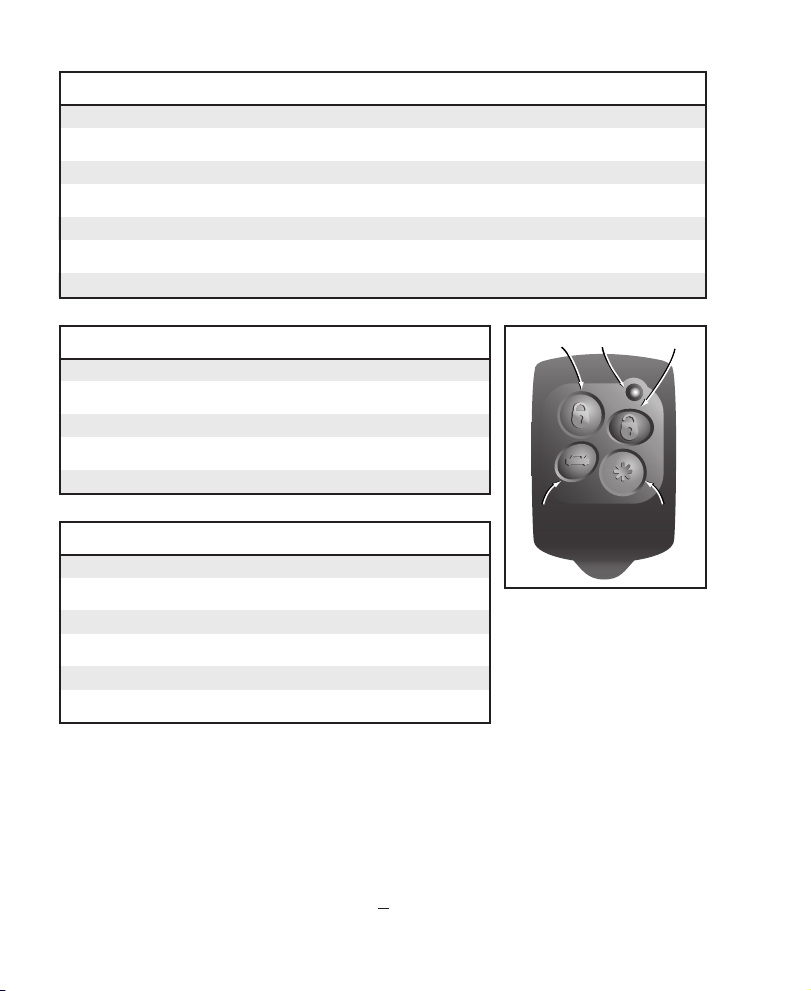
REMOTE CONTROL FEATURE OPERATION
Button Duration Function
LOCK SHORT ARM
UNLOCK SHORT DISARM
LOCK LONG (3 SEC.) REMOTE PANIC
ASTERISK LONG (3 SEC.) REMOTE START
TRUNK LONG (3 SEC.) TRUNK POP
TRUNK SHORT SILENT ARM/DISARM
LED STATUS INDICATOR FUNCTIONS
Flashes Function
SLOW DOORS LOCKED (optional)
RAPID VEHICLE IS BEING REMOTE STARTED & RUNNING
SOLID REMOTE AUTO START IN SERVICE MODE
DOUBLE AUTOMATIC COLD START ACTIVATION ENGAGED
PARKING LIGHT FLASHING FUNCTIONS
Flashes Function
1 DOORS LOCKED (optional)
2 DOORS UNLOCKED (optional)
4 RAS UNABLE TO START VEHICLE
5 AUTOMATIC COLD START ACTIVATION ENGAGED
10 AUTOMATIC COLD START ACTIVATION DISENGAGED
DLC/U.S.A. 12753 Moore Street • Cerritos, California 90703
6
Lock
Trunk
UnlockLED
Asterisk
© David Levy Company, Inc., 120/Rev. 1, November, 1999
 Loading...