

Page 1
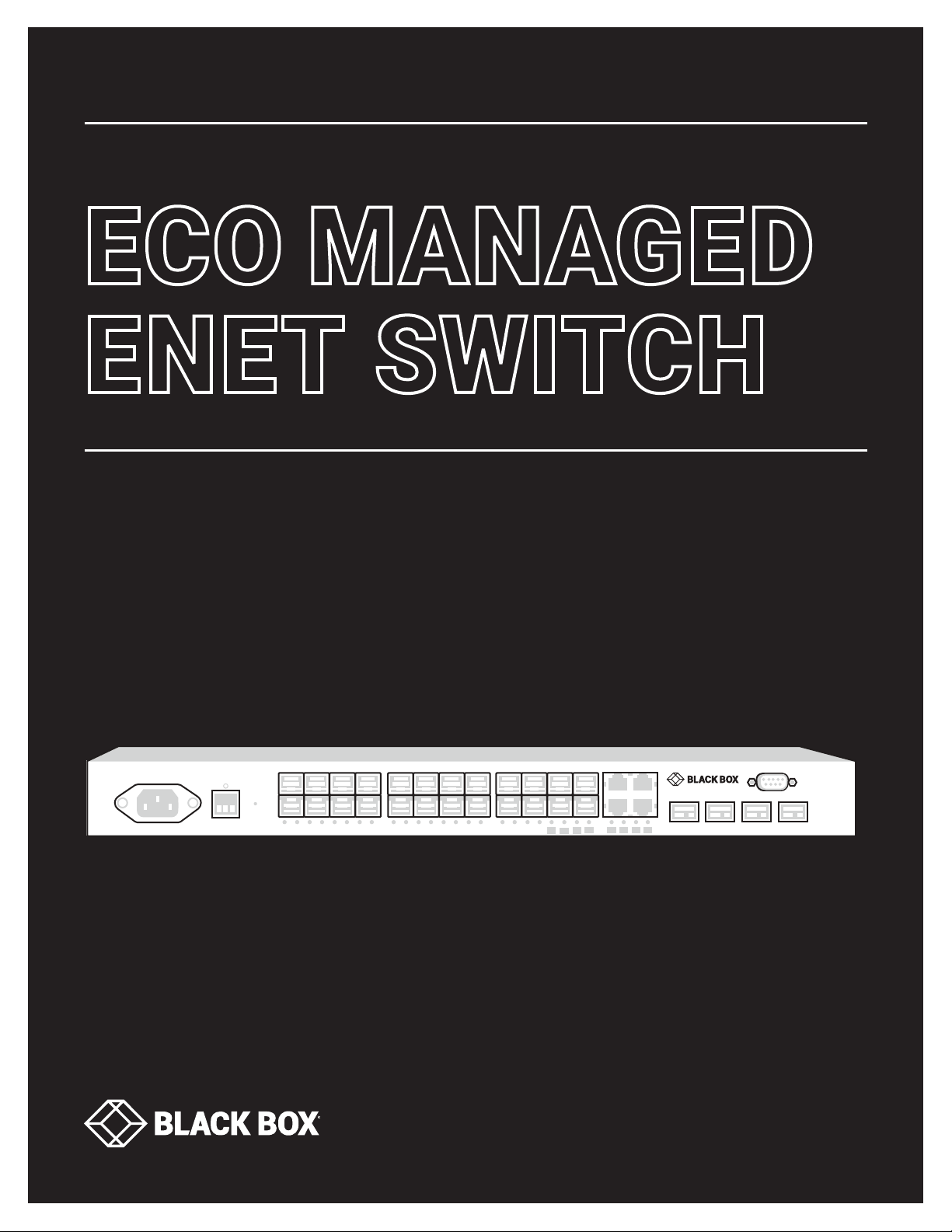
COMMAND-LINE INTERFACE (CLI) GUIDE
+ +
1
3
2
4
6
85
7
9
11
10
12
14
16
13
15
2017
19
LINK/ACT
CONSOLE
RST
AC INPUT: 100-240 VAC
ALM
SYS
PWR DC
PWR AC
18
CONSOLE
21
RTN -48V
+
28-PORT GbE
MANAGED
SWITCH
25
26
27
28
22
23
2324 24
21
22
LGB5124A-R2, LGB5218A-R2
ECO MANAGED
ENET SWITCH
24/7 TECHNICAL SUPPORT AT 1.877.877.2269 OR VISIT BLACKBOX.COM
Page 2

ABOUT THIS GUIDE
PURPOSE
This guide gives specific information on how to operate and use the management functions of the switch.
AUDIENCE
The guide is intended for use by network administrators who are responsible for operating and maintaining network equipment;
consequently, it assumes a basic working knowledge of general switch functions, the Internet Protocol (IP), and Simple Network
Management Protocol (SNMP).
CONVENTIONS
The following conventions are used throughout this guide to show information:
NOTE: Emphasizes important information or calls your attention to related features or instructions.
CAUTION: Alerts you to a potential hazard that could cause loss of data, or damage the system or equipment.
WARNING: Alerts you to a potential hazard that could cause personal injury.
RELATED PUBLICATIONS
The following publication details the hardware features of the switch, including the physical and performance-related characteristics,
and how to install the switch:
The Installation Guide
Also, as part of the switch’s software, there is an online web-based help that describes all management related features.
2
2
1. 87 7. 8 7 7.2 2 6 9 BLACKBOX.COM
1. 87 7. 8 7 7.2 2 6 9 BLACKBOX.COM
Page 3

REVISION HISTORY
INITIAL RELEASE 08/08/2017 A1
RELEASE DAT E REVISION
3
1. 87 7. 8 7 7.2 2 6 9 BLACKBOX.COM
Page 4

CONTENTS
ABOUT THIS GUIDE ........................................................................................................................................................................... 2
REVISION HISTORY .......................................................................................................................................................................... 3
CONTENTS ......................................................................................................................................................................................... 4
1 CLI MANAGEMENT ....................................................................................................................................................................5–9
1-1 LOGIN ....................................................................................................................................................................................................................... 5
1-2 COMMANDS OF CLI ............................................................................................................................................................................................. 6
2 CLEAR OF C LI ........................................................................................................................................................................ 10–17
3 CONFIGURE COMMANDS OF CLI....................................................................................................................................... 18–10 6
3-1 ACCESS-LIST ............................................................................................................................................................................................... 57–6 0
3-2 NO ....................................................................................................................................................................................................................61–9 0
3-3 QOS .................................................................................................................................................................................................................91–96
3-4 SNMP-SERVER ...........................................................................................................................................................................................97–10 2
3-5 SPANNING-TREE .................................................................................................................................................................................... 103–106
4 COPY COMMANDS OF CLI ........................................................................................................................................................ 107
5 DEBUG COM MANDS OF CLI ..................................................................................................................................................... 10 8
6 DELETE COMMANDS OF CLI ................................................................................................................................................... 10 9
7 DIR COMMA NDS OF CLI ........................................................................................................................................................... 110
8 DISABLE COMMANDS OF CLI ...................................................................................................................................................111
9 DO COMMANDS OF CLI .............................................................................................................................................................112
10 DOT1X OF CLI ............................................................................................................................................................................113
11 ENABLE OF CLI .........................................................................................................................................................................114
12 FIRMWARE OF CLI ....................................................................................................................................................................115
13 NO OF CLI ..................................................................................................................................................................................116
14 PING OF CLI ...............................................................................................................................................................................117
15 RELOAD OF CLI ........................................................................................................................................................................ 118
16 SEND OF CLI ..............................................................................................................................................................................119
17 SHOW OF CLI .................................................................................................................................................................... 12 0–175
18 TERMIN AL OF CLI .................................................................................................................................................................... 176
19 IP OF CLI ................................................................................................................................................................................... 177
4
1. 87 7. 8 7 7.2 2 6 9 BLACKBOX.COM
Page 5

CHAPTER 1. CLI MANAGEMENT
Follow these steps to connect to the network:
Locate the correct DB-9 RS-232 cable with female DB-9 connector. RS-232 cable is used for connecting a terminal or terminal
emulator to the Managed Switch’s RS-232 port to access the command-line interface.
Attach the DB-9 serial port on the switch’s front panel, which is used to connect to the switch for console configuration.
Attach the other end of the DB-9 cable to an ASCII terminal emulator or PC Com-1, 2 port. For example, PC runs Microsoft Windows
HyperTerminal utility.
At “Com Port Properties” Menu, configure the parameters as below: (see the next section)
Baud rate 115200
Stop bits 1
Data bits 8
Parity N
Flow control none
1-1 LOGIN
The Command-Line Interface (CLI) is a text-based interface. Users can access the CLI through either a direct serial connection to
the device, or a Telnet session. The default username and password to log into the Managed Switch are listed below:
Username: admin
Password: <none>
Note: <none> means empty string
USERNAME: ADMIN
PASSWORD:
LGB5124 A - R 2#
After you successfully login, the prompt will be shown as “<sys_name>#“, which means you behave as an administrator and have
the privilege for setting the Managed Switch (see the following two figures). If you do not login as the administrator, the prompt
will be shown as “<sys_name>>”, which means you behave as a guest and are only allowed for setting the system under the
administrator. Each CLI command has its own privileges.
5
1. 87 7. 8 7 7.2 2 6 9 BLACKBOX.COM
Page 6

CHAPTER 1. CLI MANAGEMENT
1-2 COMMANDS OF CLI
The CLI is divided into several modes. If a user has enough privileges to run a particular command, the user has to run the
command in the correct mode. To see the commands of the mode, input ‘?’ after the system prompt, then all commands will
be listed on the screen. The command modes are listed below:
TABLE : COMMAND MODES
MODE PROMPT COM MAND FU NCT ION I N THIS MODE
exec <sys_name># Display current configuration, diagnostics, maintenance
config <sys_name>(config)# Configure features other than those below
Config-if <sys_name>(config-interface)# Configure ports
Config-if-vlan <sys_name>(config-if-vlan)# Configure static vlan
Config-line <sys_name>(config-line)# Line Configuration
Config-impc-profile <sys_name>(config-impc-profile)# IPMC Profile
Config-snmp-host <sys_name>(config-snmp-host)# SNMP Server Host
Config-stp-aggr <sys_name>(config-stp-aggr)# STP Aggregation
Config-dhcp-pool <sys_name>(config-dhcp-pool)# DHCP Pool Configuration
Config-rfc2544-profile <sys_name>(config-rfc2544-profile)# RFC2544 Profile
Commands reside in the corresponding mode and can only run in that mode. To run a particular command, the user has to
change to the appropriate mode. The command modes are organized as a tree, and users start in enable mode. The following
table explains how to change from one mode to another:
TABLE : CHANGE BETWEEN COMMAND MODES
MODE ENTER MODE LEAVE MODE
exec — —
config Configure terminal exit
config-interface Interface <port-type> <port-type-list> exit
config-vlan Interface vlan <vlan_list> exit
6
1. 87 7. 8 7 7.2 2 6 9 BLACKBOX.COM
Page 7

CHAPTER 1. CLI MANAGEMENT
1-3 GLOBAL COMMANDS OF CLI
LGB5124A-R2# ?
clear Reset functions
configure Enter configuration mode
copy Copy from source to destination
debug Debugging functions
delete Delete one file in flash: file system
dir Directory of all files in flash: file system
disable Turn off privileged commands
do To run exec commands in config mode
dot1x IEEE Standard for port-based Network Access Control
enable Turn on privileged commands
exit Exit from EXEC mode
firmware Firmware upgrade/swap
help Description of the interactive help system
ip IPv4 commands
logout Exit from EXEC mode
more Display file
no Negate a command or set its defaults
ping Send ICMP echo messages
reload Reload system
send Send a message to other tty lines
show Show running system information
terminal Set terminal line parameters
7
1. 87 7. 8 7 7.2 2 6 9 BLACKBOX.COM
Page 8

CHAPTER 1. CLI MANAGEMENT
EXIT
Exit from EXEC mode.
SYNTAX
exit
PARAMETER
None
EXAMPLE
LGB5124A-R2(CONFIG)# EXIT
LG B5124A-R2 #
HELP
Description of the interactive help system.
SYNTAX
help
PARAMETER
None
EXAMPLE
LG B5124A-R2 # help
Help may be requested at any point in a command by entering a question mark (’?’). If nothing
matches, the help list will be empty and you must backup until entering a ’?’ shows the
available options. Two styles of help are provided:
1. Full help is available when you are ready to enter a command argument (e.g. ”show ?”) and
describes each possible argument.
2. Partial help is provided when an abbreviated argument is entered and you want to know what
arguments match the input (e.g. ”show pr?”).
LG B5124A-R2 #
8
1. 87 7. 8 7 7.2 2 6 9 BLACKBOX.COM
Page 9

CHAPTER 1. CLI MANAGEMENT
LOGOUT
Exit from EXEC mode.
SYNTAX
logout
PARAMETER
None
EXAMPLE
LG B5124A-R2 # LO GOUT
PRESS ENTER TO GET STARTED
END
Go back to EXEC mode.
SYNTAX
end
EXAMPLE
LGB5124A-R 2(CONF IG )# E N D
LG B5124A-R2 #
9
1. 87 7. 8 7 7.2 2 6 9 BLACKBOX.COM
Page 10

CHAPTER 2. CLEAR OF CLI
COMMAND FUNCTION
access Access management
access-list Access list
dot1x IEEE Standard for port-based Network Access Control
ip Interface Internet Protocol config commands
ipv6 IPv6 configuration commands
lacp Clear LACP statistics
lldp Clear LLDP statistics
logging Syslog
mac MAC Address Table
mvr Multicast VLAN Registration configuration
sflow Statistics flow
CLEAR COMMANDS
spanning-tree STP Bridge
statistics Clear statistics for a given interface
ACCESS
Access management.
SYNTAX
clear access management statistics
PARAMETER
management Access management configuration
statistics Statistics data
EXAMPLE
10
LGB5124A-R2# CLEAR ACCESS MANAGEMENT STATISTICS
LG B5124A-R2 #
1. 87 7. 8 7 7.2 2 6 9 BLACKBOX.COM
Page 11

CHAPTER 2. CLEAR OF CLI
ACCESS-LIST
Access-list.
SYNTAX
clear access-list ace statistics
PARAMETER
ace Access-list entry
statistics Traffic statistics
EXAMPLE
LGB5124A-R2# CLEAR ACCESS-LIST ACE STATISTICS
LG B5124A-R2 #
DOT1X
IEEE Standard for port-based Network Access Control.
SYNTAX
clear dot1x statistics
clear dot1x statistics interface GigabitEthernet < PORT_TYPE_LIST>
clear dot1x statistics interface 10GigabitEthernet < PORT_TYPE_LIST>
PARAMETER
statistics Clears the statistics counters
interface Interface
GigabitEthernet 1 GigabitEthernet Port
GigabitEthernet 10 GigabitEthernet Port
PORT_TYPE_LIST Port list in 1/1-24 for GigabitEthernet, 1/1-4 for 10GigabitEthernet
EXAMPLE
LGB5124A-R2# CLEAR DOT1X STATISTICS INTERFACE GIGABITETHERNET 1/1-24
LG B5124A-R2 #
11
1. 87 7. 8 7 7.2 2 6 9 BLACKBOX.COM
Page 12

CHAPTER 2. CLEAR OF CLI
IP
Interface Internet Protocol config commands.
SYNTAX
clear ip arp
clear ip dhcp detailed statistics { server | client | snooping | relay | helper | all } [ interface ( <port_type> [ <in_port_list> ] ) ]
clear ip dhcp relay statistics
clear ip dhcp server binding <ip>
clear ip dhcp server binding { automatic | manual | expired }
clear ip dhcp server statistics
clear ip dhcp snooping statistics [ interface ( <port_type> [ <in_port_list> ] ) ]
clear ip igmp snooping [ vlan <v_vlan_list> ] statistics
clear ip statistics [ system ] [ interface vlan <v_vlan_list> ] [ icmp ] [ icmp-msg <type> ]
PARAMETER
arp Clear ARP cache
dhcp Dynamic Host Configuration Protocol
igmp Internet Group Management Protocol
statistics Traffic statistics
relay DHCP relay agent configuration
snooping DHCP snooping
interface Select an interface to configure
GigabitEthernet 1 GigabitEthernet Port
10GigabitEthernet 10 GigabitEthernet Port
vlan IPv4 traffic interface
<vlan_list> VLAN identifier(s): VID
12
EXAMPLE
LG B5124A-R2 # CLEAR IP ARP
LG B5124A-R2 # CLEAR IP DHCP DETAILED STATISTICS ALL INTERFACE GIGABITETHERNET 1/1-24
LG B5124A-R2 # CLEAR IP DHCP RELAY STATISTICS
LG B5124A-R2 # CLEAR IP DHCP SERVER BINDING 192.168.1.11
LG B5124A-R2 # CLEAR IP DHCP SERVER BINDING AUTOMATIC
LG B5124A-R2 # CLEAR IP DHCP SERVER STATISTICS
LG B5124A-R2 # CLEAR IP DHCP SNOOPING STATISTICS INTERFACE GIGABITETHERNET 1/1-24
LG B5124A-R2 # CLEAR IP IGMP SNOOPING VLAN 1 STATISTICS
LG B5124A-R2 # CLEAR IP STATISTICS SYSTEM INTERFACE
LG B5124A-R2 # CLEAR IP STATISTICS SYSTEM INTERFACE VLAN 1 ICMP ICMP-MSG 2
1. 87 7. 8 7 7.2 2 6 9 BLACKBOX.COM
Page 13

CHAPTER 2. CLEAR OF CLI
IPV6
IPv6 configuration commands.
SYNTAX
clear ipv6 mld snooping [ vlan <v_vlan_list> ] statistics
clear ipv6 neighbors
clear ipv6 statistics [ system ] [ interface vlan <v_vlan_list> ] [ icmp ] [ icmp-msg <type> ]
PARAMETER
mld Multicast Listener Discovery
neighbors Ipv6 neighbors
statistics Traffic statistics
snooping Snooping MLD
statistics Running MLD snooping counters
vlan Ipv6 interface traffic
<vlan_list> VLAN identifier(s): VID
icmp IPv6 ICMP traffic
icmp-msg IPv6 ICMP traffic for designated message type
interface Select an interface to configure
system IPv6 system traffic
< 0~255> ICMP message type ranges from 0 to 255
EXAMPLE
LG B5124A-R2 # CLEAR IPV6 MLD SNOOPING VLAN 3 STATISTICS
LG B5124A-R2 # CLEAR IPV6 NEIGHBORS
LG B5124A-R2 # CLEAR IPV6 STATISTICS SYSTEM
ICMP ICMP-M SG 2
13
1. 87 7. 8 7 7.2 2 6 9 BLACKBOX.COM
Page 14

CHAPTER 2. CLEAR OF CLI
LACP
Clear LACP statistics.
SYNTAX
clear lacp statistics
PARAMETER
statistics Clear all LACP statistics
EXAMPLE
LG B5124A-R2 # CLEAR LACP STATISTICS
LG B5124A-R2 #
LLDP
Clear LLDP statistics.
SYNTAX
clear lldp statistics
clear lldp statistics| begin | exclude | include >< LINE >
PARAMETER
statistics Clear LLDP statistics
| Output modifiers
begin Begin with the line that matches
exclude Exclude lines that match
include Include lines that match
<LINE> String to match output lines
EXAMPLE
LG B5124A-R2 # CLEAR LLDP STATISTICS | BEGIN LINE
LG B5124A-R2 #
14
1. 87 7. 8 7 7.2 2 6 9 BLACKBOX.COM
Page 15

CHAPTER 2. CLEAR OF CLI
LOGGING
Syslog.
SYNTAX
clear logging [ info ] [ warning ] [ error ]
PARAMETER
error Error
info Information
warning Warning
EXAMPLE
LG B5124A-R2 # CLEAR LOGGING INFO ERROR WARNING
LG B5124A-R2 #
MAC
MAC Address Table.
SYNTAX
clear mac address-table
PARAMETER
address-table Flush MAC Address Table
EXAMPLE
LG B5124A-R2 # CLEAR MAC ADDRESS-TABLE
LG B5124A-R2 #
15
1. 87 7. 8 7 7.2 2 6 9 BLACKBOX.COM
Page 16

CHAPTER 2. CLEAR OF CLI
MVR
Multicast VLAN registration configuration.
SYNTAX
clear mvr [ vlan <v_vlan_list> | name <mvr_name> ] statistics
PARAMETER
name MVR multicast name
statistics Running MVR protocol counters
vlan MVR multicast vlan
< word16> MVR multicast VLAN name
<vlan_list> MVR multicast VLAN list
EXAMPLE
LGB5124A-R2# CLEAR MVR VLAN 25 STATISTICS
LG B5124A-R2 #
SFLOW
Statistics flow.
SYNTAX
clear sflow statistics { receiver [ <receiver_index_list> ] | samplers [ interface [ <samplers_list> ] ( <port_type> [ <v_port_type_
list> ] ) ] }
PARAMETER
interface Interface
receiver Clear statistics for receiver
<port_type> GigabitEthernet or 10GigabitEthernet
<Samplers : option> Runtime
<port_type_list> Port list in 1/1-24 for GigabitEthernet, 1/1-4 for 10GigabitEthernet
EXAMPLE
16
LGB5124A-R2# CLEAR SFLOW STATISTICS INTERFACE GIGABITETHERNET 1/1-
1. 87 7. 8 7 7.2 2 6 9 BLACKBOX.COM
Page 17

CHAPTER 2. CLEAR OF CLI
SPANNING-TREE
STP Bridge.
SYNTAX
clear spanning-tree { { statistics [ interface ( <port_type> [ <v_port_type_list> ] ) ] } | { detected-protocols [ interface ( <port_
type> [ <v_port_type_list_1> ] ) ] } }
PARAMETER
detected-protocols Set the STP migration check
statistics STP statistics
interface Choose port
<port_type> GigabitEthernet or 10GigabitEthernet
<port_type_list> Port list in 1/1-24 for GigabitEthernet, 1/1-4 for 10GigabitEthernet
EXAMPLE
LGB5124A-R2# CLEAR SPANNING-TREE DETECTED-PROTOCOLS INTERFACE GIGABITETHERNET 1/1-24
STATISTICS
Clear statistics for a given interface.
SYNTAX
clear statistics interface <port_type> <port_type_list>
clear statistics <port_type> <port_type_list>
PARAMETER
<port_type> GigabitEthernet or 10GigabitEthernet
<port_type_list> Port list in 1/1-24 for GigabitEthernet, 1/1-4 for 10GigabitEthernet
EXAMPLE
LGB5124A-R2# CLEAR STATISTICS GIGABITETHERNET 1/1-13
LG B5124A-R2 #
17
1. 87 7. 8 7 7.2 2 6 9 BLACKBOX.COM
Page 18

CHAPTER 3. CONFIGURE COMMANDS OF CLI
TABLE : CONFIGURE COMMANDS
COMMAND FUNCTION
terminal Configure from the terminal
aaa Authentication, Authorization and Accounting
access Access management
access-list Access list
aggregation Aggregation mode
banner Define a login banner
clock Configure time-of-day clock
default Set a command to its defaults
do To run exec commands in config mode
dot1x IEEE Standard for port-based Network Access Control
enable Modify enable password parameters
end Go back to EXEC mode
event Trap event severity level
exit Exit from Configuration mode
gvrp Enable GVRP feature
help Description of the interactive help system
hostname Set system’s network name
interface Select an interface to configure
ip Internet Protocol
ipmc IPv4/IPv6 multicast configuration
ipv6 IPv6 configuration commands
18
lacp LACP settings
line Configure a terminal line
1. 87 7. 8 7 7.2 2 6 9 BLACKBOX.COM
Page 19

CHAPTER 3. CONFIGURE COMMANDS OF CLI
lldp LLDP configurations
logging Syslog
loop-protect Loop protection configuration
mac MAC table entries/configuration
monitor Set monitor configuration
mvr Multicast VLAN Registration configuration
no Negate a command or set its defaults
ntp Configure NTP
port-security Enable/disable port security globally
Privilege Command privilege parameters
qos Quality of Service
radius-server Configure RADIUS
rmon Remote Monitoring
sflow Statistics flow
smtp Set email information
snmp-server Set SNMP server’s configurations
spanning-tree Spanning Tree protocol
system Set the SNMP server’s configurations
tacacs-server Configure TACACS+
upnp Set UPnP’s configurations
username Establish User Name Authentication
vlan VLAN commands
voice Voice appliance attributes
19
web Web
1. 87 7. 8 7 7.2 2 6 9 BLACKBOX.COM
Page 20

CHAPTER 3. CONFIGURE COMMANDS OF CLI
TERMINAL
Configure from the terminal.
SYNTAX
configure terminal
EXAMPLE
LGB5124A-R2# CONFIGURE TERMINAL
LGB5124A-R 2(CONF IG )#
AAA
Authentication, Authorization and Accounting.
SYNTAX
aaa authentication login { console | telnet | ssh | http } { { local | radius | tacacs } [ { local | radius | tacacs } [ { local |
radius | tacacs } ] ] }
PARAMETER
authentication Authentication
login Login
console Configure Console
http Configure HTTP
ssh Configure SSH
telnet Configure Telnet
local Use local database for authentication
radius Use RADIUS for authentication
tacacs Use TACACS+ for authentication
EXAMPLE
20
LGB5124A-R2(CONFIG)# AAA AUTHENTICATION LOGIN HTTP RADIUS GEFXLGB5124A-R 2(CONF IG )#
1. 87 7. 8 7 7.2 2 6 9 BLACKBOX.COM
Page 21

CHAPTER 3. CONFIGURE COMMANDS OF CLI
ACCESS
Access management.
SYNTAX
access management
access management <access_id> <access_vid> <start_addr> [ to <end_addr> ] { [ web ] [ snmp ] [ telnet ] | all }
PARAMETER
management Access management configuration
< 1-16> ID of access management entry
< 1-4094> The VLAN ID for the access management entry
< ipv4_addr> Start IPv4 address
< ipv6_addr> Start IPv6 address
all All services
snmp SNMP service
telnet TELNET/SSH service
to End address of the range
web Web service
EXAMPLE
LGB5124A-R2(CONFIG)# ACCESS MANAGEMENT 10 3 192.168.1.1 ALL
LGB5124A-R 2(CONF IG )#
21
1. 87 7. 8 7 7.2 2 6 9 BLACKBOX.COM
Page 22

CHAPTER 3. CONFIGURE COMMANDS OF CLI
AG G REGATION
Aggregation mode.
SYNTAX
aggregation mode { [ dmac ] [ ip ] [ dmac ] [ port ] }
PARAMETER
mode Traffic distribution mode
dmac Destination MAC affects the distribution
ip IP address affects the distribution
port IP port affects the distribution
smac Source MAC affects the distribution
EXAMPLE
LGB5124A-R2(CONFIG)# AGGREGATION MODE IP PORT DMAC SMAC
LGB5124A-R 2(CONF IG )#
BANNER
Define a login banner.
SYNTAX
banner [ motd ] <banner>
banner exec <banner>
banner login <banner>
PARAMETER
<LINE> c banner-text c, where ‘c’ is a delimiting character
exec Set EXEC process creation banner
login Set login banner
motd Set Message of the Day banner
22
EXAMPLE
LGB5124A-R2(CONFIG)# BANNER EXEC LINE
ENTER TEXT MESSAGE. END WITH THE CHARACTER ’L’.
L
LGB5124A-R 2(CONF IG )#
1. 87 7. 8 7 7.2 2 6 9 BLACKBOX.COM
Page 23

CHAPTER 3. CONFIGURE COMMANDS OF CLI
CLOCK
Configure time-of-day clock.
SYNTAX
clock set <icliDate> <icliTime>
clock summer-time <word16> date [ <start_month_var> <start_date_var> <start_year_var> <start_hour_var> <end_month_
var> <end_date_var> <end_year_var> <end_hour_var> [ <offset_var> ] ]
clock summer-time <word16> recurring [ <start_week_var> <start_day_var> <start_month_var> <start_hour_var> <end_week_
var> <end_day_var> <end_month_var> <end_hour_var> [ <offset_var> ] ]
clock timezone <word_var> <hour_var> [ <minute_var> ]
PARAMETER
set Set clock
summer-time Configure summer (daylight savings) time
timezone Configure time zone
<date> yyyy/mm/dd
<time> hh:mm:ss
<2000-2097> Year to start
hh:mm Time to start (hh:mm)
<1-12> Month to end
<1-31> Date to end
<2000-2097> Year to end
hh:mm Time to end (hh:mm)
<1-1440> Offset to add in minutes
<1-5> Week number to start
<1-7> Weekday to start
<1-12> Month to start
EXAMPLE
23
LGB5124A-R2(CONFIG)# CLOCK SET 2014/11/04 10:22:03
2014-11-04T10:22:03+00:00
LGB5124A-R2(CONFIG)# DO SHOW CLOCK
SYSTE M TIME : 2011-01-01T00:05:48+00:00
1. 87 7. 8 7 7.2 2 6 9 BLACKBOX.COM
Page 24

CHAPTER 3. CONFIGURE COMMANDS OF CLI
DEFAU LT
Set a command to its defaults.
SYNTAX
default access-list rate-limiter [ <rate_limiter_list> ]
PARAMETER
access-list Access list
rate-limiter Rate limiter
<RateLimiterId : 1-16> Rate limiter ID
EXAMPLE
LGB5124A-R2(CONFIG)# DEFAULT ACCESS-LIST RATE-LIMITER 3
LGB5124A-R 2(CONF IG )#
DO
To run exec commands in config mode.
SYNTAX
do < LINE >{[< LINE >]}
PARAMETER
<LINE> Exec Command
EXAMPLE
LGB5124A-R2(CONFIG)# DO SHOW VLAN
VLAN NAME PORTS
--------------------------------------------------------------------------------
-------------------1 DEFAULT GIGABITETHERNET 1/1, GIGABITETHERNET 1/2,
GIGABITETHERNET 1/3,
GIGABITETHERNET 1/4, GIGABITETHERNET 1/5
LGB5124A-R 2 (C ONFIG)#
24
1. 87 7. 8 7 7.2 2 6 9 BLACKBOX.COM
Page 25

CHAPTER 3. CONFIGURE COMMANDS OF CLI
DOT1X
IEEE Standard for port-based Network Access Control.
SYNTAX
dot1x authentication timer inactivity <v_10_to_100000>
dot1x authentication timer re-authenticate <v_1_to_3600>
dot1x feature { [ guest-vlan ] [ radius-qos ] [ radius-vlan ] }*1
dot1x guest-vlan <value>
dot1x guest-vlan supplicant
dot1x max-reauth-req <value>
dot1x re-authentication
dot1x system-auth-control
dot1x timeout quiet-period <v_10_to_1000000>
dot1x timeout tx-period <v_1_to_65535>
PARAMETER
authentication Authentication
feature Globally enables/disables a dot1x feature functionality
guest-vlan Guest VLAN
max-reauth-req Guest VLAN ID used when entering the Guest VLAN
re-authentication Set Re-authentication state
system-auth-control Set the global NAS state
timeout Timeout
timer Timer
inactivity Time in seconds between check for activity on successfully authenticated MAC addresses
25
re-authenticate The period between re-authentication attempts in seconds
<10-1000000> Seconds
<1-3600> Seconds
1. 87 7. 8 7 7.2 2 6 9 BLACKBOX.COM
Page 26

CHAPTER 3. CONFIGURE COMMANDS OF CLI
guest-vlan Globally enables/disables state of guest-vlan
radius-qos Globally enables/disables state of RADIUS-assigned QoS
radius-vlan Globally enables/disables state of RADIUS-assigned VLAN
<1-4095> The number of times a Request Identity EAPOL frame is sent
without response before considering entering the Guest VLAN
supplicant The switch remembers if an EAPOL frame has been received on
the port for the life-time of the port. Once the switch
considers whether to enter the Guest VLAN, it will first
check if this option is enabled or disabled. If disabled
(unchecked; default), the switch will only enter the Guest
VLAN if an EAPOL frame has not been received on the port for
the life-time of the port. If enabled (checked), the switch
will consider entering the Guest VLAN even if an EAPOL frame
has been received on the port for the life-time of the port.
<1-255> Number of times
quiet-period Time in seconds before a MAC-address that failed
authentication gets a new authentication chance
tx-period The time between EAPOL retransmissions
<10-1000000> Seconds
<1-65535> Seconds
EXAMPLE
LGB5124A-R2(CONFIG)# DOT1X AUTHENTICATION TIMER INACTIVITY 1000
LGB5124A-R2(CONFIG)# DOT1X FEATURE GUEST-VLAN RADIUS-QOS RADIUS-VLAN
LGB5124A-R2(CONFIG)# DOT1X GUEST-VLAN 33
LGB5124A-R2(CON FIG)# DOT1X MA X-REAUTH-R EQ 3
LGB5124A-R2(CONFIG)# D OT1X RE-AU THE NTICATION
LGB5124A-R2(CONFIG)# DOT1X SYSTEM-AUTH-CONTROL
LGB5124A-R2(CONFIG)# DOT1X TIMEOUT QUIET-PERIOD 3000
26
1. 87 7. 8 7 7.2 2 6 9 BLACKBOX.COM
Page 27

CHAPTER 3. CONFIGURE COMMANDS OF CLI
ENABLE
Modify enable password parameters.
SYNTAX
enable password [ <level> <1-15> ] <WORD>
enable secret { 0 | 5 } [< level> <1-15> ] <WORD>
PARAMETER
password Assign the privileged level clear password
secret Assign the privileged level secret
WORD The UNENCRYPTED (cleartext) password
level Set exec level password
<1-15> Level number
0 Specifies an UNENCRYPTED password will follow
5 Specifies an ENCRYPTED secret will follow
EXAMPLE
LGB5124A-R2(CONFIG)# ENABLE PASSWORD LEVEL 10 999
LGB5124A-R 2(CONF IG )#
EVENT
Trap event severity level.
SYNTAX
event group <group_name> { level <lvl> | syslog { enable | disable } | trap { enable | disable } | smtp { enable | disable } | ipush {
enable | disable } }
PARAMETER
group Configure trap event severity level
<word32> ACL, ACL_Log, Access_Mgmt, Auth_Failed, Cold_Start, Config_Info, FAN_FAIL, Firmware_
Upgrade, Import_Export, LACP, Link_Status, Login, Logout, Loop_Protect, Mgmt_IP_Change,
Module_Change, NAS, Password_Change, Poe_Auto_Check, Port_Security, Temperature, VLAN,
Voltage, Warm_Start
27
EXAMPLE
LGB5124A-R2(CONFIG)# EVENT GROUP VLAN TRAP ENABLE
LGB5124A-R 2(CONF IG )#
1. 87 7. 8 7 7.2 2 6 9 BLACKBOX.COM
Page 28

CHAPTER 3. CONFIGURE COMMANDS OF CLI
GVRP
Enable GVRP feature.
SYNTAX
gvrp
gvrp max-vlans <1-4095>
gvrp time { [ join-time <1-20> ] [ leave-time <60-300> ] [ leave-all-time <1000-5000> ] }*1
PARAMETER
time Config GVRP timer value in units of centi seconds [cs]
EXAMPLE
LGB5124A-R2(CONFIG)# GVRP MAX-VLANS 333
LGB5124A-R2(CONFIG)# GVRP TIME JOIN-TIME 13 LEAVE-ALL-TIME 3000 LEAVE-TIME 200
LGB5124A-R 2(CONF IG )#
HOSTNAME
Set system’s network name.
SYNTAX
hostname < WORD >
PARAMETER
WORD This system’s network name
EXAMPLE
LGB5124A-R2(CONFIG)# HOSTNAME RUBY
RUBY(CONFIG)#
28
1. 87 7. 8 7 7.2 2 6 9 BLACKBOX.COM
Page 29

CHAPTER 3. CONFIGURE COMMANDS OF CLI
INTERFACE
Select an interface to configure.
SYNTAX
interface ( <port_type> [ <plist> ] )
interface vlan <vlist>
PARAMETER
<port_type> GigabitEthernet or 10GigabitEthernet
vlan VLAN interface configurations
<vlan_list> List of VLAN interface numbers, 1-4095
<port_type_list> Port list in 1/1-24 for Gigabitethernet, 1/1-4 for 10Gigabitethernet
EXAMPLE
LGB5124A-R 2(CONF IG )# INTERFACE GIGABITETHERNET 1/1-13
LGB5124A-R 2(CONF IG )# INTERFACE VLAN 3
LG B5124A-R2(CONFIG-IF-VL AN)# IP ADDRESS DHCP
LG B5124A-R2(CONFIG-IF-VL AN)#
IP
Internet Protocol.
SYNTAX
ip arp inspection
ip arp inspection entry interface <port_type> <in_port_type_id> <vlan_var> <mac_var> <ipv4_var>
ip arp inspection translate [ interface <port_type> <in_port_type_id> <vlan_var> <mac_var> <ipv4_var> ]
ip arp inspection vlan <in_vlan_list>
ip arp inspection vlan <in_vlan_list> logging { deny | permit | all }
ip dhcp excluded-address <low_ip> [ <high_ip> ]
ip dhcp pool <pool_name>
29
ip dhcp relay
ip dhcp relay information option
ip dhcp relay information policy { drop | keep | replace }
ip dhcp server
1. 87 7. 8 7 7.2 2 6 9 BLACKBOX.COM
Page 30

CHAPTER 3. CONFIGURE COMMANDS OF CLI
ip dhcp snooping
ip dns proxy
ip helper-address <v_ipv4_ucast>
ip http secure-redirect
ip http secure-server
ip igmp host-proxy [ leave-proxy ]
ip igmp snooping
ip igmp snooping vlan <v_vlan_list>
ip igmp ssm-range <v_ipv4_mcast> <ipv4_prefix_length>
ip igmp unknown-flooding
ip name-server { <v_ipv4_addr> | dhcp [ interface vlan <v_vlan_id> ] }
ip route <v_ipv4_addr> <v_ipv4_netmask> <v_ipv4_gw>
ip routing
ip source binding interface <port_type> <in_port_type_id> <vlan_var> <ipv4_var> <mac_var>
ip ssh
ip verify source
ip verify source translate
PARAMETER
arp Address Resolution Protocol
dhcp Dynamic Host Configuration Protocol
dns Domain Name System
helper-address DHCP relay server
http Hypertext Transfer Protocol
igmp Internet Group Management Protocol
name-server Domain Name System
route Add IP route
routing Enable routing for IPv4 and IPv6
30
source Source command
ssh Secure Shell
verify Verify command
inspection ARP inspection
1. 87 7. 8 7 7.2 2 6 9 BLACKBOX.COM
Page 31

CHAPTER 3. CONFIGURE COMMANDS OF CLI
entry ARP inspection entry
interface ARP inspection entry interface config
<port_type> Port type in Fast, Giga ethernet
<port_type_id> Port ID in the format of switch-no/port-no
<vlan_id> Select a VLAN id to configure
<mac_ucast> Select a MAC address to configure
<ipv4_ucast> Select an IP Address to configure
deny Log denied entries
permit Log permitted entries
all Log all entries
translate ARP inspection translate all entries
vlan ARP inspection vlan setting
<vlan_list> ARP inspection vlan list
relay DHCP relay agent information
information DHCP information option <Option 82>
option DHCP option
information DHCP information option(Option 82)
policy Policy for handling the receiving of DHCP packet that already includes the information option
drop Drop the package when receiving a DHCP message that already contains relay information
keep Keep the original relay information when receiving a DHCP message that already contains it
replace Replace the original relay information when receiving a DHCP message that already contains it
server Enable DHCP server
snooping DHCP snooping
proxy DNS proxy service
secure-redirect Secure HTTP web redirection
secure-server Secure HTTP web server
snooping Snooping IGMP
<word16> Profile name in 16 char’s
vlan IGMP VLAN
31
ssm-range IPv4 address range of Source Specific Multicast
<ipv4_mcast> Valid IPv4 multicast address
<4-32> Prefix length ranges from 4 to 32
1. 87 7. 8 7 7.2 2 6 9 BLACKBOX.COM
Page 32

CHAPTER 3. CONFIGURE COMMANDS OF CLI
unknown-flooding Flooding unregistered IPv4 multicast traffic
<ipv4_ucast> A valid IPv4 unicast address
dhcp Dynamic Host Configuration Protocol
interface Select an interface to configure
vlan VLAN Interface
<vlan_id> VLAN identifier(s): VID
<ipv4_addr> Network
<ipv4_netmask> Netmask
<ipv4_addr> Gateway
binding IP source binding
interface IP source binding entry interface config
<port_type> * or GigabitEthernet
* All switches or All ports
Gigabitethernet 1 GigabitEthernet Port
10Gigabitethernet 10 GigabitEthernet Port
<port_type_ id> Port ID in the format of switch-no/port-no, ex 1/1-24 for GigabitEthernet, 1/1-4 for 10GigabitEthernet
<vlan_id> Select a VLAN id to configure
<ipv4_ucast> Select an IP Address to configure
<ipv4_netmask> Select a subnet mask to configure
<mac_ucast> Select a MAC address to configure
source Verify source
limit Limit command
<0-2> The number of limit
translate ip verify source translate all entries
loggin ARP inspection vlan logging mode config
EXAMPLE
LGB5124A-R2(CONFIG)# IP ARP INSPECTION
LGB5124A-R2(CONFIG)# IP HELPER-ADDRESS 192.168.1.1
LGB5124A-R2(CONFIG)# IP IGMP SNOOPING VLAN 3
LGB5124A-R2(CONFIG)# IP NAME-SERVER 192.168.1.6
LG B51 24A-R2(CON FIG )# IP R O U T E 192.168.1.1 255.255.2 55.0 192.168.1.100
LGB5124A-R2(CONFIG)# IP VERIFY SOURCE TRANSLATE
IP SOURCE GUARD:
TRANSLATE 0 DYNAMIC ENTRIES INTO STATIC ENTRIES.
32
1. 87 7. 8 7 7.2 2 6 9 BLACKBOX.COM
Page 33

CHAPTER 3. CONFIGURE COMMANDS OF CLI
IPMC
IPv4/IPv6 multicast configuration.
SYNTAX
ipmc profile
ipmc profile <profile_name>
ipmc range <entry_name> { <v_ipv4_mcast> [ <v_ipv4_mcast_1> ] | <v_ipv6_mcast> [ <v_ipv6_mcast_1> ] }
PARAMETER
profile IPMC profile configuration
range A range of IPv4/IPv6 multicast addresses for the profile
< word16> Range entry name in 16 char’s
<ipv4_mcast> Valid IPv4 multicast address
<ipv6_mcast> Valid IPv6 multicast address
EXAMPLE
LGB5124A-R2(CONFIG)# IPMC PROFILE TEST
LGB5124A-R2(CONFIG-IPMC-PROFILE)#
IPV6
IPv6 configuration commands.
SYNTAX
ipv6 mld host-proxy [ leave-proxy ]
ipv6 mld snooping
ipv6 mld snooping vlan <v_vlan_list>
ipv6 mld ssm-range <v_ipv6_mcast> <ipv6_prefix_length>
ipv6 mld unknown-flooding
ipv6 route <v_ipv6_subnet> { <v_ipv6_ucast> | interface vlan <v_vlan_id> <v_ipv6_addr> }
33
PARAMETER
mld Multicast Listener Discovery
route Configure static routes
host-proxy MLD proxy configuration
snooping Snooping MLD
1. 87 7. 8 7 7.2 2 6 9 BLACKBOX.COM
Page 34

CHAPTER 3. CONFIGURE COMMANDS OF CLI
ssm-range IPv6 address range of Source Specific Multicast
unknown-flooding Flooding unregistered IPv6 multicast traffic
leave-proxy MLD proxy for leave configuration
vlan MLD VLAN
<vlan_list> VLAN identifier(s): VID
<ipv6_mcast> Valid IPv6 multicast address
X:X:X:X::X/<0-128> IPv6 prefix x:x::y/z
EXAMPLE
LGB5124A-R2(CONFIG)# IPV6 MLD HOST-PROXY LEAVE-PROXY
LGB5124A-R2(CONFIG)# IPV6 MLD SNOOPING VLAN 1
LGB5124A-R 2(CONF IG )#
LACP
LACP settings.
SYNTAX
lacp system-priority <1-65535>
PARAMETER
system-priority System priority
<1-65535> Priority value, lower means higher priority
EXAMPLE
LGB5124A-R2(CONFIG)# LACP SYSTEM-PRIORITY 333
LGB5124A-R 2(CONF IG )#
34
1. 87 7. 8 7 7.2 2 6 9 BLACKBOX.COM
Page 35

CHAPTER 3. CONFIGURE COMMANDS OF CLI
LINE
Configure a terminal line.
SYNTAX
line { <0~16> | console 0 | vty <0~15> }
PARAMETER
<0~16> List of line numbers
console Console terminal line
0 Console Line number
vty Virtual terminal
<0~15> List of vty numbers
EXAMPLE
LGB5124A-R2(CONFIG)# LINE CONSOLE 0
LGB5124A-R2(CONFIG-LINE)#
LLDP
LLDP configurations.
SYNTAX
lldp holdtime <2-10>
lldp med datum { wgs84 | nad83_navd88 | nad83_mllw }
lldp med fast <1-10>
lldp med location-tlv altitude { meters | floors } <word11>
lldp med location-tlv civic-addr { country | state | county | city | district | block | street | leading-street-direction | trailingstreet-suffix | street-suffix | house-no | house-no-suffix | landmark | additional-info | name | zip-code | building | apartment |
floor | room-number | place-type | postal-community-name | p-o-box | additional-code } <string250>
35
lldp med location-tlv elin-addr <dword25>
lldp med location-tlv latitude { north | south } <word8>
1. 87 7. 8 7 7.2 2 6 9 BLACKBOX.COM
Page 36

CHAPTER 3. CONFIGURE COMMANDS OF CLI
lldp med location-tlv longitude { west | east } <word9>
lldp med media-vlan policy-list <range_list>
lldp med media-vlan-policy <0-31> { voice | voice-signaling | guest-voice-signaling | guest-voice | softphone-voice | videoconferencing | streaming-video | video-signaling } { tagged <vlan_id> | untagged } [ l2-priority <0-7> ] [ dscp <0-63> ]
lldp reinit <1-10>
lldp timer <5-32768>
lldp transmission-delay <1-8192>
PARAMETER
holdtime Sets LLDP hold time ( The neighbor switch will discard the LLDP information af ter “hold time”mu ltiplied with “timer ” seconds)
med Media Endpoint Discovery
reinit LLDP tx reinitialization delay in seconds
timer Sets LLDP TX interval
(The time between each LLDP frame transmitte d in seconds)
transmission-delay Sets LLDP transmision-delay; LLDP transmission delay
(the amount of ti me that the tran smission of LLD P frames will de layed after LL DP configur ation has chang ed [in seconds ])
<2-10> 2-10 seconds
<1-10> 1-10 seconds
<5-32768> 5-32768 seconds
<1-8192> 1- 8192 seconds
datum Datum (geodetic system) type
fast Number of times to repeat LLDP frame transmission at fast start
location-tlv LLDP-MED Location Type Length Value parameter
media-vlan-policy Use the media-vlan-policy to create a policy, which can be assigned to an interface
nad83_mllw Mean lower low water datum 1983
36
nad83_navd88 North American vertical datum 1983
wgs84 World Geodetic System 1984
altitude Altitude parameter
1. 87 7. 8 7 7.2 2 6 9 BLACKBOX.COM
Page 37

CHAPTER 3. CONFIGURE COMMANDS OF CLI
meter Altitude value
floors Altitude value
civic-addr Civic address information and postal information
country The two-letter ISO 3166 country code in capital ASCII letters — Example: DK, DE or US
state National subdivisions (state, canton, region, province, prefecture)
county County, parish, gun (Japan), district
city City, township, shi (Japan) — Example: Copenhagen
district City division, borough, city district, ward, chou (Japan)
block Neighborhood, block
street Street — Example: Poppelvej
leading-street-direction Leading street direction — Example: N
trailing-street-suffix Trailing street suffix — Example: SW
street-suffix Street suffix —Example: Ave, Platz
house-no House number — Example: 21
house-no-suffix House number suffix — Example: A, 1/2
landmark Landmark or vanity address — Example: Columbia University
additional-info Additional location info — Example: South Wing
name Name (residence and office occupant) — Example: Flemming Jahn
zip-code Postal/zip code — Example: 2791
building Building (structure) — Example: Low Library
apartment Unit (apartment, suite) — Example: Apt 42
floor Floor — Example: 4
37
room-number Room number — Example: 450F
place-type Place type — Example: Office
postal-community-name Postal community name — Example: Leonia
1. 87 7. 8 7 7.2 2 6 9 BLACKBOX.COM
Page 38

CHAPTER 3. CONFIGURE COMMANDS OF CLI
p-o-box Post office box (P.O. BOX) — Example: 12345
additional-code Additional code — Example: 1320300003
<string250> Value for the corresponding selected civic address
elin-addr ELIN, (e.g. E911 and others), such as defined by TIA or NENA
<dword25> ELIN value
north Setting latitude direction to north
south Setting latitude direction to south
<word8> Latitude degrees (0.0000–90.0000)
policy-list Assignment of policies
<range_list> Policies to assign to the interface
<0-31> Policy id for the policy which is created
voice Create a voice policy
voice-signaling Create a voice signaling policy
guest-voice-signaling Create a guest voice signaling policy
guest-voice Create a guest voice policy
softphone-voice Create a softphone voice policy
video-conferencing Create a video conferencing policy
streaming-video Create a streaming video policy
video-signaling Create a video signaling policy
tagged The policy uses tagged frames
<vlan_id> The VLAN the policy uses tagged frames
untagged The policy uses un-tagged frames
l2-priority Layer 2 priority
<0-7> Priority 0-7
dscp Differentiated Services Code Point
<0-63> DSCP value 0–63
EXAMPLE
38
LGB5124A-R2(CONFIG)# LLDP HOLDTIME 5
LGB5124A-R2(CONFIG)# LLDP MED FAST 5
LGB5124A-R2(CONFIG)# LLDP TIMER 555
LGB5124A-R2(CONFIG)# LLDP TRANSMISSION-DELAY 333
NOTE: ACCORDING TO IEEE 802.1AB-CLAUSE 10.5.4.2 THE TRANSMISSION-DELAY MUST NOT BE
LARGER THAN LLDP TIMER * 0.25. LLDP TIMER CHANGED TO 13332
1. 87 7. 8 7 7.2 2 6 9 BLACKBOX.COM
Page 39

CHAPTER 3. CONFIGURE COMMANDS OF CLI
LOGGING
Syslog.
SYNTAX
logging host { <ipv4_ucast> | <hostname> }
logging on
logging port <1-65535>
PARAMETER
host Host
on Enable syslog server
port Service port number
<hostname> Domain name of the log server
<ipv4_ucast> IP address of the log server
<1-65535> Port number
EXAMPLE
LGB5124A-R2(CONFIG)# LOGGING LEVEL ERROR
LGB5124A-R2(CONFIG)# LOGGING ON
LGB5124A-R 2(CONF IG )#
LOOP-PROTECT
Loop protection configuration.
SYNTAX
loop-protect
loop-protect shutdown-time <0-604800>
loop-protect transmit-time <1-10>
PARAMETER
39
shutdown-time Loop protection shutdown time interval
<0-604800> Shutdown time in seconds
transmit-time Loop protection transmit time interval
<1-10> Transmit time in seconds
1. 87 7. 8 7 7.2 2 6 9 BLACKBOX.COM
Page 40

CHAPTER 3. CONFIGURE COMMANDS OF CLI
EXAMPLE
LGB5124A-R2(CONFIG)# LOOP-PROTECT
LGB5124A-R2(CONFIG)# LOOP-PROTECT SHUTDOWN-TIME 333
LGB5124A-R2(CONFIG)# LOOP-PROTECT TRANSMIT-TIME 3
LGB5124A-R 2(CONF IG )#
MAC
MAC table entries/configuration.
SYNTAX
mac address-table aging-time <0,10-1000000>
mac address-table static <mac_addr> vlan <vlan_id> interface <port_type> <port_type_list>
PARAMETER
address-table Mac Address Table
aging-time Mac address aging time
<0,10-1000000> Aging time in seconds, 0 disables aging
static Static MAC address
<mac_addr> 48-bit MAC address: xx:xx:xx:xx:xx:xx
vlan VLAN keyword
<vlan_id> VLAN IDs 1-4095
interface Select an interface to configure
<port_type> Port type * or GigabitEthernet or 10GigabitEthernet
* All switches or all ports
GigabitEthernet 1 GigabitEthernet port
10GigabitEthernet 10 GigabitEthernet port
<port_type_list> Port list in 1/1-24 for GigabitEthernet, 1/1-4 for 10GigabitEthernet
EXAMPLE
40
LGB5124A-R2(CONFIG)# MAC ADDRESS-TABLE AGING-TIME 3333
LGB5124A-R 2(CONF IG )#
1. 87 7. 8 7 7.2 2 6 9 BLACKBOX.COM
Page 41

CHAPTER 3. CONFIGURE COMMANDS OF CLI
MONITOR
Set monitor configuration.
SYNTAX
monitor destination interface <port_type> <port_type_id>
monitor source { interface <port_type> <port_type_list> | cpu } { both | rx | tx }
PARAMETER
destination The destination port; the port that traffic should be mirrored to
interface Interface to mirror traffic
source The source port; the source port to be mirrored to the destination port
interface Mirror interface traffic
<port_type> 1 GigabitEthernet port
* All switches or all ports
<port_type_list> Port list in 1/1-24
cpu Mirror CPU traffic
both Setting source port to both will mirror both ingress and egress traffic
rx Setting source port to rx will mirror ingress traffic
tx Setting source port to tx will mirror egress traffic
<port_type> Port type in GigabitEthernet or 10GigabitEthernet
<port_type_list> Port list in 1/1-24 for GigabitEthernet, 1/1-4 for 10GigabitEthernet
EXAMPLE
LGB5124A-R2(CONFIG)# MONITOR DESTINATION INTERFACE GIGABITETHERNET 1/13
LGB5124A-R2(CONFIG)# MONITOR SOURCE CPU BOTH
LGB5124A-R 2(CONF IG )#
41
1. 87 7. 8 7 7.2 2 6 9 BLACKBOX.COM
Page 42

CHAPTER 3. CONFIGURE COMMANDS OF CLI
MVR
Multicast VLAN registration configuration.
SYNTAX
mvr
mvr name <mvr_name> channel <profile_name>
mvr name <mvr_name> frame priority <cos_priority>
mvr name <mvr_name> frame tagged
mvr name <mvr_name> igmp-address <v_ipv4_ucast>
mvr name <mvr_name> last-member-query-interval <ipmc_lmqi>
mvr name <mvr_name> mode { dynamic | compatible }
mvr vlan <v_vlan_list> [ name <mvr_name> ]
mvr vlan <v_vlan_list> channel <profile_name>
mvr vlan <v_vlan_list> frame priority <cos_priority>
mvr vlan <v_vlan_list> frame tagged
mvr vlan <v_vlan_list> igmp-address <v_ipv4_ucast>
mvr vlan <v_vlan_list> last-member-query-interval <ipmc_lmqi>
mvr vlan <v_vlan_list> mode { dynamic | compatible }
PARAMETER
name MVR multicast name
<word16> MVR multicast VLAN name
channel MVR channel configuration
<word16> Profile name in 16 char’s
frame MVR control frame in TX
priority Interface CoS priority
<0-7> CoS priority ranges from 0 to 7
tagged Tagged IGMP/MLD frames will be sent
42
igmp-address MVR address configuration used in IGMP
<ipv4_ucast> A valid IPv4 unicast address MVR multicast VLAN name
last-member-query-interval Last Member Query Interval in tenths of seconds
<0-31744> 0 - 31744 tenths of seconds
mode MVR mode of operation
1. 87 7. 8 7 7.2 2 6 9 BLACKBOX.COM
Page 43

CHAPTER 3. CONFIGURE COMMANDS OF CLI
dynamic Dynamic MVR operation mode
compatible Compatible MVR operation mode
vlan MVR multicast vlan
<vlan_list> MVR multicast VLAN list
channel MVR channel configuration
<word16> Profile name in 16 char’s
frame MVR control frame in TX
priority Interface CoS priority
<0-7> CoS priority ranges from 0 to 7
igmp-address MVR address configuration used in IGMP
<ipv4_ucast> A valid IPv4 unicast address
<vlan_list> MVR multicast VLAN list
last-member-query-interval Last Member Query Interval in tenths of seconds
<0-31744> 0–31744 tenths of seconds
compatible Compatible MVR operation mode
EXAMPLE
LGB5124A-R2(CONFIG)# MVR VLAN 10 MODE DYNAMIC
LGB5124A-R 2(CONF IG )#
NTP
Configure NTP.
SYNTAX
ntp
ntp server <1-5> ip-address <hostname>
43
ntp server <1-5> ip-address <ipv4_ucast>
ntp server <1-5> ip-address <ipv6_ucast>
1. 87 7. 8 7 7.2 2 6 9 BLACKBOX.COM
Page 44

CHAPTER 3. CONFIGURE COMMANDS OF CLI
PARAMETER
server Configure NTP server
<1-5> Index number
ip-address IP address
<ipv4_ucast> ipv4 address
<ipv6_ucast> ipv6 address
<hostname> Domain name
EXAMPLE
LGB5124A-R2(CONFIG)# NTP SERVER 3 IP-ADDRESS 192.168.1.1
LGB5124A-R 2(CONF IG )#
PORT-SECURITY
Enable/disable port security globally.
SYNTAX
port-security
port-security aging
port-security aging time <v_10_to_10000000>
PARAMETER
aging Time in seconds between check for activity on learned MAC addresses
time Time in seconds between check for activity on learned MAC addresses
<10-10000000> Seconds
EXAMPLE
LGB5124A-R2(CONFIG)# PORT-SECURITY AGING TIME 1000
LGB5124A-R 2(CONF IG )#
44
1. 87 7. 8 7 7.2 2 6 9 BLACKBOX.COM
Page 45

CHAPTER 3. CONFIGURE COMMANDS OF CLI
PRIVILEGE
Command privilege parameters.
SYNTAX
privilege { exec | configure | config-vlan | line | interface | if-vlan | ipmc-profile | snmps-host | stp -aggr | dhcp -pool | rfc2544 -profile } level <privilege> <cmd>
PARAMETER
config-vlan VLAN Configuration Mode
configure Global Configuration Mode
dhcp-pool DHCP Pool Configuration Mode
exec EXEC mode
if-vlan VLAN Interface Mode
interface Port List Interface Mode
ipmc-profile IPMC Profile Mode
line Line configuration mode
rfc2544-profile RFC2544 Profile Mode
snmps-host SNMP Server Host Mode
stp-aggr STP Aggregation Mode
level Set privilege level of command
<LINE> Initial valid words and literals of the command to modify, in 128 char’s
EXAMPLE
LGB5124A-R2(CONFIG)# PRIVILEGE CONFIG-VLAN LEVEL 10 LINE
LGB5124A-R2(CONFIG)# PRIVILEGE CONFIGURE LEVEL 10 LINE
LGB5124A-R2(CONFIG)# PRIVILEGE DHCP-POOL LEVEL 10 LINE
LGB5124A-R 2(CONF IG )#
45
1. 87 7. 8 7 7.2 2 6 9 BLACKBOX.COM
Page 46

CHAPTER 3. CONFIGURE COMMANDS OF CLI
RADIUS-SERVER
Configure RADIUS.
SYNTAX
radius-server attribute 32 <line1-255>
radius-server attribute 4 <ipv4_ucast>
radius-server attribute 95 <ipv6_ucast>
radius-server deadtime <1-1440>
radius-server host
radius-server key <line1-63>
radius-server retransmit <1-1000>
radius-server timeout <1-1000>
{ <word1- 255> | <ipv4_ ucast> | <ipv 6_ucast> } [ auth -port <0 -65535 > ] [ acct-po rt <0- 65535> ] [ tim eout <1-1000> ] [ re transmit <1-100 0> ] [ key <line1-63> ]
PARAMETER
Attribute
deadtime Time to stop using a RADIUS server that doesn’t respond
host Specify a RADIUS server
key Set RADIUS encryption key
retransmit Specify the number of retries to active server
timeout Time to wait for a RADIUS server to reply
<Minutes : 1-1440> Time in minutes
<Host4 : ipv4_ucast> IPv4 address
46
<Host6 : ipv6_ucast> IPv6 address
<HostName : word1-255> Hostname
acct-port UDP port for RADIUS accounting server
auth-port UDP port for RADIUS authentication server
key Server specific key (overrides default)
retransmit Specify the number of retries to active server (overrides default)
timeout Time to wait for this RADIUS server to reply (overrides default)
1. 87 7. 8 7 7.2 2 6 9 BLACKBOX.COM
Page 47

CHAPTER 3. CONFIGURE COMMANDS OF CLI
<AuthPort : 0-65535> UDP port number
<Seconds : 1-1000> Wait time in seconds
<Key : line1-63> The shared key
<1-1000> Number of retries for a transaction
EXAMPLE
LGB5124A-R2(CONFIG)# RADIUS-SERVER HOST DEVICE KEY 12
LGB5124A-R 2(CONF IG )#
RMON
Remote Monitoring.
SYNTAX
rmon alarm <1-65535> <WORD> <1-2147483647> { absolute | delta } rising-threshold <-2147483648-2147483647> [ <065535> ] falling-threshold <-2147483648-2147483647> [ <0-65535> ] { [ rising | falling | both ] }
rmon alarm <1-65535> { ifInOctets | ifInUcastPkts | ifInNUcastPkts | ifInDiscards | ifInErrors | ifInUnknownProtos |
ifOutOctets | ifOutUcastPkts | ifOutNUcastPkts | ifOutDiscards | ifOutErrors } <uint> <1-2147483647> { absolute | delta }
rising-threshold <-2147483648-2147483647> [ <0-65535> ] falling-threshold <-2147483648-2147483647> [ <0-65535> ] { [
rising | falling | both ] }
rmon event <1-65535> [ log ] [ trap <word127> ] { [ description <line127> ] }
PARAMETER
alarm Configure RMON alarm
event Configure RMON event
<1-65535> Alarm entry ID
<WORD> MIB object to monitor
<1-2147483647> Sample interval
47
absolute Test each sample directly
delta Test delta between samples
rising-threshold Configure the rising threshold
1. 87 7. 8 7 7.2 2 6 9 BLACKBOX.COM
Page 48

CHAPTER 3. CONFIGURE COMMANDS OF CLI
<-2147483648-2147483647> Rising threshold value
<0-65535> Event to fire on rising threshold crossing
falling-threshold Configure the falling threshold
<-2147483648-2147483647> Falling threshold value
rising Trigger alarm when the first value is larger than the rising threshold
falling Trigger alarm when the first value is less than the falling threshold
both
Trigger alarm when the first value is larger than the rising threshold or less than the falling threshold (default)
ifInOctets The total number of octets received on the interface, including framing characters
ifInUcastPkts The number of uni-cast packets delivered to a higher-layer protocol
ifInNUcastPkts The number of broad-cast and multi-cast packets delivered to a higher-layer protocol
ifInDiscards The number of inbound packets that are discarded even though the packets are normal
ifInErrors
The number of inbound packets that contained errors preventing them from being deliverable to a higher-layer protocol
ifInUnknownProtos The number of the inbound packets that were discarded because of the unknown or un- support protocol
ifOutOctets The number of octets transmitted out of the interface, including framing characters
ifOutUcastPkts The number of uni-cast packets that request to transmit
ifOutNUcastPkts The number of broad-cast and multi-cast packets that request to transmit
ifOutDiscards The number of outbound packets that are discarded even though the packets are normal
ifOutErrors The number of outbound packets that could not be transmitted because of errors
<uint> ifIndex
48
<1-2147483647> Sample interval
absolute Test each sample directly
delta Test delta between samples
rising-threshold Configure the rising threshold
EXAMPLE
LGB5124A-R2(CONFIG)# RMON ALARM 10000 IFINERRORS 10 9999 ABSOLUTE RISING-THRESHOLD 0
FALLING-THRESHOLD 0 BOTH
LGB5124A-R 2(CONF IG )#
1. 87 7. 8 7 7.2 2 6 9 BLACKBOX.COM
Page 49

CHAPTER 3. CONFIGURE COMMANDS OF CLI
SFLOW
Statistics flow.
SY NTAX
sflow agent-ip { ipv4 <ipv4_addr> | ipv6 <ipv6_addr> }
sflow collector-address{ <ipv4_addr> | <ipv6_addr> }
sflow collector-port <1-65535>
sflow max-datagram-size [ receiver <range_list> ] <200-1468>
sflow timeout [ receiver <range_list> ] <0-2147483647>
PARAMETER
agent-ip The agent IP address used as agent-address in UDP datagrams; defaults to IPv4 loopback address
Ipv4 ipv4 address
Ipv6 ipv6 address
<ipv4_addr> ipv4 address
<ipv6_addr> ipv6 address
collector-address Collector address
collector-port Collector UDP port
<1-65535> Port number
max-datagram-size Maximum datagram size
<200-1468> Bytes
timeout Receiver timeout measured in seconds. The switch decrements the timeout once per second,
and as long as it is non-zero, the receiver receives samples. Once the timeout reaches 0, the
receiver and all its configurations are reset to defaults.
<0-2147483647> Number in seconds
EXAMPLE
LGB5124A-R2(CONFIG)# SFLOW AGENT-IP IPV4 192.168.1.2
LGB5124A-R2(CONFIG)# SFLOW COLLECTOR-PORT 3
LGB5124A-R2(CONFIG)# SFLOW MAX-DATAGRAM-SIZE 333
LG B5124A-R2(CONFIG)# SFL OW TIMEOU T 3333
LGB5124A-R 2(CONF IG )#
49
1. 87 7. 8 7 7.2 2 6 9 BLACKBOX.COM
Page 50

CHAPTER 3. CONFIGURE COMMANDS OF CLI
SMTP
Set email information.
SYNTAX
smtp delete { server | username | sender | returnpath | mailaddress <index> }
smtp mailaddress <index> <mail_addr_name>
smtp returnpath <return_path>
smtp sender <sender_name>
smtp server <hostname>
smtp username <username> <password>
PARAMETER
delete Delete command
mailaddress Configure email address
returnpath Configure email return path
sender Configure email sender
server Configure email server
username Configure email user name
EXAMPLE
LGB5124A-R2(CONFIG)# SMTP MAILADDRESS 1 [email protected]
LGB5124A-R2(CONFIG)# SMTP RETURNPATH JEFFERSON
LGB5124A-R2(CONFIG)# SMTP SENDER TEST
LGB5124A-R2(CONFIG)# SMTP SERVER SERVER
LGB5124A-R2(CONFIG)# SMTP USERNAME JEFFERSON 12345
LGB5124A-R2(CONFIG)# SMTP DELETE MAILADDRESS 1
LGB5124A-R 2(CONF IG )#
50
1. 87 7. 8 7 7.2 2 6 9 BLACKBOX.COM
Page 51

CHAPTER 3. CONFIGURE COMMANDS OF CLI
SYSTEM
Set the SNMP server’s configurations.
SYNTAX
system contact <v_line255>
system location <v_line255>
system name <v_line255>
PARAMETER
contact Set the SNMP server’s contact string
location Set the SNMP server’s location string
name Set the SNMP server’s system model name string
<line255> Maximum number of 255 character strings
EXAMPLE
LGB5124A-R2(CONFIG)# SYSTEM CONTACT 222
LGB5124A-R2(CONFIG)# SYSTEM LOCATION 333
LGB5124A-R2(CONFIG)# SYSTEM NAME GE
LGB5124A-R 2(CONF IG )#
TACACS-SERVER
Configure TACACS+.
SYNTAX
tacacs-server deadtime <minutes>
tacacs-server host <host_name> [ port <port> ] [ timeout <seconds> ] [ key <key> ]
tacacs-server key <key>
tacacs-server timeout <seconds>
51
PARAMETER
deadtime Time to stop using a TACACS+ server that doesn’t respond
host Specify a TACACS+ server
1. 87 7. 8 7 7.2 2 6 9 BLACKBOX.COM
Page 52

LOREM IPSUM
CHAPTER 3. CONFIGURE COMMANDS OF CLI
key Set TACACS+ encryption key
timeout Time to wait for a TACACS+ server to reply
<Minutes : 1-1440> Time in minutes
<Key : line1-63> The shared key
<Seconds : 1-1000> Wait time in seconds
<word1-255> Hostname
<ipv4_ucast> IPv4 address
<ipv6_ucast> IPv6 address
port TCP port for TACACS+ server
<0-65535> TCP port number
EXAMPLE
LGB5124A-R2(CONFIG)# TACACS-SERVER DEADTIME 300
LGB5124A-R2(CONFIG)# TACACS-SERVER HOST 192.168.1.2
LGB5124A-R2(CONFIG)# TACACS-SERVER KEY 33
LGB5124A-R2(CONFIG)# TACACS-SERVER TIMEOUT 300
LGB5124A-R 2(CONF IG )#
UPNP
Set UPnP’s configurations.
SYNTAX
upnp
upnp advertising-duration <100-86400>
upnp ttl <1-255>
PARAMETER
advertising-duration Set advertising duration
ttl Set TTL value
52
52
<100-86400> Advertising duration
<1-255> TTL value
1. 87 7. 8 7 7.2 2 6 9 BLACKBOX.COM
1. 87 7. 8 7 7.2 2 6 9 BLACKBOX.COM
Page 53

LOREM IPSUM
CHAPTER 3. CONFIGURE COMMANDS OF CLI
EXAMPLE
LGB5124A-R2(CONFIG)# UPNP ADVERTISING-DURATION 8
LGB5124A-R2(CONFIG)# UPNP TTL 25
LGB5124A-R 2(CONF IG )#
USERNAME
Establish username authentication.
SYNTAX
username <username> privilege <priv> password encrypted <encry_password>
username <username> privilege <priv> password none
username <username> privilege <priv> password unencrypted <password>
PARAMETER
<Username : word31> Username allows letters, numbers and underscores
privilege Set user privilege level
<privilegeLevel : 0-15> User privilege level
password Specify the password for the user
encrypted Specifies an ENCRYPTED password will follow
none NULL password
unencrypted Specifies an UNENCRYPTED password will follow
<Password : line31> The UNENCRYPTED (Plain Text) user password. Any
printable characters, including space, is accepted.
Notice that you have no change to get the Plain Text
password after this command. The system will always
display the ENCRYPTED password.
<Password : word4-44> The ENCRYPTED (hidden) user password. Notice the
53
53
ENCRYPTED password will be decoded by system
internally. You cannot directly use it the same as
the Plain Text and it is not human-readable text, normally.
1. 87 7. 8 7 7.2 2 6 9 BLACKBOX.COM
1. 87 7. 8 7 7.2 2 6 9 BLACKBOX.COM
Page 54

LOREM IPSUM
CHAPTER 3. CONFIGURE COMMANDS OF CLI
EXAMPLE
LGB5124A-R2(CONFIG)# USERNAME JEFFERSON PRIVILEGE 15
PASSWORD NONE
LGB5124A-R 2(C ONFIG)# (C O NFIG)#
VLAN
VLAN commands.
SYNTAX
vlan <vlan_list>
vlan ethertype s-custom-port <0x0600-0xffff>
vlan protocol { { eth2 { <0x600-0xffff> | arp | ip | ipx | at } } | { snap { <0x0-0xffffff> | rfc_1042 | snap_8021h } <0x0-0xffff> } | {
llc <0x0-0xff> <0x0-0xff> } } group <word16>
PARAMETER
<vlan_list> ISL VLAN IDs 1-4095
ethertype Ether type for Custom S-ports
protocol Protocol-based VLAN commands
s-custom-port Custom S-ports configuration
<0x0600-0xffff> Ether type (Range: 0x0600-0xffff>
eth2 Ethernet-based VLAN commands
<0x600-0xffff> Ether Type (Range: 0x600–0xFFFF)
arp Ether Type is ARP
ip Ether Type is IP
ipx Ether Type is IPX
at Ether Type is AppleTalk
54
54
snap SNAP-based VLAN group
<0x0-0xffffff> SNAP OUI (Range 0x000000–0XFFFFFF)
1. 87 7. 8 7 7.2 2 6 9 BLACKBOX.COM
1. 87 7. 8 7 7.2 2 6 9 BLACKBOX.COM
Page 55

LOREM IPSUM
CHAPTER 3. CONFIGURE COMMANDS OF CLI
rfc_1042 SNAP OUI is rfc_1042
snap_8021h SNAP OUI is 8021h
<0x0-0xffff> PID (Range: 0x0 - 0xFFFF)
llc LLC-based VLAN group
<0x0-0xff> DSAP (Range: 0x00–0xFF)
<0x0-0xff> SSAP (Range: 0x00–0xFF)
group Protocol-based VLAN group commands
<word16> Group Name (Range: 1–16 characters)
EXAMPLE
LGB5124A-R2(CONFIG)# VLAN ETHERTYPE S-CUSTOM-PORT 0X1111
LGB5124A-R2(CONFIG)# VLAN PROTOCOL ETH2 ARP GROUP 123
LGB5124A-R 2(CONF IG )#
VOICE
Voice appliance attributes.
SYNTAX
voice vlan
voice vlan aging-time <aging_time>
voice vlan class { <traffic_class> | low | normal | medium | high }
voice vlan oui <oui> [ description <description> ]
voice vlan vid <vid>
PARAMETER
55
55
advertising-duration Set advertising duration
vlan Vlan for voice traffic
aging-time Set secure learning aging time
1. 87 7. 8 7 7.2 2 6 9 BLACKBOX.COM
1. 87 7. 8 7 7.2 2 6 9 BLACKBOX.COM
Page 56

LOREM IPSUM
CHAPTER 3. CONFIGURE COMMANDS OF CLI
<10-10000000> Aging time, 10–10,000,000 seconds
class Set traffic class
<0-7> Traffic class value
oui OUI configuration
<oui> OUI value
description Set description for the OUI
<line32> Description line
vid Set VLAN ID
<vlan_id> VLAN ID, 1-4095
EXAMPLE
LGB5124A-R2(CONFIG)# VOICE VLAN AGING-TIME 3333
LGB5124A-R2(CONFIG)# VOICE VLAN CLASS 7
LGB5124A-R2(CONFIG)# VOICE VLAN VID 3333
LGB5124A-R 2(CONF IG )#
WEB
Web.
SYNTAX
web privilege group <CWORD> level { [ cro <0-15> ] [ crw <0-15> ] [ sro <0-15> ] [ srw <0-15> ] }
PARAMETER
privilege Web privilege
group Web privilege group
CWORD Valid words are ‘Aggregation’ ‘Debug’ ‘Dhcp_Client’
‘IP2’ ‘IPMC_Snooping’ ‘LACP’ ‘LLDP’
56
56
‘Loop_Protect’ ‘MAC_Table’ ‘MEP’ ‘MVR’ ‘Maintenance’
‘Mirroring’ ‘NTP’ ‘Ports’ ‘Private_VLANs’ ‘QoS’
‘RPC’ ‘Security’ ‘Spanning_Tree’ ‘System’ ‘Timer’
1. 87 7. 8 7 7.2 2 6 9 BLACKBOX.COM
1. 87 7. 8 7 7.2 2 6 9 BLACKBOX.COM
Page 57

LOREM IPSUM
CHAPTER 3. CONFIGURE COMMANDS OF CLI
‘UPnP’ ‘VCL’ ‘VLAN_Translation’ ‘VLANs’ ‘Voice_VLAN’
‘sFlow’
level Web privilege group level
cro Configuration Read-only level
crw Configuration Read-write level
sro Status/Statistics Read-only level
srw Status/Statistics Read-write level
EXAMPLE
LGB5124A-R2(CONFIG)# WEB PRIVILEGE GROUP PTP LEVEL SRO
10
(C ONFIG )#
3-1 ACCESS-LIST
TABLE : CONFIGURE – ACCESS-LIST COMMANDS
COMMAND FUNCTION
ace
rate-limiter
Access list entry
Rate limiter
RATE-LIMITER
Rate limiter.
SY NTAX
access-list rate-limiter [ <1~16> ] { pps <0-3276700> | 100kbps <0-10000> }
Parameter
100kbps 100k bits per second
<RateLimiterList : 1~16> Rate limiter ID
<PpsRate : 0-3276700> Rate value
<0-10000> Rate value
57
57
EXAMPLE
LGB5124A-R2(CONFIG)# ACCESS-LIST RATE-LIMITER 100KBPS 111
LGB5124A-R 2(CONF IG )#
1. 87 7. 8 7 7.2 2 6 9 BLACKBOX.COM
1. 87 7. 8 7 7.2 2 6 9 BLACKBOX.COM
Page 58

LOREM IPSUM
CHAPTER 3. CONFIGURE COMMANDS OF CLI
ACE
Access list entry.
SY NTAX
access-list ace{ update<1-256> | <1-256> } [action< deny | filter | permit >]
access-list ace{ update<1-256> | <1-256> } [dmac-type < any | broadcast | multicast | unicast >]
access-list ace{ update<1-256> | <1-256> } [frametype < any | arp | etype | ipv4 | ipv4-icmp | ipv4-tcp | ipv4-udp | ipv6 |
ipv6-icmp | ipv6-tcp | ipv6-udp >]
access-list ace{ update<1-256> | <1-256> } [ ingress] [ ingress interface { <port_type> <port_type_id> | <port_type> <port_
type_list> } | any } ]
access-list ace{ update<1-256> | <1-256> } [ logging [ disable ] ]
access-list ace{ update<1-256> | <1-256> } [ lookup [ disable ] ]
access-list ace{ update<1-256> | <1-256> } [ mirror [ disable ] ]
access-list ace{ update<1-256> | <1-256> } [ next { <1-256> | last } ]
access-list ace{ update<1-256> | <1-256> } [ policy <0-255> [ policy-bitmask <0x0-0xFF> ] ]
access-list ace{ update<1-256> | <1-256> } [ rate-limiter { <1-16> | disable } ]
access-list ace{ update<1-256> | <1-256> } [redirect | interface { <port_type> <port_type_id> | <port_type> <port_type_
list> } | disable } ]
access-list ace{ update<1-256> | <1-256> } [shutdown]
access-list ace{ update<1-256> | <1-256> } [ tag { tagged | untagged | any } ]
access-list ace{ update<1-256> | <1-256> } [ tag-priority { <0-7> | any } ]
access-list ace{ update<1-256> | <1-256> }[ vid { <1-4095> | any } ]
PARAMETER
action Access list action
dmac-type The type of destination MAC address
58
58
frametype Frame type
ingress Ingress
logging Logging frame information
lookup Second lookup
1. 87 7. 8 7 7.2 2 6 9 BLACKBOX.COM
1. 87 7. 8 7 7.2 2 6 9 BLACKBOX.COM
Page 59

LOREM IPSUM
CHAPTER 3. CONFIGURE COMMANDS OF CLI
mirror Mirror frame to destination mirror port
next Insert the current ACE before the next ACE ID
policy Policy
rate-limiter Rate limiter
redirect Redirect frame to specific port
shutdown Shutdown incoming port
tag Tag
tag-priority Tag priority
vid VID field
deny Deny
filter Filter
permit Permit
any Don’t-care the type of destination MAC address
broadcast Broadcast destination MAC address
multicast Multicast destination MAC address
unicast Unicast destination MAC address
any Don’t-care the frame type
arp Frame type of ARP
etype Frame type of etype
ipv4 Frame type of IPv4
ipv4-icmp Frame type of IPv4 ICMP
ipv4-tcp Frame type of IPv4 TCP
59
59
ipv4-udp Frame type of IPv4 UDP
ipv6 Frame type of IPv6
ipv6-icmp Frame type of IPv6 ICMP
ipv6-tcp Frame type of IPv6 TCP
1. 87 7. 8 7 7.2 2 6 9 BLACKBOX.COM
1. 87 7. 8 7 7.2 2 6 9 BLACKBOX.COM
Page 60

LOREM IPSUM
CHAPTER 3. CONFIGURE COMMANDS OF CLI
ipv6-udp Frame type of IPv6 UDP
interface Select an interface to configure
<port_type> * or GigabitEthernet or 10GigabitEthernet
* All switches or All ports
Gigabitethernet 1 GigabitEthernet port
10Gigabitethernet 10 GigabitEthernet port
<port_type_id> Port ID in the format of switch-no/port-no ex, 1/1-24 for GigabitEthernet, 1/1-4 for 10GigabitEthernet
<port_type> * or GigabitEthernet
* All Switches or All ports
Gigabitethernet 1 GigabitEthernet Port
<port_type_list> Port list in 1/1-24
any Don’t-care the ingress interface
<0-255> Policy ID
policy-bitmask The bitmask for policy ID
<0x0-0xFF> The value of policy bitmask
<1-4095> The value of VID field
<0-7> The value of tag priority
EXAMPLE
LGB5124A-R2(CONFIG)# ACCESS-LIST ACE 10 ACTION DENY
LGB5124A-R 2(CONF IG )#
60
60
1. 87 7. 8 7 7.2 2 6 9 BLACKBOX.COM
1. 87 7. 8 7 7.2 2 6 9 BLACKBOX.COM
Page 61

LOREM IPSUM
CHAPTER 3. CONFIGURE COMMANDS OF CLI
3-2 NO
Negate a command or set its defaults.
TABLE : CONFIGURE — NO COMMANDS
COMMAND FUNCTION
aaa Authentication, Authorization and Accounting
access Access management
access-list Access list
aggregation Aggregation mode
banner Define a login banner
clock Configure time-of-day clock
default Set a command to its defaults
dms DMS mode
do To run exec commands in config mode
dot1x IEEE Standard for port-based Network Access Control
enable Modify enable password parameters
green ethernet Green Ethernet (power reduction)
gvrp Enable GVRP feature
hostname Set system’s network name
interface Select an interface to configure
ip Internet Protocol
ipmc IPv4/IPv6 multicast configuration
ipv6 IPv6 configuration commands
lacp LACP settings
lldp LLDP configurations
logging Syslog
loop -protect Loop protection configuration
mac MAC table entries/configuration
monitor Set monitor configuration
mvr Multicast VLAN Registration configuration
61
61
ntp Configure NTP
port-security Enable/disable port security globally
Privilege Command privilege parameters
prompt Set prompt
1. 87 7. 8 7 7.2 2 6 9 BLACKBOX.COM
1. 87 7. 8 7 7.2 2 6 9 BLACKBOX.COM
Page 62

LOREM IPSUM
CHAPTER 3. CONFIGURE COMMANDS OF CLI
qos Quality of Service
radius-server Configure RADIUS
rmon Remote Monitoring
sflow Statistics flow
snmp-server Enable SNMP server
spanning-tree Spanning Tree protocol
svi Unmap Shared VLAN Learning for a range or all FID
AAA
Authentication, Authorization and Accounting
SYNTAX
no aaa authentication login { console | telnet | ssh | http }
PARAMETER
authentication Authentication
login Login
console Disable Console
http Disable HTTP
ssh Disable SSH
telnet Disable Telnet
EXAMPLE
LGB5124A-R2(CONFIG)# NO AAA AUTHENTICATION LOGIN SSH
LGB5124A-R 2(CONF IG )#
ACCESS
Access management.
62
62
SYNTAX
no access management [<1~16>]
no access management
1. 87 7. 8 7 7.2 2 6 9 BLACKBOX.COM
1. 87 7. 8 7 7.2 2 6 9 BLACKBOX.COM
Page 63

LOREM IPSUM
CHAPTER 3. CONFIGURE COMMANDS OF CLI
PARAMETER
management Access management configuration
<1~16> ID of access management entry
EXAMPLE
LGB5124A-R2(CONFIG)# NO ACCESS M ANAGEMENT
LGB5124A-R 2(CONF IG )#
ACCESS-LIST
Access-list.
SYNTAX
no access-list ace <1~256>
PARAMETER
ace Access list entry
<AceId : 1-256> ACE ID
EXAMPLE
LGB5124A-R2(CONFIG)# ACCESS-LIST ACE 1
LGB5124A-R 2(CONF IG )#
AG G REGATION
Aggregation mode.
SYNTAX
no aggregation mode
PARAMETER
mode Traffic distribution mode
63
63
EXAMPLE
LGB5124A-R2(CONFIG)# NO AGGREGATION MODE
LGB5124A-R 2(CONF IG )#
1. 87 7. 8 7 7.2 2 6 9 BLACKBOX.COM
1. 87 7. 8 7 7.2 2 6 9 BLACKBOX.COM
Page 64

LOREM IPSUM
CHAPTER 3. CONFIGURE COMMANDS OF CLI
BANNER
Define a login banner.
SYNTAX
no banner [ motd ]
no banner exec
no banner login
PARAMETER
exec Set EXEC process creation banner
login Set login banner
motd Set Message of the Day banner
EXAMPLE
LGB5124A-R2(CONFIG)# NO BANNER LOGIN
LGB5124A-R 2(CONF IG )#
CLOCK
Configure time-of-day clock.
SYNTAX
no clock summer-time
no clock timezone
PARAMETER
summer-time Configure summer (daylight savings) time
timezone Configure time zone
EXAMPLE
LGB5124A-R2(CONFIG)# NO CLOCK SUMMER-TIME
LGB5124A-R2(CONFIG)# NO CLOCK TIMEZONE
LGB5124A-R 2(CONF IG )#
64
64
1. 87 7. 8 7 7.2 2 6 9 BLACKBOX.COM
1. 87 7. 8 7 7.2 2 6 9 BLACKBOX.COM
Page 65

LOREM IPSUM
CHAPTER 3. CONFIGURE COMMANDS OF CLI
DOT1X
IEEE Standard for port-based Network Access Control.
SYNTAX
no dot1x authentication timer inactivity
no dot1x authentication timer re-authenticate
no dot1x feature { [ guest-vlan ] [ radius-qos ] [ radius-vlan ] }
no dot1x guest-vlan [supplicant]
no dot1x max-reauth-req
no dot1x re-authentication
no dot1x system-auth-control
no dot1x timeout quiet-period
no dot1x timeout tx-period
PARAMETER
authentication Authentication
feature Globally enables/disables a dot1x feature functionality
guest-vlan Guest VLAN
max-reauth-req The number of times a Request Identity EAPOL frame is sent without response before
considering entering the Guest VLAN
re-authentication Set re-authentication state
system-auth-control Set the global NAS state
timeout Timeout
timer Timer
65
65
inactivity Time in seconds between check for activity on
successfully authenticated MAC addresses
re-authenticate The period between re-authentication attempts in seconds
guest-vlan Globally enables/disables state of guest-vlan
1. 87 7. 8 7 7.2 2 6 9 BLACKBOX.COM
1. 87 7. 8 7 7.2 2 6 9 BLACKBOX.COM
Page 66

LOREM IPSUM
CHAPTER 3. CONFIGURE COMMANDS OF CLI
radius-qos Globally enables/disables state of RADIUS-assigned QoS
radius-vlan Globally enables/disables state of RADIUS-assigned VLAN
supplicant The switch remembers if an EAPOL frame has been received on
the port for the life-time of the port. Once the switch
considers whether to enter the Guest VLAN, it will first
check if this option is enabled or disabled. If disabled
(unchecked; default), the switch will only enter the Guest
VLAN if an EAPOL frame has not been received on the port for
the life-time of the port. If enabled (checked), the switch
will consider entering the Guest VLAN even if an EAPOL frame
has been received on the port for the life-time of the port.
quiet-period Time in seconds before a MAC-address that failed
authentication gets a new authentication chance
tx-period The time between EAPOL retransmissions
EXAMPLE
LGB5124A-R2(CONFIG)# NO DOT1X AUTHENTICATION TIMER INACTIVITY
LGB5124A-R2(CONFIG)# NO DOT1X FEATURE GUEST-VLAN RADIUS-QOS RADIUS-VLAN
LGB5124A-R2(CONFIG)# NO DOT1X GUEST-VLAN SUPPLICANT
LGB5124A-R2(CON FIG)# NO DOT1X MAX-REAUTH-REQ
LGB5124A-R2(CONFIG)# NO DOT1X RE-AUTHENTICATION
LGB5124A-R2(CONFIG)# NO DOT1X SYSTEM-AUTH-CONTROL
LGB5124A-R2(CONFIG)# NO DOT1X TIMEOUT TX-PERIOD
LGB5124A-R 2(CONF IG )#
66
66
1. 87 7. 8 7 7.2 2 6 9 BLACKBOX.COM
1. 87 7. 8 7 7.2 2 6 9 BLACKBOX.COM
Page 67

LOREM IPSUM
CHAPTER 3. CONFIGURE COMMANDS OF CLI
ENABLE
Modify enable password parameters.
SYNTAX
no enable password [ level <1-15> ]
no enable secret [0|5 { level <1-15> }]
PARAMETER
password Assign the privileged level clear password
secret Assign the privileged level secret
0 Specifies an UNENCRYPTED password will follow
5 Specifies an ENCRYPTED password will follow
level Set exec level password
<1-15> Level number
EXAMPLE
LGB5124A-R2(CONFIG)# NO ENABLE SECRET LEVEL 15
LGB5124A-R2(CONFIG)# NO ENABLE PASSWORD LEVEL 15
LGB5124A-R 2(CONF IG )#
HOSTNAME
Set system’s network name.
SYNTAX
no hostname
EXAMPLE
67
67
LGB5124A-R2(CONFIG)# NO HOSTNAME
LGB5124A-R 2(CONF IG )#
1. 87 7. 8 7 7.2 2 6 9 BLACKBOX.COM
1. 87 7. 8 7 7.2 2 6 9 BLACKBOX.COM
Page 68

LOREM IPSUM
CHAPTER 3. CONFIGURE COMMANDS OF CLI
INTERFACE
SYNTAX
no interface vlan < vlan_list >
PARAMETER
vlan Vlan interface configurations
<vlan_list> Vlan list
EXAMPLE
LGB5124A-R2(CONFIG)# NO INTERFACE VLAN 10
LGB5124A-R 2(CONF IG )#
IP
Set system’s network name.
SYNTAX
no ip arp inspection
no ip arp inspection entry interface Gigabitethernet|10Gigabitethernet <port_type_id> <vlan_id> <mac_ucast> <ipv4_ucast>
no ip arp inspection vlan <vlan_list> [logging]
no dhcp excluded-address [<ip_address> [<ip_address>]]
no dhcp pool <WORD>
no ip dhcp relay [information {option| policy }]
no ip dhcp server
no ip dhcp snooping
no ip dns proxy
no ip helper-address
68
68
no ip http secure-redirect
no ip http secure-server
no ip igmp host-proxy [ leave-proxy ]
1. 87 7. 8 7 7.2 2 6 9 BLACKBOX.COM
1. 87 7. 8 7 7.2 2 6 9 BLACKBOX.COM
Page 69

LOREM IPSUM
CHAPTER 3. CONFIGURE COMMANDS OF CLI
no ip igmp snooping
no ip igmp snooping vlan [ <vlan_list> ]
no ip igmp ssm-range
no ip igmp unknown-flooding
no ip name-server
no ip route <ipv4_addr> <ipv4_netmask> <ipv4_addr>
no ip routing
no ip source binding interface Gigabitethernet|10Gigabitethernet <port_type_id> <vlan_id> <ipv4_ucast>{ <ipv4_
netmask>|<mac_ucast>}
no ip ssh
no ip verify source
PARAMETER
arp Address Resolution Protocol
inspection ARP inspection
entry ARP inspection entry
interface ARP inspection entry interface config
GigabitEthernet 1 GigabitEthernet Port
10GigabitEthernet 10 GigabitEthernet Port
<port_type_id> Port ID in the format of switch-no/port-no, 1/1-24 for GigabitEthernet, 1/1-4 for10GigabitEthernet
<vlan_id> Select a VLAN id to configure
<mac_ucast> Select a MAC address to configure
<ipv4_ucast> Select an IP Address to configure
69
69
vlan ARP inspection vlan setting
<vlan_list> ARP inspection vlan list
logging ARP inspection vlan logging mode config
dhcp Dynamic Host Configuration Protocol
1. 87 7. 8 7 7.2 2 6 9 BLACKBOX.COM
1. 87 7. 8 7 7.2 2 6 9 BLACKBOX.COM
Page 70

LOREM IPSUM
CHAPTER 3. CONFIGURE COMMANDS OF CLI
excluded-address Prevent DHCP from assigning certain address
<ip_address> Low IP address and High IP address
<WORD> Pool name in 32 characters
pool Configure DHCP address pools
relay DHCP relay agent configuration
server Enable DHCP server
snooping DHCP snooping
information DHCP information option (Option 82)
option DHCP option
policy Policy for handling the receiving DHCP packet already include the information option
snooping DHCP snooping
dns Domain Name System
proxy DNS proxy service
helper-address None
http Hypertext Transfer Protocol
secure-redirect Secure HTTP web redirection
secure-server Secure HTTP web server
igmp Internet Group Management Protocol
host-proxy IGMP proxy configuration
leave-proxy IGMP proxy for leave configuration
snooping Snooping IGMP
vlan IGMP VLAN
<vlan_list> VLAN identifier(s): VID
ssm-range IPv4 address range of Source Specific Multicast
unknown-flooding Flooding unregistered IPv4 multicast traffic
70
70
name-server Domain Name System
Route None
<ipv4_addr> Network
1. 87 7. 8 7 7.2 2 6 9 BLACKBOX.COM
1. 87 7. 8 7 7.2 2 6 9 BLACKBOX.COM
Page 71

LOREM IPSUM
CHAPTER 3. CONFIGURE COMMANDS OF CLI
<ipv4_netmask> Netmask
<ipv4_gateway> Gateway
routing Disable routing for IPv4 and IPv6
source Source command
binding IP source binding
interface IP source binding entry interface config
Gigabitethernet 1 GigabitEthernet port
10Gigabitethernet 10 GigabitEthernet port
<port_type_id> Port ID in the format of switch-no/port-no, ex., 1/1-24 for GigabitEthernet, 1/1-4 for 10GigabitEthernet
<vlan_id> Select a VLAN id to configure
<ipv4_ucast> Select an IP Address to configure
<ipv4_netmask> Select a subnet mask to configure
<mac_ucast> Select a MAC address to configure
ssh Secure Shell
verify Verify command
source Verify source
EXAMPLE
LGB5124A-R2(CONFIG)# NO IP ARP INSPECTION VLAN 3 LOGGING
LGB5124A-R2(CONFIG)# NO IP DHCP RELAY INFORMATION OPTION
LGB5124A-R2(CONFIG)# NO IP DNS PROXY
LGB5124A-R2(CONFIG)# NO IP HELPER-ADDRESS
LGB5124A-R2(CONFIG)# NO IP HTTP SECURE-REDIRECT
LGB5124A-R2(CONFIG)# NO IP IGMP SNOOPING
LGB5124A-R2(CONFIG)# NO IP NAME-SERVER
LGB5124A-R2(CONFIG)# NO IP ROUTING
LGB5124A-R2(CONFIG)# NO IP SSH
LGB5124A-R2(CONFIG)# NO IP VERIFY SOURCE
LGB5124A-R 2(CONF IG )#
71
71
1. 87 7. 8 7 7.2 2 6 9 BLACKBOX.COM
1. 87 7. 8 7 7.2 2 6 9 BLACKBOX.COM
Page 72

LOREM IPSUM
CHAPTER 3. CONFIGURE COMMANDS OF CLI
IPMC
IPv4/IPv6 multicast configuration.
SYNTAX
no ipmc profile <Profilename : word16>
no ipmc range <Entryname : word16>
PARAMETER
profile IPMC profile configuration
<Profilename : word16> Profile name in 16 char’s
range A range of IPv4/IPv6 multicast addresses for the profile
<Entryname : word16> Range entry name in 16 char’s
EXAMPLE
IPV6
IPv6 configuration commands.
SYNTAX
no ipv6 mld host-proxy [ leave-proxy ]
no ipv6 mld snooping
no ipv6 mld snooping [vlan <vlan_list> ]
no ipv6 mld ssm-range
no ipv6 mld unknown-flooding
no ipv6 route <ipv6_subnet> { <ipv6_ucast> | interface vlan <vlan_id> <ipv6_linklocal> }
PARAMETER
LGB5124A-R2(CONFIG)# NO IPMC PROFILE
72
72
mld Multicasat Listener Discovery
host-proxy MLD proxy configuration
leave-proxy MLD proxy for leave configuration
1. 87 7. 8 7 7.2 2 6 9 BLACKBOX.COM
1. 87 7. 8 7 7.2 2 6 9 BLACKBOX.COM
Page 73

LOREM IPSUM
CHAPTER 3. CONFIGURE COMMANDS OF CLI
snooping Snooping MLD
vlan MLD VLAN
<vlan_list> VLAN identifier(s): VID
ssm-range IPv6 address range of Source Specific Multicast
unknown-flooding Flooding unregistered IPv6 multicast traffic
route Configure static routes
<ipv6_subnet> IPv6 prefix x:x::y/z
<ipv6_ucast> IPv6 unicast address (except link-local address) of next-hop
interface Select an interface to configure
vlan VLAN Interface
EXAMPLE
LACP
LACP settings.
SYNTAX
PARAMETER
<vlan_id> VLAN identifier(s): VID
<ipv6_linklocal> IPv6 link-local address of next-hop
LGB5124A-R2(CONFIG)# NO IPV6 MLD SNOOPING
LGB5124A-R 2(CONF IG )#
no lacp system-priority <1-65535>
system-priority System priority
<1-65535> Priority value, lower means higher priority
73
73
EXAMPLE
LGB5124A-R2(CONFIG)# NO LACP SYSTEM-PRIORITY 10000
LGB5124A-R 2(CONF IG )#
1. 87 7. 8 7 7.2 2 6 9 BLACKBOX.COM
1. 87 7. 8 7 7.2 2 6 9 BLACKBOX.COM
Page 74

LOREM IPSUM
CHAPTER 3. CONFIGURE COMMANDS OF CLI
LLDP
LLDP configurations.
SYNTAX
no lldp holdtime
no lldp med datum
no lldp med fast
no lldp med location-tlv altitude
no lldp med location-tlv civic-addr { country | state | county | city | district | block | street | leading-street-direction | trailingstreet-suffix | street-suffix | house-no | house-no-suffix | landmark | additional-info | name | zip-code | building | apartment |
floor | room-number | place-type | postal-community-name | p-o-box | additional-code }
no lldp med location-tlv elin-addr
no lldp med location-tlv latitude
no lldp med location-tlv longitude
no lldp med media-vlan-policy <0~31>
no lldp reinit
no lldp timer
no lldp transmission-delay
PARAMETER
holdtime Sets LLDP hold time (The neighbor switch will
discard the LLDP information after “hold time”
multiplied with “timer” seconds )
med Media Endpoint Discovery
reinit Sets LLDP reinitialization delay
timer Sets LLDP TX interval (The time between each LLDP frame transmitted in seconds)
74
74
tlv-select Which optional TLVs to transmit
transmission-delay Sets LLDP transmision-delay; LLDP transmission delay (the amount of time that the
transmission of LLDP frames will be delayed after LLDP configuration has changed [in seconds])
1. 87 7. 8 7 7.2 2 6 9 BLACKBOX.COM
1. 87 7. 8 7 7.2 2 6 9 BLACKBOX.COM
Page 75

LOREM IPSUM
CHAPTER 3. CONFIGURE COMMANDS OF CLI
datum Set datum to default value
fast Set fast repeat count to default value
location-tlv LLDP-MED Location Type Length Value parameter
media-vlan-policy Use the media-vlan-policy to create a policy, which can be assigned to an interface
altitude Setting altitude to default
civic-addr Civic address information and postal information
elin-addr Set elin address to default value.
latitude Setting Latitude parameter to default
longitude Setting longitude to default
additional-code Additional code — Example: 1320300003
additional-info Additional location info — Example: South Wing
apartment Unit (Apartment, suite) — Example: Apt 42
block Neighborhood, block
building Building (structure) — Example: Low Library
city City, township, shi (Japan) — Example: Copenhagen
country The two-letter ISO 3166 country code in capital ASCII letters — Example: DK, DE or US
county County, parish, gun (Japan), district
district City division, borough, city district, ward, chou (Japan)
floor Floor — Example: 4
house-no House number — Example: 21
house-no-suffix House number suffix — Example: A, 1/2
landmark Landmark or vanity address — Example: Columbia University
75
75
leading-street-direction Leading street direction — Example: N
name Name (residence and office occupant) — Example: Flemming Jahn
p-o-box Post office box (P.O. BOX) — Example: 12345
place-type Place type — Example: Office
1. 87 7. 8 7 7.2 2 6 9 BLACKBOX.COM
1. 87 7. 8 7 7.2 2 6 9 BLACKBOX.COM
Page 76

LOREM IPSUM
CHAPTER 3. CONFIGURE COMMANDS OF CLI
postal-community-name Postal community name — Example: Leonia
room-number Room number — Example: 450F
state National subdivisions (state, canton, region, province, prefecture)
street Street — Example: Poppelvej
street-suffix Street suffix — Example: Ave, Platz
trailing-street-suffix Trailing street suffix — Example: SW
zip-code Postal/zip code — Example: 2791
<0~31> Policy to delete
EXAMPLE
LGB5124A-R2(CONFIG)# NO LLDP HOLDTIME
LGB5124A-R2(CONFIG)# NO LLDP MED LOCATION-TLV CIVIC-ADDR FLOOR
LGB5124A-R2(CONFIG)# NO LLDP REINIT
LGB5124A-R2(CONFIG)# NO LLDP TIMER
LGB5124A-R2(CONFIG)# NO LLDP TRANSMISSION-DELAY
LGB5124A-R 2(CONF IG )#
LOGGING
Syslog.
SYNTAX
no logging host
no logging on
PARAMETER
host Host
on Enable syslog server
EXAMPLE
LGB5124A-R2(CONFIG)# NO LOGGING HOST
LGB5124A-R2(CONFIG)# NO LOGGING ON
LGB5124A-R 2(CONF IG )#
76
76
1. 87 7. 8 7 7.2 2 6 9 BLACKBOX.COM
1. 87 7. 8 7 7.2 2 6 9 BLACKBOX.COM
Page 77

LOREM IPSUM
CHAPTER 3. CONFIGURE COMMANDS OF CLI
LOOP-PROTECT
Loop protection configuration.
SYNTAX
no loop-protect
no loop-protect shutdown-time
no loop-protect transmit-time
PARAMETER
shutdown-time Loop protection shutdown time interval
transmit-time Loop protection transmit time interval
EXAMPLE
LGB5124A-R2(CONFIG)# NO LOOP-PROTECT SHUTDOWN-TIME
LGB5124A-R2(CONFIG)# NO LOOP-PROTECT TRANSMIT-TIME
LGB5124A-R 2(CONF IG )#
MAC
MAC table entries/configuration.
SYNTAX
no mac address-table aging-time [<0,10-1000000> ]
no mac address-table static <mac_addr> vlan <vlan_id> interface {*|Gigabitethernet|10Gigabitethernet [<port_type_list>]}
PARAMETER
address-table Mac table entries configuration/table
aging-time Mac address aging time
<0,10-1000000> Aging time in seconds, 0 disables aging
static Static MAC address
77
77
<mac_addr> 48 bit MAC address: xx:xx:xx:xx:xx:xx
vlan VLAN keyword
<vlan_id> VLAN IDs 1-4095
1. 87 7. 8 7 7.2 2 6 9 BLACKBOX.COM
1. 87 7. 8 7 7.2 2 6 9 BLACKBOX.COM
Page 78

LOREM IPSUM
CHAPTER 3. CONFIGURE COMMANDS OF CLI
interface Select an interface to configure
Gigabitethernet 1 GigabitEthernet port
10Gigabitethernet 10 GigabitEthernet port
<port_type_list> Port list in , ex, 1/1-24 for Gigaethernet, 1/1-4 for 10Gigaethernet
EXAMPLE
LGB5124A-R2(CONFIG)# NO MAC ADDRESS-TABLE AGING-TIME 10000
LGB5124A-R 2NFIG)#
MONITOR
Set monitor configuration.
SYNTAX
no monitor destination
no monitor source { interface Gigabitethernet | 10Gigabitethernet <port_type_list> | cpu}
PARAMETER
destination
source The source port(s); The ports to be mirrored to the destination port
cpu Mirror CPU traffic
interface Mirror Interface traffic
Gigabitethernet 1 GigabitEthernet Port
<port_type_list> Port list in 1/1-24 for GigabitEthernet, 1/1-4 for 10GigabitEthernet
EXAMPLE
LGB5124A-R2(CONFIG)# NO MONITOR DESTINATION
LGB5124A-R2(CONFIG)# NO MONITOR SOURCE CPU
LGB5124A-R 2(CONF IG )#
78
78
1. 87 7. 8 7 7.2 2 6 9 BLACKBOX.COM
1. 87 7. 8 7 7.2 2 6 9 BLACKBOX.COM
Page 79

LOREM IPSUM
CHAPTER 3. CONFIGURE COMMANDS OF CLI
MVR
Multicast VLAN registration configuration.
SYNTAX
no mvr
no mvr name <word16> channel
no mvr name <word16> frame priority
no mvr name <word16> frame tagged
no mvr name <word16> igmp-address
no mvr name <word16> last-member-query-interval
no mvr name <word16> mode
no mvr vlan <vlan_list>
no mvr vlan <vlan_list> channel
no mvr vlan <vlan_list> frame priority
no mvr vlan <vlan_list> frame tagged
no mvr vlan <vlan_list> igmp-address
no mvr vlan <vlan_list> last-member-query-interval
no mvr vlan <vlan_list> mode [{channel | frame | igmp-address | last-member-query-interval}
PARAMETER
name MVR multicast name
<word16> MVR multicast VLAN name
channel MVR channel configuration
frame MVR control frame in TX
79
79
priority Interface CoS priority
tagged Tagged IGMP/MLD frames will be sent
igmp-address MVR address configuration used in IGMP
1. 87 7. 8 7 7.2 2 6 9 BLACKBOX.COM
1. 87 7. 8 7 7.2 2 6 9 BLACKBOX.COM
Page 80

LOREM IPSUM
CHAPTER 3. CONFIGURE COMMANDS OF CLI
last-member-query-interval Last Member Query Interval in tenths of seconds
mode MVR mode of operation
vlan MVR multicast vlan
<vlan_list> MVR multicast VLAN list
EXAMPLE
LGB5124A-R2(CONFIG)# NO MVR VLAN 12 MODE
LGB5124A-R 2(CONF IG )#
NTP
Configure NTP.
SYNTAX
no ntp
no ntp server <1-5>
PARAMETER
server Configure NTP server
<1-5> Index number
EXAMPLE
PORT-SECURITY
Enable/disable port security globally.
LGB5124A-R2(CONFIG)# NO NTP SERVER 2
LGB5124A-R 2(CONF IG )#
80
80
SYNTAX
no port-security
no port-security aging
1. 87 7. 8 7 7.2 2 6 9 BLACKBOX.COM
1. 87 7. 8 7 7.2 2 6 9 BLACKBOX.COM
Page 81

LOREM IPSUM
CHAPTER 3. CONFIGURE COMMANDS OF CLI
no port-security aging time
PARAMETER
aging Enable/disable port security aging
time Time in seconds between check for activity on learned MAC addresses
EXAMPLE
LGB5124A-R2(CONFIG)# NO PORT-SECURITY AGING TIME
LGB5124A-R 2(CONF IG )#
RADIUS-SERVER
Configure RADIUS.
SYNTAX
no radius-server attribute {32 | 4 | 95}
no radius-server deadtime
no radius-server host { <word1-255> | <ipv4_ucast> | <ipv6_ucast> } [ auth-port <0-65535> ] [ acct-port <0-65535> ]
no radius-server key
no radius-server retransmit
no radius-server timeout
PARAMETER
attribute
deadtime Time to stop using a RADIUS server that doesn’t respond
host Specify a RADIUS server
key Set RADIUS encryption key
retransmit Specify the number of retries to active server
timeout Time to wait for a RADIUS server to reply
EXAMPLE
LGB5124A-R2(CONFIG)# NO RADIUS-SERVER ATTRIBUTE 4
LGB5124A-R2(CONFIG)# NO RADIUS-SERVER DEADTIME
LGB5124A-R2(CONFIG)# NO RADIUS-SERVER KEY
LGB5124A-R2(CONFIG)# NO RADIUS-SERVER RETRANSMIT
LGB5124A-R2(CONFIG)# NO RADIUS-SERVER TIMEOUT
LGB5124A-R 2(CONF IG )#
81
81
1. 87 7. 8 7 7.2 2 6 9 BLACKBOX.COM
1. 87 7. 8 7 7.2 2 6 9 BLACKBOX.COM
Page 82

LOREM IPSUM
CHAPTER 3. CONFIGURE COMMANDS OF CLI
RMON
Remote Monitoring.
SYNTAX
no rmon ( alarm | event ) <1-65535>
no rmon event<event : 1-65535>
PARAMETER
alarm Configure an RMON alarm
event Configure an RMON event
<alarm : 1-65535> Alarm entry ID
<event: 1-65535> Event entry ID
EXAMPLE
LGB5124A-R2(CONFIG)# NO RMON ALARM 1000
LGB5124A-R 2(CONF IG )#
SFLOW
Statistics flow.
SYNTAX
no sflow agent-ip
no sflow collector-address
no sflow collector-port
no sflow max-datagram-size
no sflow timeout
PARAMETER
agent-ip Sets the agent IP address used as agent-address in UDP datagrams to 127.0.0.1.
collector-address Collector address
collector-port Collector UDP port
max-datagram-size Maximum datagram size
timeout Receiver timeout measured in seconds. The switch decrements the timeout once per second, and
as long as it is non-zero, the receiver receives samples. Once the timeout reaches 0, the receiver
and all its configurations are reset to defaults.
82
82
1. 87 7. 8 7 7.2 2 6 9 BLACKBOX.COM
1. 87 7. 8 7 7.2 2 6 9 BLACKBOX.COM
Page 83

LOREM IPSUM
CHAPTER 3. CONFIGURE COMMANDS OF CLI
EXAMPLE
LGB5124A-R2(CONFIG)# NO SFLOW AGENT-IP
LGB5124A-R2(CONFIG)# NO SFLOW COLLECTOR-ADDRESS
LGB5124A-R2(CONFIG)# NO SFLOW COLLECTOR-PORT
LGB5124A-R2(CONFIG)# NO SFLOW MAX-DATAGRAM-SIZE
LGB5124A-R2(CONFIG)# NO SFLOW TIMEOUT
LGB5124A-R 2(CONF IG )#
SNMP-SERVER
Enable SNMP server.
SYNTAX
no snmp-server
no snmp-server access <Groupname : word32> model { v1 | v2c | v3 | any } level { auth | noauth | priv }
no snmp-server community v2c
no snmp-server community v3 <Community : word127>
no snmp-server contact
no snmp-server engined-id local
no snmp-server host <Conf : word32>
no snmp-server location
no snmp-server security-to-group model { v1 | v2c | v3 } name <Securityname : word32>
no snmp-server trap
no snmp-server user <Username : word32> engine-id <Engineid : word10-32>
no snmp-server version
no snmp-server view <Viewname : word32> <Oidsubtree : word255>
PARAMETER
access Access configuration
<Groupname : word32> Group name
model Security model
v1 v1 security model
83
83
v2c v2c security model
v3 v3 security model
any Any security model
level Security level
1. 87 7. 8 7 7.2 2 6 9 BLACKBOX.COM
1. 87 7. 8 7 7.2 2 6 9 BLACKBOX.COM
Page 84

LOREM IPSUM
CHAPTER 3. CONFIGURE COMMANDS OF CLI
auth authNoPriv Security Level
noauth noAuthNoPriv Security Level
priv authPriv Security Level
community Set the SNMP community
contact Clear the SNMP server’s contact string
engined-id Set SNMP engine ID
host Set SNMP host’s configurations
location Clear the SNMP server’s location string
security-to-group Security-to-group configuration
trap Set trap’s configurations
user User who can access SNMP server
version Set the SNMP server’s version
view MIB view configuration
<Community : word127>
local Set SNMP local engine ID
<ConfName : word32> Name of the host configuration
model Security model
v1 v1 security model
v2c v2c security model
v3 v3 security model
name Security user
<SecurityName : word32> Security user name
<Username : word32> Name of user
engine-id Engine ID
<Engineid : word10-32> Engine ID octet string
<Viewname : word32> MIB view name
<Oidsubtree : word255> MIB view OID
84
84
1. 87 7. 8 7 7.2 2 6 9 BLACKBOX.COM
1. 87 7. 8 7 7.2 2 6 9 BLACKBOX.COM
Page 85

LOREM IPSUM
CHAPTER 3. CONFIGURE COMMANDS OF CLI
EXAMPLE
LGB5124A-R2(CONFIG)# NO SNMP-SERVER ACCESS 333 MODEL ANY LEVEL AUTH
LGB5124A-R2(CONFIG)# NO SNMP-SERVER COMMUNITY V2C
LGB5124A-R2(CONFIG)# NO SNMP-SERVER ENGINED-ID LOCAL
LGB5124A-R2(CONFIG)# NO SNMP-SERVER HOST 333
LGB5124A-R2(CONFIG)# NO SNMP-SERVER LOCATION
LGB5124A-R2(CONFIG)# NO SNMP-SERVER SECURITY-TO-GROUP MODEL V2C NAME 132
LGB5124A-R2(CONFIG)# NO SNMP-SERVER TRAP
LGB5124A-R2(CONFIG)# NO SNMP-SERVER VERSION
LGB5124A-R 2(CONF IG )#
SPANNING-TREE
STP Bridge.
SYNTAX
no spanning-tree edge bpdu-filter
no spanning-tree edge bpdu-guard
no spanning-tree mode
no spanning-tree mst <instance> priority
no spanning-tree mst <instance> vlan
no spanning-tree mst forward-time
no spanning-tree mst max-age
no spanning-tree mst max-hops
no spanning-tree mst name
no spanning-tree recovery interval
no spanning-tree transmit hold-count
PARAMETER
85
85
edge Edge ports
mode STP protocol mode
mst STP bridge instance
recovery The error recovery timeout
1. 87 7. 8 7 7.2 2 6 9 BLACKBOX.COM
1. 87 7. 8 7 7.2 2 6 9 BLACKBOX.COM
Page 86

LOREM IPSUM
CHAPTER 3. CONFIGURE COMMANDS OF CLI
transmit BPDUs to transmit
bpdu-filter Enable BPDU filter (stop BPDU tx/rx)
bpdu-guard Enable BPDU guard
<Instance : 0-7> Instance 0-7 (CIST=0, MST2=1...)
priority Priority of the instance
forward-time Delay between port states
max-age Max bridge age before timeout
max-hops MSTP bridge max hop count
name Name keyword
vlan VLAN keyword
interval The interval
hold-count Max number of transmit BPDUs per sec
<Holdcount : 1-10> 1–10 per sec, 6 is default
EXAMPLE
LGB5124A-R2(CONFIG)# NO SPANNING-TREE EDGE BPDU-FILTER
LGB5124A-R2(CONFIG)# NO SPANNING-TREE MODE
LGB5124A-R2(CONFIG)# NO SPANNING-TREE MST MAX-AGE
LGB5124A-R2(CONFIG)# NO SPANNING-TREE RECOVERY INTERVAL
LGB5124A-R2(CONFIG)# NO SPANNING-TREE TRANSMIT HOLD-COUNT
LGB5124A-R 2(CONF IG )#
TACACS-SERVER
Configure TACACS+.
SYNTAX
86
86
no tacacs-server deadtime
no tacacs-server host <host_name> [ port <port> ]
no tacacs-server key
no tacacs-server timeout
1. 87 7. 8 7 7.2 2 6 9 BLACKBOX.COM
1. 87 7. 8 7 7.2 2 6 9 BLACKBOX.COM
Page 87

LOREM IPSUM
CHAPTER 3. CONFIGURE COMMANDS OF CLI
PARAMETER
deadtime Time to stop using a TACACS+ server that doesn’t respond
host Specify a TACACS+ server
<Hostname : word1-255> Host name or IP address
key Set TACACS+ encryption key
timeout Time to wait for a TACACS+ server to reply
key Server specific key (overrides default)
port TCP port for TACACS+ server
timeout Time to wait for this TACACS+ server to reply (overrides default)
<Port : 0-65535> TCP port number
EXAMPLE
LGB5124A-R2(CONFIG)# NO TACACS-SERVER DEADTIME
LGB5124A-R2(CONFIG)# NO TACACS-SERVER HOST 192.168.1.1 PORT 10000
LGB5124A-R2(CONFIG)# NO TACACS-SERVER KEY
LGB5124A-R2(CONFIG)# NO TACACS-SERVER TIMEOUT
LGB5124A-R 2(CONF IG )#
UPNP
Set UPnP’s configurations.
SYNTAX
no upnp
no upnp advertising-duration
no upnp ttl
PARAMETER
advertising-duration Set advertising duration
ttl Set TTL value
87
87
EXAMPLE
LGB5124A-R2(CONFIG)# NO UPNP ADVERTISING-DURATION
LGB5124A-R2(CONFIG)# NO UPNP TTL
LGB5124A-R 2(CONF IG )#
1. 87 7. 8 7 7.2 2 6 9 BLACKBOX.COM
1. 87 7. 8 7 7.2 2 6 9 BLACKBOX.COM
Page 88

LOREM IPSUM
CHAPTER 3. CONFIGURE COMMANDS OF CLI
USERNAME
Establish username authentication.
SYNTAX
no username <Username : word31>
PARAMETER
<Username : word31> User name allows letters, numbers and underscores
EXAMPLE
LGB5124A-R2(CONFIG)# NO USERNAME ADMIN
LGB5124A-R 2(CONF IG )#
VLAN
Vlan commands.
SYNTAX
no vlan protocol { { eth2 { <0x600-0xffff> | arp | ip | ipx | at } } | { snap { <0x0-0xffffff> | rfc_1042 | snap_8021h } <0x0-0xffff> }
| { llc <0x0-0xff> <0x0-0xff> } } group <word16>
no vlan { [ ethertype s-custom-port ] | <vlan_list> }
PARAMETER
protocol Protocol-based VLAN commands
eth2 Ethernet-based VLAN commands
<0x600-0xffff> Ether Type(Range: 0x600 – 0xFFFF)
arp Ether Type is ARP
ip Ether Type is IP
ipx Ether Type is IPX
at Ether Type is AppleTalk
snap SNAP-based VLAN group
88
88
<0x0-0xffffff> SNAP OUI (Range 0x000000 - 0XFFFFFF)
rfc_1042 SNAP OUI is rfc_1042
1. 87 7. 8 7 7.2 2 6 9 BLACKBOX.COM
1. 87 7. 8 7 7.2 2 6 9 BLACKBOX.COM
Page 89

LOREM IPSUM
CHAPTER 3. CONFIGURE COMMANDS OF CLI
snap_8021h SNAP OUI is 8021h
<0x0-0xffff> PID (Range: 0x0 – 0xFFFF)
llc LLC-based VLAN group
<0x0-0xff> DSAP (Range: 0x00 – 0xFF)
<0x0-0xff> SSAP (Range: 0x00 – 0xFF)
group Protocol-based VLAN group commands
<word16> Group Name (Range: 1 – 16 characters)
<vlan_list> Vlan list
ethertype
s-custom-port
EXAMPLE
VOICE
Voice appliance attributes.
SY NTAX
no voice vlan
no voice vlan aging-time
no voice vlan class
no voice vlan oui <oui>
no voice vlan vid
LGB5124A-R2(CONFIG)# NO VLAN 3
LGB5124A-R2(CONFIG)# NO VLAN ETHERTYPE S-CUSTOM-PORT
LGB5124A-R 2(CONF IG )#
89
89
PARAMETER
vlan Vlan for voice traffic
aging-time Set secure learning aging time
1. 87 7. 8 7 7.2 2 6 9 BLACKBOX.COM
1. 87 7. 8 7 7.2 2 6 9 BLACKBOX.COM
Page 90

LOREM IPSUM
CHAPTER 3. CONFIGURE COMMANDS OF CLI
class Set traffic class
oui OUI configuration
<oui> Traffice class value
vid Set VLAN ID
EXAMPLE
LGB5124A-R2(CONFIG)# NO VOICE VLAN VID
LGB5124A-R2(CONFIG)# NO VOICE VLAN CLASS
LGB5124A-R2(CONFIG)# NO VOICE VLAN AGING-TIME
LGB5124A-R 2(CONF IG )#
WEB
Web.
SYNTAX
no web privilege group [ <group_name> ] level
PARAMETER
privilege Web privilege
group Web privilege group
<CWORD> Valid words are ‘Aggregation’ ‘Debug’ ‘Dhcp_Client’ ‘Diagnostics’
‘GARP’ ‘GVRP’ ‘IP2’ ‘IPMC_Snooping’ ‘LACP’ ‘LLDP’
‘Loop_Protect’ ‘MAC_Table’ ‘MEP’ ‘MVR’ ‘Maintenance’
‘Mirroring’ ‘NTP’’Ports’ ‘Private_VLANs’ ‘QoS’
‘RPC’ ‘Security’ ‘Spanning_Tree’ ‘System’ ‘Timer’
‘UPnP’ ‘VCL’ ‘VLANs’ ‘Voice_VLAN’ ‘XXRP’ ‘sFlow’
level Web privilege group level
EXAMPLE
90
90
LGB5124A-R2(CONFIG)# NO WEB PRIVILEGE GROUP LACP LEVEL
LGB5124A-R 2(CONF IG )#
1. 87 7. 8 7 7.2 2 6 9 BLACKBOX.COM
1. 87 7. 8 7 7.2 2 6 9 BLACKBOX.COM
Page 91

LOREM IPSUM
CHAPTER 3. CONFIGURE COMMANDS OF CLI
3-3 QOS
TABLE : CONFIGURE – QOS COMMANDS
COMMAND FUNCTION
MAP
Global QoS Map/Table.
SYNTAX
qos map cos-dscp <0~7> dpl <dpl : 0~1> dscp { <DscpNum : 0-63> | { be | af11 | af12 | af13 | af21 | af22 | af23 |
af31 | af32 | af33 | af41 | af42 | af43 | cs1 | cs2 | cs3 | cs4 | cs5 | cs6 | cs7 | ef | va } }
qos map dscp-classify { <dscpNum : 0~63> | { be | af11 | af12 | af13 | af21 | af22 | af23 | af31 | af32 | af33 | af41 |
af42 | af43 | cs1 | cs2 | cs3 | cs4 | cs5 | cs6 | cs7 | ef | va } }
qos map dscp-cos { < dscpNum : 0~63> | { be | af11 | af12 | af13 | af21 | af22 | af23 | af31 | af32 | af33 | af41 | af42 |
af43 | cs1 | cs2 | cs3 | cs4 | cs5 | cs6 | cs7 | ef | va } } cos <Cos : 0-7> dpl <dpl>
qos map dscp-egress-translation { < DscpNum : 0~63> | { be | af11 | af12 | af13 | af21 | af22 | af23 | af31 | af32 |
af33 | af41 | af42 | af43 | cs1 | cs2 | cs3 | cs4 | cs5 | cs6 | cs7 | ef | va } } <Dpl : 0~1> to { <Dscpnum : 0-63> | { be |
af11 | af12 | af13 | af21 | af22 | af23 | af31 | af32 | af33 | af41 | af42 | af43 | cs1 | cs2 | cs3 | cs4 | cs5 | cs6 | cs7 | ef |
va } }
map
qce
wred
Global QoS Map/Table
QoS Control Entry
Weighted Random Early Discard
91
91
qos map dscp-ingress-translation { < DscpNum : 0~63> | { be | af11 | af12 | af13 | af21 | af22 | af23 | af31 | af32 |
af33 | af41 | af42 | af43 | cs1 | cs2 | cs3 | cs4 | cs5 | cs6 | cs7 | ef | va } } to { < DscpNum : 0-63> | { be | af11 | af12 |
af13 | af21 | af22 | af23 | af31 | af32 | af33 | af41 | af42 | af43 | cs1 | cs2 | cs3 | cs4 | cs5 | cs6 | cs7 | ef | va } }
PARAMETER
cos-dscp Map for cos to dscp
dscp-classify Map for dscp classify enable
dscp-cos Map for dscp to cos
dscp-egress-translation Map for dscp egress translation
dscp-ingress-translation Map for dscp ingress translation
dpl Specify drop precedence level
<Dpl : 0~1> Specific drop precedence level or range
dscp Specify DSCP
1. 87 7. 8 7 7.2 2 6 9 BLACKBOX.COM
1. 87 7. 8 7 7.2 2 6 9 BLACKBOX.COM
Page 92

LOREM IPSUM
CHAPTER 3. CONFIGURE COMMANDS OF CLI
<DscpNum : 0-63> Specific DSCP
cos Specify class of QoS
<Cos : 0-7> Specific class of QoS
af11 Assured Forwarding PHB AF11 (DSCP 10)
af12 Assured Forwarding PHB AF12 (DSCP 12)
af13 Assured Forwarding PHB AF13 (DSCP 14)
af21 Assured Forwarding PHB AF21 (DSCP 18)
af22 Assured Forwarding PHB AF22 (DSCP 20)
af23 Assured Forwarding PHB AF23 (DSCP 22)
af31 Assured Forwarding PHB AF31 (DSCP 26)
af32 Assured Forwarding PHB AF32 (DSCP 28)
af33 Assured Forwarding PHB AF33 (DSCP 30)
af41 Assured Forwarding PHB AF41 (DSCP 34)
af42 Assured Forwarding PHB AF42 (DSCP 36)
af43 Assured Forwarding PHB AF43 (DSCP 38)
be Default PHB(DSCP 0) for best effort traffic
cs1 Class Selector PHB CS1 precedence 1 (DSCP 8)
cs2 Class Selector PHB CS2 precedence 2 (DSCP 16)
cs3 Class Selector PHB CS3 precedence 3 (DSCP 24)
cs4 Class Selector PHB CS4 precedence 4 (DSCP 32)
cs5 Class Selector PHB CS5 precedence 5 (DSCP 40)
cs6 Class Selector PHB CS6 precedence 6 (DSCP 48)
92
92
cs7 Class Selector PHB CS7 precedence 7 (DSCP 56)
ef Expedited Forwarding PHB (DSCP 46)
va Voice Admit PHB (DSCP 44)
1. 87 7. 8 7 7.2 2 6 9 BLACKBOX.COM
1. 87 7. 8 7 7.2 2 6 9 BLACKBOX.COM
Page 93

LOREM IPSUM
CHAPTER 3. CONFIGURE COMMANDS OF CLI
EXAMPLE
LGB5124A-R2(CONFIG)# QOS MAP COS-DSCP 5 DPL 1 DSCP 20
LGB5124A-R 2(CONF IG )#
QCE
QoS control entry.
SYNTAX
qos qce refresh
qos qce { [ update ] } <Id : 1-256> [ { next <Id : 1-256> } | last ] [ ingress interface *|Gigabitethernet | 10Gigabitethernet
<PORT_LIST> ] [ tag { tagged | untagged | any } ] [ vid { <vlan_list> | any } ] [ pcp { <pcp> | any } ] [ dei { <Dpl : 0-1> | any } ] [
smac { <mac_addr> | <oui> | any } ] [ dmac-type { unicast | multicast | broadcast | any } ] [ frametype { any | { etype [ { <0x6000x7ff,0x801-0x86dc,0x86de-0xffff> | any } ] } | { llc [ dsap { <0-0xff> | any } ] [ ssap { <0-0xff> | any } ] [ control { <0-0xff> | any }
] } | { snap [ { <0-0xffff> | any } ] } | { ipv4 [ proto { <0-255> | tcp | udp | any } ] [ sip { <ipv4_subnet> | any } ] [ dscp { <0~63> | { be
| af11 | af12 | af13 | af21 | af22 | af23 | af31 | af32 | af33 | af41 | af42 | af43 | cs1 | cs2 | cs3 | cs4 | cs5 | cs6 | cs7 | ef | va } | any
} ] [ frag { yes | no | any } ] [ sport { <0~65535> | any } ] [ dport { <0~65535> | any } ] } | { ipv6 [ proto { <0-255> | tcp | udp | any } ]
[ sip { <ipv4_subnet> | any } ] [ dscp { <0~63> | { be | af11 | af12 | af13 | af21 | af22 | af23 | af31 | af32 | af33 | af41 | af42 | af43
| cs1 | cs2 | cs3 | cs4 | cs5 | cs6 | cs7 | ef | va } | any } ] [ sport { <0~65535> | any } ] [ dport { <0~65535> | any } ] } } ] [ action { [
cos { <0-7> | default } ] [ dpl { <0-1> | default } ] [ dscp { <0-63> | { be | af11 | af12 | af13 | af21 | af22 | af23 | af31 | af32 | af33 |
af41 | af42 | af43 | cs1 | cs2 | cs3 | cs4 | cs5 | cs6 | cs7 | ef | va } | default } ] } ]
PARAMETER
<Id : 1-256> QCE ID
refresh Refresh QCE tables in hardware
update Update an existing QCE
action Specify action
dei Specify DEI (Drop Eligible Indicator)
dmac-type Specify DMAC type
frametype Specify frame type
ingress Ingress interfaces
last Place QCE at the end
next Place QCE before the next QCE ID
pcp Specify PCP (Priority Code Point)
93
93
1. 87 7. 8 7 7.2 2 6 9 BLACKBOX.COM
1. 87 7. 8 7 7.2 2 6 9 BLACKBOX.COM
Page 94

LOREM IPSUM
CHAPTER 3. CONFIGURE COMMANDS OF CLI
smac Specify SMAC. If ‘qos qce dmac-dip’ is set, this parameter specifies the DMAC
tag Specify tag options
vid Specify VLAN ID
cos Specify class of service
dpl Specify drop precedence level
dscp Specify DSCP
cos Specify class of service
<Cos : 0-7> Specific class of service
default Keep default class of service
<Dpl : 0-1> Specific drop precedence level
default Keep default drop precedence level
<Dscp : 0-63> Specific DSCP
af11 Assured Forwarding PHB AF11 (DSCP 10)
af12 Assured Forwarding PHB AF12 (DSCP 12)
af13 Assured Forwarding PHB AF13 (DSCP 14)
af21 Assured Forwarding PHB AF21 (DSCP 18)
af22 Assured Forwarding PHB AF22 (DSCP 20)
af23 Assured Forwarding PHB AF23 (DSCP 22)
af31 Assured Forwarding PHB AF31 (DSCP 26)
af32 Assured Forwarding PHB AF32 (DSCP 28)
af33 Assured Forwarding PHB AF33 (DSCP 30)
af41 Assured Forwarding PHB AF41 (DSCP 34)
94
94
af42 Assured Forwarding PHB AF42 (DSCP 36)
af43 Assured Forwarding PHB AF43 (DSCP 38)
be Default PHB (DSCP 0) for best effort traffic
1. 87 7. 8 7 7.2 2 6 9 BLACKBOX.COM
1. 87 7. 8 7 7.2 2 6 9 BLACKBOX.COM
Page 95

LOREM IPSUM
CHAPTER 3. CONFIGURE COMMANDS OF CLI
cs1 Class Selector PHB CS1 precedence 1 (DSCP 8)
cs2 Class Selector PHB CS2 precedence 2 (DSCP 16)
cs3 Class Selector PHB CS3 precedence 3 (DSCP 24)
cs4 Class Selector PHB CS4 precedence 4 (DSCP 32)
cs5 Class Selector PHB CS5 precedence 5 (DSCP 40)
cs6 Class Selector PHB CS6 precedence 6 (DSCP 48)
cs7 Class Selector PHB CS7 precedence 7 (DSCP 56)
default Keep default DSCP
ef Expedited Forwarding PHB (DSCP 46)
va Voice Admit PHB (DSCP 44)
any Any
broadcast Broadcast
multicast Multicast
unicast Unicast
etype Ethernet frames
ipv4 IPv4 frames
ipv6 IPv6 frames
llc LLC frames
snap SNAP frames
<Etype : 0x600-0x7ff,0x801-0x86dc,0x86de-0xffff> Specific EtherType
interface Interfaces
<Next : 1-256> The next QCE ID
95
95
<Pcp : pcp> Specific PCP (0–7) or range (0–1, 2–3, 4–5, 6–7, 0–3 or 4–7)
<Smac : mac_addr> Specific SMAC (XX-XX-XX-XX-XX-XX)
tagged Tagged frames only
1. 87 7. 8 7 7.2 2 6 9 BLACKBOX.COM
1. 87 7. 8 7 7.2 2 6 9 BLACKBOX.COM
Page 96

LOREM IPSUM
CHAPTER 3. CONFIGURE COMMANDS OF CLI
untagged Untagges frames only
<Vid : vlan_list> Specific VLAN ID or range
interface Interfaces
Gigabitethernet 1 GigabitEthernet Port
10Gigabitethernet 10 GigabitEthernet Port
<PORT_LIST> Port list in 1/1-24 for GigabitEthernet, 1/1-4 for 10GigabitEthernet
EXAMPLE
LGB5124A-R2(CONFIG)# QOS QCE 100 VID ANY
LGB5124A-R 2(CONF IG )#
WRED
Weighted random early discard.
SYNTAX
qos wred queue <queue> min-th <min_th> mdp-1 <mdp_1> mdp-2 <mdp_2> mdp-3 <mdp_3>
PARAMETER
queue Specify queue
<Queue : 0~5> Specific queue or range
<MinTh : 0-100> Specific minimum threshold in percent
mdp-1 Specify drop probability for drop precedence level 1
<Mdp1 : 0-100> Specific drop probability in percent
mdp-2 Specify drop probability for drop precedence level 2
<Mdp2 : 0-100> Specific drop probability in percent
mdp-3 Specify drop probability for drop precedence level 3
<Mdp3 : 0-100> Specific drop probability in percent unicast
96
96
EXAMPLE
LGB5124A-R2(CONFIG)# QOS WRED QUEUE 1 MIN-TH 33 MDP-1 44 MDP-2 55 MDP-3 66
LGB5124A-R 2(CONF IG )#
1. 87 7. 8 7 7.2 2 6 9 BLACKBOX.COM
1. 87 7. 8 7 7.2 2 6 9 BLACKBOX.COM
Page 97

LOREM IPSUM
CHAPTER 3. CONFIGURE COMMANDS OF CLI
3-4 SNMP-SERVER
Set SNMP server’s configurations.
SYNTAX
snmp-server
TABLE
: CONFIGURE – SNMP-SERVER COMMANDS
COMMAND FUNCTION
access access configuration
community Set the SNMP community
security to group security to group configuration
user Set the SNMPv3 user’s configuration
view MIB view configuration
ACCESS
Access configuration.
SYNTAX
snmp-server access <GroupName : word32> model { v1 | v2c | v3 | any } level { auth | noauth | priv } [ read <ViewName :
word255> ] [ write <WriteName : word255> ]
PARAMETER
<GroupName : word32> Group name
model security model
any Any security model
v1 v1 security model
v2c v2c security model
v3 v3 security model
level Security level
97
97
auth authNoPriv Security Level
noauth noAuthNoPriv Security Level
priv authPriv Security Level
read Specify a read view for the group
1. 87 7. 8 7 7.2 2 6 9 BLACKBOX.COM
1. 87 7. 8 7 7.2 2 6 9 BLACKBOX.COM
Page 98

LOREM IPSUM
CHAPTER 3. CONFIGURE COMMANDS OF CLI
write Specify a write view for the group
<ViewName : word255> Read view name
<WriteName : word255> Write view name
EXAMPLE
LGB5124A-R2(CONFIG)# SNMP-SERVER ACCESS TEXT MODEL V2C LEVEL NOAUTH WRITE TEXT
LGB5124A-R 2(CONF IG )#
COMMUNITY
Set the SNMP community.
SYNTAX
snmp-server community v2c <Community : word127> [ ro | rw ]
snmp-server community v3 <word127> [ <ipv4_addr> <ipv4_netmask> ]
PARAMETER
v2c SNMPv2c
<Community : word127> Community word
ro Read only
rw Read write
v3 SNMPv3
<Community : word127> Community word
<ipv4_addr> IPv4 address
<ipv4_netmask> IPv4 netmask
EXAMPLE
98
98
LGB5124A-R2(CONFIG)# SNMP-SERVER COMMUNITY V2C TEXT
LGB5124A-R 2(CONF IG )#
1. 87 7. 8 7 7.2 2 6 9 BLACKBOX.COM
1. 87 7. 8 7 7.2 2 6 9 BLACKBOX.COM
Page 99

LOREM IPSUM
CHAPTER 3. CONFIGURE COMMANDS OF CLI
CONTACT
Set the SNMP server’s contact string.
SYNTAX
snmp-server contact <line255>
PARAMETER
contact Set the SNMP server’s contact string
<line255> Contact string
EXAMPLE
LGB5124A-R2(CONFIG)# SNMP-SERVER CONTACT TEXT
LGB5124A-R 2(CONF IG )#
ENGINE-ID
Set SNMP engine ID.
SYNTAX
snmp-server engine-id local <Engineid : word10-32>
PARAMETER
local Set SNMP local engine ID
<Engineid : word10-32> Local engine ID
EXAMPLE
LGB5124A-R2(CONFIG)# SNMP-SERVER ENGINE-ID LOCAL 1234567891
LGB5124A-R 2(CONF IG )#
99
99
1. 87 7. 8 7 7.2 2 6 9 BLACKBOX.COM
1. 87 7. 8 7 7.2 2 6 9 BLACKBOX.COM
Page 100

LOREM IPSUM
CHAPTER 3. CONFIGURE COMMANDS OF CLI
HOST
Set SNMP host’s configurations.
SYNTAX
snmp-server host <word32>
PARAMETER
<word32> Name of the host configuration
EXAMPLE
LGB5124A-R2(CONFIG)# SNMP-SERVER HOST TEXT
LGB5124A-R2(CON FIG-SN MPS-HOST)#
LO CATION
Set the SNMP server’s location string.
SYNTAX
snmp-server location <line255>
PARAMETER
<line255> Location string
EXAMPLE
LGB5124A-R2(CONFIG)# SNMP-SERVER LOCATION TEXT
LGB5124A-R 2(CONF IG )#
SECURITY-TO-GROUP
Security-to-group configuration.
SYNTAX
snmp-server security-to-group model { v1 | v2c | v3 } name <SecurityName : word32> group <GroupName : word32>
PARAMETER
100
100
model Security model
1. 87 7. 8 7 7.2 2 6 9 BLACKBOX.COM
1. 87 7. 8 7 7.2 2 6 9 BLACKBOX.COM
 Loading...