

Page 1
1
Supports USB
controlling keyboards
and mice.
Compatible with a
variety of CPUs,
including PS/2, USB,
Mac USB, Sun, and
Sun USB.
Select computers by
name or description
via onscreen menus.
Supports one or
simultaneously
supports two
independent users.
Switch by OSD, frontpanel key, keyboard
hotkey, or three-button
mouse.
S
uppose you have a group of up
to 8 or 16 computers, including
any combination of PS/2
®
, USB,
Mac USB, Sun, and/or Sun USB.
Perhaps you have these computers installed in a server rack.
These computers are primarily
used for monitoring, and you want
to be able to control all of them
from either one or two USB
keyboard(s), monitor(s), and
mouse (mice).
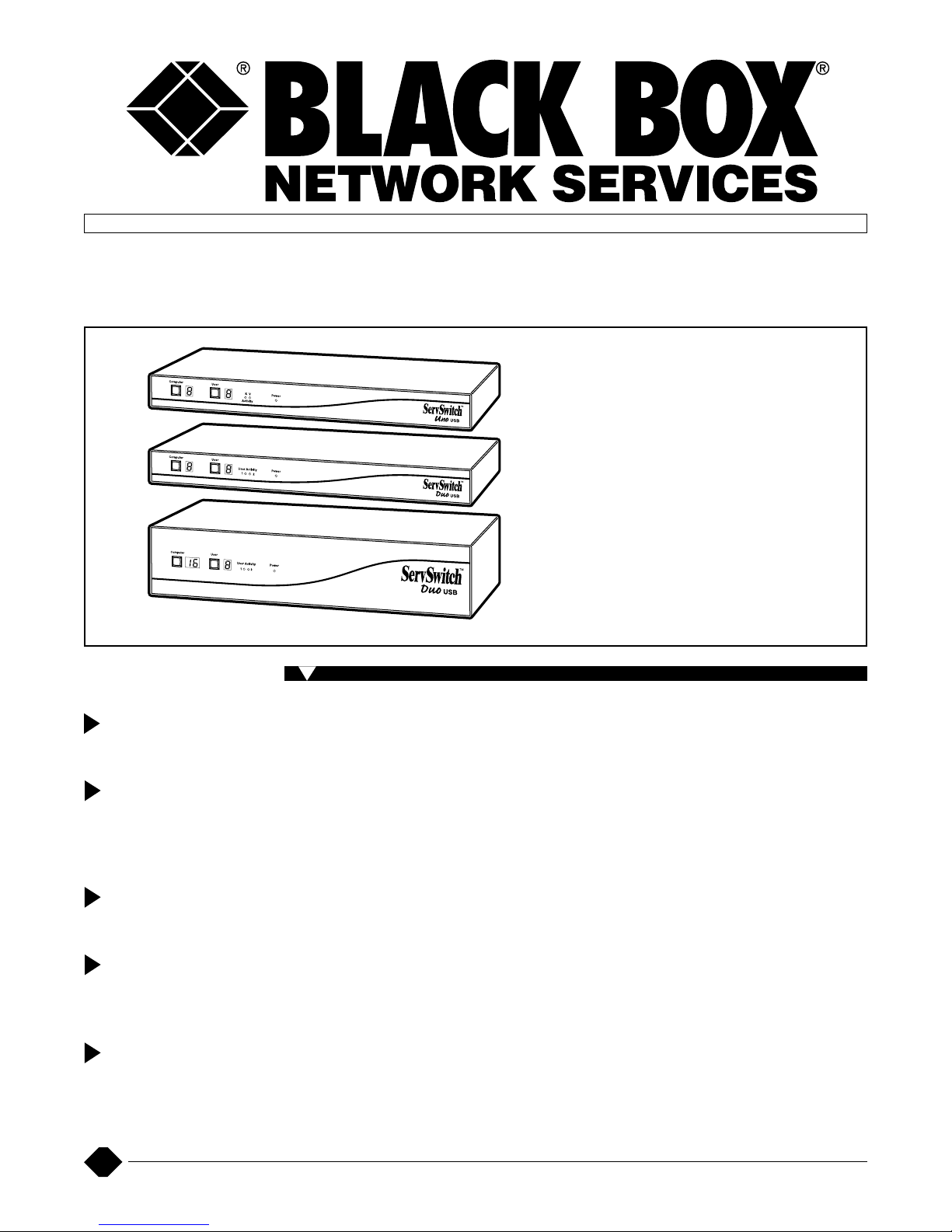
The ServSwitch Uno™ USB
and the ServSwitch Duo™ USB
are multiplatform KVM (keyboard/
video/mouse) switches that let
you connect to computers that
have different styles of keyboard,
video, and mouse ports and
control all of these computers
from one or two USB keyboard(s),
monitor(s), and mouse (mice).
These multiplatform switches
enable you to plug in a USB style
keyboard and control PC, Sun, or
Mac
®
computers without using
key combinations. And they’re
12
Control USB computers from
one or two sets of monitors,
USB keyboards, and mice.
Key Features
SERVSWITCH UNOUSB AND DUOUSB
powered from the CPU interface.
Standard color-coded cable
connections make installation
easy and inexpensive.
Use a single ServSwitch Uno
USB to control up to eight
computers with one keyboard/
monitor/mouse combination via
the USB port on your PC, Sun
®
,
or Macintosh
®
computers. Or use
just one ServSwitch Duo USB to
operate up to 8 or 16 computers
with two keyboard/monitor/mouse
combinations via the computers’
USB ports. Two independent
users are simultaneously
supported.
If you need to cascade the
ServSwitch Uno or Duo USB, use
the Uno/Duo USB as the master
switch, but not as a switch
cascaded to the master switch.
The cascaded switches must be
the ServSwitch Uno (KV6016FAR2), Duo (KV6104SA-R2,
KV6108SA-R2, KV6112FA-R2), or
Quadro (KV6116FA-R2). For details
about these non-USB
ServSwitches, see Product Data
Sheet 20912.
Cascade up to three levels of
ServSwitch units to one master
ServSwitch to attach even more
computers. Switch channels via
OSD (onscreen display), frontpanel key, keyboard hotkey, or
3-button mouse. And front-panel
controls can be locked for secure
operation.
Select computers by name or
description via onscreen menus.
Assign access rights to users via
configurable security. Monitors
are supported at up to 1920 x 1440
resolution. The ServSwitch™
automatically restores keyboard
and mouse states when the
channel is changed. The
ServSwitch Uno USB or Duo USB
supports user-definable hotkeys
and mouse modes.
Flash-programmable and
upgradable PS/2 to USB and PS/2
to Sun converter cables provide
Black Box Corporation • 1000 Park Drive • Lawrence, PA 15055-1018 • Tech Support: 724-746-5500 • www.blackbox.com • e-mail: [email protected]
© 2005. All rights reserved.
Black Box Corporation.
1/25/2005 #10913
Page 2
2
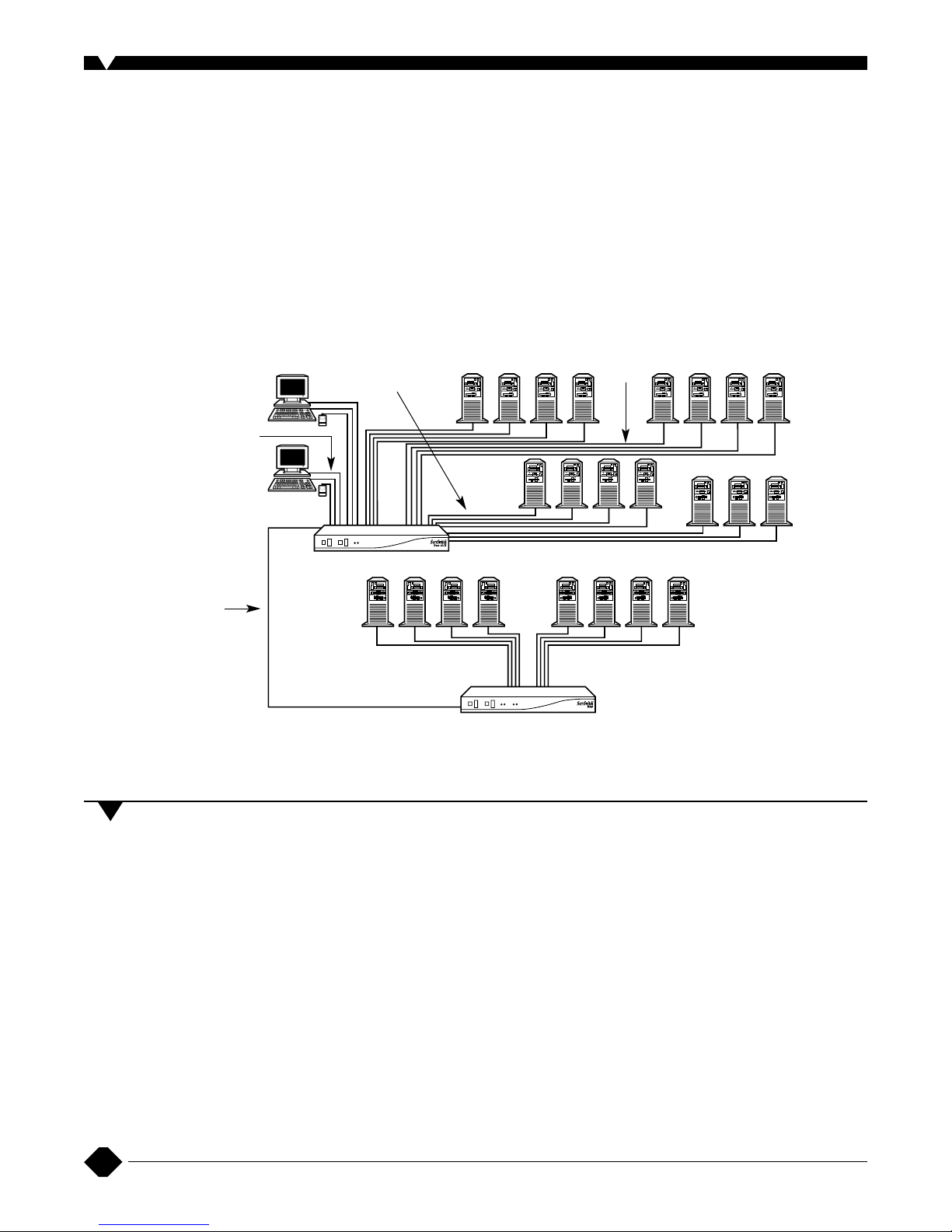
Control multiple PC, Mac, and Sun USB CPUs from two sets of
keyboards/monitors/mice via the ServSwitch Duo USB.
Standard USB
keyboard and mouse
Sun USB keyboard
and mouse
PS/2 3-in-1 KVM
Cables (EHN408)
for cascade
PS/2 to Sun 8-pin Mini-
DIN Converter Cables
plus VGA (EHN429)
Sun servers
PC USB servers
ServSwitch Duo
(KV6108SA-R2)
ServSwitch Duo
USB (KV6616FA)
PS/2 3-in-1 KVM
Cables (EHN408)
PS/2 to USB Converter
Cables plus VGA
(EHN428)
PS/2 servers
emulation to all connected USB
computers, even when they’re not
connected to a keyboard and
mouse or switch.
The ServSwitch Uno USB and
Duo USB support a wide range of
software operating systems,
including Windows
®
3.x, WFWG,
95, 98, 2000, Me, XP, and
Windows NT
®
, as well as DOS,
UNIX
®
, Linux®, NetWare®, OS/2®,
BSD, Sun OS, and Mac OS.
The ServSwitch Uno USB or
Duo USB supports three
computer control modes—
exclusive, shared, and video only.
Recognize any of these
situations?
• You wait more than 30
minutes to get through to a
vendor’s tech support.
• The so-called “tech” can’t
help you or gives you the
wrong answer.
• You don’t have a purchase
order number and the tech
refuses to help you.
• It’s 9 p. m. and you need help,
but your vendor’s tech
support line is closed.
According to a survey by Data
Communications magazine, 90%
of network managers surveyed
say that getting the technical
support they need is extremely
important when choosing a
vendor. But even though network
managers pay anywhere from 10
to 20% of their overall purchase
price for a basic service and
support contract, the technical
support and service they receive
falls far short of their
expectations—and certainly isn’t
worth what they paid.
At Black Box, we guarantee
the best value and the best
support. You can even consult our
Technical Support Experts before
you buy if you need help selecting
just the right component for your
application.
Don’t waste time and
money—call Black Box today.
Why Buy From Black Box? Exceptional V alue.Exceptional Tech Support.Period.
Page 3
3
Ordering Information
ITEM CODE
ServSwitch Uno USB
1 User x 8 CPUs...................................................KV6508SA
ServSwitch Duo USB
2 Users x 8 CPUs.................................................KV6608SA
2 Users x 16 CPUs................................................KV6616FA
For CPU
connectivity, you might also need…
PS/2 to USB Converter Cables plus VGA
6-ft. (1.8-m) ....................................................EHN428-0006
16-ft. (4.9-m) ....................................................EHN428-0016
35-ft. (10.7-m)..................................................EHN428-0035
PS/2 to Sun 8-Pin Mini-DIN Converter Cables plus VGA
6-ft. (1.8-m) ....................................................EHN429-0006
16-ft. (4.9-m) ....................................................EHN429-0016
35-ft. (10.7-m)..................................................EHN429-0035
PS/2 3-in-1 KVM Cables
5-ft. (1.5-m) ....................................................EHN408-0005
10-ft. (3-m) .......................................................EHN408-0010
20-ft. (6.1-m) ....................................................EHN408-0020
30-ft. (9.1-m) ....................................................EHN408-0030
50-ft. (15.2-m)..................................................EHN408-0050
T
o add a redundant power supply, order…
5-V Power Supply...........................................................PS649
Maximum Distance: USB distances
can vary depending on your
application; call Tech Support for
details
Maximum Resolution: 1920 x 1440
Protocol: RS-232/V.24 async
Data Rate: Up to 19.2 kbps
Data Format: 8 data bits, no parity,
1 stop bit
Flow Control: None (but DTR, DSR,
CTS all held high)
User Controls: On-screen menus;
keyboard commands; mouseclick functions; (1) button for user
logout; (1) button for computer
selection
Interface:
Video: VGA (including SVGA,
XGA, and VESA DDC
support); DDC 1 and DDC 2
signalling;
Keyboard and mouse: USB,
Sun (8-pin), PS/2, and
AT
®
/RS-232 style;
Serial: Subset of TIA-574 (IBM
®
PC DB9) pinout of TIA/EIA
RS-232, USB, and Sun with
appropriate converter cables
Connectors: Per User port: (1) HD15
for monitor, (2) Type A for
keyboard and mouse;
Per CPU port: (1) HD15 F for video
port attachment and (2) 6-pin
mini-DIN F for keyboard and
mouse;
Serial port: (1) DB9 F;
Power: (1) barrel jack
Indicators: LEDs: (1) Power,
(2) User Activity;
Selected user: (1) 7-segment
display;
Selected CPU: (1) 7-segment
display
Power: 100–240 VAC, 50–60 Hz,
autosensing, external (PS649)
Size: KV6508SA, KV6608SA:
1.75"H (1U) x 17.3"W x 8.7"D
(4.4 x 43.9 x 22.1 cm);
KV6616FA: 3.5"H (2U) x 17.2"W x
8.7"D (8.9 x 43.7 x 22.1 cm)
Weight:
KV6508SA, KV6608SA:
5.5 lb. (2.5 kg);
KV6616FA: 7.7 lb. (3.5 kg)
Specifications
 Loading...