

Page 1
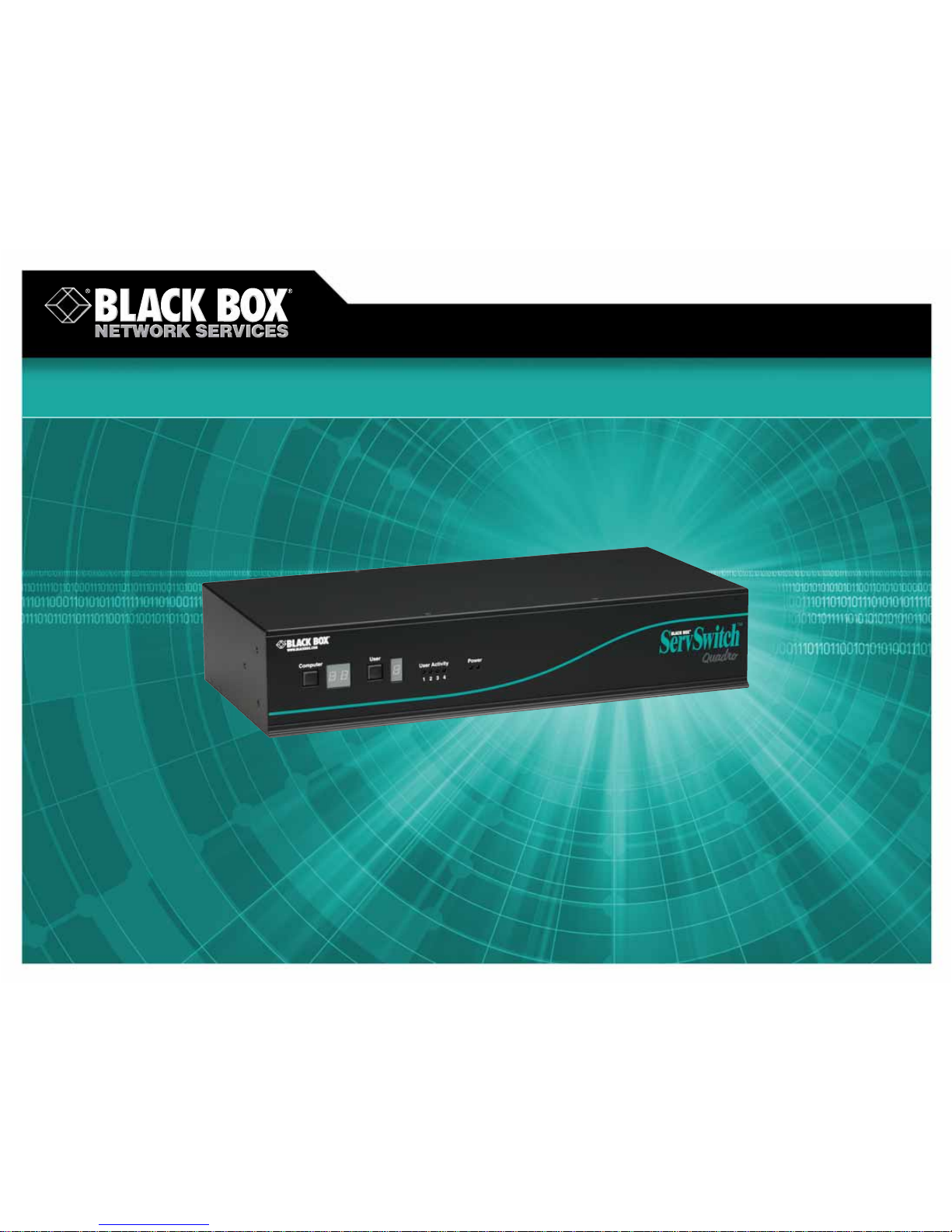
Enables 4 users to control
up to 16 multiplatform servers.
Enables 4 users to control
up to 16 multiplatform servers.
ServSwitch Quadro KVM Switch
© 2007. All rights reserved. Black Box Corporation.
FREE 24-hour Tech Support: 724-746-5500
blackbox.com
Page 2
2 of 3
6/20/2007
#26632
724-746-5500 blackbox.com
FEA TURES
• Give 4 users access to 16 servers or
hundreds more by daisychaining
multiple ServSwitch Quadro
™
KVM
switches.
• Maximum resolution of 1600 x 1280 at
100 Hz.
• Switch ports via hotkeys, on-screen
display (OSD), mouse, or front-panel
switches.
• Great for data centers.
• Switch ports via on-screen menus,
a three-button mouse, an IntelliMouse,
hotkey sequences, or the front-panel
pushbuttons.
• Cascadable to support more servers.
• Password security.
• High-quality video resolution.
• Flash upgradable via the serial port.
• Optional extender gives you access to
stations up to 656.1 feet (200 m) away.
OVERVIEW
Accessible to users from near…
Using a ServSwitch Quadro KVM Switch, 4 users can access
up to 16 servers.
The ServSwitch Quadro supports PC keyboard modes 1, 2,
and 3, making them compatible with all PC/AT and PS/2 style
keyboards.
…or far .
The ServSwitch Quadro has a built-in local extender, so
if you want to connect a keyboard, monitor, and mouse up
to 656.1 feet (200 m) away, just order the Receiver (Remote)
Module (ACU5011A). The ServSwitch Quadro has two RJ-45
ports. Both the local and remote ports share server access
on a timeout basis.
Up-front and personal switching.
On-screen menus make these switches exceptionally easy
to use. The menus pop up on demand and make it simple to
select a server. Give each server a name that makes sense to
you. No software is required on your servers because their
names are stored in the switches’ memory. You can also switch
between servers via on-screen menus, a three-button mouse,
an IntelliMouse
®
, hotkey sequences, or the front-panel
pushbuttons.
Good in crowds, and very friendly.
These switches handle large installations, too. Daisychain
them to control hundreds of servers!
Compatibility is no problem either. They support a wide
range of PC-compatible hardware and software platforms,
including some high-end IBM PS/2
®
compatible computers
such as IBM
®
RS/6000®, Compaq®, Alpha®, and SGI®.
The ServSwitch Quadro works with PC/AT
®
serial and PS/2
mice and keyboards. Automatic mouse conversion means
they work with all PS/2, IntelliMouse, and RS-232 mice. You
can even mix both styles in one installation. Sun
®
compatibility
is available using EHN428 for USB and EHN429 for legacy
support.
For connecting remotely to your server room over IP,
add the ServSwitch Wizard IP (ACR2004A) to control PC, Sun,
and Mac
®
servers.
Keep an eye on your servers.
Monitor all connected servers with autoscan. You can also
scan only active servers attached to one chassis or selected
servers attached to any chassis in your system. Program your
preferred scan rate and view each server at your own pace.
More good stuff.
Standard connectors enable the use of ordinary PC cables
for close connections of only a few feet. If you want more
robust signaling and ease of use, we recommend our
economical Control Station Cables.
Use the on-screen menus to control who can access each
server. Set a user's level of access to exclusive use, shared use,
or video only.
ServSwitch Quadro
(KV6416FA-R2)
ServSwitch Quadro
Extender Receiver
(Remote) Module
(ACU5011A)
Workstation
Workstation
Workstation
Servers
Servers
Servers
Servers
ServSwitch Quadro PS2 Computer
Cable (EHN408)
Workstation
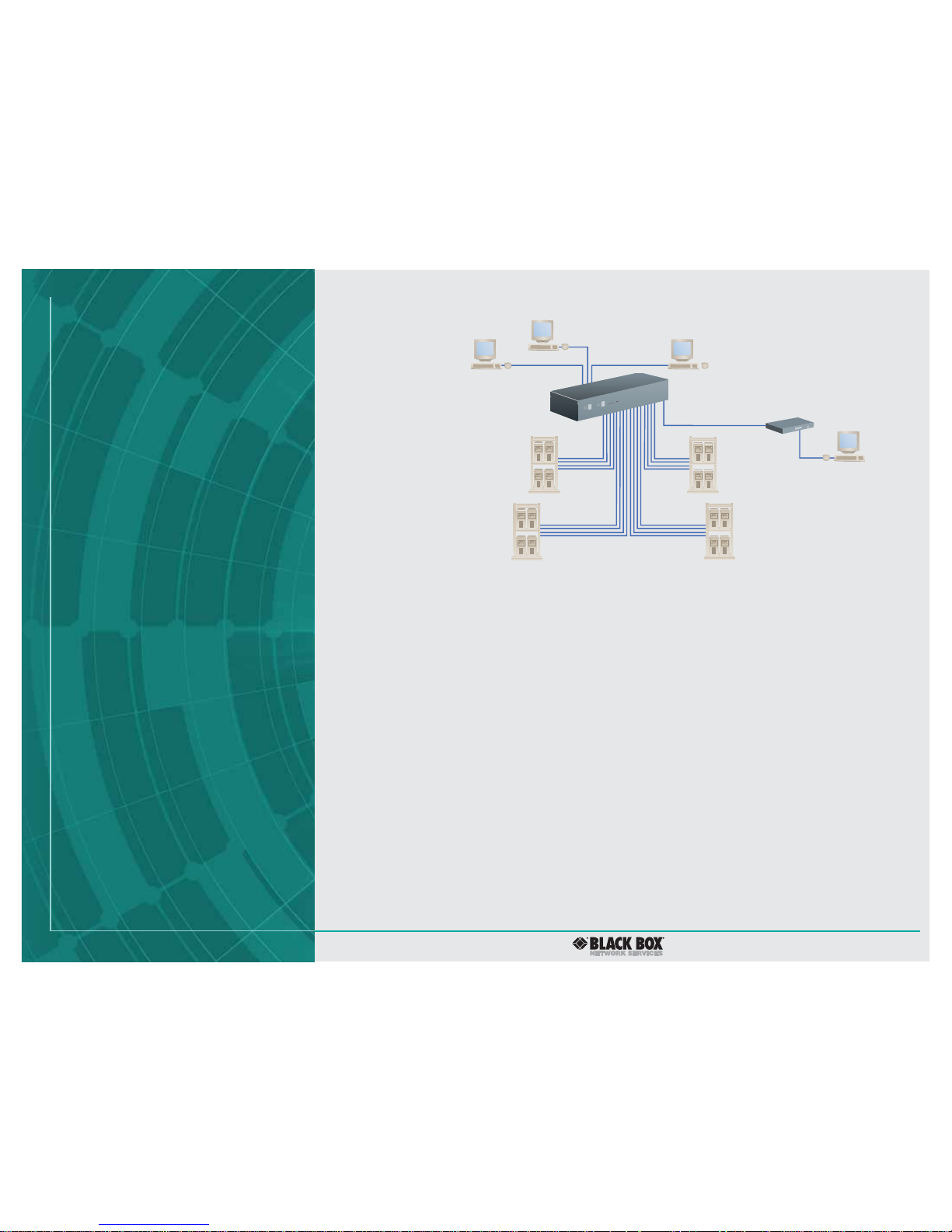
Access up to 16 servers from four workstations.
Page 3

3 of 3
6/20/2007
#26632
724-746-5500 blackbox.com
TECH SPECS
Distance (Maximum) — User ports to any directly attached user station
or KVM switch: 32.8 ft. (10 m);
Server ports to directly attached server or KVM switch: 100 ft. (30.5 m)
using EHN408 cable;
Server ports to any directly attached CPU or KVM switch: 35 ft. (10.7 m)
using EHN428–EHN429 cable
Resolution (Maximum) — 1600 x 1280 at 100 Hz
Serial Characteristics — Protocol: RS-232 async;
Data rate: Up to 19.2 kbps;
Data format: 8 data bits, no parity, 1 stop bit;
Flow control: None (but DTR, DSR, CTS all held high)
CE Approval — Yes
Interface — Video: VGA (including SVGA, XGA, and VESA DDC support);
DDC 1 and DDC 2 signaling;
Keyboard and mouse: IBM PS/2 compatible; also supports PC/AT style
keyboards or server keyboard ports and serial server mouse ports
with adapters;
Serial: Subset of TIA-574 (IBM PC DB9) pinout of TIA/EIA RS-232;
USB and Sun with appropriate converter cables
Connectors — Power: (2) barrel jacks;
Serial: (1) DB9 F serial port for flash upgrade;
User ports: (4), each consisting of: (1) HD15 F for monitor, (2) 6-pin mini
DIN F for keyboard and mouse;
Remote user ports: (2), each consisting of: (1) RJ-45 for Quadro
Extender attachment;
Server: (16), each consisting of: (1) HD15 F for video-port attachment,
(2) 6-pin mini DIN F for keyboard and mouse
Power — External 100–150; 240 VAC, 50–60 Hz, autosensing
Size — 3.5"H (2U) x 17.3"W x 8.7"D (8.9 x 43.9 x 22.1 cm)
Item Code
ServSwitch Quadro KVM Switch, 16-Port KV6416FA-R2
You may also need…
ServSwitch Quadro Extender Receiver (Remote) Module
ACU5011A
5-V Power Supply PS649-R2
Recognize any of these situations?
• You wait more than 30 minutes to get through
to a vendor’s tech support.
• The so-called “tech” can’t help you or gives you
the wrong answer.
• You don’t have a purchase order number and the
tech refuses to help you.
• It’s 9 p. m. and you need help, but your vendor’s
tech support line is closed.
According to a survey by Data Communications
magazine, 90% of network managers surveyed say
that getting the technical support they need is extremely
important when choosing a vendor. But even though
network managers pay anywhere from 10 to 20% of their
overall purchase price for a basic service and support
contract, the technical support and service they receive
falls far short of their expectations—and certainly isn’t
worth what they paid.
At Black Box, we guarantee the best value and the
best support. You can even consult our Technical Support
Experts before you buy if you need help selecting just
the right component for your application.
Don’t waste time and money—call Black Box today.
Why Buy From Black Box?
Exceptional Value. Exceptional
Tech Support. Period.
 Loading...