

Page 1
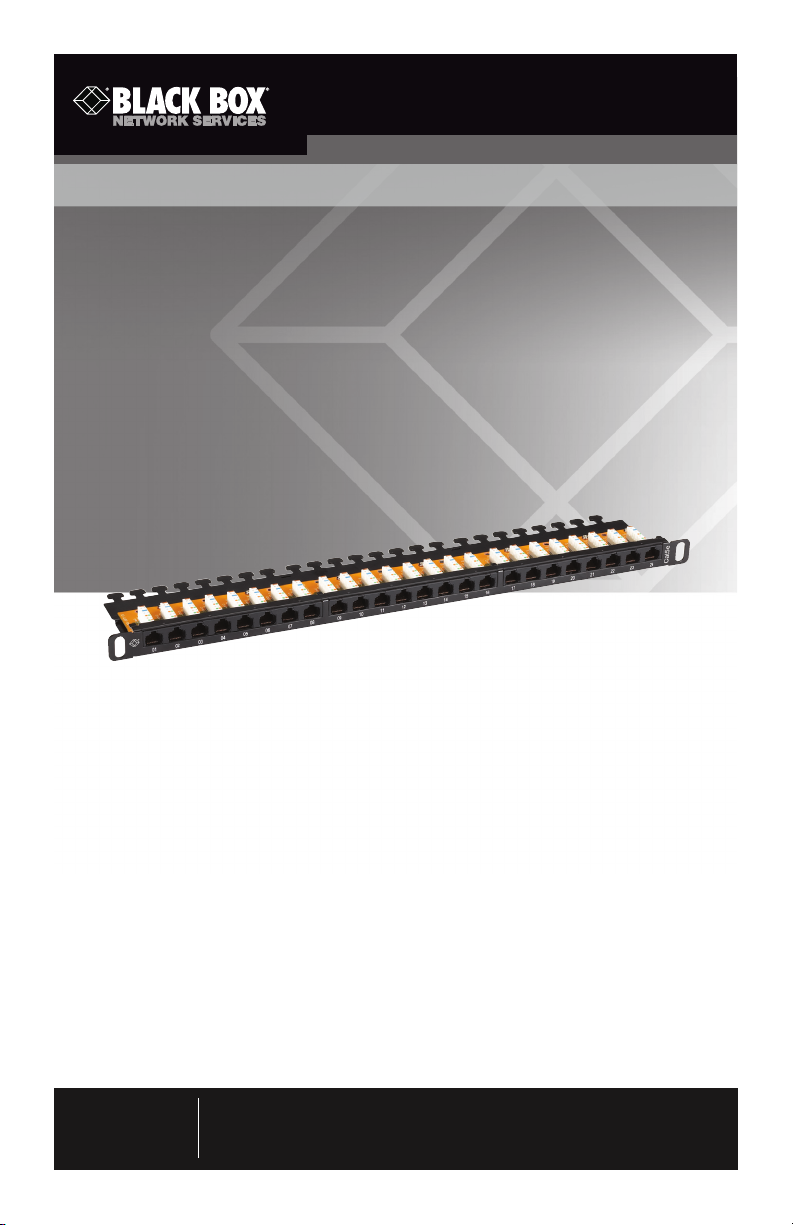
Category 5e, 24-Port 1⁄2RU Patch Panel
Provides 24 terminated CAT5e ports
in a 0.5 rack unit space.
JPM5E24A-HU
Customer
Support
Information
Order toll-free in the U.S.: Call 877-877-BBOX (out side U.S. call 724-746-5500)
FREE technical support 24 hours a day, 7 days a week: Call 724-746-5500 or fax
724-746-0746 • Mailing address: Black Box Corp oration, 1000 Park Drive, Lawrence,
PA 15055-1018 • Web site: ww w.blackbox.com • E-mail: info @blackbox.com
Page 2

Category 5e, 24-Port 1⁄2RU Patch Panel
Trademarks Used in this Manual
Black Box and the Double Diamond logo are registered trademarks
of BB Technologies, Inc.
Any other trademarks mentioned in this manual are acknowledged to be
the property of the trademark owners.
Page 2
724-746-5500 | blackbox.com
JPM5E24A-HU
Page 3

Category 5e, 24-Port 1⁄2RU Patch Panel
1. Specifications
Compliance: EIA/TIA 568C.2, Category 5e
Construction: Steel
Number of Ports: 24
Front Connectors: RJ-45 female
Rear Connectors: 110 punch-down contacts
Wiring: Universal (supports both T568A and T568B)
Size: 0.9" (1⁄2 RU) high x 19"W x 3.8"D (1.75 x 48.2 x 9.4 cm)
Weight: 1.7 lb. (0.8 kg)
JPM5E24A-HU
724-746-5500 | blackbox.com
Page 3
Page 4

Category 5e, 24-Port 1⁄2RU Patch Panel
2. Overview
2.1 Introduction
The Category 5e, 24-Port 1⁄2RU Patch Panel provides 24 terminated CAT5e ports
in a 0.5 RU space. If two panels are used together “stacked,” the user can
ultimately have 48 ports in a 1 RU space for extreme high-density applications.
The termination is somewhat different from standard patch panels. The bulk cable
is terminated to the panel at a 90° top-down position using standard IDC 110
blocks.
2.2 What’s Included
Your package should include the following items. If anything is missing
or damaged, contact Black Box Technical Support at 724-746-5500
or [email protected].
• (1) Category 5e, 24-Port 1⁄2RU Patch Panel
• (24) cable ties
• (4) 10-32 cuphead screws and (4) 12-24 cuphead screws
• This user’s manual
Page 4
724-746-5500 | blackbox.com
JPM5E24A-HU
Page 5
Category 5e, 24-Port 1⁄2RU Patch Panel
3. Installation
Follow Steps 1–6 to install the patch panel.
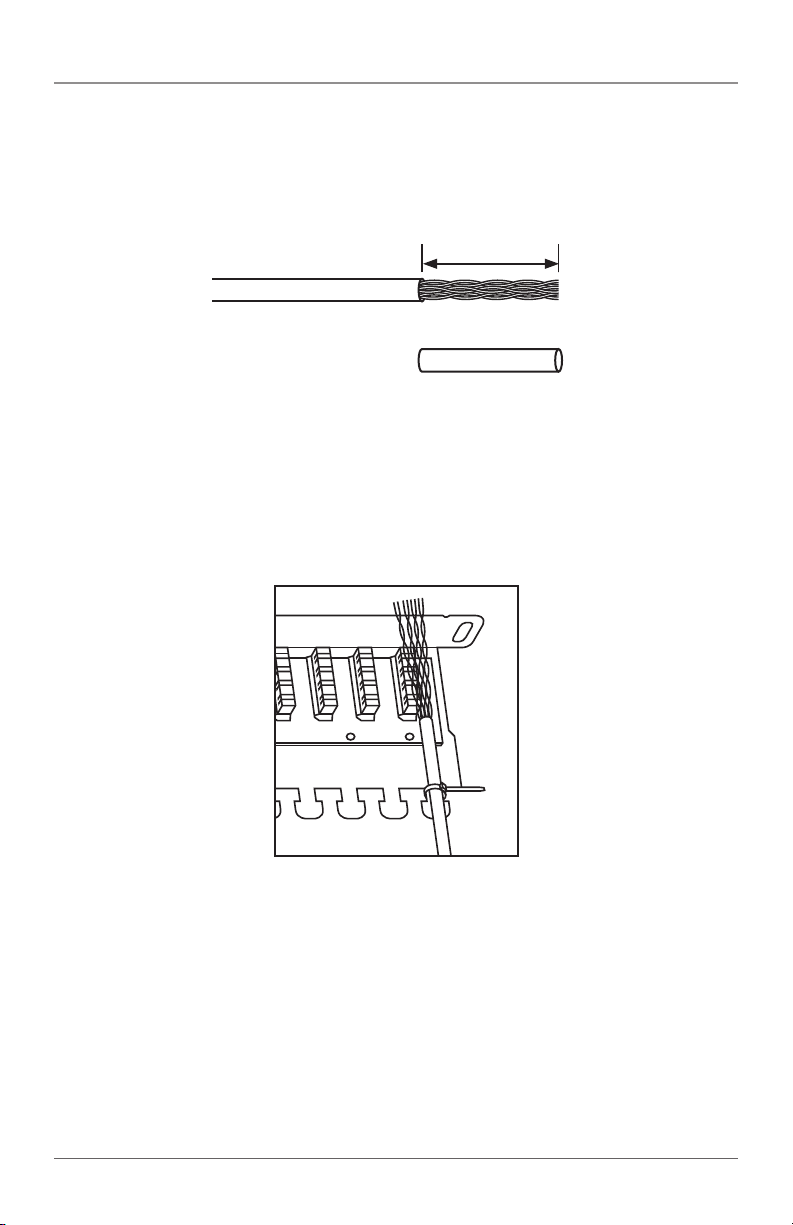
1. Strip the cable jacket approximately two inches (5.2 cm). See Figure 1.
2" (5.2 cm)
Figure 1. Stripping the cable jacket.
2. Fasten the cable around the bar to help hold bulk cable in place during
installation. See Figure 2.
NOTE: Be careful not to overtighten.
Figure 2. Installing bulk cable.
NOTE: Leave at least 12 inches of slack behind the panel. This is needed if any
repairs or MAC work is required to pull the panel forward to complete the
work.
JPM5E24A-HU
724-746-5500 | blackbox.com
Page 5
Page 6
Category 5e, 24-Port 1⁄2RU Patch Panel
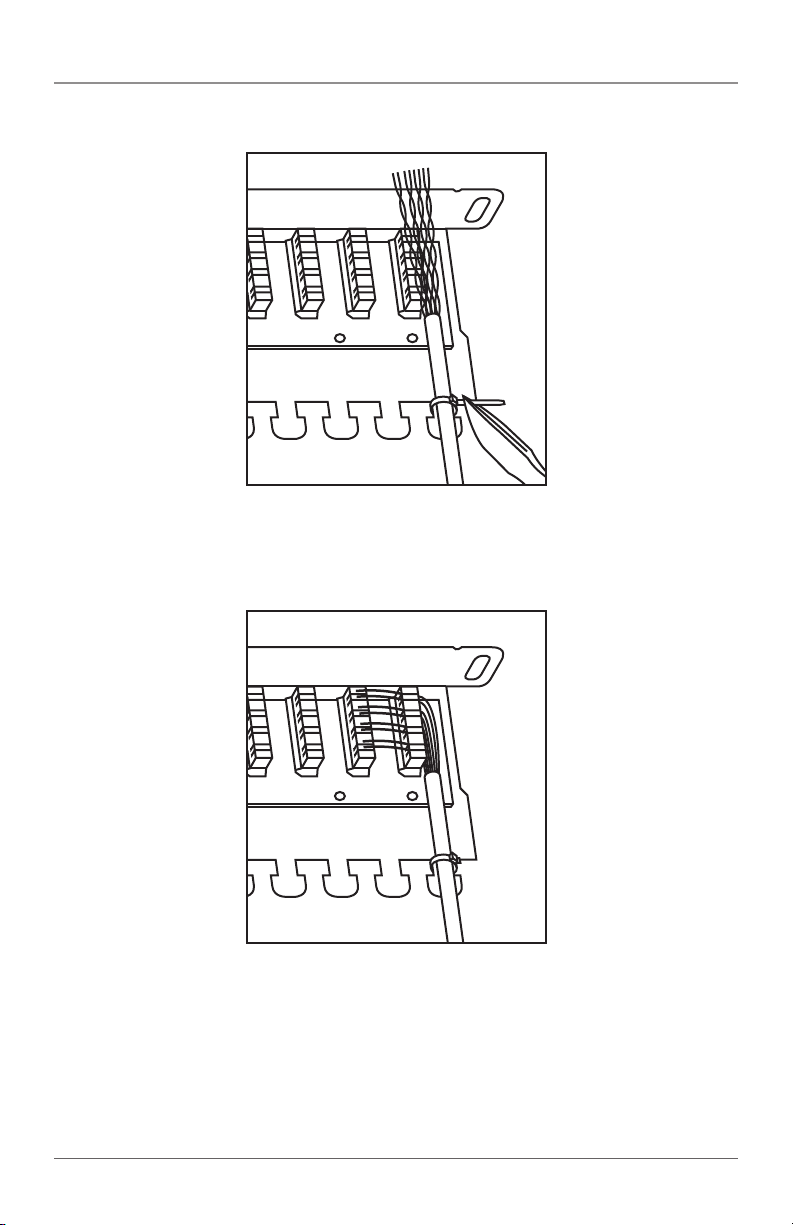
3. Cut off the surplus tie. See Figure 3.
Figure 3. Cutting off surplus tie.
4. Arrange installation wires according to your color code. The IDC blocks support
T568A or T568B. See Figure 4.
Page 6
Figure 4. Arranging the wires.
724-746-5500 | blackbox.com
JPM5E24A-HU
Page 7
Category 5e, 24-Port 1⁄2RU Patch Panel
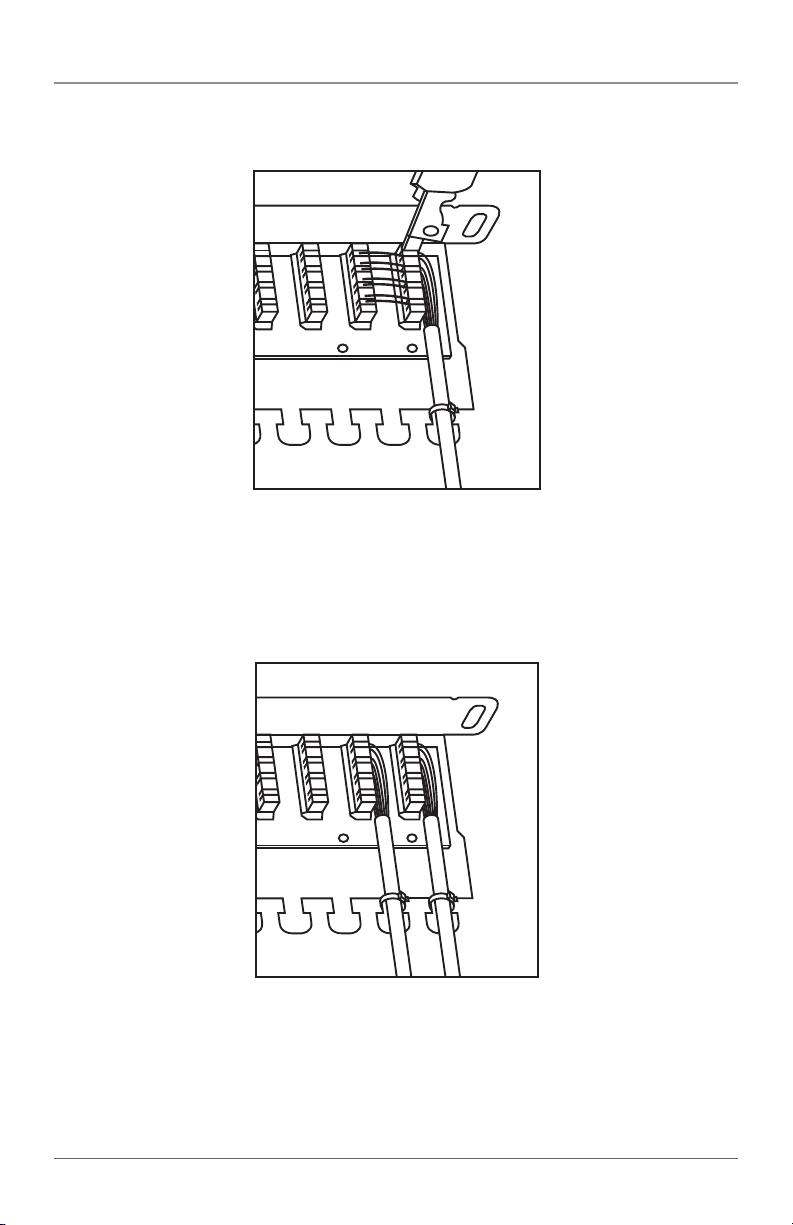
5. Use a standard 110 panel punchdown tool to terminate the cable. See Figure 5.
Figure 5. Terminating the cable.
6. Complete the installation by using the cutting tool to trim excess wires.
7. Repeat Steps 1–6 for the remaining ports. See Figure 6.
JPM5E24A-HU
Figure 6. Repeating the installation for remaining ports.
724-746-5500 | blackbox.com
Page 7
Page 8

Black Box Tech Support: FREE! Live. 24/7.
Tech support the
way it should be.
Great tech support is just 30 seconds away at
724-746-5500 or blackbox.com.
About Black Box
Black Box Network Services is your source for an extensive range of networking
and infrastructure products. You’ll find everything from cabinets and racks and
power and surge protection products to media converters and Ethernet switches
all supported by free, live 24/7 Tech support available in 30 seconds or less.
© Copyright 2011. Black Box Corporation. All rights reserved.
JPM5E24A-HU, rev. 1
724-746-5500 | blackbox.com
 Loading...