

Page 1
USER MANUAL
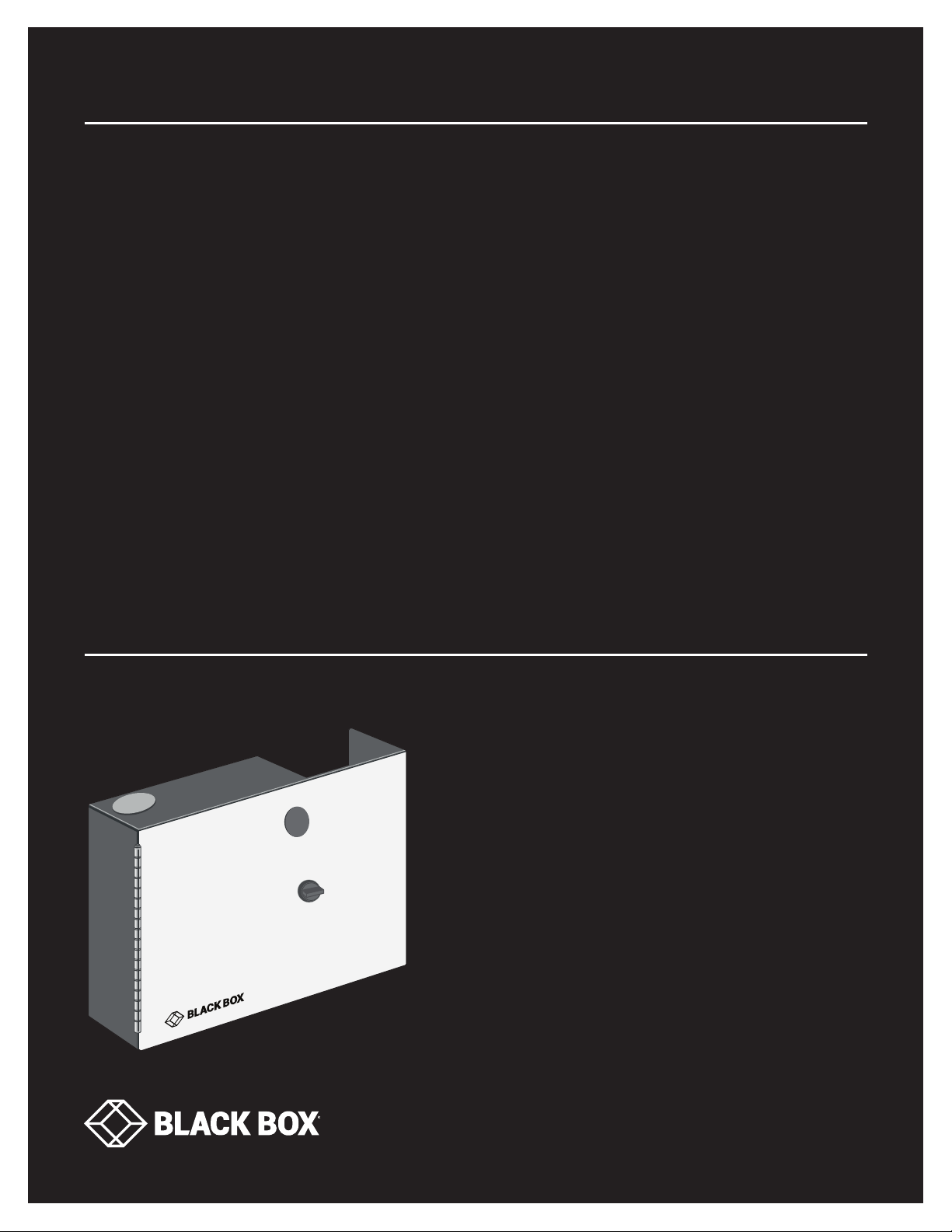
JPM400A-R2
FIBER
WALLMOUNT
CA BI N E T,
2-ADAPTER
24/7 TECHNICAL SUPPORT AT 1.877.877.2269 OR VISIT BLACKBOX.COM
Page 2
NEED HELP?
LEAV E TH E TEC H TO US
LIVE 24/7
TABLE OF CONTENTS
TECHNICAL
SUPPORT
1. 8 7 7. 8 7 7. 2 2 69
1. SPECIFICATIONS ........................................................................................................................................................................... 3
2. WHAT’S INCLUDED ....................................................................................................................................................................... 3
3. OVER VIE W ...................................................................................................................................................................................... 3
4. I N S TA LL AT ION .............................................................................................................................................................................. 4
APPENDIX: DISCLAIMER/TRADEMARKS ....................................................................................................................................... 5
A.1 Disclaimer .................................................................................................................................................................................................5
A.2 Trademarks Used in this Manual ............................................................................................................................................................ 6
2
1. 8 7 7. 8 7 7. 2 2 6 9 BL ACK BOX .COM
Page 3
FIBER WALLMOUNT CABINET, 2-ADAPTER
1. SPECIFICATIONS
TABLE 1-1. SPECIFICATIONS
SPECIFICATION DESCRIPTION
Construction 18 AWG steel
Dimensions 2.9" H x 11.2” W x 8.5" D (7.4 x 28.4 x 21.6 cm)
Weight 5.2 lb. (2.4 kg)
2. WHAT’S INCLUDED
(1) steel enclosure
(3) rectangle cable rings (installed)
(1) fiber adapter sticker
(5) 11” (27.9 cm) cable ties
(1) danger label sticker
(2) sets of adapter label ID markers
NEED HELP?
LEAV E TH E TEC H TO US
LIVE 24/7
TECHNICAL
SUPPORT
1. 8 7 7. 8 7 7. 2 2 69
3. OVERVIEW
The Fiber Wallmount Cabinet, 2-Adapter is a wall-mountable enclosure that can support up to two fiber adapters. Use it in data
centers, in remote locations, or anywhere you need fiber terminations.
The cabinet is a non-latching enclosure, so don’t use it where you need a locking cabinet for security. The Fiber Wallmount Cabinet
can support a wide variety of fiber adapters.
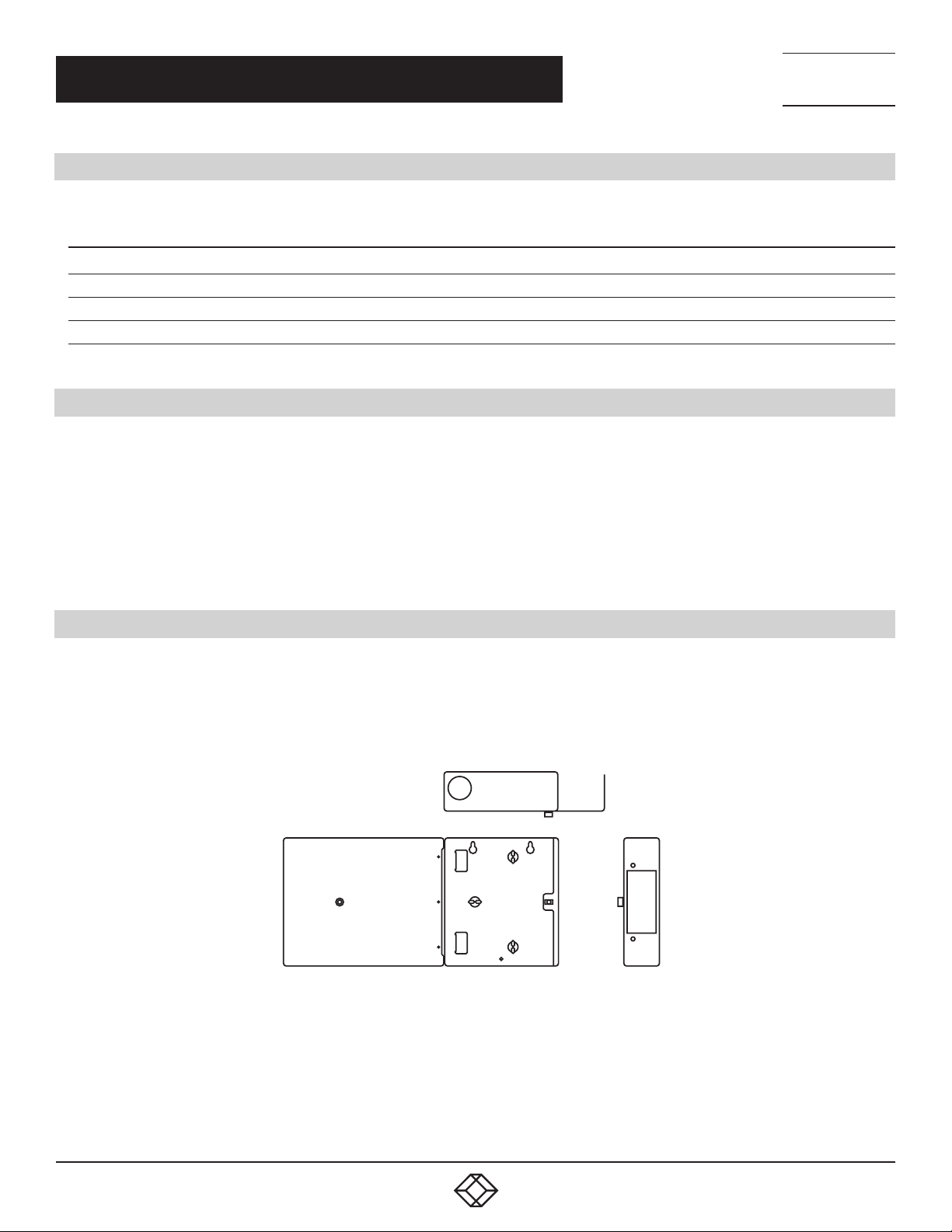
Top view
Front view
FIGURE 3-1. INSIDE OF THE FIBER WALLMOUNT CABINET
Side view
1. 8 7 7. 8 7 7. 2 2 6 9 BL ACK BOX .COM
3
Page 4

NEED HELP?
LEAV E TH E TEC H TO US
LIVE 24/7
CH APTE R 4: INSTALL ATION
4. INSTALLATION
1. The cabinets are fully assembled and ready for mounting on a wall. Use fasteners (not included) appropriate for the wall
construction. You can use the cabinet as a template for positioning the wall fasteners.
2. After you secure the cabinet to the wall, install the fiber adapter (not included) in the enclosure. Place the ID and danger stickers
in convenient locations in the cabinet.
3. Carefully feed approximately 54 inches (137.2 cm) of fiber cable (not included) through the upper or lower grommet port in the
cabinet. Mark the cable jacket where it will tie to the cable tie bracket.
4. Carefully remove the jacket and all strength members to a point above (closer to the end) of the tie-down point. Follow the cable
manufacturer’s recommendations for stripping and cleaning the cable, if necessary.
5. Secure the cable tie bracket as illustrated in Figure 4-1.
Cable ties
TECHNICAL
SUPPORT
1. 8 7 7. 8 7 7. 2 2 69
ID label
Place danger
label here
Cabinet
assembly
Cable
management clips
FIGURE 4-1. SECURING THE CABLE TIE BRACKETS
NOTE: Do not over-tighten the cable ties!
6. Loosely route fibers around the fiber management clips to determine the best length for terminating and storing the fiber slack.
Trim the fibers, if necessary, and remove them from the clips.
7. Terminate the fibers according to the connector manufacturer’s recommendations.
CAUTION: It is the installer’s responsibility to determine the proper termination method, and whether breakout kits are required.
8. After you terminate all fibers, clean the connectors and insert them into the appropriate adapters. Then, gently route the fiber
slack into the management clips.
4
1. 8 7 7. 8 7 7. 2 2 6 9 BL ACK BOX .COM
Page 5
NEED HELP?
LEAV E TH E TEC H TO US
LIVE 24/7
APPENDIX: DISCLAIMER/TRADEMARKS
TECHNICAL
SUPPORT
1. 8 7 7. 8 7 7. 2 2 69
A.1 DISCLAIMER
Black Box Corporation shall not be liable for damages of any kind, including, but not limited to, punitive, consequential or cost of
cover damages, resulting from any errors in the product information or specifications set forth in this document and Black Box
Corporation may revise this document at any time without notice.
A.2 TRADEMARKS USED IN THIS MANUAL
Black Box and the Black Box logo type and mark are registered trademarks of Black Box Corporation.
Any other trademarks mentioned in this manual are acknowledged to be the property of the trademark owners.
1. 8 7 7. 8 7 7. 2 2 6 9 BL ACK BOX .COM
5
Page 6

NOTES
________________________________________________________________________________________________
__
________________________________________________________________________________________________
__
________________________________________________________________________________________________
__
________________________________________________________________________________________________
__
NEED HELP?
LEAV E TH E TEC H TO US
LIVE 24/7
TECHNICAL
SUPPORT
1. 8 7 7. 8 7 7. 2 2 69
________________________________________________________________________________________________
__
________________________________________________________________________________________________
__
________________________________________________________________________________________________
__
________________________________________________________________________________________________
__
_
_________________________________________________________________________________________________
________________________________________________________________________________________________
__
________________________________________________________________________________________________
_ _\
________________________________________________________________________________________________
__
________________________________________________________________________________________________
__
6
1. 8 7 7. 8 7 7. 2 2 6 9 BL ACK BOX .COM
Page 7

NOTES
________________________________________________________________________________________________
__
________________________________________________________________________________________________
__
________________________________________________________________________________________________
__
________________________________________________________________________________________________
__
NEED HELP?
LEAV E TH E TEC H TO US
LIVE 24/7
TECHNICAL
SUPPORT
1. 8 7 7. 8 7 7. 2 2 69
________________________________________________________________________________________________
__
________________________________________________________________________________________________
__
________________________________________________________________________________________________
__
________________________________________________________________________________________________
__
_
________________________________________________________________________________________________
_
________________________________________________________________________________________________
__
________________________________________________________________________________________________
_ _\
________________________________________________________________________________________________
__
________________________________________________________________________________________________
1. 8 7 7. 8 7 7. 2 2 6 9 BL ACK BOX .COM
7
Page 8

NEED HELP?
LEAVE THE TECH TO US
LIVE 24/7
TECHNICAL
SUPPORT
1.87 7. 877.22 69
© COPYRIGHT 2019. BLACK BOX CORPORATION. ALL RIGHTS RESERVED.
JPM400A-R2_USER_REV2.PDF
 Loading...