

Page 1
© Copyright 2009. Black Box Corporation. All rights reserved.
1000 Park Drive • Lawrence, PA 15055-1018 • 724-746-5500 • Fax 724-746-0746
Page 2
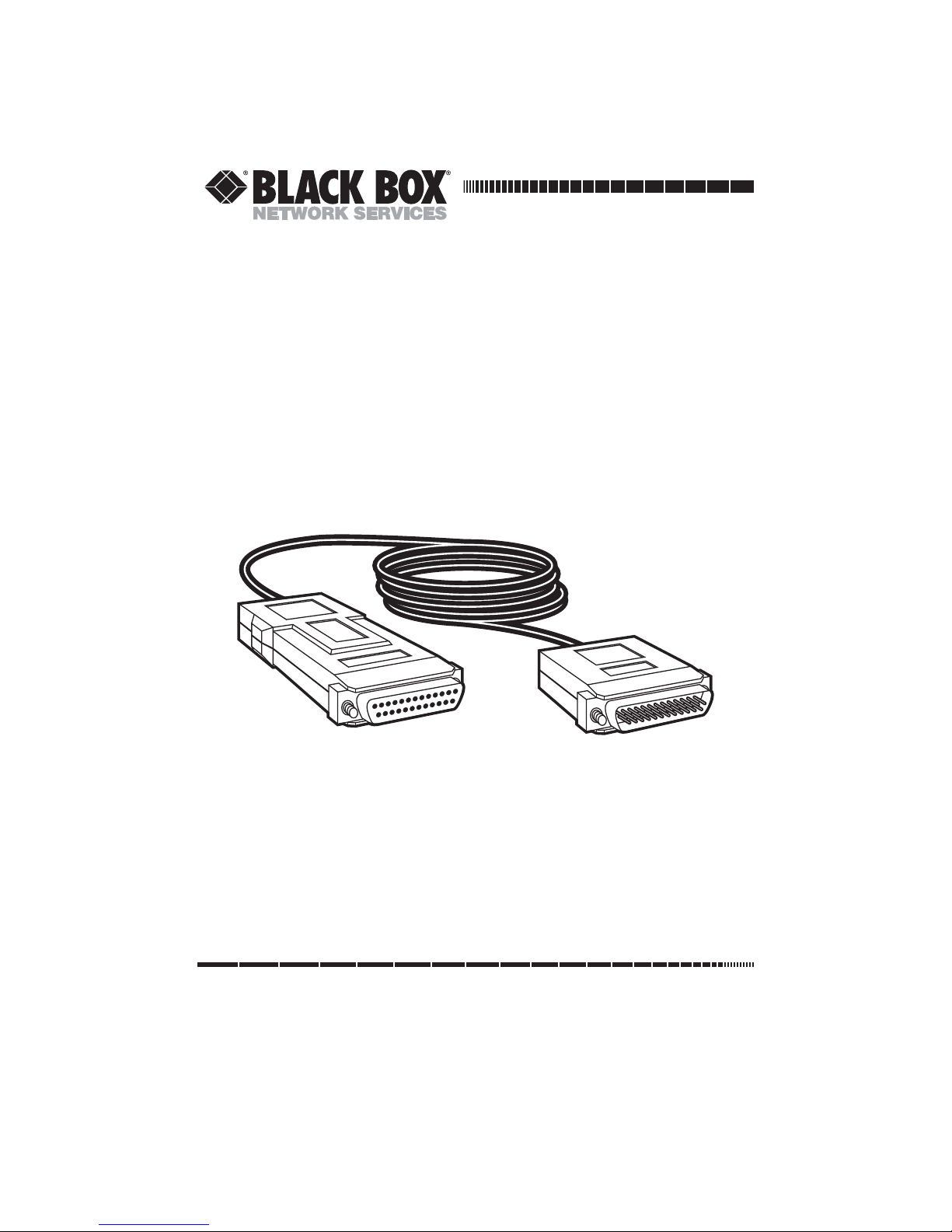
RS-232 to RS-422/RS-530
Interface-Powered Converter
DB25 M to DB25 F or DB25 M
JANUARY 2009
IC238A-F
IC238A-M
CUSTOMER
SUPPORT
INFORMATION
Order toll-free in the U.S.: Call 877-877-BBOX (outside U.S. call 724-746-5500)
FREE technical support 24 hours a day, 7 days a week: Call 724-746-5500 or fax 724-746-0746
Mailing address: Black Box Corporation, 1000 Park Drive, Lawrence, PA 15055-1018
Web site: www.blackbox.com • E-mail: [email protected]
Page 3

TRADEMARKS USED IN THIS MANUAL
TRADEMARKS USED IN THIS MANUAL
Black Box and the Double Diamond logo are registered trademarks of
BB Technologies, Inc.
Any other trademarks mentioned in this manual are acknowledged to be the property of the
trademark owners.
1
Page 4

RS-232 TO RS-422/RS-530 INTERFACE-POWERED CONVERTER
1. Specifications
Speed (Maximum): 200 kbps
Transmission Format: Synchronous, transparent to protocol
CE Approval: Yes
Cable Length: 6.6 ft. (2 m)
Connectors: IC238A-F: (1) RS-232 DB25 female, (1) RS-232 DB25 male;
IC238A-M: (2) RS-232 DB25 male
Operating Temperature: 32 to 122°F (0 to 50°C)
Humidity: Up to 90%, noncondensing
Size: 0.9"H x 2.1"W x 4.3"D (2.2 x 5.3 x 11 cm)
Weight: 7.7 oz. (220 g)
2
Page 5
CHAPTER 2: Overview
2. Overview
2.1 Description
Use the RS-232 to RS-422/RS-530 Interface-Powered Converters to connect a DTE
and DCE with RS-232 and RS-530 interfaces. Two models are available with these
connectors: DB25 M to DB25 F (IC238A-F) or DB25 M to DB25 M (IC238A-M).
The connectors are linked via an integral 6.6-foot (2 meter) cable. Both models
operate in synchronous applications at data rates up to 200 kbps.
Choose from two configuration options: either link a RS-232 DTE to an RS-530
DCE or attach a RS-232 DCE to a RS-530 DTE. These options are switch-selectable.
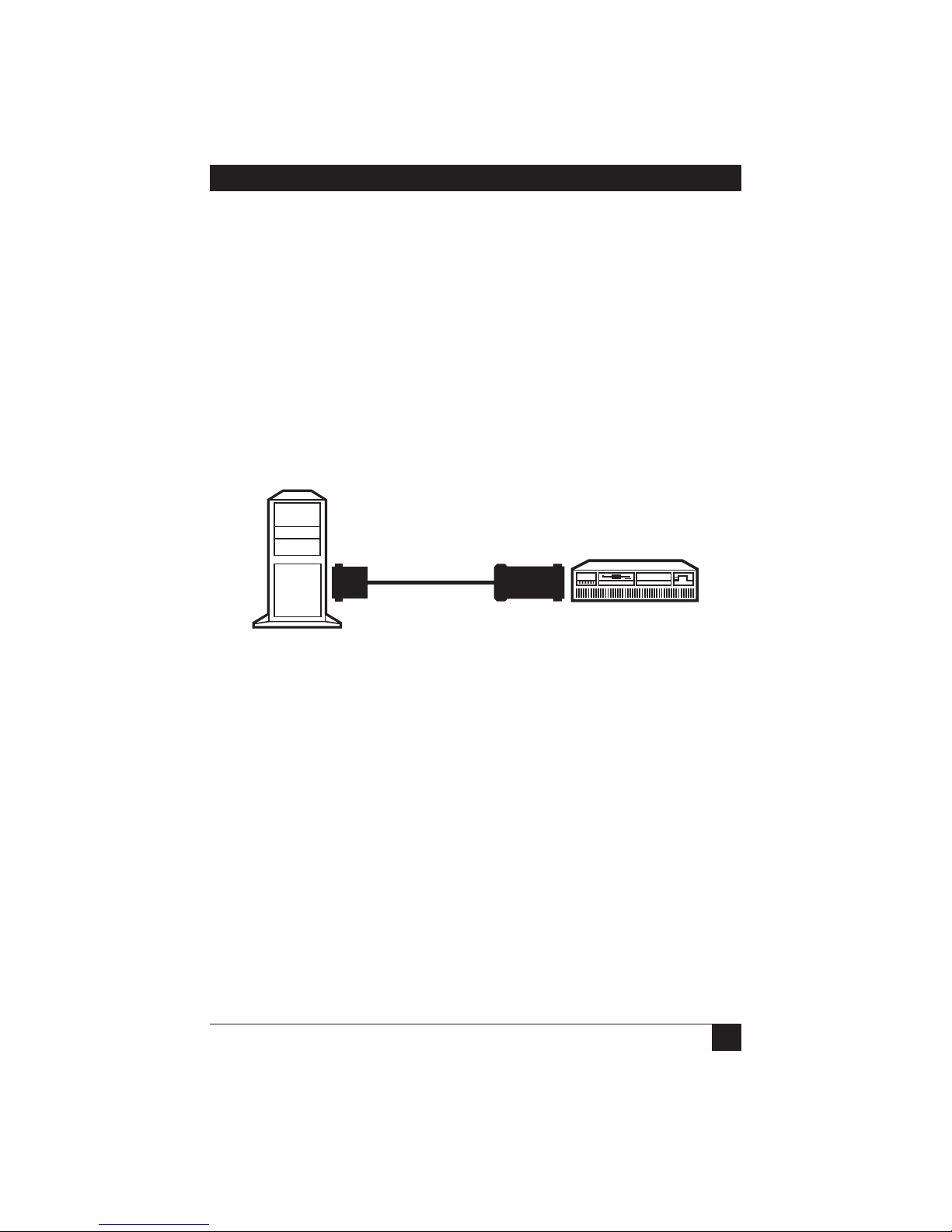
Figure 2-1 illustrates a typical application.
DTE
IC238A-F
IC238A-M
DCE
Figure 2-1. Typical application.
IC238A-F and IC238A-M perform both the physical and the electrical conversion
between two interfaces. The circuitry provides short-range interface conversion (to
connect co-located devices).
IC238A-F and IC238A-M operate without AC power, deriving ultra-low power from
the DTE and DCE data control signals.
2.2 Features
• Convert RS-232 and RS-530 interfaces.
• Support data rates up to 200 kbps.
• Operate synchronously.
3
Page 6

RS-232 TO RS-422/RS-530 INTERFACE-POWERED CONVERTER
• Transparent to procotol.
• No AC power required.
• Include cable and connectors.
• Select DTE/DCE or DCE/DTE via a switch.
• Easy to install.
• Miniature and lightweight.
4
Page 7
CHAPTER 2: Overview
CHAPTER
2.3 Schematic Diagrams
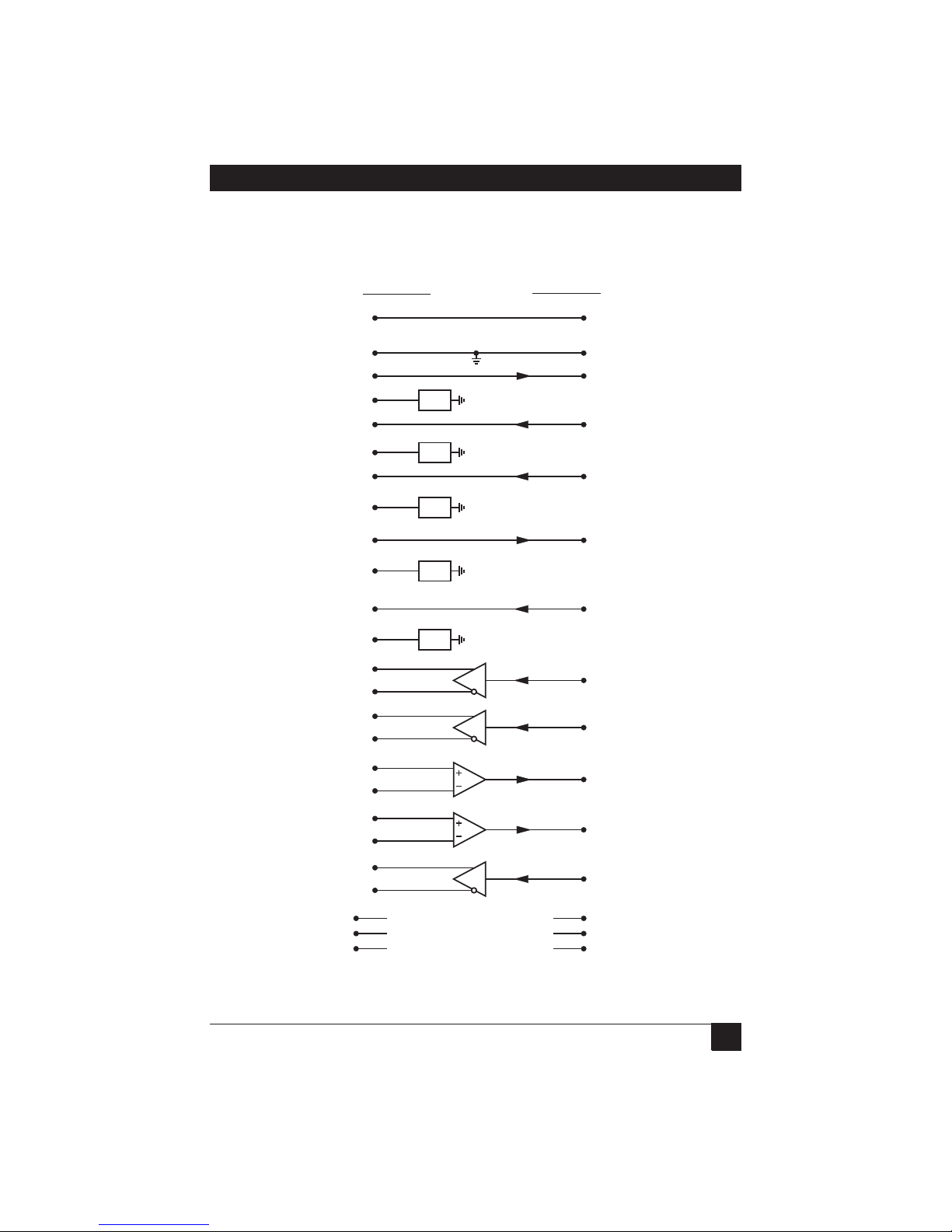
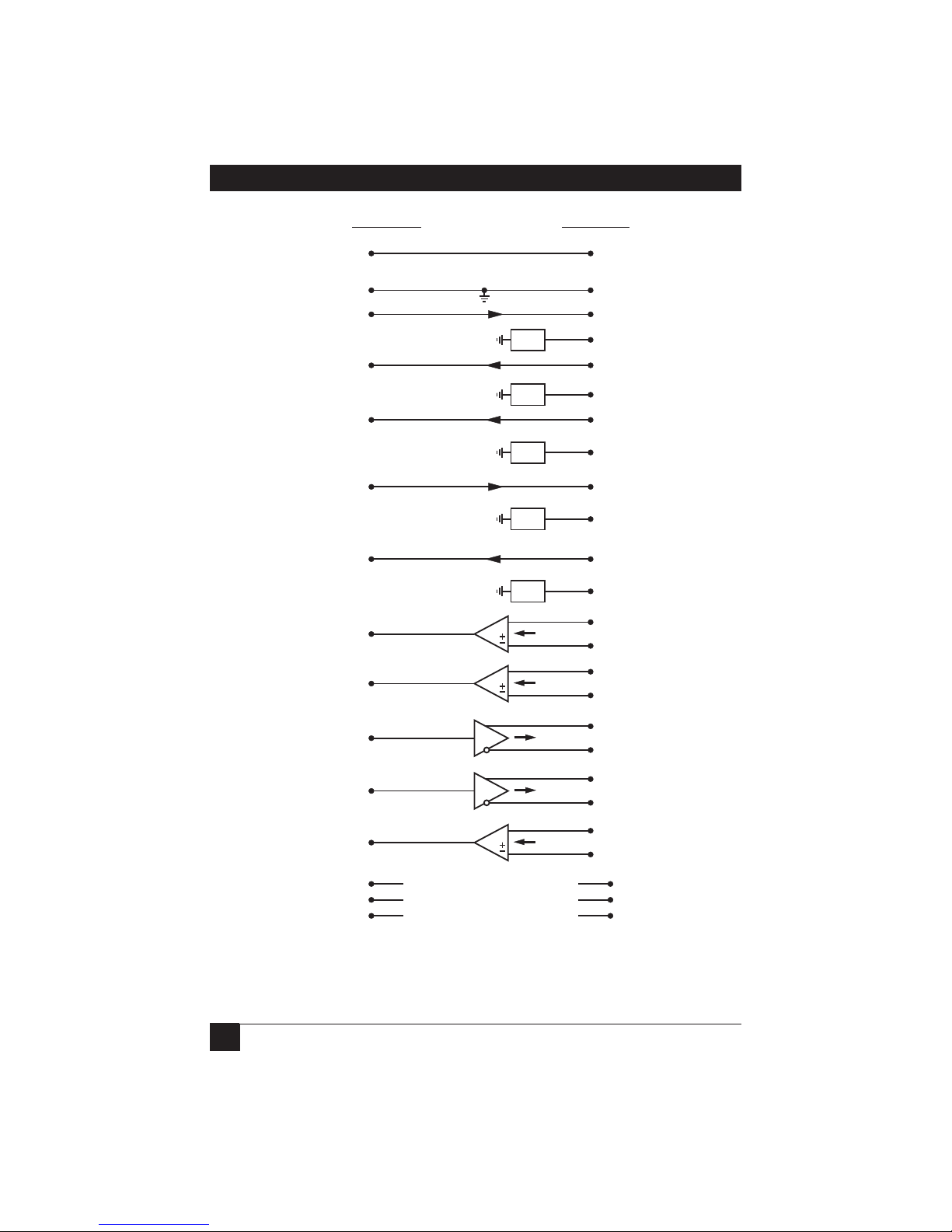
Schematic diagrams showing signal flow for the RS-232 DTE/RS-530 DCE and
RS-232 DCE/RS-530 DTE configurations appear in Figures 2-2 and 2-3.
RS-530 (DTE)
Shield Protective GND
1
RS-232 (DCE)
1
Signal GND
RTS-a
RTS-b
CTS-a
CTS-b
DSR-a
DSR-b
DTR-a
DTR-b
LSD-a
LSD-b
TC-a
TC-b
RC-a
RC-b
EXT-TC-a
EXT-TC-b
TD-a
TD-b
RD-a
RD-b
LL
RL
TM
7
4
R
19
5
R
13
6
R
22
20
R
23
8
R
10
15
12
17
9
24
11
2
14
3
16
18
NC
21
NC
25
NC
R=100 ohms
6
20
8
15
17
24
7
4
5
2
3
18
21
25
Signal GND
RTS
CTS
DSR
DTR
DCD
TC
RC
EXT-TC
TD
RD
LL
RL
TM
Figure 2-2. Schematic diagram, RS-232 DTE/RS-530 DCE.
5
Page 8
NAME
RS-232 TO RS-422/RS-530 INTERFACE-POWERED CONVERTER
RS-232 (DCE)
Protective GND
Signal GND
RTS
CTS
DSR
DTR
DCD
TC
RC
EXT-TC
TD
RD
LL
RL
TM
RS-530 (DTE)
1
7
4
5
6
20
8
15
17
24
2
3
18
NC
21
NC
25
NC
1
Shield
7
Signal GND
4
R
R
R
R
R
RTS-a
19
RTS-b
5
CTS-a
13
CTS-b
6
DSR-a
22
DSR-b
20
DTR-a
23
DTR-b
8
LSD-a
10
LSD-b
15
TC-a
12
TC-b
17
RC-a
9
RC-b
24
EXT-TC-a
11
EXT-TC-b
2
TD-a
14
TD-b
3
RD-a
16
RD-b
18
LL
21
RL
25
TM
Figure 2-3. Schematic diagram, RS-232 DCE/RS-530 DTE.
6
R=100 ohms
Page 9
CHAPTER 3: Installation
3. Installation
CAUTION
This is a delicate instrument. Be careful not to break or shake any
components when setting jumpers or handling the unit.
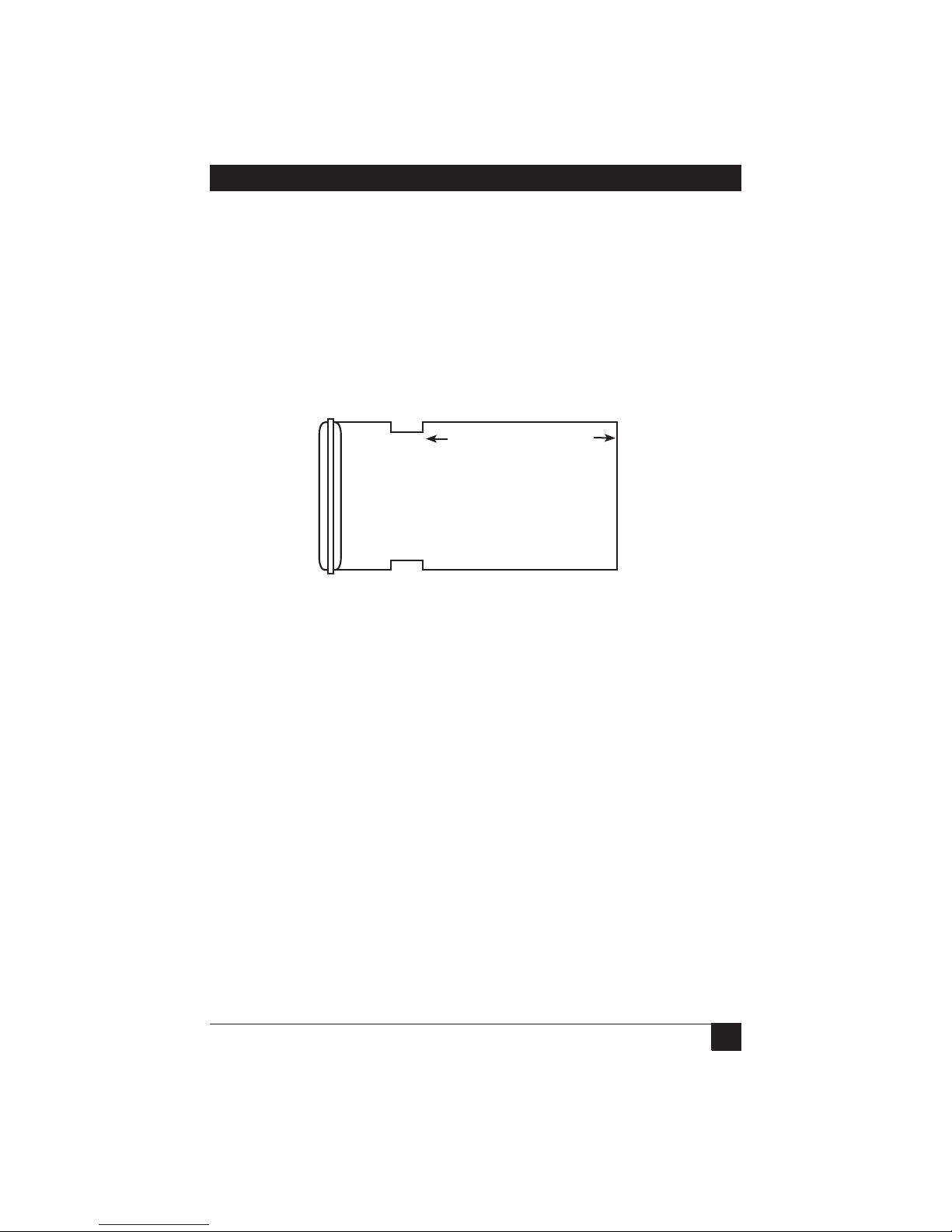
IC238A-F and IC238A-M are factory-set to RS-232 DTE/RS-530 DCE (see
Figure 3-1).
(DTE) PORT DCE (MODEM)
CHAPTERCHAPTER 2: Overview
Figure 3-1. RS-232 DTE/RS-530 DCE configuration (default).
To alter this configuration, follow these steps:
1. Starting at the line end, separate the two parts of the plastic cover by firmly
pressing the marked places on the sides.
2. Starting at the cable end, separate the two parts of the plastic cover by firmly
pressing the marked places on the sides.
3. Remove the 40-pin DTE/DCE socket by gently grasping both sides and slowly
moving it from side to side.
7
Page 10
NAME
RS-232 TO RS-422/RS-530 INTERFACE-POWERED CONVERTER
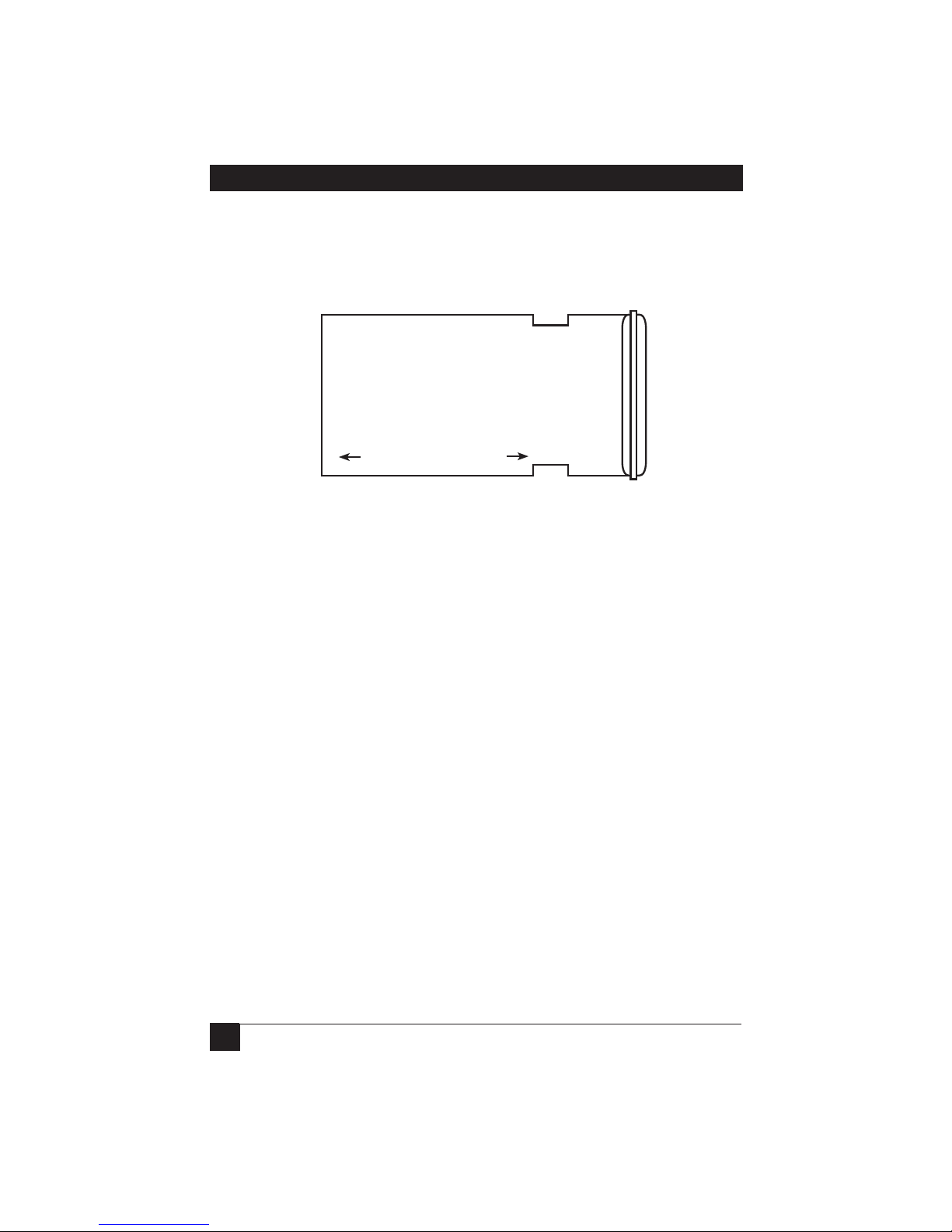
4. Invert the socket so that the DCE faces the RS-232 connector and the DTE
faces the RS-530 device (see Figure 3-2). Make sure that the pins are aligned
with the socket.
RS-232 SIDE
(DTE) PORT DCE (MODEM)
Figure 3-2. RS-232 DCE/RS-530 DTE configuration (alternate).
5. To close the unit, press the two plastic covers together.
6. Plug the IC238A-F or IC238A-M directly into the DCE and the insert the cable
connector into the DTE or vice versa, according either to the default
configuration or to the alternate configuration you created in Step 4.
8
Page 11

CHAPTER 4: Troubleshooting
CHAPTER
4. Troubleshooting
4.1 Calling Black Box
If you determine that your interface-powered converter is malfunctioning, do not
attempt to alter or repair the unit. It contains no user-serviceable parts. Contact
Black Box Technical Support at 724-746-5500.
Before you do, make a record of the history of the problem. We will be able to
provide more efficient and accurate assistance if you have a complete description,
including:
• the nature and duration of the problem.
• when the problem occurs.
• the components involved in the problem.
• any particular application that, when used, appears to create the problem or
make it worse.
4.2 Shipping and Packaging
If you need to transport or ship your interface-powered converter:
• Package it carefully. We recommend that you use the original container.
• If you are returning the unit, make sure you include everything you received
with it. Before you ship for return or repair, contact Black Box to get a Return
Authorization (RA) number.
9
 Loading...