

Page 1
Regulatory information
EMC directive 2004/108/IEC
This equipment has been tested and found to comply with the limits for a class A computing
device in accordance with the specifications in the European standard EN55022. These limits are
designed to provide reasonable protection against harmful interference. This equipment generates, uses and can radiate radio frequency energy and if not installed and used in accordance
with the instructions may cause harmful interference to radio or television reception. However,
there is no guarantee that harmful interference will not occur in a particular installation. If this
equipment does cause interference to radio or television reception, which can be determined by
turning the equipment on and off, the user is encouraged to correct the interference with one
or more of the following measures: (a) Reorient or relocate the receiving antenna. (b) Increase
the separation between the equipment and the receiver. (c) Connect the equipment to an outlet
on a circuit different from that to which the remote is connected. (d) Consult the supplier or an
experienced radio/TV technician for help.
FCC compliance statement (United States)
This equipment generates, uses and can radiate radio frequency energy and if not installed
and used properly, that is, in strict accordance with the manufacturer’s instructions, may cause
interference to radio communications. It has been tested and found to comply with the limits for
a Class A computing device in accordance with the specifications in Subpart J of part 15 of FCC
rules, which are designed to provide reasonable protection against such interference when the
equipment is operated in a commercial environment. Operation of this equipment in a residential
area may cause interference, in which case the user at his own expense will be required to take
whatever measures may be necessary to correct the interference. Changes or modifications not
expressly approved by the manufacturer could void the user’s authority to operate the equipment.
Safety information
• Foruseindry,oilfreeindoorenvironments.
• Ensurethatthetwistedpairinterconnect
cable is installed in compliance with all applicable wiring regulations.
• Donotconnecttheinterconnectcableto
any other equipment, particularly network
or telecommunications equipment.
• Donotattempttoservicetheunitsyourself.
AVU8000A / AVU8003A
User Guide
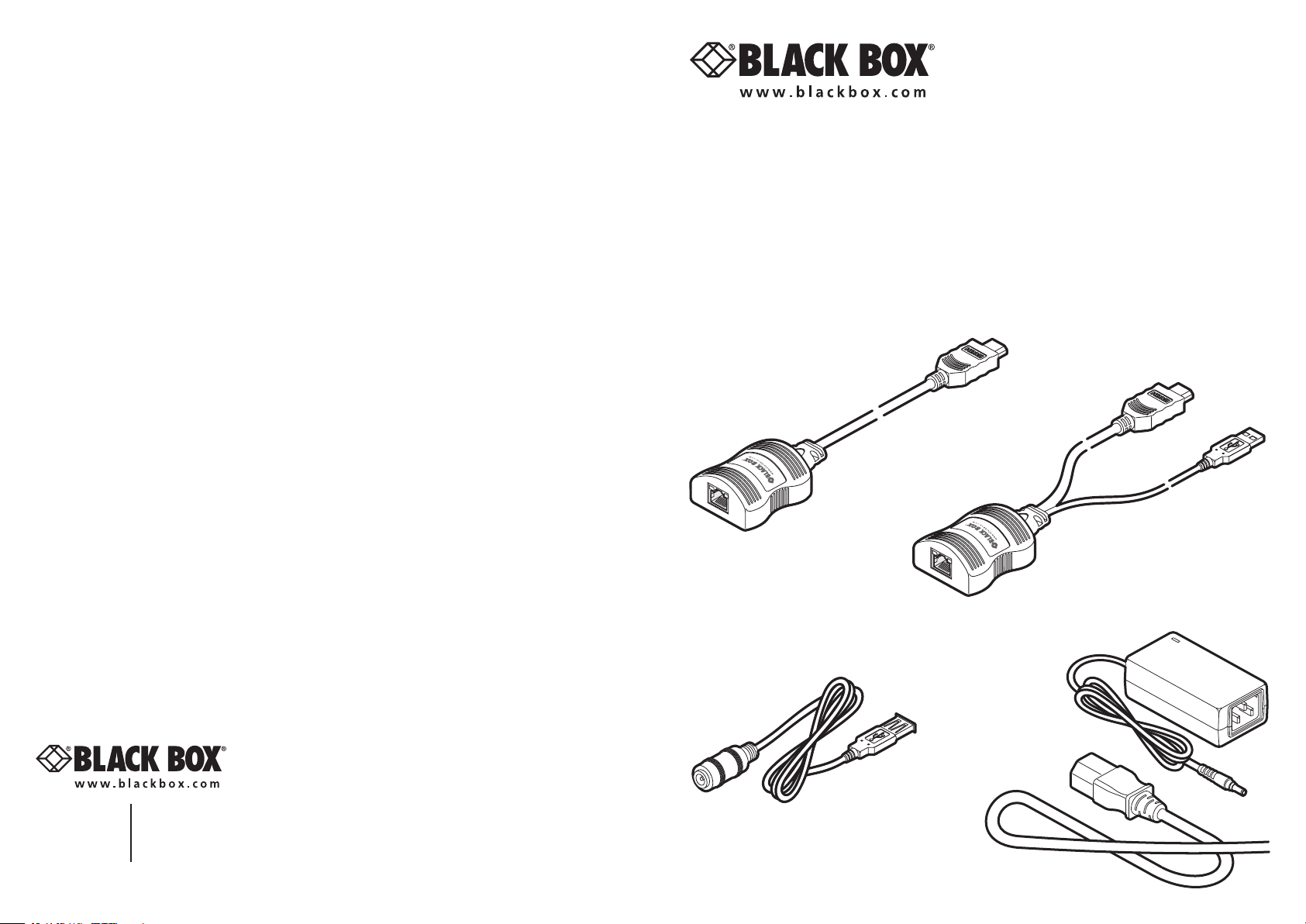
Your Black Box video extender(s)
The Black Box AVU8000A (local) and AVU8003A (remote) units allows you to extend HDMI
digital video over a maximum of 164 feet (50 meters) of twisted pair cable with the minimum
of infrastructure and fuss. It is simply powered via USB from the local end, so that no additional
power supply is required at the remote, simultaneously saving time and space as well as making
installation very straightforward.
Supplied item
AVU8003A
Remote unit
OR
AVU8000A
Local unit
Customer
Support
Information
Order toll-free in the U.S.: Call 877-877-BBOX (outside U.S. call 724-746-5500)
FREE technical support 24 hours a day, 7 days a week: Call 724-746-5500 or fax
724-746-0746 Mailing address: Black Box Corporation, 1000 Park Drive,
Lawrence, PA 15055-1018
Website:www.blackbox.com•E-mail:[email protected]
What you may additionally need
AVU4001A-PS
Optional external
power adapter
and USB adapter
cable.
This power kit is only required if the host
computer or other device with a USB
port cannot provide sufficient power.
Page 2
Connecting your AVU8000A/AVU8003A units
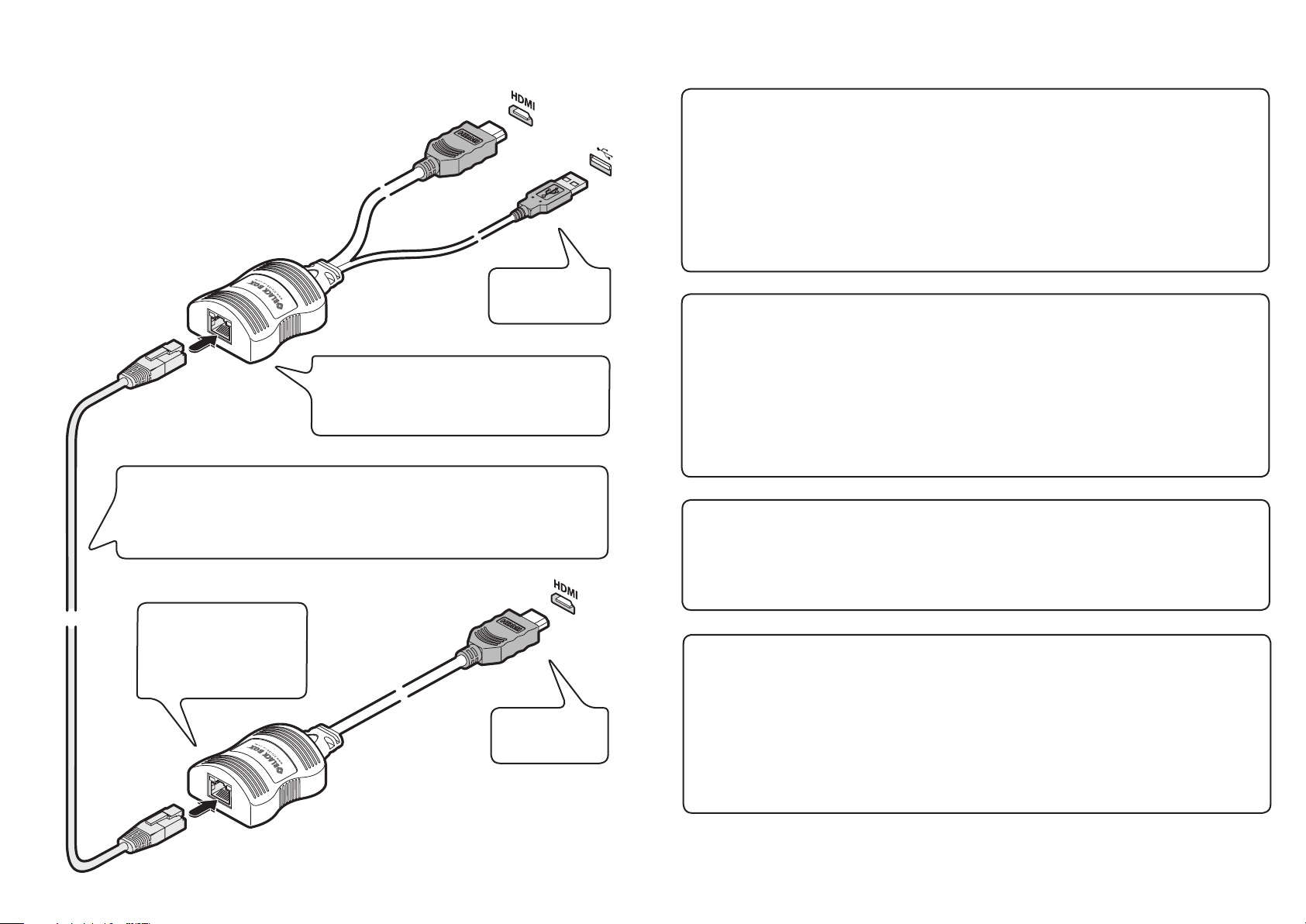
Local unit
1 Connect the plugs to the HDMI video
output socket and a vacant USB port on
the computer. Note: The USB connection
provides only power for the units.
2 Attach one end of the link cable to the
socket at the end of the local unit.
IMPORTANT:
• Useonlyscreened(FTP)cable(CAT6orbetter)toconnectthetwounits.
• Donotconnectthelocalunit,viatheCATxcable,toanythingotherthanthe
remote unit.
Green LED: Flashes to
show the unit is operating.
Yellow LED: Flashes if
HDCP encoded content is
present in the video feed.
Video and USB
connections to the
host computer.
Green LED: Flashes to show unit is operating.
Yellow LED: Flashes when the remote unit is
being checked. On when the remote unit has
been verified and power applied to it.
Video connection
to the display
screen.
Remote unit
1 Connect the video plug to the HDMI
socket on the display screen.
2 Attach the other end of the link
cable to the socket at the end of the
remote unit.
Power control
IMPORTANT: Do not connect the local unit, via the CATx cable, to anything other than the
remote unit.
Low voltage power for the remote unit is fed via the same link cable as is used for the video.
The local unit always performs a check before applying power along the link cable.
The local unit will disable the power if:
• Thecableisdisconnected,or
• Linepowerisoverloaded.
Cable considerations
To ensure correct operation, Category 6 (or better) shielded twisted pair cable, no longer than
164 feet (50 meters) in length, must be used to connect the local and remote units. The use
of shielded cables is important to maintain compliance with radio frequency energy emission
regulations and ensure a suitably high level of immunity to electromagnetic disturbances.
For best results, we recommend using S/FTP CAT7 cable.
Patch panels or cable couplers should only be used close to the local unit, connected by CAT7
patch cables of no more than 6.5 feet (2 meters) in length. The overall cable run must be
reduced by 16 feet (5 meters) if a coupling is used.
HDMI operation
The AVU8000A/AVU8003A units can support HDMI video (including 480p, 720p and 1080p)
and audio up to a maximum 165MHz clock rate.
High-bandwidth Digital Content Protection (HDCP) is supported, however, the Consumer
Electronics Control (CEC) scheme is not.
Video display (EDID) information
Extended Display Identification Data (or EDID) is an industry standard scheme which allows
video displays to declare their capabilities to the computer’s video adapter circuitry, allowing
the latter to optimize their outputs accordingly. Since the widespread adoption of the scheme,
video adapters have become increasingly dependent on receiving relevant EDID information
during start-up, before they will output anything more than a rudimentary video signal.
Each time that the AVU8000A/AVU8003A units are powered on, the remote unit attempts to
read the EDID information from the connected video display. The information is then transferred to the local unit and made available to the computer’s video adapter when required.
 Loading...