

Page 1
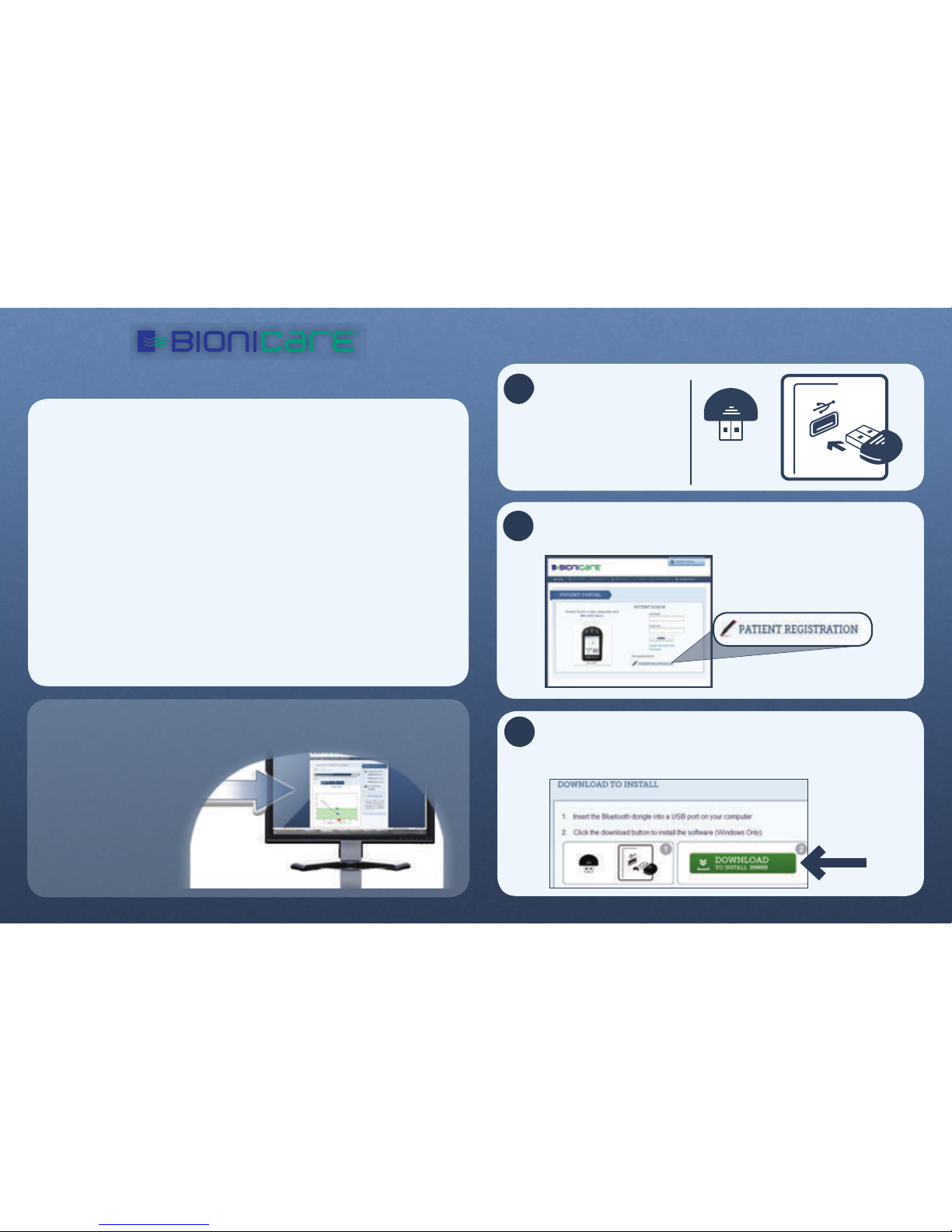
START TRACKING
Your BIO-2000 device works by keeping an accurate daily
record of your progress. During the course of your treatment,
your device will prompt you to answer questions relative to
your progress and your responses can be tracked through
the BioniCare Patient Portal website. The Patient Portal also
provides useful information to help you manage your treatment
and improve your condition.
• Reports for your physician
• Personalized progress graphs
• Tips for healthy living
• News stories
• Information about your device
BLUETOOTH
DONGLE
Insert the Bluetooth
dongle into a USB
port on your
computer.
*Shapes of BioniCare dongle may vary
1
2
3
Log onto http://www.bionicare.com/patient and register
as a user by following the instructions on the screen.
Once registration is complete, click the green download
button to install the BioniCare program by following the
on-screen instructions.
GETTING STARTED
Page 2
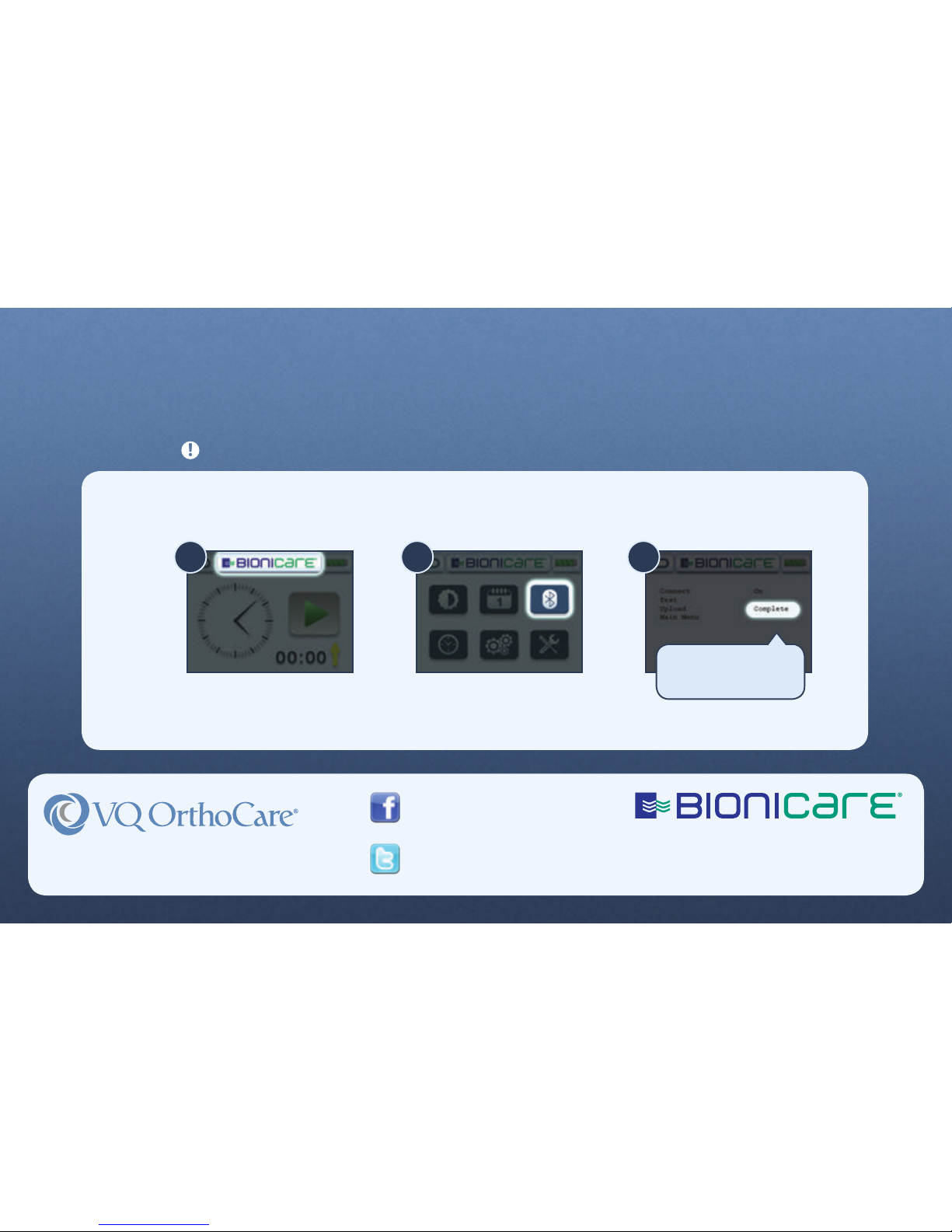
To check if your BIO-2000 device has connected to your computer you must turn your device off, then on again.
1) Press the BioniCare button. 2) Press the Bluetooth button. 3) Upon completion of upload, status will read Complete.
1 2 3
© 2013 VisionQuest Industries, Inc.
VQO511654REVE
For questions, please call 800.444.1456
NOTE: If the device fails to upload,
from this screen push the middle
button on the device three times
to try again.
After installing the program, you are now ready to track
your progress and access all of the information on the
BioniCare Patient Portal website!
You must have usage on your device before uploading to the BioniCare Patient Portal website.
Like Us On Facebook
http://www.facebook.com/bionicare
Follow Us On Twitter
http://twitter.com/bionicare
18011 Mitchell South • Irvine, CA • 92614
www.vqorthocare.com • 800.266.6969
 Loading...