

Page 1
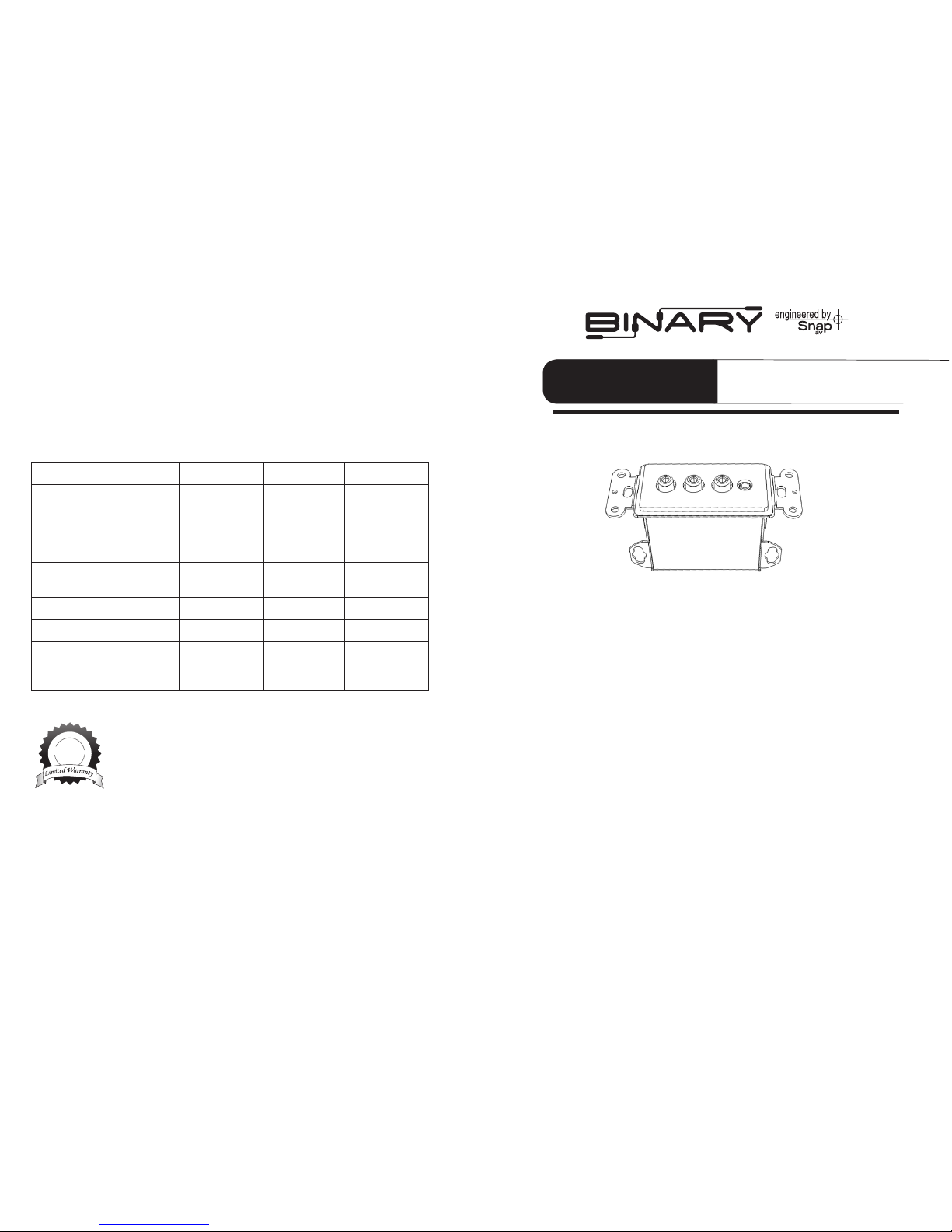
• B-LRCIR-2200 • B-RGBD-500 • B-RGBIR-500
Congratulations on Selecting Binary™ Electronics
Binary™ is a leader in high quality consumer electronics for custom installation
applications. We appreciate your business and we stand committed to providing our customers with the highest degree of quality and service in the industry.
Why Choose Binary™ AniWare™ Cat5 Baluns?
The Binary™ AniWare™ Cat5 baluns are convenient high-performance solutions
to extending the signals of Audio, Video and IR routing components using only
twisted pair Cat5 cabling. These products are ideal for situations when conventional cables are not practical due to cost or signal degradation that would
occur over long distances. Installations can now feature a satellite receiver, VCR,
iPod® dock or similar device to be located a distance from the system that they
are to serve. One pair of identical Binary™ baluns is required for correct
performance. Binary™ baluns do not require a power supply of any kind.
The exibility of the AniWare™ case design of Binary™ baluns is unique in its
ability to provide the convenience of a single product for both in-wall and
surface mount installations solving a need for multiple sku’s. Simply remove
side tabs (clip with wire cutters as per illustration) and pair with a decora wall
plate for in-wall applications, or remove the metal bracket and plastic “strap” (or
insert) when mounting outside of the wall using the side mounting tabs. This
product provides multiple mounting solutions and two wall plate color choices.
OWNER’S MANUAL
Binary™ AniWare™
Cat5 Baluns
>>
B-LRCIR-2200 B-RGBD-500 B-RGBIR-500
Applications Left, Right ana-
log, Composite
video and IR
Transfer
Red, Blue,
Green Component Video
and Digital
audio
Red, Blue,
Green Component video and
IR transfer
Dimensions 2.5”L x 1.1” W x
2.2” D
2.5”L x 1.1” W x
2.2” D
2.5”L x 1.1” W x
2.2” D
Bandwidth Video 0- 10 MHz 0- 60 MHz 0- 60 MHz
Audio 10 HZ- 40 Hz 0-10 MHz 0-10 MHz
Transmission
Distance
Color Video
and Audio
2200 ft (670m) 1000 ft (305m)
- 480i/p 500 ft
(152m) - 1080i
1000 ft (305m)
- 480i/p 500 ft
(152m) - 1080i
Applications and Specifications
• Room-to-Room Wire Recommendations: Cat-5
Lifetime Limited Warranty
All Episode Baluns have a Lifetime Limited Warranty. This warranty includes parts and labor repairs on all components found
to be defective in material or workmanship under normal conditions of use. This warranty shall not apply to products which
have been abused, modied or disassembled. Products to be
repaired under this warranty must be returned to the SnapAV
or a designated service center with prior notication and an
assigned return authorization number (RA).
Tech Support: 866.838.5052
10405 Granite St. Charlotte, NC 28273
Lif et i me
Note: The E-RGBD digital audio connection is not recommended for
analog audio transmission. Internal circuitry will cause the analog signal
to distort.
The E-LRCIR 3.5 mm connection is 2 conductors only. This will not pass IR
receiver signals needing 3 conductors.
Page 2
Installation
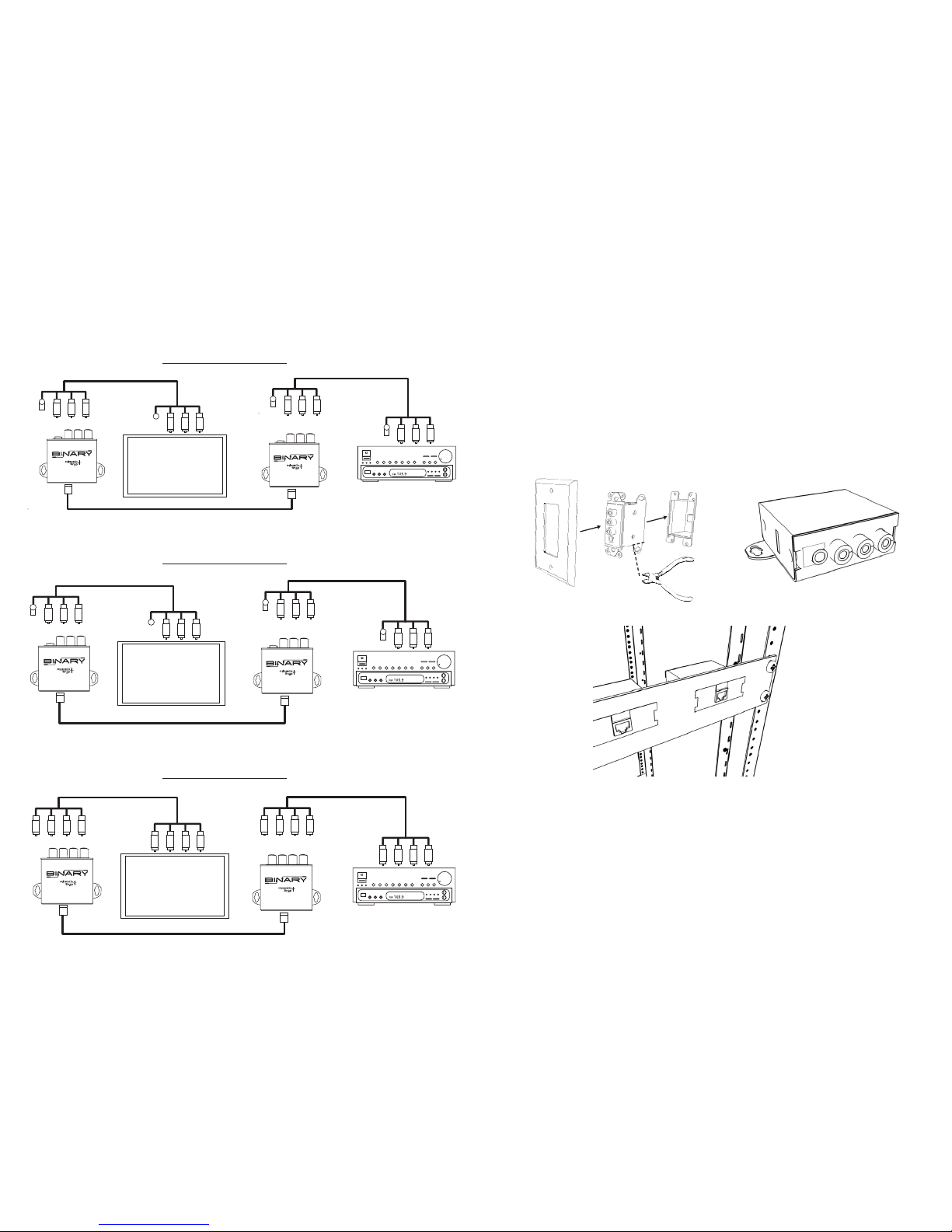
The illustrations below show typical Binary™ balun installations.
B-RGBIR-500
B-LRCIR-2200
B-RGBD-500
B-LRCIR-2200
IR Flasher
A/V System or TV
A/V Cable
Video
CRL
CRL
Mono�
Plug
B-LRCIR-2200
Home Theater or A/V Source
A/V Cable
Video
CRL
CRL
To IR�
Block
Mono�
Plug
Cat5 Cable
B-RGBIR-500
IR Flasher
A/V System or TV
A/V Cable
Video
CRL
CRL
Mono�
Plug
B-RGBIR-500
Home Theater or A/V Source
A/V Cable
Video
CRL
CRL
To IR�
Block
Mono�
Plug
Cat5 Cable
B-RGBD-500
B-RGBD-500
Home Theater or A/V Source
A/V Cable
A/V System or TV
Cat5 Cable
A/V Cable
Digital
Coaxial
Digital
Coaxial
Digital
Coaxial
Video
Digital
Coaxial
Video
YPbPr
YPbPr
YPbPr
YPbPr
1. Determine the best location for the baluns based on how it will be
incorporated into your system design.
A. Install baluns in a standard electrical wall box (14 Cu. or greater)
or Mud ring. Clip o the screw tabs (as illustrated)
B. If in-wall assembly is not needed, remove the plastic strap and
metal bracket and use the screw mount tabs to secure in place.
C. For even more exibility AniWare™ Baluns are also designed to
install in SM-DEC4-1U for convenient rack installations.
2. Turn power o to all equipment before proceeding.
3. Connect all Cat5 cables as shown in the example illustrations. For best
results use T-568B standard straight-through terminations.
4. Connect all applicable audio, video and IR control cables appropriate for
the balun you are using between the source and destination equipment.
5. Turn power on for all associated equipment and test.
A
B
C
 Loading...