

Page 1
Bierley.com Limited
Crossing Cottage
Wyfordby, LE14 4RY
UK
Tel : 0800 0430 282
[email protected]
www.bierley.com
Document Ref : MPD-12-Zoom UK
The Bierley MPD-12-Zoom carries a one year worldwide
warranty, effective from the original date of purchase by the
consumer.
For warranty claims, the complete product and accessories
must be returned with the original purchase receipt to your
local supplier or directly to Bierley in the UK.
Warranty void in the event of damage or abuse caused, in the
opinion of Bierley, by general wear and tear, abuse, impact,
neglect or by connecting other devices, batteries or power
supplies to the unit.
1 Year Worldwide Warranty
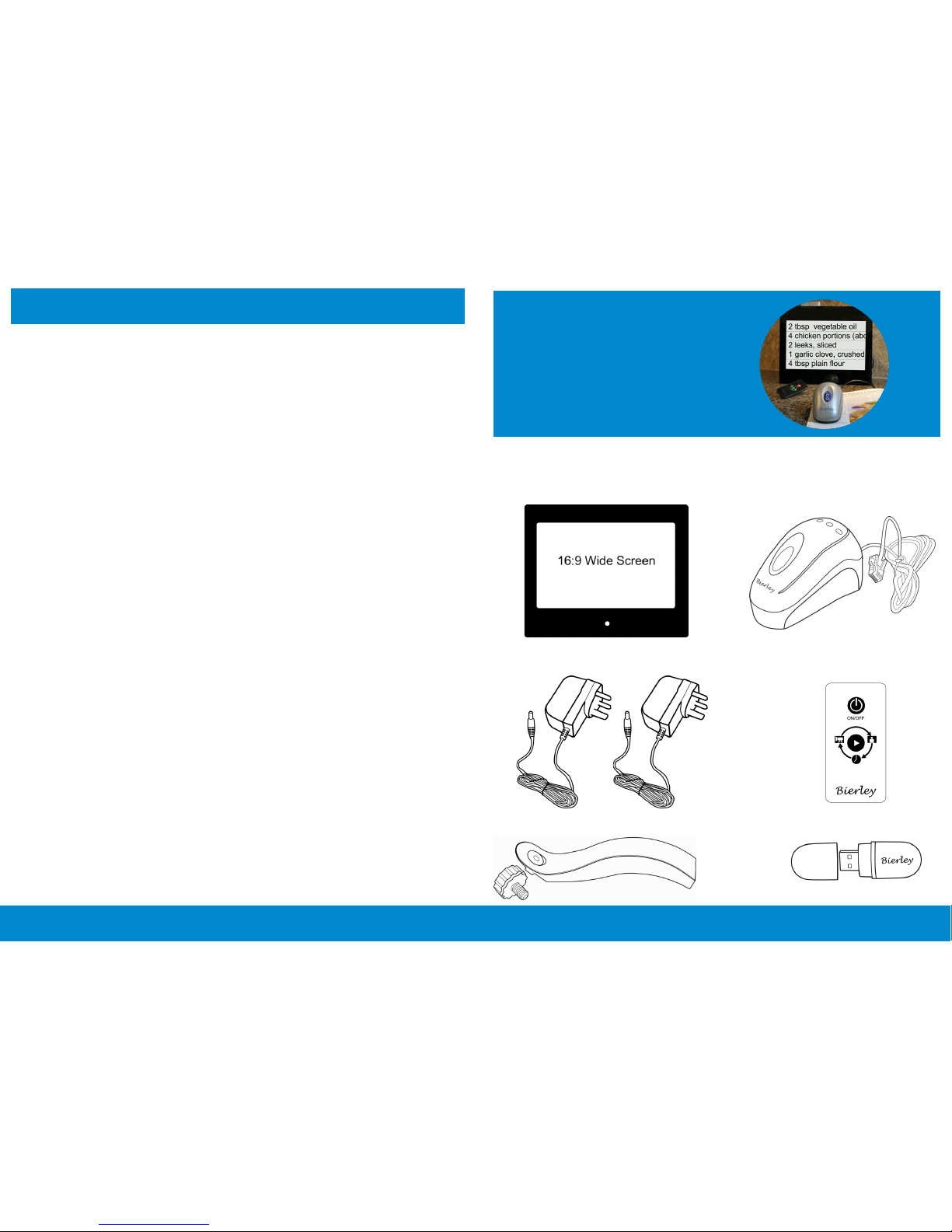
Check List:
MPD-12-Zoom LCD
Remote Control
MPD-12-Zoom Camera
2 Power Supplies
Stand
MPD-12-Zoom
Bierley
www.bierley.com
MPD-12-Zoom
USB flash drive
Page 2
Set up
Note: The MPD-12-Zoom can display images of any size,
but the ideal size is 1280 x 800 pixels.
2. Use as a photo frame
Press the play button on the remote control once to go to
the photo frame. Wait a few seconds.
Some default images will be displayed until you plug in
the supplied USB drive, which contains more images.
To display your own photo’s, copy them to the USB drive
using a computer or other image writing device. Photo’s
will be displayed continuously one by one.
Note: The MPD-12-Zoom will turn on automatically when
first connected to a power source. The screen will be blank
until you press the large blue button on the camera.
3. Use as a digital clock
Set Date / Time
Press the Menu button (see below) to go to set up.
Press the Advance button to advance the date / time,
or press the Go Back button to turn back the date / time.
Press the Menu button again to confirm the changes.
Press the play button until the digital clock appears.
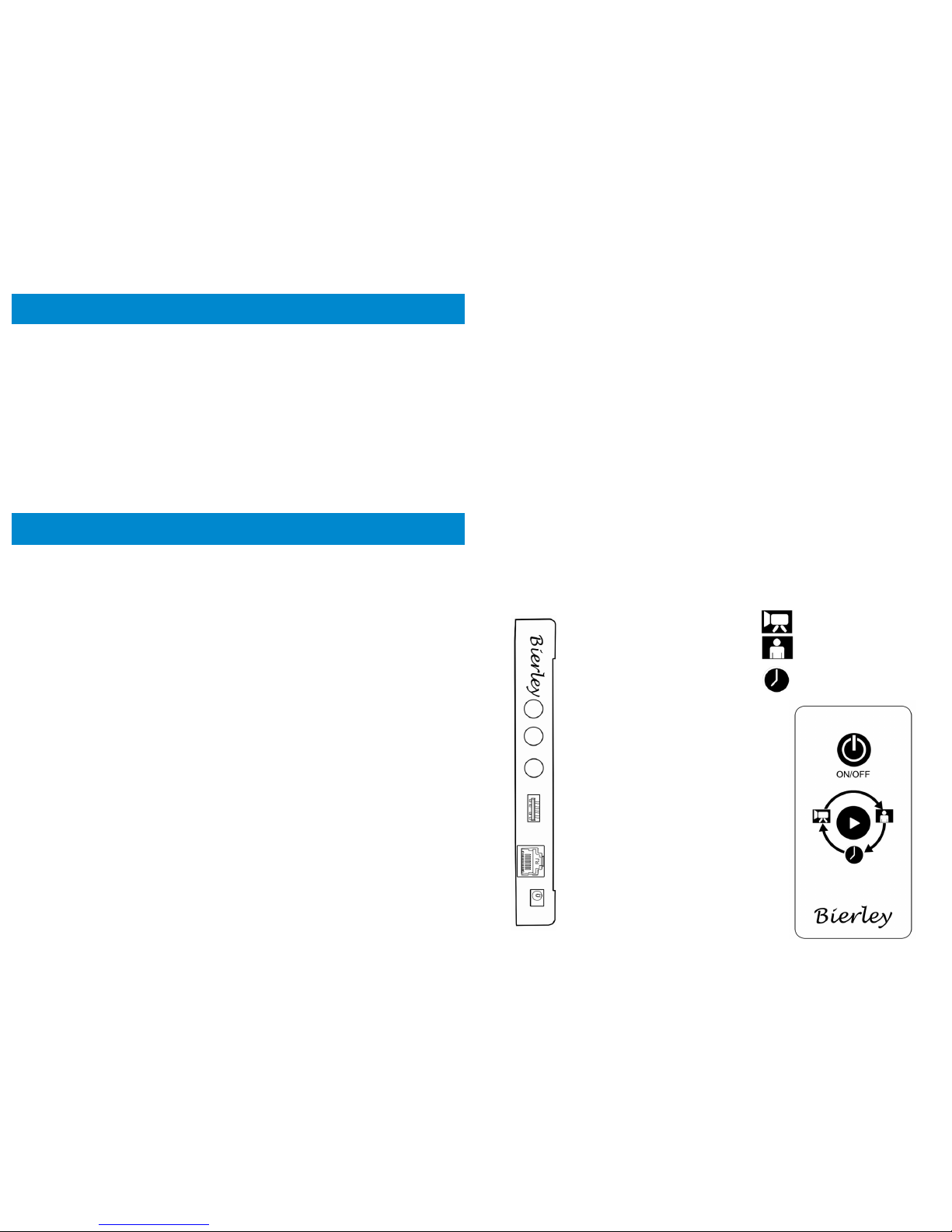
MPD-12-Zoom side panel
Go Back
Advance
Menu
USB
Camera
Power
Remote Control
Camera
Photo Frame
Digital Clock
1. Use as a magnifier
Carefully place the MPD-12-Zoom face down and install
the stand.
Stand the unit upright and plug in the camera.
Plug one power supply into the MPD-12-Zoom.
Plug the second power supply into the camera cable
and plug both supplies into wall outlets.
Using the MPD-12-Zoom
Turn the camera on by pressing the blue button, then move
over any text and it will be displayed.
To zoom in and make text larger, press the button on the
right. To zoom out and make text smaller, press the button
on the left.
To freeze an image onto the screen, press the middle
button
Always turn the camera off when not in use.
 Loading...