

Page 1
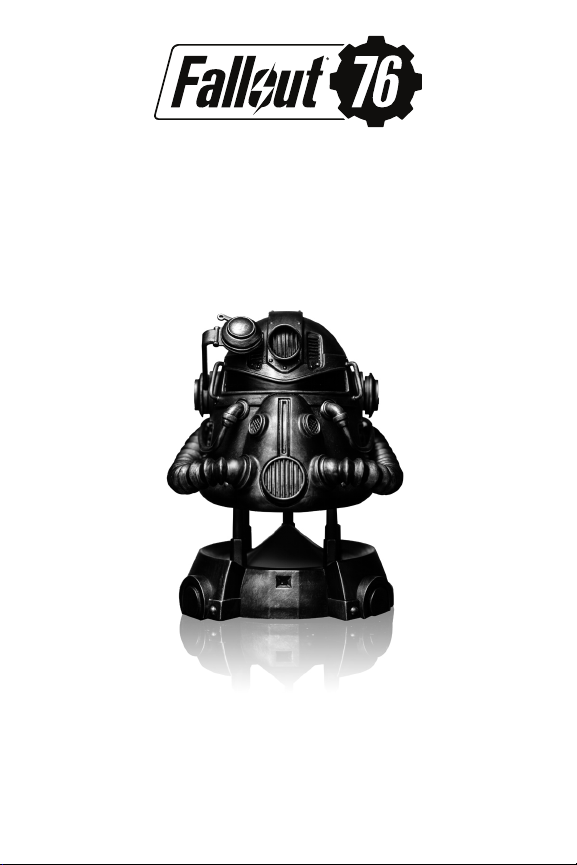
T-51 Power Armor Helmet Gesture Control Speaker
User Manual
Introduction:
Thank you for purchasing your T-51 Power Armor Helmet Gesture
Control Speaker. Please take a few minutes to look through this user
manual.
Model #: BTHDEV180318
© 2018 Bethesda Softworks LLC, a ZeniMax Media company. ZeniMax, Bethesda, id
Software, Rage and related logos are registered trademarks or trademarks of ZeniMax Media
Inc. and/or its aliates in the U.S. and/or other countries. All Rights Reserved.
Licensed for use by by ©2018 Development Plus, Inc.
250 Bel Marin Keys Blvd., Bldg. F Suite 300
Novato, CA 94949
Page 2
Contents:
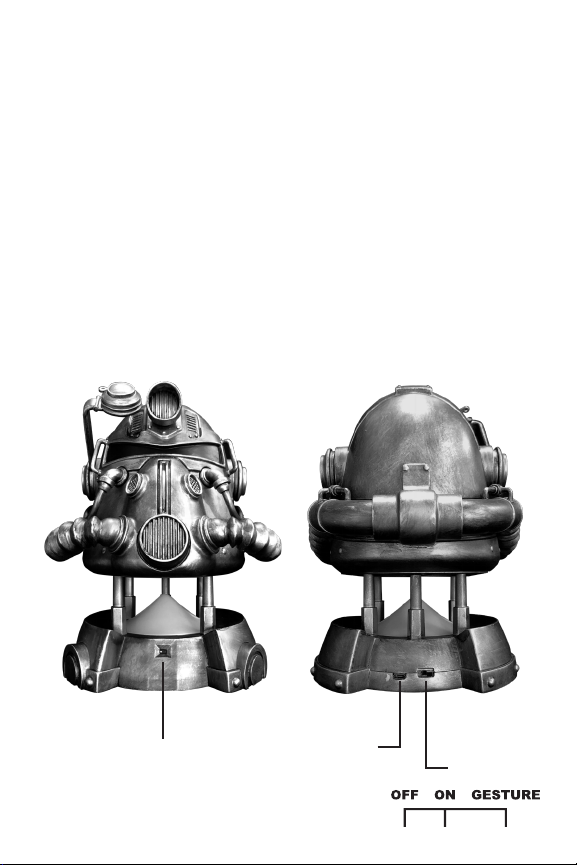
1 T-51 Power Armor Helmet Gesture Control Speaker
1 USB cable
Specifications:
USB port
5V power input (5V /1.5A)
Gesture control sensor
blue-tooth compatible
Product Components Introduction:
Gesture Control Sensor
Micro USB Port
3-Way Switch
Page 3
Powering on your speaker:
• Plug in the included USB cable to the back of the unit and into a
USB port to power up the unit.
• Switch the 3-way switch located on the back of the unit to either
On or Gesture.
• A flashing blue light indicates that the speaker is on and while
getting ready to pair the speaker will play a short audio intro.
• Enable blue-tooth pairing on your smart phone to search “T-51
s
peaker”.
• Once successfully paired you will hear a connection sound effect
to ensure you are connected.
• In the ON position use your paired device to control the speakers
functions.
Note: In the ON position gesture controls are not active.
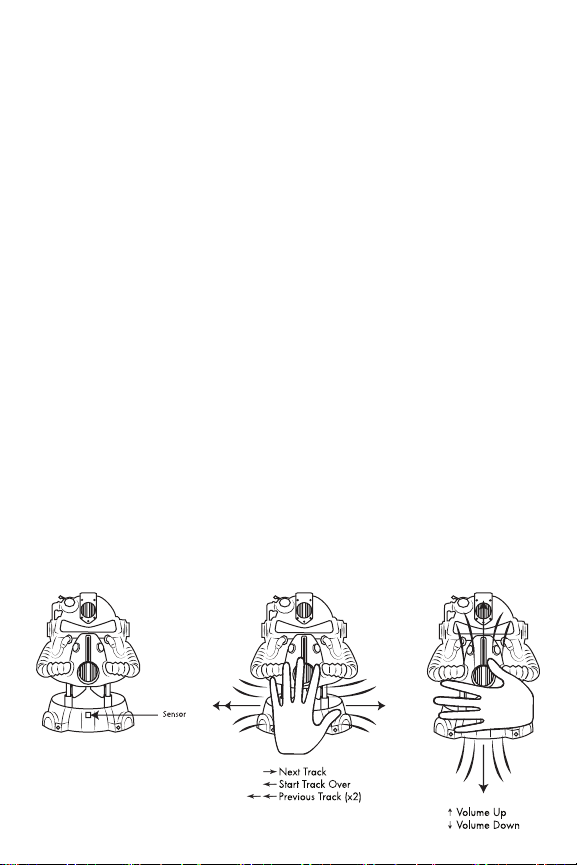
Gesture control sensor:
When gesture mode is enabled using the three way switch, the sensor
is on, and motion detection is ready.
Moving your hand beyond the sensor:
• From left to right ~ music Forward
• From right to left ~ music backward
• From up to down ~ volume down
• From down to up ~ volume up
Page 4

FCC ID: 2AI8LBTHDEV180318
NOTE: e manufacturer is not responsible for any radio or TV
interference caused by unauthorized modications to this equipment.
Such modications could void the user’s authority to operate the equipment.
is device complies with Part 15 of the FCC Rules.
Operation is subject to the following two conditions:
(1) this device may not cause harmful interference, and
(2) this device must accept any interference received,
including interference that may cause undesired operation.
NOTE: is equipment has been tested and found to comply with the
limits for a Class B digital device, pursuant to Part 15 of the FCC Rules.
ese limits are designed to provide reasonable protection against
harmful interference in a residential installation.
is equipment generates, uses and can radiate radio frequency energy
and, if not installed and used in accordance with the instructions, may
cause harmful interference to radio communications. However, there is
no guarantee that interference will not occur in a particular installation.
If this equipment does cause harmful interference to radio or television
reception, which can be determined by turning the equipment o and
on, the user is encouraged to try to correct the interference by one or
more of the following measures:
- Reorient or relocate the receiving antenna.
- Increase the separation between the equipment and receiver.
- Connect the equipment into an outlet on a circuit dierent from that to
which the receiver is connected.
- Consult the dealer or an experienced radio/TV technician for help.
WARNING: This is not a toy. Contains small parts. Not intended for
children under 17 years of age.
Warranty: 180 days limited warranty against manufacturing defects.
Made in China.
 Loading...