

Page 1
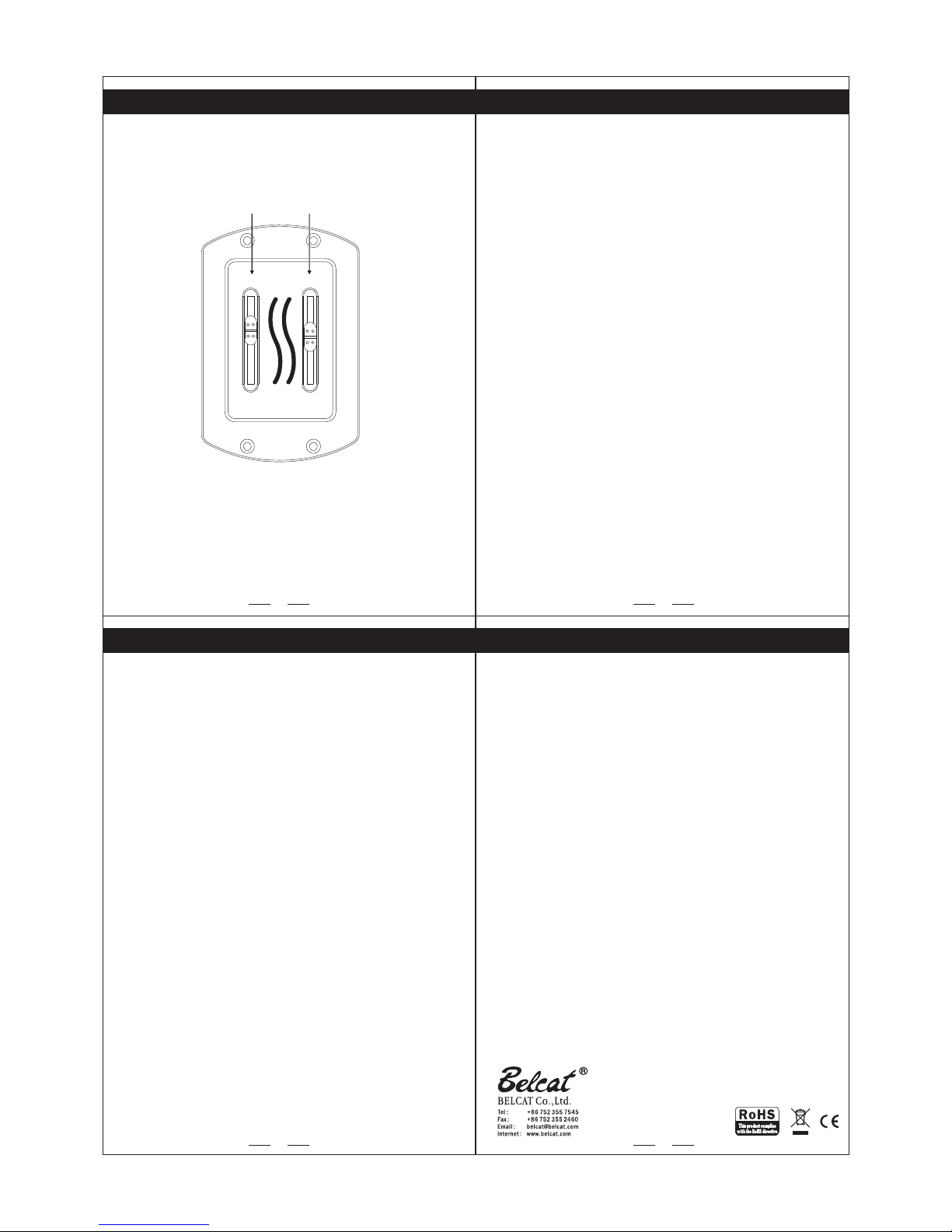
Features : Passive
Frequency Response : 20Hz ~ 20KHz
Volume : A500KΩ
Pick-up : Piezo Ceramic pick-up
Dimension : W 46mm X H 71mm
(1.8" X 2.8")
- The jack should be pluged for proper Preamp working.
(TUNER will works regardless pluging jack)
- There is no output sound, please check if tuner or mute is turned on.
- When LCD screen is dim or no display, please check battery life.
- To prevent battery loss, please unplug jack when preamp is not in use.
- Do not disassemble for repair.
Return to your dealer for service or repair.
- Do not use too much force when operating the control.
3 4
1
2
Functions
PS-2000 PREAMP USER’S MANUAL
Passive Tone Control
Specification
Caution
1. Volume Knob
The VOLUME controls the output volume. Turned fully counter-clockwise it is
completely OFF. Turned fully clockwise it is LOUD!
2. Tone EQ TONE CONTROL
the center detent on these tone control yield a flat tone response.
“+10” boosts the tone; “-10” cuts the tone.
Battery
A 9-volt battery powers the PS-2000 preamp. Before connecting the
instrument to an amplifier or mixer please check that a fully charged 9-volt
battery is connected.
2. Tone1. Volume
2
Tone Vol.
Passive Tone
Control
+10 +10
-10
0 5
0
1
Page 2
Tone Vol.
Passive Tone
Control
+10 +10
-10
0 5
0
Maski ng
apeT
12mm
Out put J ack
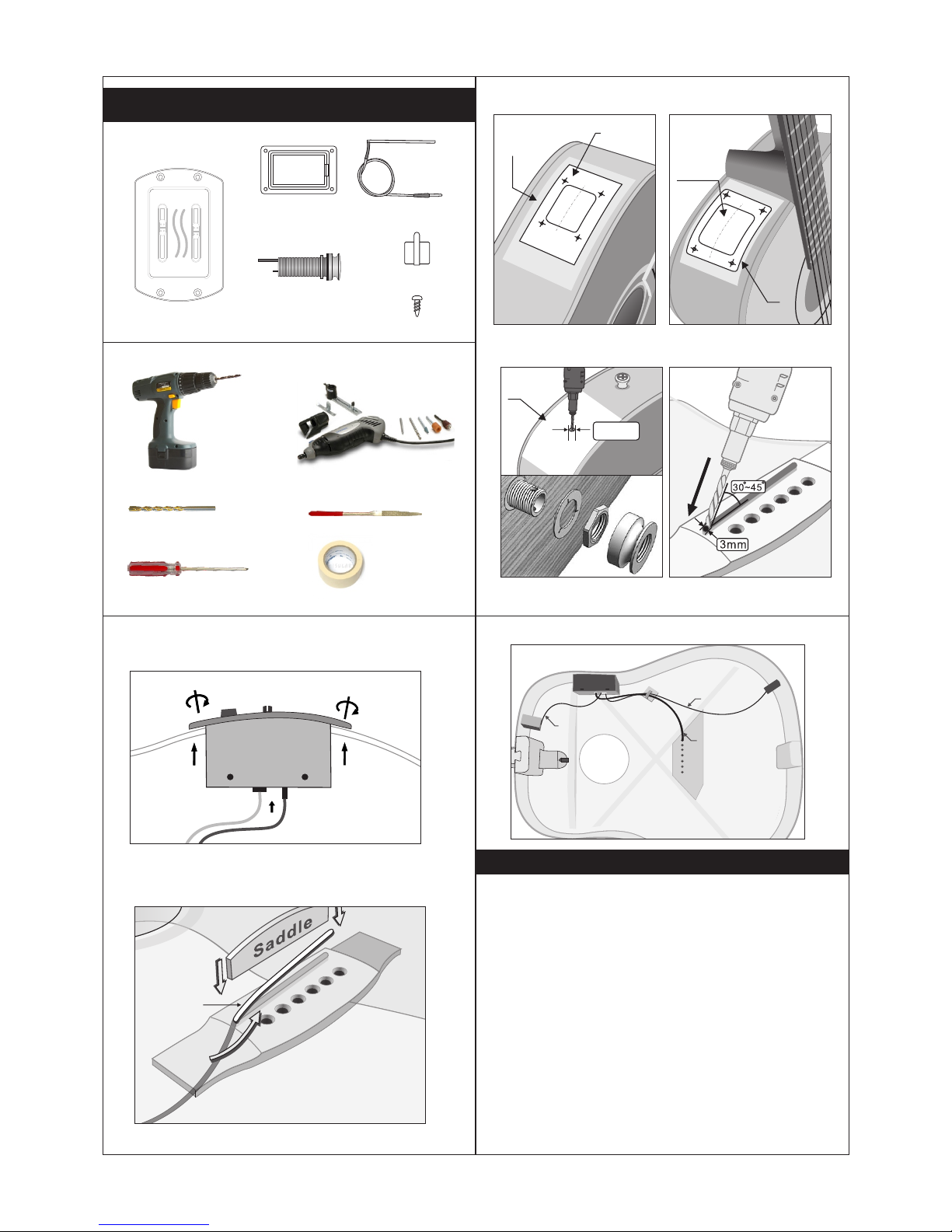
INSTALLATION MA NUAL
1. Electr ic D rill
3. Philli ps S crewdri ve r
4. Router a nd G rinder
(cuttin g- edge 3mm)
5. Round Fi le
6. Maskin g Tape
1. Preamp
8. Fix wire w it h clip.
1. Con tents
2. Tool
4.Drill in g hole for pi ck -up
1) When t here is n o sou nd o r sou nd is sto pped,
- Check g uitar c abl e, a mp or M ixer
- Check i f there i s bat te r or no t. When i t hap pe ns no ise or di stort ion ,
pleas e excha nge b at ter y.
- Check i f the pic kup a nd b att ery con necto r is co nn ect ed corr ectly
or not.
- Check i f out put j ack i s co nne cted co rrect ly.
2) When t here is h um- no ise ,
- Check t he pick up is c on nec ted wel l or not.
- Check i f the con nec to rs ar e conne cted to c orr ec t pos ition w ell
or not.
3) Some c auses o f the b al anc e probl em
- When th e botto m of sa dd le or t he groo ve of sad dle i s no t fla t.
- When sa ddle is i nst al led t o the gro ove of sa ddl e lo osl y.
- When th e conne cti on i s not g ood bet ween th e bot to m of sa ddle
and the g roove o f sad dl e.
- When Sa ddle is v ery s ho rt
- When th ere is gr oun ds o n the g roove o f saddl e.
- When Sa ddle is d ecl in ed to ward fr ont or ba ck.
- When th e top of gu ita r is b end ed.
- When th e picku p is in st all ed to onl y a part of t he gr oo ve of s addle .
Solution
(back page)
5. Insert EQ and battery box into hole of guitar.
6. Fasten screws properly.
5. Put plugs
into jacks.
7.Insta ll ing the pic k- up
Pick- up
wire
Maski ng
apeT
1. Cut out the hole with template
Cutti ng
Temp late
Preamp
3. Pick-U p
5. Clip
6. Screw
2. Batter y
Box
Pick- up
Wire
Clip
EQ
Batte ry box
Cable
Out p ut jack
Cab le
Battery B ox
Maski ng
apeT
Cutti ng
Temp late
3.Drill in g hole for Ja ck
2. Cut out the hole with Battery Box
2. Drill Bi t
(2.3mm or 3 mm )
4. Output J ac k
 Loading...