

Page 1
BG-8
8 Channel Digital Audio Monitor
User’s Guide Version 0.8 17/03/2006
Page 2

BEL DIGITAL AUDIO BG-8
2006 BEL (Digital Audio) Ltd
BEL (Digital Audio) Ltd. has made every effort to ensure the accuracy of information contained within
this document which is nevertheless supplied for information purposes only and does not constitute
any form of warranty or guarantee.
All trademarks acknowledged.
The information in this document is subject to change without notice.
Bel Digital Audio Ltd.
Unit 3
Horwood Court
Bletchley
Milton Keynes
Bucks
MK11RD
Tel: 01908-641063
Email: [email protected]
Web: www.beldigital.com
Manual prepared by AirdServices http://brianaird.members.beeb.net
Page 3

BEL DIGITAL AUDIO BG-8
2006 BEL (Digital Audio) Ltd
C
Coonntteennttss
INTRODUCTION 1
Main features 1
OPERATION 2
B
ARGRAPH SCALES 2
I
NSTALLATION 3
C
ONNECTOR I/O 3
C
ONFIGURATION 3
Adjusting bargraph break-points and ballistics 4
Inserting bargraph graticules 7
PROBLEM SOLVING 8
Sample problems and their solutions 9
SPECIFICATION 10
Page 4
BEL DIGITAL AUDIO BG-8 Introduction
2006 BEL (Digital Audio) Ltd 1 Version 0.8
IInnttrroodduuccttiioonn
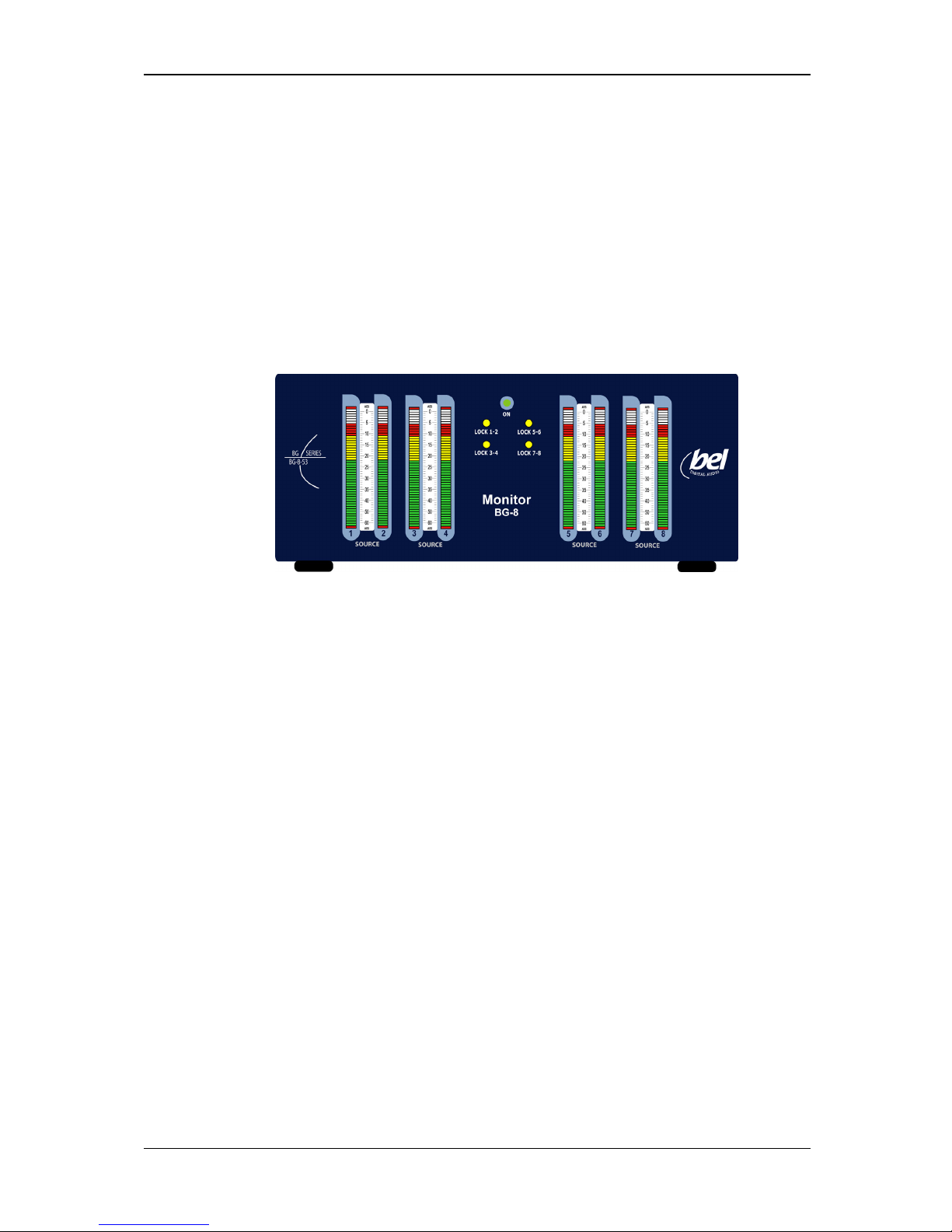
The Bel BG-8 is a freestanding audio metering instrument which accepts 4 independent pairs
of digital audio (AES) inputs and displays their levels on 8 high-resolution TRI colour LED
bargraphs.
Each of the four independent pairs of AES inputs can lock to different sample rates between
44.1kHz and 96kHz.
Bargraph meters are arranged in two groups of four, the left hand group handles inputs 1 to 4
and the right hand group handles inputs 5 to 8. Each bargraph group can be configured for
different meter types and scales and have different colours for level transition points.
Stick-on scale graticules, which may be applied to the spaces between the front-panel
bargraphs, are supplied with the machine.
Each bargraph group also has a dedicated brightness control.
Main features
• Four independent pairs of digital audio (AES) inputs on balanced XLRs
• Each input pair can lock to different sample rates between 44.1k to 96k
• Two independent groups of four tri-colour bargraphs
• Each group can have different meter types/ballistics, colour transition points, peak-
hold and brightness settings
• Offset adjustment to allow analogue scales to be used with digital inputs
• Six different meter types: AES, Nordic, IEC, DIN, VU and BBC
Page 5
BEL DIGITAL AUDIO BG-8 Operation
2006 BEL (Digital Audio) Ltd 2 Version 0.8
O
Oppeerraattiioonn
Once the BG-8 Digital Audio (AES) monitor is configured for the required meter type and
coloured transition point, it is ready to be used to monitor up to four pairs of AES audio. Lock
LEDs show if the sample rate of the incoming audio is locked for each AES pair.
The coloured bargraph areas can be configured to show normal level, under level and over
level to assist operation. Each group of four channels can be configured independently for
different meter types, scales and coloured level transition points.
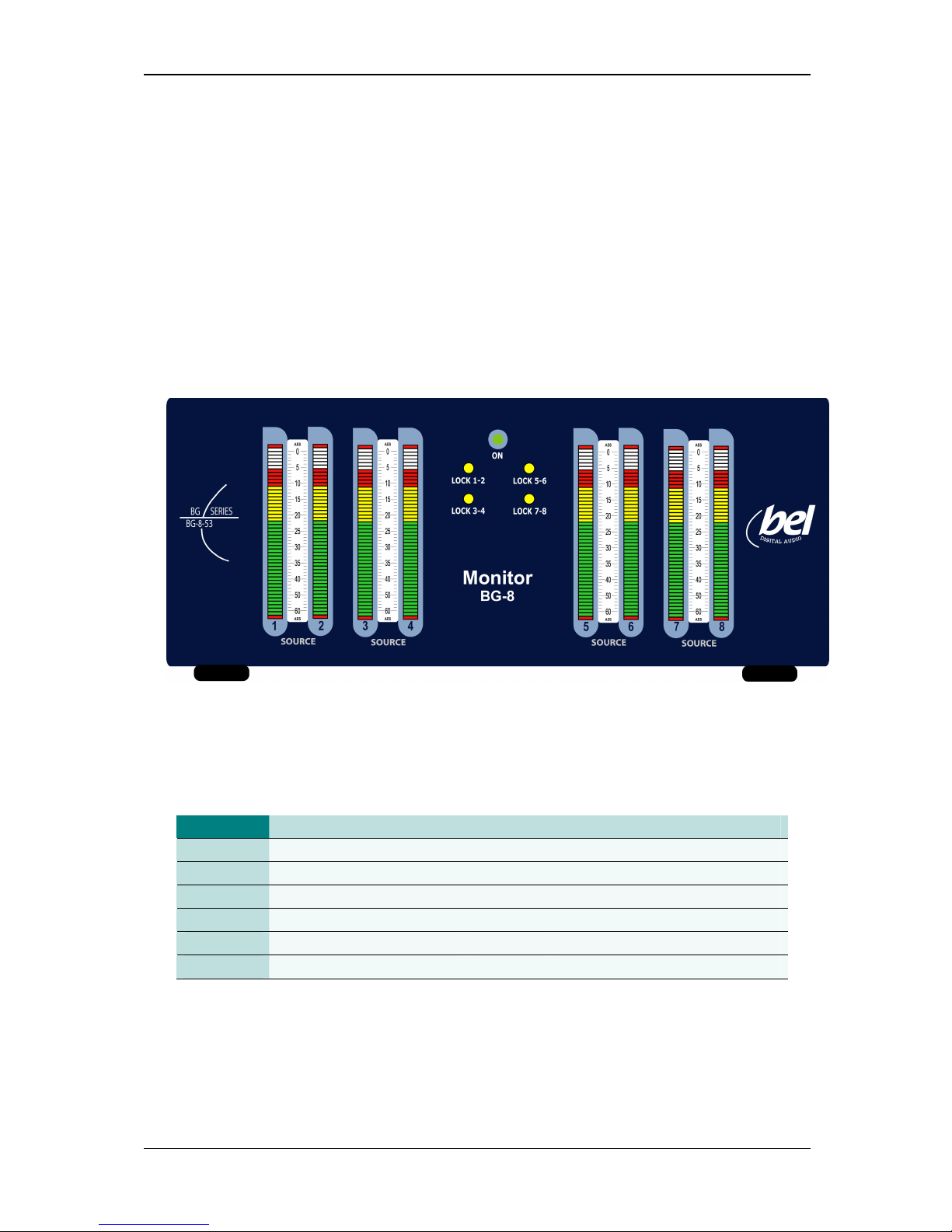
The BG-8 front panel
Bargraph scales
The following meter types may be selected using switches at the rear of the unit.
Scale type
Range Attack Fallback
AES/EBU: 60dB (0 to -60dB) 1ms 1.5Sec per 20dB decay
DIN PPM: 55dB (+5 to -50dB) 10mSec 1.5Sec per 20dB decay
VU: 23dB (+3 to -20dB) 300mSec 300mSec
BBC PPM: +12 to-12dB - mark 7 to 1 10mSec 2.85Sec - mark 7 to 1
NORDIC: 54dB (+12 to -42dB) 5mSec 1.7Sec per 20dB decay
IEC: 29dB (+9 to -20dB) 5mSec 1.7Sec per 20dB decay
BG-8 meter types
Note:
Refer to the Installation chapter for bargraph settings and graticule/scale fitting
instructions.
Page 6
BEL DIGITAL AUDIO BG-8 Installation
2006 BEL (Digital Audio) Ltd 3 Version 0.8
IInnssttaallllaattiioonn
The BG-8 may be installed in 19 inch bays on an equipment tray or free-mounted on a table
top or other surface using the rubber feet supplied. Ventilation is by natural convection.
Connector I/O
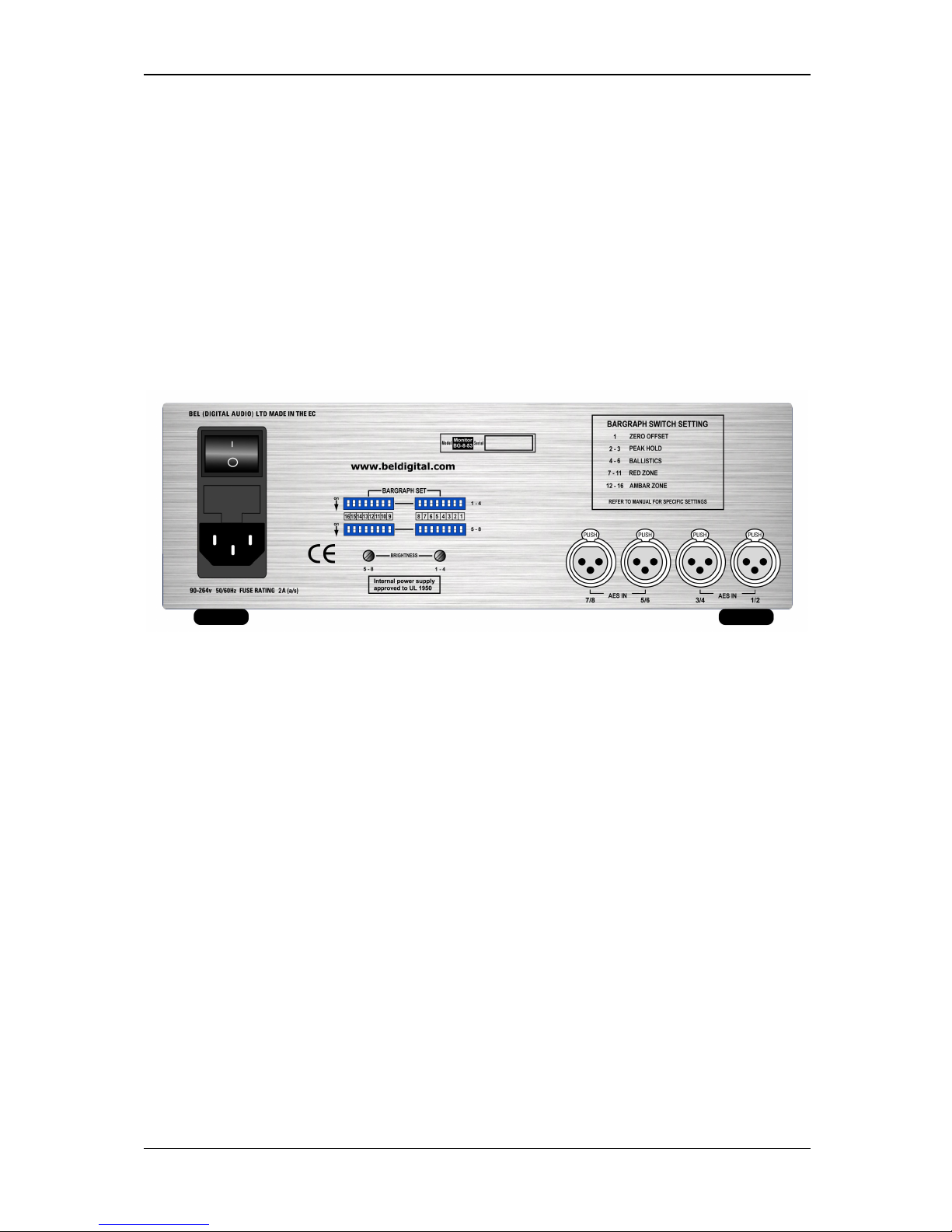
Digital audio inputs use balanced XLR connectors at the rear of the panel.
The BG-8 balanced digital audio version rear view
Configuration
Bargraph meters are supplied in two groups of four to monitor inputs 1 to 4 and inputs 5 to 8.
These two groups of bargraphs may be configured independently to support different meter
ballistics and scales, peak hold decay and different transition points between coloured areas.
Different scales are supported with a range of stick on scale graticules and meter type
settings are made at the rear of the unit using DIL switches.
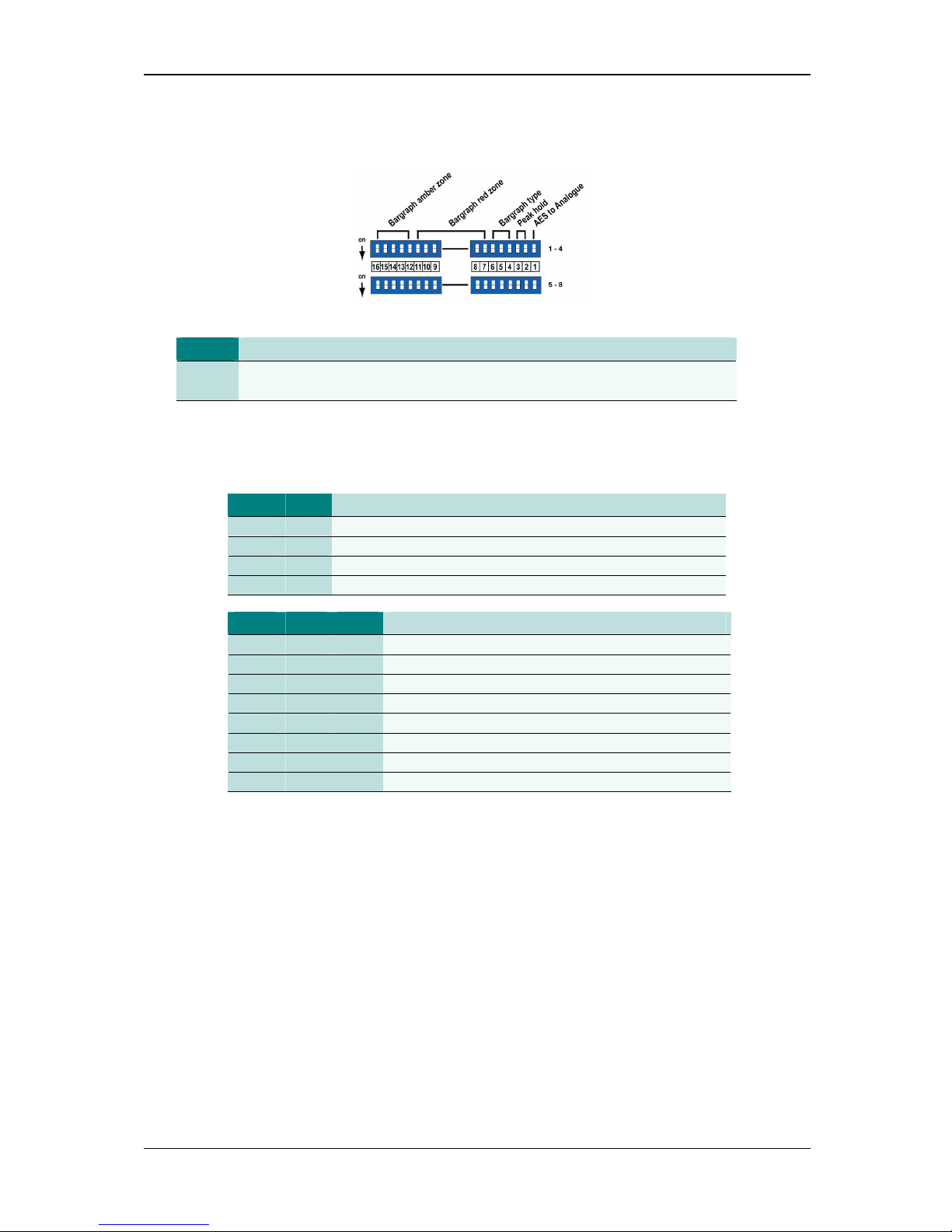
The BARGRAPH SET, DIL switch adjustments for each group of four bargraphs are as
follows:
AES inputs 1 to 4
• Use the upper pair of DIL switches S1 to S16
AES inputs 5 to 8
• Use the lower pair of DIL switches S1 to S16
Page 7
BEL DIGITAL AUDIO BG-8 Installation
2006 BEL (Digital Audio) Ltd 4 Version 0.8
Adjusting bargraph break-points and ballistics
BG-8 bargraph adjustments
SW 1
AES to analogue adjust
ON
OFF
-18dBFS = 0 on analogue scale
-20dBFS = 0 on analogue scale
The –18dB and –20dB settings define the relationship between AES input level and the 0
mark on an analogue scale. This allows analogue scales to be used with digital signals.
SW 2 SW 3
Peak hold decay
ON ON None (OFFf)
ON OFF 3 seconds
OFF ON 7 seconds
OFF OFF Indefinite
SW 4 SW 5 SW 6
Scale type
ON ON ON AES
ON ON OFF DIN
ON OFF ON VU
ON OFF OFF BBC
OFF ON ON No scale
OFF ON OFF NORDIC
OFF OFF ON IEC
OFF OFF OFF No scale
Note:
The ON position is obtained with a switch lever in the direction of the arrow, (DOWN
in the above drawing).
Each bargraph has 53 tri-colour segments. The top and bottom segments are reserved
leaving 51. Up to 31 of the remaining top most segments may be coloured red. Up to 31 of
segments from the end of the red zone downward may be coloured amber. The remaining
segments (if any) are always green.
Page 8

BEL DIGITAL AUDIO BG-8 Installation
2006 BEL (Digital Audio) Ltd 5 Version 0.8
Choosing how many segments are coloured red from the top of the bargraph sets the ‘red
zone’. Select from none to 31 using SW 7, SW 8, SW 9, SW 10 and S 11 as follows:
SW 7 SW 8 SW 9 SW 10 SW 11
Segment from bargraph top
ON ON ON ON ON None
ON ON ON ON OFF 1
ON ON ON OFF ON 2
ON ON ON OFF OFF 3
ON ON OFF ON ON 4
ON ON OFF ON OFF 5
ON ON OFF OFF ON 6
ON ON OFF OFF OFF 7
ON OFF ON ON ON 8
ON OFF ON ON OFF 9
ON OFF ON OFF ON 10
ON OFF ON OFF OFF 11
ON OFF OFF ON ON 12
ON OFF OFF ON OFF 13
ON OFF OFF OFF ON 14
ON OFF OFF OFF OFF 15
OFF ON ON ON ON 16
OFF ON ON ON OFF 17
OFF ON ON OFF ON 18
OFF ON ON OFF OFF 19
OFF ON OFF ON ON 20
OFF ON OFF ON OFF 21
OFF ON OFF OFF ON 22
OFF ON OFF OFF OFF 23
OFF OFF ON ON ON 24
OFF OFF ON ON OFF 25
OFF OFF ON OFF ON 26
OFF OFF ON OFF OFF 27
OFF OFF OFF ON ON 28
OFF OFF OFF ON OFF 29
OFF OFF OFF OFF ON 30
OFF OFF OFF OFF OFF 31
Note:
It is not possible to set 31 red and 31 amber segments, since there are only 51
segments for level display purposes.
Page 9

BEL DIGITAL AUDIO BG-8 Installation
2006 BEL (Digital Audio) Ltd 6 Version 0.8
Choosing how many segments are coloured amber from the end of ‘red zone’ sets the
‘amber zone’. Select from none to 31 using SW 12, SW 13, SW 14, SW 15 and SW 16 as
follows:
SW 12 SW 13 SW 14 SW 15 SW 16
Segment from last RED ZONE
ON ON ON ON ON None
ON ON ON ON OFF 1
ON ON ON OFF ON 2
ON ON ON OFF OFF 3
ON ON OFF ON ON 4
ON ON OFF ON OFF 5
ON ON OFF OFF ON 6
ON ON OFF OFF OFF 7
ON OFF ON ON ON 8
ON OFF ON ON OFF 9
ON OFF ON OFF ON 10
ON OFF ON OFF OFF 11
ON OFF OFF ON ON 12
ON OFF OFF ON OFF 13
ON OFF OFF OFF ON 14
ON OFF OFF OFF OFF 15
OFF ON ON ON ON 16
OFF ON ON ON OFF 17
OFF ON ON OFF ON 18
OFF ON ON OFF OFF 19
OFF ON OFF ON ON 20
OFF ON OFF ON OFF 21
OFF ON OFF OFF ON 22
OFF ON OFF OFF OFF 23
OFF OFF ON ON ON 24
OFF OFF ON ON OFF 25
OFF OFF ON OFF ON 26
OFF OFF ON OFF OFF 27
OFF OFF OFF ON ON 28
OFF OFF OFF ON OFF 29
OFF OFF OFF OFF ON 30
OFF OFF OFF OFF OFF 31
Page 10
BEL DIGITAL AUDIO BG-8 Installation
2006 BEL (Digital Audio) Ltd 7 Version 0.8
Inserting bargraph graticules
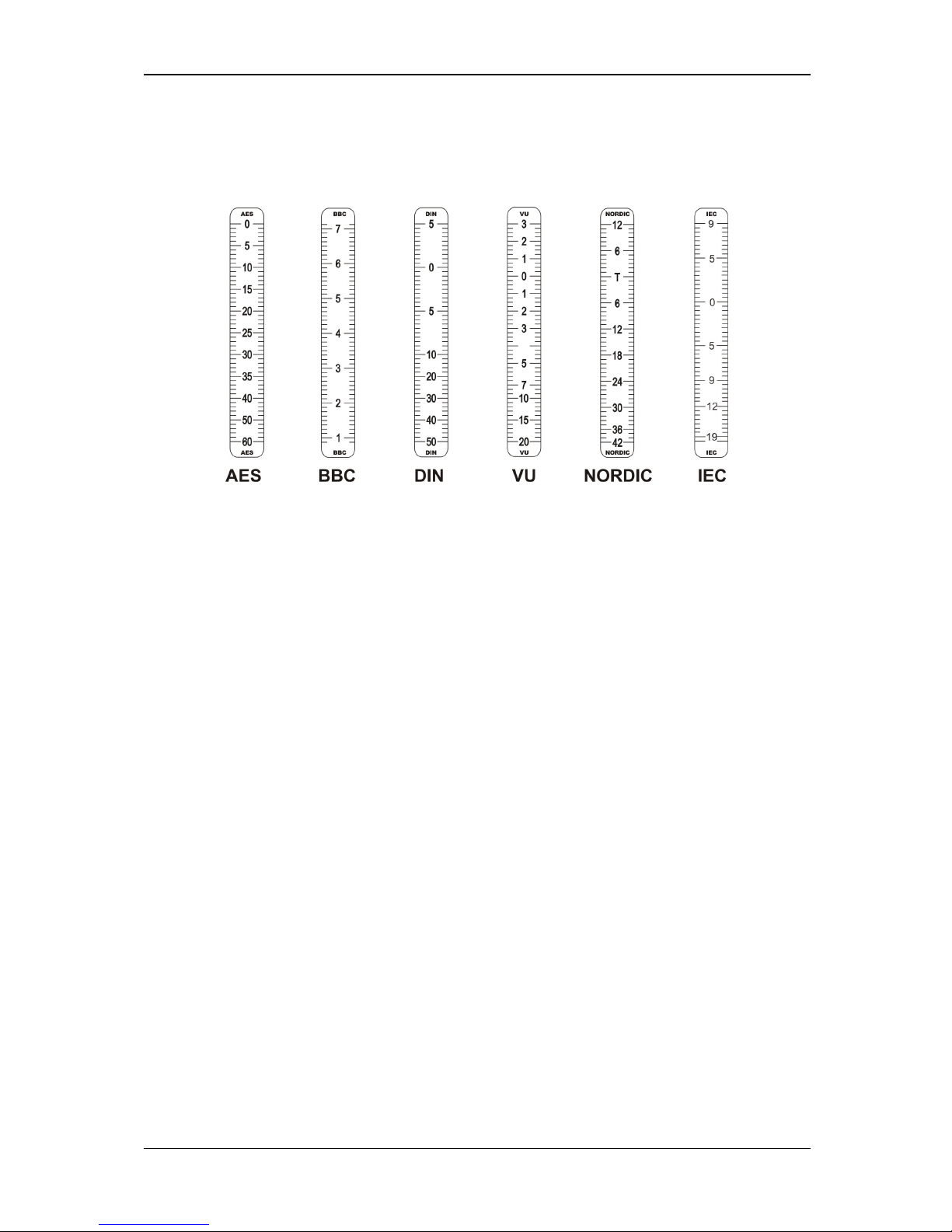
The following bargraph scale graticules are supplied with each BG-8:
BG-8 scale graticules
To apply a graticule proceed as follows:
• peel back the protective backing from the chosen graticule
• apply the graticule to the space between a pair of bargraphs
• repeat the process for the other bargraph graticule position
• ensure that the bargraph setting matches the graticule
• adjust the colour transitions and peak hold decay as desired
Page 11
BEL DIGITAL AUDIO BG-8 Problem solving
2006 BEL (Digital Audio) Ltd 8 Version 0.8
P
Prroobbllee
m
m ssoollvviinngg
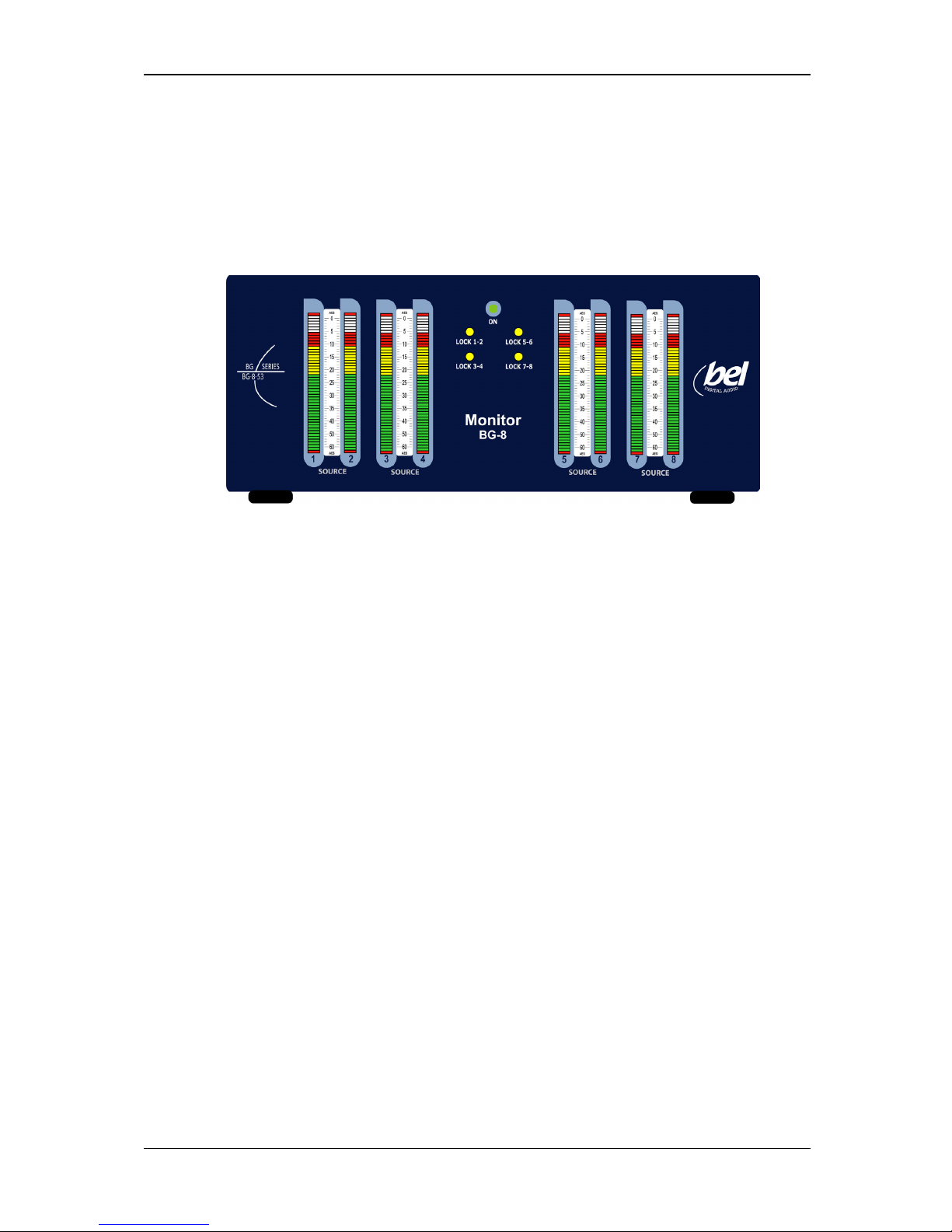
The front panel provides a green power LED and 4 sample rate lock LEDs.
The BG-8 LEDs
LEDs have the following functions:
• ON – lights green when the unit is powered and switched on
• Lock 1-2 – lights yellow when sample rate clock 1 is locked
• Lock 3-4 – lights yellow when sample rate clock 2 is locked
• Lock 5-6 – lights yellow when sample rate clock 3 is locked
• Lock 7-8 – lights yellow when sample rate clock 4 is locked
Page 12

BEL DIGITAL AUDIO BG-8 Problem solving
2006 BEL (Digital Audio) Ltd 9 Version 0.8
Sample problems and their solutions
There is no power to the unit
Check the power cabling and the integral fuse in the IEC mains socket at the rear of the unit.
Check that the power switch at the rear is in the on position.
A bargraph display does not have the desired ballistics or colour transition points
Check that the appropriate meter type and colour transition points have been selected with the
DIL switches on the rear of the unit.
Check that the chosen ballistics setting and bargraph scale graticules match.
One or more lock LEDs are not illuminated
Check that the corresponding input sample rate is between 44.1kHz and 96kHz.
Note:
In the unlikely event that the unit ‘locks up’ switch the unit off at the rear for a few
seconds and then restore power.
Page 13

BEL DIGITAL AUDIO BG-8 Specification
2006 BEL (Digital Audio) Ltd 10 Version 0.8
S
Sppeecciiffiiccaattiioonn
Audio inputs
Digital AES
4 x 110Ω differential (XLR connector)
Sample rates
44.1kHz to 96kHz. Each pair of AES inputs is independent and has its
own sample rate clock. (Each pair of bars can have different sample
rates)
Bar Graphs 53 element tricolour with adjustable colour break points
Scales and Ballistics
IEC: Overall dynamic range: 29dB (+9 to -20dB)
Attack time: 5mSec
Fallback: 1.7Sec per 20dB decay
NORDIC: Overall dynamic range: 54dB (+12 to -42dB)
Attack time: 5mSec
Fallback: 1.7Sec per 20dB decay
DIN PPM: Overall dynamic range: 55dB (+5 to -50dB)
Attack time: 10mSec
Fallback: 1.5Sec per 20dB decay
BBC PPM: Overall dynamic range: (+12 to-12dB from mark 7 to mark 1)
Attack time: 10mSec
Fallback: 2.85Sec (from mark 7 to mark 1)
VU: Overall dynamic range: 23dB (+3 to -20dB)
Attack time: 300mSec
Fallback: 300mSec
AES/EBU: Overall dynamic range: 60dB (0 to -60dB)
Attack time: 1mSec
Fallback: 1.5Sec per 20dB decay
Page 14

BEL DIGITAL AUDIO BG-8 Specification
2006 BEL (Digital Audio) Ltd 11 Version 0.8
Housing
2U high.
Outline Dimensions: 222mm(W) x 155mm(D) x 87mm(H)
Power
90 - 264 VAC 56/60Hz Autoselect, Fuse 2A Anti Surge
Environmental
Temperature 0°C to 30°C Humidity 70% max (non-condensing)
Weight
(2kg)
 Loading...