

Page 1
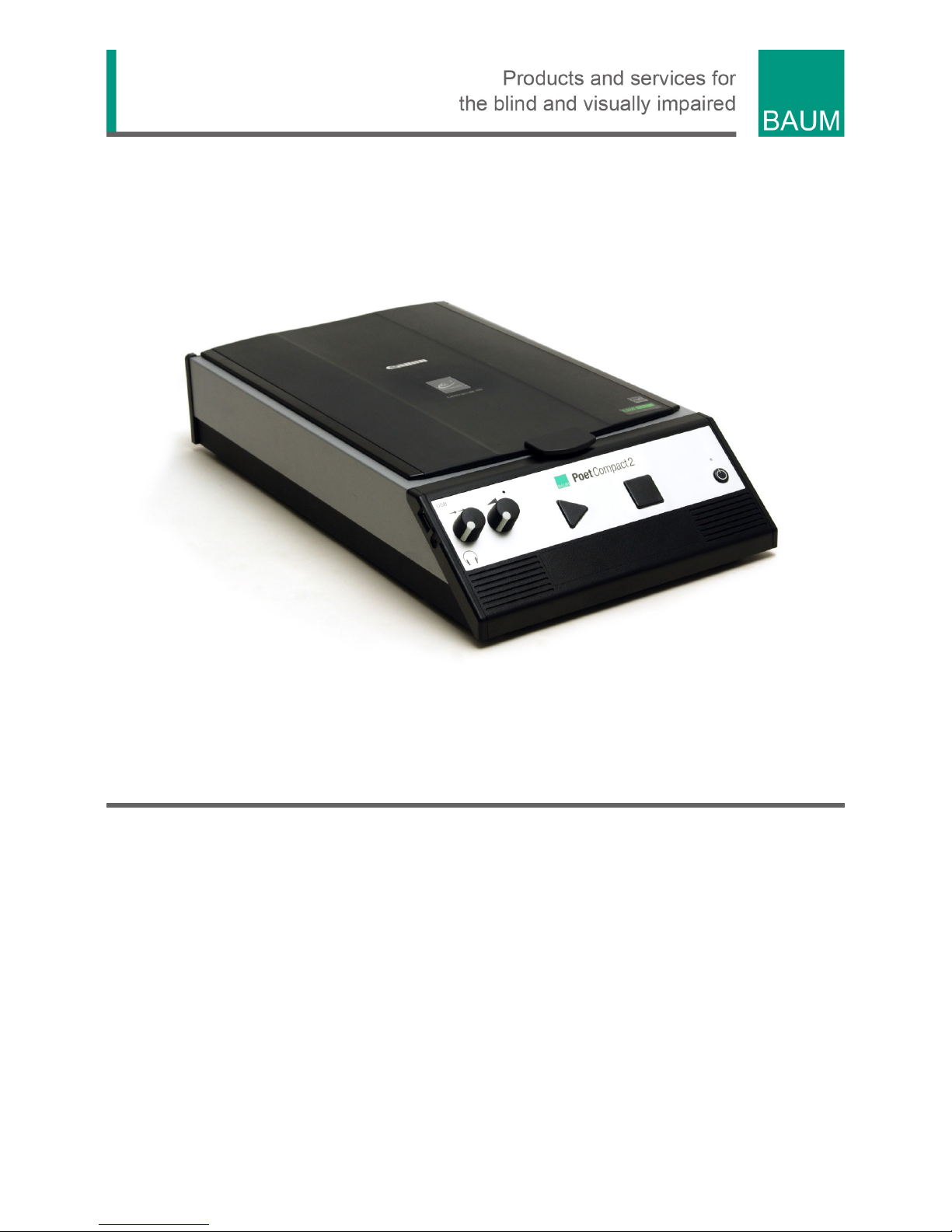
Poet Compact 2
User Guide
Item number: 102311H11
From Software version 4
User guide version: 1.4
English 06/2017
Page 2

Page 3

About BAUM 3
About BAUM
BAUM Retec AG has been a leading provider of products and services
for blind and visually impaired people for more than 35 years. The high
quality and innovative braille products, desktop magnifiers, reading
machines, and software solutions are developed and manufactured in
Germany, and are ideal for educational, professional and private use.
Our Mission
“We believe in independence for every person who is blind or visually
impaired. We passionately apply our skills and experiences toward
developing solutions that reinforce success at school and work, and
improve quality of life.
We always question the way things have been done in the past. We
explore new and innovative ways to solve problems. Our approach
includes ergonomics, thoughtful design, and materials that meet the
highest quality standards. We care deeply about our customers, and help
and support them as much as we can. We care about our employees
too, and support them to reach their highest potential, ensuring a secure
and lasting working environment.
We develop innovative technology solutions that provide independence
for people who are blind or visually impaired. Our high-quality solutions
allow visually impaired people to magnify their world, and blind people to
access electronic and print content with speech or braille output.”
Wolfgang Baum, Chief Executive
Page 4

Contents 4
Contents
1 ABOUT THIS USER GUIDE ............................................................................................. 5
2 BEFOR YOU BEGIN ......................................................................................................... 6
W
HAT IS IN THE BOX .................................................................................................. 6 2.1
3 DESCRIPTION OF DEVICE ............................................................................................. 7
D
ESCRIPTION OF KEYS AND PORTS ............................................................................ 7 3.1
4 READING WITH POET COMPACT .................................................................................. 9
S
ET UP AND TURN ON THE DEVICE ............................................................................. 9 4.1
S
CANNING AND READING A DOCUMENT ...................................................................... 9 4.2
V
OLUME AND READING SPEED CONTROL ................................................................. 10 4.3
R
EAD PAGE AGAIN ................................................................................................... 10 4.4
M
OVING BACKWARDS IN THE DOCUMENT ................................................................. 10 4.5
T
URN OFF THE DEVICE ............................................................................................ 10 4.6
S
AVING AND RETRIEVING DOCUMENT PAGE .............................................................. 11 4.7
C
HANGE LANGUAGE FOR RECOGNITION AND READING VOICE .................................. 11 4.8
5 CONNECTION OF CABLE REMOTE CONTROL .......................................................... 12
6 SYSTEM VERSION AND SERVICE SETTINGS ............................................................ 13
7 CONNECTION OF CABLE REMOTE CONTROL .......................................................... 14
8 TROUBLESHOOTING .................................................................................................... 15
9 DEFECTS AND REPAIR ................................................................................................ 16
10 COMPLIANCES .............................................................................................................. 17
CE
KONFORMITÄT ................................................................................................... 17 10.1
E
NVIRONMENTALLY FRIENDLY DISPOSAL ACCORDING TO EC-DIRECTIVE 2002/96/EG10.2
17
11 WARRANTY ................................................................................................................... 20
12 SAFETY INSTRUCTIONS .............................................................................................. 21
13 TECHNICAL SPECIFICATION ....................................................................................... 25
Page 5

About this user guide 5
1 About this user guide
Congratulations on your decision to purchase the POET Compact 2.
We are sure you will enjoy reading with the new comfortable reading
machine
Poet Compact 2 is developed to scan printed text and to read it aloud
with a naturally sounding TTS speech output.
Poet Compact helps you stay autonomic and independent when handling
printed matter.
All efforts have been made to ensure that information contained in this
document is correct at the time of issue. Neither BAUM Retec AG nor its
representatives assume any responsibility for errors or omissions. Nor is
any liability assumed for damages resulting from the use of information
contained herein.
We suggest that you store this user guide in a safe place for future
reference.
Notice for End Users in Germany/Europe
This user guide is a part of the product, and should be kept with the
product at all times. In the event your product is ever sold to a new end
user, this user guide must be provided to them.
Copyright © 2017 BAUM Retec AG, Industriestr. 15, 74909
Meckesheim, Germany. All rights reserved. No part of this publication
may be reproduced or distributed in any form or by any means, or stored
in a database or retrieval system, without prior written permission from
BAUM Retec AG.
All efforts have been made to ensure that information contained in this
document is correct at the time of issue. Neither BAUM Retec AG nor its
representatives assume any responsibility for errors or omissions. Nor is
any liability assumed for damages resulting from the use of information
contained herein.
Licenses and trademarks
All licenses and trademarks are the property of their respective owners.
Page 6

Befor you begin 6
2 Befor you begin
Please check the contents of the package. In case you notice that parts
are missing or damaged please contact your dealer immediately.
What is in the box 2.1
Poet Compact
Power cable
User’s Guide
It is strongly recommended that you retain all packaging, in case you
need to return the device for any reason in the future. Improper packing
when shipping the device may void warranty.
Carefully read the manual and safety instructions before turning on the
device for the first time.
The device is may only be used in home and office environment. In
medical institutions use of the device is limited to office rooms.
Page 7
Description of Device 7
3 Description of Device
Description of keys and ports 3.1
The buttons and loud speakers are located on the front side of the
reading machine. The cover of the scanner is located on the top, the
mains connector jack and the transportation lock are located on the rear.
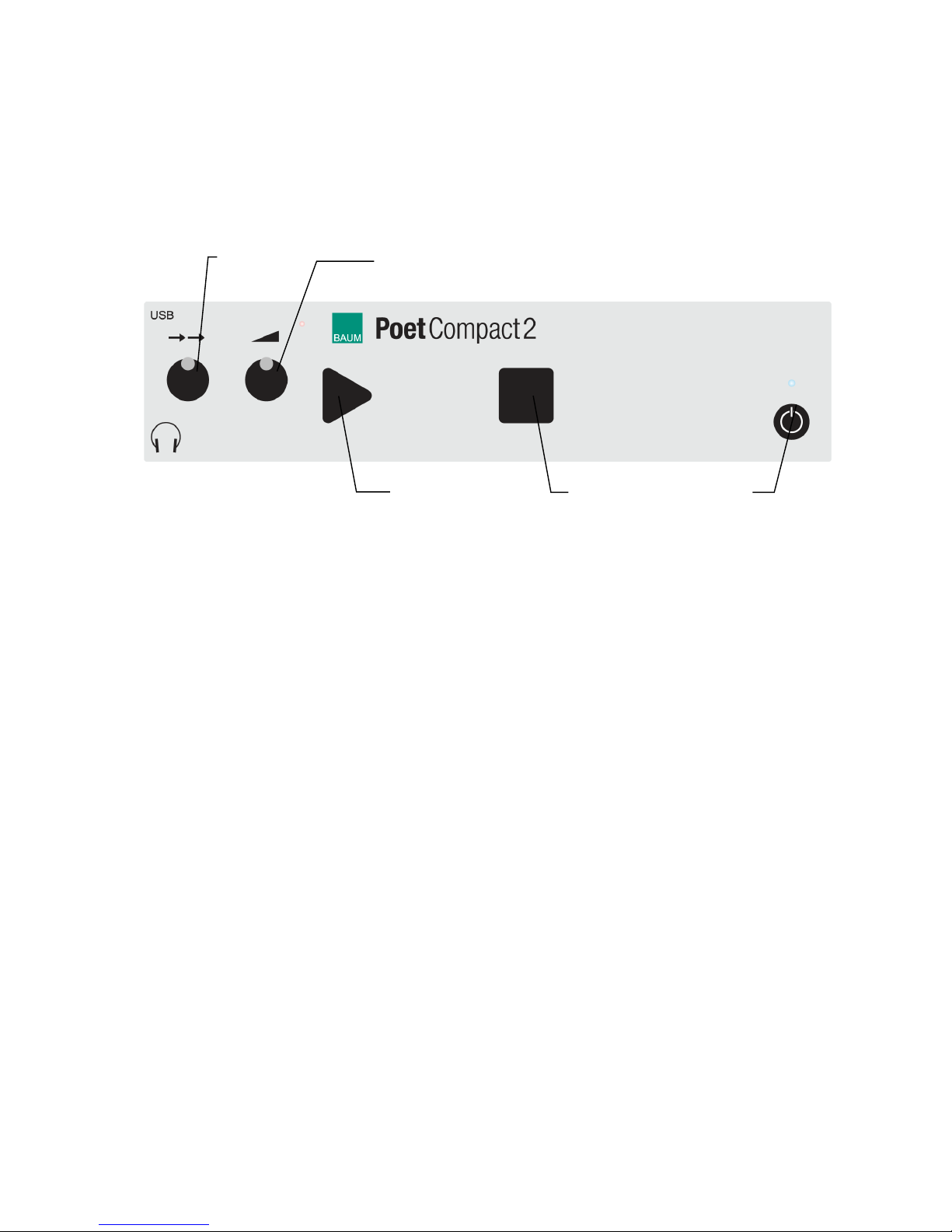
Front panel (from left to right)
Left rotary knob = Speed control of reading voice.
Right rotary knob = volume control.
triangular start key = starts scanning the document page.
square stop key = Stops or resumes reading.
round power on/off key = Turns on or off the device.
LED above the on/off key = green light while device is turned on.
Connectors for headphones and USB port are on the left edge of the
front panel, next to the speed control.
Stereo loudspeakers are below the control panel.
Top of device:
Cover of the scanner glass. Open vertically backwards.
A grip at the front edge in the middle of the cover helps to open the
cover easily.
scanner glass .
Speed
Start
Stop
Page 8

Description of Device 8
Rear:
Mains connector: left.
Transportation lock: slide switch, in the middle.
(Unlock position = Push switch to the direction of mains connector)
USB port: Deepening, in the middle.
Page 9

Reading with Poet Compact 9
4 Reading with Poet Compact
Set up and turn on the device 4.1
1. Put the device on a flat surface and make sure the device is standing
steady
2. Make sure, that there is some space between the sides of the device
and other things for an adequate airing.
3. Check, if the slide switch of the transport lock on the rear side is in the
unlock position. That means pushed to the direction of the mains
connector.
Otherwise the scanner is blocked and the device cannot scan texts.
4. Plug in the power lead to the mains connector on the rear side and
plug the cable into a live mains socket.
5. Press the power on key, (round key, to the very right on the front
panel)
6. While starting you get various sounds. At first some beeps then some
clicking sounds. Wait until you hear the prompt „Poet ready“.
Scanning and reading a document 4.2
1. Lift the cover.
2. Put your document on the glass, print side down. When scanning
books press both pages down on the glass and make sure, they rest
flat on the glass.
3. Close cover.
4. Press the triangular start key.
5. Reading starts after some noise and sounds.
6. By pressing the square stop key you can interrupt reading. Press stop
key again to resume reading at the position where you stopped
before.
Page 10

Reading with Poet Compact 10
Volume and Reading Speed Control 4.3
Make your settings while a document is being read to you, to directly
check the result.
Increase Volume = Turn the right rotary knob clockwise.
Decrease Volume = Turn the right rotary knob counter clockwise.
Increase reading speed = turn the left rotary knob clockwise.
Decrease reading speed = Turn the left rotary knob counter clockwise.
NB: Changing the reading speed reacts a bit delayed.
Read page again 4.4
1. Put the document back on the glass, in case it was removed.
2. Press the triangular start key.
3. Reading starts after some sounds.
4. By pressing the square stop key you can interrupt reading. Press stop
key again to resume reading at the position where you stopped
before.
Moving backwards in the Document 4.5
1. Press and hold the square Stop key for about 3 seconds.
2. Reading stops and you hear some clicking sounds followed by a
single sound. This sound informs you, that you now jump back a
sentence within the document.
3. The sentence is read aloud.
4. Afterwards you either can jump back one more sentence by a long
press on the square stop key in the same way as described above, or
start the continuous reading by pressing the square stop key briefly.
Turn off the Device 4.6
1. Press the round power on/off key, to the very right on the front panel.
Page 11

Reading with Poet Compact 11
2. You hear a sound signal and you get the prompt „Poet is turned off“
followed by some beeps. The last document page will be saved
automatically.
3. After a short time the beeps stop and the green LED above the power
on/off key turns off and the device is shut down completely.
Note: Please always first turn off the device before you pull off the power
lead or before you switch off the power supply.
Saving and retrieving document page 4.7
When you turn off Poet Compact the last scanned document page is
saved automatically.
When you turn on Poet Compact this saved document page is loaded
automatically. Pressing stop key after turning on the device starts
reading this saved page. If a new page is scanned by pressing the start
key, the former saved page is deleted.
If you turn off the device the last current scanned document page is
again saved automatically.
Change Language for Recognition and 4.8
Reading Voice
Poet Compact is available in a version with an optional second language
for text recognition and reading voice. Provided you have got this
version, you can switch between those two languages easily by a long
press on the triangular START button. Press until Poet Compact 2
beeps. It reads then with the other language.
Page 12

Connection of cable remote control 12
5 Connection of cable remote control
You can connect an external remote control in shape of a USB numeric
keyboard to the USB port of Poet Compact. This offers you reading and
navigation options in the document page. To execute the reading
commands, press the assigned number key.
1: previous word.
2: read current word / spell / use spelling table.
3: next word.
4: previous sentence.
5: current sentence.
6: next sentence.
7: previous line.
8: current line.
9: next line.
Enter key: Pause / Resume
Page 13

System version and service settings 13
6 System version and service settings
With the options of the special functions you can check the version
number. Moreover you can execute various settings (Restore factory
settings, Software Update, etc.)
Proceed as follows to enter the special functions:
1. Press and hold the triangular start key and in addition briefly press the
square Stop key. Then release both keys.
2. You hear a clanging sound.
3. Press and release once again start and stop key as described in step
1. Again you hear the clanging sound.
4. Press and release start and stop key in the same way for the third
time.
5. You get the prompt “special functions”.
6. By pressing the start key you can browse through the various options,
i.e . „Exit special functions“.
7. Press stop key to execute the selected option.
8. The announcement „text window“ informs you, that the special
functions are closed and that you can use the start key for scanning
documents again.
Example:
To check the version number information press multiple times in the
special functions the start key until you get the option „Poet Info“. Then
press stop key. The system information is announced and the special
functions are closed afterwards.
Page 14

Connection of cable remote control 14
7 Connection of cable remote control
You can connect an external remote control in shape of a USB numeric
keyboard to the USB port of Poet Compact. This offers you reading and
navigation options in the document page. To execute the reading
commands, press the assigned number key.
1: previous word.
2: read current word / spell / use spelling table.
3: next word.
4: previous sentence.
5: current sentence.
6: next sentence.
7: previous line.
8: current line.
9: next line.
Enter key: Pause / Resume
Page 15

Troubleshooting 15
8 Troubleshooting
Poet does not speak anymore:
- Check the volume control. Turn the right rotary knob to a medium
position.
You cannot comprehend any word while reading:
- Check the speed control. Turn the left rotary knob to a medium
position.
- Check if the text is printed in foreign language or handwritten.
No text is recognized and read after scanning:
- Check that the sheet rests properly with the printed side down to
the glass. If necessary turn around the sheet and start scanning
once again.
- Check if there are pictures or if the text is printed on a colored
background.
- Check if the transportation lock is unlocked. Push the slide switch
at the rear side completely to the direction of the mains connector.
Scanning does not start though the triangular start key is
pressed:
- Check if the device is turned on. Green light on the LED.
- Do you get an announcement when pressing start key? What is
announced? Probably you have entered the special functions.
Press start key multiple times until you reach the option „Exit
special functions“. Then press the square stop key.
The device does not react on any keystroke and cannot be
turned off.
- Press and hold the power on/off key until the light of the LED goes
off. (ca. 30 sec.). After that power on the device as usual. If this
does not restart the device, then you should contact the customer
support for assistance.
Page 16

Defects and Repair 16
9 Defects and Repair
If Poet Compact 2 is defective– what to do?
Do not use a broken device! Unplug broken device from mains! Please
do not hesitate to contact your local BAUM dealer or BAUM Retec AG.
You can reach BAUM Retec AG at telephone number (+49) 6223 4909-0
in Germany. We will help you check your Poet and in case it is broken
we can mail a service box for shipping Poet to our repair department.
Show this user guide to the person who will help you packaging Poetin
the service box.
Page 17
Compliances 17
10 Compliances
CE Konformität 10.1
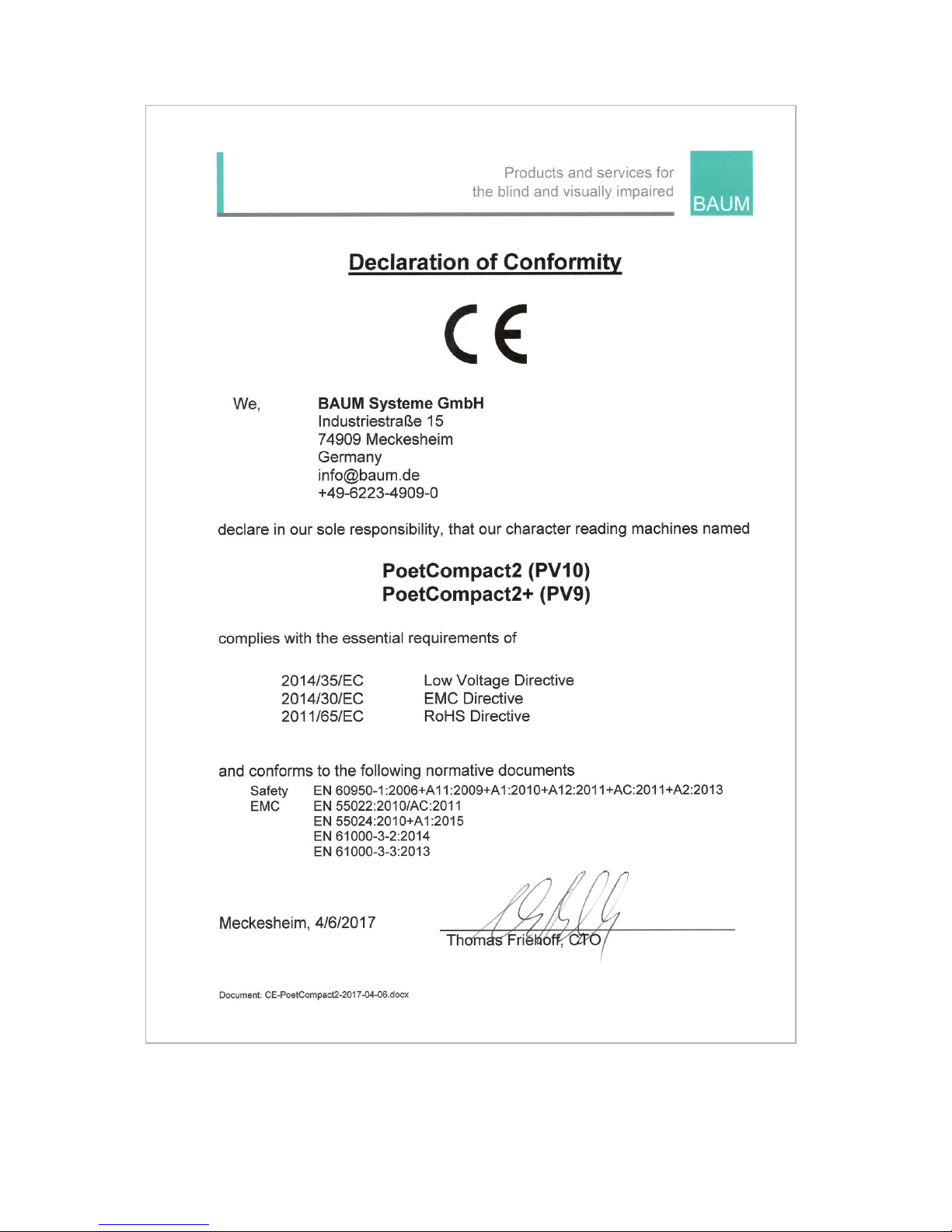
This product conforms to the guidelines of the European
Union and takes the CE- and ROHS marking.
Environmentally friendly disposal according 10.2
to EC-Directive 2002/96/EG
The symbol (crossed garbage can), which is also attached to
the device, states that this device and its accessories, once
come to the end of its lifetime, should not be regarded as
household waste. An environmentally friendly way of final
disposal is compulsory.
This device contains electronic components. In order to avoid risks or
dangers for the environment through non-professional waste disposal,
the disposal of this device and its accessories must correspond to the
valid EC-Directives or other local regulations. Please check your local
regulations for proper disposing of this device or consult your local
distributor.
For data privacy protection reasons, please remove all personal data
from the device prior to disposal.
Page 18

Page 19
Page 20

Warranty 20
11 Warranty
BAUM Retec AG warrants the device, effective from the date of delivery,
to be free of any defects in material and workmanship. Warranty is not
transferable and does not apply to groups, multi users or agencies. This
device has been designed for the individual purchaser to be used in
home or office environments. BAUM Retec AG reserves the right to
repair or replace with a similar or better product. In no event shall BAUM
Retec AG or its distributors be liable for indirect or consequential
damages. The original users’ remedies are limited to replacement of
devices modules/parts. This warranty is valid only when service is done
in the country of original purchase and with intact warranty seals. For
additional warranty claims or service during or after warranty period,
please refer to your local distributor. BAUM Retec AG does not take
responsibility for use of this device other than described in this Manual.
Warranty on new devices is 24 months.
Warranty on used or refurbished devices is 12 months.
Warranty on Consumable parts (Batteries, Braille Pins, Data carriers
etc.) is 6 months.
Warranty on storage media (SD-cards, CD-ROMS, DVD’s, etc.) is 90
days.
Warranty on repairs and spare parts is 12 months.
All defects caused by improper use or users fault are not covered by this
warranty.
Warranty will be void if warranty seal is damaged.
Parts replaced during repair are transferred into ownership of BAUM
Retec AG and will not be returned to the customer.
In case of repair the device must be properly packed into its original
shipping box.
Costs for packing, shipping and insurance are not covered by BAUM.
Page 21

Safety instructions 21
12 Safety instructions
Important note: Failure to observe the following warnings may
invalidate the guarantee and could cause damage of the device or
serious injury.
Please check contents of package before you use the device. If parts are
damaged or missing, please do not hesitate to inform your dealer.
Please keep the shipping box, so you can safely pack the device in case
you have to ship it for service, etc. Improper packaging could cause loss
of warranty. In case you need a new shipping box, your dealer can send
you one.
Please carefully read the user guide and safety instructions before you
use the device for the first time.
This device may only be used in a home or office environment.
Do not place on an instable surface. It may fall causing serious damage
to the device or injury to the user. Please follow the instruction on how to
place the device especially in respect to avoidance of tilting and falling
down by keeping proper space to edges of table.
The device contains moving parts. Please take care when adjusting the
display or moving the arms to fold the device. Injury may occur if fingers
or clothing are caught in the operating mechanism. If you have difficulties
in operating the unit safely, please seek advice or contact your local
dealer.
Connect the power supply to a grounding-type power outlet only.
Do not use the device if you find any damages at device or wires.
If the device appears to be operating abnormally, or to be damaged in
any way, please contact your BAUM dealer as soon as possible.
Page 22

Safety instructions 22
If you smell smoke or an door coming out of the device, turn off the
power immediately.
Do not try to repair the device yourself. Opening or removal of housing
may cause damage or injury.
Do not allow sand or dust to come into contact with the device as this
may lead to serious damage and could make repair impossible.
Use the device with clean hands only.
Do not use in locations where strong radio waves are emitted or where
there is radiation. Keep a distance of at least 30cm to mobile phones.
Only use original accessories. Use of second source accessories may
damage the device or cause malfunction or safety issues.
Do not use a power supply not made for this device. Only use the
original power supply!
Do not use the power supply with other devices.
Avoid liquids and food near the device.
Do not use or store the device in any of the following places as this may
cause damage:
Inside cars parked with the windows closed in the hot sun.
In direct sunlight or close to heaters, radiators, etc.
Locations subject to severe vibration such as on top of a washing
machine.
Locations subject to strong magnetism such as near loudspeakers.
Humid places (bath room), in water, or near water.
In rain or snow
Do not use or store below 0°C or above 40°C.
Humidity shall be within 20% to 80%
Avoid fast temperature changes
Page 23

Safety instructions 23
If you bring the device from cold places into a warm room, humidity may
condensate. Wait until the device is dry and well-tempered to room
temperature before use.
Unplug from mains before cleaning.
Wipe dust and dirt from the device with a soft cloth dampened with a
diluted neutral detergent, then wipe dry with a cloth. Do not bring in
contact with water.
Do not insert objects into openings.
Do not use device during thunderstorms. Unplug from mains during
thunderstorms. We recommend use of an overvoltage protection
adapter, which can be bought from your local electro store. Please note,
this does not provide a 100% protection from overvoltage.
Do not insert or remove the plug with wet hands.
Do not heat in a microwave oven, on a cooker or similar.
Never disassemble, attempt to repair or modify device yourself.
If liquids or metal fragments should enter device, switch it off and remove
the power lead immediately.
Do not pull the plug out by the lead when removing the power plug.
Avoid shock. Do not throw or let fall.
Repairs may only be carried out by BAUM service personnel or by
service technicians authorized by BAUM Retec AG.
Care and maintenance
Avoid damp and water.
Use only a clean, dry cloth to clean the housing of the device. Do not use
any cleaning fluids or solvents. Wipe dust and dirt from the housing of
Page 24

Safety instructions 24
the device with a soft cloth dampened with a diluted neutral detergent
(stay clear from the Braille cells and Roll-bars!), then wipe dry with a
cloth. Do not attempt to clean the Braille cells and/or Roll-bars yourself.
Contact your dealer for intensive and professional cleaning of your
device.
Protect the device from extreme heat, e.g. from the sun, heating units,
hot cars etc.
With extreme cold and frost the device becomes inoperable and must be
brought slowly back to room temperature. Under no circumstances must
the device be warmed up or “thawed out” in a conventional oven,
microwave oven or any other heating device!
Avoid any mechanical damage to the housing or accessories.
Use only the power supply for the device provided.
Page 25

Technical Specification 25
13 Technical Specification
Size: 27 x 47 x 9,5 cm (10.6 x 18.5 x 3.74 inches)
Weight: 5,8 kg (204.6 oz)
Ports: 3.5mm stereo Headphone jack, USB 2.0 host interface
Power supply: 110-240V AC, 50-60Hz
Temperature: 5 °C to 40 °C (41°F to 104°F)
Air humidity: 20% to 80 %
Page 26

Page 27

Page 28
© 2017 BAUM Retec AG
Manufacturer:
BAUM Systeme GmbH
Industriestr. 15
74909 Meckesheim
Germany
Sales and Support:
BAUM Retec AG
Industriestr. 15
74909 Meckesheim
Germany
Phone: +49 6223 4909-0
Fax:
+49 6223 4909-397
Email:
Web:
www.baum.de
BAUM (USA) Inc.
13 Branch Street, Suite 205
Methuen, MA 01844
USA
Phone: +1 855 620-7985
Email:
Web:
www.baumusa.com
BAUM Retec (UK) Ltd
Hamilton House
Mabledon Place
London, WC1H 9BB
United Kingdom
Phone: +44 800 043 3199
Email:
Web:
www.baumuk.com
Please be advised that this user guide may contain errors, and is therefore
subject to being changed or updated without prior notice.
 Loading...