

Page 1
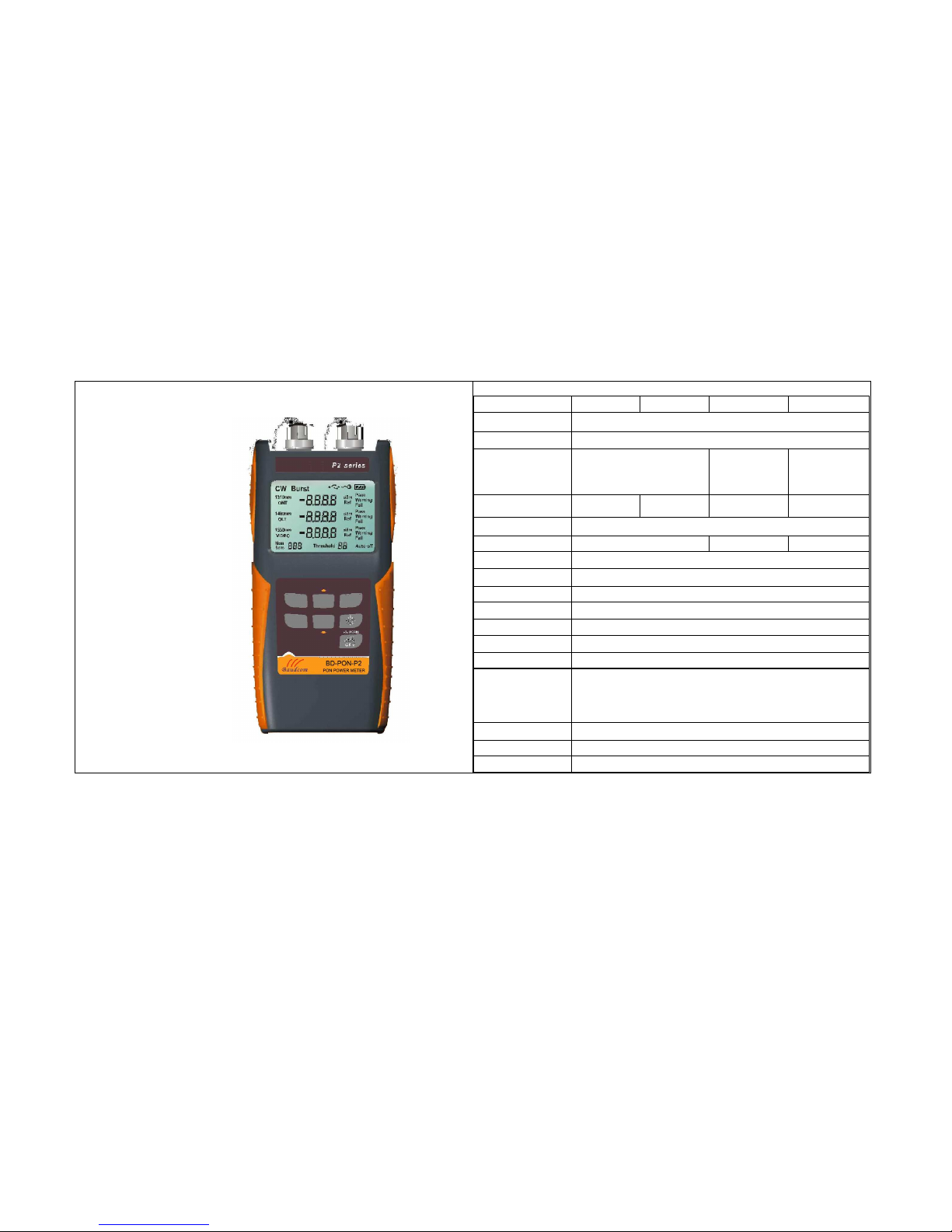
BD-PON-P2
Power Meter
Quick Guide
Specification
Calibrated wavelength 1310nm(Burst) 1310nm(CW) 1490(nm) 1550(nm)
Sensor type InGaAS
linearity
±0.2dB@1550nm≥-40dBm
Isolation
1490nm wave band>40dB
1550nm wave band>40dB
1310nmwave
band>40dB
1550nmwave
band>30dB
1310nmwave
band>40dB
1490nm wave
band>30dB
Mearsuring Range(dBm) -30dBm~+16dBm -40dBm~+16dBm -50dBm~+16dBm -50dBm~+23dBm
Insertion Loss(dB) 1.5
Spectral Width(nm) 1260~1360 1480~1500 1539~1565
Accuracy(dB)
0.5dB±1nW@1550nm
Threshold
10sets,set by upper-computer
Data stroage 900 sets
Working Temp
-10°C ~ +50°C
Humidity 0% ~ 95%RH
Adapter
SC/PC(ST/PC、FC/PC customizable)
Communicating port USB port
Power Supply
2
*AAA battery
External power
AC adapter DC6V/1A(optional)
Dimension L*W*H 170mm*76mm*45mm
Weight Approximate 400g
Page 2
General Description
BD-PON-P2 power meter is a small size,low loss and good quality handheld optical
power meter.it is designed for the test,installation and maintenance of FTTx PON
network,compatible with the networks of APON,BPON,EPON and GPON .BD-PON-P2 has
two measuring ports for ONU and OLT/video,which support CW/brust upstream detection at
1310nm and downstream at 1490/11550nm.It can directly indicate the test,pass,warning or
failure status of optical network by threshold setting. BD-PON-P2 is the ideal tool for PON
setting and maintenance.
Feature
Hand-held,compact design for site operation
Two testing ports with "ONU" &"OLT/Video"
Support networks of APON、BPON、EPON、GPON
Able to storage measuring data
Interface by USB port
Built-in intelligent charging function
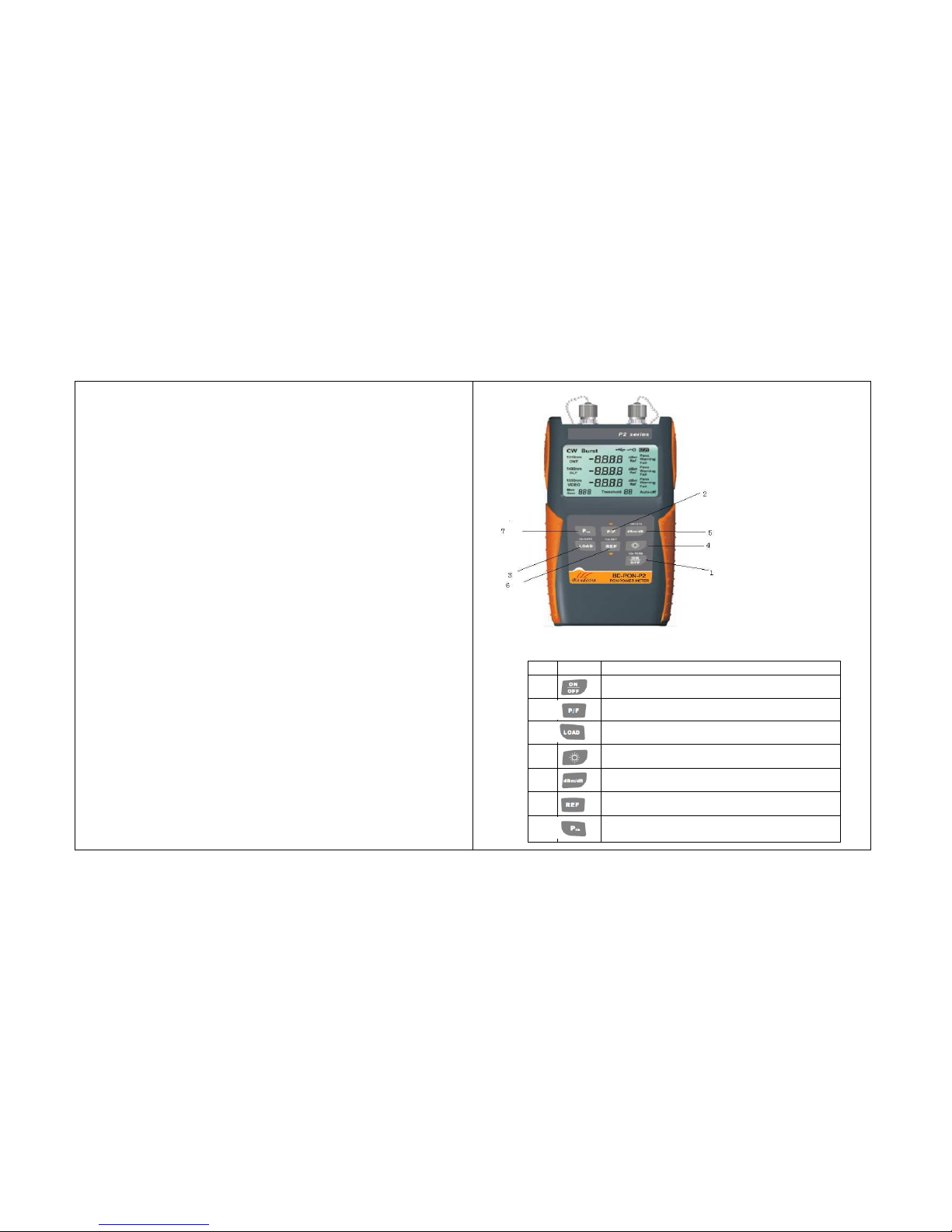
Button Definition
um Icon Description
1
Power button. Hold(>2s)to turn off the function of auto-shut
down.
2 Measuring mode select button. Able to switch between normal
measurment and P/F measurement under main mode.
3
Storage button.In main mode,Hold(>2s)to storage value of
current optical power .
4 Backlight button. to open/close backlight. In main mode Hold
(>2s)to swith between 1310CW and 1301Burst .
5 Unit change button.Used to switch between dBm and dB.
6
In man mode. Short press to view the current value of REF:hold (>2s)
to storage current power value as reference value.
7 View the value of threshold, push" LOAD" button and dBm/dB button
simultaneously to quit..
Page 3
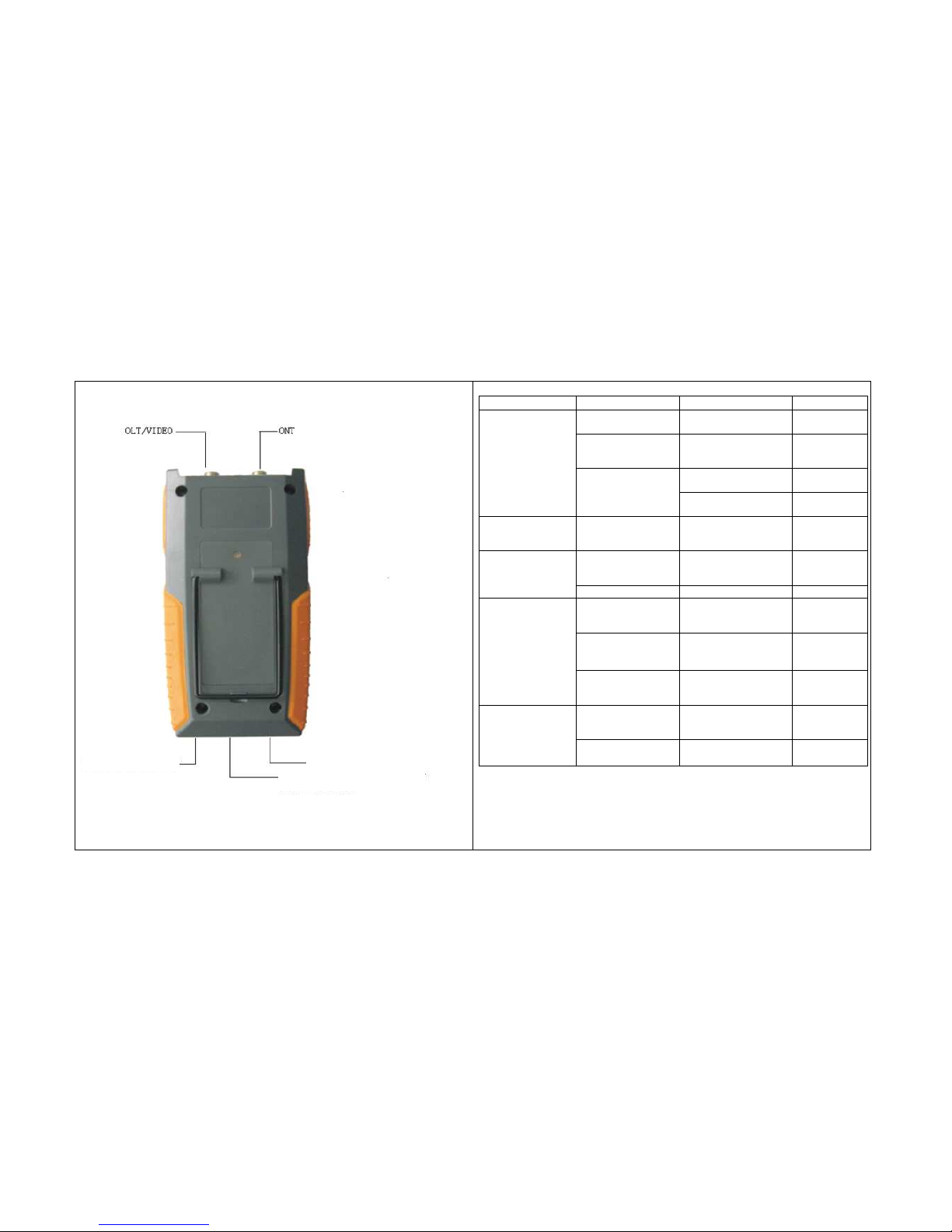
Port Indication:
Fault Reason Solution Remark
No batteries or external
power
fill batteries or connect
external power
Slove by yourself
Batteries have no power Replace batteries or charge
rechargeable batteries
Slove by yourself
Reconnect batteries in a right
way
Slove by yourself
Can't turn on meter
Batteries are not in the
proper position
Still can't slove this problem Send it back to
manufacturer
Shut down immediately
after turned on
Batteries have no power Replace batteries or charge
rechargeable batteries
Slove by yourself
Connector has
contaminant inside
Clean by
alcohol-impregnated cotton
Slove by yourself
Measuring error is big
Not connected properly reconnect Slove by yourself
High Humidity Try to reduce humidity or
change to another
environment
Slove by yourself
Environmental magnetic
field is too strong
Get away from the magnetic
field
Slove by yourself
Display error
information or messy
code
Too many metal-dirt in the
air
If circuit has broken then
change the mother board
Send it back to
manufacturer
High Humidity Try to reduce humidity or
change to another
environment
Slove by yourself
Can't turn on or turn off
meter properly
Power button has broken Replace a new one Send it back to
manufacturer
Caution:
This meter has the function of intelligent charging, please use optional rechargeable batteries and adapters
which manufacturer recommended. Manufacturer shall not responsible for the damage caused by other batteries
and adapters.
It is forbidden to charge AAA battery by this meter, manufacturer shall take no joint liability for explosion, fire
or other unpredictable accident caused by wrong operation.
Indicator light
Power socket(DC6V)
USB port
Standard accessories:2*AAAbattery, USB cable,cross screwdriver,manual
Optional accessories: power adapter, 2*rechargeable battery,storage pocket
Page 4

Common Maintenance:
1. Please shut off and cap protecting cover for fiber port after use then
keep it in ventilated and dry place.
2. If you don't use this meter for a long time please take out the batteries in
order to avoid the corruption of battery.
3. Meter needs matched accessory and adapter for External power to
prevent permanent damage.
4. Clean fiber connector regularly.
5. Calibrate once a year to keep the accuracy of measurement
6. Please don't disassembly the meter,This may result in permanent
damage and loss of guarantee qualification.
①Working hours will different under various condition and battery status.
②This meter has the function of charging ,in order to avoid explosion,
please use suitable rechargeable battery and don't use unrechargeable
batteries.
 Loading...