

Page 1
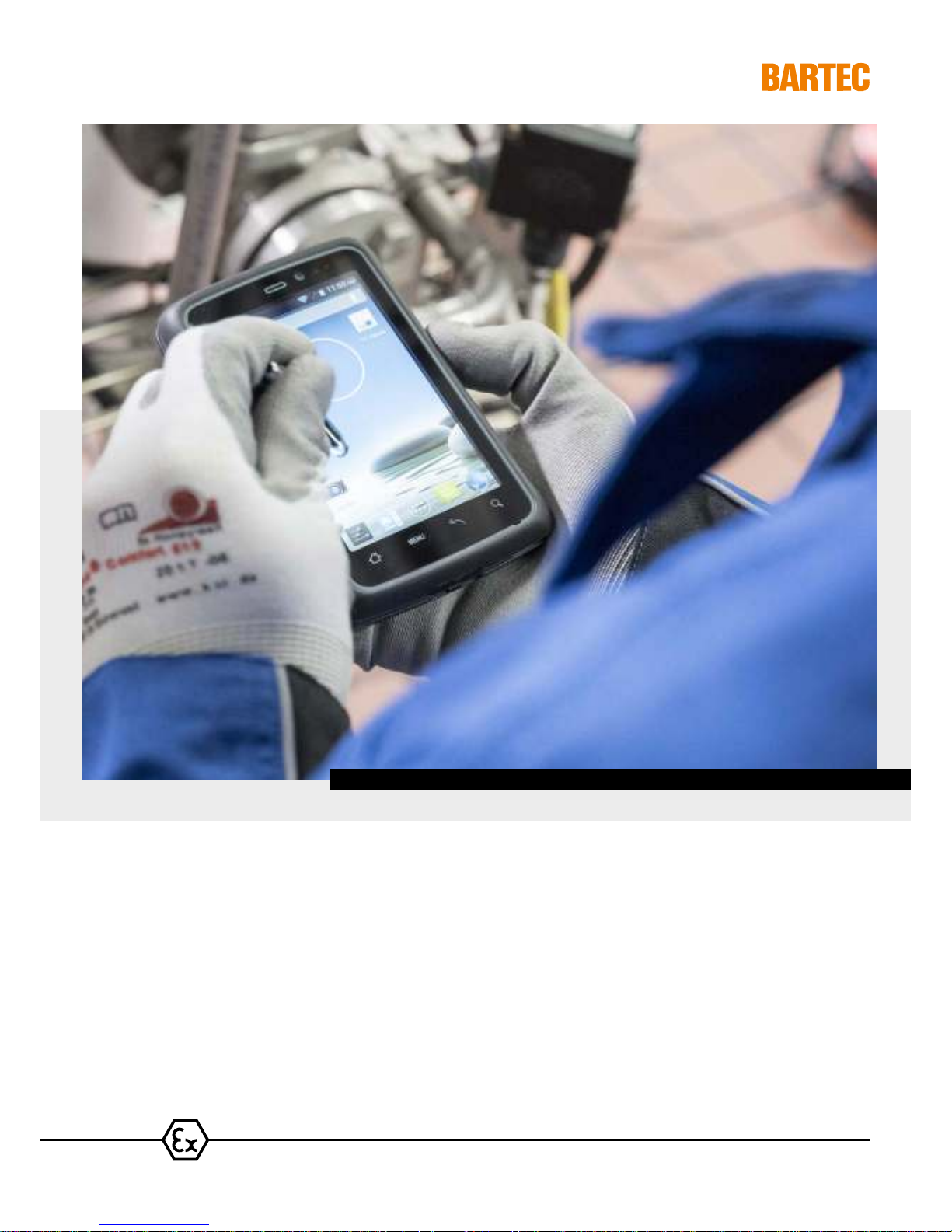
4,3" Industry Mobile Computer Type B7-A2P4-..../........
Lumen X4 User Manual
ATEX / IECEx Zone 2 and 22 CSA Class I Division 2
Page 2

Page 3
BARTEC GmbH
Contact:
Max-Eyth-Straße 16
Phone: +49 7931 597-0
97980 Bad Mergentheim
Fax: +49 7931 597-119
Download:
Germany
www.bartec.de/automation-download
User Manual - Translation
4.3" Industry Mobile Computer - Lumen X4
Type B7-A2P4-…./……..
ATEX / IECEx Zone 2 / 22
CSA Class I Division 2
Document No.: B1-A2P4-7D0001 / 391871
Revision 0 / Status: 23 March 2016
Proviso: Subject to technical changes. Changes, mistakes and printing errors do
not substantiate any claim to damages.
Content Page
English 1-70
Page 4

Table of Content
4.3" Industry Mobile Computer - Lumen X4
Type B7-A2P4-.…/……..
Subject to technical changes.
03/2016
1. Basic safety information ............................................................................................................................................................. 1
1.1 Information on this User Manual ........................................................................................................................ 1
1.1.1 Languages ......................................................................................................................................................... 2
1.1.2 Changes in the document .................................................................................................................................. 2
1.1.3 Registered trademarks ....................................................................................................................................... 2
1.2 Handling the product .......................................................................................................................................... 2
1.3 Intended use ...................................................................................................................................................... 2
1.3.1 Exclusive purpose .............................................................................................................................................. 2
1.3.2 Unintended use .................................................................................................................................................. 3
1.4 Duties of the operator ........................................................................................................................................ 3
1.5 General safety information ................................................................................................................................. 3
1.6 Maintenance ...................................................................................................................................................... 3
1.6.1 Servicing ............................................................................................................................................................ 3
1.6.2 Inspection ........................................................................................................................................................... 4
1.6.3 Repairs ............................................................................................................................................................... 4
1.6.4 Commissioning .................................................................................................................................................. 4
1.7 Labelling, test certificate and standards ............................................................................................................ 4
1.8 Warranty............................................................................................................................................................. 4
1.9 Co-applicable documents - set of documents.................................................................................................... 5
1.10 Definition of terms .............................................................................................................................................. 6
1.11 Configuration ...................................................................................................................................................... 6
2. Product description ..................................................................................................................................................................... 7
2.1 Lumen X4 ........................................................................................................................................................... 7
2.2 Structure ............................................................................................................................................................ 7
2.3 Purpose of use ................................................................................................................................................... 9
3. Technical data ............................................................................................................................................................................ 10
3.1 Explosion protection NI .................................................................................................................................... 10
3.2 Applicable standards ........................................................................................................................................ 11
3.3 Features ........................................................................................................................................................... 12
3.3.1 Performance features ...................................................................................................................................... 12
3.3.2 Physical features .............................................................................................................................................. 13
3.3.3 User environment ............................................................................................................................................. 13
3.3.4 Voice and data transmission Wi-Fi (Wireless LAN) ......................................................................................... 14
3.3.5 Voice and data transmission Wireless WAN ................................................................................................... 14
3.3.6 Voice and data transmission Bluetooth ........................................................................................................... 14
3.3.7 Camera ............................................................................................................................................................ 14
3.3.8 Barcode scan options ...................................................................................................................................... 15
3.3.9 Decodable barcode type options ..................................................................................................................... 15
3.3.10 Decode range .................................................................................................................................................. 16
3.3.11 RFID ................................................................................................................................................................. 16
3.4 Battery .............................................................................................................................................................. 17
3.5 External interfaces ........................................................................................................................................... 18
3.6 Product labelling .............................................................................................................................................. 18
3.7 Laser labels ...................................................................................................................................................... 20
4. Transport and storage............................................................................................................................................................... 21
4.1 Transport .......................................................................................................................................................... 21
4.2 Storage............................................................................................................................................................. 21
5. Commissioning .......................................................................................................................................................................... 22
5.1 Scope of delivery ............................................................................................................................................. 22
5.1.1 Optional accessories ........................................................................................................................................ 22
5.2 Requirements in potentially explosive atmosphere ......................................................................................... 23
5.3 Handling accessories ....................................................................................................................................... 24
5.4 First steps ........................................................................................................................................................ 24
5.4.1 Insert SIM card and Micro SD card .................................................................................................................. 25
5.4.2 Insert battery .................................................................................................................................................... 26
5.4.3 Charge battery ................................................................................................................................................. 26
5.4.4 Turning On and Off the Lumen X4 Industry Mobile Computer ........................................................................ 27
5.4.5 Resetting the Lumen X4 to factory defaults ..................................................................................................... 28
5.4.6 Remove/replace screen protector .................................................................................................................... 29
5.5 RFID HF / NFC ................................................................................................................................................ 29
Page 5

4.3" Industry Mobile Computer - Lumen X4
Type B7-A2P4-.…/……..
Table of Content
Subject to technical changes.
03/2016
6. Operation .................................................................................................................................................................................... 30
6.1 Final inspection ................................................................................................................................................ 30
6.2 Care and cleaning ............................................................................................................................................ 30
6.2.1 Care ................................................................................................................................................................. 30
6.2.2 Cleaning ........................................................................................................................................................... 30
6.2.3 Suitable materials for cleaning ......................................................................................................................... 31
6.3 Operation, recommendations and requirements ............................................................................................. 32
6.3.1 Basic safety and health protection requirements ............................................................................................. 32
6.3.2 Information on the use of wireless devices ...................................................................................................... 34
6.3.3 Equipment of the laser devices ........................................................................................................................ 35
6.3.4 LED devices ..................................................................................................................................................... 35
6.3.5 Restrictions in the case of wireless devices .................................................................................................... 35
6.4 Operating frequency - FCC and IC .................................................................................................................. 36
6.5 Electromagnetic fields ...................................................................................................................................... 38
6.6 Use the Android 4.2 Operating System ........................................................................................................... 39
6.6.1 Wake up the phone .......................................................................................................................................... 39
6.6.2 Use the touch screen ....................................................................................................................................... 39
6.6.3 Use the Home screen ...................................................................................................................................... 40
6.6.4 Personalize the home screen .......................................................................................................................... 40
6.6.5 Use the On-Screen Keyboard .......................................................................................................................... 44
6.6.6 Edit text ............................................................................................................................................................ 45
6.6.7 Set the display ................................................................................................................................................. 46
6.6.8 Set the audio profile ......................................................................................................................................... 46
6.6.9 Adjust volume .................................................................................................................................................. 46
6.6.10 Set language and keyboard ............................................................................................................................. 47
6.6.11 USB debugging setting .................................................................................................................................... 48
6.6.12 Use the phone .................................................................................................................................................. 48
6.6.13 Messaging ........................................................................................................................................................ 49
6.6.14 About the phone ............................................................................................................................................... 50
6.6.15 Screenshot capture .......................................................................................................................................... 50
6.7 Connection to mobile networks and devices ................................................................................................... 50
6.7.1 Check the network (GPRS/3G) connection ..................................................................................................... 50
6.7.2 Turn on the data service .................................................................................................................................. 51
6.7.3 Connect to Wi-Fi networks ............................................................................................................................... 51
6.8 Connection to Bluetooth devices ..................................................................................................................... 52
6.8.1 Turn Bluetooth on or off ................................................................................................................................... 52
6.8.2 Connect / disconnect to Bluetooth devices ...................................................................................................... 52
6.9 Connection / disconnection via USB ................................................................................................................ 53
6.10 Use the camera ................................................................................................................................................ 55
6.10.1 Open the camera ............................................................................................................................................. 55
6.10.2 Take a picture .................................................................................................................................................. 55
6.10.3 Record a video ................................................................................................................................................. 56
6.10.4 Open the galery ............................................................................................................................................... 56
6.11 Use RFID NFC/HF ........................................................................................................................................... 56
6.11.1 Enable RFID HF/NFC ...................................................................................................................................... 56
6.11.2 Daten mit Punkt zu Punkt (P2P) Verbindung übertragen ................................................................................ 57
6.11.3 Use Read / Write Function ............................................................................................................................... 58
6.12 1D/2D Imager ................................................................................................................................................... 59
6.12.1 General information ......................................................................................................................................... 59
6.12.2 WDC – Data Capture Tool ............................................................................................................................... 59
7. Faults and Troubleshouting ..................................................................................................................................................... 66
7.1 Troubleshooting ............................................................................................................................................... 66
8. Service, Inspection, Repair ....................................................................................................................................................... 67
8.1 Service intervalls .............................................................................................................................................. 67
8.2 Inspection ......................................................................................................................................................... 67
8.3 Service and repair work ................................................................................................................................... 67
8.3.1 Information on sending in for repairs ............................................................................................................... 67
9. Disposal ...................................................................................................................................................................................... 68
10. Forwarding and packaging information .................................................................................................................................. 68
11. Accessories ................................................................................................................................................................................ 69
12. Additional Information .............................................................................................................................................................. 70
12.1 Links ................................................................................................................................................................. 70
Page 6

- empty -
Page 7
4.3" Industry Mobile Computer - Lumen X4
Type B7-A2P4-.…/……..
Basic Safety Information
Subject to technical changes.
03/2016
EN 1/70
1. Basic safety information
1.1 Information on this User Manual
Read carefully before putting the devices into operation.
The User Manual is a fixed part of the product. It must be kept in the direct vicinity of the
device
and the installation, operating and service staff must have access to it at all
times.
The User Manual contains important information, safety instructions and test certificates
which are necessary for the perfect function of the device in operation.
The Us
er Manual is directed at all individuals concerned with the commissioning,
handling and servicing of the product. The applicable guidelines and standards for areas
with gas and dust atmosphere (99/92/EG, EN/IEC 60079-17 and EN/IEC 60079-19)
must be observed when conducting this work.
Knowledge of the safety and warning information in this User Manual and the strict
compliance with it is essential for safe installation and commissioning. Accidents, injuries
and material damage can be avoided by circumspect h
andling and systematically
following the instructions.
The examples, tables, and figures provided in this User Manual are for illustration
purposes. Due to the different requirements of the respective application, the BARTEC
company cannot assume responsib
ility or liability for actual use based on the examples
and figures.
The BARTEC company reserves the right to carry out technical changes at any time.
In no event will BARTEC company be responsible or liable for indirect or consequential
damages resulting from the use or application of this User Manual.
Safety and warning information is particularly emphasized in this User Manual and
marked by symbols.
DANGER
DANGER
describes a directly imminent danger. If not avoided, death or severe injury
will be the consequence.
WARNING
WARNING
describes a possibly imminent danger. If not avoided, death or severe
injury may be the consequence.
CAUTION
CAUTION
describes a possibly imminent danger. If not avoided, mild or slight injury
may be the consequence.
ATTENTION
ATTENTION describes a possibly damaging situation. If not avoided, the plant or
objects in its vicinity may be damaged.
Important information on effective, economical & environmentally compliant handling.
Page 8

Basic Safety Information
4.3" Industry Mobile Computer - Lumen X4
Type B7-A2P4-.…/……..
EN 2/70
Subject to technical changes.
03/2016
1.1.1 Languages
The original User Manual with safety information is written in German. All other available
languages are translations of the original User Manual.
The User Manual is available in German and English. If further languages are required,
these must be requested from BARTEC or stated on placing an order.
1.1.2 Changes in the document
BARTEC reserves the right to change the content of this document without notification.
No warranty is assumed for the correctness of the information. In cases of doubt, the
German safety instructions apply because it is not possible to rule out errors of translation
or printing. In the case of legal disputes, the “General Terms and Conditions of Business”
of the BARTEC Group also apply.
The current versions of the datasheets, operating instructions, certificates and EC
declarations of conformity can be downloaded from
www.bartec.de under Products in the
product area “Automation & Enterprise Mobility” or may be requested directly from
BARTEC GmbH.
1.1.3 Registered trademarks
ARM® is a registered trademark of ARM Limited
Android is a registered trademark of Google Inc.
Bluetooth® is a registered trademark of Bluetooth Special Interest Group
Winmate is a registered trademark of Winmate Communication, Inc.
1.2 Handling the product
The product described in this User Manual left the factory in a perfect and tested state in
terms of safety. To maintain this state and to achieve a perfect and safe operation of this
product, it may only be operated in the manner described by the manufacturer. In
addition, the perfect and safe operation of this product requires correct transportation,
proper storage and careful operation.
The safe and perfect handling of the Industry Mobile Computer is a prerequisite for its
perfect and correct functioning.
1.3 Intended use
1.3.1 Exclusive purpose
The Industry Mobile Computer series is a handheld piece of electrical equipment. It
serves the purpose of the mobile recording, processing and/or radio transmission of data
within potentially explosive atmospheres.
It is used exclusively in combination with devices which comply with the requirements
placed on the overvoltage category I.
The admissible operating data of the device used must be considered.
Page 9

4.3" Industry Mobile Computer - Lumen X4
Type B7-A2P4-.…/……..
Basic Safety Information
Subject to technical changes.
03/2016
EN 3/70
1.3.2 Unintended use
Any other use is unintended and may lead to damage and accidents. The manufacturer
shall not be liable for any use extending beyond the exclusive purpose.
1.4 Duties of the operator
The operator undertakes to only permit persons to work with the Industry Mobile
Computer who:
are acquainted with the basic regulations on safety and accident prevention, and who
have been inducted in the use of the Industry Mobile Computer,
have read and understood the documentation, the safety chapter and the warnings.
The operator checks that the safety and accident prevention regulations applicable to the
respective case of use have been observed.
1.5 General safety information
Do not dry wipe or clean devices in potentially explosive atmospheres!
Do not open devices in potentially explosive atmospheres.
Do not replace or charge battery in potentially explosive atmospheres.
General statutory provisions or guidelines on occupational health and safety,
accident prevention provisions and environmental protection laws must be heeded,
e.g. Operational Safety Ordinance (BetrSichV) and nationally applicable ordinances.
Use suitable clothing and shoes with respect to the danger of hazardous electrostatic
charges.
Avoid heat influences outside the specified temperature range.
Protect device from external influences! Do not expose device to caustic/aggressive
liquids, vapours or spray. In the case of malfunction or damaged enclosure, remove
the device immediately from the potentially explosive atmosphere and bring it to a
safe place.
1.6 Maintenance
The pertinent erection and operating provisions for electrical systems must be observed!
(E.g. Directive 99/92/EC, Directive 94/9/EC, BetrSichV and nationally applicable
ordinances EN 60079-14 and the series DIN VDE 0100)!
Observe the national waste disposal regulations when disposing of the devices.
1.6.1 Servicing
No constant servicing will be necessary if operated correctly under consideration of the
assembly instructions and environmental conditions. See Chapter “Service, inspection,
repair” in this respect.
Page 10
Basic Safety Information
4.3" Industry Mobile Computer - Lumen X4
Type B7-A2P4-.…/……..
EN 4/70
Subject to technical changes.
03/2016
1.6.2 Inspection
According to EN/IEC 60079-17 and EN/IEC 60079-19, the operator of electrical systems
in potentially explosive atmospheres is obliged to have these inspected by an electrician
to ensure correct condition.
1.6.3 Repairs
Repairs to explosion-protected devices may only be performed by authorised personnel
with original spare parts and according to the state of the art. The applicable provisions
must be observed in this respect.
1.6.4 Commissioning
It must be checked that all components and documents are available before
commissioning.
1.7 Labelling, test certificate and standards
Labels on explosion protection and the test certificate are attached to the Industry Mobile
Computer. See Chapter 3 “Technical data” with respect to labelling.
The guidelines and standards applicable to the Industry Mobile Computer for devices and
protected systems for intended use in potentially explosive atmospheres are provided in
Chapter 3 “Technical data”.
1.8 Warranty
WARNING
No changes or retrofits may be made without the written consent of the
manufacturer.
If non-
specified components are used, the explosion protection will no longer be
guaranteed. In the case of externally procured parts, it is not guaranteed that these
have been designed and manufactured in accordance with their load and requisite
safety.
Contact the manufacturer before any changes or retrofits to receive a release.
Only use original spare and wearing parts.
The manufacturer shall exclusively assume the complete warranty only for spare parts
ordered from him.
Page 11

4.3" Industry Mobile Computer - Lumen X4
Type B7-A2P4-.…/……..
Basic Safety Information
Subject to technical changes.
03/2016
EN 5/70
Our “General Terms and Conditions of Sale and Delivery” shall apply in principle. These
shall be made available to the operator on signing of contract at the latest. Warranty and
liability claims in the case of injury and damage to property shall be excluded if they are
attributable to one or several of the following causes:
− Unintended use of the Industry Mobile Computer.
− Incorrect handling.
− Failure to observe the information in the User Manual with respect to transport,
storage, commissioning, operation and service.
− Independent structural changes.
− Faulty monitoring of parts subject to wear and tear.
− Incorrectly performed repairs.
− Cases of disaster through the impact of foreign bodies and force majeure.
The BARTEC company grants a warranty period of three years starting from the date of
delivery from the Bad Mergentheim factory on the Industry Mobile Computers (exception:
battery 6 months). The warranty period for accessories is one year starting from the date
of delivery from the Bad Mergentheim factory. This warranty covers all parts of the
delivery and shall be restricted to the free replacement or repair of the defective parts in
our Bad Mergentheim factory. For this purpose, any packaging supplied must be kept
where possible. In the case of warranty, the goods must be returned to us after written
agreement using an RMA form. There shall be no claim to repair at the sight of erection.
The information contained herein refers to the explosion-protected version of the Lumen
X4 Industry Mobile Computer series.
This User Manual contains all important information on the subject of explosion protection.
A Quick Start Guide and further product information on handling and commissioning are
similarly available.
1.9 Co-applicable documents - set of documents
− User Manual for the Lumen X4 Industry Mobile Computer series:
The use, commissioning and settings of the explosion-protected version of the
Industry Mobile Computer series are described in this User Manual.
− Quick Start Guide for the Lumen X4 Industry Mobile Computer series:
The safety relevant information, initial use and further data on the explosion-protected
version of the Industry Mobile Computer series are described in this Quick Start
Guide.
− Technical Datasheet for the Lumen X4 Industry Mobile Computer series:
This Technical Datasheet contains the most important explosion-relevant technical
data as well as general technical data.
Page 12
Basic Safety Information
4.3" Industry Mobile Computer - Lumen X4
Type B7-A2P4-.…/……..
EN 6/70
Subject to technical changes.
03/2016
1.10 Definition of terms
A few abbreviations are used in the documentation.
NI = Non Incendive =>
is used as generic term for Zone 2 and Division 2 version
Lumen X = stands for the entire explosion-protected product series
1.11 Configuration
The devices are only supplied with preinstalled operating system.
- Android 4.2.1 (Jelly Bean)
Customer software or further applications are not contained in the delivery.
This User Manual refers to the following configurations:
Configuration
Version
Processor
ARM® Cortex™-A7 Quad Core 1.5 GHz
System memory
1 GB SDRAM
Main memory
4 GB eMMC
Expandable memory
Micro SD card, supports up to 32 GB
Display
4,3" with 480 x 800 Pixel resolution
Touch function
projective-capacitive multi-touchscreen
WLAN
IEEE 802.11 a/b/g/n
Bluetooth
Version 3.0 + EDR
WWAN
3.75G - only data transfer
GSM / GPRS / EDGE / WCDMA / HSDPA / HSUPA
GPS
integrated
Kamera
− 8 MP camera on the back
− 2 MP camera on the front
Scanner
(optional)
1D/2D Imager
RFID HF/NFC
− 13,56 MHz
− ISO 15693 (Read)
− ISO 14443-A (Read)
− ISO 18092 (Read/Write)
Page 13
4.3" Industry Mobile Computer - Lumen X4
Type B7-A2P4-.…/……..
Product Description
Subject to technical changes.
03/2016
EN 7/70
2. Product description
2.1 Lumen X4
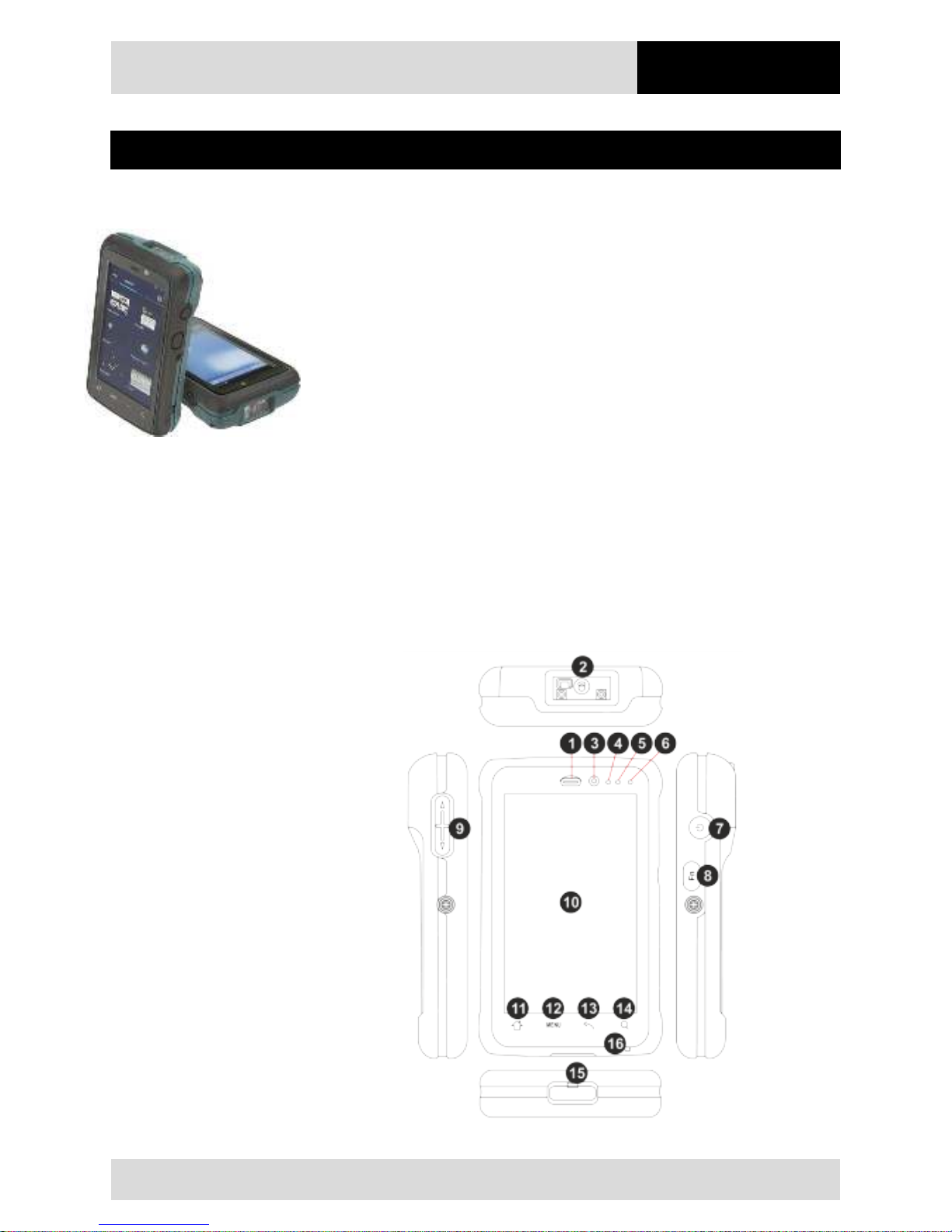
Lumen X4 Industry Mobile Computers are tough Mobile Computers, which have been
designed for use in the industrial environments and especially developed by BARTEC for
use in potentially explosive atmospheres.
The Lumen X4 Industry Mobile Computer is based on the ARM Cortex-A7 Quad Core
processor running at 1.5GHz. The 4.3-inch capacitive multi-touch display offers 480 x 800
pixel WVGA resolution.
The Lumen X4 Industry Mobile Computer owns a large number of international
certifications and can be used worldwide. It is approved for ATEX/IECEx Zone 2 / 22 and
CSA Class I Division 2. Further country approvals are available on request.
Because of its numerous functions, the Lumen X4 Industry Mobile Computer is perfect for
stock management, transport, maintenance technicians, operating personnel, engineers,
and project managers afield and in industry.
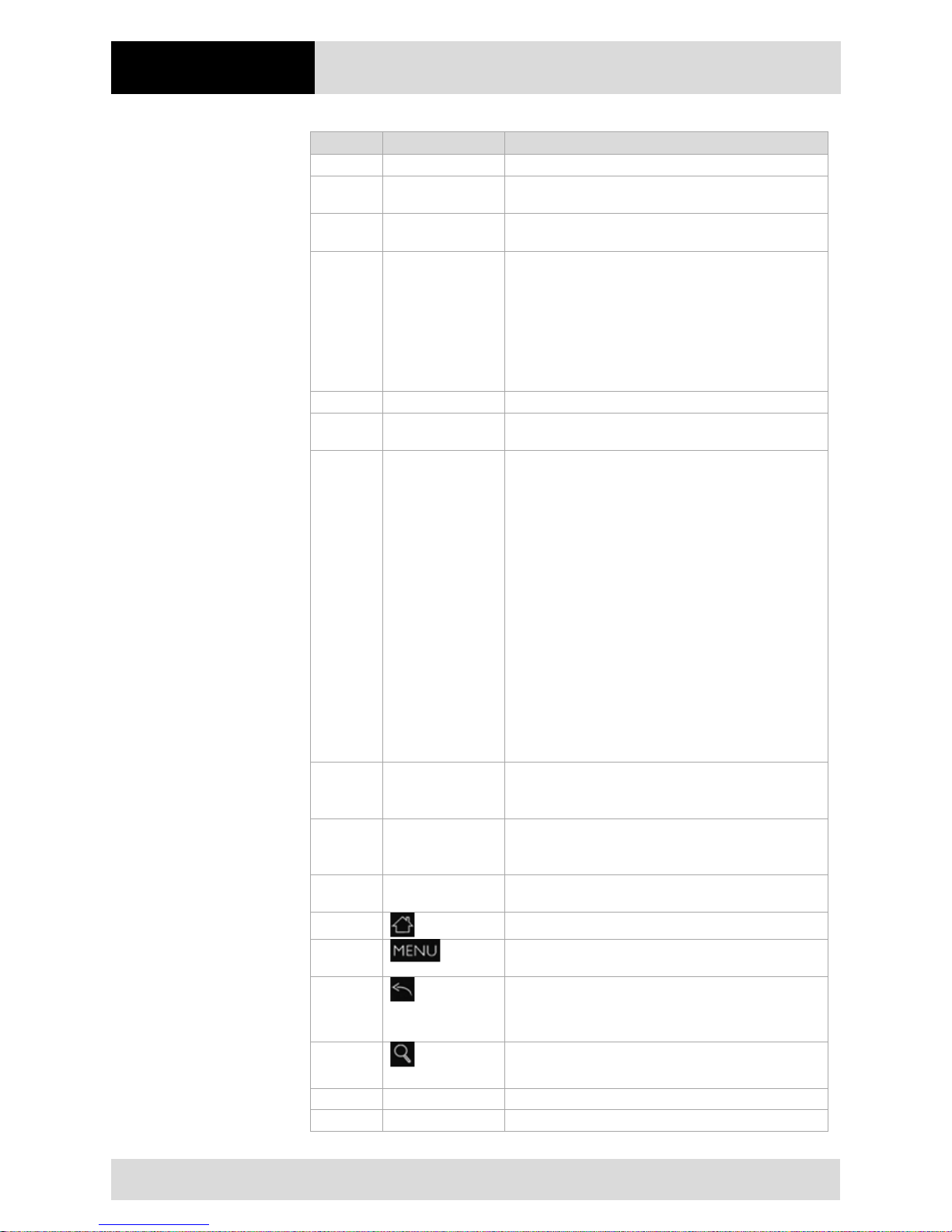
2.2 Structure
Front and side view
Page 14
Product Description
4.3" Industry Mobile Computer - Lumen X4
Type B7-A2P4-.…/……..
EN 8/70
Subject to technical changes.
03/2016
Position
Designation
Description
1
Earpiece
Use to listen during phone conversation
2
Barcode Scan
Window
Barcode Scan Window
(will change to black lens when without barcode)
3
Webcam
2 MP to capture a front view picture and use for
Video call
4
Proximity & Light
Sensor
Proximity function is used specifically towards near
field proximity applications. In mobile phones, the
proximity detection can detect when the user
positions of mobile phone is close to their ear
Light sensor detects the availability of light and
automatically controls the brightness of a screen
backlight intensity
5
nc
6
LED indicator
LED indicator indicates the battery power or
charging status
7
Power Button
Press and hold the button for 3 seconds to turn on
the Industry Mobile Computer.
Press to turn on/off the screen.
Press and hold the button for 3 seconds to select:
• Power Off - to turn off the Industry Mobile
Computer. Press button for 8 sec to force
system power off.
• Airplane mode - to disable all wireless
connections.
• Silent mode - to disable all the sounds except
for the alarms.
• Vibration mode - to vibrate all the notifications
across the entire device.
• Normal mode - Return to the user setting
mode.
8
Function Key
Use to trigger the barcode reader for Industry Mobile
Computer series with barcode reader (differs by
product type).
9
Volume Up/Down
Increases or decreases the call volume when a call
is in progress. In other applications, it controls the
volume of music or other audio.
10
4.3” Touch screen
Display all information needed to operate the
Industry Mobile Computer.
11 Opens the home screen with a single touch.
12 Opens a menu with items that affects the current
screen or application.
13
Opens the previous screen and closes the onscreen
keyboard if it is open and returns to the previous
action.
14
Opens the search widget for searching the web,
applications, and contacts.
15
Micro USB
Use for charging and communication
16
Microphone
Use for making a phone call or voice recordings
Page 15
4.3" Industry Mobile Computer - Lumen X4
Type B7-A2P4-.…/……..
Product Description
Subject to technical changes.
03/2016
EN 9/70
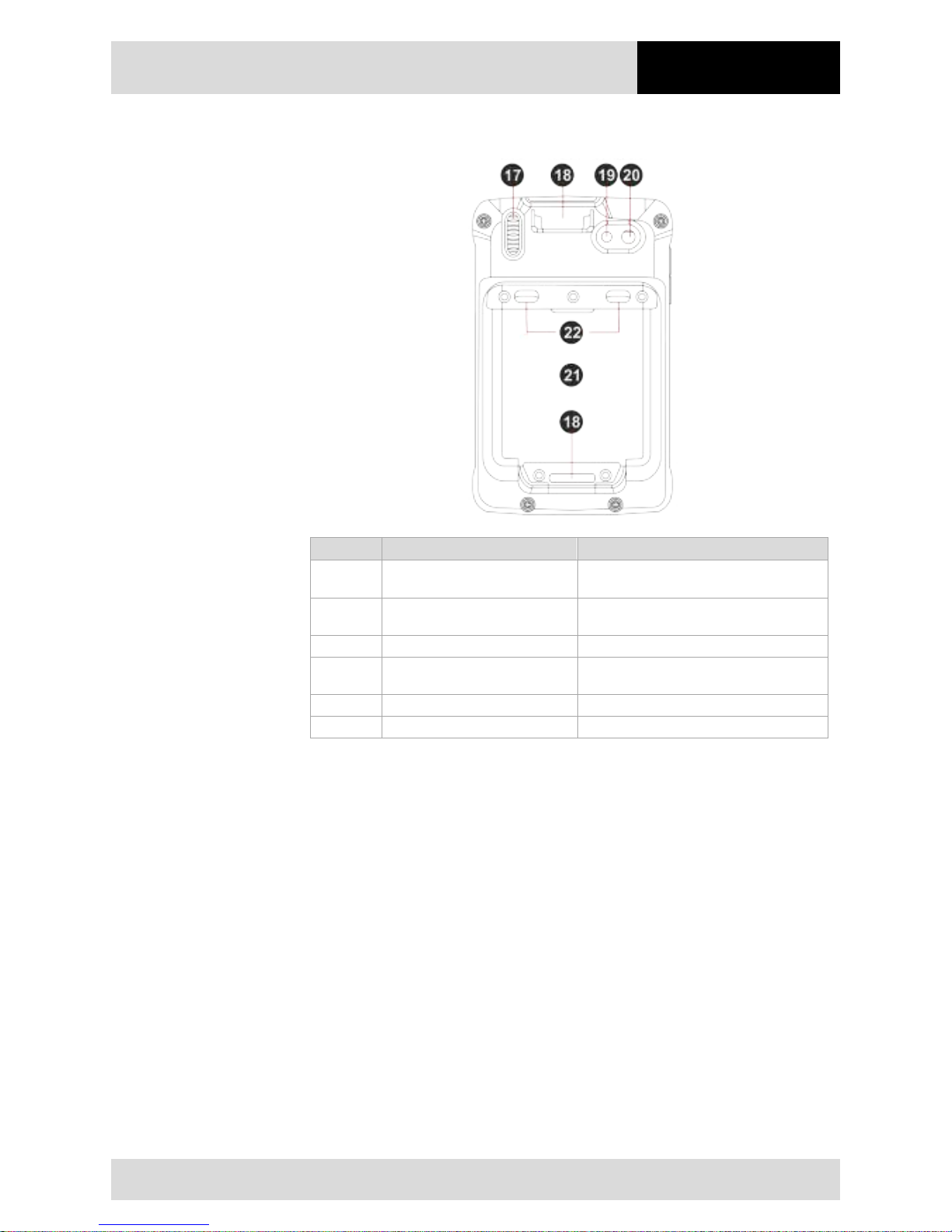
Rear view
Position
Designation
Description
17
Speaker
Provides audio output for music and
video.
18
Hand Strap Slot
Place the hand strap through the hand
strap slot intended for it.
19
LED
Use it as a flashlight.
20
8 MP camera with auto focus
and LED flash
Takes photos or record videos.
21
Battery
Removeable
22
2 x Battery Locking
2 locking for battery lock and unlock
2.3 Purpose of use
The Lumen X4 Industry Mobile Computers are handheld electrical devices. They serve
the purpose of entry, processing and (radio) transmission of data within potentially
explosive atmospheres.
The Lumen X4 Industry Mobile Computer is used exclusively in combination with devices
which comply with the requirements placed on the overvoltage category I.
The Lumen X4 Industry Mobile Computers, Type B7-A2P4-…./…….., have been
modified for use in the following potentially explosive atmospheres:
- ATEX / IECEx Zone 2 and Zone 22
- CSA Class I Division 2
The Lumen X4 Industry Mobile Computers, Type B7-A2P4-…./…….., may not be used in
the following zones:
- ATEX / IECEx Zone 0, 1 and 21
- Class II Division 2
- Class I, II Division I
- Class III
Page 16
Technical Data
4.3" Industry Mobile Computer - Lumen X4
Type B7-A2P4-.…/……..
EN 10/70
Subject to technical changes.
03/2016
3. Technical data
3.1 Explosion protection NI
ATEX Zone 2 and 22
Type B7-A2P4-.…/…….. Lumen X4
Labelling
II 3G Ex ic IIC T5 Gc
II 3D Ex ic IIIB T100°C Dc IP54
-20 °C ≤ Ta ≤ +50 °C
Test certificate EPS 16 ATEX 1 039 X
Standards EN 60079-0:2012 + A11:2013
EN 60079-11:2012
Guidelines ATEX 94/9/EG
EMV 2004/108/EG
R&TTE 1999/5/EG
RoHS 2002/95/EG
IECEx Zone 2 and 22
Type B7-A2P4-.…/…….. Lumen X4
Labelling Ex ic IIC T5 Gc
Ex ic IIIB T100°C Dc IP54
-20 °C ≤ Ta ≤ +50 °C
Test certificate EPS 16.0016X
Standards IEC 60079-0:2011 Edition 6.0
IEC 60079-11:2011 Edition 6.0
CSA Class I Division 2
Type
B7-A2P4-.…/…….. Lumen X4
Labelling Class I Div. 2 Groups A, B, C and D T5
Test certificates USA and Canada CSA Certificate: 70043322
Standards ANSI/ISA 12.12.01-2013
CAN/CSA C22.2 No. 213-M1987
X -
labelling (special conditions of use for secure operation within the potentially
explosive atmosphere)
The ambient temperature range is -20 °C bis +50 °C.*
The device must be protected from impact with high impact energy, from intense
UV-irradiation, and strongly charge generating processes.
It is not allowed to use connectors inside the potentially explosive atmosphere.*
It is not allowed to remove, change and/or charge the battery inside the potentially
explosive atmosphere.
*See individual chapter on the points in the User Manual.
Page 17
4.3" Industry Mobile Computer - Lumen X4
Type B7-A2P4-.…/……..
Technical Data
Subject to technical changes.
03/2016
EN 11/70
3.2 Applicable standards
Explosion protection
EN 60079-0:2012
+ A11:2013
Explosive atmospheres - Part 0:
Equipment - General requirements
EN 60079-11:2012
Explosive atmospheres - Part 11:
Equipment protection by intrinsic safety "i"
IEC 60079-0:2011
Explosive atmospheres - Part 0:
Equipment - General requirements
IEC 60079-11:2011
Explosive atmospheres - Part 11:
Equipment protection by intrinsic safety "i"
ANSI/ISA 12.12.01
ANSI/ISA-12.12.01-2013 Nonincendive Electrical Equipment for
Use in Class I and II, Division 2 and Class III, Divisions 1 and 2
Hazardous (Classified) Locations
CAN/CSA C22.2
No. 213-M1987
Non-Incendive Electrical Equipment for Use in Class I, Division 2
Hazardous Locations
Electrical safety
IEC 60950-1
(ed.2); am1
Einrichtungen der Informationstechnik – Sicherheit
Teil 1: Allgemeine Anforderungen
CSA22.2 No.
60950-1-07
General Requirements – Canadian Electrical Code, Part II
UL 60950-1: 2nd
Ed. 2014
Information Technology Equipment – Safety Part 1: General
Requirements - Second Edition
Radio specification - WLAN / Bluetooth
EN 300 328
V1.8.1: 2012
Electromagnetic compatibility and radio spectrum matters (ERM)
– wideband transmission systems – data transmission
equipment operating in the 2.4 GHz ISM band and using
wideband modulation techniques
Safety specification - Specific Absorption Rate (SAR)
EN 62209-2:2010
Human exposure to radio frequency fields from hand-held and
body-mounted wireless communication devices – Human
models, instrumentation and procedures – Part 2: Procedure to
determine the specific absorption rate (SAR) for wireless
communication devices used in close proximity to the human
body
RSS-132 Issue 3
January 2013
Industry Canada: Cellular Telephone Systems Operating in the
Bands 824-849 MHz and 869-894 MHz
RSS-133 Issue 6
January 2013
Industry Canada: 2 GHz Personal Communications Services
RSS-139 Issue 2
February 2009
Industry Canada: Advanced Wireless Services (AWS)
Equipment Operating in the Bands 1710-1780 MHz and 21102180 MHz
RSS-210 Issue 8
December 2010
Industry Canada: Licence-exempt Radio Apparatus (All
Frequency Bands): Category I Equipment
Safety specification - Laser and/or LED Products
EN 60825-1
Safety of laser products – Equipment classification and
requirements
Page 18
Technical Data
4.3" Industry Mobile Computer - Lumen X4
Type B7-A2P4-.…/……..
EN 12/70
Subject to technical changes.
03/2016
Electromagnetic compatibility (EMC)
EN 300 440-1
V1.6.1:2010
Electromagnetic compatibility and radio spectrum matters
(ERM) – short range devices – radio equipment to be used in
the 1 GHz to 40 GHz frequency range – Part 1: Technical
characteristics and test methods
EN 300 440-2
V1.4.1:2010
Electromagnetic compatibility and radio spectrum matters
(ERM) – short range devices – radio equipment to be used in
the 1 GHz to 40 GHz frequency range – Part 2: Harmonised EN
covering essential requirements of article 3.2 of the R&TTE
Directive
EN 50566:2013
Product standard to demonstrate compliance of radio frequency
fields from handheld and body-mounted wireless
communication devices used by the general public (30 MHz -
6 GHz)
EN 55022: 2010
Information technology equipment – radio disturbance
characteristics – limits and methods of measurement
EN 55024: 2010
Information technology equipment – radio disturbance
characteristics – limits and methods of measurement
EN 61000-3-2:2006
+A1:2009+A2:2009
Limits – Limits for harmonic current emissions (equipment input
current <= 16 A per phase)
EN 61000-3-3:2008
Limits – limitation of voltage charges, voltage fluctuations and
flicker in public low-voltage supply systems, for equipment with
rated current <=16 A per phase and not subject to conditional
connection
FCC Part 15 Class B
EMC requirements in the USA:
Testing for compliance with limits for a digital device of Class B
IC ICES-003
EMC requirements in Canada:
Testing for compliance with limits for a digital device of Class B
3.3 Features
3.3.1 Performance features
Processor
ARM® Cortex™-A7 Quad Core 1.5 GHz
RAM
4 GB eMMC
Main memory
1 GB SDRAM
Extension slot
Micro SD card slot supports up to 32 GB
It is not allowed to insert or change the card inside
the potentially explosive atmosphere!
Audio 1 x integrated microphone
1 x Speaker (1 x 1,2 Watt)
Interfaces
1 x Micro SD card slot
1 x SIM card Slot
Interfaces via desktop docking
station
1 x Micro USB Type B (OTG Host)
1 x Pogo Pin
Operating system
Android 4.2 (Jelly Bean)
Application availability
Google App Store is pre-installed
Page 19
4.3" Industry Mobile Computer - Lumen X4
Type B7-A2P4-.…/……..
Technical Data
Subject to technical changes.
03/2016
EN 13/70
Software development
Own development possible with standard Google
Android SDK.
Additional are the OS image, SDK and drivers
available as download.
3.3.2 Physical features
Dimensions in mm/in
Length x Width x Height
132.7 x 82 x 25.7 mm
(5.22 x 3.23 x 1.01 inch)
Weight (with standard battery)
280 g (0.62 lb)
Display
size
4.3"
backlight
IPS LED
resolution
480 x 800 pixels
Brightness
400 cd/m²
touch
projective capacitive multi-touch
Interactive sensor technology
- Light sensor
- G sensor
- Proximity sensor
- Digital compass
Keys on front side
(see also chapter 2.2 "Structure")
- 1 x Power on/off button
- 1 x Function button
- 1 x Volume up/down button
- 4 x Home, Menue, ESC, Search
function
3.3.3 User environment
Operating temperature
in potentially explosive atmosphere
at start (in battery mode)
in battery mode
-10 °C to +50 °C / 14 °F to +122 °F
-20 °C to +50 °C / -4 °F to +122 °F
Operating temperature
outside potentially explosive atmosphere
-20 °C to +60 °C / -4 °F to +140 °F
Operating temperature
during charging
0 °C to +40 °C / +32 °F to +104 °F
Storage temperature
(without battery)
-30 °C to +60 °C / -22 °F to +140 °F
Air humidity 5 % to 95 % (non-condensing)
Class of protection (EN 60529) IP 54 (non-Ex IP65)
Page 20
Technical Data
4.3" Industry Mobile Computer - Lumen X4
Type B7-A2P4-.…/……..
EN 14/70
Subject to technical changes.
03/2016
3.3.4 Voice and data transmission Wi-Fi (Wireless LAN)
Wi-Fi connections are realised with the assistance of ARM® Cortex™-A7 Quad Core
1.5 GHz processor.
WLAN radio module
Radio standard
IEEE 802.11a/b/g/n
Data rate
IEEE802.11a: up to 54 Mbit/Sec
IEEE802.11b: up to 11 Mbit/Sec
IEEE802.11g: up to 54 Mbit/Sec
IEEE802.11n: up to 65 Mbit/Sec
Frequency range
(country dependant)
IEEE802.11a: 5 GHz
IEEE802.11b: 2,4 GHz
IEEE802.11g: 2,4 GHz
IEEE802.11n: 2,4 GHz and 5 GHz
Operating channels
The actual operating channels and frequencies are
subject to the applicable rules and the certification
authorities in the respective country.
Wi-Fi alliance
Wi-Fi certified for 802.11a, 802.11b, 802.11g,
802.11n
Roaming
Supports seamless roaming between the respective
access points (802.11b, 802.11g, 802.11a/b/g und
802.11a/b/g/n)
Aerial
internal
3.3.5 Voice and data transmission Wireless WAN
WWAN radio module
GSM / GPRS / EDGE /
WCDMA / HSDPA / HSUPA
3.75G
GPS
integrated
3.3.6 Voice and data transmission Bluetooth
Bluetooth-Verbindungen connections are realised with the assistance of ARM®
Cortex™-A7 Quad Core 1.5 GHz processor.
Bluetooth
3.0 with EDR
Aerial
internal
3.3.7 Camera
Front Side
2 MP
Rear Side 8 MP with LED auxiliary light
(Auto Focus)
Page 21
4.3" Industry Mobile Computer - Lumen X4
Type B7-A2P4-.…/……..
Technical Data
Subject to technical changes.
03/2016
EN 15/70
3.3.8 Barcode scan options
The maximum
read range of the scan engine depends on the barcode type used, the
quality of print and the module width (in mil).
1 available scan engine possible
1D/2D Imager (SE4500 from Zebra)
3.3.8.1 1D/2D Imager (SE4500 from Zebra)
For Lumen X4 with integrated 1D/2D Imager
1D-/2D-Imager Engine (omni directional) decodes/reads 1D- and 2D barcodes.
The decoding range depends on the quality and size of the barcode and the software
setting of the scan or engine.
Read range
approx. 6 cm to 50 cm
approx. 2.3" to 19"
Focus distance
from the middle of the scanning window
SR --- 19 cm
Resolution
752 x 480 pixels HxV (grey scale)
Tolerances for turned parts
360°
Pitch tolerance
± 60° from the original position
Pan tolerance
± 60° from the original position
Ambient light immunity
96,900 lux
Aim of the LED (VLD)
655 Nm ± 10 nm
Lighting element (LED)
625 Nm ± 5 nm LEDs (2x)
Field of view
40 ° horizontal
25 ° vertical
3.3.9 Decodable barcode type options
Supported 1-D barcodes
Supported 2D barcodes
(only with 1D/2D Imager Engine)
1D Codes
2D Codes
Code 11 Interleaved 2 of 5 Aztec
(Macro) Micro PDF-
417
Code 39 MSI Australian 4-state
Micro PDF-417 PDF-
417
Code 93
UPCA
Canadian 4-state
microQR
Code 128
UPCE
Composite AB
Maxi Code
Codabar
UPC/EAN
supplementals
Composite C QR Code
Coupon Code Trioptic 39 PDF-417 TLC39
Chinese 2 of 5 RSS-14 Data Matrix UK 4-state
Discrete 2 of 5 RSS Expanded Dutch Kix US Planet
EAN-8 RSS Limited Japanese 4-state US Postnet
EAN-13 Webcode Macro PDF-417
USPS 4-state
(US4CB)
Page 22
Technical Data
4.3" Industry Mobile Computer - Lumen X4
Type B7-A2P4-.…/……..
EN 16/70
Subject to technical changes.
03/2016
3.3.10 Decode range
3.3.11 RFID
The maximum read/write ranges of the RFID reader will depend on the different ambient
conditions. For example:
- Transponder (tag), size
- Aerial used in the tag (size, model ...)
- Site of installation (metal, wood or other base)
- Ambient conditions
- External magnetic influences
- Temperature
- Humidity
Available option:
Internal HF Reader (High Frequency)
3.3.11.1 Internal RFID HF / NFC reader
The internal RFID HF reader cannot be combined with the 1D-/2D Imager.
The communication between NFC-capable devices is active-active (Peer-To-Peer).
Supported standards
HF
NFC
13,56 MHz – High Frequenzy
13,56 Mhz – Near Field Communication
ISO 14443-A (Read)
NXP Mifare_One (S50_4byte)
NXP Mifare_One (S70_4byte)
NXP Mifare_UltraLight C
NXP Mifare_One (S50_7byte)
NXP Mifare_UltraLight
ISO 15693 (Read) TI HF-I Plus
TI HF-I Pro
NXPI-Code SLI
ISO 18092 (Read/Write)
SONY Felica
SONY Felica Lite s
Page 23
4.3" Industry Mobile Computer - Lumen X4
Type B7-A2P4-.…/……..
Technical Data
Subject to technical changes.
03/2016
EN 17/70
3.4 Battery
DANGER
Do not replace or charge the battery in a potentially explosive atmosphere.
Danger to life in a potentially explosive atmosphere!
Use original BARTEC/Winmate accessories only.
Do not open, disassemble, puncture, or crush the battery.
Do not leave or store the Lumen X4 Industry Mobile Computer in an area which is
near a heat source such as vehicle dashboard, dryer or other heat source.
Do not allow conductive objects to contact the battery.
Please contact your manufacturer if you suspect damage to your Lumen X4
Industry Mobile Computer or battery for inspection and reparation.
CAUTION
Do not attempt to insert foreign objects into the battery to prevent damaging the
battery. Battery fluid can cause skin irritation.
If battery fluid leaks: Avoid contact with the battery fluid.
If battery fluid leaks onto the skin or cloth, wash the affected area with clean
water.
The life of the battery will depend on different use factors and the device settings, e.g.:
- Use and setting of WLAN / Bluetooth
- Background lighting/screensaver
- The settings in power management
- Use and setting of 1D-/2D- Imager
- Use and setting of the 3.75G module
- Use and setting of the RFID HF / NFC module
- Use and setting of the camera
Page 24
Technical Data
4.3" Industry Mobile Computer - Lumen X4
Type B7-A2P4-.…/……..
EN 18/70
Subject to technical changes.
03/2016
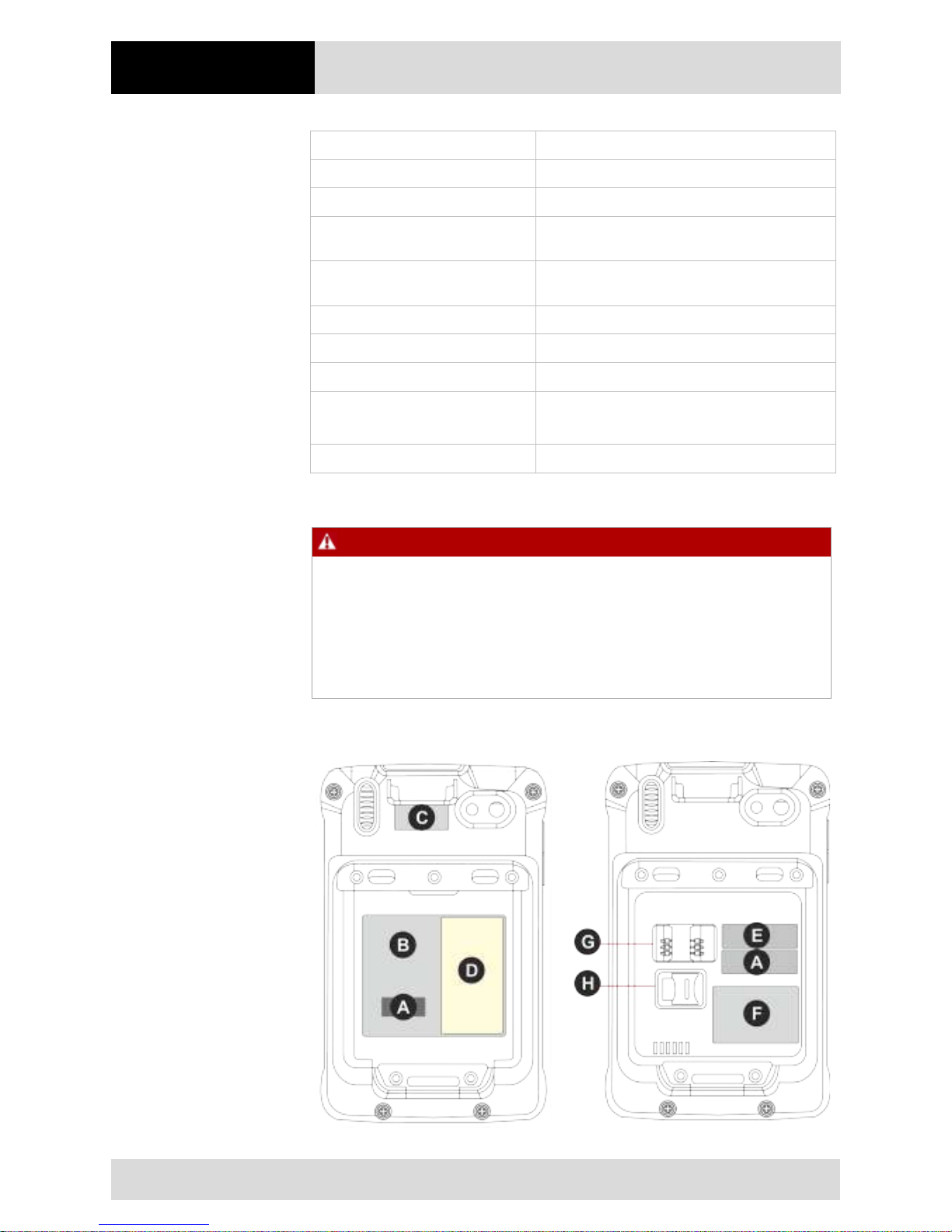
Battery Type B7-A2Z0-0034 Lithium polymer battery 3.7 V / 3900 mAh
Operating temperature
− During charging
0 °C to +45 °C / +32 °F to 113 °F
− During discharging in potentially
explosive atmosphere
-20 °C to +50 °C / -4 °F to 122 °F
−
During discharging in safe
atmosphere
-20 °C to +60 °C / -4 °F to 140 °F
Storage temperature -20 °C to +50 °C / -4 °F to 122 °F
Relative air humidity 5 % to 95 % (non condensing)
Lifecycle ≥ 300
Performance depending on device settings,
up to 12 to 15 hours
Charging time 3 hours
3.5 External interfaces
DANGER
Non-certified accessories endanger the explosion protection.
Danger to life exists in potentially explosive atmospheres!
The external interfaces "Micro USB Type B (OTG Host, data exchange and
charging), Pogo Pin (charging in docking station)" may only be used outside the
potentially explosive range with accessories specified by the manufacturer.
Only use original BARTEC/Winmate accessories.
3.6 Product labelling
Page 25
4.3" Industry Mobile Computer - Lumen X4
Type B7-A2P4-.…/……..
Technical Data
Subject to technical changes.
03/2016
EN 19/70
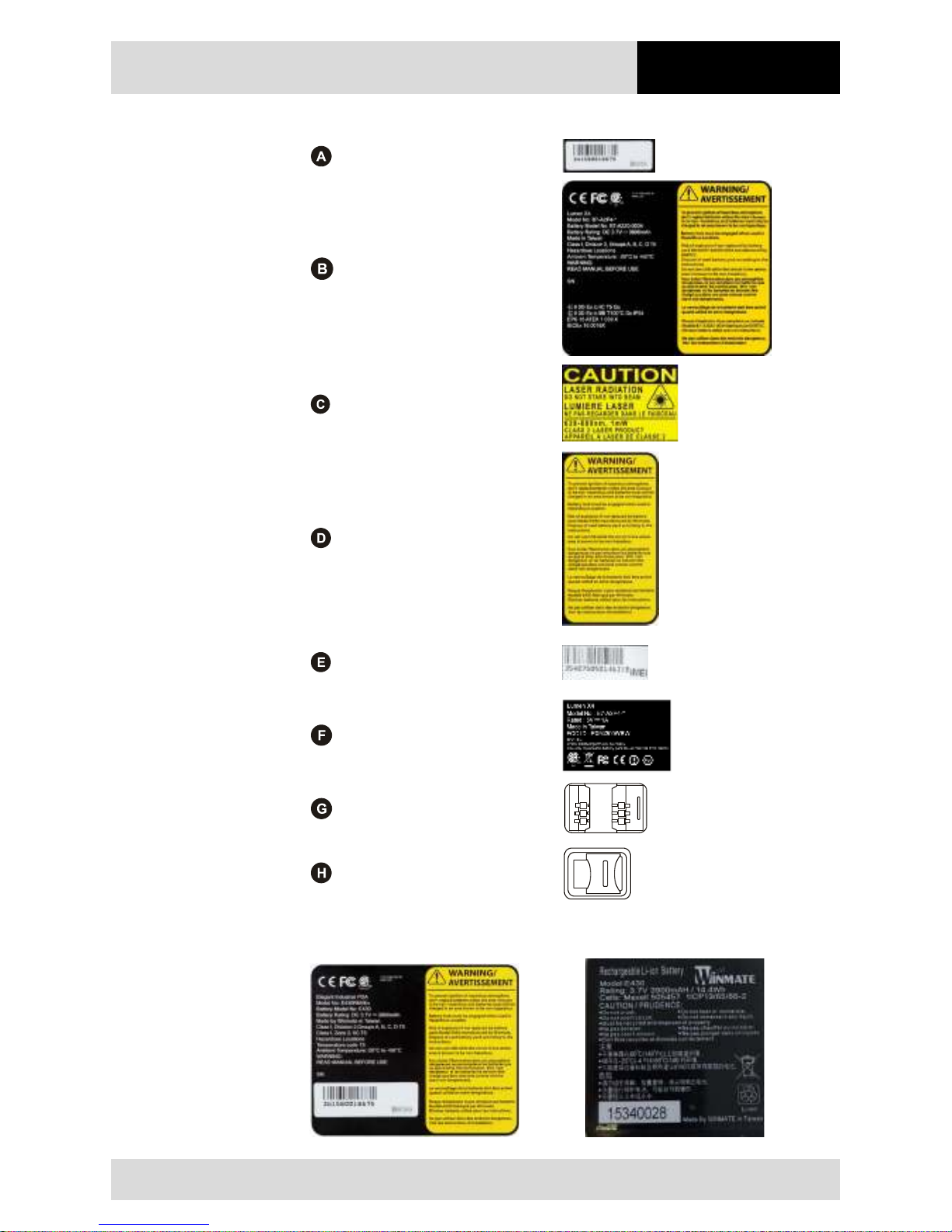
Serial number
Type plate
Laser warning
Only for devices with integrated
1D/2D Imager
Warning
IMEI number
Only for devices with integrated
3.75G modules
Type plate
SIM card slot
Micro card slot
Battery type B7-A2Z0-0034
Front side Rear side
Page 26
Technical Data
4.3" Industry Mobile Computer - Lumen X4
Type B7-A2P4-.…/……..
EN 20/70
Subject to technical changes.
03/2016
3.7 Laser labels
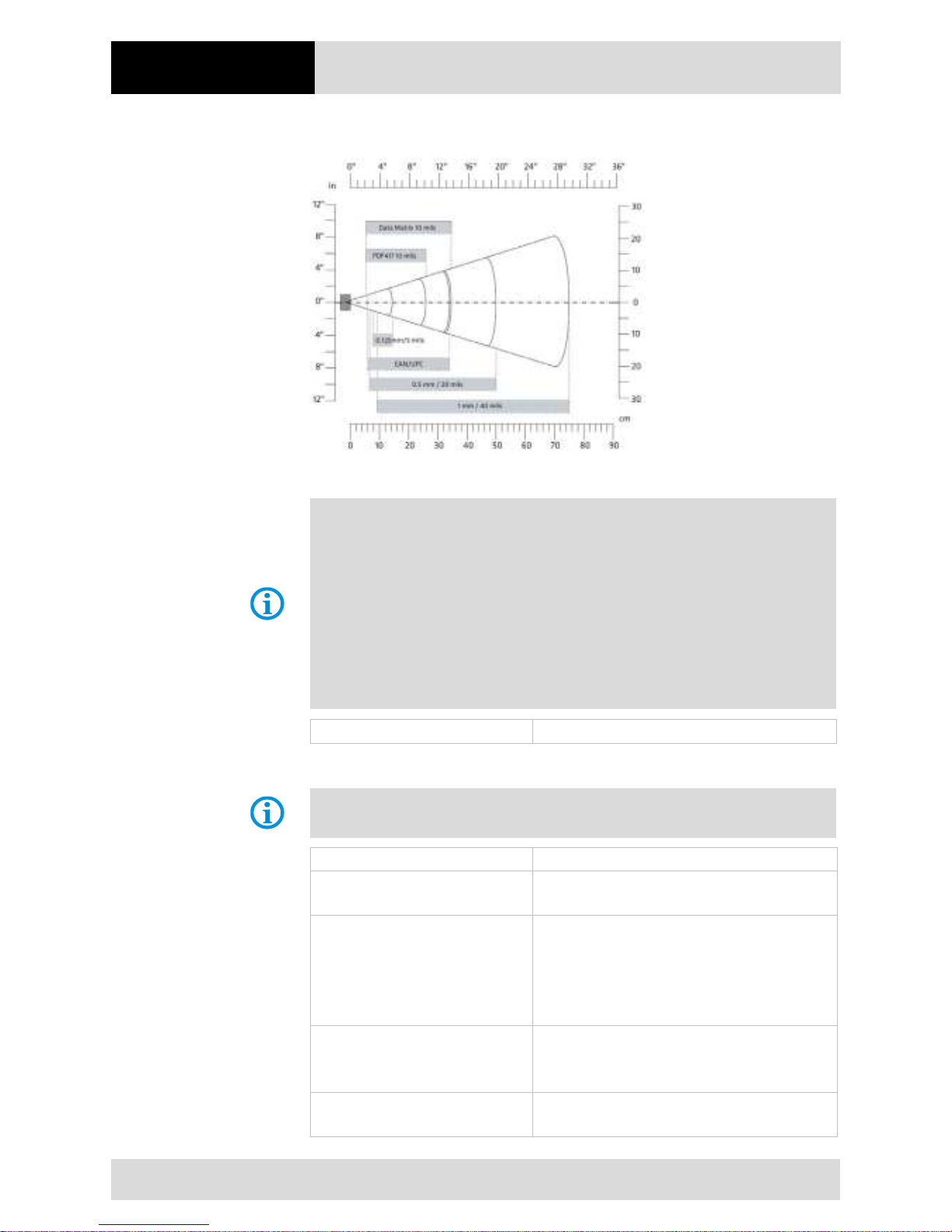
The accessible laser radiation is in the visible spectral range (630nm to 680nm). It is
not dangerous to the eye for short term exposure (up to 0.25 s).
NB:
In the case of laser devices of class 2, the eye is not in danger from incidental short
term exposure to laser radiation, i.e. radiation exposure up to 0.25 s.
Laser devices of class 2 may therefore be used without protective measures if it is
ensured that:
• neither intentional looking into the device is necessary for the application for a
period longer than 0.25 s
• nor repeated looking into the laser radiation or reflected laser radiation.
In compliance with IEC 60825 and EN 60825, Clause 5 the following information is
provided:
DEUTSCH
KLASSE 1 KLASSE 1 LASER PRODUKT
KLASSE 2
LASERLICHT
NICHT IN DEN LASERSTRAHL
SEHEN
KLASSE 2 LASER PRODUKT
ENGLISH
FRENCH / FRANÇAIS
CLASS 1 CLASS 1 LASER PRODUCT CLASSE 1 PRODUIT LASER DE CLASSE 1
CLASS 2
LASER LIGHT
DO NOT STARE INTO BEAM
CLASS 2 LASER PRODUCT
CLASSE 2
LUMIERE LASER NE PAS
REGARDER LE
RAYON FIXEMENT
PRODUIT LASER DE CLASSE 2
ITALIAN / ITALIANO
PORTUGUESE / PORTUGUÊS
CLASSE 1
PRODOTTO AL LASER DI
CLASSE 1
CLASSE 1 PRODUTO LASER DA CLASSE 1
CLASSE 2
LUCE LASER
NON FISSARE IL
RAGGIOPRODOTTO
AL LASER DI CLASSE 2
CLASSE 2
LUZ DE LASER NÃO FIXAR O
RAIO LUMINOSO
PRODUTO LASER DA CLASSE 2
DUTCH / NEDERLANDS
DANISH / DANSK
KLASSE 1 KLASSE-1 LASERPRODUKT KLASSE 1 KLASSE 1 LASERPRODUKT
KLASSE 2
LASERLICHT
NIET IN STRAAL STAREN
KLASSE-2 LASERPRODUKT
KLASSE 2
LASERLYF
SE IKKE IND I STRÅLEN
KLASSE 2 LASERPRODUKT
NORWEGIAN / NORSK
FINNISH / SUOMI
KLASSE 1 LASERPRODUKT, KLASSE 1 LUOKKA 1 LUOKKA 1 LASERTUOTE
KLASSE 2
LASERLYS IKKE STIRR INN I
LYSSTRÅLEN
LASERPRODUKT, KLASSE 2
LUOKKA 2
LASERVALO
ÄLÄ TUIJOTA SÄDETTÄ
LUOKKA 2 LASERTUOTE
Page 27
4.3" Industry Mobile Computer - Lumen X4
Type B7-A2P4-.…/……..
Transport and Storage
Subject to technical changes.
03/2016
EN 21/70
4. Transport and storage
4.1 Transport
Report any transport damage or incomplete
deliveries immediately after receipt in
writing to the forwarding company and BARTEC GmbH.
Any damage caused through incorrect storage shall not be covered by the warranty
provisions of BARTEC GmbH.
4.2 Storage
ATTENTION
Property damage through incorrect storage!
Observe storage temperatures.
Keep humidity away from the Lumen X4 Industry Mobile Computer.
Additional information on the batteries
The batteries of BARTEC (type B7-A2Z0-0034) are developed and manufactured in
accordance with the highest industrial standards. The operating time or storage period of
a battery is restricted, however. The actual life of a battery is influenced by different
factors, e.g. hot, cold, rough operating environment and falling from a great height. If a
battery is kept longer than six months, the performance may be impaired on a permanent
basis. Keep the batteries in a dry, cool place. For longer periods of storage, remove the
batteries from the device to prevent self-discharge, rusting of the metallic and the escape
of electrolyte.
Batteries kept for a duration of six months or longer should be charged and discharged
again at least every three months. If electrolyte has escaped, do not touch the areas
affected and dispose of the batteries as prescribed. Replace the battery if the operating
time has shortened considerably.
The standard warranty period for all BARTEC batteries is six months, whereby it is
irrelevant whether the battery was acquired separately or was contained in the scope of
the delivery of the Industry Mobile Computer.
Page 28

Commissioning
4.3" Industry Mobile Computer - Lumen X4
Type B7-A2P4-.…/……..
EN 22/70
Subject to technical changes.
03/2016
5. Commissioning
DANGER
Avoid electrostatic charging in potentially explosive atmosphere.
Risk of fatal injury in an explosive atmosphere!
Do not dry wipe or clean the devices.
Wear suitable clothing and shoes.
Do not use rubber gloves or similar.
DANGER
Unintended use endangers explosion protection.
Risk of fatal injury in an explosive atmosphere!
Do not make any changes to the Lumen X4 Industry Mobile Computer.
In the case of functional disturbances or damage to the enclosure, the device
should be removed immediately from the potentially explosive atmosphere to a
safe place. Remove battery to decommission the device!
Do not use any battery replicas or batteries from other manufacturers.
Before you assemble the device, make sure that all components and documents exist.
5.1 Scope of delivery
- 1 x 4.3" ex-certified Lumen X4 Industry Mobile Computer
- 1 x battery
- 1 x hand strap
- 1 x USB network adapter with EU plug
- 1 x USB network adapter with US plug
- 1 x USB cable (Type A to micro Type B)
- 1 x Quick Start Guide
5.1.1 Optional accessories
Authorized accessories from BARTEC
For the Ex area:
- Replacement battery
- Hand strap
For the non-Ex area:
- USB network adapter for EU, UK, US and AUS
- USB cable (Type A to micro Type B)
- Micro USB Host cable (OTG)
- Micro SD card
- Screen protector
- Charging station for Lumen X4
Page 29

4.3" Industry Mobile Computer - Lumen X4
Type B7-A2P4-.…/……..
Commissioning
Subject to technical changes.
03/2016
EN 23/70
- Battery charging station
- Vehicle charging adapter (Input 12 V DC, Output USB Type A)
- Vehicle charging docking station
- Mobile power station
- Hand strap
- Leather case with screen protector ans shoulder strap
- Bluetooth printer
5.2 Requirements in potentially explosive atmosphere
Lumen X4
- The Industry Mobile Computer may not be opened.
One exception is the battery for the SIM/Micro SD card for installation.
- Do not use, swap or replace and non-specified components.
- Do not retrofit any components to the internal plugs or slots. One exception is the
SIM card and the Micro SD card.
- Protect the Industry Mobile Computer from impact!
- Do not expose the Industry Mobile Computer to caustic/aggressive liquids, vapours,
mists!
- Avoid the impact of moisture outside the specifications.
- Avoid thermal impact outside the specified temperature range.
- Use the following data interfaces only outside the potentially explosive atmosphere
and exclusively with the devices specified by the manufacturer!
- 1 x 3-pin docking connector (PoGo pin for charging in the docking station)
- 1 x Micro USB Type B (OTG Host, data exchange and charging)
Interfaces underneath the battery
1 x SIM card
1 x Micro SD card
Battery
- The battery may not be opened.
- Only charge the battery (type B7-A2Z0-0034) outside the potentially explosive
atmosphere.
- Only use the battery for the purpose listed in this User Manual. Is only suitable for
the Lumen X4, Type B7-A2P4-…./……..
- It is not allowed to remove, change and/or charge the battery inside the potentially
explosive atmosphere.
- There is a danger of burning if used incorrectly. Do not expose the battery to
temperatures of more than +60 °C (+140 °F).
- Battery acid may escape from the cells and cause burning in the case of damage.
- Defective batteries must be disposed of immediately, whereby the provisions on
battery disposal applicable in the respective region must be observed.
- The battery may explode if it catches fire!
- Do not short circuit the battery!
Page 30
Commissioning
4.3" Industry Mobile Computer - Lumen X4
Type B7-A2P4-.…/……..
EN 24/70
Subject to technical changes.
03/2016
Accessories
− Only install or replace accessories outside the potentially explosive atmosphere.
− User accessories exclusively which have been tested or certified by BARTEC for this
purpose.
− The end user can replace the SIM card, micro SD card, hand strap, and screen
protector himself.
5.3 Handling accessories
DANGER
Non certified accessories endanger explosion protection.
Danger to life exists in potentially explosive atmospheres!
Only use original accessories from BARTEC/ Winmate.
Only permitted outside the potentially explosive atmosphere:
Insert/charge battery.
Insert/replace micro SD card.
Insert/replace SIM card.
Attach/remove accessories such as hand strap and screen protector.
5.4 First steps
The individual steps are explained in detail in the following chapters!
Unpack the Industry Mobile Computer.
Insert SIM card and micro SD card.
Insert battery.
Charge battery.
Switch on/off the Industry Mobile Computer.
Reset the Industry Mobile Computer to factory default settings.
(see chapter 5.4.5)
Page 31
4.3" Industry Mobile Computer - Lumen X4
Type B7-A2P4-.…/……..
Commissioning
Subject to technical changes.
03/2016
EN 25/70
5.4.1 Insert SIM card and Micro SD card
ATTENTION
Damage to the SIM / micro SD card through electrostatic discharges!
Use an antistatic mat.
Ensure that the operator is correctly earthed.
A maximum of 32 GB are supported.
Work steps:
Only insert or replace the SIM / micro SD card outside of the potentially explosive
atmosphere. Only use SIM / micro SD cards which have been tested and certified by
BARTEC for this purpose.
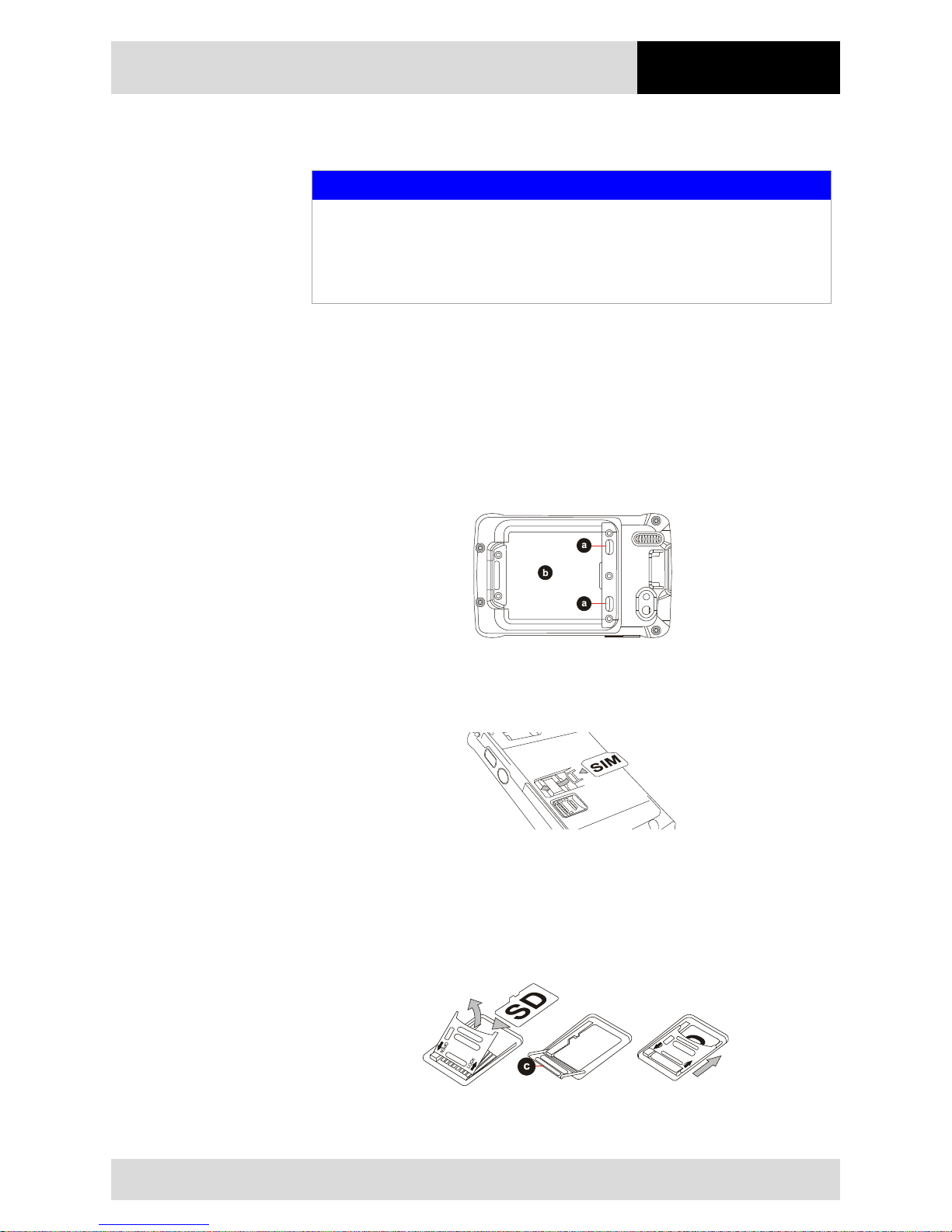
1. Place the Industry Mobile Computer on its front (display facing downwards) on a flat
mat.
2. Press the two latches (a) up.
3. Remove the battery (b).
4. Insert the SIM card in the SIM card slot (with the gold contacts facing downwards and
cut-off corner facing out) in the direction of the arrow.
5. Push the SD card holder in the direction of the arrow to unlock it.
6. Pull the micro SD card holder (c) upwards and bring it in a vertical position.
7. Put the micro SD card into the slot.
8. Close the SIM card holder and push it into lock position until there is a click.
Page 32
Commissioning
4.3" Industry Mobile Computer - Lumen X4
Type B7-A2P4-.…/……..
EN 26/70
Subject to technical changes.
03/2016
5.4.2 Insert battery
DANGER
In potentially explosive atmospheres, battery latches must be locked.
Danger to life exists!
Check the locking of the battery latches carefully.
Work steps:
Only charge, install or replace the battery outside the potentially explosive atmosphere.
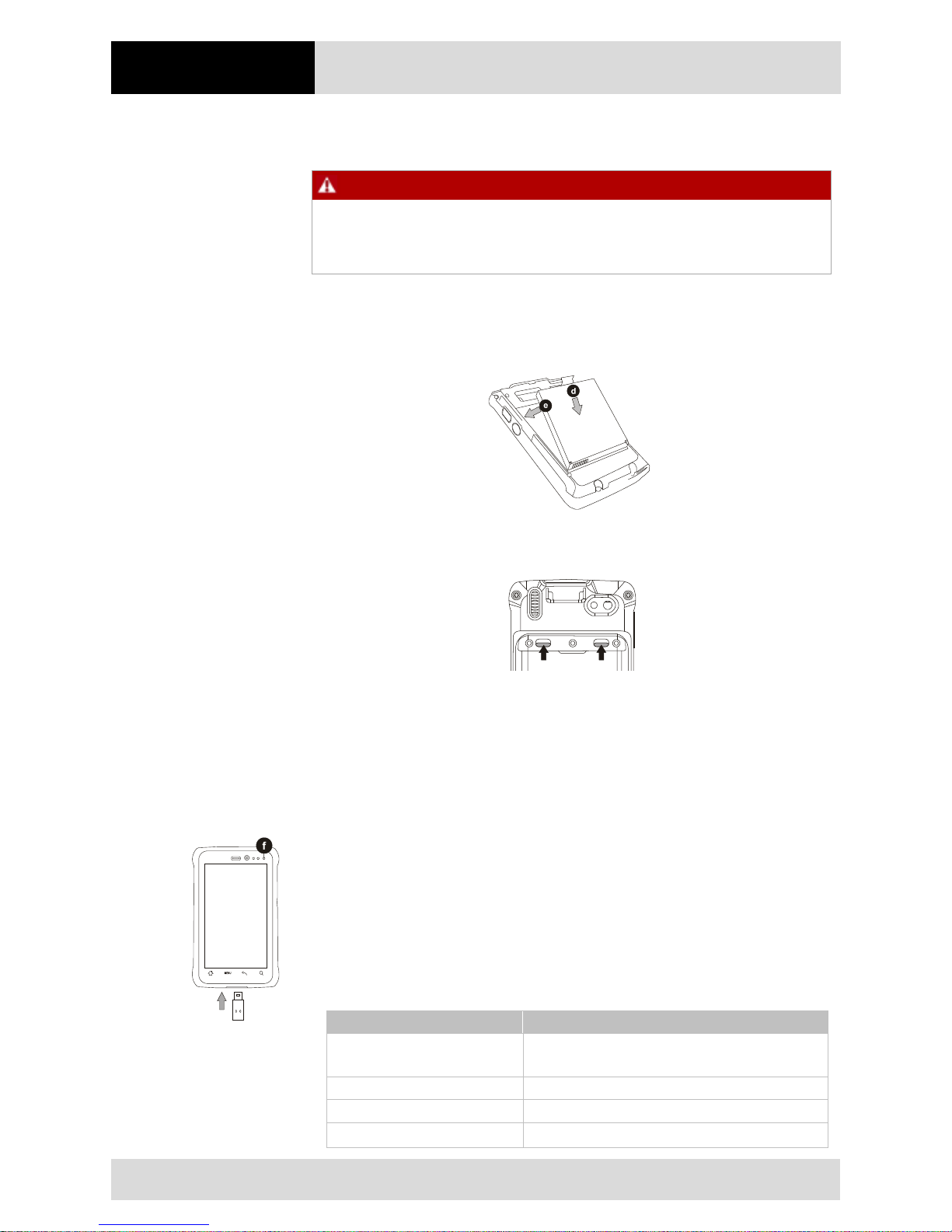
1. Reinsert the battery by latching the bottom first (d) and then push it down (e).
2. Check the locking of the battery latches. The slides of the battery latches must
maintain the position in the drawing (see arrows).
5.4.3 Charge battery
Please charge the battery before using the Industry Mobile Computer for the first time,
charge the battery until the LED indicator turns solid green. To charge the Industry Mobile
Computer, use a USB cable or a docking station with appropriate power supply (see
chapter "Accessories"). Only charge the battery outside the potentially explosive
atmosphere.
With USB charging cable
Work steps:
1. Connect the power supply output connector to the input power port on the USB
charging cable.
2. Remove the protective rubber and connect the USB charging cable to the bottom of
Industry Mobile Computer. The battery charge LED (f) indicates the battery charging
status.
LED Status
Description
OFF
The Industry Mobile Computer is not charging or
not properly connected
Solid red
Low battery
Solid orange
Charging in progress
Solid green
Charging complete
Page 33
4.3" Industry Mobile Computer - Lumen X4
Type B7-A2P4-.…/……..
Commissioning
Subject to technical changes.
03/2016
EN 27/70
With docking station
Work steps:
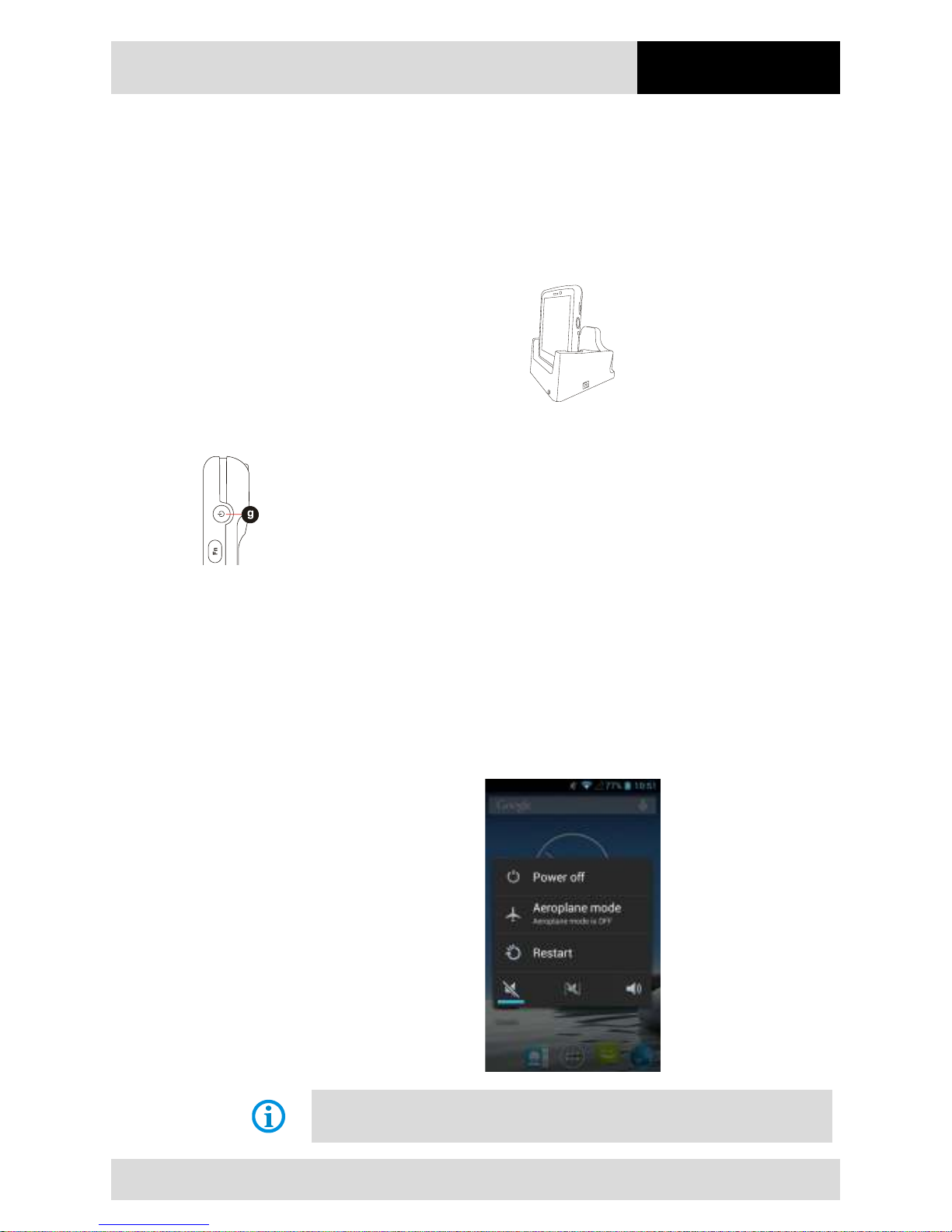
1. Connect the docking station to the power supply. Insert the Industry Mobile Computer
into the slot to start charging. (Docking station input voltage / power: 12 V/36 W DC.)
2. The Industry Mobile Computer LED indicator indicates the status of the battery
charging.
5.4.4 Turning On and Off the Lumen X4 Industry Mobile Computer
Turning the device on
Work steps:
1. Press and hold the Power On/Off button (g) for 3 seconds, located on the right side of
the device.
2. When the device vibrates, release the Power On/Off button. The desktop screen is
displayed.
Turning the device off
Work steps:
1. To turn off the device, press and hold the Power On/Off button until the phone
options menu appears
2. Tap Power off.
The user can also use
the Phone options menu to put the device into silent or airplane
mode, see features table in chapter 2.2 "Structure".
Page 34
Commissioning
4.3" Industry Mobile Computer - Lumen X4
Type B7-A2P4-.…/……..
EN 28/70
Subject to technical changes.
03/2016
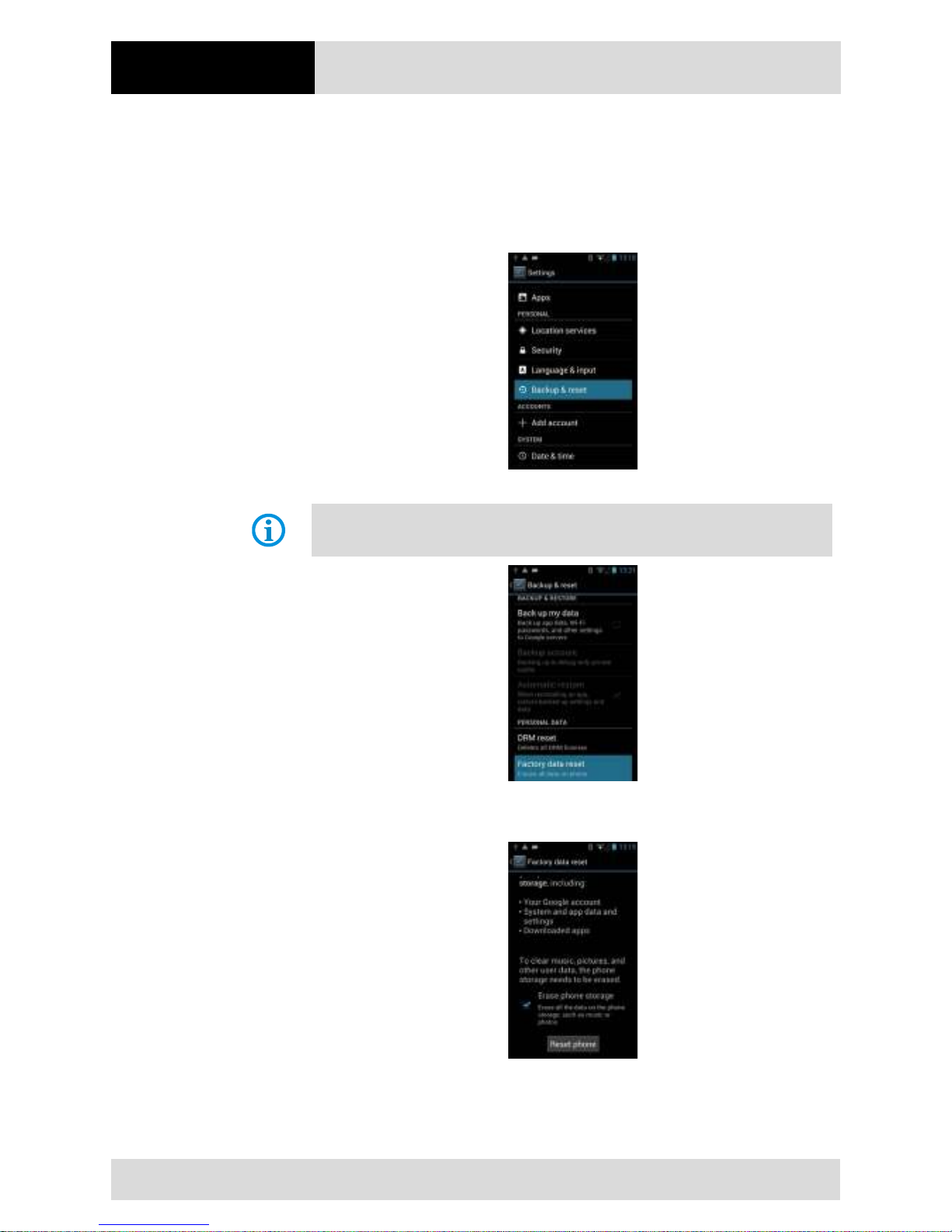
5.4.5 Resetting the Lumen X4 to factory defaults
Work steps:
1. Tap MENU and then tap System settings.
2. Tap Backup & reset.
3. Tap Factory data reset.
The user can select to back up application data, Wi-
Fi passwords and other settings to
Google servers by tapping Back up my data.
4. Read all the available information and then check Erase phone storage if the user
want to erase all the data on the phone storage such as music or photos.
Page 35
4.3" Industry Mobile Computer - Lumen X4
Type B7-A2P4-.…/……..
Commissioning
Subject to technical changes.
03/2016
EN 29/70
5.4.6 Remove/replace screen protector
DANGER
Non-certified accessories endanger explosion protection.
A danger to life exists in a potentially explosive atmosphere!
A condition for a safety conscious operation is the use of original screen protectors
which have been specified for use by BARTEC.
Using screen protectors from different manufacturers renders the ignition
protection useless so that there is a danger of fire or explosion.
Only admissible outside potentially explosive atmospheres:
The screen protector may only be attached or replaced outside the potentially
explosive atmosphere!
ATTENTION
Incorrect handling may cause damage to property!
Use a screen protector so as not to impair the device warranty.
Only use screen protector (Type B7-A2Z0-0035) from BARTEC.
Observe the installation instructions for the screen protector.
Do not use any sharp objects to remove the screen protector!
The screen protector can be ordered from BARTEC. The installation instructions for the
screen protector forms part of the scope of delivery. Parts number: B7-A2Z0-0035
screen protector, 1 piece.
Screen protector
Order number
IECEx-, ATEX- and CSA certified
B7-A2Z0-0035
Work steps:
Only remove or replace the screen protector outside the potentially explosive atmosphere.
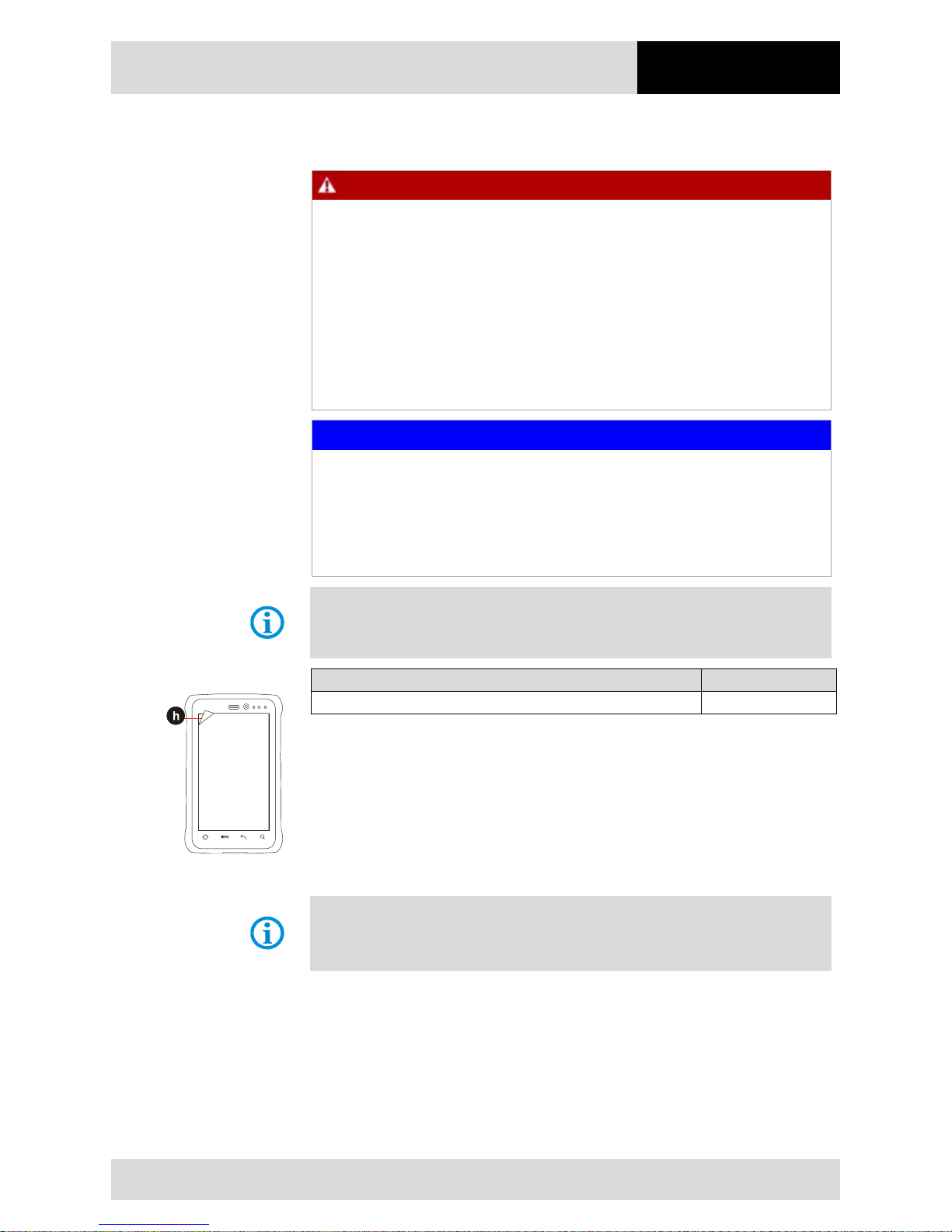
1. Lift a corner of the screen protector (h) and remove it from the display.
2. Attach the screen protector in accordance with the "Screen protector installation
instructions".
5.5 RFID HF / NFC
The internal RFID HF / NFC
reader cannot be incorporated in the Tablet PC by the
customer himself. A retrofit in the factory is possible.
The internal RFID HF / NFC reader cannot be combined with the 1D/2D imager.
The Industry Mobile Computer is equipped with RFID.
The unique concept permits ultramodern technologies to be combined with each other. It
is therefore possible to combine barcode data capture with RFID technology in one
device. The data can be directly processed in the device thanks to virtual keyboards and
color display.
The data can be transmitted to other corporate areas for further processing using WLAN
or Bluetooth and are therefore available in real time for further processing.
Page 36
Operation
4.3" Industry Mobile Computer - Lumen X4
Type B7-A2P4-.…/……..
EN 30/70
Subject to technical changes.
03/2016
6. Operation
The operator using an electric system in a potentially explosive environment must keep
the accompanying operation equipment in good condition, operate and monitor it correctly
and conduct the requisite services and repairs. Before operation the devices it must be
checked that all components and documents are available.
6.1 Final inspection
The following aspects must be checked before putting the device into operation:
Is there any damage to the display, scanner window (optional) or enclosure?
Is the battery correctly inserted and locked?
Does the screen protector (if used) have the requisite certification?
Is the micro SD card specified for the Industry Mobile Computer "Lumen X4"?
Has the SIM card been correctly inserted?
Have only accessory parts been attached to the device which have been released for
use in potentially explosive atmospheres?
6.2 Care and cleaning
We recommend that the devices be cleaned regularly depending on use and also treated
with care to ensure smooth and trouble free operation.
6.2.1 Care
Display
− Use screen protector.
− Use a soft cloth to clean and do not use aggressive cleaners.
Enclosure
− Protect device from impacts.
−
Do not expose to extreme loads, e.g. strong knocks and
falling from great heights.
Environment
− Do not expose to extreme temperatures.
− Do not leave in dirty, moist or wet environment.
6.2.2 Cleaning
DANGER
Danger to life exists in potentially explosive atmospheres!
Only clean the devices and the accessories outside of the potentially explosive
atmosphere.
Page 37
4.3" Industry Mobile Computer - Lumen X4
Type B7-A2P4-.…/……..
Operation
Subject to technical changes.
03/2016
EN 31/70
ATTENTION
Devices and accessories can be destroyed if handled incorrectly!
Generally separate the charger from the power supply.
Only clean the interface contacts if the battery has been removed.
There should be no residue, e.g. fluff on the contacts.
There should be no moisture residue on the contacts.
Heed the safety precautions when drying with compressed air.
To guarantee your own safety and the operational safety of the device, observe the
precautionary measures carefully.
6.2.3 Suitable materials for cleaning
− Alcohol cleaning cloths, Lens cleaning cloths, Cotton swabs, Isopropanol and
Compressed air spray with tube
Enclosure
− With alcohol cleaning cloths.
Keys and intermediate
spaces
− With alcohol cleaning cloths.
Screen
− With alcohol cleaning cloths.
− Avoid collections of fluid and rub with smooth cloths.
Scanner window
− Use cleaning agent for optical devices.
Battery contacts
− Remove the battery from the device to clean.
− Soak the cotton swabs in an alcohol solution to remove
all grease and dirt deposits on the contacts.
− Repeat cleaning several times.
−
Before replacing the battery, the contacts must be
completely dry and no fluff should remain.
Interface contacts
−
To clean the interface contacts, remove the battery
from the device.
− Soak the cotton swabs in an alcohol solution to remove
all grease and dirt deposits on the contacts.
− Repeat cleaning several times.
− Before the interfaces of the devices are used again, the
interface contacts must be completely dry and no fluff
should remain.
Accessories such as
charger, docking
station, etc.
−
Separate the accessories from the power supply to
clean.
− Soak the cotton swabs in an alcohol solution to remove
all grease and dirt deposits on the contacts.
− Repeat cleaning several times.
−
Before the accessory is reconnected to the power
supply, the contacts must be completely dry and no fluff
should remain.
Page 38
Operation
4.3" Industry Mobile Computer - Lumen X4
Type B7-A2P4-.…/……..
EN 32/70
Subject to technical changes.
03/2016
6.3 Operation, recommendations and requirements
6.3.1 Basic safety and health protection requirements
Consult your local health and safety officer to ensure that you are acquainted with the
safety regulations in your company which serve to protect employees at the workplace.
6.3.1.1 Ergonomic recommendation
The following recommendations should be considered for everyday work at the
workplace:
− Avoid one-sided, constantly repetitive movements.
− Body posture should be as neutral as possible.
− Avoid exercising great force.
− Keep objects which are used frequently within a functional distance.
− Adjust the working height to the body height and type of work.
− Erect objects without vibration.
− Avoid the exercising of direct pressure.
− Ensure that the tables and chairs are adjustable.
− There must be sufficient room for body movements.
− Ensure that the working environment is suitable.
− Optimise work flows.
− Alternate between the left and right hand as frequently as possible when conducting
repetitive tasks.
6.3.1.2 Vehicle installation
It is not permitted to connect a warning device which leads to horn sounds or light
signals when receiving a call in road traffic.
Information on conducting telephone conversations
only applies if a 4G LTE module is
used.
RF signals may impair incorrectly installed or inadequately shielded electronic systems in
vehicles (including safety systems). If you have any questions on your vehicle, get in
touch with the manufacturer or sales person.
You can also learn from the manufacturer whether additional equipment has been fitted to
the vehicle. An airbag has a strong impact. Do NOT place objects, such as installed or
portable radio equipment, in the area above the airbag or in the area of deployment of the
airbag. If radio equipment was not correctly installed in the vehicle, severe injuries may
result if the airbag is triggered.
Position the device within good range. Ensure that you have access to the device without
having to take your eye off the road.
Page 39

4.3" Industry Mobile Computer - Lumen X4
Type B7-A2P4-.…/……..
Operation
Subject to technical changes.
03/2016
EN 33/70
Road traffic safety
Do not take any notes and do not use the device when driving. Making a list of to-dos or
browsing through the address book when driving has a negative effect on safe driving.
When driving on the road, you must primarily think of your safety and that of other road
users. You should therefore concentrate completely on the road. Check the legal
provisions on the use of wireless devices in road traffic of the respective region. Always
observe these.
If you use a wireless device during driving a car, rely on your good judgement and
remember the following:
− Become acquainted with the wireless device and its functions such as the shortcut
dialling or dial repetition function. These functions may prove to be useful if you would
like to make calls without taking your eye off the road.
− Where possible, use hands-free equipment.
− Let your dialogue partner know that you are behind the steering wheel. When
necessary discontinue the call in dense traffic or poor weather conditions. Rain, sleet,
snow, ice and even very dense traffic represent dangers.
− Dial the required numbers carefully and estimate and the traffic situation. Make your
calls once you have brought your car to a stop or before you leave. Plan your calls
such that these can be done when parked. If you really must make a call during the
trip, only dial a part of the number, check the road and look in the rear view mirror
and then dial the rest of the number.
− Do not succumb to stressful and emotional telephone conversations which could take
your attention from the road. Let your dialogue partner know that you are in a car and
refrain from conversations which could take your attention from the road.
− Call for help using your mobile device if necessary. Dial the emergency services (911
in the USA and 112 in Europe) or other local emergency service numbers in the
event of fire, accident or medical emergencies. Remember that these calls are free of
charge on the wireless device! The call can be made independently of security code
or networks with or without a SIM card.
− Help your fellow humans in emergency situations with your mobile device. If you
witness a serious accident, crime or any other emergency, call the emergency
service (911 in the USA and 112 in Europe) or another local emergency service
number because you could be the one who needs help next time.
− Call the breakdown service or a special mobile radio number for support if you
encounter problems on the road. If you pass a car with a breakdown, which does not
represent a serious impediment to traffic, pass traffic lights which do not function, a
traffic accident with slight damage and without injuries or a possibly stolen car, please
get in touch with the road police or another special mobile radio number for support.
Page 40

Operation
4.3" Industry Mobile Computer - Lumen X4
Type B7-A2P4-.…/……..
EN 34/70
Subject to technical changes.
03/2016
The “Mobile Communication Industry” requests you to give safety priority when using your
device/telephone.
6.3.2 Information on the use of wireless devices
Heed all warnings referring to the use of wireless devices.
6.3.2.1 Safety in aircraft
Switch off the wireless device when asked to do so by the ground staff and by employees
of the airline. If your device has a flight mode or similar function, find out about its correct
use with the help of the aircraft staff.
6.3.2.2 Safety in hospitals
Wireless devices emit radio frequencies and cause disturbances to medical technical
electrical devices. Wireless devices should be switched-off on request when you are in
hospitals, clinics or health establishments. This is intended to avoid any possible
interferences with sensitive medical equipment.
6.3.2.3 Heart pacemakers
Manufacturers recommend that a minimum distance of 15 cm be observed between a
wireless handheld device and a pacemaker to avoid potential interference. This guideline
is in line with the independent research results and recommendations of Wireless
Technology Research.
− Persons with heart pacemakers should ALWAYS keep at least 15 cm away from the
activated device.
− The device may not be worn by these persons in the breast pocket.
− The device should be held to the ear which is further away from the heart pacemaker.
− If you have reason to assume that an interference has arisen you should SWITCH-
OFF the device immediately.
6.3.2.4 Hearing aids
The wireless device may cause disturbances to hearing devices. Get in contact with the
manufacturer of your hearing device in the case of disturbances to ask about possible
solutions.
− The device should be held to the ear which is furthest away from the heart pacemaker.
− If you have reason to assume that interference has arisen you should SWITCH OFF
the device immediately.
6.3.2.5 Other medical equipment
Ask your doctor or the manufacturer of the medical device to determine whether putting
the wireless product into operation impairs the medical device.
Page 41
4.3" Industry Mobile Computer - Lumen X4
Type B7-A2P4-.…/……..
Operation
Subject to technical changes.
03/2016
EN 35/70
6.3.3 Equipment of the laser devices
CAUTION
Laser radiation! May damage eyesight!
Do not look into the laser beam.
Devices from BARTEC/Winmate equipped with lasers comply with the following
guidelines:
− IEC 60825-1:2007 / EN 60825-1:2008-05 Class 2 (1 mW, 630-680 nm)
− IEC 60825-1 / EN 60825-1: Class 1 LED product (only with imaging option, no laser
label)
The Tablet PC uses the Intermec Scan Engine EA30. The classification for the laser
device is stated on the plate attached to the device. Laser devices of class 1 are not
considered to be dangerous as long as they are used for their intended purpose.
6.3.4 LED devices
CAUTION
LED light! May damage eyesight!
If you use LED for the camera flash, keep the camera flash LED at least 317 mm
(12.5 inch) away from a person’s eyes. Otherwise serious damage may be caused
to the eyes.
Devices from BARTEC/Winmate equipped with LED devices comply with the following
guidelines:
− IEC 62471:2006-07 for LED safety.
6.3.5 Restrictions in the case of wireless devices
The use of wireless devices is possibly forbidden or restricted. This applies primarily on
board aircraft, in hospitals, in the vicinity of explosive substances or under other
hazardous conditions. If you are not sure wh
ich regulations apply to the use of the
device, ask permission before switching it on.
Radio modules
The device contains radio modules. The identification data for these modules are provided
below:
− Radio module from BARTEC/Winmate which supports WLAN 802.11 a/b/g/n and
Bluetooth.
− ARM® Cortex™-A7 Quad Core 1.5 GHz (WLAN-WiFi IEEE 802.11 a/b/g/n, Bluetooth
Version 3.0 + EDR, GPS, WWAN 3.75G - GSM / GPRS / EDGE / WCDMA / HSDPA /
HSUPA).
Bluetooth® radio technology
This is an authorised Bluetooth® product. Further information and an end product list is
provided at
https://www.bluetooth.org/tpg/listings.cfm.
Page 42
Operation
4.3" Industry Mobile Computer - Lumen X4
Type B7-A2P4-.…/……..
EN 36/70
Subject to technical changes.
03/2016
Country-specific roaming
This device has the International Roaming function (IEEE802.11d) which ensures that the
device is used on the channels prescribed for the respective country.
Ad-hoc operation
The ad-hoc operation is restricted to the channels 36–48 (5150–5250 MHz). The use of
this bandwidth is restricted to indoor areas; use outdoors is not permitted.
6.4 Operating frequency - FCC and IC
5 GHz only
Use in the UNII-Band 1 (Unlicensed National Information Infrastructure) in the range of
5150-5250 MHz is restricted to indoor rooms. The failure to heed this rule leads to the
illegal operation of the device.
Industrial standard declaration for Canada
ATTENTION
Devices can be damaged by inappropriate handling!
The device for the frequency range 5150-5250 MHz is exclusively intended for
operation in indoor rooms in order to restrict possible co-channel interference for
satellite mobile radio systems to a minimum. The frequency ranges 5250-5350
MHz and 5650-5850 MHz are primarily intended for the high power radar devices
(i.e. these radar devices take priority). These radar devices may cause
interference and/or damage WLAN devices.
2.4 GHz only
In the USA the channels 1 to 11 are available for the 802.11 b/g operation. The range of
channels is restricted by the firmware.
FCC requirements to protect against high-frequency interference
This device has been tested and satisfies the limit
values for a digital device of Class B according to Part
15 of the FCC Guideline. These limit values were
stipulated to guarantee appropriate protection against
disturbances if the device is used in residential areas.
The device generates and uses radio frequency energy and may emit this energy. This
can have a disturbing effect on other radio frequencies if the device is not connected and
used in accordance with the operating instructions. A guarantee that no interference will
arise for a certain installation cannot be given.
If the device causes interference to the radio or TV reception which can be recognised by
switching the device on and off, the interference should be eliminated by one or several of
the following measures:
- Re-alignment or moving of the receiving aerial.
- Enlarging the distance between device and receiver.
Page 43
4.3" Industry Mobile Computer - Lumen X4
Type B7-A2P4-.…/……..
Operation
Subject to technical changes.
03/2016
EN 37/70
- Connecting the device to a different socket than the one to which the receiver is
connected.
- Advice from the dealer or a radio/television technician.
Declaration in accordance with the FCC regulations, Part 15.21
Changes which have not been explicitly approved by the party responsible for compliance
with the regulations can lead to the expiry of the operating authorization for this device.
Radio transmission devices (Part 15)
This device satisfies the requirements of Part 15 of the FCC Guidelines. The operation of
the device is based on the following two conditions:
- The device may not cause any damaging interference.
- The device must absorb all receiving interference including interference which
may lead to undesirable operation.
Requirements placed on the protection from high frequency interference - Canada
This digital device of Class B satisfies the Guidelines of the Canadian standard ICES-003.
Radio transmission devices
This device corresponds to RSS 210 (Industry & Science Canada). The operation of the
device is based on the following two conditions:
− The device may not cause any damaging interference.
− The device must absorb all receiving interference including interference which may
lead to undesirable operation.
Label symbol: “IC:” before the radio certification means that the technical data of Industry
Canada have been satisfied.
Country approvals
For 2.4 GHz products: Europe covers Belgium, Bulgaria,
Denmark, Germany,
Estonia, Finland, France, Greece, Great Britain, Ireland, Iceland, Italy, Latvia,
Liechtenstein, Lithuania, Luxembourg, Malta, Netherlands, Norway, Austria, Poland,
Portugal, Romania, Sweden, Switzerland, Slovakia, Slovenia, Spain, Czech Republic,
Hungary and Cyprus.
Test symbols are attached to the device which shows that the radio modules are
approved for use in the following countries: USA, Canada and Europe.
Detailed information on the test symbol for other countries is provided in the EC
declaration of conformity.
USA
WARNING
It is not permitted to operate the device without official approval.
Acquire a permission from the authorities first.
The channels 1 to 11 are available in the USA for 802.11 b/g operation. The range of the
channels is restricted by the firmware.
Page 44

Operation
4.3" Industry Mobile Computer - Lumen X4
Type B7-A2P4-.…/……..
EN 38/70
Subject to technical changes.
03/2016
Radio transmitters for RLAN devices
The operation of RLAN devices (5 GHz) is subject to the following restrictions in Canada:
− Frequency range restricted to 5.60 GHz to 5.65 GHz.
This device complies with the radio standard RSS 210 of the Industry & Science Canada.
The operation of the device is based on the following two conditions:
− The device may not cause any damaging interference.
− The device must absorb all receiving interference including interference which may
lead to undesirable operation.
Label symbol “IC:” before the radio certification merely means that the technical data of
Industry Canada have been satisfied.
6.5 Electromagnetic fields
Reduction in high frequency energy – intended use
Only use device in compliance with the supplied instructions.
International
The device complies with the internationally recognised standards for the recommended
maximum values for electromagnetic fields of radio devices. Information on
“internationally“ recommended maximum values for electromagnetic fields is provided in
BARTEC’s Declaration of Conformity at
http://www.bartec.de/.
Europe
Portable devices have been specially tested for operation in direct body proximity. Use
exclusively belt clips, holsters and similar accessories which have been tested and
approved by BARTEC to ensure compliance with the EU regulations.
USA and Canada
Declaration on joint use
To comply with the FCC guidelines with respect to exposure to high frequency energy, the
aerial for this transmitter should not be used in the direct vicinity of, or in an operation unit
with, other transmitters/aerials with the exception of those approved in this document.
The Industry Mobile Computer should only be worn close to the body when turned off.
Portable devices have been specially tested for operation in direct body proximity. Use
exclusively belt clips, holsters and similar accessories which have been tested and
approved by BARTEC to ensure compliance with the FCC regulations. Belt clips, holsters
and similar accessories of third manufacturers may not satisfy the FCC requirements for
the recommended maximum values for electromagnetic fields and should not therefore be
used.
Micro SD card
The Micro SD card slot provides a secondary, non-volatile memory. The slot is located
below the removeable battery. Further information is provided in the documentation
supplied with the card. Observe the manufacturer’s recommendations on use.
Page 45

4.3" Industry Mobile Computer - Lumen X4
Type B7-A2P4-.…/……..
Operation
Subject to technical changes.
03/2016
EN 39/70
6.6 Use the Android 4.2 Operating System
6.6.1 Wake up the phone
If you do not use the phone for a while, the screen dims and then darkens to conserve the
battery.
Work steps:
1. Press the Power on/off button (a) on the side of the Industry Mobile Computer.
2. Drag the lock symbol (arrow) to the right.
6.6.2 Use the touch screen
Tap
Simply touch the icon, symbol, or onscreen button using
your finger.
Tap and hold
Touch an item using your finger and not lifting it until an
action occurs.
Drag Touch and hold an item for some amount of time and then,
without lifting your finger, move your finger along the screen
until you reach target position.
Swipe
Quickly move your finger across the surface of the screen,
without pausing it when you first touch it. (e.g. scroll a page
or a list up or down).
Double tap Tap quickly twice on a webpage, map, or other screen to
zoom.
Double tapping after pinching the zoom in some application
to fit the width of the screen.
Zoom out/
zoom in
Place two fingers on the screen at once and pinching them
together (to zoom out) and spreading them apart (to zoom
in).
Rotate the screen
Orientation of the screens rotates with the phone as user
turn it from upright to its side and back again.
Page 46
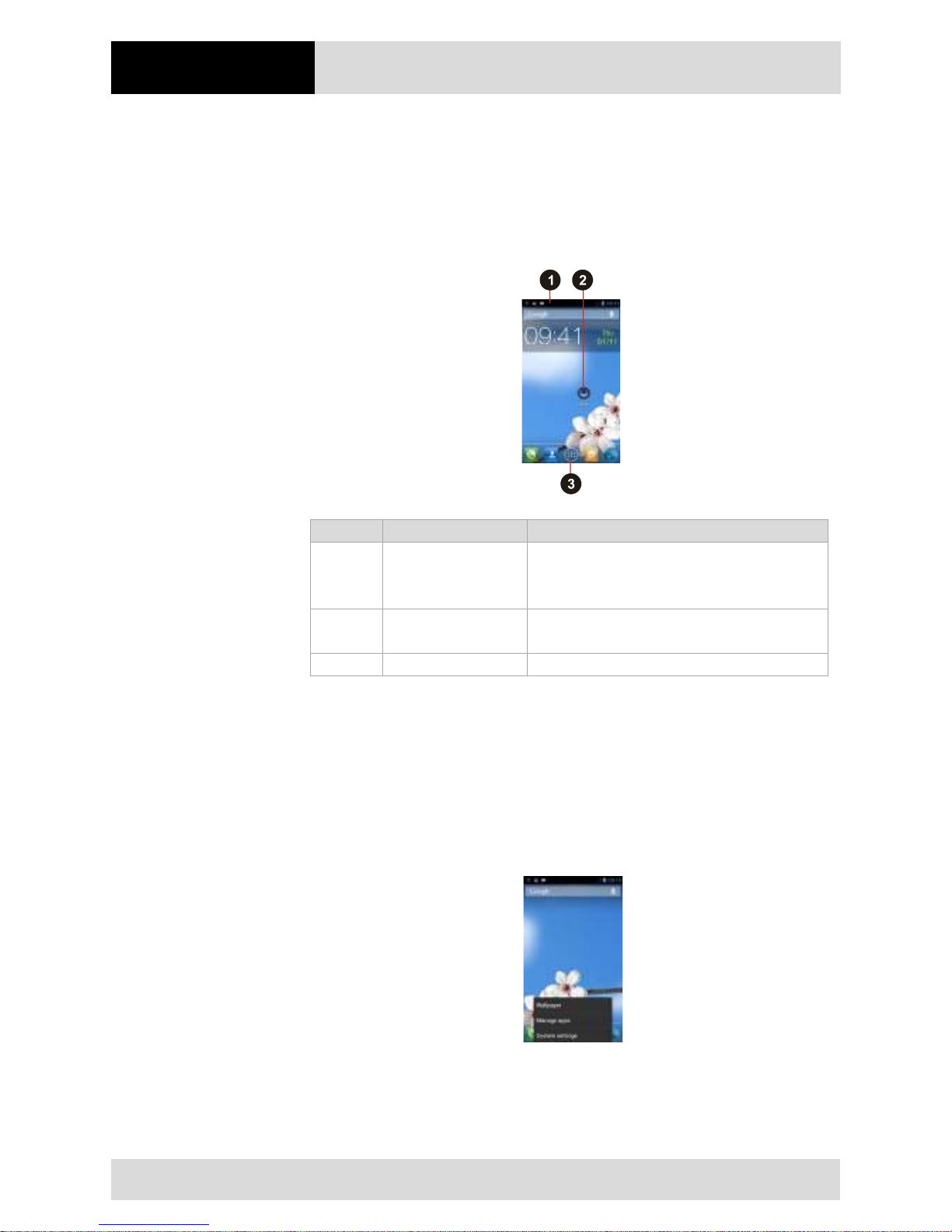
Operation
4.3" Industry Mobile Computer - Lumen X4
Type B7-A2P4-.…/……..
EN 40/70
Subject to technical changes.
03/2016
6.6.3 Use the Home screen
Home screen is the starting point to access all the features on the Industry Mobile
Computer. It displays application icons, widgets, shortcuts, and other features. User can
personalize the home screen. See "Personalize the home screen".
Position
Designation
Description
1
Status Bar
Shows the time, signal strength, battery status,
and other information. It also displays
notification icons.
2 Apps Applications that the user can use directly on the
Home screen.
3
Launcher icon
Opens the launcher and view all applications.
6.6.4 Personalize the home screen
The user can add application icons, shortcuts, widgets, and other items to any part of the
Home screen where there is free space. The user can also change the wallpaper.
Change the wallpaper
Work steps:
1. Tap MENU and then tap Wallpaper.
Page 47
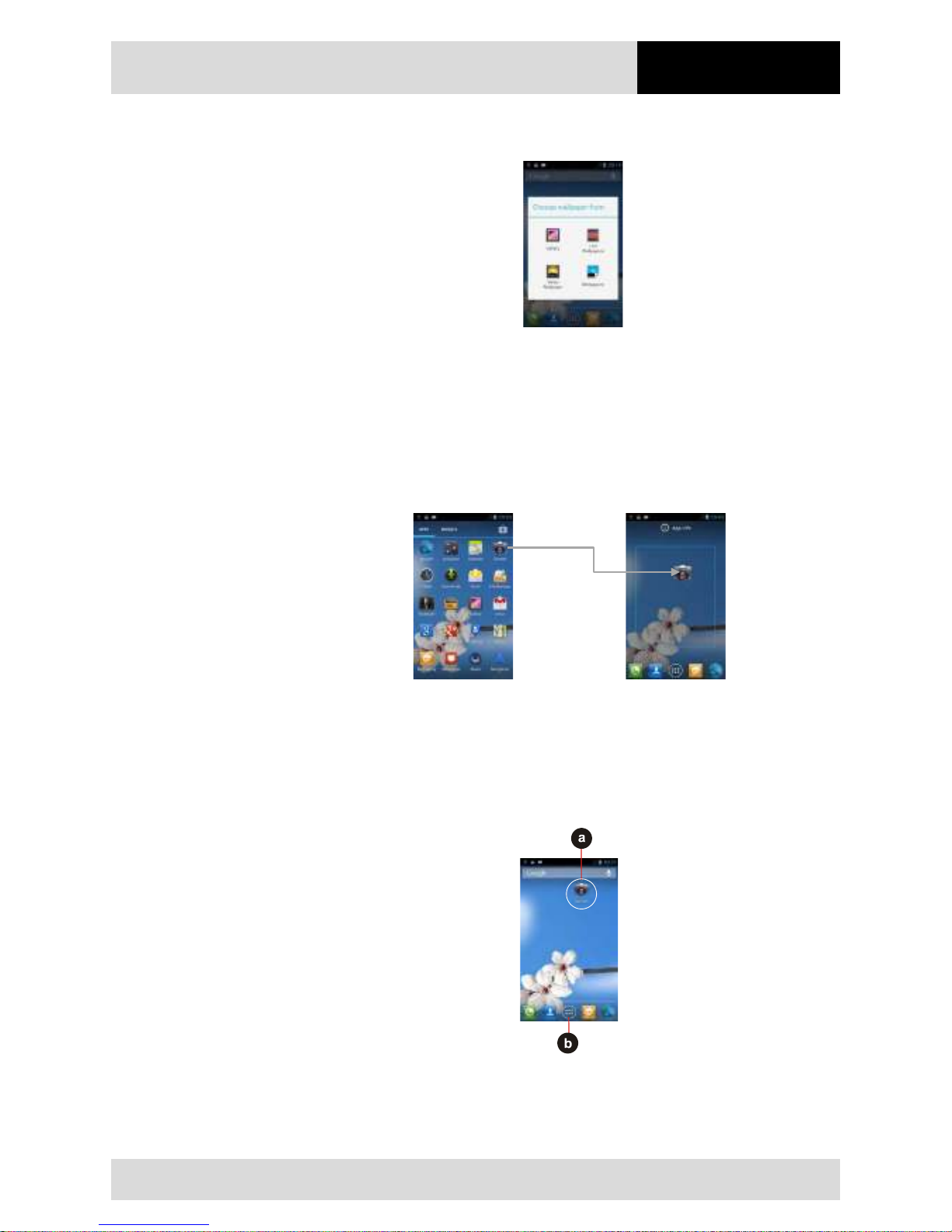
4.3" Industry Mobile Computer - Lumen X4
Type B7-A2P4-.…/……..
Operation
Subject to technical changes.
03/2016
EN 41/70
2. On the menu that opens tap the type of item you want to add.
Move an item
Work steps:
1. Tap and hold the item you want to move, until it can be moved.
2. Drag the item to a new location on the screen.
3. Place the item where you want to put it and lift your finger. (Example: Move Camera
to Home screen.)
Remove an item
Work steps:
1. Tap and hold the item (a) you want to remove (here the camera item).
The launcher icon (b) will change into a Remove icon.
Page 48
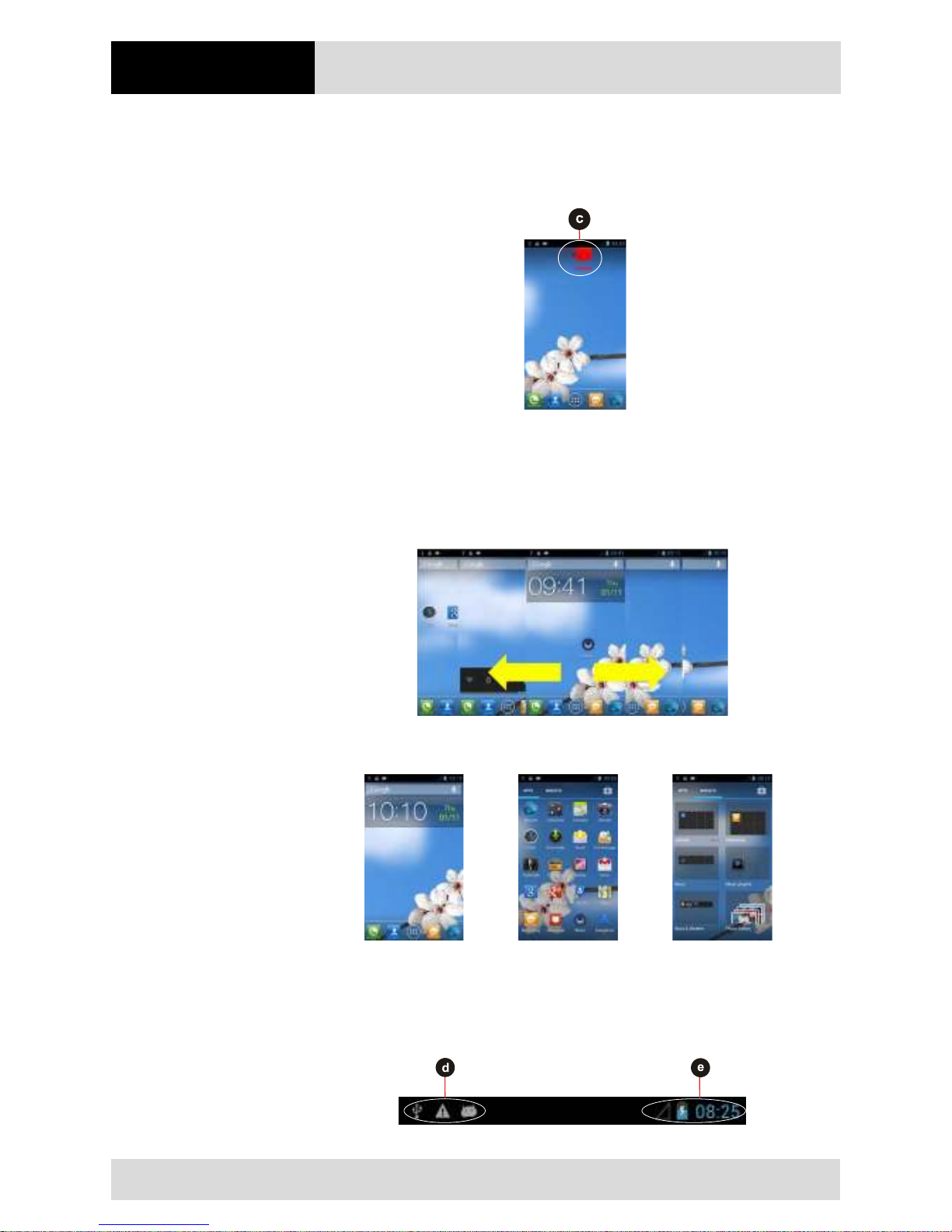
Operation
4.3" Industry Mobile Computer - Lumen X4
Type B7-A2P4-.…/……..
EN 42/70
Subject to technical changes.
03/2016
2. Drag the item you want to remove to the Remove icon.
When the item (c) turns red, release yout finger.
The element you want to remove is removed.
View other parts of the Home Screen
Extensions to the Home screen provide extra space for APPS, shortcuts, and other items.
Work steps:
1. Swipe your finger left or right across the Home screen.
2. Tap the launcher icon to view the entire APPS and Widgets of the device.
Status and notification icons
The status bar appears at the top of every screen. On the left are notification icons (d)
and on the right are status icons (e), along with the current time.
Page 49
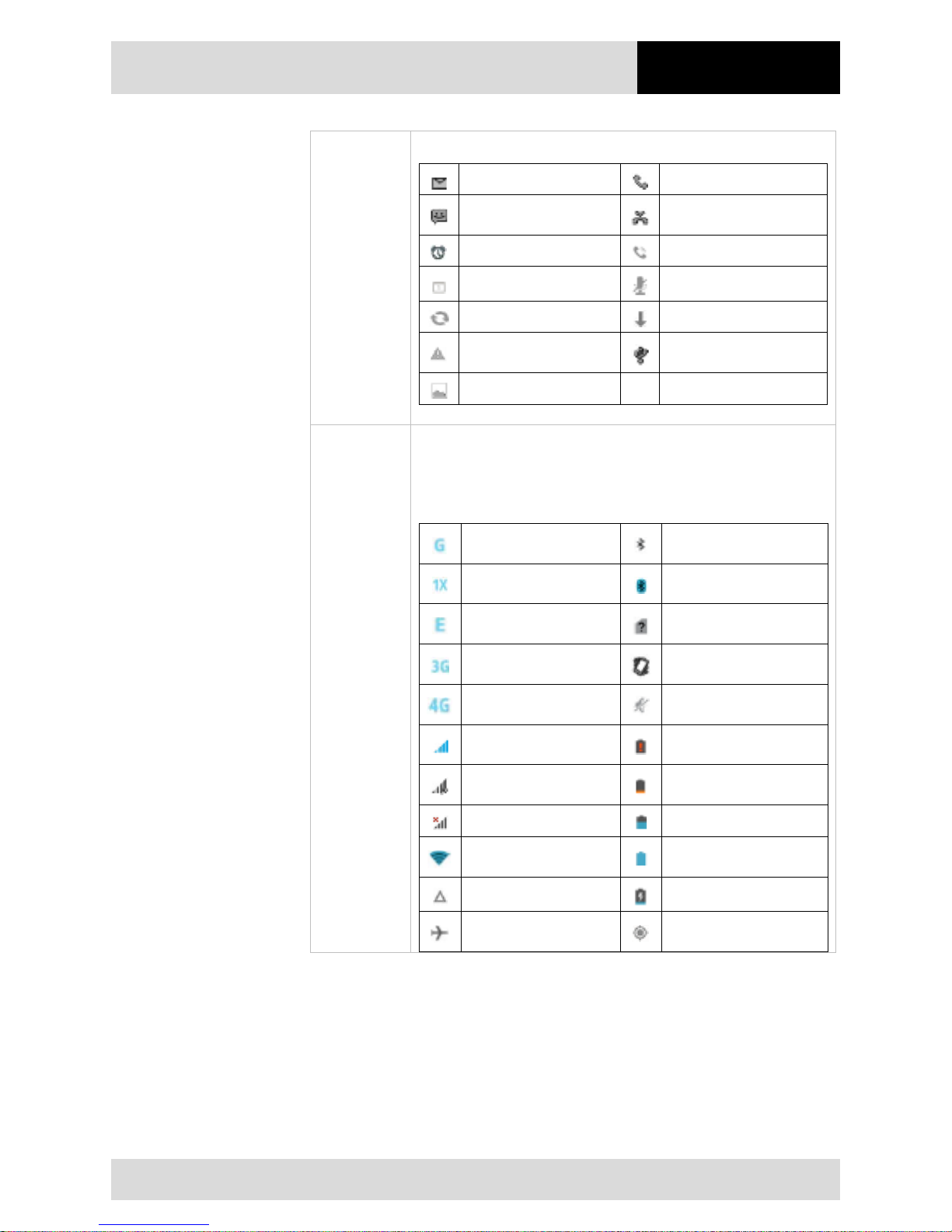
4.3" Industry Mobile Computer - Lumen X4
Type B7-A2P4-.…/……..
Operation
Subject to technical changes.
03/2016
EN 43/70
Notification
icons
The following icons indicate that you have received notification.
New email message
Incoming call
New text or multimedia
message
Missed call
Alarm is set
Speakerphone is activated
Upcoming event
Phone microphone is muted
Data is syncing
Downloading data
Problem with sign-in or
sync
Phone is connected via USB
cable
A screenshot is captured
Status icons
The following icons indicate the status of the Industry Mobile
Computer, for example if users are connected to a Wi-Fi network that
is not connected to the internet, the network icons are appears in
white color.
Connected to GPRS
mobile network
Bluetooth is on
Connected to 1xRTT
mobile network
Mit einem Bluetooth-Gerät
verbunden
Mit einem EDGE mobile
network
Keine SIM-Karte eingesetzt
Connected to 3G mobile
network
Vibrations-Modus
Connected to 4G mobile
network
Klingelton ist stumm
geschaltet
Mobile network signal
strength
Sehr niedriger AkkuLadezustand
Searching for a network
signal
Niedriger Akku-
Ladezustand
No signal
Akku ist teilweise entladen
Connected to a Wi-Fi
network
Akku ist vollständig geladen
Roaming
Akku lädt
Airplane mode
Empfängt Standortdaten
vom GPS-Gerät
Page 50
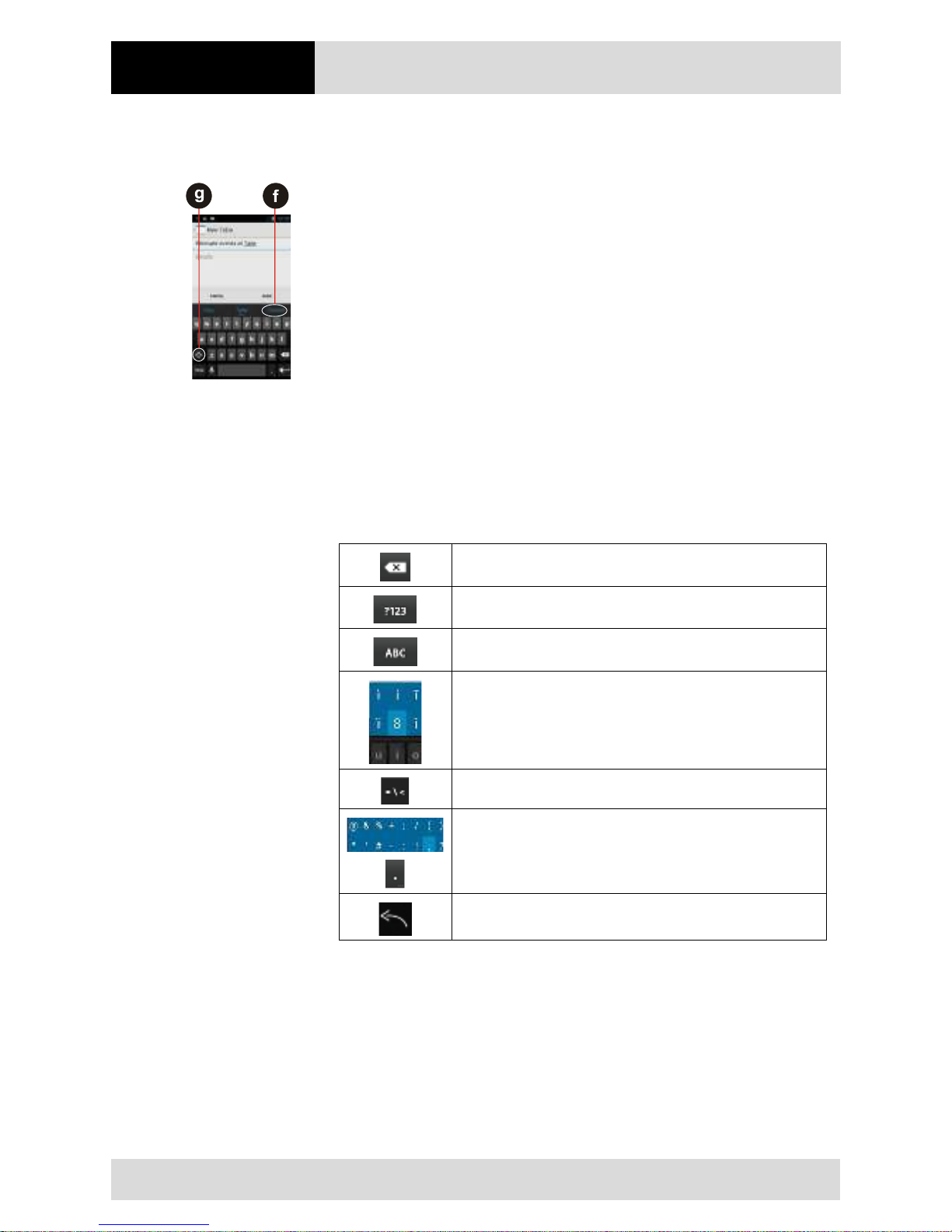
Operation
4.3" Industry Mobile Computer - Lumen X4
Type B7-A2P4-.…/……..
EN 44/70
Subject to technical changes.
03/2016
6.6.5 Use the On-Screen Keyboard
The user will be able to enter text using the On-Screen Keyboard. Some applications will
launch the keyboard automatically. In others, the user needs to touch a text field where
the user wants to enter text to launch the keyboard.
Enter text by typing
Work steps:
Open a text field (in this example we used ToDo to create a note).
The On-Screen Keyboard opens.
Tap a suggestion (f) to enter it in place of the underlined word in the text box.
Tap once (g) to capitalize the alphabet.
If the user taps in a text field which already contains text, the insertion point is set
where the user taps and the cursor appears. The user can drag the cursor to pick
exactly where you want to add more text. The user can also select a word to copy,
cut and paste it. See "Edit text".
Tap the delete key to erase characters to the left of the cursor.
Tap the key to enter numbers.
Tap the key to return to letters.
To enter symbols and other characters, tap and hold one of the toprow keys and swipe your finger up to the list of the options. Lift your
finger when you find your selection.
To view additional symbols, tap the key on the numeric keyboard.
To open a small window with a set of common symbols, tap and
hold the periode key. Swipe your finger up to the list of the options.
Lift your finger when you find your selection. The selected symbol
will be inserted.
To close the On-Screen keyboard, tap the back key.
Page 51
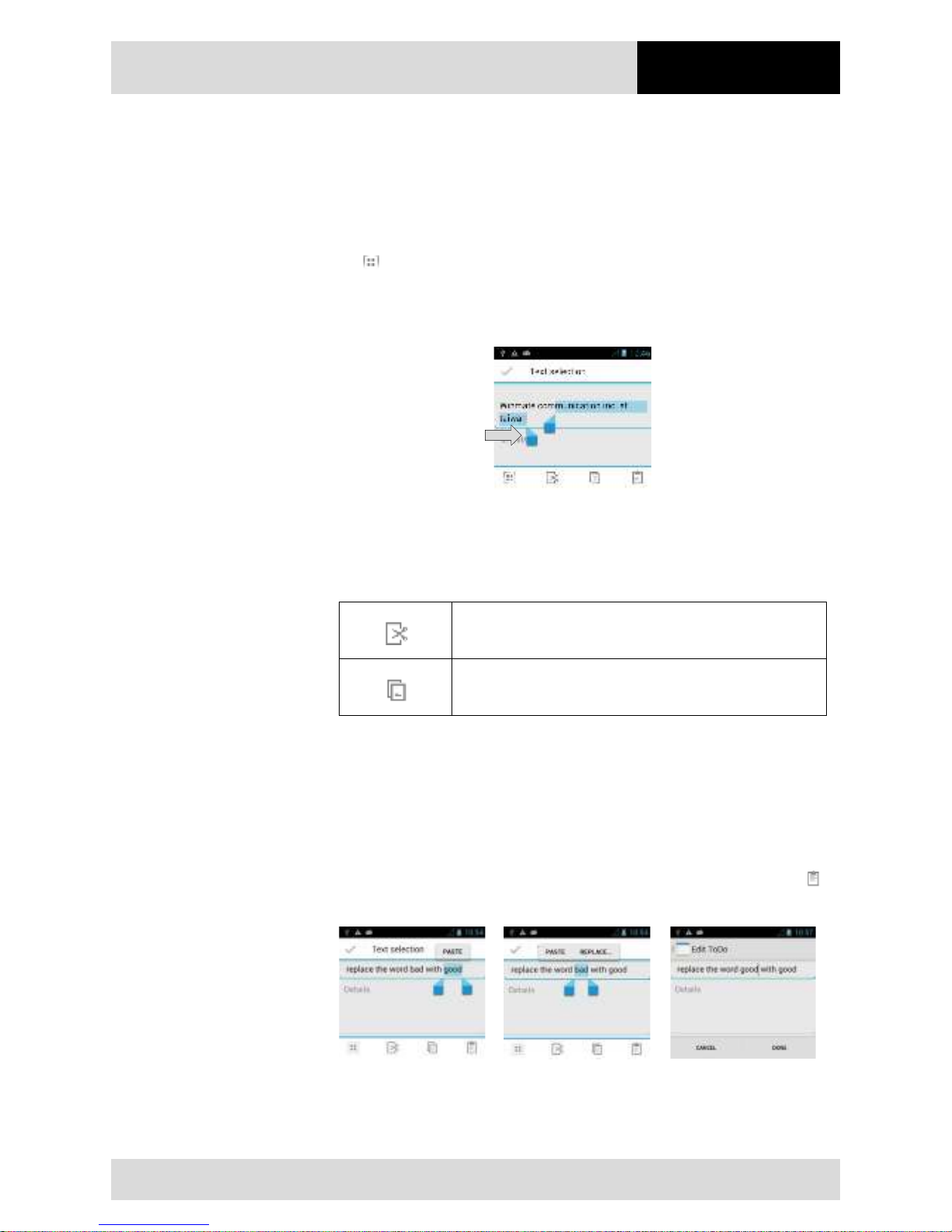
4.3" Industry Mobile Computer - Lumen X4
Type B7-A2P4-.…/……..
Operation
Subject to technical changes.
03/2016
EN 45/70
6.6.6 Edit text
Select text
Work steps:
1. Double Tap the text you want to select.
2. Tap to select all the sentences in the menu that appear.
The selected text is highlighted in blue, with a tab at each end of the selected word.
3. Drag the selection tab to expand or reduce the range of the selected text.
Cut or copy text
Work steps:
Select the text that should be cut or copied and then should be pasted.
Tap on the key to remove the selected text from the text field. The
removed text is stored in a temporary area so that you can paste it
into a different text field.
Tap on the key to copy the selected text from the text field. The
copied text is stored in a temporary area so that you can paste it
into a different text field.
Paste text
Work steps:
1. Place the cursor in the text field where you want to paste the text. The user can paste
text that you copied from one application into a text field in any application
2. Tap and hold into the location that you want to paste the text. Tap Paste in the menu
that opens to replace the text with the cut or copied text. The user can also tap to
replace the existing text with copied text.
Page 52
Operation
4.3" Industry Mobile Computer - Lumen X4
Type B7-A2P4-.…/……..
EN 46/70
Subject to technical changes.
03/2016
6.6.7 Set the display
Use the display settings to configure brightness and other screen settings.
Work steps:
1. Tap MENU and then tap System settings.
2. Tap Display. In the DEVICE part, the following options will be offered:
Brightness
Adjust the brightness of the screen
Wallpaper
Select the wallpaper
Auto-rotate screen
Switch the orientation of the screen as rhe user turns
the device sideways or upright.
Sleep
Inactivate the device after some time.
Use the shortest sleep time for the longest battery life
between charges.
Font Size
Adjust the font size on the device.
6.6.8 Set the audio profile
Use the sound settings to configure how and at what volume the phone rings, vibrates or
alerts the user in other ways when the user receives a call, receives a notification, or an
alarm sounds.
Work steps:
1. Tap MENU and then tap System settings.
2. Tap Audio profiles. The following options will be offered:
General
Ring
Silent
Silent only
Meeting
Vibrate only
Outdoor
Loudest ring and vibrate
6.6.9 Adjust volume
Work steps:
Press the volume keys to change the ring volume (On Home screen) or earpiece
volume (during a call)
Page 53
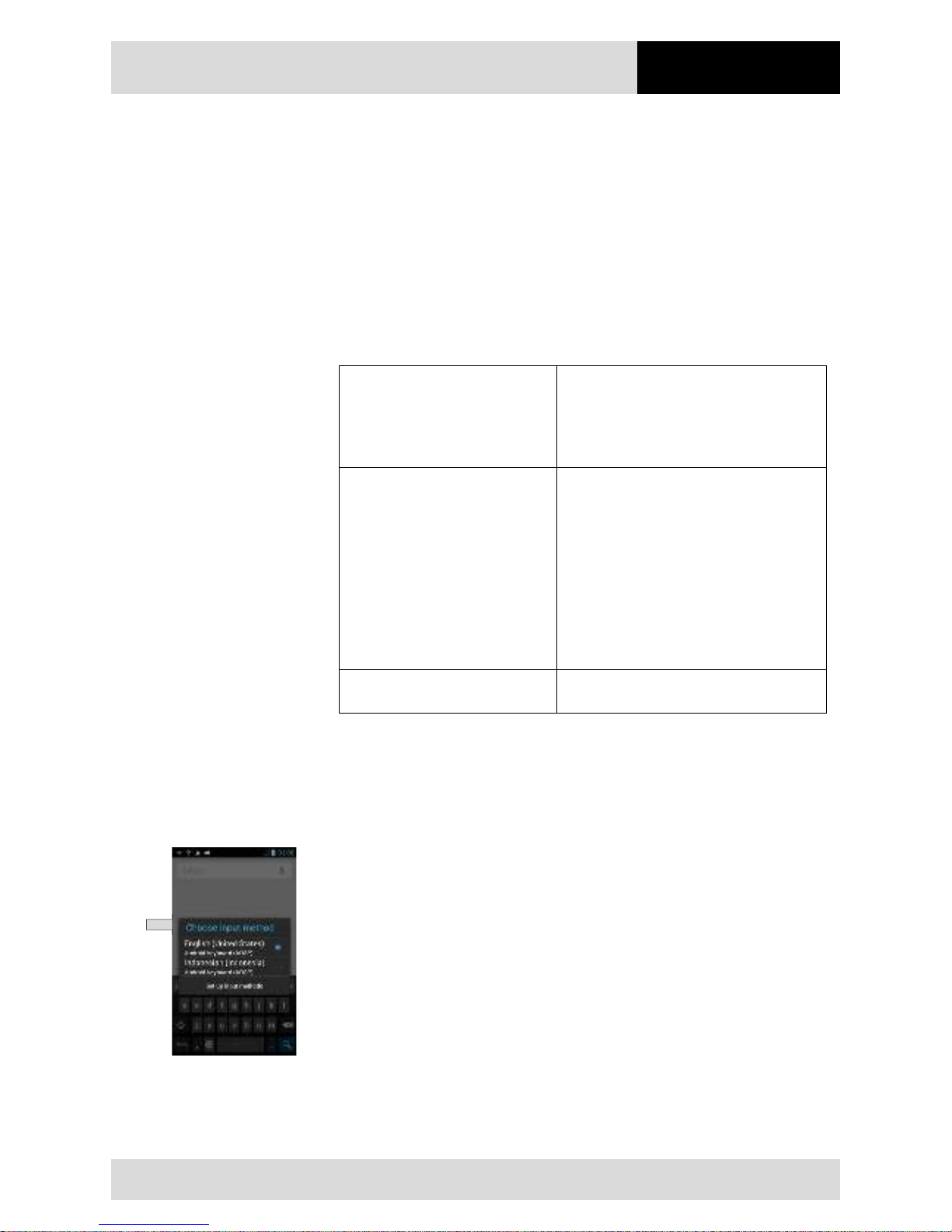
4.3" Industry Mobile Computer - Lumen X4
Type B7-A2P4-.…/……..
Operation
Subject to technical changes.
03/2016
EN 47/70
6.6.10 Set language and keyboard
Use the language & keyboard settings to select the language for the text on your Industry
Mobile Computer and for configuring the On-Screen Keyboard, including words that you
have added to its dictionary.
Work steps:
1. Tap MENU and then tap System settings.
2. Tap Language & Input and then Language to open the language screen, where
user can select the language to use for the text on the device.
Default
Apply the on-screen keyboard that is
included with user’s device.
The correction and capitalization features
affect only the English version of the
keyboard.
Android keyboard settings
The setting screen is available only if
user’s device has a physical keyboard.
There are three options available:
− "Auto-
replace" checks to correct
misspelled words.
− "Auto-cap" checks to capitalize the first
letter of the first word in sentences.
− "Auto-punctuate"
checks to insert a
period when the user presses the
space key twice in a row.
Input Language (Active Input
Methods)
The user can select language(s) that will
appear in the android keyboard.
Change the keyboard language
The current keyboard language is displayed on the space key and the user can switch
languages.
Work steps:
1. Tap and hold the space key.
2. Without lifting the finger, swipe it to the left or right until the language you want to use
appears in the center of the small window above the space key.
3. Lift the finger to select the keyboard language (here Englisch).
Page 54
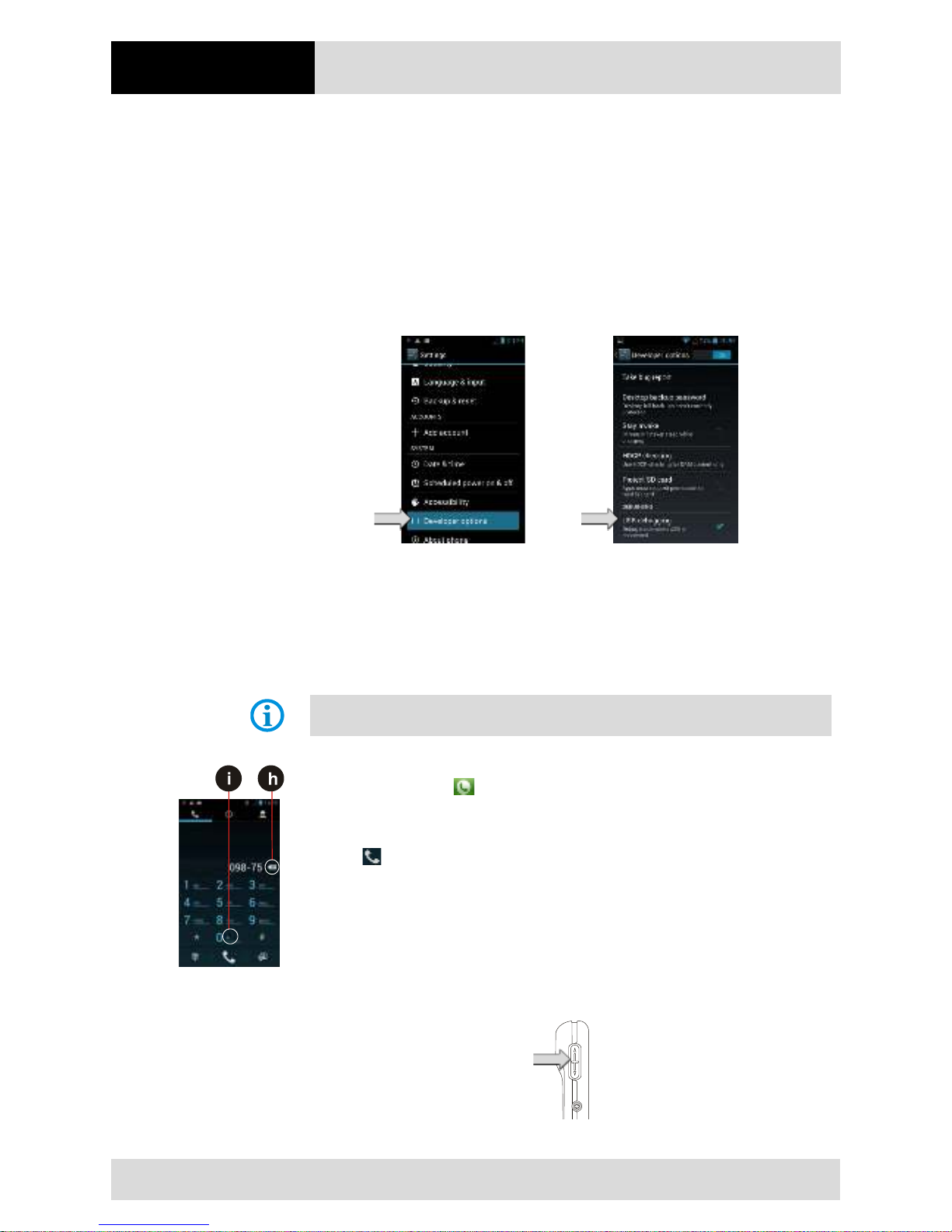
Operation
4.3" Industry Mobile Computer - Lumen X4
Type B7-A2P4-.…/……..
EN 48/70
Subject to technical changes.
03/2016
6.6.11 USB debugging setting
To permit debugging tools on a computer to communicate with the user’s Industry Mobile
Computer via USB connection.
Work steps
1. Tap MENU and then tap System settings.
2. Tap { } Developer options and then tap USB debugging to allow USB debugging.
6.6.12 Use the phone
The user can make a phone call by dialing a phone number; touch a number in the
contact list, on the web pages or other places.
To make a phone call
Make sure the SIM card is properly installed.
Work steps:
1. Tap the phone icon at the bottom of the home screen or in the launcher or on the
home screen.
2. Tap the numeric keys on the screen to enter the phone number.
Tap to dial the number that you have entered.
If you enter a wrong number, tap this button (h) to erase digits one by one. To erase
the entire number, tap and hold this button.
Tap and hold the plus button (i) to enter +.
Adjust the call volume by pressing the volume up/down button on the side of the
Industry Mobile Computer.
Page 55
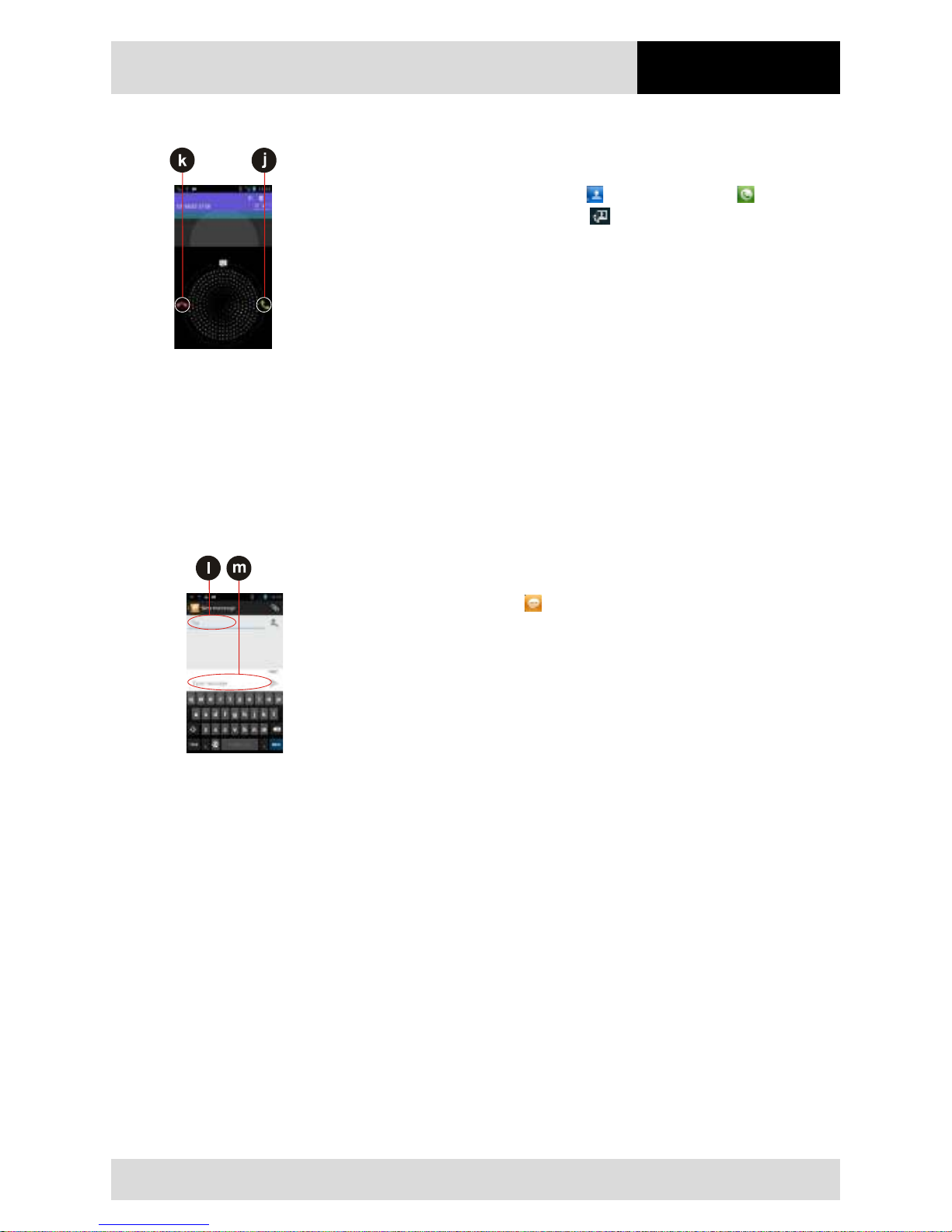
4.3" Industry Mobile Computer - Lumen X4
Type B7-A2P4-.…/……..
Operation
Subject to technical changes.
03/2016
EN 49/70
Make a phone call using the contact list
Work steps:
1. Tap the Launcher and then tap Contacts or tap the phone icon at the bottom
of the home screen and then tap Contacts .
2. Select the required contact and then tap it to call.
Answer and decline calls
When the user receive a phone call, the incoming call screen opens with the caller ID and
any additional information about the caller that you have entered in contacts.
Work steps:
Tap the answer icon (j) to answer calls.
Tap the reject icon (k) to reject calls.
6.6.13 Messaging
Send a text message
Work steps:
1. Tap the Launcher and then tap .
2. Tap Compose new message and enter a mobile phone number in the To field (l).
You can tap to find your contact.
3. Tap the composition text box (m) to start entering your message.
Open and respond to a text message
If you are working in a message window, the message that you receive is displayed in it.
Otherwise, you receive a new message notification and a new message icon appears in
the status bar.
Answer a message
When the user taps the new message notification, the message window opens and
the user can answer the message.
Forward a message
Work steps:
1st Tap and hold a message in a message window.
2nd Tap forward message in the menu that opens.
3rd Enter a recipient for the message and edit the content if necessary
4th Tap Send.
Page 56
Operation
4.3" Industry Mobile Computer - Lumen X4
Type B7-A2P4-.…/……..
EN 50/70
Subject to technical changes.
03/2016
6.6.14 About the phone
About Phone includes information about user’s Industry Mobile Computer.
System Update
Provides information regarding the local or online
update of your devices.
Status
Opens the status screen with a list of information
about battery, network, signal strength, and other
details.
Legal Information
Lists details about the model number, Android
Version, Baseband version etc. This information is
useful if the user needs to work with the support
team.
6.6.15 Screenshot capture
Screenshot capture is result of simultaneous oppress of volume key (-) and On-/Off key.
The screenshots stored on the device: Phone Storage / Pictures / Screenshots
Volume key (-)
On-/Off key
6.7 Connection to mobile networks and devices
When users assemble their Industry Mobile Computer with a SIM card from the service
provider, their phone is configured to use their provider networks for voice calls and for
transmitting data.
Different locations may have different mobile networks available. The user may need to
configure the Industry Mobile Computer to use certain networks. To obtain fastest
networks, the user can configure the Industry Mobile Computer to 4G. To extend the life
of battery the user can use 2G network.
6.7.1 Check the network (GPRS/3G) connection
Work steps:
1. Tap MENU (MENÜ) and then tap System settings.
2. Tap More… in the Wireless & networks, and then tap Mobile networks.
3. Tap 3G Service to check the network connection.
Page 57
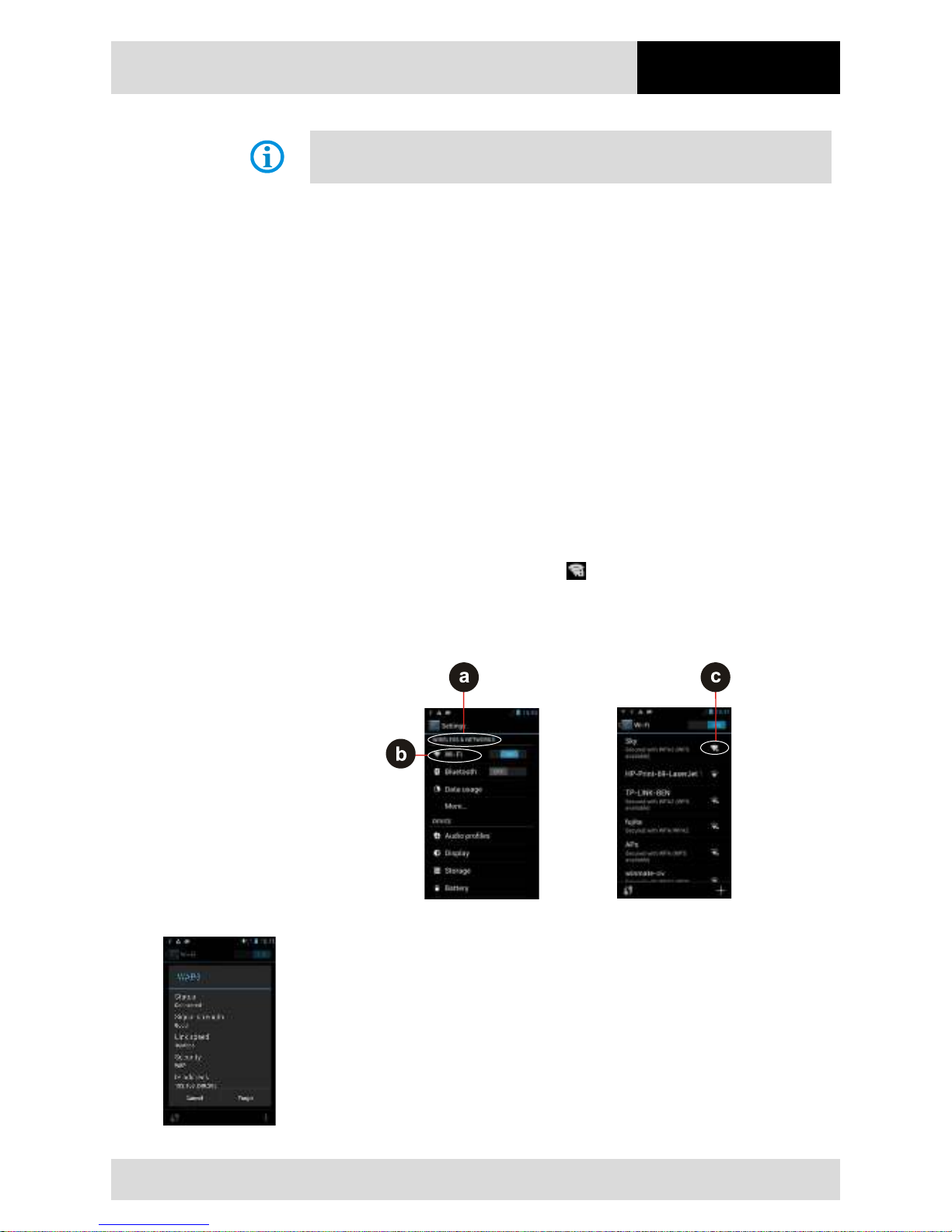
4.3" Industry Mobile Computer - Lumen X4
Type B7-A2P4-.…/……..
Operation
Subject to technical changes.
03/2016
EN 51/70
Do not change the parameters of the access point to prevent the user to be unable to
access network sources.
6.7.2 Turn on the data service
Work steps:
1. Tap MENU and then tap System settings.
2. Tap More… in the Wireless & networks, and then tap Mobile networks.
3. Tap Data connection.
4. Select the desired network operator to enable the data connection.
6.7.3 Connect to Wi-Fi networks
Turn on the Wi-Fi and connect to a Wi-Fi network
Work steps:
1. Tap MENU and then tap System settings.
2. Tap Wireless & networks (a) and then select Wi-Fi (b) to turn it on.
3. Tap Wi-Fi.
The device scans for available Wi-Fi networks and displays the list of it. Secured
networks are indicated with a lock icon (c).
If the phone finds a network that you have connected previously, it connects to it
automatically.
4. Tap a network to connect to it.
If the network is open, you are prompted to confirm that you want to connect it by
tapping Connect.
If the network is secured, users are prompted to enter a password or other
credentials.
To check the details about the speed, security, address, and related settings, tap its
name in the Wi-Fi settings screen.
Page 58
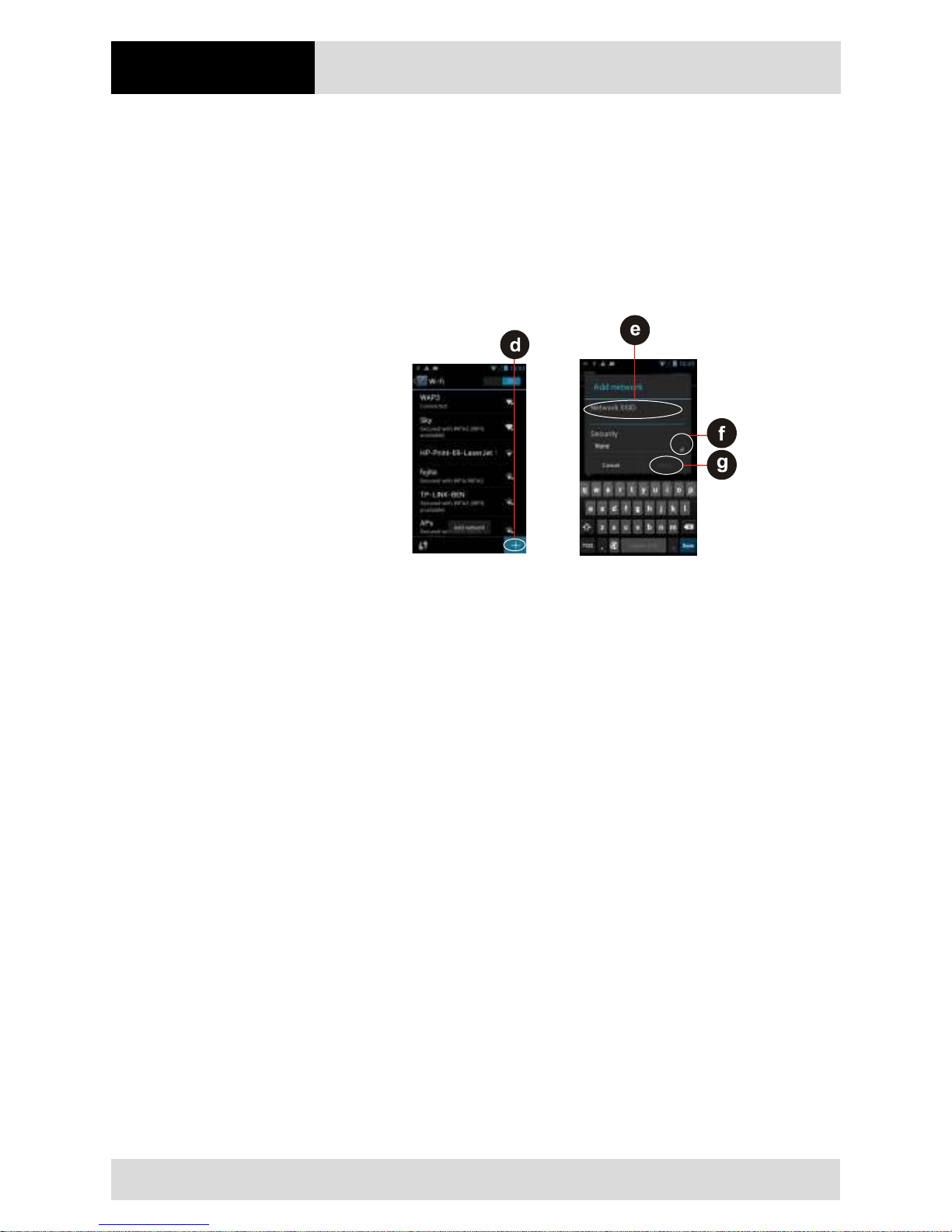
Operation
4.3" Industry Mobile Computer - Lumen X4
Type B7-A2P4-.…/……..
EN 52/70
Subject to technical changes.
03/2016
Add a Wi-Fi Network
Work steps:
1. Turn on Wi-Fi, in the Wi-Fi settings screen, tap on the + icon (d).
2. Input the SSID (name) of the network (e), if the network is secured, tap the security
menu and then tap the type of security (f) deployed on the network.
3. Enter any required security credentials.
4. Tap Save (g).
6.8 Connection to Bluetooth devices
6.8.1 Turn Bluetooth on or off
Work steps:
1. Tap MENU and then tap System settings.
2. Tap Wireless & networks and the select Bluetooth to activate the Bluetooth
function.
6.8.2 Connect / disconnect to Bluetooth devices
Connect
Work steps:
1. Tap MENU and then tap System settings.
2. Tap Wireless & networks and then tap Bluetooth. The Industry Mobile Computer
will automatically scan and display the IDs of all available Bluetooth devices in range.
3. Tap Search for devices to search for other Bluetooth devices.
4. Tap the ID of the other device in the list in Settings to pair them.
Disconnect
Work steps:
1. Tap the device in the Bluetooth settings screen.
2. Tap OK to confirm that you want to disconnect.
Page 59
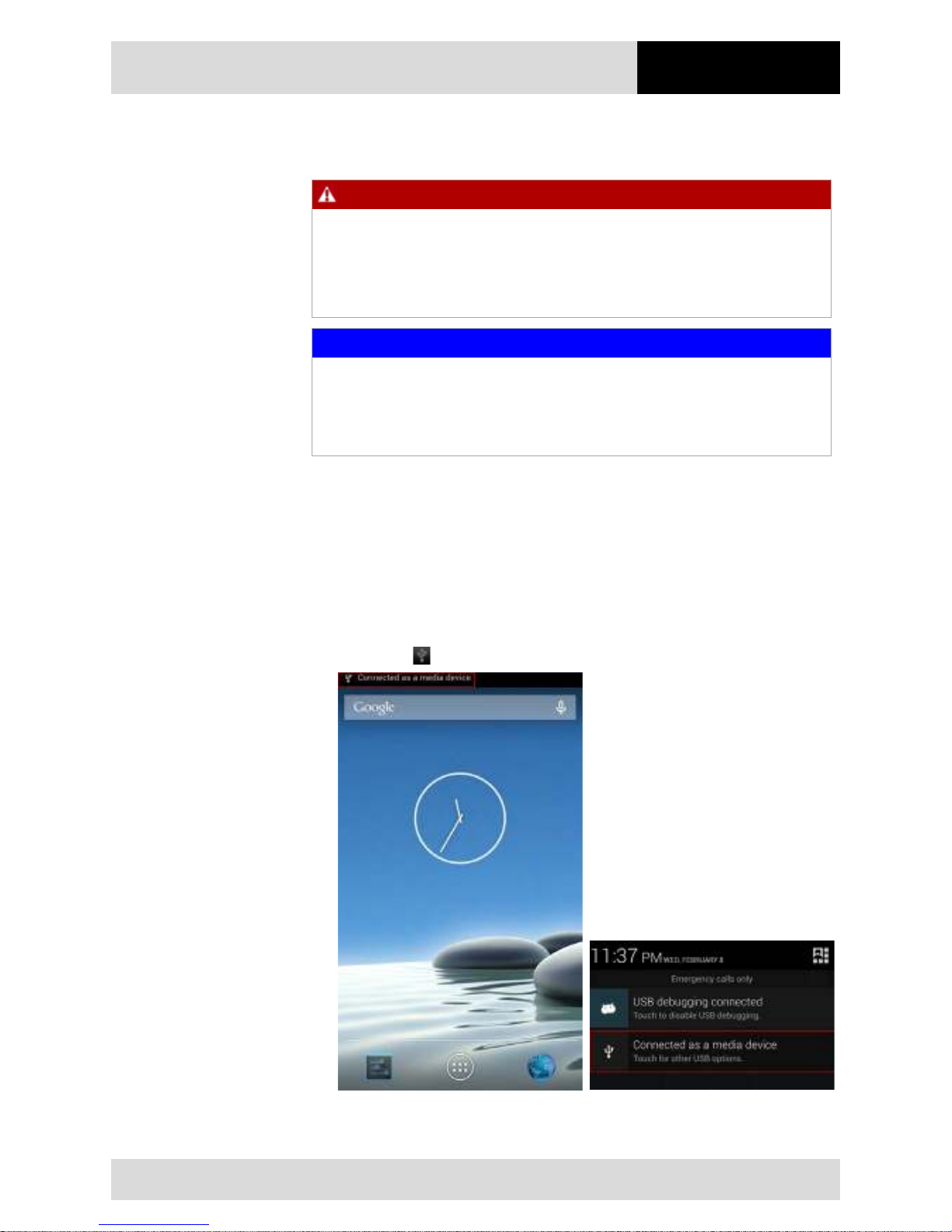
4.3" Industry Mobile Computer - Lumen X4
Type B7-A2P4-.…/……..
Operation
Subject to technical changes.
03/2016
EN 53/70
6.9 Connection / disconnection via USB
DANGER
Non certified accessories endanger explosion protection.
Danger to life exists in potentially explosive atmospheres!
The external Micro USB Type B interface (OTG Host, data exchange, and
charging) must only be used outside hazardous areas with specified accessories
recommended by the manufacturer.
ATTENTION
Data loss due to incorrect connection/disconnection of USB devices!
When connecting your Industry Mobile Computer to a computer and mounting its
USB storage or SD card, the user must follow the computer’s instructions for
connecting and disconnecting USB device, to avoid damaging or corrupting files.
The user can connect the Industry Mobile Computer to a computer with an USB cable to
transfer files between the Industry Mobile Computer and another computer.
Connect Lumen X4
Work steps:
1. Use the USB cable that came with your Industry Tablet to connect the phone to a
USB port on your computer.
2. After you received a notification that the USB is connected, tap the notification panel
and then tap (USB) connected as a media device.
3. Select Media device (MTP) to confirm the file transfer.
Page 60
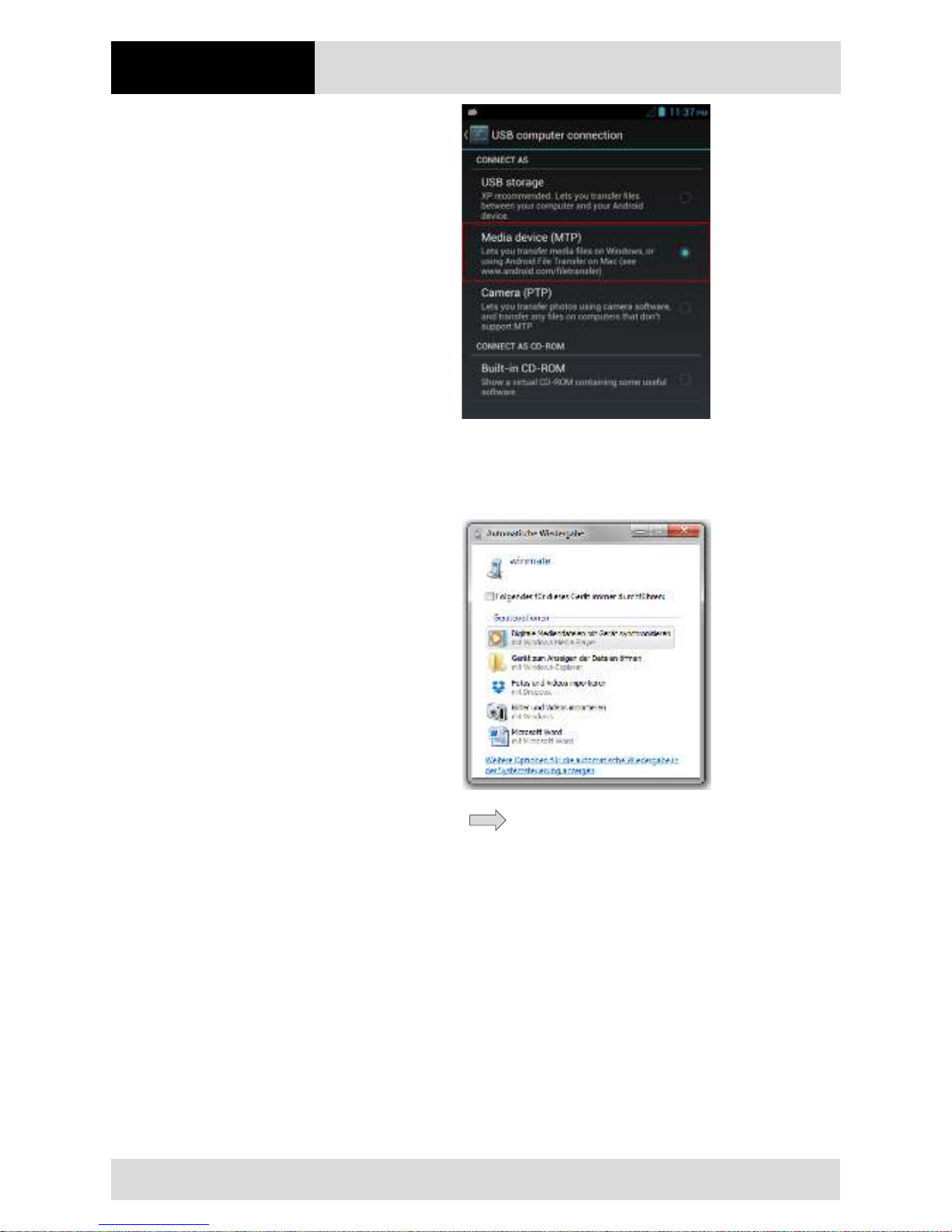
Operation
4.3" Industry Mobile Computer - Lumen X4
Type B7-A2P4-.…/……..
EN 54/70
Subject to technical changes.
03/2016
When the device is connected as USB storage, the screen indicates that USB
storage is in use and user will receive a notification.
Disconnect Lumen X4
Work steps:
1. Tap the notification panel and then tap USB connected.
2. Tap Turn off USB storage in the screen that opens.
3. Disconnect the Industry tablet by unplugging the USB cable.
Page 61
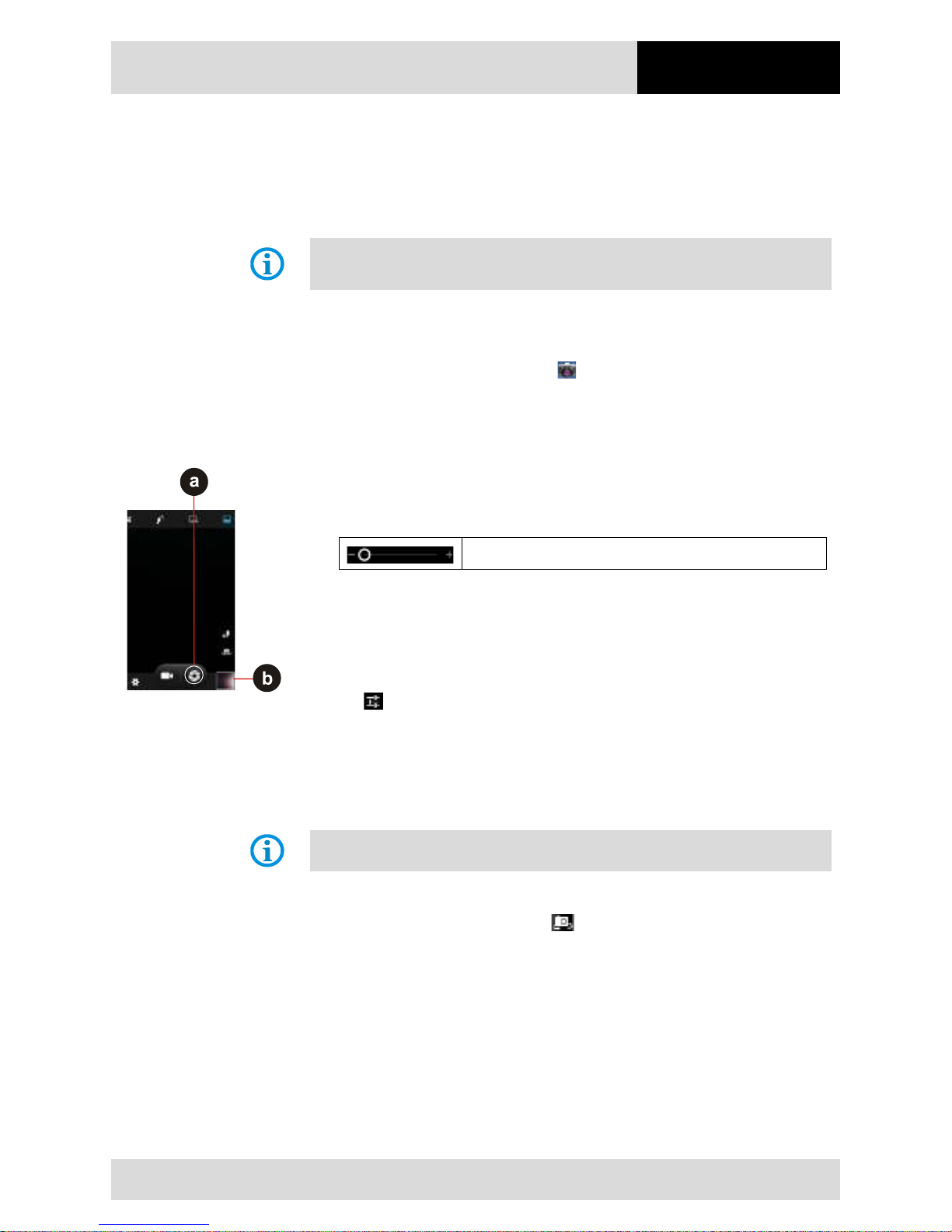
4.3" Industry Mobile Computer - Lumen X4
Type B7-A2P4-.…/……..
Operation
Subject to technical changes.
03/2016
EN 55/70
6.10 Use the camera
The Industry Mobile Computer is equipped with a 8 MP camera on the rear side and a
2 MP camera on the front side, which the user can use to capture photos or video.
Make sure that the protective lens cover is clean before taking pictures.
A dirty lens
cover can cause blurry pictures.
6.10.1 Open the camera
Work steps:
Tap the Launcher and then tap Camera . The camera opens in portrait mode, ready
to take a picture or to shoot a video.
6.10.2 Take a picture
Work steps:
1. Adjust the exposure, flash, and other necessary settings. Or leave it automatic.
2. Frame your subject / object on screen.
To change the zoom factor, drag the zoom slider.
3. Tap the On Screen Shutter icon (a).
The camera brings the image into focus. When the image is in focus, the focus
indicators in each corner will turn green (b) and the picture is ready to capture.
Tap to change camera settings.
Switch between front and rear camera
The Industry Mobile Computer has both a front and rear camera. The user can select
which camera you want to preview and take pictures with.
Not all features (such as flash) are available for the front camera.
Work steps:
Tap the On Screen Select Camera icon to switch between the rear camera and the
front camera. The preview switches to show the scene viewed from the camera the user
selected.
View pictures
After taking a photo, a thumbnail of the picture is shown on the corner of the capture
screen.
Work steps:
Tap the thumbnail to view the picture. The following options are available:
Page 62
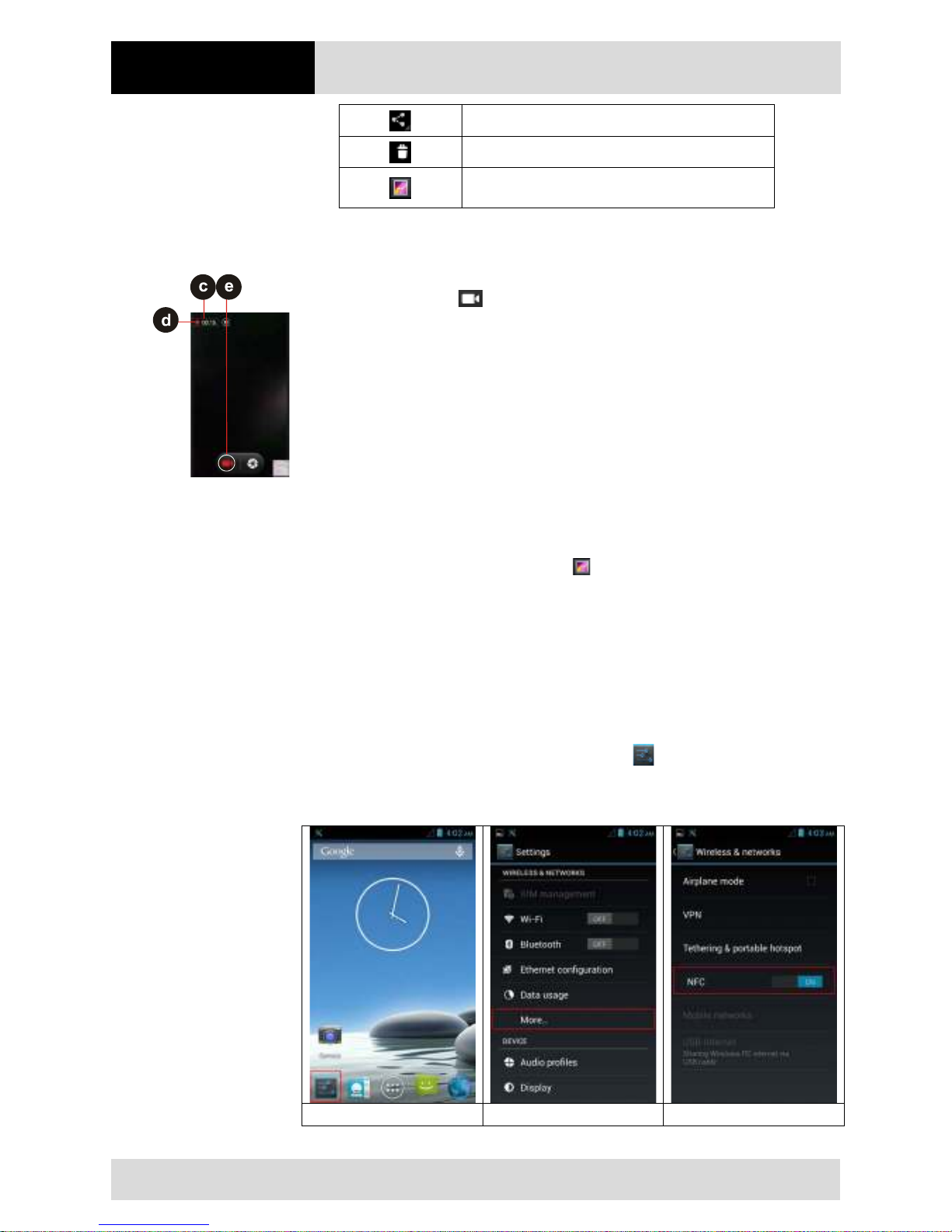
Operation
4.3" Industry Mobile Computer - Lumen X4
Type B7-A2P4-.…/……..
EN 56/70
Subject to technical changes.
03/2016
Share photo
Delete photo
View another photo or video in the gallery. Swipe right
or left to view more photos.
6.10.3 Record a video
Work steps:
1. Tap the Record icon to start the video recording.
2. The countdown time remaining to record the video (c) is located on the upper left.
When the time left is less than a minute, the countdown turns red (d).
3. Point the lens to record the scene where you want to start.
4. Tap the Record icon (e) to stopp the video recording.
6.10.4 Open the galery
Work steps:
1. Tap the Launcher and then tap Gallery .
2. Tap a folder to view the pictures or video inside in full screen mode.
3. Swipe the pictures to the right or left to view the previous or next picture.
6.11 Use RFID NFC/HF
6.11.1 Enable RFID HF/NFC
1. Enter the “Settings“ menu with a tab on the setting symbol. (Picture 1)
2. Select the option “More“ to open the menu for “Wireless & Networks“. (Picture 2)
3. Enable NFC option to “ON“. (Picture 3)
Picture 1
Picture 2
Picture 3
Page 63
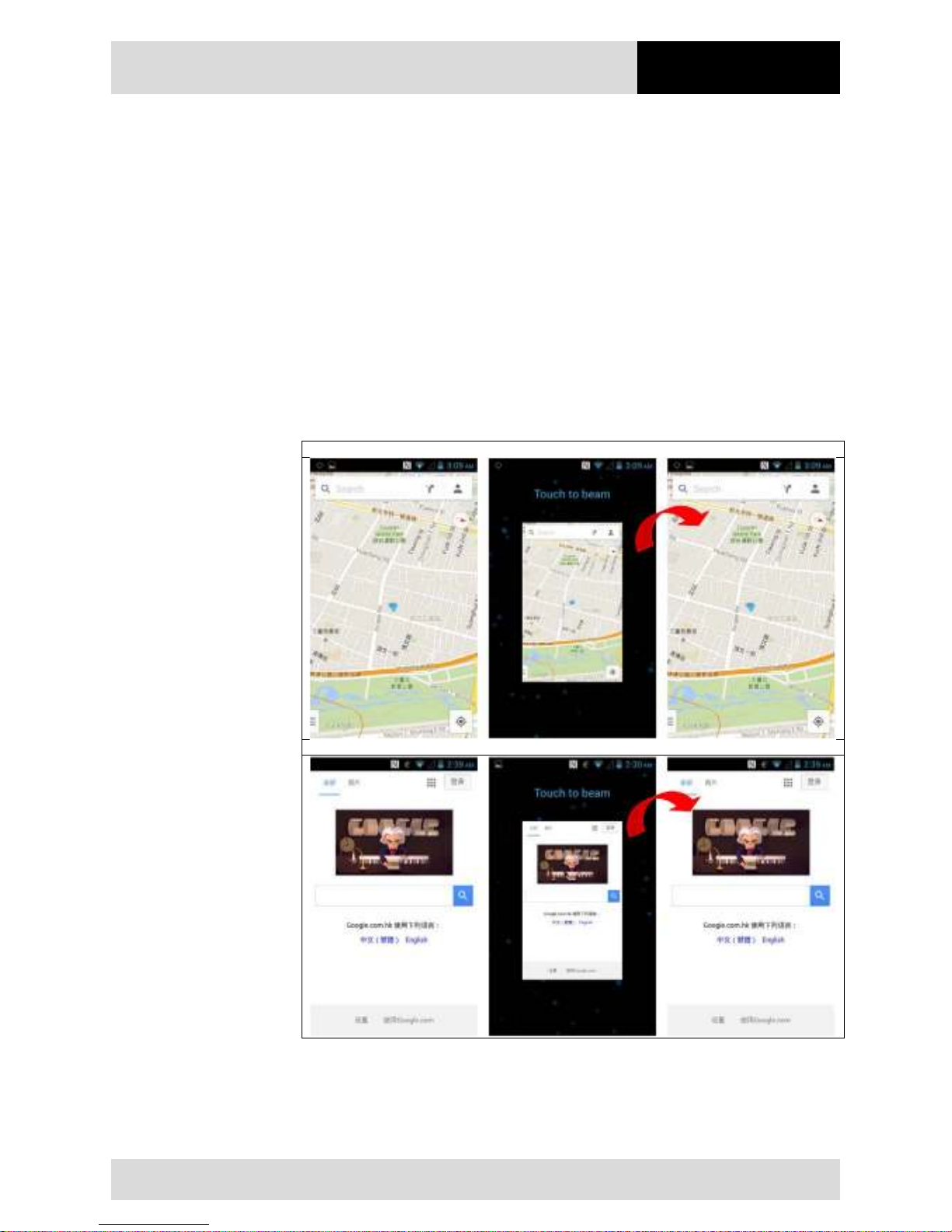
4.3" Industry Mobile Computer - Lumen X4
Type B7-A2P4-.…/……..
Operation
Subject to technical changes.
03/2016
EN 57/70
6.11.2 Daten mit Punkt zu Punkt (P2P) Verbindung übertragen
1. There are two NFC capable devices required.
2. Enable NFC on the receiver device.
3. Enable NFC function on Lumen X4 as described in chapter 6.11.1.
4. Select the program or file what you transmit.
5. Bring both NFC devices close together that connection can established.
6. If connection is established then you can transmit the file with a tab on the message
“Touch to beam“
7. Confirm the message box with “Yes”.
8. Check on the receiver device that the file is received.
Example:
Example 1: Google Maps
Example 2: Internet URL Adresse
Page 64
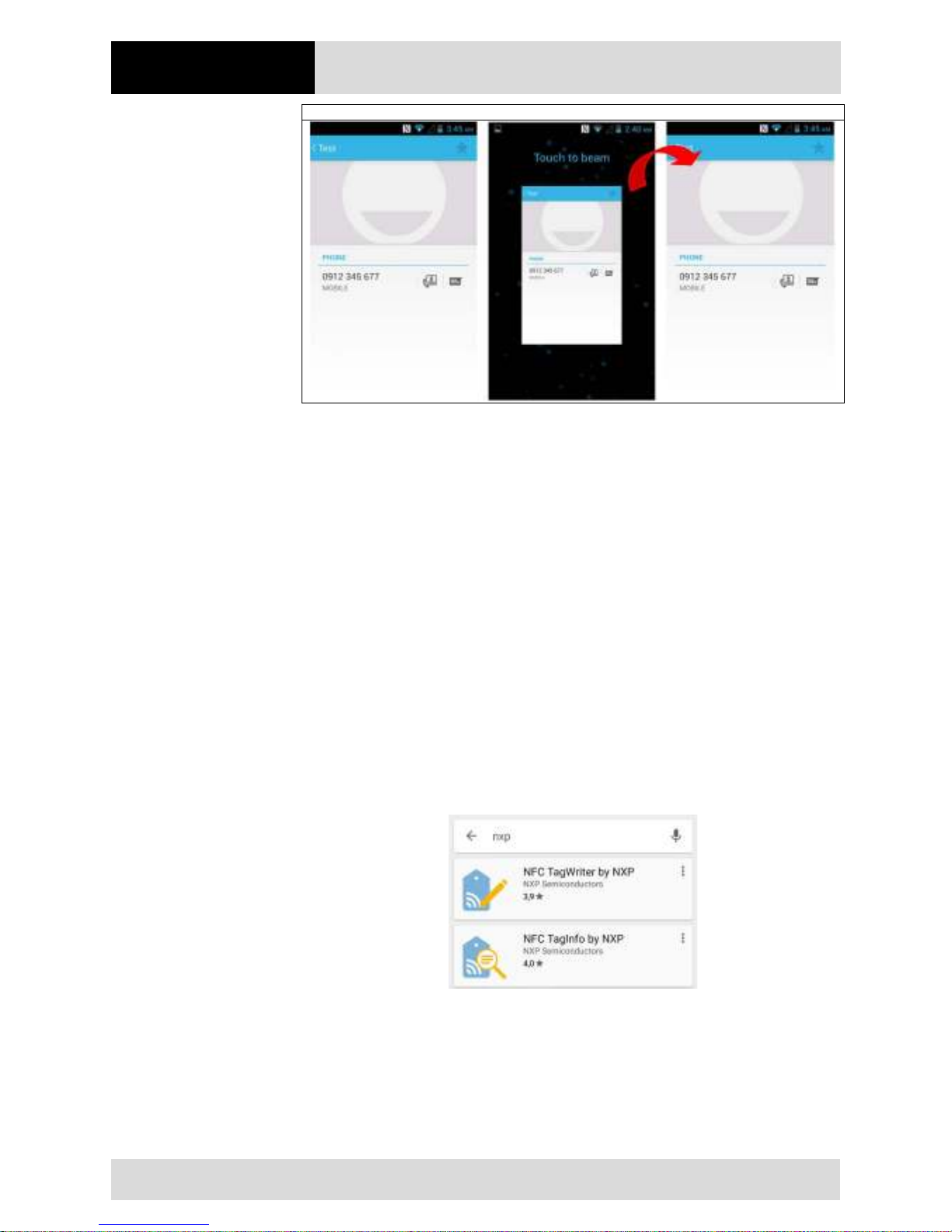
Operation
4.3" Industry Mobile Computer - Lumen X4
Type B7-A2P4-.…/……..
EN 58/70
Subject to technical changes.
03/2016
Example 3: Kontaktdaten
6.11.3 Use Read / Write Function
The RFID HF/NFC Reader supports following protocols:
− ISO 14443-A (read)
− ISO 14443-B (read)
− ISO 15693 (read)
− ISO 18092 (read/write)
By default, no application for read / write function is pre-installed.
The user can download an existing application from Google App Store what is usable for
the RFID HF/NFC reader.
Another option is to use the standard Google Android SDK (Software Development Kit) for
development of a customized solution. For the Lumen X4 is a SDK available for download
what is needed for the development.
Example Application for test:
Open Google App Store and search for “NXP” and install it.
Page 65
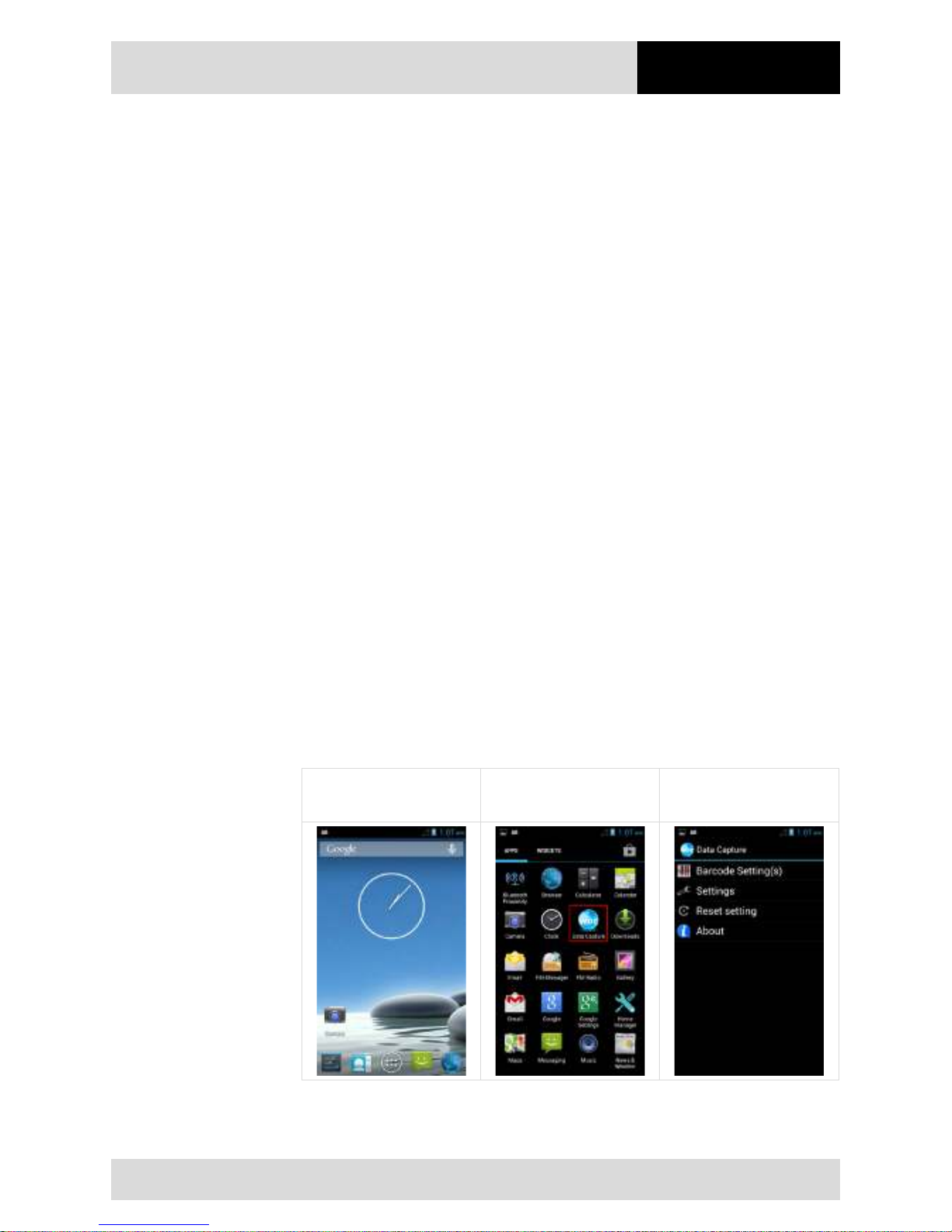
4.3" Industry Mobile Computer - Lumen X4
Type B7-A2P4-.…/……..
Operation
Subject to technical changes.
03/2016
EN 59/70
6.12 1D/2D Imager
6.12.1 General information
The Lumen X4 is optionally available with a Zebra 1D/2D imager.
Zebra Type: SE4500-SR
A software tool has been preinstalled on the Lumen X4 for test purposes and simple
applications.
The “WDC – Data Capture” tool permits a customised configuration of the scanner.
The following tools or SDKs “Software Development Kits” are available to enable the
programming of a customised application:
1. Download and install the available application from the Google App Store.
2. Own development with the help of:
- Standard Google Android SDK
- SDK for the specific product as download from the BARTEC download page
6.12.2 WDC – Data Capture Tool
The WDC software offers the user simple application of the scanner. The user can
configure the scanner using the settings menu.
6.12.2.1 Starting the WDC Tool
1. From the start screen, go to the menu.
2. In the menu, select WDC - Data Capture application.
3. WDC – Data Capture start screens opens.
Start Screen Menu WDC – Data Capture
Application
Page 66
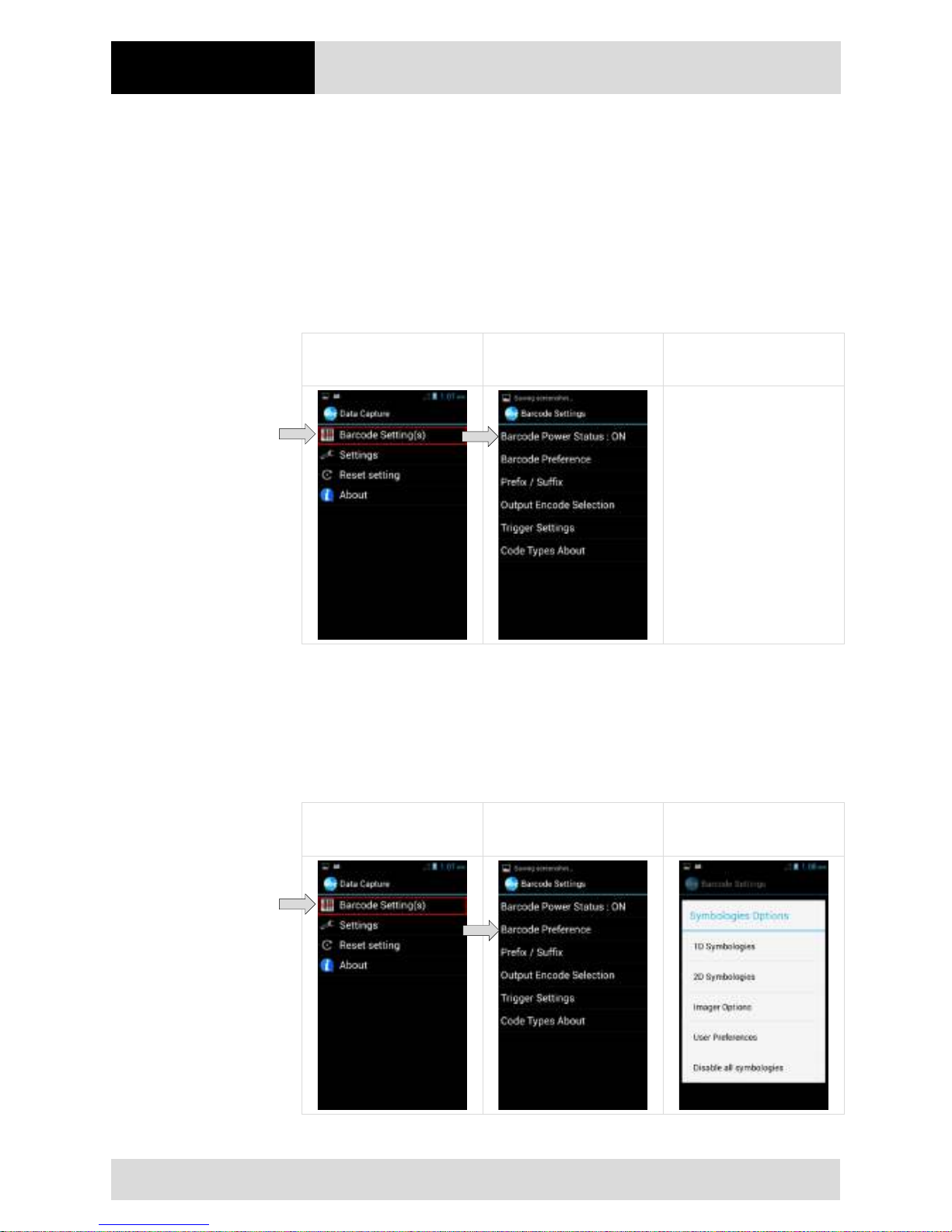
Operation
4.3" Industry Mobile Computer - Lumen X4
Type B7-A2P4-.…/……..
EN 60/70
Subject to technical changes.
03/2016
6.12.2.2 Switching the scanner on/off
1. WDC – Data Capture start screen
Select “Barcode Settings”.
The scanner is switched on automatically when the WDC – Data Capture Tool is
started.
2. The scanner is switched on and off using the “Barcode Power Status” checkbox.
WDC – Data Capture -
Start Screen
Barcode Settings –
Barcode Power Status
6.12.2.3 Adjusting the barcode symbols
1. WDC – Data Capture start screen
Select “Barcode Settings”.
2. All supported barcode symbols can be activated, deactivated and configured in the
menu and the sub-menus.
WDC – Data Capture -
Start Screen
Barcode Settings –
Barcode Preferences
Symbologies Options
Page 67
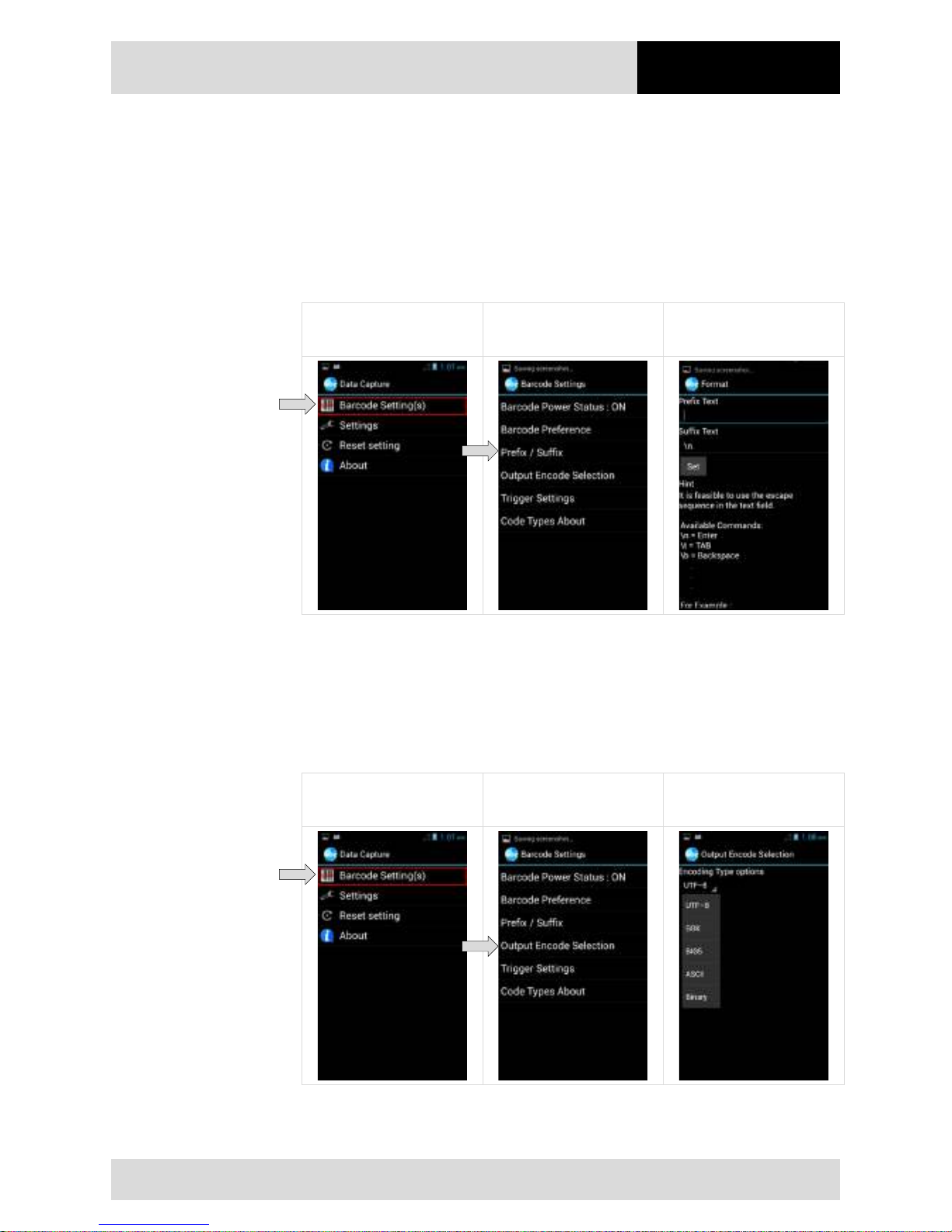
4.3" Industry Mobile Computer - Lumen X4
Type B7-A2P4-.…/……..
Operation
Subject to technical changes.
03/2016
EN 61/70
6.12.2.4 Setting the prefix / suffix
1. WDC – Data Capture start screen
Select “Prefix / Suffix”.
2. Which characters or commands are to be used as prefix / suffix can be set in the
menu.
3. The setting is saved by tapping the “Set” box.
WDC – Data Capture -
Start Screen
Barcode Settings –
Prefix/Suffix
Prefix/Suffix
6.12.2.5 Setting the output format
1. WDC – Data Capture start screen
Select “Output Encode Selection”.
2. The output format can be set in the menu.
The following are supported: UTF-8; GBK; BIG5; ASCII; Binary
WDC – Data Capture -
Start Screen
Barcode Settings –
Output Encode Selection
Output Encode Selection
Page 68
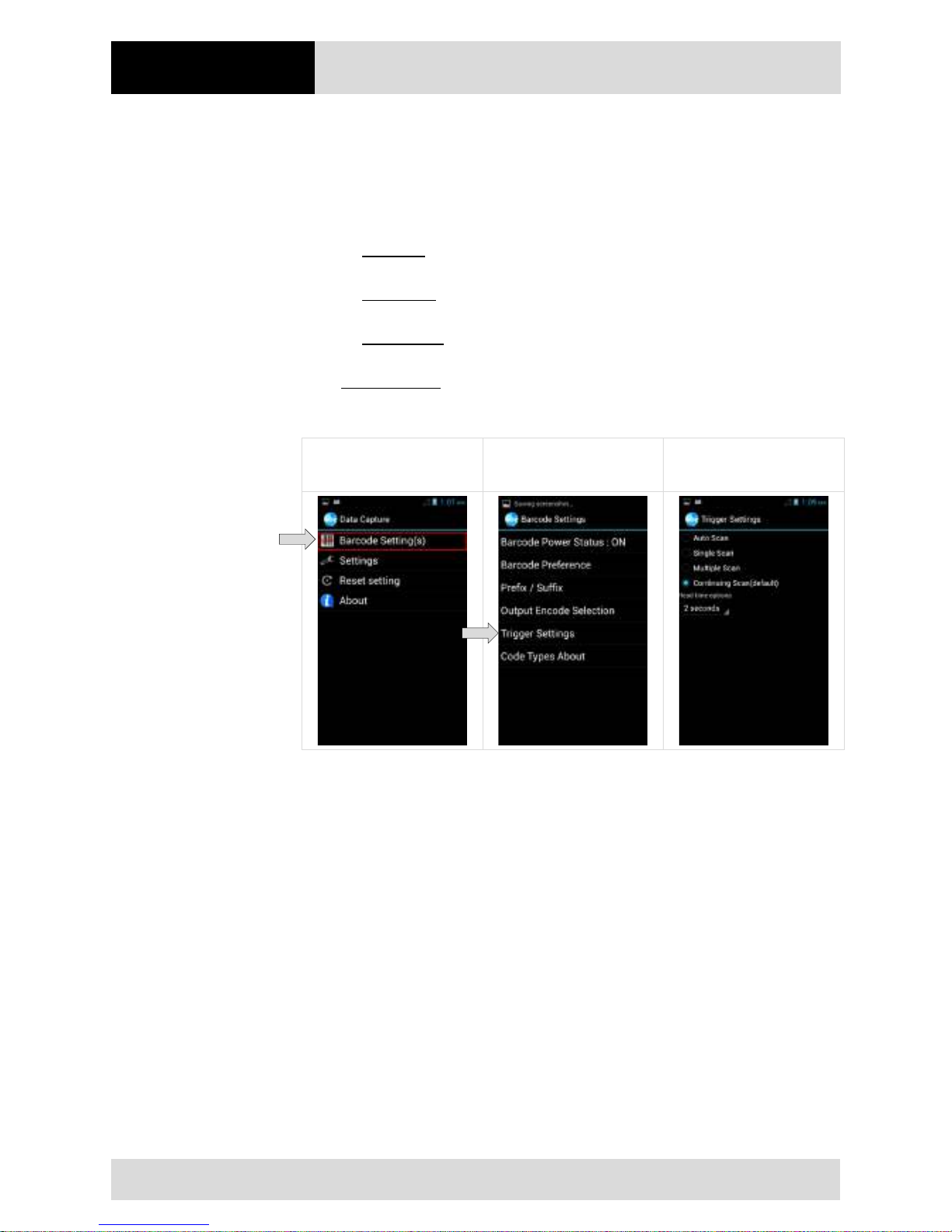
Operation
4.3" Industry Mobile Computer - Lumen X4
Type B7-A2P4-.…/……..
EN 62/70
Subject to technical changes.
03/2016
6.12.2.6 Setting triggers
1. WDC – Data Capture start screen
Select “Trigger Settings”.
2. The trigger settings can be configured in the menu.
Auto Scan – barcode reader starts automatically when the user exits the WDC
application.
Single Scan – barcode reader only starts reading when the trigger button is
pressed and reads the first barcode that is scanned.
Multiple Scan – barcode reader only starts reading when the trigger button is
pressed. Several barcodes can be read while the scanner is active.
Continuing Scan (default) – barcode reader only starts reading when the trigger
button is pressed and reads the first barcode that is scanned.
WDC – Data Capture -
Start Screen
Barcode Settings –
Trigger Settings
Trigger Settings
Page 69
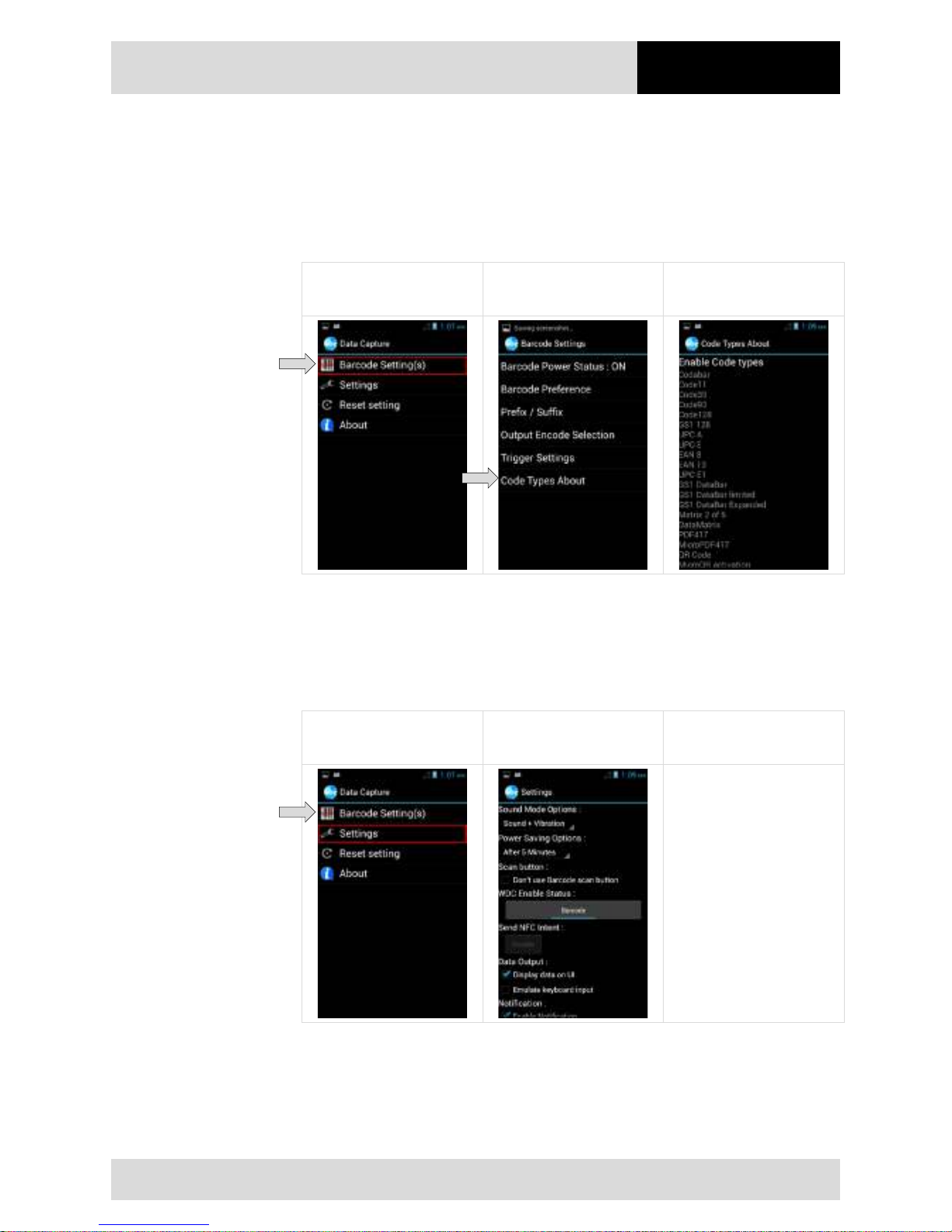
4.3" Industry Mobile Computer - Lumen X4
Type B7-A2P4-.…/……..
Operation
Subject to technical changes.
03/2016
EN 63/70
6.12.2.7 Displaying the activated barcode symbols
1. WDC – Data Capture start screen
Select “Code Types About”.
2. The activated barcode symbols are displayed in the menu.
WDC – Data Capture -
Start Screen
Barcode Settings –
Code Types About
Code Types About
6.12.2.8 Adjusting the default settings
1. WDC – Data Capture start screen
Select “Settings”.
2. The default settings can be adjusted in the menu.
WDC – Data Capture -
Start Screen
Barcode Settings –
Code Types About
Page 70
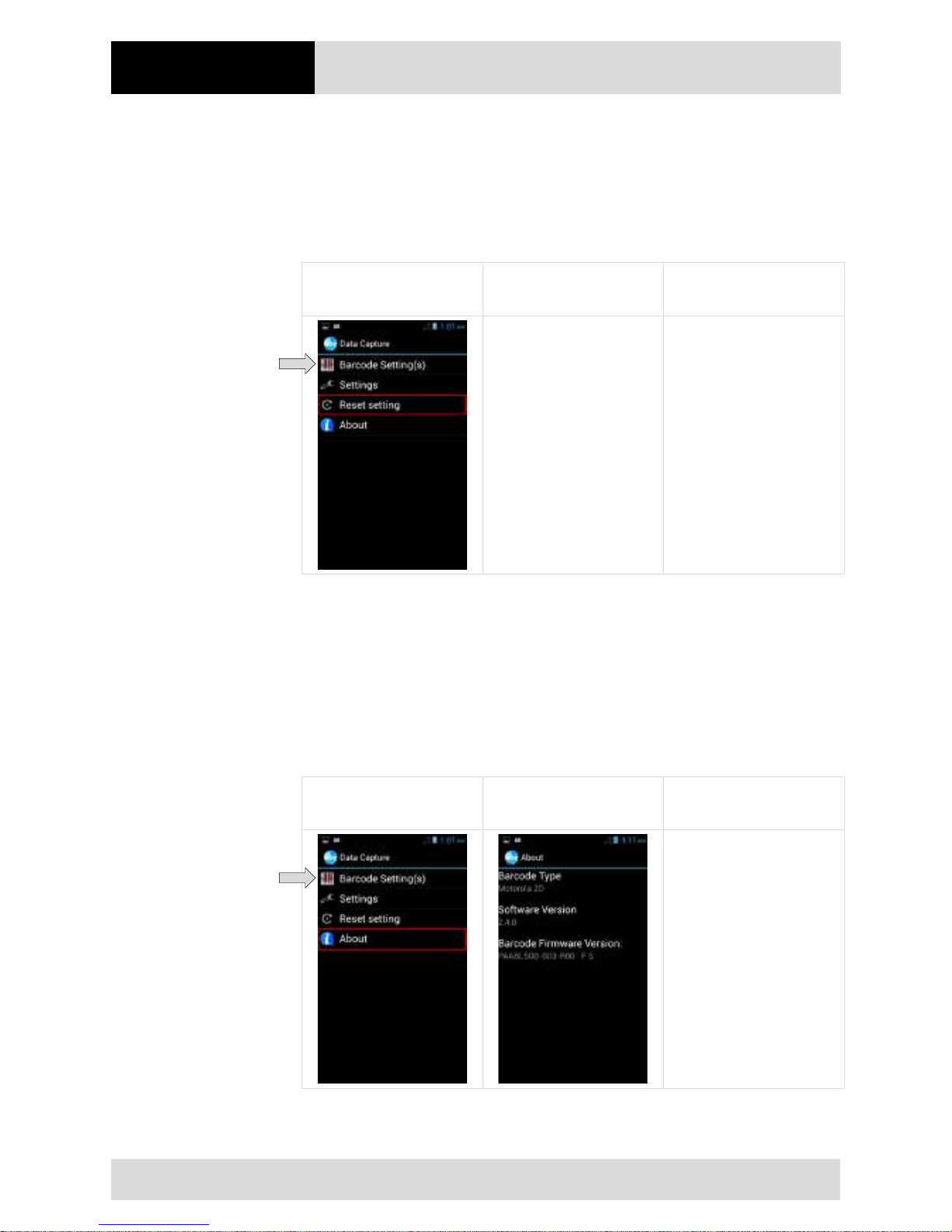
Operation
4.3" Industry Mobile Computer - Lumen X4
Type B7-A2P4-.…/……..
EN 64/70
Subject to technical changes.
03/2016
6.12.2.9 Resetting the application
1. WDC – Data Capture start screen
Select “Reset Settings”.
2. WDC – Data Capture Tool is reset to default settings.
WDC – Data Capture -
Start Screen
6.12.2.10 Application information
1. WDC – Data Capture start screen
Select “About”.
2. Software version is displayed.
Barcode Type: Motorola 2D
Software Version: 2.4.0
Firmware Version: PAABLS00-003-R00 F S
WDC – Data Capture -
Start Screen
About
Page 71
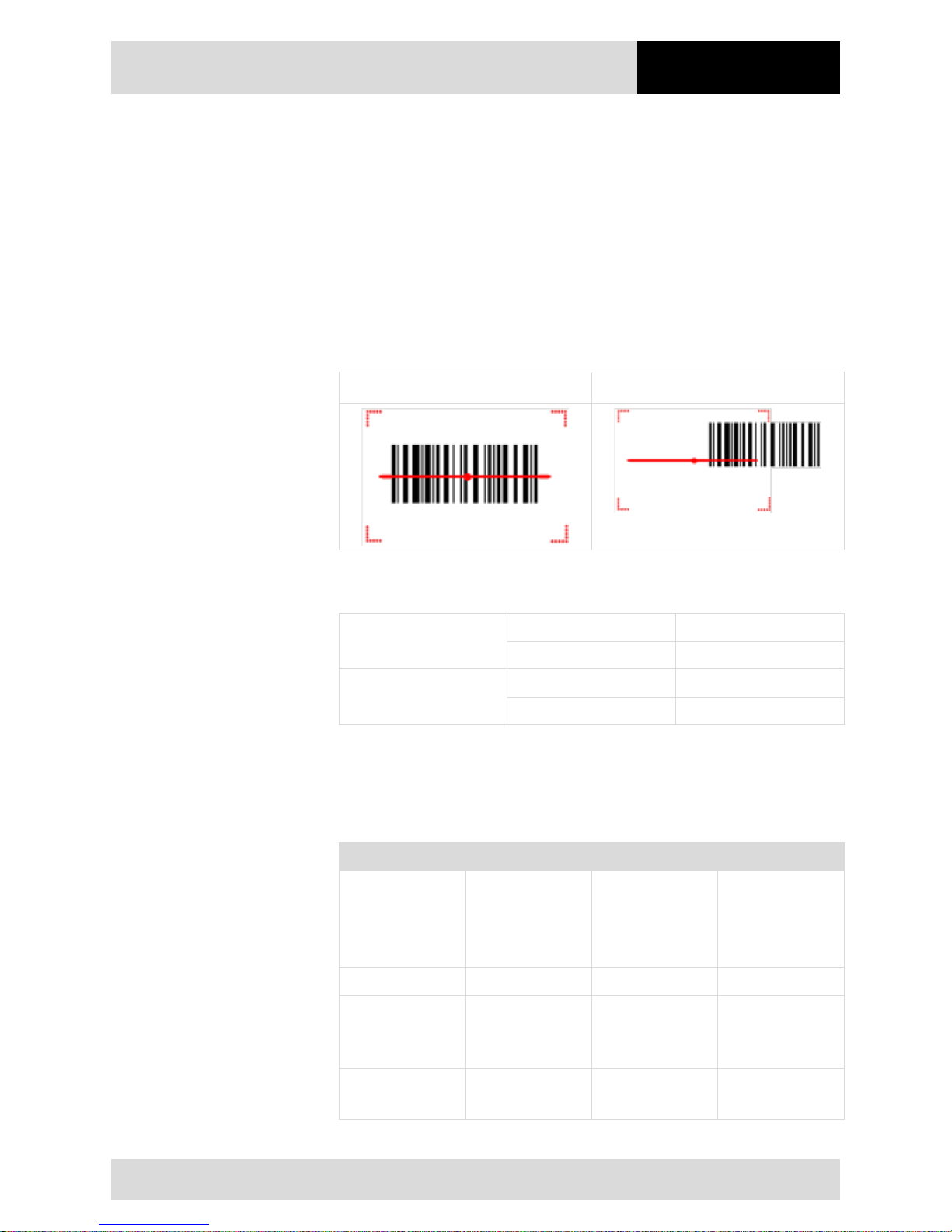
4.3" Industry Mobile Computer - Lumen X4
Type B7-A2P4-.…/……..
Operation
Subject to technical changes.
03/2016
EN 65/70
6.12.2.11 Barcode scanning
1. Exit the WDC – Data Capture application.
2. In the default setting, the barcode scanner functions as a keypad. As a result, the
barcode data can be read into every active box in any application.
6.12.2.12 Tips for barcode scanning
1. Pay attention to correct usage.
2. Pay attention to the correct alignment of the scanner beam to the barcode.
Correct: Wrong:
3. Pay attention to the correct angle to the barcode.
Scan Angle
Horizontal 34,4°
Vertical 22,2°
Frame Angle
Horizontal 30°
Vertical 20°
4. Pay attention to the correct distance to the barcode.
This depends on the barcode symbols used, the quality of the printed barcode, the
amount of dirt, light conditions etc.
Refer also to Chapter 3.3.8
Symbology Density Min. Distance Max. Distance
Code 39
0.100 mm
0.125 mm
0.500 mm
1.000 mm
9.5 cm
8.0 cm
6.5 cm
9.5 cm
11.5 cm
14.5 cm
50.0 cm
75.0 cm
EAN / UPS 100% 0.33 mm 6.0 cm 34.0 cm
Data Matrix
0.18 mm
0.25 mm
0.38 mm
7.5 cm
6.0 cm
5.5 cm
16.5 cm
23.0 cm
34.5 cm
PDF417
0.25 mm
0.38 mm
5.5 cm
6.5 cm
26.0 cm
37.0 cm
Page 72
Faults and
Troubleshooting
4.3" Industry Mobile Computer - Lumen X4
Type B7-A2P4-.…/……..
EN 66/70
Subject to technical changes.
03/2016
7. Faults and Troubleshouting
DANGER
Danger to life exists in potentially explosive atmospheres!
Examine defective devices and any accessories only outside the potentially
explosive atmosphere.
7.1 Troubleshooting
Problem
Solution
The battery does not charge.
- Check that the external power supply is connected and that
the replaceable battery is inserted correctly.
No image on the display.
- The Industry Mobile Computer is possibly in sleep mode.
Press power button to wake up the device.
- The settings for the background lighting are possibly too low.
Increase the settings of the background lighting.
There is no WLAN signal.
- Check under "System settings/Wireless & networks" whether
the WLAN is activated.
- If the function is deactivated, activate the function. If the
Industry Mobile Computer finds a network that you have
connected previously, it connects to it automatically.
The WLAN signal is very poor. - Select a network with a better signal strength.
Bluetooth connection to other
devices is not working.
- Check that the Bluetooth is switched on in both devices.
- Check whether the two devices are connectable.
- •Check whether the two devices are compatible with one
another
- Check whether the two devices are further than 10 m apart.
The GPS application cannot find
my position.
- Check under "System settings/Wireless & networks" whether
the GPS is activated.
- You may possibly be outside the GPS range. Take the
Industry Mobile Computer outdoors or closer to a window.
- Check whether the objects in the environment generate faults
such as microwaves or mobile telephones.
- Move the Industry Mobile Computer away from such devices.
The GPS is very inaccurate.
- When using the GPS we recommend that the 1D/2D imager
should be deactivated to avoid faults.
There is no sound from the
loudspeaker.
- Check the volume setting with the buttons for high and low.
- When using external audio devices check whether the cable
has been connected correctly.
No laser appears with the 1D/2D
imager and it does not appear to
work.
- Check that a Lumen X4 with integrated 1D/2D Imager is used.
- Check in the settings whether the scanner is enabled.
No laser appears with the 1D/2D
imager and it does not appear to
work.
- Reduce the distances between the 1D/2D imager.
- In the 1D/2D imager configuration, check whether the barcode
type use is active.
The RFID reader does not work. - Check in the settings whether the RFID reader is enabled.
Page 73
4.3" Industry Mobile Computer - Lumen X4
Type B7-A2P4-.…/……..
Service, Inspection,
Repair
Subject to technical changes.
03/2016
EN 67/70
8. Service, Inspection, Repair
Service, inspection, and repair of Lumen X4 Industry Mobile Computers may be
conducted exclusively by trained and qualified staff! The staff who is familiar with the
service, inspection, and repair of Lumen X4 Industry Mobile Computers, has been
informed about the risks and has the qualifications necessary for this work.
8.1 Service intervalls
DANGER
Prevent electrostatic charging in potentially explosive atmospheres.
Danger to life in explosive atmosphere!
Do not dry wipe or clean devices.
The mechanical state of the device should be regularly checked. The service intervals will
depend on the ambient conditions. We recommend that a service be conducted at least
once a year. Regular servicing is not necessary if the device is correctly operated in
accordance with the installation instructions and under appropriate consideration of the
ambient conditions.
8.2 Inspection
According to EN/IEC 60079-17 and EN/IEC 60079-19, the owner/operator of electrical
plants in potentially explosive atmospheres is obliged to have these plants checked by an
electrician to ensure that they are in a correct condition.
8.3 Service and repair work
In addition to Directive 99/92/EC, the standards EN/IEC 60079-17 and EN/IEC 60079-19
also apply to the servicing and repair as well as the testing of accompanying operating
devices.
Work connected with assembly/dismantling, operation and servicing may only be
conducted by trained specialists. All statutory requirements and other binding guidelines
on occupational health and safety, accident prevention and environmental protection must
be observed.
8.3.1 Information on sending in for repairs
The following information is required for the repair:
- Serial number of the device, see label for series number in chapter 3.6 "Product
labelling"
- Model number or product name, see type plate in chapter 3.6 "Product labelling"
Page 74
Repair, Disposal,
Packaging
4.3" Industry Mobile Computer - Lumen X4
Type B7-A2P4-.…/……..
EN 68/70
Subject to technical changes.
03/2016
Please read through the handling guidelines for the RMA process before you send in a
defective device for repair. Then complete the RMA form (Return Merchandise
Authorization), sign it and send it to our "Returns Centre".
We cannot guarantee the processing within the contractually agreed period for any
returns received by us without RMA number.
The handling guidelines and the RMA form are available for download from our website:
http://www.bartec.de
If you have any questions? Please write us a mail or give us a call.
E-Mail: [email protected]
Telephone: +49 7931 597-444
9. Disposal
As professional electrical devices, our devices are intended exclusively for commercial
use, so-called B2B devices, in accordance with the WEEE Directive.
The WEEE Directive provides the framework for the treatment of old electrical
equipment throughout E
urope. This means that you may not dispose of these devices
in usual household waste but must dispose of them separately in an environmentally
compatible manner and can also bring them to the collection points of public disposal
companies.
All products pur
chased from us can be returned to us by our customers for disposal.
We will ensure disposal in accordance with the applicable laws.
The sender shall bear the costs of postage and packaging.
The Industry Mobile Computers contain metallic and plastic parts and electronic
components.
10. Forwarding and packaging information
ATTENTION
Sensitive devices! Damage may be caused by incorrect packaging!
Use original packaging for transport.
Page 75
4.3" Industry Mobile Computer - Lumen X4
Type B7-A2P4-.…/……..
Accessories
Subject to technical changes.
03/2016
EN 69/70
11. Accessories
Description
Order number
Ex-certified accessories
Certification: ATEX Zone 2/22, IECEx Zone 2/22, CSA Class I Divison 2
Battery
Lithium polymer battery 3.7 V / 3,900 mAh (1S/2P)
B7-A2Z0-0034
Micro SD card
- storage capacity of 4 GB
- storage capacity of 8 GB
17-28BE-F006/000A
17-28BE-F006/000B
Screen protector
B7-A2Z0-0035
Hand strap
03-9849-0142
Lanyard
03-9849-0143
Optional accessories for the non-Ex area
USB network adapter
Input voltage: AC 100 up to 240 V / 60 Hz, Output voltage: DC 5 V, 1
A, Interface: USB type A
- US-version
- EU-version
- UK-version
- Australia version
03-9914-0014
03-9914-0015
03-9914-0016
03-9914-0017
USB cable
Type A to micro Type B, for charging in combination with universal
USB adapter, for communication/data exchange with other USB
devices
03-9919-0025
Micro USB Host Cable (OTG Cable)
Provides OTG (On-the-Go) function, acting as a host allowing a USB
flash drive to be attached
03-9919-0026
Optional accessories for the non-Ex area
2-Slot Charger
for charging of two Lumen X4
Input voltage: 12 V DC (50 W), tTwo slot charging dock, power level
LED indicators, one 50 power supply can support up to 2 set of dock
interconnected
03-9914-0018
Further required components
Power supply
Input: 100-240 VAC, Output: 12VDC, 4.16A, 50W
03-9911-0015
AC Line cord - 3 wired - according to operating conditions
- AC line cord (EU) - 3 wired
- AC line cord (US) - 3 wired
03-9609-0011
03-9609-0021
2-Slot Battery Charger
for charging of two batteries
Input voltage: 12 V DC (50 W), two slot charging dock, power level
LED indicators and buzzer, one 50 power supply can supports up to
2 set of dock interconnected
03-9914-0019
Further required components
Power supply
Input: 100-240 VAC, Output: 12VDC, 4.16A, 50W
03-9911-0015
AC Line cord - 3 wired - according to operating conditions
- AC line cord (EU) - 3 wired
- AC line cord (US) - 3 wired
03-9609-0011
03-9609-0021
Vehicle Docking Station
Input voltage: DC 9 V up to 36 V, Charging of the Lumen X4
Dimension: 86.7 x 38.5 x 162.5 mm
Interfaces: 1 x Terminal block for connection to cigarette lighter
03-9914-0020
Quick Start Guide
B1-A2P4-7E0001
Page 76
Additional Information
4.3" Industry Mobile Computer - Lumen X4
Type B7-A2P4-.…/……..
EN 70/70
Subject to technical changes.
03/2016
12. Additional Information
12.1 Links
All original Winmate documents refer to the non-explosion-protected version.
Please heed the safety information in the BARTEC manuals when using original
Winmate documents.
http://www.bartec-group.com
BARTEC website
http://www.bartec.de/automation-download/
BARTEC download page
Page 77

Page 78
Max-Eyth-Str. 16
97980 Bad Mergentheim
Phone: +49 7931 597-0
Fax: +49 7931 597-119
[email protected]
www.bartec.de
BARTEC GmbH
Germany
Your partner
for safety
technology.
Challenge us!
EN_B1-A2P4-7D0001-03/2016-Automatisierung-391871
 Loading...